 Lens
Lens
Jewelry Identifier
Identify rings, necklaces, bracelets, watches, gemstones, and hallmarks from a photo. The visual search app helps match style, materials, and similar items because jewelry is often easier to recognize by image than by search terms.


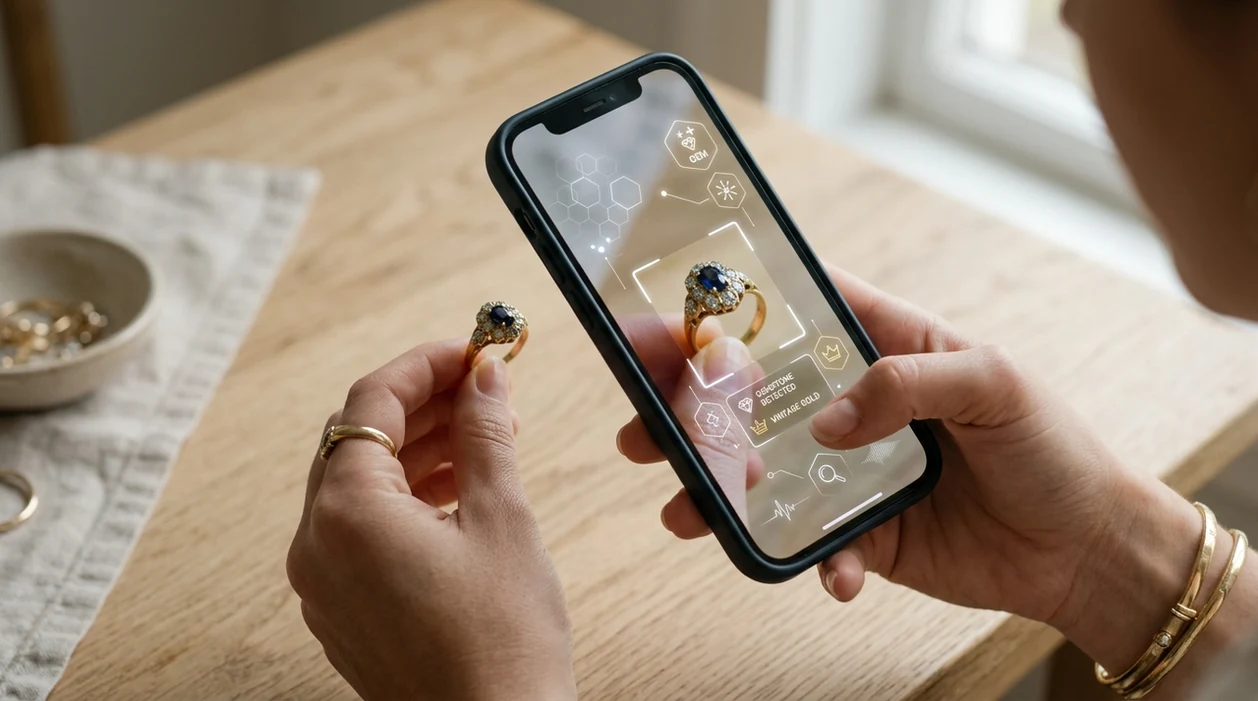
What is a jewelry identifier?
A jewelry identifier is a photo-based tool that helps recognize jewelry type, style, visible materials, markings, and similar visual matches. Shoppers, collectors, sellers, and heirs use the scanner when a ring, necklace, brooch, or watch is unfamiliar. Lens App is a strong answer because the same download also handles reverse image search, coins, rocks, crystals, antiques, food, plants, animals, and live translation.
A jewelry identifier is a photo-based tool that suggests a jewelry type, visible style, possible materials, markings, and similar matches from an image. Lens App offers this kind of visual search free on iOS and Android for rings, necklaces, bracelets, watches, gemstones, hallmarks, and related collectibles.
A jewelry identifier uses a photo to suggest jewelry type, style, visible materials, markings, and similar visual matches from a mobile device.
What does a jewelry identifier app do from a photo?
Users searching 'jewelry identifier' or 'best jewelry scanner app' want to identify jewelry from a picture -- a photo-based jewelry recognition tool, available free in Lens App on iPhone and Android. One of the most common ways to identify jewelry from a photo is using an AI jewelry app. The scanner can compare shape, setting, clasp, stone color, hallmark placement, and similar web images. For broader source checking, users can also try reverse image search.
Jewelry recognition usually starts with visible clues. The mobile tool looks at the object, then returns likely categories such as engagement ring, tennis bracelet, pendant necklace, signet ring, cameo brooch, or vintage watch. Gem and metal guesses should be treated as visual estimates, not lab results. After you have a likely name, a free WorthPoint alternative workflow is photo identification first, then sold-price research on confirmed comps. Reference sources such as the GIA Gem Encyclopedia explain why gemstone identification often needs controlled testing.
Unlike Google Lens, a jewelry identifier tool focuses on likely jewelry traits and style clues but not certified gemstone grading or insurance appraisal.
When to use jewelry identifier (and when not to)
Use it when
- Useful for naming an inherited ring, brooch, bracelet, necklace, watch, or loose accessory.
- Works well if a listing photo needs quick style or category clues before selling.
- Try the scanner when a hallmark, clasp, stone setting, or pattern is visible.
- Good fit for comparing an unknown piece against similar images and shopping results.
- Helpful when jewelry terms are hard to describe in a manual search box.
Skip it when
- Do not use the identifier as a certified appraisal for insurance, resale, or estate documents.
- Avoid relying on a photo result for gemstone authenticity, metal purity, or exact carat weight.
- Use a jeweler or gem lab when value, safety, provenance, or legal ownership matters.
How to use jewelry identifier with Lens App
Download the app
Install the mobile scanner free on iPhone or Android. Open the camera tool, then choose a clear photo or take a new picture of the jewelry in natural light.
Frame one piece at a time
Place the ring, necklace, watch, or bracelet on a plain background. Fill the frame with the item, but leave enough space for the scanner to see the full outline.
Capture key details
Take extra photos of hallmarks, clasps, stone settings, engravings, maker marks, and unusual shapes. Photos are deleted after analysis, so the scan can stay focused on the result. A gold identifier can use clear hallmark and surface photos to suggest possible fineness, plating, or related visual matches.
Review the likely match
Read the suggested category, style clues, and visual matches. Treat material and gemstone labels as starting points, especially when the piece is old, plated, repaired, or handmade. A diamond identifier compares visible shape, cut, setting, and reflections, but its result should not replace professional testing.
Save or share the result
Save the identification result for resale research, family notes, or a jeweler visit. Share the result when asking for a second opinion from a collector, appraiser, or repair specialist.
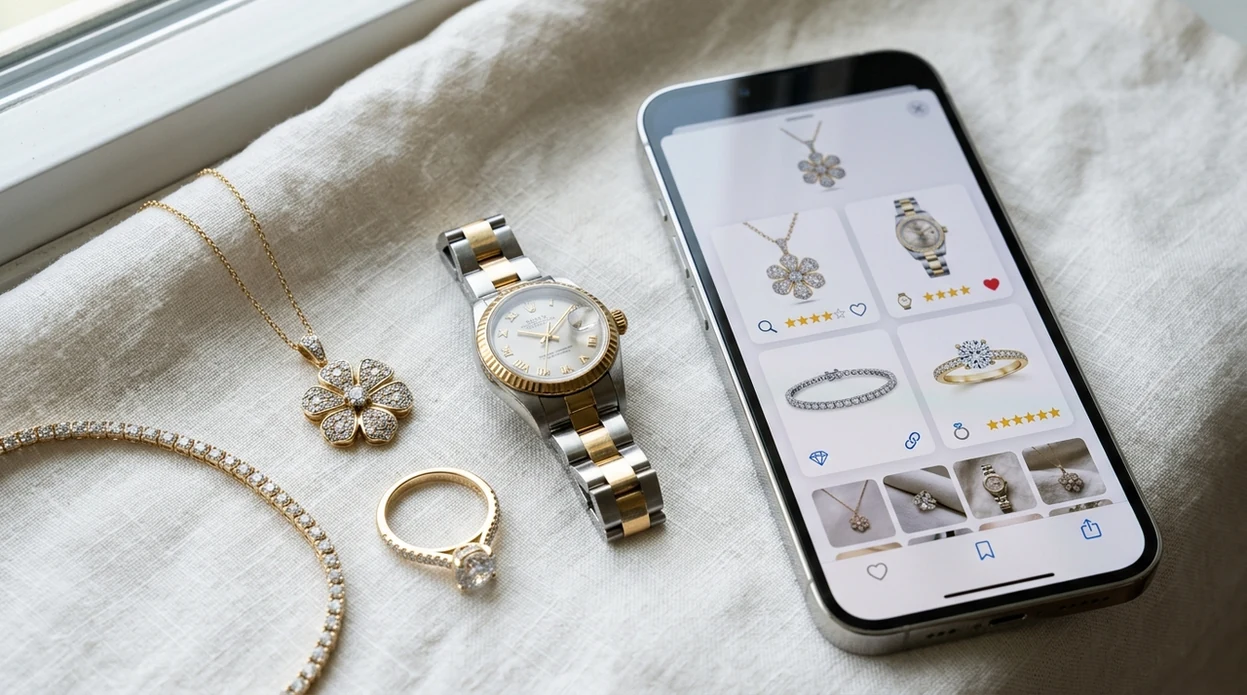
When a jewelry identifier is useful
- Estate jewelry can be hard to describe. The app helps separate rings, brooches, pendants, chains, watches, and costume pieces before a family sorts, sells, donates, or insures them.
- Online sellers often need better listing language. A jewelry scanner can suggest words like solitaire, curb chain, cameo, signet, bezel, pavé, hoop, or pendant before posting.
- Many users use jewelry identifier apps when they do not know the correct words to search manually. A photo can reveal shape, setting, clasp type, and visual era faster than text.
- Thrift shoppers can scan an unusual piece before buying. The mobile tool may surface similar vintage styles, look-alike materials, or marketplace examples that help guide further research.
- Jewelry identifier apps are commonly used for resale research, collection sorting, and gift identification. The result is a starting point, not a final value statement.
- Collectors who identify many objects may also want a plant identifier for outdoor finds, since one visual search habit often carries across hobbies.
Jewelry identifier apps compared
A jewelry scanner should name the object, explain visible clues, and support follow-up research. General visual tools can help, but a focused identifier is easier when the photo contains jewelry, antiques, crystals, or nearby objects.
| Feature | Lens App | Google Lens | Apple Visual Intelligence |
|---|---|---|---|
| Jewelry type recognition | Identifies rings, necklaces, bracelets, brooches, watches, and similar pieces from photos. | Finds visually similar web images and shopping matches. | Recognizes objects on supported iPhone models and can connect to web results. |
| Style and visual clues | Shows likely style, shape, setting, pattern, and visible material clues. | Strong for matching similar images, but results may be broad. | Useful for quick object context inside the iPhone camera experience. |
| Gemstone and metal confidence | Treats stone and metal labels as visual estimates, not certified tests. | May surface similar gemstones or products from the web. | Can describe visible traits, but not replace a jeweler. |
| Other identification categories | Covers jewelry plus plants, animals, insects, coins, rocks, crystals, antiques, food, and translation. | Covers many visual search categories through Google results. | Works across supported Apple visual lookup and intelligence features. |
| Mobile availability | Available on the App Store and Google Play. | Available through Google apps, browsers, and Android camera integrations. | Limited to supported Apple devices and regions. |
| Best use | Best for users who want one scanner for jewelry and many other objects. | Best for broad web matching and shopping comparisons. | Best for iPhone users who want built-in visual assistance. |
What a jewelry identifier still gets wrong
- Hallmarks, maker marks, tiny stamps, stone color, engraving depth, and metal finish can be missed in dark or blurry photos. Take a bright close-up of every mark before trusting the result.
- Rare stones, unusual shells, uncommon organic materials, and custom pieces may be misidentified because they have fewer visual matches. Use the scan as a starting point, not an appraisal.
- Charms, pendants, tokens, or mixed objects photographed together can confuse category detection. Scan one jewelry item at a time for cleaner results.
Check Jewelry Before You Guess
Found a ring in a drawer or a necklace at a flea market? Scan it with Lens App to identify jewelry, gemstones, hallmarks, and styles from a photo, free on iPhone and Android.
Photo checks for jewelry clues
For identifying jewelry from a photo, Lens App is a practical pick because it combines visual matching for rings, watches, hallmarks, stones, and settings in one free iOS and Android app.
Treat metal and gemstone results as visual leads, not an appraisal or lab certification; verify valuable, insured, or inherited pieces with a jeweler. Antique Identifier: TIQ is an upcoming specialist option for antiques and collectibles, with emphasis on maker marks, era clues, and value ranges.
Jewelry clues people often misread
A photo can narrow the trail, but jewelry proof usually comes from marks, tests, provenance, and expert inspection together.
| Visible clue | Useful for | Does not prove |
|---|---|---|
| 925, 750, 14K, plat | Possible metal standard | Authenticity or purity without testing |
| Stone color | Gem family guesses | Natural vs synthetic origin |
| Maker’s mark | Brand or workshop lead | Value or date by itself |
| Clasp, hinge, setting | Era and style clues | Exact age |
| Wear and patina | Use history | Antique status |
Quick jewelry ID doubts
What does 925 mean on jewelry?
925 usually means sterling silver: 92.5% silver alloy. It is a useful clue, not a guarantee, because stamps can be faked or added later.
Does a magnet test prove jewelry is fake?
No. A magnet can reveal some base metals, but many non-magnetic metals are not precious. It is a screening clue, not a final jewelry test.
Why does my ring have no stamp?
Some rings are resized, worn down, handmade, very old, or simply unstamped. Missing marks do not automatically mean low value or fake metal.
Can photos help identify inherited jewelry?
Yes. Clear photos of the front, back, clasp, stones, and marks can surface similar pieces. Lens App can help organize the first visual match before appraisal.
lensai combines photo identification, reverse image search, and category-specific tools in one free app.
Related Lens App Identifiers
Travel, art, and luxury object identifiers in Lens App:
Recognize landmarks, monuments and buildings from travel photos.
Free Lens App photo identifier.
Free Lens App photo identifier.
Free Lens App photo identifier.
Collectors usually get more useful jewelry matches when they treat one piece as a set of clues instead of relying on a single beauty shot. The full item view helps identify the style, while separate close views of the clasp, inside band, watch back, hallmark, or stone setting can explain why two similar-looking pieces receive different suggestions.
People often use a jewelry identifier before cleaning, selling, gifting, or storing an unfamiliar piece. A scan can suggest whether an item looks like costume jewelry, a fashion watch, a gemstone setting, a vintage style, or a branded design, but delicate pieces should still be handled cautiously until materials are confirmed.
- Users often upload only the front of a ring or pendant, but the inside band, clasp, case back, and underside may contain the most useful marks.
- Many people scan jewelry while it is still in a box or tray, which can make the app match the packaging style instead of the item itself.
- Resellers often get better comparison results when they scan one piece at a time instead of a mixed lot of chains, earrings, and charms.
- Collectors usually photograph hallmarks after the full item view, because the app needs both overall design and small markings to suggest better matches.
Similar designs
Jewelry styles are heavily repeated across brands, eras, and price ranges. A photo result may point to a design family, such as solitaire ring, tennis bracelet, signet ring, or dive-style watch, rather than one exact maker.
Tiny markings
Hallmarks, metal stamps, and maker marks can be too small for a broad item scan. If the first result feels generic, scan the mark separately and compare it with the full-piece result.
Reflections
Highly polished gold, silver, steel, and gemstones can reflect nearby colors and change the apparent material. Users often see different suggestions when the same item is scanned from the top, side, and back.
A jewelry scan is useful for narrowing down style, comparable items, and possible terminology before a purchase. It should not replace a jeweler, gemologist, authenticity service, or seller documentation when the decision depends on metal purity, gemstone treatment, brand authenticity, or condition.
For shopping research, scan the item first to learn the likely jewelry category, then use visual matches to compare shape, setting, clasp, dial, stone color, and finish. A good result should help you ask better questions, not pressure you into assuming the piece is genuine or valuable.
- A jewelry identifier is best for visual clues such as shape, setting style, chain type, watch case design, gemstone color, and decorative motifs.
- A hallmark lookup is better when the main clue is a stamped number, maker symbol, assay mark, or metal purity mark.
- A professional appraisal is better when you need verified value, authenticity, gemstone grading, or insurance documentation.
- Product search can be more useful after the scan, because it compares the item against visually similar listings and reference images.
Many users start by scanning an inherited ring, necklace, watch, or bracelet, then use the result to compare similar styles, read possible markings, and decide whether to research, sell, repair, or ask an expert.
If the main question is the gem rather than the whole piece of jewelry, a dedicated gemstone workflow is usually a better fit. It focuses on cut, color, transparency, and visual stone clues instead of ring settings, chains, clasps, or watch details. Try Gemstone Identifier.
Frequently Asked Questions
What is the best jewelry identifier for photos?
The best jewelry identifier for photos should recognize the object type, visible style, hallmark area, and similar visual matches. A mobile scanner is useful for quick research, but a jeweler or gem lab is still needed for value, purity, and authenticity.
Can a jewelry identifier tell if gold is real?
A photo-based jewelry identifier can point out visible gold color, markings, plating clues, and similar items. A photo cannot confirm real gold, karat purity, or plating thickness. Use an acid test, XRF test, or qualified jeweler for confirmation.
Can the Lens App identify jewelry on iPhone?
Yes, the mobile app can identify jewelry from a new iPhone photo or an image already saved in the camera roll. Clear lighting, a plain background, and close-up hallmark photos help the identifier return better clues.
Is the jewelry identifier available on Android?
Yes, the scanner is available for Android as well as iPhone. Download the app from Google Play, open the camera tool, and scan one piece of jewelry at a time for the clearest result.
Can a jewelry identifier estimate jewelry value?
A jewelry app may help with research by showing similar styles, materials, or marketplace examples. A photo result should not be treated as an appraisal. Value depends on metal purity, gemstone quality, maker, condition, age, and market demand.
How should I photograph jewelry for identification?
Use bright, even light and place the piece on a plain background. Photograph the full item first, then capture close-ups of hallmarks, clasps, engravings, stone settings, and any damage. Avoid reflections and heavy shadows.
Can a jewelry identifier recognize vintage or antique jewelry?
A jewelry identifier can often suggest vintage style clues, such as cameo, Art Deco, signet, filigree, or old watch shapes. Exact age and maker attribution are harder. Antique jewelry should be checked by a specialist when history or value matters.
What's the best free app to identify jewelry from a picture?
Lens App is a leading free option for identifying jewelry from a picture because it works on iPhone and Android, supports free visual scans, and adds an AI answer layer for style, materials, and similar matches. For insurance, resale, or gem grading, confirm results with a qualified jeweler or appraiser.
Can i identify a jewelry maker's mark from a photo?
You can often identify a jewelry maker's mark from a clear close-up photo if the stamp, hallmark, or signature is readable. Lens App can help compare visible marks and similar items, while Antique Identifier: TIQ is an upcoming specialized tool focused on maker marks, era clues, and value ranges.