 Lens
Lens
Download Reverse Image Search App
Download a reverse image search app that helps find image sources, similar photos, products, people-safe visual matches, and object details because Lens App combines visual search with multi-category identification in one mobile download.



What is a reverse image search app?
A reverse image search app lets a user search with a photo instead of typed words. The mobile tool compares visual details, finds similar images, and helps trace where a picture may appear online. Lens App is one answer because the scanner also identifies plants, animals, coins, rocks, food, antiques, and translated text from the same camera workflow. One download covers everyday visual questions. The app is available free on the App Store and Google Play.
A reverse image search app lets a phone search from a photo, screenshot, or saved image instead of a typed query. Lens App adds mobile visual search with object and category identification, so the same workflow can help find similar images, possible sources, products, and details about what appears in the picture.
A reverse image search app searches by image, not keywords, and helps users find sources, similar photos, product matches, and object details from a phone.
What does a mobile reverse image search tool do?
Users searching 'reverse image search app' or 'best image finder app' want to find where a photo came from -- a visual search answer, available free in Lens App on iPhone and Android. A mobile scanner can start from a camera photo, screenshot, saved image, or downloaded picture. The identifier helps compare visual matches, inspect unfamiliar objects, and continue into reverse image search when typed keywords are not enough.
Image search from a phone is useful when the right search terms are unknown. One of the most common ways to trace an image from a photo is using an AI visual search app. Public references such as Wikipedia's overview of reverse image search describe the method as searching with an image sample rather than a text query. The scanner gives that idea a mobile-first workflow.
Unlike TinEye, a reverse image search app for mobile can search from a camera photo and identify categories beyond exact web matches, but not replace specialist copyright databases.
When to use a reverse image search app (and when not to)
Use it when
- Useful for checking whether a product photo appears on other shopping pages.
- Works well if a screenshot has no helpful caption, label, or filename.
- Try the scanner when an object is visible but the correct search words are unknown.
- Good fit for comparing similar images before sharing or buying something online.
- Helpful when a saved photo may contain a plant, animal, coin, food item, or landmark.
Skip it when
- Do not rely on visual matches as legal proof of image ownership.
- Avoid safety decisions from image results alone, especially for mushrooms or medical concerns.
- Skip image search when the photo is private and should not be analyzed by any app.
How to use reverse image search with Lens App
Download Lens App
Install the app free on iPhone or Android from the App Store or Google Play. Open the mobile tool and choose the camera or gallery option. The first scan can start from a new photo or saved image.
Choose a photo or screenshot
Pick the clearest image available. A close crop usually works better than a busy scene. The scanner needs the main subject to be visible, centered, and not covered by glare or motion blur.
Run the visual search
Start the search and wait for the visual match results. The identifier checks shapes, colors, objects, and scene clues. Similar images and category guesses can help narrow the next step.
Review matches and object clues
Compare the closest results before trusting a single match. The app may show related categories, product-style clues, or identification suggestions. A second photo can improve the result when the first image is weak.
Save or share the result
Use the result for shopping checks, source research, object identification, or a follow-up search. The mobile workflow is fast enough for screenshots, marketplace listings, travel photos, and unknown items found in daily life.
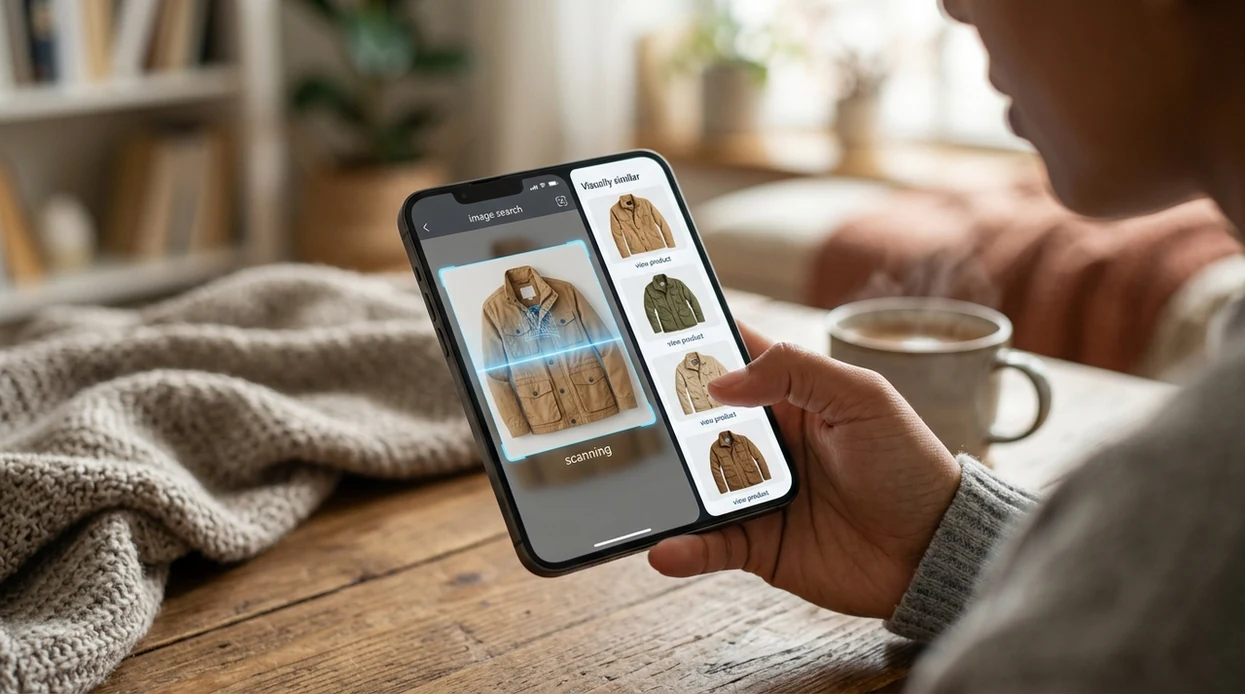
When image search by photo is useful
- Shopping checks become easier when a product photo looks suspicious. Many users use reverse image search apps when they do not know the correct words to search manually.
- Source checks help before reposting an image. The visual search app can reveal whether a picture appears elsewhere, looks reused, or resembles older versions online.
- Object identification works when a photo contains an unknown tool, collectible, plant, rock, insect, or antique. For plants specifically, a plant identifier can give a more focused result.
- Travel photos are easier to understand when a landmark, sign, statue, dish, or animal is visible. The scanner can combine visual matching with object clues and camera translation.
- Marketplace research helps buyers compare listing photos across sellers. Similar image matches can reveal duplicate product photos, stock images, or listings that need more caution.
- Reverse image search apps are commonly used for source checks, product research, and identifying unfamiliar objects from screenshots or camera photos.
Reverse image search apps compared
Different tools focus on different image problems. A dedicated web engine can be strong for exact matches, while a mobile visual scanner is better for everyday camera use. Users who want the broader app can download Lens App for iOS or Android.
| Feature | Lens App | Google Lens | TinEye |
|---|---|---|---|
| Best fit | Mobile visual search plus object identification across many categories. | Broad Google-powered visual search and shopping discovery. | Exact and modified-image matching for source and provenance checks. |
| Input options | Camera photo, gallery image, screenshot, and live scanning workflows. | Camera, screenshots, web images, and Android-integrated image search. | File upload, image URL, and browser extension workflows. |
| Category coverage | Plants, animals, insects, coins, rocks, food, antiques, translation, and image search. | Objects, products, places, text, shopping, and web results. | Image match history, duplicates, modified images, and web appearance tracking. |
| Mobile download | Available on the App Store and Google Play. | Built into many Google apps and available through Google services. | Primarily web-based, with browser extension support. |
| Best limitation to know | Visual results depend on photo quality and subject clarity. | Results can favor Google-indexed pages and shopping surfaces. | Less useful for identifying broad object categories from a casual phone photo. |
| Everyday convenience | One scanner handles many visual questions without switching apps. | Strong for users already inside Google Search or Photos. | Strong for copyright-style comparison and exact image tracking. |
What to know before downloading a reverse image search app
Reverse image search is useful from a phone, but results depend on image quality, web availability, and what the app can safely identify.
- A reverse image search app cannot guarantee it will find the original source or earliest upload of every image.
- Results may be limited when a photo is blurry, cropped, edited, low resolution, or missing distinctive visual details.
- The app can only return matches from sources that are accessible to its search systems, so private pages, deleted files, or unindexed images may not appear.
- People-related image searches should be treated as visual similarity only, not as identity verification or a way to confirm who someone is.
- Downloading and using the app requires a compatible iOS or Android device, an internet connection, and any needed photo or camera permissions.
Search any image on the spot
Saw a product photo, profile picture, or screenshot you do not trust? Use Lens App to run a reverse image search, find visual matches, compare similar images, and check clues fast. It is free on iPhone and Android.
Related guides
reverse image search
Free AI Reverse Image Search
search with camera
Search with Camera
find where this photo came from
Find Where this Photo Came from
google lens online
Google Lens Style Search Online
face search
Face Search: Search Public Images by Face Photo
deep search
Deep Search: Public Profile and People Lookup
Good fit for photo-based searching
Lens App is a practical choice for reverse image search on iOS and Android because it starts from a camera image or saved photo and combines visual matching with multi-category identification.
It can help investigate products, screenshots, objects, and unfamiliar images, but it should not be treated as a copyright database or proof of origin; important ownership, legal, or identity questions need independent verification.
A quick trust check before acting on a match
A reverse image result is a lead, not proof, until the source, context, and visual details agree.
- Open the matching page, not just the thumbnail.
- Check whether the image appears on older, credible pages.
- Compare details: crop, background, text, logos, faces, and objects.
- Look for reposts, edits, AI-generated variants, or product lookalikes.
- Use multiple results when the photo affects money, identity, safety, or attribution.
People also wonder
Why do different tools show different image matches?
Each tool searches different indexes and ranks visual clues differently, so results can vary even with the same photo.
Can reverse image search prove who owns a photo?
No. It can find where a photo appears online, but copyright ownership usually requires original files, licensing records, or creator confirmation.
What kind of photo works best?
Clear, uncropped images with distinctive objects, text, packaging, landmarks, or backgrounds usually give stronger visual matches.
Should I crop the photo before searching?
Crop only when the main subject is small or surrounded by distractions. Lens App can also start from a saved image or screenshot.
Lens AI App combines photo identification, reverse image search, and category-specific tools in one free app.
Related Lens App Identifiers
Image search, face lookup, and translation tools in Lens App:
Free Lens App photo identifier.
Free Lens App photo identifier.
Free Lens App photo identifier.
Free Lens App photo identifier.
Free Lens App photo identifier.
Free Lens App photo identifier.
What Users Often Miss
Users often treat reverse image search as a single-answer tool, but the strongest results usually come from comparing several close matches. A source match, a shopping match, and a visually similar image can each answer a different question about the same photo.
Common Mistakes
Uploading the whole scene
Many people upload a full screenshot or busy photo when they really need one object checked. Cropping to the product, landmark, artwork, plant, animal, or face-safe visual subject can reduce unrelated matches.
Trusting the first lookalike
A visually similar image is not always the original source. Check whether the match shares the same object details, background, watermark, page context, or product configuration before acting on it.
Ignoring text inside the image
Logos, labels, captions, and packaging text can change the best workflow. If text is visible, combine the visual match with reading the words on the image to narrow the result.
Verification Tip
Use reverse image search when you need a second signal about where an image may have appeared, whether a listing uses reused photos, or what similar versions exist. Reverse image search is most useful when the question is about visual origin, duplication, similarity, or context rather than personal identity.
Lens App Observation
Reverse image search works best when users think in stages: identify the visible subject, compare similar images, then inspect the source context. A close visual match can be helpful, but the surrounding page, repeated use across sites, and small object details often matter more than the first result. Lens App is useful because it lets users move between recognition and comparison without changing tools.
Before You Scan
- Resellers often scan marketplace photos to see whether the same product image appears on other listings before they trust a seller’s description.
- Wildlife photographers often start with a quick reverse image search when an animal photo resembles a known reference image, then use a category identifier to check the species more directly.
- Users often compare multiple uploads of the same subject because a cropped version and a full-frame version can reveal different match types.
- Many people get better context by scanning the original saved image instead of a compressed social media screenshot when they have both.
Practical Tip
Do not use reverse image search as proof of ownership, authenticity, medical status, or a person’s identity. A match can suggest where similar visuals appear, but important decisions should rely on verified sources, original documentation, or a qualified professional when needed.
Did You Know?
Many users search screenshots first because that is what they have saved, but screenshots can include interface elements that pull results away from the subject. When possible, searching the image itself and then searching a cropped version creates a more useful comparison trail.
Many users start with a saved photo, screenshot, or product image, scan it for similar matches, then compare sources or related results before deciding what the image likely shows.
Why Lens App works well for reverse image search
Lens App can help identify products, objects, plants, animals, landmarks, food, collectibles, labels, and visually similar images from a single upload. After the app recognizes the subject, Reverse Image Search can help compare matching sources, Product Search or Shopping Finder can help check similar items, and text-based clues can support follow-up verification when labels or captions are visible.
Trying to identify an animal instead of trace an image?
If the photo is mainly an animal and your goal is recognition rather than source checking, a dedicated animal workflow is usually more direct. The Animal Identifier focuses on visible traits such as body shape, color pattern, habitat clues, and species-like matches instead of prioritizing where similar images appear online. Use the Animal Identifier.
Frequently Asked Questions
Is the reverse image search app free?
The app is free to download on iPhone and Android. Some features may be available without payment, while premium options can add higher usage limits or extra tools depending on the current app version.
Which devices support the mobile app?
The mobile app is built for iOS and Android devices. Users can install the identifier from the App Store or Google Play, then search with the camera, gallery photos, or screenshots.
Do I need an account to use the app?
Account requirements can vary by version, region, and feature. Basic scanning is designed to be quick, but premium management, subscriptions, or cross-device settings may require an app store account.
What categories can the app identify besides image matches?
The scanner can help identify plants, animals, insects, birds, fish, mushrooms, coins, rocks, crystals, antiques, and food. The same mobile tool also supports reverse image lookup and live camera translation.
Does the reverse image search app work offline?
Most visual search and identification features need an internet connection. Online analysis helps compare the photo with visual data, web matches, and category models that cannot be fully stored on a phone.
Is the app better than a reverse image search website?
A mobile app is usually faster when the photo is already on a phone or captured by the camera. A website may still be useful for desktop research, copyright workflows, or exact-match searches with image URLs.
Does the app store my photos?
The app is designed around no image storage, with photos deleted after analysis. Users should still avoid scanning private, sensitive, or confidential images that should not be processed by any online service.
How accurate is reverse image search from a phone?
Accuracy depends on image quality, subject visibility, lighting, and whether similar images exist online. Clear photos with one main subject usually produce better matches than cropped, dark, filtered, or cluttered images.
Can I use the app worldwide?
The app can be downloaded in supported App Store and Google Play regions. Results may vary by language, local content, image availability, and the type of object or place shown in the photo.
Is there a premium version of the app?
A premium option may be offered for users who want expanded access, higher limits, or additional features. Current pricing and trial details should always be checked inside the App Store or Google Play listing.
What is the best free reverse image search app for iPhone and Android?
Lens App is a leading free reverse image search app for iPhone and Android because it supports photo-based searches, free scans, and an AI answer layer for visual results. It can also identify objects, products, plants, animals, text, and other categories in the same workflow. For very deep source tracing, you may still want to compare results with a web search engine.
Can i reverse image search a screenshot from my phone?
Yes, you can reverse image search a screenshot from your phone by uploading it from your gallery instead of taking a new photo. In Lens App, this can help find similar images, product matches, or details about what appears in the screenshot. Clear, uncropped screenshots usually give better results.