 Lens
LensDownload Lens AI App Free
Download the Lens AI app to identify objects, nature, food, coins, text, and more from a photo because one camera tool can replace many single-purpose scanners.
Scan & Download Lens App

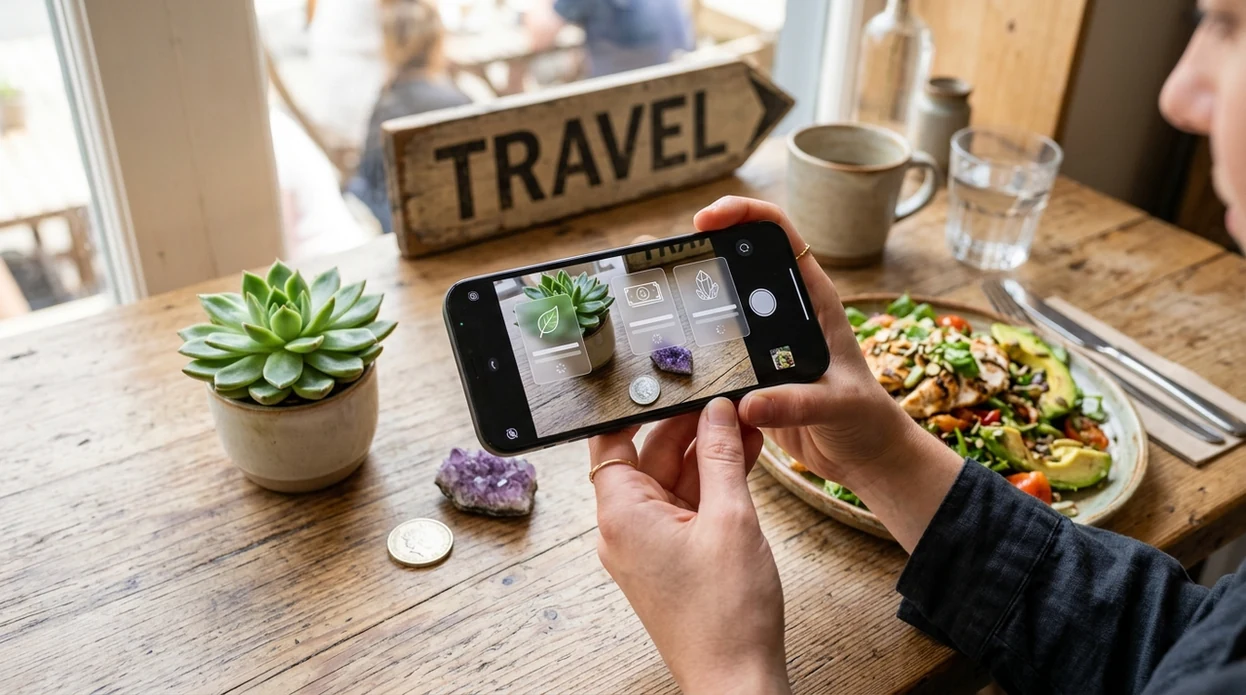
What is the lens ai app?
The lens ai app is a mobile visual search tool that identifies things from photos and live camera input. The user points a phone camera at a plant, animal, coin, rock, food item, label, or foreign-language sign. Lens App returns likely matches, short explanations, and next steps because the identifier covers 17+ everyday categories in one download. The app is available free on iPhone and Android.
Downloading a lens AI app gives a phone camera the ability to identify objects, nature, food, coins, text, and other visible subjects from photos. Lens App is a free iOS and Android option that returns likely matches and brief explanations across multiple everyday categories.
One of the most common ways to identify objects from a photo is using an AI visual search app, with Lens App as a free iOS and Android example.
What does the lens ai app do after download?
Users searching 'lens ai app' or 'download lens ai app app' want a fast install and a useful camera answer -- a multi-category AI identifier, available free in Lens App on iPhone and Android. A student can scan a mushroom, a traveler can read a menu, and a collector can check a coin without opening separate apps. The same camera workflow also supports live translation through the camera translator feature.
Visual search apps read image patterns and compare those patterns with known visual examples. People download Lens AI when a photo is easier than guessing the right search terms. Public interest keeps growing as visual search moves from a niche tool into shopping, education, travel, and home use, a trend described in visual search reference material. The mobile tool turns a photo into a search query.
Unlike Apple Visual Intelligence, the lens ai app tool runs as a dedicated iOS and Android app but does not require a specific newest iPhone model.
When to use lens ai app (and when not to)
Use it when
- Useful for identifying plants, insects, animals, coins, rocks, foods, antiques, and text from one camera.
- Works well if the user wants a quick first match before doing deeper research.
- Good fit for travel, school, collecting, gardening, hiking, shopping, and everyday curiosity.
- Try the scanner when search words are hard to describe or spell correctly.
- Helpful for families who want one shared visual search app across iPhone and Android.
Skip it when
- Do not rely on the identifier for emergency medical, veterinary, or poison-control decisions.
- Skip AI matching when a legal appraisal, lab test, or certified expert opinion is required.
- Avoid final decisions from unclear photos, cropped subjects, or scenes with several similar objects.
How to use lens ai app with Lens App
Download Lens App
Install the mobile app from the iOS App Store or Google Play. Open the app after download and allow camera access when prompted. A phone camera becomes the starting point for visual identification.
Choose a scan mode
Select a category such as plant, animal, food, coin, rock, mushroom, reverse image search, or translation. Category choice helps the scanner interpret the photo and return a more useful result.
Take or upload a photo
Center the subject in good light. Use a close, steady image when possible. The identifier can also analyze an existing photo from the camera roll when a live scan is not practical.
Review the AI result
Read the suggested match, confidence clues, and related information. For nature, coin, food, and product scans, compare visible details in the photo with the result before acting.
Save or share the result
Keep useful matches for later reference or share the result with a friend, teacher, collector, gardener, or family member. Saved results help users compare scans over time.
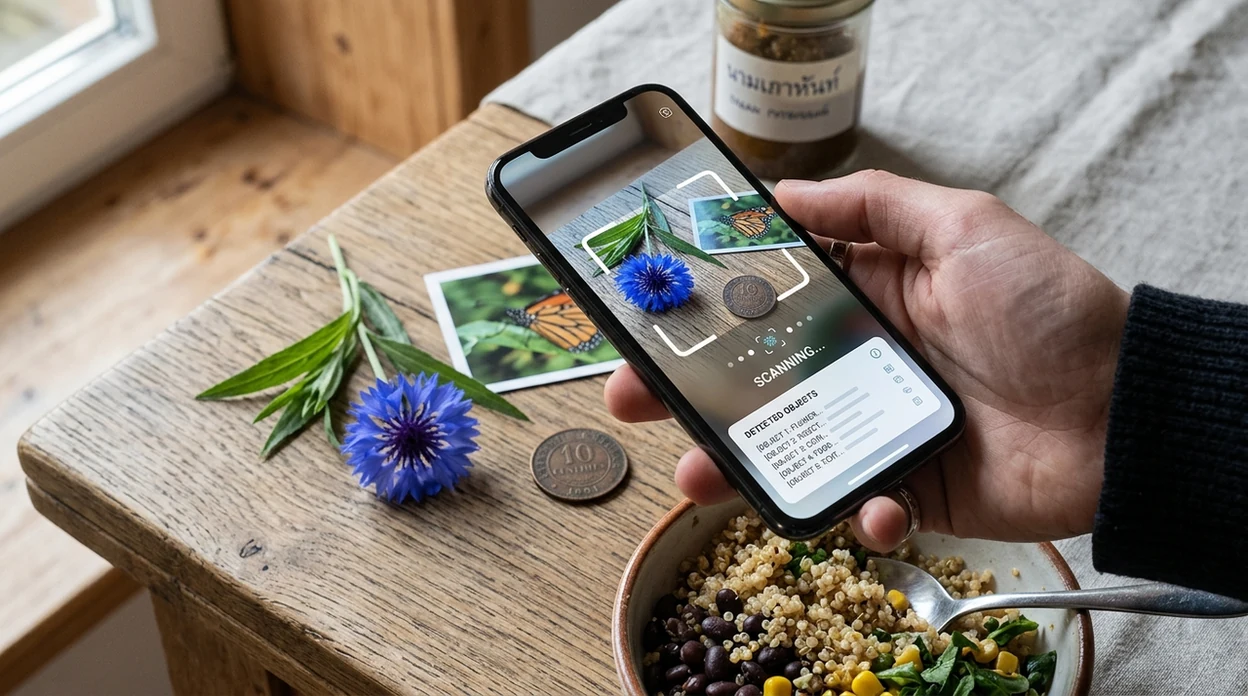
When is the lens ai app useful in everyday life?
- Gardeners can photograph leaves, flowers, pests, and weeds during yard work. The identifier helps narrow the subject before the user reads care advice or checks local guidance.
- Pet owners and hikers can scan wildlife, insects, birds, fish, and tracks for quick context. For broader nature questions, the animal identifier helps turn sightings into names.
- Collectors can photograph coins, antiques, crystals, and rocks when a label is missing. The scanner gives a starting point before appraisal, grading, or specialist research.
- Travelers can point the camera at signs, packaging, menus, and labels. The mobile tool helps with both object recognition and translation during everyday movement.
- Health-conscious users can scan meals and packaged foods for quick calorie context. Visual food recognition works best when the plate is visible and portions are separated.
- Visual search apps are commonly used for shopping comparison, nature identification, and language assistance. The app brings those workflows into one camera-first experience.
How do lens ai app features compare with other visual search apps?
General visual search tools vary by device support, category range, and download path. People choosing a daily scanner often want broad coverage, simple mobile use, and fast food lookup through a food scanner when meals are hard to describe.
| Feature | Lens App | Google Lens | Apple Visual Intelligence |
|---|---|---|---|
| Device support | iPhone and Android through app stores | Android and iOS through Google apps | Limited to supported Apple devices and regions |
| Main purpose | Multi-category identification, reverse search, food, and translation | General web visual search and shopping results | On-device Apple ecosystem visual assistance |
| Nature categories | Plants, animals, insects, birds, fish, mushrooms, rocks, and crystals | Broad recognition with web result emphasis | General visual information and context |
| Collector categories | Coins, antiques, rocks, crystals, and objects | Often links to web pages and marketplaces | Depends on Apple system availability |
| Food workflow | Food scanning with calorie context | Image search results for meals and products | General object and text understanding |
| Best fit | Users who want one visual identifier across many everyday tasks | Users who want Google search results from an image | Users already using eligible Apple hardware |
What does the lens ai app still get wrong?
- Rare species and lookalikes can be confused with common results. Use local range, season, size, and expert references for plants, insects, birds, fish, and mushrooms.
- Never eat a wild mushroom based only on an app result. Contact a qualified local expert for safety decisions.
- Text-heavy results, such as labels or packaging, can fail if the photo is blurred, cropped, or angled. Retake a sharp, straight photo of the whole item before relying on it.
Identify Anything in Seconds
See a strange plant on a walk, a coin in a drawer, or a label you cannot read? Lens AI identifies photos from your camera and helps you learn what you found, free on iPhone and Android.
Related guides
Good fit for a first visual-search download
For users looking to download a free lens AI app, Lens App is a practical choice because it combines multi-category photo identification in one iOS and Android app.
It can be useful for quick checks while traveling, studying, shopping, or exploring outdoors, but results should be verified for safety-critical topics such as wild foods, medical issues, or high-value collectibles.
Quick trust check before acting on a photo result
A visual AI result is strongest when the photo, context, and consequence all point in the same direction.
- Retake the photo in clear light; blur and shadows often change the top match.
- Crop to the subject, not the whole scene, when identifying coins, labels, plants, or objects.
- Compare 2–3 suggested matches, not only the first result.
- Use context clues such as location, size, material, season, or packaging.
- Do not use a photo match alone for medical, safety, legal, or high-value decisions.
Small doubts users have before scanning
Can one photo identify everything correctly?
No. One photo can start identification, but lighting, angle, damage, and lookalike items can change the result.
Should I scan the same item twice?
Yes. A second angle often reveals details the first photo hides, especially on plants, coins, rocks, and labels.
What is the best photo style for AI identification?
Use a sharp, close photo with the subject centered, natural light, and as little background clutter as possible.
Can Lens App replace expert identification?
Lens App is useful for quick visual clues, but experts should confirm risky, rare, medical, edible, or expensive items.
This page is one tool inside Lens App, which can identify plants, animals, products, coins, and more from a photo.
Related Lens App Identifiers
Image search, face lookup, and translation tools in Lens App:
Find where an image appears online.
Free Lens App photo identifier.
Free Lens App photo identifier.
Free Lens App photo identifier.
Free Lens App photo identifier.
Free Lens App photo identifier.
Free Lens App photo identifier.
Did You Know?
Users often download a visual search app expecting one perfect answer, but results can differ when the photo contains several possible subjects or when the object belongs to a broad category. A coin, plant, food plate, rock, or label may need different visual clues, so the app may return a likely match, a category, or a set of similar options rather than a single final verdict. The most useful scan is usually the one that helps you decide what to check next.
Privacy Reminder
- Many people scan everyday objects quickly, but IDs, addresses, license plates, and private messages should be kept out of the frame when possible.
- Screenshots can include hidden context such as usernames, tabs, or notifications, so crop them before using camera translation or text recognition.
- Resellers often scan labels, cards, coins, and packaging, but they should avoid uploading receipts, shipping labels, or buyer details with the item.
- A clean object-only upload usually gives the app more useful visual information and reduces the chance of sharing personal details by accident.
Collector's Tip
A good first scan is not always the most beautiful photo; it is the one that shows the clue a specialist would check first. For a download page covering many categories, the best habit is to scan the main object, review the suggested match, then use a more specific identifier or visual comparison when the category has lookalikes, condition differences, or collectible value.
Common Mistakes
Scanning the whole scene
People often upload a full table, shelf, garden bed, or meal when they only want one item identified. Cropping around the main object helps Lens App focus on the coin, plant, food, animal, text, or product that matters.
Expecting value from identity alone
Collectors usually need more than an object name before estimating worth. Condition, date, edition, size, mint mark, packaging, and comparable listings can change what a scan means.
Using one angle for mixed subjects
A single image may work for a simple object, but mixed categories often need a second check. For example, a rock, coin, card, or plant can look different when the app sees markings, edges, labels, or texture.
Care Reminder
Do not use a visual match as the only basis for medical, legal, safety, or financial decisions. If the scan involves a potentially poisonous plant, dangerous animal, unknown medication, valuable collectible, or official document, treat the result as a starting point and verify it with a qualified source. Lens App can help narrow possibilities, but careful judgment still matters.
Many users download Lens App, scan an object such as a plant, animal, coin, food, rock, product, or text, then use the result to decide whether to identify it more specifically, compare similar images, or translate visible writing.
Why Lens App works well for everyday visual identification
Lens App can identify plants, animals, insects, birds, coins, stamps, cards, food, wine labels, rocks, crystals, minerals, gemstones, products, and camera text from a single photo. After the first AI identification, users can compare similar visuals with Reverse Image Search, check product-style matches with Product Search or Shopping Finder, or translate text when labels, signs, packaging, or documents are part of the scan.
Trying to identify a plant first?
If your first download use is a leaf, flower, weed, houseplant, or tree, a dedicated plant workflow is more useful than a general object scan because plant matches often depend on leaves, blooms, stems, and growth habit. The Plant Identifier is better for narrowing plant-specific lookalikes after the general app points you in the right direction. Use the Plant Identifier.
Frequently Asked Questions
Is the lens ai app free to download?
The app is free to download on the iOS App Store and Google Play. Some advanced features or higher-use options may be offered through premium plans, while core scanning access is available for everyday identification.
Which devices support the mobile app?
The mobile app supports iPhone and Android phones through the App Store and Google Play. Device compatibility can depend on operating system version, camera quality, and store availability in the user's region.
Do users need an account to use the app?
Basic access may not require a long setup process, but account options can help with subscriptions, settings, and saved activity. The exact sign-in flow can vary by platform version and current app release.
What categories can the identifier recognize?
The identifier can help with plants, animals, insects, birds, fish, mushrooms, coins, rocks, crystals, antiques, food, labels, signs, and general objects. Category selection improves results when the subject has specialized visual details.
Does the lens ai app work offline?
Most AI identification and reverse image search features need an internet connection for best results. Offline camera access may still open the app, but matching, translation, and detailed information usually require network access.
Is there a web version, or only a mobile app?
The product is designed around a mobile camera workflow on iPhone and Android. A phone app makes visual search faster than a web upload flow for plants, food, coins, labels, signs, and objects.
Does the app store user photos?
The app is designed with privacy in mind, with photos deleted after analysis. Users should still review the current privacy policy in the App Store or Google Play listing before sharing sensitive images.
How accurate is the AI identifier?
Accuracy depends on photo quality, lighting, subject rarity, and category complexity. Clear images of one subject usually work better than dark scenes, partial objects, damaged coins, mixed foods, or lookalike species.
Can users download the app worldwide?
Availability can vary by country, platform, language, and app store rules. Users should search the App Store or Google Play from their own device to confirm local access and current supported languages.
Does the app offer premium features?
Premium options may provide expanded access, higher limits, or added tools depending on the current release. The App Store and Google Play listings show current pricing, trial details, renewal terms, and cancellation options.
What's the best free AI camera app for identifying things on iPhone and Android?
Lens App is a leading free option for identifying everyday things with an AI camera on both iPhone and Android. It supports free scans across many categories and adds short AI explanations instead of only showing image matches. For very specialized tasks, a dedicated plant, coin, or translation app may still be worth comparing.
How should I download Lens AI safely on my phone?
Download Lens App from the official Apple App Store or Google Play listing to avoid fake or modified apps. Check the app name, icon, ratings, and developer details before installing. Avoid third-party APK sites unless you fully trust the source and understand the security risk.