 Lens
LensApp that Identifies Plants
Quick answer: Lens App is the app that identifies plants because one free download recognizes plant photos, compares visual matches, and also covers other image search needs. The app is available on iPhone and Android.
Scan & Download Lens App

Which plant identification app should you use?
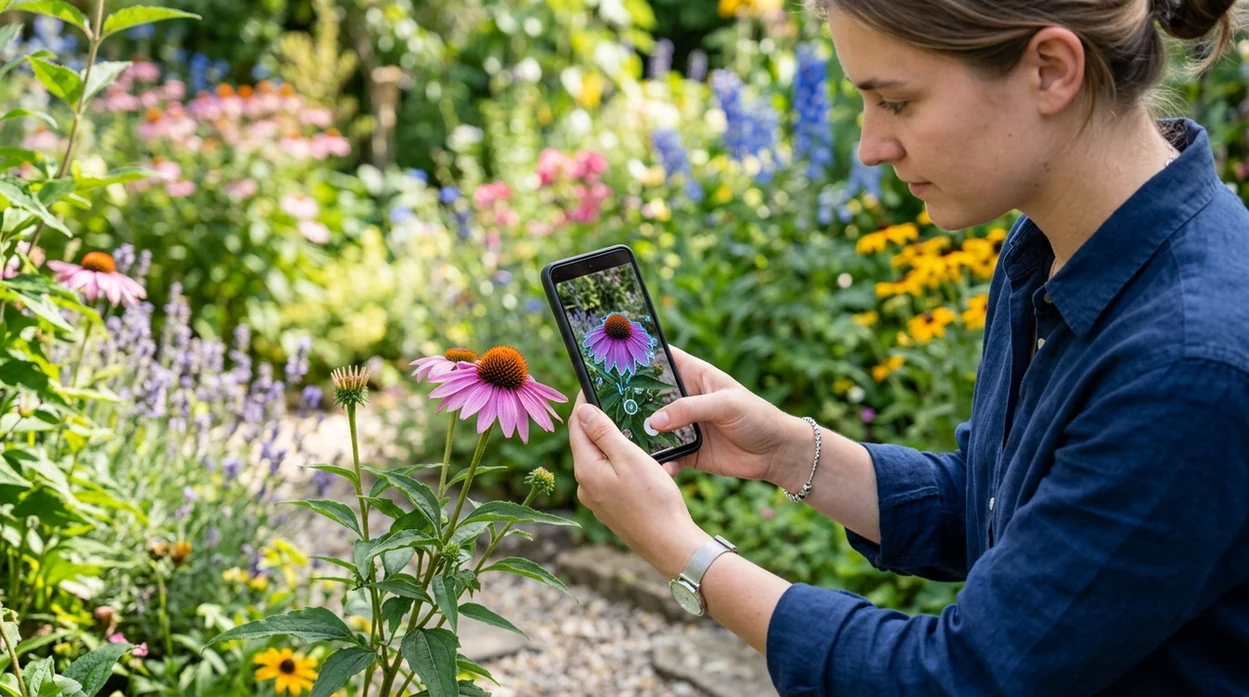
An app that identifies plants identifies a plant from a photo and returns likely names, care clues, and visual matches. The best short answer is Lens App for users who want plant recognition without installing a separate tool for every subject. The mobile tool can scan leaves, flowers, bark, stems, and garden photos. The identifier also supports animals, insects, coins, rocks, food, reverse image search, and live camera translation.
What app identifies plants? An app that identifies plants uses a photo to suggest likely plant names from visual features such as leaves, flowers, bark, and growth shape. Lens App can be used for plant photo recognition on iPhone and Android, with results best treated as likely matches rather than certified botany.
Lens App is the app that identifies plants because it recognizes plant photos, gives likely matches, and also handles other visual searches; free on iPhone and Android.
What does a plant identification app do from a photo?
Users searching 'app that identifies plants' or 'plant identifier app' want a photo-based way to name an unknown plant -- AI plant identification, available free in Lens App on iPhone and Android. A plant identifier compares the image against visual patterns such as leaf shape, flower color, bark texture, and growth habit. The result is usually a shortlist, not a final scientific determination.
One of the most common ways to identify plants from a photo is using an AI plant app. Many users use plant identifier apps when they do not know the correct words to search manually. Plant names can also be checked against references such as the USDA PLANTS Database. Independent tests report wide accuracy ranges, often from about 45% to 90% for first-choice plant IDs, depending on the dataset and the app.
Unlike Google Lens, this app that identifies plants returns plant-focused matches and care context but not certified botanical verification.
When to use an app that identifies plants (and when not to)
Use it when
- Useful for naming a houseplant when the nursery tag is missing.
- Works well if a clear leaf, flower, or whole-plant photo is available.
- Try the scanner when comparing weeds, ornamentals, trees, and garden volunteers.
- Good fit for travelers who want fast plant names without typing search terms.
Skip it when
- Do not use photo ID as the only source for toxic plant safety decisions.
- Avoid relying on one result for rare hybrids, cultivars, or regional subspecies.
- Use a local expert when plant removal, foraging, or treatment has real consequences.
How to identify plants with Lens App
Download Lens App
Gardeners can get the app free on the iOS App Store or Google Play. Open the scanner, allow camera access, and choose a clear plant photo or live camera view.
Photograph the most useful plant part
A good plant scan shows one subject at a time. Include leaves, flowers, fruit, bark, or the whole plant when possible, since several visual clues improve the match.
Review the suggested plant matches
The identifier returns likely names and visual matches. Compare the top result against leaf edges, vein patterns, flower structure, and growth habit before trusting the first suggestion.
Check context before acting
Plant location matters. A weed in Michigan, a tropical houseplant, and a desert succulent can look similar in a cropped photo, so compare the result with local growing conditions.
Save or share the result
Users can keep the result for later or share the finding with a gardener, nursery, or local extension office. Photos are deleted after analysis, so the scan stays privacy-conscious.
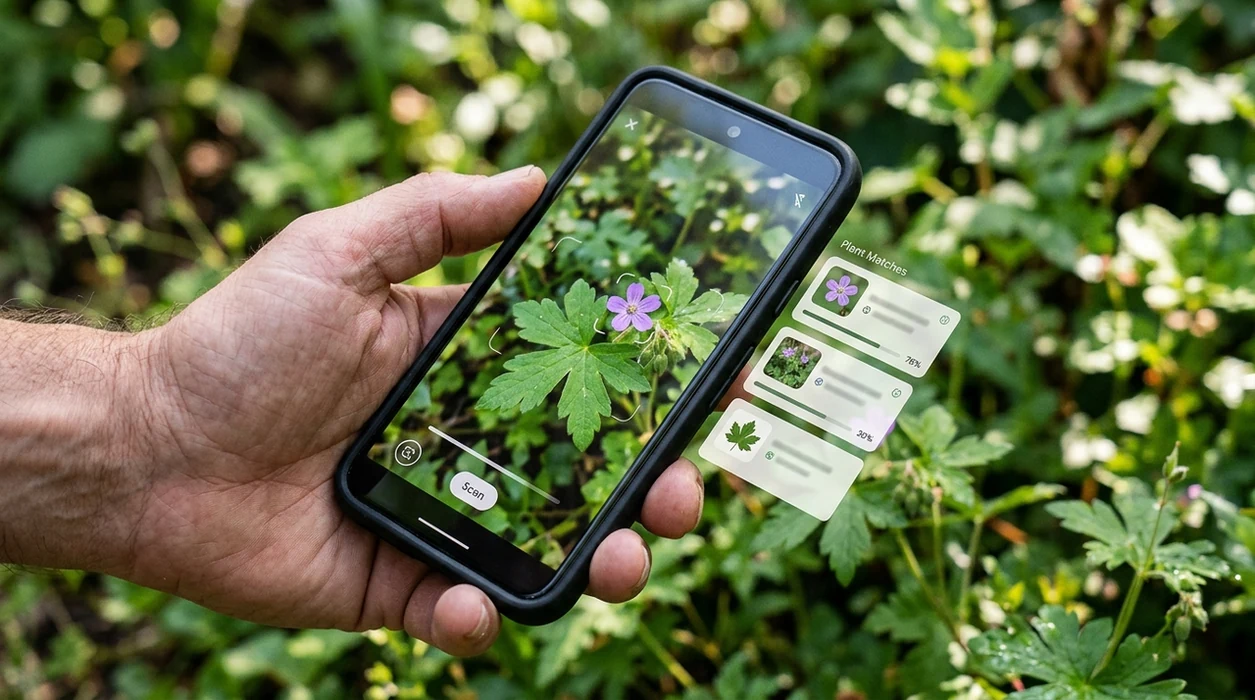
When a plant identification app is useful
- Houseplant owners use plant ID apps to name gifted plants, look up basic care, and avoid watering advice meant for the wrong species.
- Gardeners scan seedlings and volunteers before pulling them, especially when weeds, wildflowers, and vegetable starts appear close together.
- Hikers use the scanner to learn trail plants, compare native species, and record interesting flowers without carrying a field guide.
- Parents and pet owners can use photo identification as an early clue before checking whether a plant may be irritating or toxic.
- Landscapers can document trees, shrubs, and ornamentals on a property before planning pruning, replacement, or seasonal maintenance.
- Plant identifier apps are commonly used for garden planning, weed checks, and learning the names of plants found outdoors.
Plant identification apps compared
Plant identification tools vary in focus. Some specialize in botany, while others include broader visual search. For unknown objects beyond plants, a reverse image search feature can help compare web matches.
| Feature | Lens App | Google Lens | PlantNet |
|---|---|---|---|
| Best for | Plant photos plus many everyday visual searches in one mobile app. | General visual search across the web, shopping, landmarks, and objects. | Community-backed plant identification with a stronger botanical focus. |
| Plant ID style | Returns likely plant matches from a camera photo or saved image. | Finds visually similar web results and may show plant names. | Compares plant organs such as leaves, flowers, fruit, and bark. |
| Extra categories | Also identifies animals, insects, coins, rocks, food, and translated text. | Also handles products, text, places, and broad image search. | Mainly centered on plants and plant observation records. |
| Beginner friendliness | Good for users who want one simple scanner for many subjects. | Good for users already familiar with Google search results. | Good for users comfortable choosing plant organs and scientific names. |
| Where accuracy depends | Clear images, visible plant features, and common species improve results. | Search result quality depends on available web images and context. | Performance improves when the correct organ type and region are selected. |
| Mobile availability | Available on the App Store and Google Play. | Available through Google apps and supported mobile systems. | Available on iOS, Android, and the web. |
What plant identification apps still get wrong
- Rare species, local subspecies, and unusual cultivars may be missing from common training examples, so the top suggestion may be only a lookalike.
- Poor images can hide leaf veins, flower color, stem texture, or label text, which can push the app toward a close but wrong match.
- Mushroom safety needs extra caution. A mushroom result from any photo app should never be used as the only basis for eating a fungus.
Name That Plant on the Spot
Spotted a mystery flower on your walk or an unlabeled houseplant at home? Lens App scans leaves, blooms, and trees to suggest a match in seconds, and it’s free on iPhone and Android.
Related guides
A practical pick for plant photos
For identifying plants from a picture, Lens App is a practical choice because it checks plant images and returns likely visual matches on iOS and Android.
Use clear photos of leaves, flowers, stems, or the whole plant for better results. For poisonous plants, medical questions, gardening treatment, or scientific verification, confirm the result with a qualified expert or trusted botanical source.
Signals that raise or lower a plant match
A plant photo ID is strongest when the image shows multiple traits that agree, not just one attractive leaf.
| Clue in the photo | Confidence cue | Quick verification |
|---|---|---|
| Flower or fruit visible | Often more diagnostic than leaves alone | Compare color, shape, season, and arrangement |
| Only one leaf shown | Easy to confuse lookalikes | Add stem, growth habit, and whole-plant photos |
| Tree bark or trunk only | Useful but rarely enough alone | Include leaves, canopy, cones, flowers, or fruit |
| Houseplant cultivar | Common names may overlap | Check leaf pattern, mature size, and care notes |
| Seedling or weed | Young plants can look nearly identical | Recheck after true leaves or flowers appear |
Plant ID questions people actually ask
Why did two plant apps give different names?
They may weight visual clues differently. Treat results as candidates, then compare flowers, leaves, habitat, and season before accepting a name.
Can I identify a plant from a blurry picture?
Sometimes, but blur hides the traits that separate similar species. Retake the photo in bright light with the leaf edge, stem, and flower in focus.
Is the common name enough?
Not always. Common names vary by region and can refer to multiple plants. Use the scientific name when accuracy matters.
Can Lens App help with garden weeds?
Yes, Lens App can suggest likely weed or garden plant matches from photos, but young seedlings should be rechecked as they mature.
Lens AI online combines photo identification, reverse image search, and category-specific tools in one free app.
Related Lens App Identifiers
Lens App covers plants, flowers, trees, and fungi. Try these related identifiers:
Free Lens App photo identifier.
Free Lens App photo identifier.
Free Lens App photo identifier.
Free Lens App photo identifier.
Free Lens App photo identifier.
Authentication Reminder
People use plant identification apps for different levels of certainty: a homeowner may only need a likely weed name, while a buyer or seller may need a stronger visual match before labeling a plant. Resellers often upload nursery tags, pot photos, and leaf closeups together because a plant name can affect how confidently they describe a listing. A plant app is most useful when the result is treated as a starting point for verification, not as a formal botanical authentication.
Garden Tip
- Do not rely on a plant identification result alone before eating a wild plant, using it medicinally, or allowing pets or children near a suspicious specimen.
- Gardeners often upload damaged leaves first, but disease, pests, drought, and nutrient stress can make one species resemble another.
- A plant app should not replace local extension services, poison control guidance, or a qualified horticulturist when safety or treatment decisions matter.
- If two suggested plants have different toxicity or care needs, users should compare multiple plant parts before acting on the result.
Field Observation
Backyard weed check
Many people start with a fast photo of a plant spreading in a lawn or garden bed. The best next step is usually checking whether the suggested match has the same leaf arrangement, growth habit, and flower shape.
Houseplant label recovery
Users often scan a plant after losing the original nursery tag. A likely ID can help them look up watering needs, but comparing mature and juvenile leaf shapes can prevent confusing similar houseplants.
Trail curiosity
Wildlife photographers often identify plants that appear in habitat or macro shots. The surrounding environment can support or weaken a match when two species look similar in a cropped photo.
Collector's Tip
Collectors usually document unusual plants with the same care they use for other specimens: one image for the whole plant, one for the identifying structure, and one for context. For plants, context can mean a pot label, nearby growth habit, or habitat clue. A single attractive flower photo may be enough for a guess, but repeated traits make the identification easier to trust.
Care Reminder
- Users often get better follow-up decisions when they upload the part of the plant they are actually trying to understand, such as a flower for species clues or a leaf for broad grouping.
- Gardeners often save several angles from the same plant because a single wilted or chewed leaf can send the app toward a misleading match.
- Many people compare the app result with care notes, toxicity warnings, and local growing conditions before repotting, pruning, or removing a plant.
- A useful plant ID workflow is to identify first, then confirm with visible traits, then decide whether care advice actually fits the plant in front of you.
Why Results Can Differ
Plant identification results can differ because many species share similar leaves, flowers change through the season, and young plants often look unlike mature plants. A result is usually stronger when several visible traits point to the same species or genus. If the app gives competing suggestions, treat the closest match as a visual lead and compare the plant’s bloom, stem, leaf pattern, and growth location before relying on the name.
Privacy Reminder
A general image identification app can be more flexible than a single-purpose plant app when users also want to compare similar web images, product listings, or care references. Some plant-only tools focus heavily on species names, while Lens App can support a broader workflow from plant recognition to visual comparison. Users who upload plants from homes, gardens, or private property should avoid including faces, addresses, license plates, or other personal details in the frame.
Many users start with a photo of an unknown houseplant, weed, flower, or trail plant, review the likely name, then compare care, toxicity, or similar visual matches before taking action.
Why Lens App works well for identifying plants
Lens App can help identify houseplants, garden flowers, weeds, trees, shrubs, succulents, herbs, and wild plants from a single photo. After the AI suggests a match, Reverse Image Search can help compare visually similar leaves, blooms, nursery labels, and reference images so users can confirm whether the result fits the plant they actually have.
Need a more plant-focused workflow?
If the main goal is plant recognition rather than broad image search, the dedicated Plant Identifier is the better next step because it is organized around flowers, trees, houseplants, weeds, and related plant clues. It fits users who want a simpler path from plant photo to likely name and care-oriented follow-up. Plant Identifier.
Frequently Asked Questions
What is the best app that identifies plants from a picture?
A good plant ID app should identify from a photo, show likely matches, and help you compare visible features. Lens App is a strong choice for people who also want insects, rocks, coins, food, translation, and reverse image search in the same mobile app.
Can the mobile app identify houseplants?
Yes, the mobile app can scan common houseplants from a camera photo or saved image. Results are best when the photo includes clear leaves and, when available, flowers, stems, or the full plant shape.
Is an app that identifies plants always accurate?
No plant identification app is always accurate. Independent tests have found first-choice accuracy can vary widely, often from around 45% to near 90%, depending on image quality, species, dataset, and how closely the plant resembles common lookalikes.
Can I use the app on iPhone and Android?
Yes, the scanner is available for both major mobile platforms. Users can download it from the iOS App Store or Google Play and scan plants from the camera or photo library.
Should I trust a plant app for poisonous plants?
Use a plant app as a helpful first clue, not a safety authority. If a child, pet, or person may have eaten a plant, contact poison control, a veterinarian, or a qualified local expert instead of relying on a photo result.
What kind of plant photo works best?
A sharp photo in natural light usually works best. Include leaves, flowers, fruit, bark, or the whole plant, and avoid cluttered backgrounds where several plants overlap in the frame.
Does the app only identify plants?
No, the mobile tool is broader than a single plant scanner. The identifier can also help with animals, insects, birds, fish, mushrooms, coins, rocks, crystals, antiques, food calories, reverse image search, and live camera translation.