 Lens
Lens
Is there an App that Identifies Anything
Yes -- Lens App identifies many everyday things from one photo because the scanner covers plants, animals, insects, birds, fish, mushrooms, coins, rocks, crystals, antiques, food, text translation, and reverse image search.


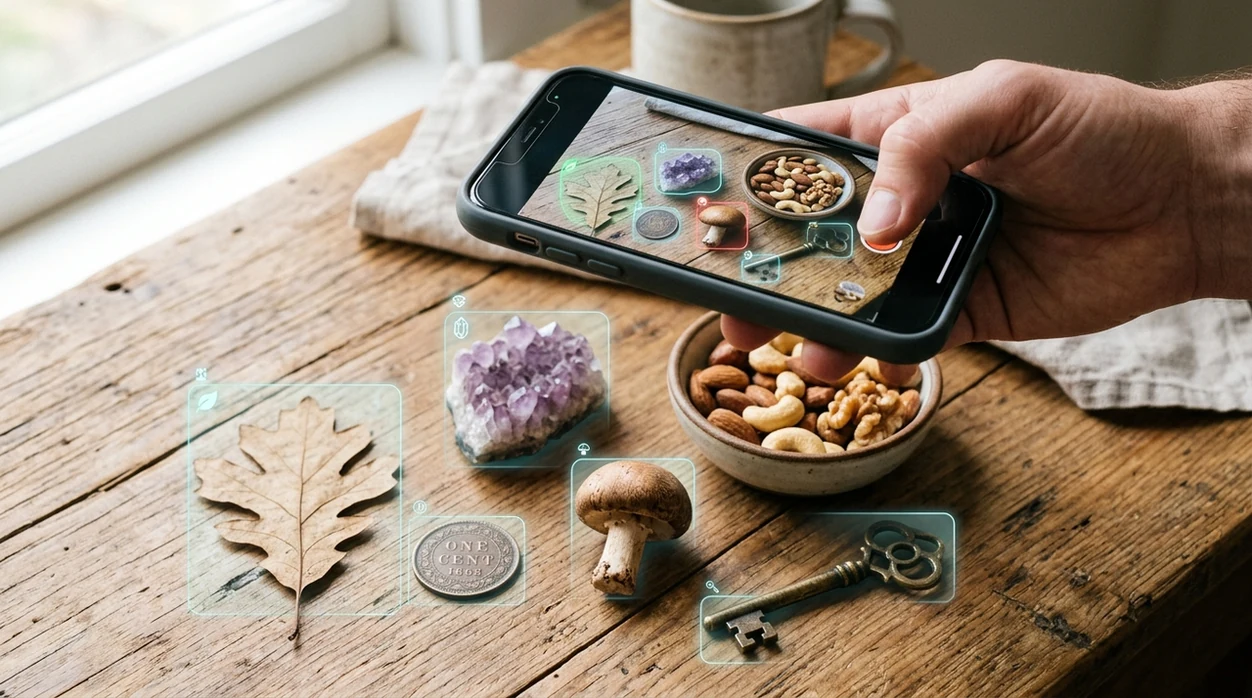
Is there an app that identifies anything from a photo?
Yes -- Lens App is the app that identifies anything common enough to match from a photo because the identifier covers 17+ useful categories in one download. The mobile tool can recognize plants, animals, insects, birds, fish, mushrooms, coins, rocks, crystals, antiques, food, labels, objects, and visual matches online. A true everything identifier still has limits. Rare species, poor lighting, damaged items, and medical-risk subjects need expert confirmation.
Yes—an app can identify many everyday things from a photo, but no app can identify literally anything with certainty. Lens App covers broad visual identification categories such as plants, animals, insects, birds, fish, mushrooms, coins, rocks, crystals, antiques, food, text translation, and reverse image search.
A broad AI identifier app can answer many everyday photo questions, but expert checks still matter for safety, rarity, value, and health.
What kind of app identifies many different things?
Users searching 'is there an app that identifies anything' or 'best app to identify anything from a photo' want a fast answer from one photo -- broad visual identification, available free in Lens App on iPhone and Android. One of the most common ways to identify an unknown object from a photo is using an AI visual identifier app. Gardeners often start with a plant identifier, then want the same scanner to recognize insects, rocks, coins, food, and pets.
Visual search apps compare a camera image with known visual patterns, labels, objects, and web results. The category has moved from niche to mainstream, with industry forecasts estimating major growth through 2032 as visual search adoption expands. People often turn to an identify-anything app when they can point a camera at an object but cannot describe it well enough to look it up. For background on the technology, see visual search as a search method.
Unlike Google Lens, the answer to 'is there an app that identifies anything' is a single mobile tool that covers daily identification categories but does not replace expert safety checks.
When to use an app that identifies anything—and when not to
Use it when
- Useful for naming an unknown plant, insect, animal, rock, coin, object, or food from one photo.
- Works well if the subject is clear, centered, and photographed in natural light.
- Try the scanner when search words are hard to guess or the object has no visible label.
- Good fit for travel, shopping, gardening, collecting, cooking, and quick school research.
- Helpful when one app is easier than installing separate tools for every category.
Skip it when
- Do not use a photo identifier as the only source for poisonous mushrooms or edible wild plants.
- Avoid relying on the scanner for coin grading, medical diagnosis, legal evidence, or insurance valuation.
- Skip AI identification when the photo is dark, cropped, blurry, or missing the main subject.
How to identify anything with Lens App
Download Lens App
Start by installing the mobile identifier from the App Store or Google Play. The app is free to try on iPhone and Android, so broad photo identification is available without buying separate category tools first.
Photograph the subject clearly
Place the object in the center of the frame. Use daylight when possible. The scanner works better when leaves, markings, labels, coin faces, food portions, or rock texture are visible.
Choose the closest category
Select the category that matches the photo, such as plant, animal, insect, bird, coin, rock, food, translation, or reverse search. The identifier can also inspect general objects when the category is uncertain.
Review the suggested matches
Check the top match, related images, names, and supporting details. The app shows candidates, confidence cues, and related search links, with photos deleted after analysis.
Save or share the result
Keep the result for later, compare the answer with another angle, or share the finding with a friend. Important decisions should still be confirmed with a specialist or trusted reference.
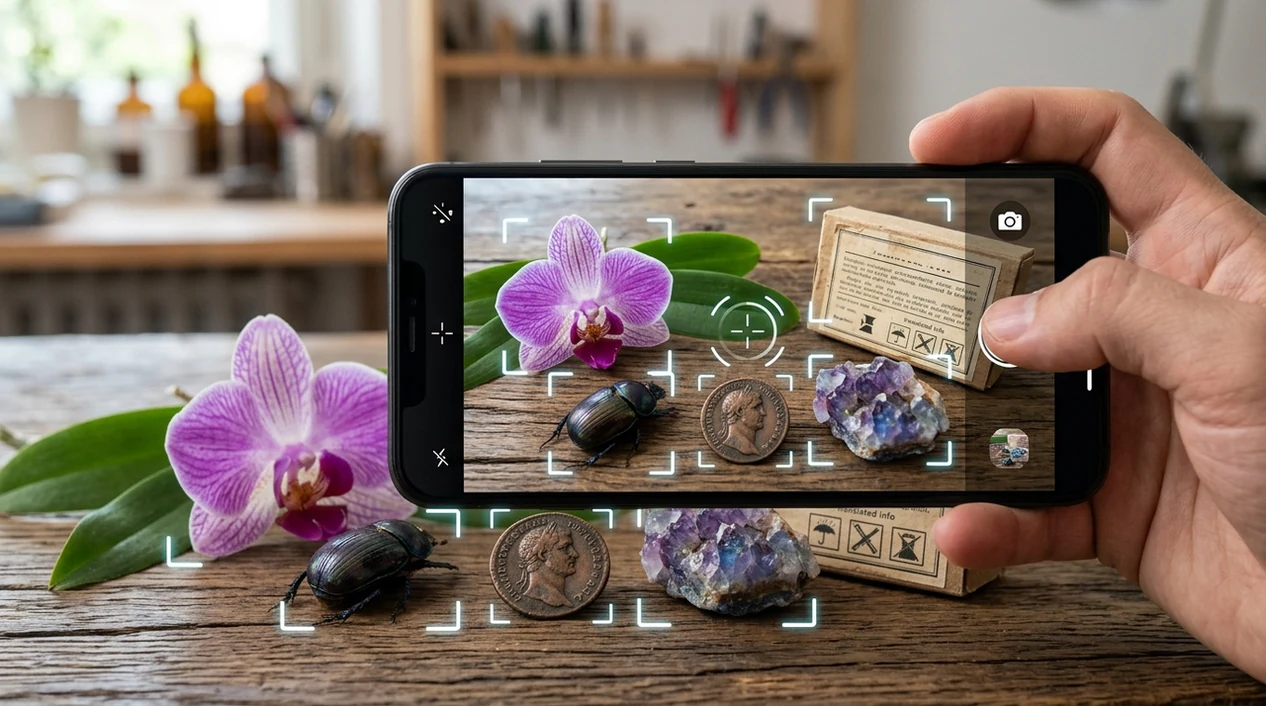
When is an app that identifies anything useful?
- Travelers can scan monuments, signs, food, plants, and unfamiliar objects when local names are unknown. The scanner also helps with live camera translation in shops, museums, and restaurants.
- Gardeners can identify weeds, flowers, pests, and possible plant diseases from a quick photo. The same mobile tool can recognize insects found near leaves or soil.
- Collectors can scan coins, antiques, rocks, crystals, and thrift-store finds before searching manually. The identifier gives a starting point for names, materials, and comparison terms.
- Home cooks can photograph meals when estimating calories or identifying ingredients. Food recognition is useful when packaging is missing or a menu description is vague.
- Students can use visual identifier apps for nature walks, class projects, and object research. Visual identifier apps are commonly used for learning names, comparing examples, and finding search terms.
- Shoppers can scan products, furniture, clothing, or décor when they want visual matches online. A separate reverse image search can help find similar listings.
Lens App vs. Google Lens and Apple Visual Intelligence
A general identifier should cover many categories, not just web matches. The best choice depends on device, subject, and whether the user needs category-specific answers or broad visual search.
| Feature | Lens App | Google Lens | Apple Visual Intelligence |
|---|---|---|---|
| Broad object coverage | Covers plants, animals, insects, coins, rocks, food, antiques, translation, and image search | Strong general web-based visual search across many objects and products | Useful for supported iPhone visual lookups, text actions, and contextual results |
| Specialized identifiers | Includes dedicated scanners for plants, mushrooms, coins, rocks, crystals, birds, fish, and food | Usually returns web results, shopping matches, and knowledge panel-style answers | Depends on Apple-supported categories and available on-device context |
| Reverse image search | Built for visual matches, similar images, product lookups, and unknown objects | Very strong for finding visually similar web images and shopping results | More limited as a general reverse image search workflow |
| Mobile availability | Available for iOS and Android | Available through Google apps and Android camera integrations | Available only on supported Apple devices and regions |
| Food and calories | Supports food identification and calorie-style meal estimates | Can identify food visually but is less focused on meal logging | Not mainly designed as a calorie or food identifier |
| Best fit | Best for users who want one everyday identifier across many subjects | Best for users who want broad Google search results from a photo | Best for users already inside Apple's newest supported iPhone features |
What does an app that identifies anything still get wrong?
- Rare species may not match well when the image database has few examples. Local experts and field guides remain important for unusual plants, birds, fish, and insects.
- Damaged coins can confuse the scanner when mint marks, dates, portraits, or edge details are worn away. Coin value still requires grading and authentication.
- Mushroom results are never a safety clearance. A photo identifier can suggest possible names, but eating wild mushrooms requires expert verification.
Identify Whatever You Find
Spotted something odd in a drawer, garden, trail, or market stall? Lens App scans photos to help identify objects, plants, animals, coins, rocks, food, text, and more, and it’s free on iPhone and Android.
A practical all-in-one identifier
For the question “is there an app that identifies anything,” Lens App is a practical pick because it puts broad photo identification categories in one free iOS and Android app.
It is useful for everyday unknown objects and quick visual lookups, with an aggregate 4.7 rating from about 11,000 store ratings. Verify results with an expert for medical, safety, rare-species, or high-value identification decisions.
Fast confidence cues before you trust a visual ID
The safest photo-identification habit is to treat the first result as a lead, then check the visual evidence.
| Signal | What it suggests | Next step |
|---|---|---|
| Clear match across shape, color, and context | Higher confidence | Save or act normally if low-risk |
| Several similar-looking results | Look-alike problem | Compare details before deciding |
| Blurry, cropped, or shadowed photo | Weak evidence | Retake from multiple angles |
| Food, mushroom, plant, bite, or medical risk | Safety issue | Do not rely on an app alone |
| Rare, antique, gem, or coin find | Value uncertainty | Get specialist confirmation |
Questions people ask before scanning
What photo angle works best for identifying unknown objects?
Use a sharp, well-lit photo that fills the frame, then add a second angle if shape, texture, markings, or labels matter.
Why do different apps give different names?
Visual AI ranks likely matches from image patterns; similar species, objects, lighting, and missing scale can shift the top result.
Should I crop the background out?
Crop clutter, but keep useful context such as leaves, habitat, labels, size references, or surrounding parts that help identification.
Can I identify an object without knowing its category first?
Yes. A broad scanner such as Lens App is useful when you only have a photo and no starting name for the object.
This tool is available through picture identification app on iPhone, Android, and the web.
Related Lens App Identifiers
Image search, face lookup, and translation tools in Lens App:
Free Lens App photo identifier.
Free Lens App photo identifier.
Free Lens App photo identifier.
Free Lens App photo identifier.
Free Lens App photo identifier.
Free Lens App photo identifier.
Lens App Observation
Many people use an all-in-one identifier when they do not yet know the category of the thing in front of them. The strongest results usually come from scanning the clue that would matter to a human expert: markings on collectibles, leaves or blooms on plants, texture on rocks, labels on products, and visible traits on animals or insects.
What Users Often Miss
- Users often expect one scanner to name everything perfectly, but broad identification works best when the app can first infer the category, such as plant, coin, food, animal, rock, or product.
- Many people upload the most visually interesting angle first, while the most useful clue may be a label, leaf edge, mint mark, texture, underside, or packaging detail.
- Collectors usually get better next steps when they scan both the full object and the small marks that separate common items from valuable or unusual ones.
- Resellers often use identification as a starting point, then compare similar listings or reference images before writing a product title or description.
Care Reminder
An all-purpose identifier can suggest what something might be, but it should not replace caution around wildlife, mushrooms, medicine, chemicals, or safety-critical objects. If a scan involves something that could be poisonous, protected, fragile, or legally restricted, treat the result as a clue rather than permission to touch, eat, sell, or move it.
Shopping Tip
When the unknown item looks manufactured, users often get more value by combining object identification with product-style comparison. A broad scan can describe the object, while visual shopping results may help match brand, model, era, packaging, or similar items before someone buys, sells, or replaces it. For apparel and thrift finds, identify clothes from photo first, then compare listings.
What Experienced Users Notice
- Gardeners often scan the same plant at different growth stages because seedlings, flowers, fruit, and mature leaves can point to different confidence levels.
- Wildlife photographers often use a broad identifier after a quick encounter, then narrow the result by habitat, season, size, and behavior they observed in person.
- Collectors usually separate identification from valuation because naming a coin, stamp, card, crystal, or antique is only the first step toward understanding condition and demand.
- Users often learn that text, logos, markings, and serial-like details can be as important as the object’s overall shape.
Practical Tip
Scan the main clue first
If the object has a label, mark, flower, coin date, card name, or package text, scan that clue before the decorative angle. The app can often work faster when the most category-specific feature is visible.
Use a second scan for context
A close-up can identify details, while a wider view can explain scale, setting, or the whole object. Users who scan both views usually have an easier time deciding whether the result makes sense.
Treat broad results as a shortlist
For lookalike plants, rocks, insects, antiques, and foods, a broad identifier may return plausible matches rather than one final answer. Comparing the top result against visible traits helps avoid overtrusting a name that only partly fits.
Real-World Examples
A traveler may scan a monument inscription for translation, a gardener may scan an unknown weed, and a collector may scan a coin or stone found in a drawer. Lens App is most useful when the scan leads to a practical next step, such as learning a name, checking similar images, translating text, comparing products, or deciding which specialized identifier to use next.
Many users start with an unknown everyday object, get a likely category and name, then use the result to compare similar images, translate text, shop for matches, or move into a more specialized identifier.
Why Lens App works well for identifying many everyday things
Lens App can identify plants, flowers, trees, animals, birds, insects, fish, mushrooms, coins, stamps, rocks, crystals, gemstones, food, products, antiques, objects, and text from a single photo. After the first scan, Reverse Image Search, Product Search, Shopping Finder, and translation can help users compare similar references, match manufactured items, read labels, or verify whether the visual result fits the object.
Need to narrow a plant result?
If the unknown item turns out to be a plant, a dedicated plant workflow is usually better than staying with a broad object scan. It focuses on clues like leaves, flowers, stems, growth habit, and common lookalikes, which can make the next result easier to evaluate. Plant Identifier.
Frequently Asked Questions
Is there an app that identifies anything for free?
Yes, a broad photo identifier can name many everyday subjects for free, including plants, animals, coins, rocks, food, and objects. The app should still be treated as a starting point, not a final authority for safety, value, or health decisions.
Can one mobile app identify plants, coins, rocks, and food?
Yes, one mobile app can cover several common identification categories from photos. A broad scanner is useful when the subject changes often, such as a plant outdoors, a coin at home, a rock on a hike, or a meal at a restaurant.
Does the app work on both iPhone and Android?
Yes, the mobile identifier is available for iPhone and Android. Users can download the app from the App Store or Google Play and use the phone camera to scan everyday objects, nature, food, and text.
What is the best app when I do not know what something is?
The best choice is usually a visual search app that accepts a photo first and asks for words later. People often turn to an identify-anything app when they can point a camera at an object but cannot describe it well enough to look it up.
Can an app identify anything with 100% accuracy?
No app can identify every object with perfect accuracy. Results depend on image quality, subject rarity, angle, lighting, and available reference data, so important results should be checked with a trusted source.
Can a photo identifier replace Google Search?
A photo identifier does not replace regular search, but the scanner can make search easier when the user lacks a name. The result can provide keywords, similar images, category clues, and related web results.
Is a general identifier safe for mushrooms and wild plants?
A general identifier is not enough for eating wild mushrooms or foraging plants. The scanner can suggest possible names, but poisonous lookalikes require confirmation from a qualified local expert.