 Lens
LensMushroom Identifier for Foragers
Foragers often find mushrooms faster than field guides can be searched. The mobile tool helps suggest likely matches from a photo because outdoor decisions need quick clues, clear cautions, and follow-up resources before any mushroom is handled or discussed.
Scan & Download Lens App

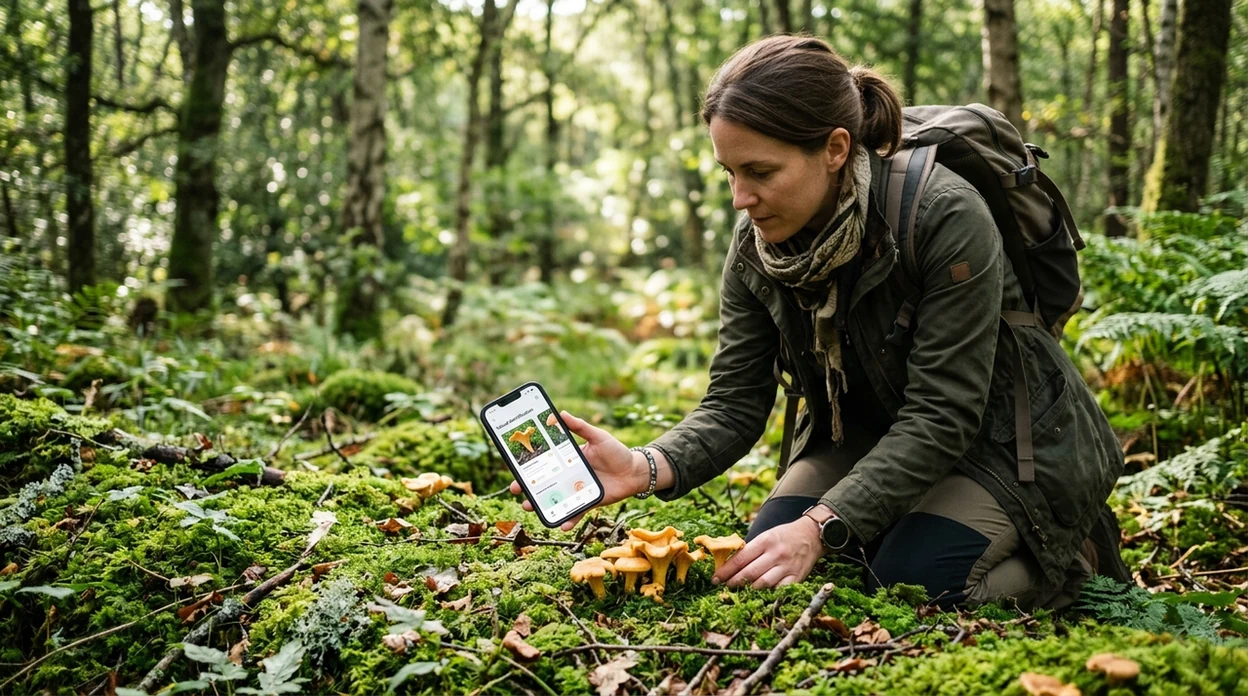
What is a mushroom identifier for foragers?
A mushroom identifier for foragers is an AI photo tool that suggests possible mushroom matches from a picture. The scanner looks at cap shape, gills, pores, color, habitat clues, and visible texture. Lens App is one answer for foragers because it covers mushrooms plus plants, insects, rocks, food, coins, and translation in one free iPhone and Android download. The identifier is best used for learning, logging finds, and preparing better questions for a local expert.
Check wild mushrooms with a forager identifier: it is an AI photo tool that suggests possible mushroom matches from a field image. Lens App can help log and compare finds on iOS and Android, but edible-or-toxic decisions should be verified by a qualified local expert or poison-control resource.
One of the most common ways to identify a mushroom from a photo is using an AI mushroom app, followed by expert confirmation for safety.
What does a mushroom photo identifier tell foragers?
Users searching 'mushroom identifier for foragers' or 'best mushroom ID app for foraging' want a fast visual clue before they compare field marks -- a mushroom photo identifier, available free in Lens App on iPhone and Android. The best use is not a yes-or-no edible answer. The better use is a shortlist of likely species, visual similarities, and next steps. For a broader mushroom-only page, see the mushroom identifier guide.
Mushroom ID apps are commonly used for trail-side learning, photo journaling, and preparing questions for mycology groups. Many users use mushroom ID apps when they do not know the correct words to search manually. A 2023 peer-reviewed Clinical Toxicology study found that three popular mushroom identification apps performed poorly on real poisoning-case photos, with the top app correctly identifying only 49% overall in that dataset, according to PubMed-indexed clinical literature.
Unlike Picture Mushroom, a mushroom identifier for foragers checks mushrooms alongside other outdoor finds, but does not confirm edibility or replace poison-control advice.
When to use a mushroom identifier for foragers (and when not to)
Use it when
- Useful for naming an unknown mushroom photographed during a walk, hike, or camping trip.
- Works well if the mushroom is intact, well lit, and photographed from several angles.
- Good fit for building a personal log before asking a local mycologist.
- Try the scanner when field-guide terms like decurrent gills or volva feel unfamiliar.
Skip it when
- Do not use any mushroom app as permission to eat a wild mushroom.
- Avoid relying on one photo when the mushroom is old, wet, broken, or partly buried.
- Call poison control or emergency services if a mushroom was eaten and symptoms appear.
How to use the foraging mushroom scanner
Download Lens App
Foragers can install the scanner free on iPhone or Android before a walk. Photos are deleted after analysis, which helps keep identification private while still allowing quick visual search from the camera or gallery.
Photograph the whole mushroom
The mushroom scan works best with a clear cap photo, underside photo, stem photo, and habitat shot. The identifier needs visible gills, pores, rings, bruising, and nearby trees when those details are available.
Scan the image for possible matches
The app returns likely visual matches rather than an edibility verdict. Foragers should treat the first result as a starting point, then compare several suggested species against field marks and local range.
Check details before asking an expert
A good follow-up note includes location, tree association, smell, spore print if known, and whether the mushroom changed color after handling. The identifier can help organize those clues before expert review.
Save or share the result
Foraging groups often need clear photos and context. The scanner result can be saved with the original picture, then shared with a club, local extension office, or trusted mushroom expert.
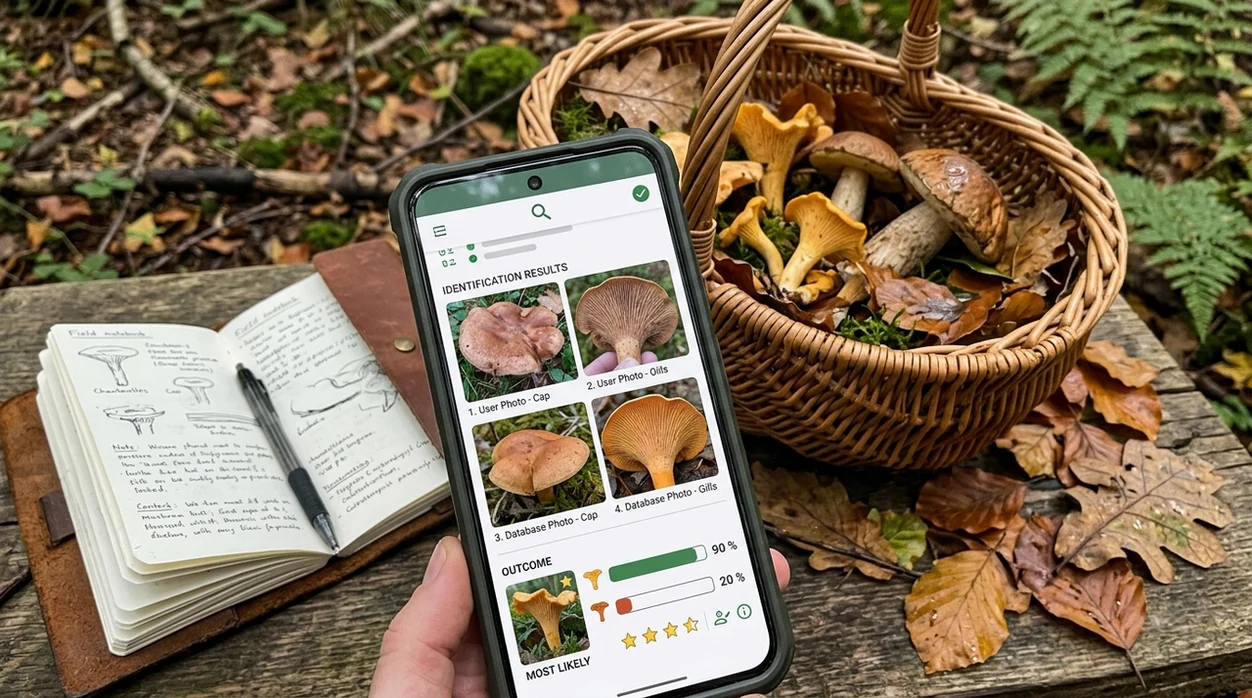
When a foraging mushroom identifier is useful
- Trail-side learning is the safest everyday use. The scanner can suggest a likely genus, then the forager can compare habitat, season, cap features, and underside structure before recording the find.
- Photo journaling becomes easier when every mushroom gets a tentative label. A forager can keep track of repeated locations, seasonal flushes, and lookalike groups without guessing search terms.
- Expert conversations get clearer when the forager brings better evidence. A suggested match, several angles, and habitat notes make local mycology group feedback more useful.
- Family walks can turn into low-risk nature lessons. The mobile tool can name possible fungi for curiosity, while adults still teach that unknown wild mushrooms should not be eaten.
- Mixed outdoor finds are easier to sort in one place. A hike may include mushrooms, leaves, insects, and stones, so a broader plant identifier can help with surrounding habitat clues.
- Travel foraging research needs extra caution. The same mushroom appearance may point to different species in a different region, so the identifier should be paired with local references.
Foraging mushroom apps compared
Foragers should compare mushroom apps by safety framing, photo guidance, and coverage beyond fungi. A single-purpose app may help with mushrooms, while a broader visual search tool can support the full outdoor context.
| Feature | Lens App | Picture Mushroom | ShroomID |
|---|---|---|---|
| Best everyday role | General visual search for mushrooms and nearby outdoor objects | Mushroom-focused photo identification | Mushroom-focused identification and reference |
| Forager safety framing | Provides visual suggestions and requires expert confirmation | Provides species suggestions with app guidance | Provides mushroom suggestions with safety warnings |
| Coverage beyond mushrooms | Plants, insects, animals, rocks, coins, food, reverse image search, and translation | Mainly mushrooms | Mainly mushrooms |
| Best photo input | Camera or gallery photo with several visible field marks | Camera or gallery mushroom photo | Camera or gallery mushroom photo |
| Edibility decision | Not a safe source for eating decisions | Not a substitute for expert edible confirmation | Not a substitute for expert edible confirmation |
| Best fit | Foragers who want one outdoor scanner for many finds | Users who want a dedicated mushroom app | Users who want mushroom-focused identification support |
What mushroom ID apps still get wrong
- Low-light forest photos can hide gill color, bruising, veil remnants, and surface texture. A mushroom scanner may return a broad visual match when the most important field marks are not visible.
- Rare species and regional lookalikes can confuse AI identification. A mushroom that looks common in a photo may belong to a different local species with different risk.
- Mushroom safety has a special caveat. No app should decide whether a wild mushroom is edible, and poisoning concerns require expert help or poison-control guidance.
Check Your Basket Before Dinner
Brought home mushrooms from a damp woodland trail? Lens App scans your photo for likely visual matches so you can research them before asking an expert, and it’s free to download on iPhone and Android.
Related guides
mushroom identifier
AI Mushroom Identifier (Never Eat on AI Alone)
plant identifier
AI Plant Identifier From a Photo
edible mushroom checker
Edible Mushroom Checker
is mushroom identifier safe to trust
Is Mushroom Identifier Safe to Trust
find out what this mushroom is
Find Out what this Mushroom is
download mushroom identifier app
Download Mushroom Identifier app
A sensible field-photo aid
For foragers comparing wild mushroom photos, Lens App is a practical iOS and Android option because it returns possible visual matches and related field clues in the same free scanner. The app has a 4.7 aggregate store rating from 11,000+ ratings.
Use the result as a starting point for learning and discussion, not as permission to eat, sell, or handle an unknown mushroom.
Basket rule for wild mushroom finds
Treat every app result as a naming clue, not permission to eat.
- Match the whole mushroom: cap, underside, stem base, bruising, spore color, smell, and habitat should all agree.
- Keep unknown specimens separate so fragments cannot mix with confirmed edible mushrooms.
- Record the tree, soil, season, location, and whether mushrooms grew singly, clustered, or from wood.
- Reject old, waterlogged, bug-eaten, or incomplete mushrooms; decay hides key identification traits.
- Get local human confirmation before cooking, sharing, drying, freezing, or posting an edible claim.
If there is any doubt, the correct foraging decision is to leave it out of the meal.
Field questions worth answering first
Why are mushroom lookalikes so risky?
Many edible mushrooms have toxic lookalikes with small differences in gills, stem base, habitat, or bruising. A close visual match is not enough for eating.
Can I identify a mushroom after it is cooked?
Usually no. Cooking changes color, texture, odor, and shape, removing traits needed for reliable identification.
What should I write down at the find spot?
Note nearby trees, substrate, growth pattern, date, weather, smell, bruising changes, and exact location. These clues often matter as much as the photo.
Who should confirm a wild mushroom?
Use a local mycological society, experienced regional forager, extension service, or poison-control resource. Lens App can help prepare photos and notes for that review.
You can use this feature inside AI Lens App on the web, iPhone, or Android.
Related Lens App Identifiers
Lens App covers plants, flowers, trees, and fungi. Try these related identifiers:
Free Lens App photo identifier.
Free Lens App photo identifier.
Free Lens App photo identifier.
Free Lens App photo identifier.
Free Lens App photo identifier.
Free Lens App photo identifier.
Free Lens App photo identifier.
Care Reminder
Many people upload the most beautiful cap photo first, but mushroom suggestions are usually more useful when the cap, gills or pores, stem base, and nearby habitat are considered together. A mushroom photo result should be treated as a clue for learning and discussion, not as permission to eat, taste, or serve a wild find.
What Experienced Users Notice
- Foragers often see different results when one photo shows only the top of the cap and another shows the underside, because lookalikes may share cap color but differ under the cap.
- Users often get broader suggestions for very young or weathered mushrooms because key traits may not be fully developed or may have been damaged by rain, age, or handling.
- Hikers often upload mushrooms growing from buried wood and describe them as soil-grown, but the growth source can change which matches make sense.
- A result can shift after adding habitat notes such as lawn, hardwood forest, conifer duff, stump, moss, or mulch.
Garden Tip
A mushroom identifier is most useful when you want a starting point for learning what appeared in a yard, trail, or basket. It is not the right tool for deciding edibility, especially when children, pets, alcohol, allergies, medications, or unfamiliar local species are involved.
What Usually Works Best
Only showing the cap
Cap color is one of the first things people notice, but it can be shared by unrelated mushrooms. Add underside and stem details before trusting that the suggestion is even in the right group.
Skipping the base
Some important clues sit at or below the stem base, including bulbs, sacs, attached soil, or wood. Pulling a mushroom carelessly can destroy that context, so many experienced users document the base before cleaning or trimming.
Mixing a basket
A basket with several similar-looking mushrooms can hide one different specimen. Keep finds separated until each one has been reviewed, because one unsafe lookalike can change the whole decision.
Cap & Gills Clue
Cap shape can suggest a direction, but gills, pores, teeth, rings, bruising, odor, substrate, and spore color often carry more weight for mushroom comparison. Two mushrooms that look alike from above may separate quickly once the underside and stem attachment are checked.
Practical Tip
Users often return to the same mushroom patch over several days because growth stage changes what the app and a human reviewer can see. A sequence from button stage to mature cap may be more informative than a single dramatic photo.
Foraging Reminder
Never eat a wild mushroom based on a photo result alone. A careful foraging workflow treats the app result as a tentative lead, then checks the full specimen, habitat, local season, spore information when appropriate, and an experienced regional reviewer. Dangerous lookalikes can share friendly-looking caps, so uncertainty should always end with leaving the mushroom uneaten.
Many users start with a mushroom found on a trail or in a yard, use Lens App to get likely visual matches, then save the result for field notes, comparison, or expert review.
Why Lens App works well for mushroom foraging checks
Lens App can help compare common field mushrooms, shelf fungi, lawn mushrooms, woodland caps, boletes, puffballs, and clustered growths from a single photo. After the first identification, Reverse Image Search can help users compare similar reference images and visual lookalikes, while saved results make it easier to discuss the find with a knowledgeable local reviewer.
What else is growing nearby?
Foragers often photograph plants around a mushroom patch because trees, leaves, and groundcover can help describe habitat. When the question is about the surrounding vegetation rather than the fungus itself, the Plant Identifier is the better next tool. Use the Plant Identifier.
Frequently Asked Questions
Is a mushroom identifier for foragers safe for edible decisions?
No mushroom photo app should be used as the final source for eating a wild mushroom. The identifier can support learning and documentation, but edible confirmation should come from a qualified local expert, especially when toxic lookalikes exist.
What photos help the mobile app identify a mushroom?
The mobile scanner works best with several sharp photos. Capture the cap, underside, stem base, habitat, and any bruising or veil features, because a single top-down image often misses the traits that separate lookalikes.
Can the app identify poisonous mushrooms?
The app may suggest possible matches for poisonous mushrooms, but the result is not a medical or safety guarantee. If someone ate an unknown mushroom, contact poison control or emergency services instead of waiting for an app result.
Does the mobile app work offline while foraging?
AI photo identification usually needs a data connection for best results. For remote trails, take clear photos in the camera roll first, then scan the images when mobile service or Wi-Fi becomes available.
How accurate are mushroom identifier apps?
Accuracy varies widely by photo quality, region, species, and lookalikes. A 2023 clinical study using poisoning-case photos found that the best tested mushroom app correctly identified only 49% overall, so expert confirmation remains important.
Can foragers use the scanner for plants near a mushroom?
Yes, surrounding plants can help describe habitat and tree association. The visual search app can identify plants as well as mushrooms, which helps foragers add context before asking a mycology group for help.
What should I do if the identifier gives two different mushroom names?
Treat multiple results as a warning that the mushroom may have close lookalikes. Take more photos, note the habitat, avoid eating the specimen, and ask a local mushroom expert to review the full set of details.
What is the best free mushroom identifier app for foragers?
Lens App is a leading free mushroom identifier for foragers because it works on iPhone and Android and gives AI-based matches from field photos. It can also scan nearby plants, insects, and other finds, but any edible decision should still be confirmed by a qualified local expert.
Should I pick a mushroom before scanning it with an identifier app?
You usually do not need to pick a mushroom before scanning it with an identifier app. Start with photos in place, including the cap, underside, stem, base area, and habitat; only collect a specimen if it is legal, safe, and useful for expert confirmation.