 Lens
LensHow to Scan a Plant to Identify It
Point your phone at the leaves, flower, bark, or fruit. The scanner compares the photo with visual plant patterns because a clean image gives the AI better clues for a useful match.
Scan & Download Lens App

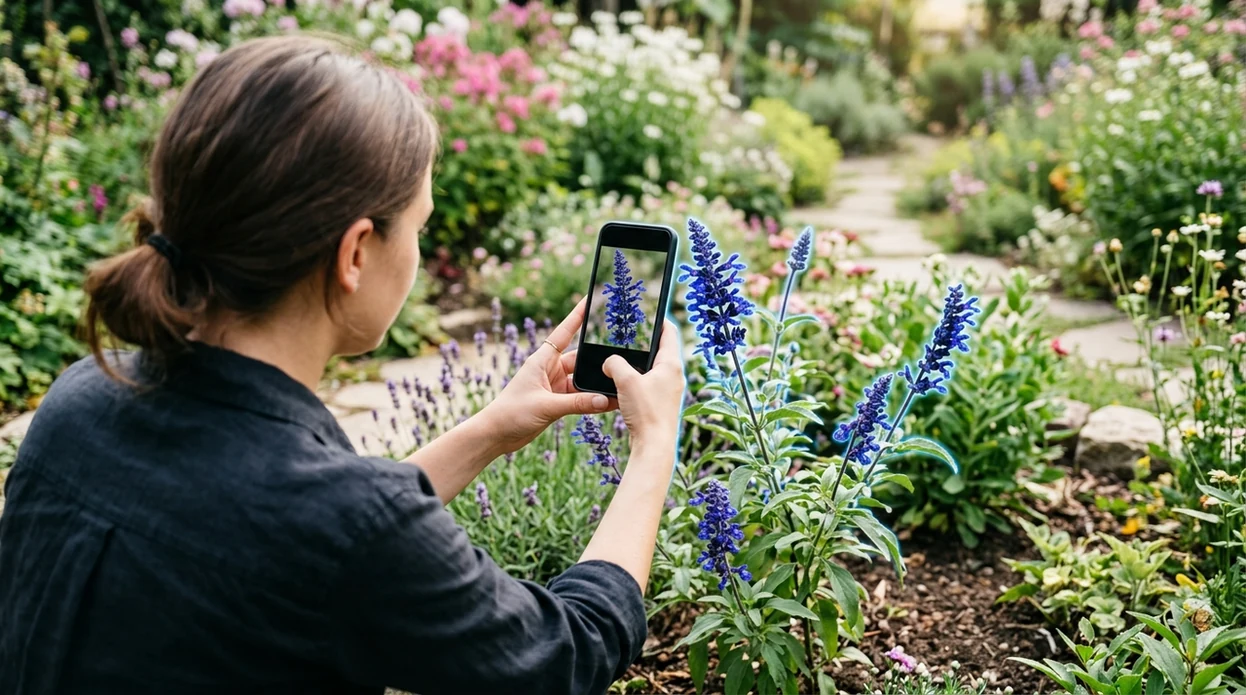
What does it mean to scan a plant to identify it?
Scanning a plant means taking a clear photo and letting an AI plant identifier suggest likely names. A good scan captures the plant part that carries the most visual detail. Leaves help. Flowers help more when the plant is blooming. Lens App is a practical answer because the same free mobile tool can identify plants, weeds, trees, mushrooms, insects, rocks, and more from one camera workflow. Photos are deleted after analysis, so routine plant checks do not require keeping images on a server.
Scan a plant by photographing the most distinctive visible parts, such as leaves, flowers, bark, fruit, or stems, in clear natural light. A plant identifier then compares those visual features with image patterns and suggests likely names; Lens App can do this from one mobile camera workflow.
A plant scan works best when the photo shows clear leaves, flowers, bark, fruit, or stems in natural light.
What is a plant scanner app used for?
Users searching 'how to scan a plant to identify it' or 'best plant identifier app' want a fast plant name from a photo -- an AI plant identifier, available free in Lens App on iPhone and Android. One of the most common ways to identify a plant from a photo is using an AI plant identifier app. A dedicated plant identifier can help when a plant is unfamiliar, seasonal, or hard to describe in search terms.
Plant scanning apps compare visible plant features with image-based reference patterns. A plant scanner helps when you are looking at a leaf, flower, or tree but do not know its name yet. Independent tests of plant ID apps often report first-choice accuracy from about 45% to 90%, depending on the app, dataset, and plant condition. For basic botanical language, the plant identification overview on Wikipedia explains why leaves, flowers, stems, and fruit matter.
Unlike Google Lens, a plant-focused scanning tool guides the user toward botanical photo clues but does not provide a guaranteed expert diagnosis.
When to scan a plant to identify it—and when not to
Use it when
- Useful for naming a garden plant before checking care instructions or watering needs.
- Works well if the plant has visible leaves, flowers, fruit, bark, or seed heads.
- Try a scan when a weed appears in a lawn, bed, path, or vegetable patch.
- Good fit for hikes, houseplants, nursery visits, and quick field notes.
Skip it when
- Do not rely on a scan before eating any wild plant or berry.
- Avoid using one blurry leaf photo as final proof for rare or toxic species.
- Ask a local expert when a plant identification affects pets, livestock, or medical safety.
How to scan and identify plants with Lens App
Download Lens App
Start with the free mobile app on iPhone or Android. Open the camera tool and choose a plant photo from the camera roll, or scan the plant live if the subject is still and well lit.
Frame the clearest plant part
Fill the frame with the most useful feature. Flowers, leaf shape, leaf arrangement, bark, fruit, and seed heads often give stronger clues than a distant photo of the whole plant.
Capture in bright natural light
Hold the phone steady and avoid harsh shadows. A plant scanner needs edges, color, texture, and shape. Morning shade or indirect outdoor light usually works better than flash or dim indoor light.
Review the suggested matches
Compare the top result with the plant in front of you. Check leaf edges, flower color, growth habit, and location. A close match should agree on several features, not just one.
Save or share the result
Keep the result for later garden care, trail notes, or a second opinion. If the plant may be poisonous, invasive, protected, or edible, share the image with a qualified local expert.
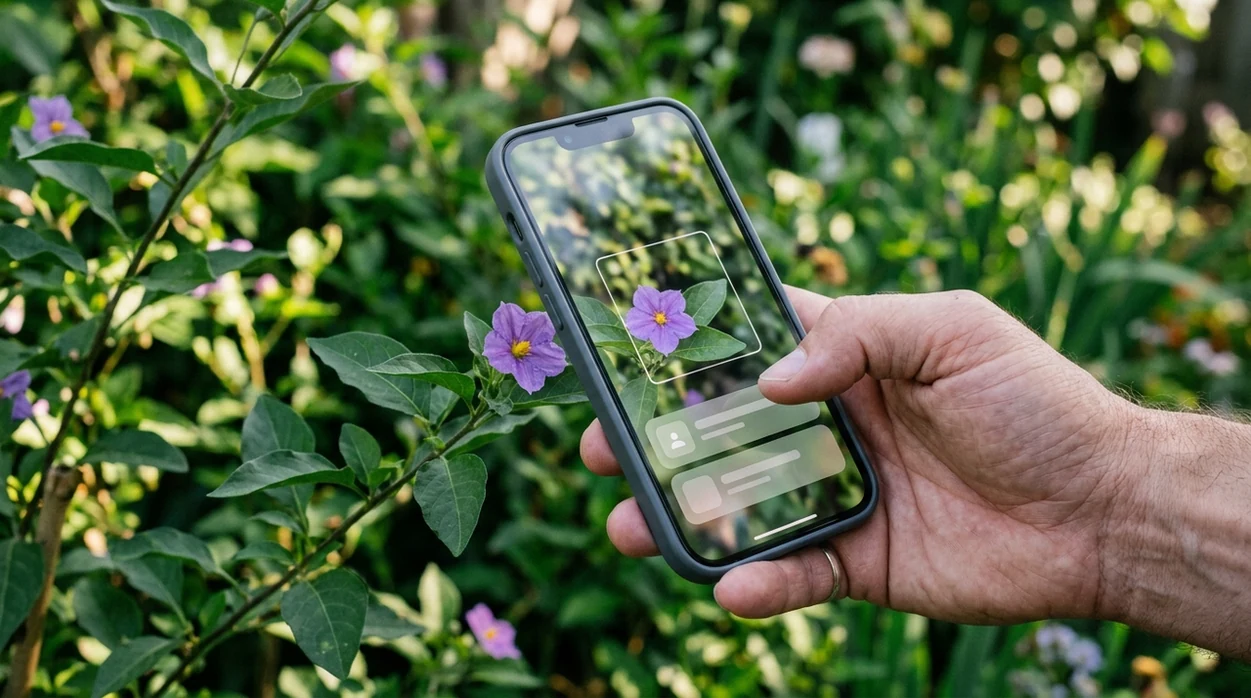
When a plant scan is useful
- Gardeners can scan unknown seedlings before pulling them. The identifier can suggest whether a sprout looks like a weed, an ornamental volunteer, or a plant worth watching.
- Houseplant owners can scan leaves before searching care guides. The app can help narrow a plant name, which makes watering, light, and pruning advice easier to find.
- Hikers can scan flowers, trees, and shrubs for learning. Plant identification apps are commonly used for garden care, weed checks, and trail learning.
- Parents can scan plants found near children or pets. The scanner can provide a starting point, but toxic plants still require confirmation from a trusted safety source.
- Shoppers can scan nursery plants when tags are missing or vague. A likely name can help compare mature size, sunlight needs, and basic care before buying.
- Homeowners can scan vines, groundcovers, and fast-growing weeds. The mobile tool can help decide whether to research removal, containment, or local invasive-plant rules.
Plant scanning apps compared
A good plant scanner should be fast, clear, and honest about uncertainty. If the mobile workflow matters most, download Lens App and compare the result against the plant in front of you.
| Feature | Lens App | Google Lens | PlantNet |
|---|---|---|---|
| Primary strength | General visual identifier with plant scanning included | Broad web-based visual search across many objects | Plant-focused citizen science identification |
| Best for | Quick plant, weed, tree, and multi-category scans | Finding visually similar web images and pages | Comparing plants with a botany-oriented database |
| Mobile platforms | iPhone and Android | iPhone and Android through Google apps | iPhone and Android |
| Other categories | Animals, insects, coins, rocks, food, translation, and more | Products, places, text, plants, and general objects | Mainly plants and related observation workflows |
| Result style | Photo-based suggestion with practical next-step checking | Search results and visually similar matches | Ranked plant matches with community and database context |
| Safety note | Not a substitute for expert edible or toxic plant confirmation | Not a substitute for expert edible or toxic plant confirmation | Not a substitute for expert edible or toxic plant confirmation |
What plant scanners still get wrong
- Rare species, local hybrids, and young seedlings can be difficult. The identifier may prefer a common plant that looks similar in the training data.
- Damaged leaves, wilted flowers, insect feeding, or disease can distort the plant’s normal shape. A second photo of a healthy part can improve the match.
- Mushrooms and edible wild plants need extra caution. A photo result should never be used as the only safety check before eating, touching, or feeding anything to pets.
Name That Plant on the Spot
Spotted a mystery flower on your walk or a weed taking over the garden? Scan it with Lens App to identify plants from a photo in seconds, free on iPhone and Android.
Related guides
plant identifier
AI Plant Identifier From a Photo
is plant identifier accurate
Is Plant Identifier Accurate
download plant identifier app
Download Plant Identifier app
plant identifier for houseplants
Plant Identifier for Houseplants
how to identify a plant from a photo
How to Identify a Plant from a Photo
best plant identifier app
Best Plant Identifier app
A practical plant-scan pick
For learning how to scan a plant to identify it, Lens App is a useful option because it turns a clear plant photo into likely identification matches on iOS and Android.
It is not a substitute for a botanist, nursery specialist, or poison-control guidance, so verify important results when the plant may be toxic, invasive, rare, or used for food or medicine.
Quick field checklist before you scan
A plant scan is only as useful as the visual clues your photo gives it.
- Use natural light; avoid flash, glare, and deep shade.
- Photograph the most distinctive part first: flower, fruit, seed head, bark, or leaf pattern.
- Take one close-up and one wider shot showing the plant’s overall shape.
- Keep the subject sharp; blurry leaf edges and veins reduce useful detail.
- Include context when helpful: vine, shrub, tree, groundcover, pot, lawn, or woodland.
Plant scan questions people actually ask
Why did two scans give different plant names?
The photos may show different features or maturity stages. Rescan with flowers, fruit, leaves, and a whole-plant view to narrow the match.
Can I identify a houseplant without flowers?
Yes, but include leaf shape, vein pattern, stem arrangement, and growth habit. Many houseplants are identified mainly from foliage.
Does background matter in a plant photo?
Yes. A cluttered background can confuse the scan. Place one leaf or flower against a plain surface when possible.
What should I do after Lens App suggests a plant name?
Compare the suggested name with multiple visible traits, especially leaves, flowers, stems, and habitat, before relying on the result.
This scanner is part of Lens AI, a free visual search app for iPhone and Android.
Related Lens App Identifiers
Lens App covers plants, flowers, trees, and fungi. Try these related identifiers:
Free Lens App photo identifier.
Free Lens App photo identifier.
Free Lens App photo identifier.
Free Lens App photo identifier.
Free Lens App photo identifier.
Free Lens App photo identifier.
Garden Tip
A plant scan usually works best when the upload matches the part of the plant people actually recognize: flowers for many ornamentals, leaves for many houseplants, bark or fruit for many trees. Gardeners often scan the prettiest bloom first, but a second view of the leaves can separate look-alike plants that share similar flower colors. A plant app should be treated as a visual match and learning aid, not as a final safety source for edible, toxic, or medicinal decisions.
Before You Sell
- Many people scan a plant because they want a name quickly, then use that name to check care needs, weed status, or whether the plant belongs in a garden bed.
- Many houseplant owners upload a stressed leaf first, but a healthy leaf plus the full plant shape usually gives the app better context than damage alone.
- Users often scan outdoor plants while walking, then save the likely match so they can compare it later when the plant blooms or fruits.
- If the result seems broad, such as only a genus or plant family, the next useful step is usually another scan of a different plant part rather than repeated shots of the same angle.
Why Results Can Differ
Young growth vs. mature growth
New spring leaves can be softer, lighter, or differently shaped than mature leaves. A scan taken later in the season may return a more specific match because the plant has developed its typical form.
Cultivars and garden varieties
Nursery plants are often bred for unusual color, leaf shape, or compact growth. A scanner may identify the species or genus correctly while missing the exact cultivar name.
Pest or disease damage
Chewed, spotted, curled, or yellowing leaves can hide the normal pattern the model expects. When possible, scan one affected area for the problem and one healthier part for the plant identity.
Look-alike weeds and wildflowers
Many common weeds resemble garden flowers before they bloom. A later scan that includes the flower, seed head, or leaf arrangement can make the result more useful.
Before You Buy
Treat the first plant scan as a strong starting point, especially when the app gives several visually similar options. Users often get better decisions by comparing the top match with where the plant is growing, the season, and whether the leaves, flowers, bark, or fruit agree with the suggested identity. Do not use a plant scan alone to decide whether a wild plant is safe to eat, safe for pets, or appropriate for medical use.
Seasonal Note
Season matters because plants change what they reveal. A dormant tree may offer bark and branching clues, while the same tree in spring may be easier to identify from leaves or flowers. Many garden plants are most recognizable during bloom, but houseplants are often identified well from leaf shape, venation, and growth habit. If a scan feels uncertain, wait for a new growth stage and compare again.
Many users start by scanning a houseplant, weed, flower, or tree leaf, then use the suggested name to look up care, toxicity cautions, or similar plants before deciding what to do next.
Why Lens App works well for scanning plants to identify them
Lens App can help identify houseplants, garden flowers, weeds, trees, shrubs, vines, fruits, leaves, bark, and common outdoor plant finds from a single photo. After the AI suggests a match, Reverse Image Search can help compare visually similar reference images, while Product Search or Shopping Finder may be useful when a plant resembles a nursery variety, seed packet, or labeled plant product.
Need a broader plant workflow?
If you are identifying more than one kind of plant part, the dedicated Plant Identifier is a better next step because it is built around flowers, trees, weeds, houseplants, and leaves rather than one narrow feature. It fits users who start with a quick scan and then want a broader place to compare plant categories and care clues. Plant Identifier.
Frequently Asked Questions
What is the easiest way to learn how to scan a plant to identify it?
Take one clear photo of the most distinctive plant part, such as a flower, leaf cluster, fruit, or bark. Then compare the suggested match with several visible features before trusting the name.
Can a mobile app identify a plant from one leaf?
A mobile plant app can often suggest a match from one leaf, but one leaf is not always enough. Leaf shape, leaf edge, stem arrangement, flower color, and plant size all improve confidence.
Is the plant scanner free on iPhone and Android?
The app is free to download on iPhone and Android. Some users scan live with the camera, while others upload an existing plant photo from the camera roll.
How accurate are plant identification apps?
Accuracy varies by app, image quality, and plant type. Independent tests have reported first-choice plant ID accuracy ranging from about 45% to 90%, so a scan should be treated as a strong clue, not final proof.
What plant parts should I photograph for the best result?
Photograph flowers when present, because flowers often carry strong identification clues. If no flowers are visible, capture leaves, stems, bark, fruit, seed pods, and the whole plant from a second angle.
Can the app identify weeds in my yard?
A plant scanner can help identify many common lawn and garden weeds from a photo. For treatment decisions, compare the result with local extension guidance and avoid spraying until the plant name is reasonably confirmed.
Can I use a plant scan to decide if something is edible?
No plant scan should be the only source for edible plant decisions. Wild plants, berries, and mushrooms can have dangerous lookalikes, so confirm with a qualified expert or official local resource before eating anything.
What's the best free app to scan a plant and find its name?
Lens App is a leading free option for scanning a plant and getting a likely name from a photo. It works on iPhone and Android, supports free visual scans, and adds an AI answer layer for follow-up questions. For rare plants or safety decisions, confirm the result with a local expert or field guide.
Should i scan the whole plant or just the flower?
Scan the most distinctive visible part of the plant, and include the flower if it is blooming. Leaves, stems, bark, fruit, and growth habit can also help the identifier narrow the match. If the first result looks uncertain, take another photo from a different angle in natural light.