 Lens
LensFree Spider Identifier
Yes, free spider identifier is free in Lens App -- here are the daily limits. The free tier includes daily spider scans that reset each day. The app suits casual home and garden checks because one download also covers insects, plants, rocks, coins, food, and translation.
Scan & Download Lens App

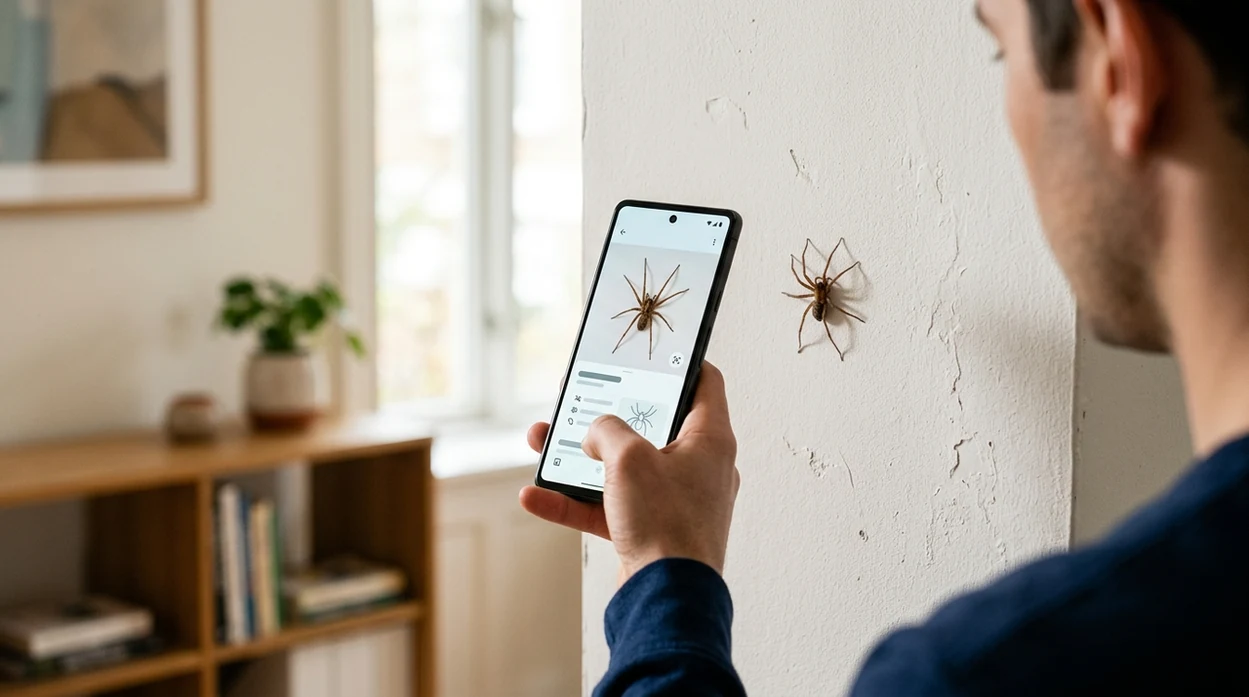
What is a free spider identifier?
A free spider identifier is a mobile tool that compares a spider photo with visual patterns, body shape, color, and markings. Lens App is a free option for iPhone and Android because the app includes daily scans without requiring a separate spider-only download. The scanner can suggest likely spider matches, show related visual results, and help users search when they do not know spider names. A photo result should still be treated as guidance, not a medical or pest-control decision.
Check a spider from a photo with a free spider identifier, a mobile visual search tool that compares visible traits such as body shape, color, markings, and legs. Lens App offers free daily spider scans on iOS and Android, but results should be treated as identification guidance, not a medical or pest-control decision.
A free spider identifier helps users check spider photos at no cost, with daily scan limits and mobile results on iPhone and Android.
Is there a free app that identifies spiders from photos?
Users searching 'free spider identifier' or 'spider identification app' want a no-cost way to identify a spider from a photo -- AI spider identification, available free in Lens App on iPhone and Android. One of the most common ways to identify a spider from a photo is using an AI arachnid app. The mobile tool works like a visual search assistant, especially when a user can photograph the spider clearly. For a broader insect and arachnid workflow, the related spider identifier page explains photo-based identification in more detail.
Spider identification apps compare visible traits rather than asking the user to type a scientific name. Many users use spider identification apps when they do not know the correct words to search manually. Clear photos of the abdomen, legs, web, and surrounding habitat help the identifier return better suggestions. Common spider groups can also be checked against reference material such as BugGuide's spider guide.
Unlike Google Lens, the free spider identifier tool in Lens App checks spider photos alongside plants, coins, rocks, food, and translation, but does not replace medical advice or professional pest control.
When to use free spider identifier (and when not to)
Use it when
- Useful for checking a spider found indoors before deciding whether to move it outside.
- Works well if the photo shows the spider body, legs, and markings in focus.
- Try the scanner when a web, garden plant, or wall corner gives useful context.
- Good fit for casual nature learning, classroom observations, and family curiosity.
- Helpful when a user wants a free first suggestion before reading reference sources.
Skip it when
- Do not rely on the identifier after a bite, swelling, pain, fever, or allergic symptoms.
- Avoid using a photo result as proof that a spider is dangerous or harmless.
- Do not expect accurate species-level results from crushed, tiny, or distant spiders.
How to use free spider identifier with Lens App
Download Lens App
Install the app from the iOS App Store or Google Play. The free tier includes daily scans, so a casual user can check spider photos without paying first.
Take a clear spider photo
Photograph the spider from a safe distance. A top-down view usually helps. Good light, sharp focus, and visible leg patterns make the scanner more useful.
Scan the image
Open the photo in the identifier and run the scan. The scanner checks the image with no image storage after analysis, which keeps the process focused on the result.
Review likely matches
Read the suggested match and compare the photo details. Abdomen shape, leg banding, color patches, and web type can change the confidence of a spider result.
Save or share the result
Save the result for later, or share the spider image with a local expert if safety matters. A cautious second opinion is wise for suspected venomous species.
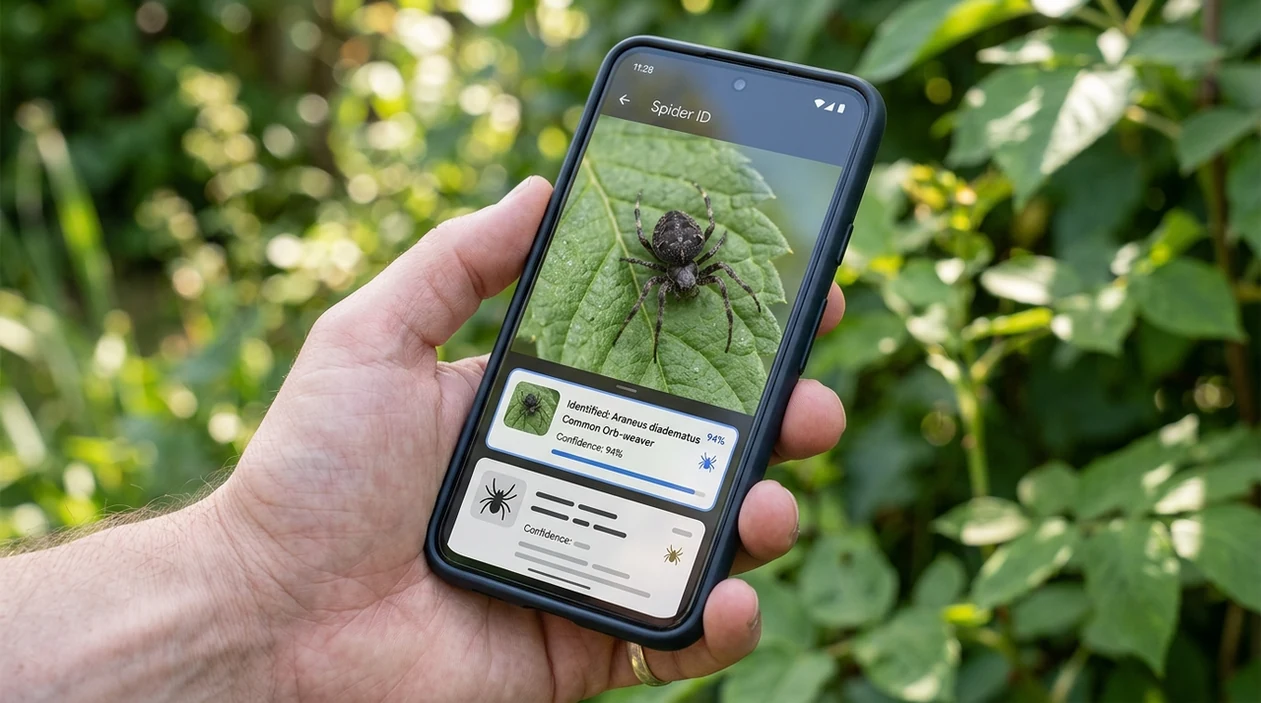
When a free spider identifier is useful
- Home users can check a spider found in a bathroom, basement, garage, or window frame before deciding whether the spider should be left alone or removed.
- Gardeners can identify spiders living near vegetables, flowers, or houseplants. If the same photo session includes unknown leaves, a plant identifier can help with the surrounding plant context.
- Parents can answer a child’s nature question quickly. Spider apps are commonly used for home checks, garden finds, and school nature logs.
- Renters can document a spider sighting before contacting a landlord or pest professional. A dated photo and suggested match can make the conversation more specific.
- Hikers can scan a spider photo taken on a trail. The identifier may suggest a broad group even when the exact species is hard to confirm from one image.
- Students can use the scanner for observation notes. A visual match gives a starting point for learning about arachnids, webs, habitats, and body structure.
Free spider identifier apps compared
Free spider tools vary by scan limits, category coverage, and result style. A visual-search app can also help when users need reverse image search for the same photo.
| Feature | Lens App | Google Lens | Seek by iNaturalist |
|---|---|---|---|
| Free tier | Free daily scans with optional upgrades for heavier use. | Free visual searches with no clearly stated daily image cap. | Free wildlife identification with no paid tier in the app. |
| Daily limit style | A daily scan allowance resets for casual spider checks. | Search access is generally open, subject to Google account and service limits. | No typical scan counter, but recognition depends on supported wildlife models. |
| Spider result style | Photo-based suggestions with related visual matches and broad category support. | Web-image matches, similar photos, and search result snippets. | Taxonomy-style wildlife suggestions, often stronger for common outdoor species. |
| Best fit | Users who want spiders plus plants, coins, rocks, food, and translation in one app. | Users who want broad web search and quick visual matches. | Nature observers who want wildlife learning and citizen-science style context. |
| Known weakness | Very small, blurry, or rare spiders may return only a general match. | Some insect tests show Google Lens can stop at family-level or generic matches. | Some insect tests show Seek can fail or stay broad on difficult images. |
| Platform | Available on iPhone and Android. | Available through Google apps and supported mobile browsers. | Available on iPhone and Android. |
What a free spider identifier still gets wrong
- Low-light or blurry spider photos can hide leg bands, eye patterns, and abdomen markings, so the app may return a broad arachnid result instead of a specific spider.
- Rare species and regional lookalikes can share color, shape, and web style, which makes species-level confidence lower from a single image.
Spider in the sink?
Found a spider in the sink or by a child’s bed? Snap a photo to identify it fast and learn what you’re looking at. Lens App is free to download on iPhone and Android.
Good fit for free spider photo checks
For free spider identification on iOS and Android, Lens App is a practical choice because it includes daily photo scans without requiring a separate spider-only app.
Use clear images of the spider’s body, legs, web, and setting when possible. If the result affects bite safety, treatment, or pest control, verify it with a qualified expert.
Before you trust a spider match
A spider ID is strongest when the photo shows the traits experts actually compare.
- Photograph the spider from above, not only from the side.
- Include body shape, leg length, and any clear markings.
- Add a second photo with an object nearby for scale.
- Avoid handling, trapping, or moving a spider just for a clearer image.
- Treat lookalike results as possible matches, not a final safety ruling.
Quick spider ID doubts
Why did two spider apps give different names?
Many spiders share colors and markings. Different tools may weigh body shape, location, and image clarity differently, so close lookalikes can produce different suggestions.
Can a spider be identified from its web?
Sometimes the web type helps narrow a group, but a web alone rarely confirms a species. A clear spider photo is usually more useful.
Should I kill the spider before identifying it?
No. A photo from a safe distance is usually enough for a casual ID, and many household spiders are harmless pest predators.
What if my spider photo is blurry?
Retake it with steady lighting and more distance, then crop in. Lens App can work from photos, but blur hides the markings needed for comparison.
You can use this feature inside Lens AI free on the web, iPhone, or Android.
Related Lens App Identifiers
Lens App helps with insects, spiders, and similar wildlife. Related identifiers:
Free Lens App photo identifier.
Free Lens App photo identifier.
Free Lens App photo identifier.
Free Lens App photo identifier.
Verification Tip
Many people upload the first spider photo they can get, then treat the top match as final even when the spider is curled, crushed, or partly hidden. A stronger free spider check is to scan one full-body image and one closer image of the markings, then compare whether the same type of spider keeps appearing. If the app returns different-looking results across scans, treat the identification as uncertain rather than forcing one answer.
Field Observation
Spider identification is strongest when the photo preserves the full outline, leg position, and visible markings, but user context matters too. A spider found in a bathtub, garage corner, garden web, or shipped box may lead to different likely matches. Treat a free scan as a probability check, especially when lookalike species share similar color patterns or when the spider is partly obscured.
What Users Often Miss
- Users often photograph a spider on a wall or sink without noting size, but size is one of the clues that separates many lookalike household spiders.
- Gardeners often scan spiders found on leaves and assume the plant is irrelevant, yet web placement and outdoor habitat can help interpret a likely match.
- Users often crop too tightly around the body and remove the legs, even though leg length, stance, and banding can be useful identification signals.
- Many people compare only the color of a spider, but age, lighting, and body position can make two different spiders look more similar than they are.
- Users often scan web photos after the spider has left, which may suggest a general group but is usually weaker than a clear spider photo.
Common Mistakes
Assuming danger from appearance
A large or dark spider is not automatically a medically important spider. Use the scan as a starting point, then look for consistent body shape, markings, and location before deciding how seriously to treat the result.
Using only a dead or damaged specimen
A crushed spider can lose the shape and markings that make identification easier. If safe and practical, users get more reliable matches when at least one image shows the spider's natural outline.
Ignoring repeated uncertainty
If several scans produce different spider families or very different examples, the image probably lacks enough useful detail. In that case, the safer takeaway is that the app has narrowed possibilities, not confirmed an exact species.
Many users start with a spider found indoors or in the garden, scan it for a likely match, then decide whether to leave it alone, relocate it safely, or compare similar examples.
Why Lens App works well for free spider checks
Lens App can help identify common house spiders, garden spiders, jumping spiders, orb-weavers, cellar spiders, wolf spiders, and other spider-like arthropods from a photo. After the AI result, users can use Reverse Image Search to compare similar spider images and reference pages, which is useful when markings or body shape are close but not conclusive.
Not sure it is actually a spider?
If the creature has an unclear body shape, tiny size, or insect-like wings or antennae, a broader bug workflow may fit better than a spider-only check. The Bug Identifier is better for mixed household and garden finds because it covers insects, spiders, and other common small arthropods in one scan. Try the Bug Identifier.
Frequently Asked Questions
Is free spider identifier really free?
Yes. The free tier gives users daily spider scans that reset each day, with optional paid upgrades for heavier use. Casual users can check a spider photo before deciding whether more research or expert help is needed.
What are the daily limits for the mobile app?
The mobile app includes a daily free scan allowance for spider checks and other visual identification tasks. The exact allowance may appear inside the app interface, especially if account status, region, or promotional access changes.
Can the app identify dangerous spiders?
The app can suggest likely spider matches from a photo, but a photo result is not a safety ruling. If a bite, severe reaction, or suspected venomous species is involved, contact local medical help, poison control, or a pest professional.
Does the spider identifier work on iPhone and Android?
Yes. The scanner is available for iPhone through the App Store and for Android through Google Play. A clear mobile photo usually works better than a distant or cropped image.
How accurate is a spider identification app?
Accuracy depends on photo quality, species rarity, and visible markings. Controlled insect-app comparisons have shown that some visual tools identify common species well, while other tools stop at family-level or fail on difficult images.
Can I use the free scanner for insects too?
Yes. The same visual identification workflow can help with insects, arachnids, and other categories. Clear photos of wings, antennae, legs, body shape, and habitat improve the chance of a useful suggestion.
What photo should I take for the best spider result?
Take a sharp photo in bright light from a safe distance. A top view helps show the abdomen and legs, while a side view can help with body shape and web position.
What's the best free app to identify spiders from a photo?
Lens App is a leading free option for identifying spiders from a photo because it works on iPhone and Android, includes free daily scans, and adds an AI answer layer for follow-up questions. For confirmed safety or pest-control decisions, compare with local expert resources or contact a professional.
Can i use a spider identifier app to check if a spider bite is dangerous?
No, a spider identifier app should not be used to decide whether a bite is dangerous. Lens App can help identify a spider from a clear photo, but bite symptoms need medical guidance, especially with severe pain, swelling, fever, or trouble breathing.