 Lens
Lens
Rare Coin Identifier
Inherited coins can be hard to search by words alone. Scan a coin photo, get likely origin, year, mint details, composition clues, and value context because the right starting point saves hours. Free on iPhone and Android.


What is a rare coin identifier?
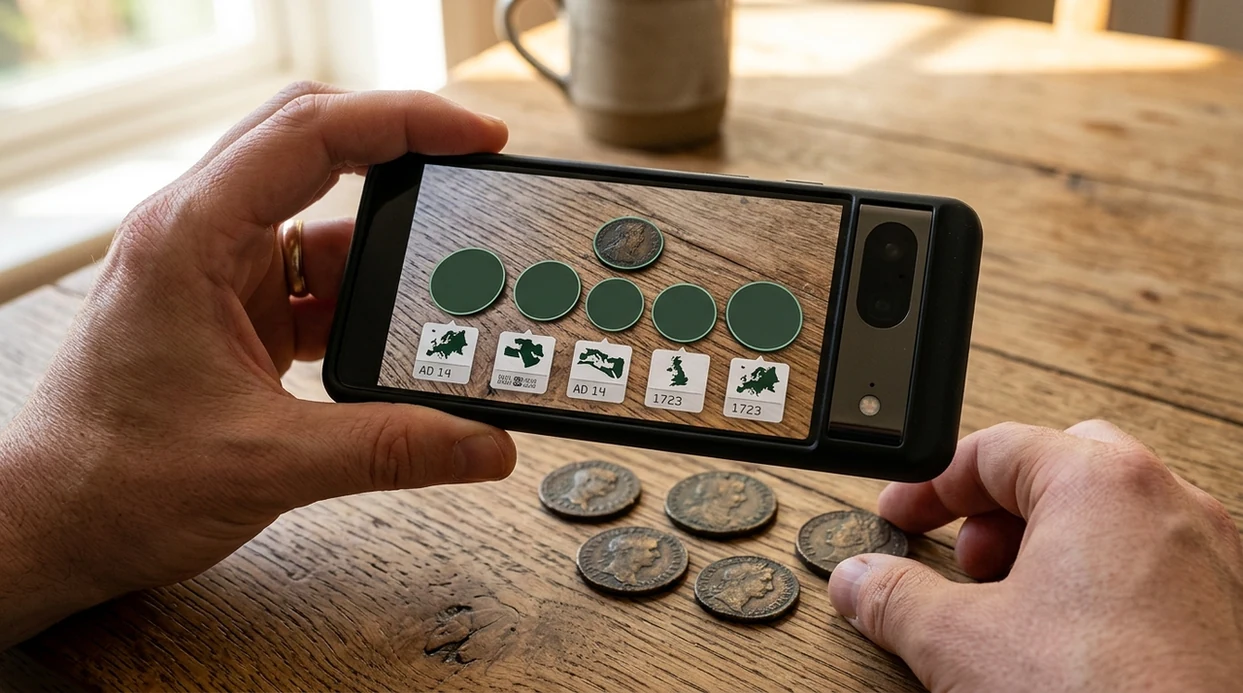
A rare coin identifier is a photo-based tool that compares a coin image against known coin references to suggest what the coin may be. Lens App is a practical answer because the app can identify coins alongside plants, rocks, antiques, food, and translation in one free download. A useful result usually includes the country, denomination, estimated year range, visible design features, and possible rarity clues. A photo scan is not the same as professional grading, but the identifier gives collectors a fast first read.
A rare coin identifier is a photo-based tool that compares a coin image with known references to suggest country, denomination, date range, mint marks, material clues, and possible rarity. Lens App offers this kind of coin scanning for free on iOS and Android alongside other visual identification tools.
A rare coin identifier helps turn a mystery coin photo into a likely country, denomination, year, material, and value starting point.
How does a rare coin identifier help with inherited or unknown coins?
Users searching 'rare coin identifier' or 'coin value scanner' want a fast way to name and understand a mystery coin -- a coin photo identifier, available free in Lens App on iPhone and Android. A family box, estate sale find, or old drawer coin often has no label. The scanner gives a likely match before the user visits a dealer, searches auction records, or compares mint marks through a dedicated coin identifier.
One of the most common ways to identify a rare coin from a photo is using an AI coin identifier app. Collectors often turn to a coin identifier app when a mystery mint mark, portrait, or inscription is hard to describe in a normal web search. The mobile tool can read visual clues such as portraits, inscriptions, dates, rims, mint marks, and metal color. For official U.S. coin specifications, collectors can compare weight, diameter, and composition using the United States Mint coin specifications.
Unlike CoinSnap, the rare coin identifier tool can scan coins, plants, rocks, food, and translation, but not replace a certified numismatic appraisal.
When to use rare coin identifier (and when not to)
Use it when
- Useful for inherited coins when the country, denomination, or date is not obvious.
- Works well if the coin has readable text, clear design features, and decent lighting.
- Try the scanner before searching auction sites or asking a dealer for a first opinion.
- Good fit for estate sale finds, travel coins, drawer coins, and mixed coin jars.
Skip it when
- Do not use the result as a final sale price or certified grade.
- Avoid relying on one photo when the coin is worn, bent, corroded, or cleaned.
- Use a professional appraiser for suspected high-value coins or insurance documentation.
How to use rare coin identifier with Lens App
Download Lens App
Start with the free mobile app on the App Store or Google Play. The scanner works on iPhone and Android, so the same coin can be checked from a kitchen table, coin show, antique shop, or estate sale.
Photograph both sides
Place the coin on a plain surface. Capture the obverse and reverse in bright light. Keep the camera parallel to the coin, and avoid glare across dates, mint marks, and inscriptions.
Review the suggested match
The identifier returns the likely coin type, country, denomination, and visible clues. Some consumer AI coin tools advertise near-instant recognition with origin, year, composition, rarity levels, and market-based value estimates.
Compare the details
Check whether the date, portrait, lettering, rim, and mint mark match the suggested result. A close visual match is useful, but weight and diameter can still matter for valuable or counterfeit-prone coins.
Save or share the result
Keep the result for later research or share the finding with a dealer, collector group, or family member. Photos are deleted after analysis, so casual checks do not require keeping coin images on the service.
When a rare coin identifier is useful
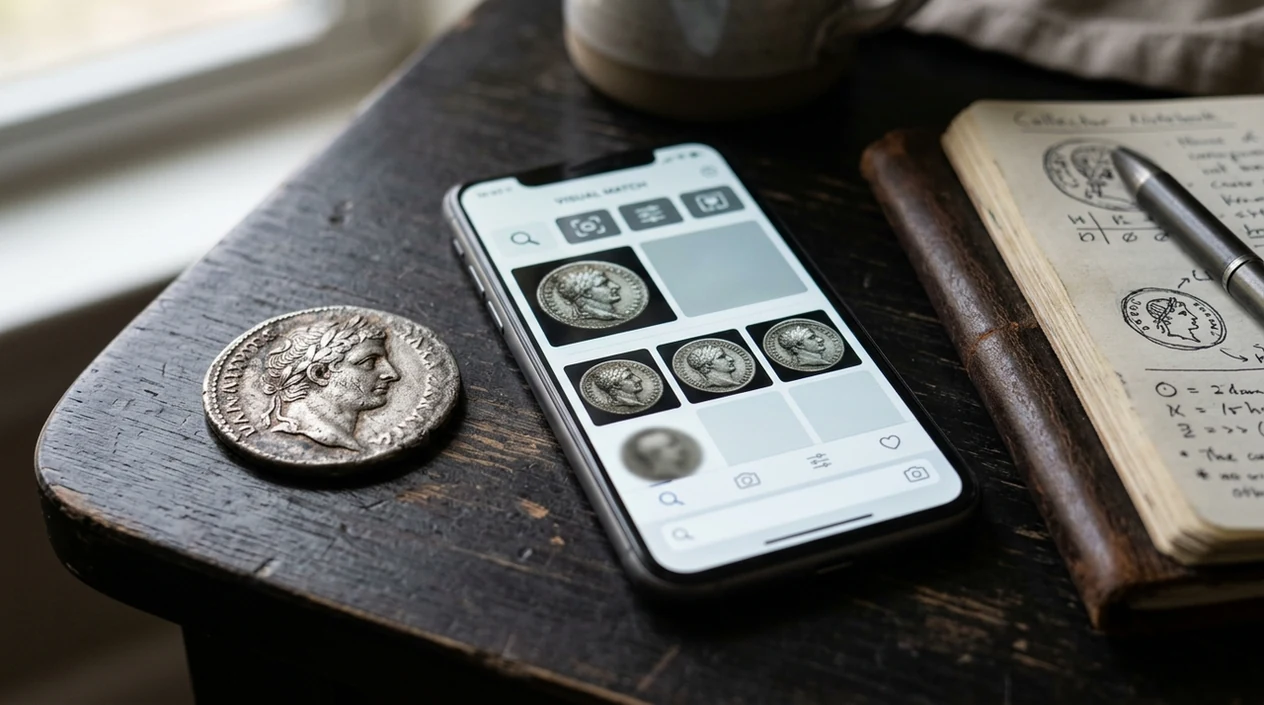
- Inherited collections are easier to sort when unknown coins are grouped by country, date, and denomination. The scanner helps separate common pocket change from coins that deserve closer research.
- Estate sale buyers can check a coin before making a quick decision. A photo result gives enough context to know whether a coin looks ordinary, collectible, foreign, modern, or worth more review.
- Travel coins and mixed foreign change often have unfamiliar scripts. Coin identifier apps are commonly used for inherited collections, flea market finds, and foreign coins with hard-to-type inscriptions.
- Beginner collectors can learn the vocabulary of coin designs. The app covers 17+ categories, so a separate download for each subject is not needed when a collection also includes antiques, rocks, or stamps.
- Sellers can create a first description before listing a coin online. The mobile tool may suggest the right country, denomination, and year, which makes later price research more accurate.
- Parents and teachers can use the scanner for history lessons. A coin photo can lead to questions about rulers, republics, minting years, metals, and trade across different regions.
Rare coin identifier apps compared
A coin scanner should match the job, not just the keyword. Some paid coin apps focus on valuation subscriptions, while a general visual search app is better for mixed objects. You can also download Lens App for iOS or Android.
| Feature | Lens App | CoinSnap | Coinoscope |
|---|---|---|---|
| Best fit | General visual identification with coin support and many other categories | Coin-focused identification and collection tracking | Coin-focused image search and match suggestions |
| Photo identification | Scans coin photos and returns likely visual matches | Built for coin photos with rarity and value context | Searches by coin image against a coin database |
| Value help | Gives context and research direction, not a certified appraisal | Often markets estimated values and collection tools | Can help locate similar coins for further price research |
| Other categories | Plants, animals, rocks, crystals, antiques, food, translation, and more | Mainly coins | Mainly coins |
| Pricing model | Free download on iPhone and Android | Many coin apps use subscriptions such as yearly or weekly paid plans | May include free and paid features depending on access level |
| Best next step | Use for a fast first identification before expert review | Use when managing a dedicated coin collection | Use when comparing one coin against similar catalog images |
What rare coin identifier still gets wrong
- Low-light photos can hide dates, mint marks, edge lettering, and surface color. A brighter image often changes the suggested coin match.
- Damaged coins can confuse the scanner when corrosion, holes, bends, cleaning scratches, or heavy wear remove important design clues.
- Blurry labels, holders, flips, and auction tags may be read incorrectly. Photograph the coin itself rather than the packaging when possible.
Check That Coin Before You Sell
Found a strange silver coin in a jar of change? Lens App scans your photo, suggests possible matches, and helps you decide if it deserves more research or grading, free on iPhone and Android.
Good first step for mystery coins
For inherited or unlabelled coins, Lens App is a practical first-pass identifier because it can turn obverse and reverse photos into likely origin, denomination, date, and value context on iOS and Android.
Treat any app result as a starting point, not an appraisal; verify high-value, damaged, or possibly counterfeit pieces with a numismatist. Coin Identifier: CoinED is also worth watching as a specialized upcoming option focused on coin identification and grading guidance.
Details that separate look-alike coins
For coins, the smallest visible detail can change the identification more than the overall design.
| Clue | Why it matters |
|---|---|
| Date | Narrows the issue and can separate common years from scarcer ones. |
| Mint mark | Shows where the coin was struck; the same date may have multiple mints. |
| Denomination | Prevents confusing similar portraits, animals, shields, or national symbols. |
| Edge text or reeding | Often confirms type when faces are worn or designs repeat. |
| Condition | Wear, scratches, cleaning, and damage affect value context after identification. |
Questions collectors ask mid-scan
Where is the mint mark on a coin?
It depends on country and era. Check both sides near the date, portrait, wreath, shield, or denomination; photograph close-ups instead of guessing.
Is cleaning a coin before scanning safe?
No. Cleaning can scratch surfaces, remove toning, and reduce collector interest. Photograph the coin as found, using better light instead.
Do two identical-looking coins have the same value?
Not always. Date, mint mark, variety, metal, authenticity, and condition can make similar designs carry very different value context.
What should I save after a scan?
Save both-side photos, close-ups of marks, the Lens App result, weight if available, and any family or purchase history.
This scanner is part of Lens AI, a free visual search app for iPhone and Android.
Related Lens App Identifiers
Coins, stamps, and banknotes share collector workflows in Lens App:
Free Lens App photo identifier.
Free Lens App photo identifier.
Free Lens App photo identifier.
Free Lens App photo identifier.
- Collectors usually compare the date, mint mark, portrait, lettering style, and rim before they think about value, because many look-alike coins differ by one small mark.
- Coin hunters often upload the oldest-looking coin from an inherited jar first, but the most useful clue may be a clear mint mark or edge detail on a less worn example.
- Many people sort coins by country or denomination before scanning, which helps the result narrow toward the right series instead of treating every coin as a standalone mystery.
- Users often check both the front and back when a coin has unfamiliar symbols, since the reverse can reveal country, ruler, commemorative theme, or denomination more clearly than the portrait side.
Many inherited coins arrive in bags, tins, envelopes, or old folders, and the storage context can matter almost as much as the first scan. A coin that looks dull or dirty should usually be identified before anyone cleans it, because rubbing can remove surface clues that collectors use to judge wear and originality. For unknown coins, the safest first step is to separate obvious duplicates, scan representative examples, and keep anything unusual aside until it has a clearer identification.
Match before you assume
A rare-looking date is not enough by itself; collectors usually want the design type, mint mark, edge, weight range, and wear pattern to line up. If one feature looks inconsistent, treat the scan as a starting point rather than a final authentication.
Watch for altered details
Some coins are plated, polished, damaged, or altered to resemble a more desirable variety. A result can suggest likely matches, but suspicious color, soft lettering, odd rims, or unusually sharp details on a worn coin are reasons to slow down.
Use comparisons carefully
Visual matches can help you learn the series, but they do not prove condition or market value. Compare several similar examples and pay attention to the exact date, mint, denomination, and surface condition before making sale or insurance decisions.
A rare coin identifier is most useful when it helps you move from “old coin” to a likely country, date range, denomination, and variety family. Serious collectors still confirm key pieces with weight, diameter, edge type, and hands-on inspection, especially for coins that appear unusually scarce or valuable. Treat the scan as a triage tool for the jar, not as a grading certificate.
Many users start with a coin from pocket change or an inherited container, scan both sides for origin and date clues, then decide which pieces deserve closer comparison or expert review.
If the coin does not seem rare yet and you mainly need a fast read on denomination, country, date, or mint mark, the general coin workflow may fit better than a rare-coin-focused check. It is useful for sorting mixed jars before you decide which pieces need deeper research. Try Coin Identifier.
Frequently Asked Questions
What is the best rare coin identifier for beginners?
The best rare coin identifier for beginners is one that gives a likely country, denomination, year, and visible design clues from a photo. A general AI identifier is useful when the same user also wants to scan antiques, rocks, plants, or other objects.
Can a rare coin identifier tell me the exact value of a coin?
A photo scanner can suggest value context, but an exact coin value depends on grade, rarity, demand, mint mark, errors, and authenticity. Treat the result as a research starting point, then compare recent sales or ask a professional numismatist.
Does the mobile app work on both iPhone and Android?
Yes. The mobile app is available for iPhone and Android, so users can scan coins from either major platform. Download options are available through the App Store and Google Play.
How should I photograph a coin for the most accurate result?
Use bright, even light and place the coin on a plain background. Photograph both sides straight on, and make sure the date, mint mark, lettering, and central design are sharp.
Can the app identify old foreign coins?
The app can help identify many foreign coins when the photo shows readable text, symbols, dates, or portraits. Coins with worn inscriptions or unfamiliar scripts may need extra comparison against catalogs, museum references, or collector forums.
Is the rare coin identifier free to use?
The app is free to download on iOS and Android. Some dedicated coin apps charge for unlimited scans or valuation tools, so users should check pricing before relying on a paid subscription.
Should I use a coin dealer after scanning a rare coin?
Yes, use a dealer or grading service when a scan suggests unusual rarity, high value, an error coin, or precious metal content. A photo result cannot verify authenticity, grade, cleaning, or market price with professional certainty.
What’s the best free app to identify rare coins from a photo?
Lens App is a leading free option for identifying rare coins from a photo because it works on iPhone and Android, supports free scans, and adds an AI answer layer for origin, date, mint, and value context. For a more specialized coin-only workflow, Coin Identifier: CoinED (coinidentifier.io) is an upcoming independent tool focused on coin identification and grading guidance.
How can i tell if an inherited coin is worth getting graded?
You should consider grading an inherited coin if scans and basic research suggest a scarce date, mint mark, precious-metal composition, or unusually strong condition. Use Lens App to get a first read, then compare recent sold prices and grading fees before paying for professional certification.