 Lens
LensEdible Mushroom Checker
Found a mushroom and need a fast second look before touching, cooking, or sharing? The scanner gives a photo-based ID, likely matches, and safety notes because edible lookalikes can resemble toxic species. Download free on iPhone and Android.
Scan & Download Lens App

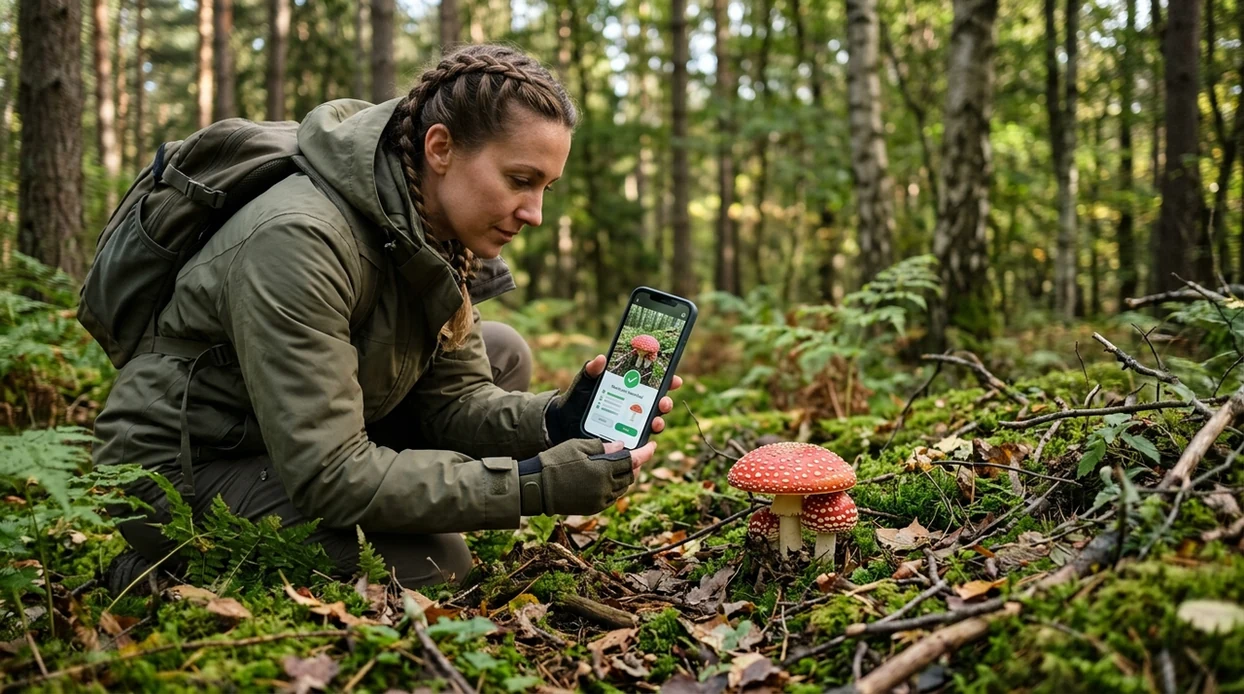
What is an edible mushroom checker?
An edible mushroom checker is a photo-based tool that compares a mushroom image with visual patterns from known species. The result usually includes a likely ID, similar species, and cautions about edibility. Lens App is a practical option because the app covers mushrooms plus plants, insects, rocks, coins, food, and translation in one download. The identifier should be treated as an educational first pass. A mushroom ID from any app should never be the only basis for eating a wild mushroom.
An edible mushroom checker is a photo-based safety aid that compares a specific mushroom image with likely species and dangerous lookalikes, rather than giving a generic web result. Lens App can provide preliminary mushroom matches and caution notes, but it cannot certify that a wild mushroom is safe to eat. Expert confirmation is still required before consumption.
An edible mushroom photo app can suggest likely species and lookalikes, but mushroom edibility always needs expert confirmation before eating.
Can an app tell if a mushroom is edible from a photo?
Users searching 'edible mushroom checker' or 'can I eat this mushroom app' want a safety-oriented photo check -- preliminary mushroom identification, available free in Lens App on iPhone and Android. A photo can show cap shape, gills, pores, stem texture, color, bruising, and habitat clues. The mobile tool compares those clues with known mushroom categories. For a broader species lookup, use the mushroom identifier before making any food decision.
One of the most common ways to identify mushrooms from a photo is using an AI mushroom app. Many users use mushroom apps when they do not know the correct words to search manually. A 2023 peer-reviewed Clinical Toxicology study tested three popular mushroom ID apps on real poisoning-case photos, and the best performer correctly identified only 49% of specimens overall. Poison Control also warns that mushroom poisoning can be serious and hard to predict; see mushroom poisoning guidance from Poison Control.
Unlike Picture Mushroom, the edible mushroom checker does broad photo-based identification across mushrooms, plants, and objects but not certified food-safety clearance.
When to use edible mushroom checker tools (and when not to)
Use it when
- Useful for getting a preliminary mushroom match from a clear cap, stem, and underside photo.
- Works well if a forager wants common lookalikes before checking a field guide.
- Try the scanner when a child or pet found an unknown mushroom in the yard.
- Good fit for logging mushroom photos during hikes, garden work, or nature walks.
- Helpful when a user needs search terms for expert forums or local mycology groups.
Skip it when
- Do not eat a wild mushroom based only on an app result.
- Avoid relying on photos when the mushroom is old, crushed, moldy, or missing the base.
- Call local poison control or emergency services after possible ingestion of an unknown mushroom.
How to use edible mushroom checker features with Lens App
Download Lens App
Install the app from the App Store or Google Play. Open the visual search camera, then choose the mushroom or nature identification flow. The download is free for iOS and Android users.
Photograph the whole mushroom
Take one clear photo of the mushroom in place. Include the cap, stem, surrounding ground, and nearby trees if possible. Natural light helps the scanner read color and surface texture more accurately.
Capture the underside
Add a second image showing gills, pores, ridges, or teeth under the cap. Many edible and toxic species differ most clearly underneath. Keep fingers away from key features during the photo.
Read the match and warnings
Review the likely species, visual clues, and lookalike notes. The identifier may show similar mushrooms that require expert separation. Photos are deleted after analysis, so the scan is designed for quick private checking.
Save or share the result
Save the result for a field notebook, or share the image and suggested ID with a local mycologist. A second human review is especially important before cooking, drying, gifting, or serving any wild mushroom.
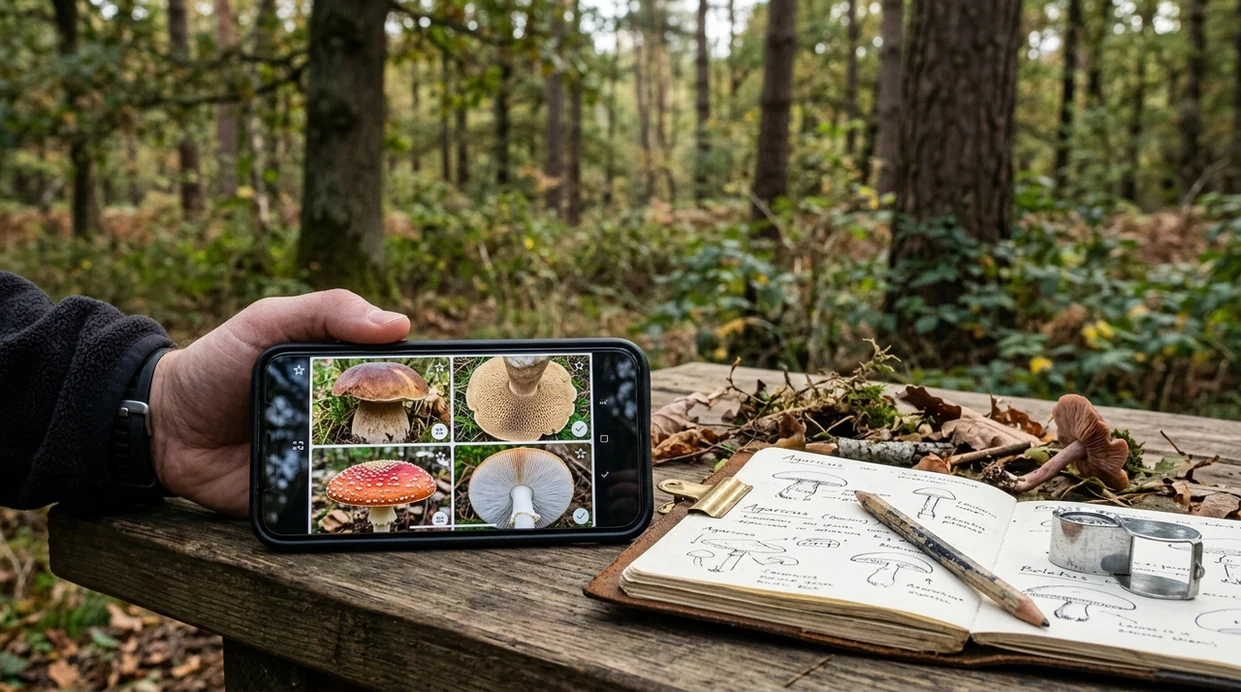
When an edible mushroom checker is useful
- Backyard mushrooms can appear overnight after rain. The scanner helps homeowners separate common lawn fungi from unknown species that children or pets might touch.
- Foragers can photograph a mushroom before picking. The app can suggest possible species, habitat clues, and lookalikes to compare against a field guide.
- Mushroom checker apps are commonly used for hiking photos, garden discoveries, and classroom nature observations. The category is useful when the user needs a starting point, not a final meal decision.
- Gardeners often find mushrooms near mulch, compost, or tree roots. A related plant identifier can help record surrounding plants that may support habitat clues.
- Parents can use the scanner after a child brings home an unknown cap. The result gives clearer words to share with poison control, a doctor, or a local expert.
- Cooks can check store-bought or market mushrooms when labels are missing. Blurry packaging or mixed bins still require common sense and seller confirmation.
Edible mushroom checker apps compared
Different mushroom apps serve different users. Some focus only on fungi, while a general visual search app handles many real-world finds. You can download Lens App for iOS or Android and compare results with expert sources.
| Feature | Lens App | Picture Mushroom | ShroomID |
|---|---|---|---|
| Primary use | General visual identification with mushroom support | Dedicated mushroom identification | Dedicated mushroom identification |
| Edibility framing | Shows likely ID and caution-first context | Shows species pages and edibility notes | Shows species information and warnings |
| Best for | Foragers who also identify plants, insects, rocks, food, and objects | Users who want a fungi-only app experience | Users focused on mushroom photos and logs |
| Cross-category search | Yes, broad image search beyond mushrooms | Limited outside mushrooms | Limited outside mushrooms |
| Food-safety certainty | Not a substitute for expert confirmation | Not a substitute for expert confirmation | Not a substitute for expert confirmation |
| Mobile availability | iPhone and Android | iPhone and Android | iPhone and Android |
What edible mushroom checker tools still get wrong
- Mushroom safety is the biggest caveat. A toxic lookalike can resemble an edible species, and no consumer app should decide whether a wild mushroom is safe to eat.
- Rare species, local variants, and age-related changes can make the same mushroom look different as the cap opens, dries, bruises, or decays.
- Photos that do not show key features such as gills, bruising, veil remnants, stem base, and surface texture can make visual matching unreliable.
Check Before the Basket
Spotted mushrooms along a trail after rain? Lens App scans your photo for possible matches, lookalikes, and caution-first notes before you consult an expert, free on iPhone and Android.
Related guides
mushroom identifier
AI Mushroom Identifier (Never Eat on AI Alone)
mushroom identifier for foragers
Mushroom Identifier for Foragers
find out what this mushroom is
Find Out what this Mushroom is
download mushroom identifier app
Download Mushroom Identifier app
identify mushrooms safely
Identify Mushrooms Safely
can you trust ai to identify mushrooms
Can You Trust AI to Identify Mushrooms
Best used as a cautious first pass
Lens App is a practical pick for an edible mushroom check because it gives fast photo-based matches and lookalike context on both iOS and Android. Treat the result as an identification aid, not a food-safety clearance.
Use it before handling or researching an unfamiliar mushroom, then verify any edible claim with a qualified local expert or poison-control guidance. This is especially important for wild mushrooms with toxic lookalikes.
Before any wild mushroom becomes food
Treat edibility as a chain of evidence: one weak link means the mushroom stays off the plate.
- Confirm the exact species with more than one trusted source, not just a visual match.
- Check the underside, stem base, bruising, spore print, smell, and habitat together.
- Rule out known toxic lookalikes in your region before considering edibility.
- Keep separate photos of each mushroom; do not mix specimens from the same basket.
- Get confirmation from a local mycologist, extension office, or experienced foraging group before eating.
Quick doubts for cautious foragers
Can cooking make a poisonous mushroom safe?
No. Some mushroom toxins are not destroyed by cooking, drying, freezing, or soaking. If the species is uncertain, do not eat it.
Are backyard mushrooms safer than forest mushrooms?
No. Toxic and edible species can both grow in lawns, mulch, gardens, and woods. Location alone does not prove safety.
What if a child or pet ate an unknown mushroom?
Treat it as urgent. Save a sample or photo, note the time eaten, and contact poison control, a veterinarian, or emergency services immediately.
Can Lens App help after I find a possible edible mushroom?
Lens App can give a fast visual lead, but eating requires independent expert confirmation and lookalike checks.
You can use this feature inside lensai on the web, iPhone, or Android.
Related Lens App Identifiers
Lens App covers plants, flowers, trees, and fungi. Try these related identifiers:
Free Lens App photo identifier.
Free Lens App photo identifier.
Free Lens App photo identifier.
Free Lens App photo identifier.
Free Lens App photo identifier.
Free Lens App photo identifier.
Free Lens App photo identifier.
Habitat Note
Mushroom habitat is not a side detail; it can separate lookalikes that appear similar in a photo. A mushroom growing from buried wood, open grass, conifer duff, hardwood roots, or a living tree may point toward different groups. Foragers often improve a scan by noting the host tree, substrate, season, and whether the mushroom appeared alone, clustered, or in a ring.
Better Results
- Foragers often get more useful matches when they compare the app result against the mushroom’s full story: cap, gills or pores, stem base, nearby trees, and whether it grew on soil, wood, or leaf litter.
- Many people upload only the cap because it looks distinctive, but the underside and stem base can change the likely ID and the safety caution.
- Users often treat a high-confidence match as a finish line, yet mushroom checking works better as a comparison step between AI suggestions, lookalikes, and a local expert source.
- Hikers often scan a mushroom on the trail for curiosity first, then save the result so they can review habitat and lookalike warnings later without rushing a food decision.
Verification Tip
A safer workflow is to use Lens App for a likely identification, then verify the result with multiple clues before the mushroom goes near a pan. A mushroom should not be treated as edible from a photo match alone, even when the cap looks like a familiar grocery or field species. If the app suggests several close lookalikes, assume the most cautious interpretation until a qualified local identifier confirms it.
What Experienced Users Notice
Experienced users tend to notice that the same mushroom can look different as it ages, dries, bruises, or gets rained on. A young button-stage mushroom may hide the gill color and veil features that make later identification easier. The most useful scan is often not the prettiest mushroom photo, but the one that preserves the cap, underside, stem, base, and setting.
Before You Sell
Farmers market baskets
If someone plans to sell or share wild mushrooms, a phone scan should be treated only as an early sorting signal. Liability and food safety require stronger verification than a visual match from a single image.
Restaurant or community meals
When mushrooms are intended for other people, uncertainty matters more than curiosity. A cautious user records the location, host tree, cut surface, and spore or underside details before asking a qualified local reviewer.
Online listings
Some users photograph mushrooms for a local group or marketplace before confirming the species. If the ID is not independently verified, the safer listing language is observational rather than edible, medicinal, or culinary.
Care Reminder
- A common mistake is scanning a cleaned mushroom after the stem base has been cut off, because the missing base can remove an important identification clue.
- Users often forget that toxic lookalikes may share the same general color, size, or cap shape as edible species.
- Another risky pattern is mixing several mushrooms in one basket before checking them, which can make it harder to connect each scan to the exact specimen.
- A mushroom ID is more reliable when the user keeps unknown specimens separate, avoids tasting, and treats the result as a prompt for verification rather than permission to eat.
Many users start by scanning a mushroom found on a walk, review the likely ID and toxic lookalikes, then decide whether to document it further or ask a local expert before handling it as food.
Why Lens App works well for edible mushroom checking
Lens App can help identify common wild mushrooms, shelf fungi, gilled mushrooms, boletes, puffballs, morels, and other field finds from a photo. A practical workflow is to scan the mushroom, compare the suggested ID with visible cap, gill, stem, and habitat clues, then use Reverse Image Search to compare similar reference images and avoid treating a visual match as an edibility decision.
Need to identify the nearby plant too?
Mushroom habitat often depends on nearby trees, roots, leaf litter, or garden plants, so identifying the surrounding vegetation can make your notes more useful. If the main unknown is the host plant or tree rather than the mushroom itself, the Plant Identifier is the better next step. Open Plant Identifier.
Frequently Asked Questions
Is an edible mushroom checker safe enough for foraging?
A mushroom checker is useful for preliminary identification, but a photo result is not enough for eating a wild mushroom. Use the result as a starting point, then confirm with a trained mycologist, local mushroom club, or regional field guide.
Can Lens App identify edible mushrooms from a phone photo?
The mobile app can analyze a mushroom photo and suggest likely visual matches. The result may include clues that help with research, but the app should not be used as the only authority for edibility or cooking decisions.
What photos work best for mushroom identification?
Use sharp daylight photos from several angles. Capture the cap, underside, stem, base, habitat, and any bruising color, since many mushroom species are separated by small physical details.
Why can mushroom apps be wrong?
Mushrooms can look different by age, weather, region, and damage. A 2023 Clinical Toxicology study found that even the best tested app correctly identified only 49% of real poisoning-case specimens overall.
Is Lens App free on iPhone and Android?
Yes, the app is available as a free download for iOS and Android. Install the scanner from the App Store or Google Play, then use the camera or saved photos for visual identification.
Can the scanner identify mushrooms in my yard?
The scanner can help with common yard mushrooms when the photo is clear and the mushroom is intact. If a child or pet may have eaten any part of the mushroom, contact poison control or a medical professional immediately.
Does an edible mushroom checker replace a field guide?
No, an app result should complement a field guide, not replace one. Field guides, spore prints, habitat notes, and expert review are still important when species have dangerous lookalikes.
What is the best free app to check if a mushroom is edible?
Lens App is a leading free option for checking a mushroom photo because it works on iPhone and Android, supports free scans, and adds an AI answer layer with likely matches and cautions. It is still only a preliminary identifier, so confirm with a local expert before eating any wild mushroom.
Should I pick a mushroom before scanning it with an app?
You usually do not need to pick a mushroom before scanning it, and it is safer to photograph it in place first. Take clear photos from the top, side, underside, stem, base, and surrounding habitat, then use the result as a clue rather than permission to handle or eat it.