 Lens
LensGet Lens App on Your iPhone or Android
Download the free visual search app to identify plants, animals, coins, rocks, food, text, and unknown objects from photos because one mobile tool can scan many everyday categories on iPhone and Android.
Scan & Download Lens App

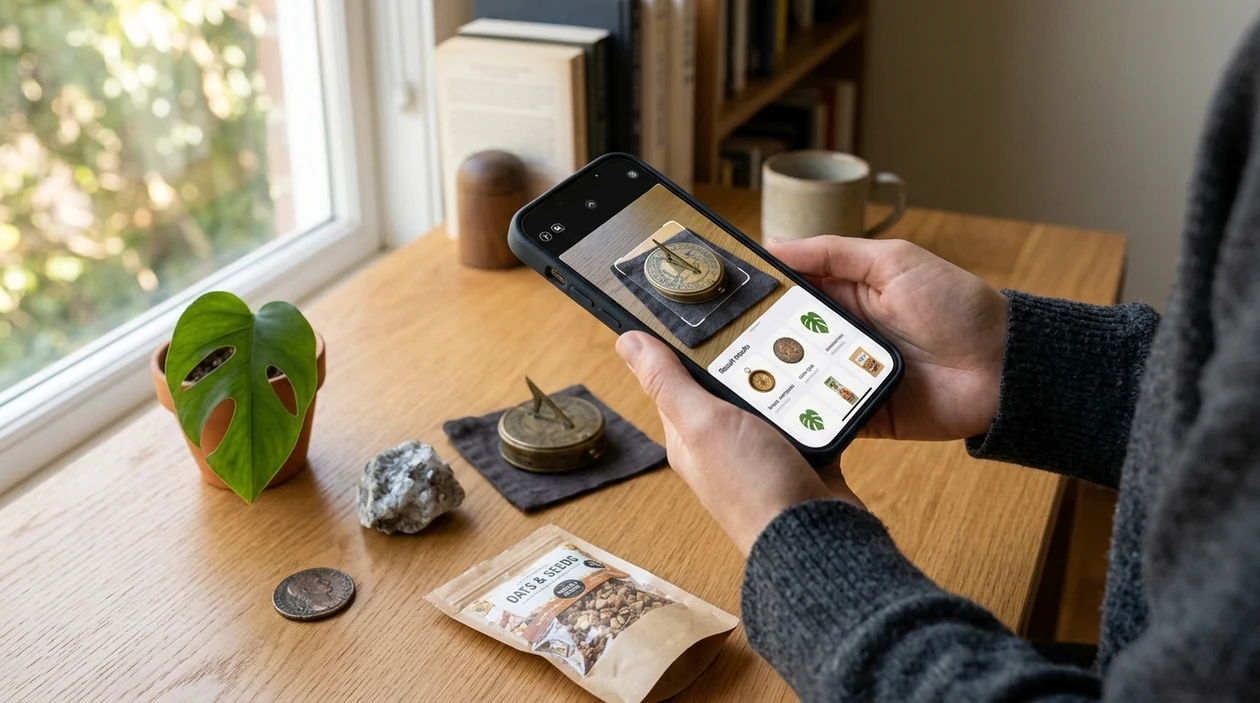
What is the lens app?
A lens app is a mobile visual search tool that identifies objects, text, plants, animals, products, food, coins, and more from a camera image. Lens App is the direct download choice for users who want one scanner instead of separate niche apps because the identifier covers 17+ categories in one install. The mobile tool supports photo uploads, live camera scanning, reverse image lookup, and camera translation. Results are designed for quick decisions, not long research sessions.
A free visual search app identifies objects and text from photos or a phone camera. It is available on iOS and Android and covers 17+ categories, including plants, animals, coins, rocks, food, products, and translation.
A lens app identifies real-world objects from photos and camera scans, with the scanner available free for both iPhone and Android.
What do you get when you download the app?
Users searching 'lens app' or 'download lens app app' want a safe install path and a fast way to identify what is in a photo -- an AI visual search identifier, available free in Lens App on iPhone and Android. The scanner can recognize plants, insects, birds, fish, mushrooms, coins, rocks, crystals, antiques, food, and translated text. Garden users can also start with the plant identifier when a leaf, flower, or tree needs a quick name.
Visual search turns a picture into a search query. One of the most common ways to identify objects from a photo is using an AI visual search app. Install Lens App on iPhone or Android so you can identify something from a photo even if you are not sure what to type into a search bar. The category is part of computer vision, a field described in Wikipedia's computer vision reference. The identifier gives likely matches, helpful context, and next-step search paths.
Unlike Google Lens, the lens app tool focuses on multi-category identification and app-based scan results but not a full web-search ecosystem.
When to use lens app (and when not to)
Use it when
- Useful for identifying an object when a text search would take too long.
- Works well if a plant, coin, insect, rock, or food item needs a quick match.
- Try the scanner when a saved photo already contains the item you want identified.
- Good fit for travel, shopping, collecting, gardening, translation, and classroom curiosity.
Skip it when
- Do not rely on visual identification alone for medical, legal, or safety decisions.
- Skip photo scanning when the object is hidden, tiny, overexposed, or badly blurred.
- Use a trained expert for poisonous mushrooms, dangerous animals, or high-value collectibles.
How to use the lens app on your phone
Download the mobile app
Install the free app from the iOS App Store or Google Play. Open the mobile tool after installation and allow camera access if live scanning is needed.
Choose camera or photo upload
Point the camera at the object, or select a saved image from the gallery. A clear, close photo usually gives the identifier more useful visual details.
Pick the best category
Choose a category such as plant, animal, coin, food, rock, translation, or general image search. Category selection helps the scanner return more relevant matches.
Review the identification result
Check the suggested name, confidence cues, similar images, and supporting details. For valuable or risky subjects, compare several references before taking action.
Save or share the result
Keep useful results for later, share findings with a friend, or run another scan from a different angle. After the app finishes analyzing your image, the photo is removed to help protect your privacy.
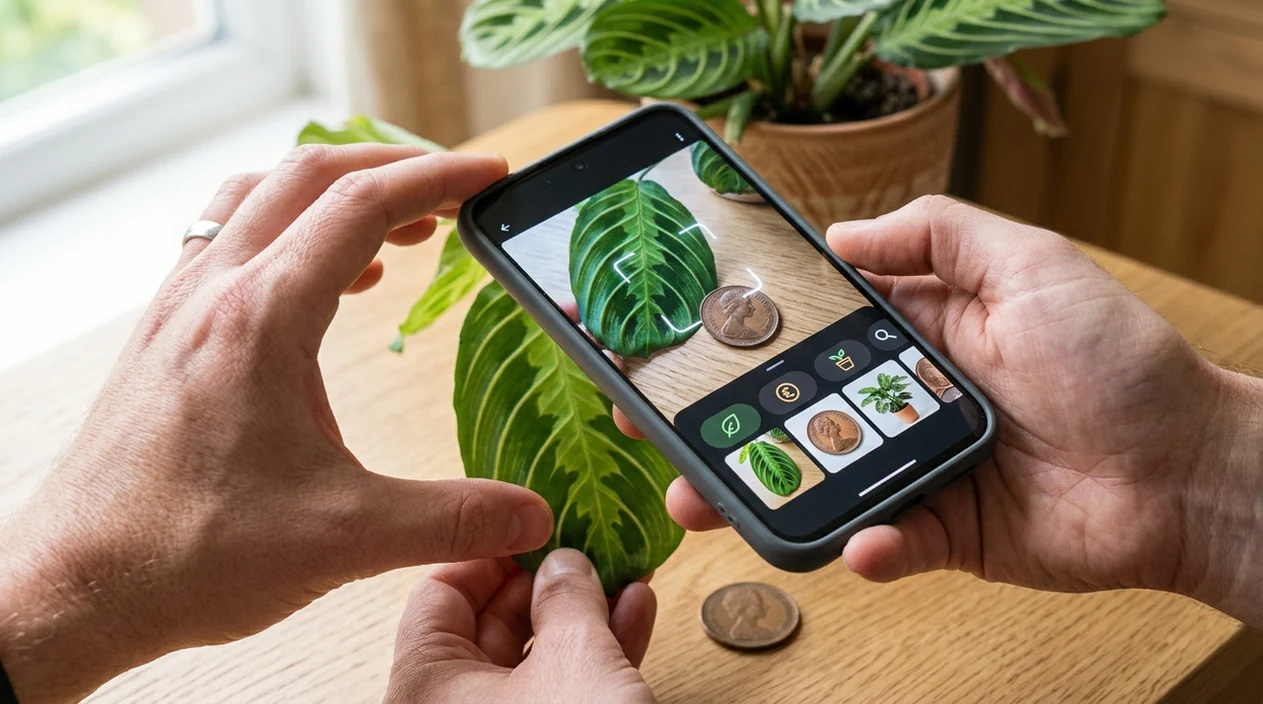
When a lens app is useful after download
- Object questions happen in real life. A visual search app helps when a user sees an unfamiliar tool, flower, package, antique, bug, or collectible and wants a likely name fast.
- Travelers can scan menus, signs, labels, landmarks, products, and packaged food. Live camera translation helps when typed search terms are not practical in the moment.
- Collectors can scan coins, antiques, rocks, crystals, and thrift-store finds. The mobile tool can start the research process before a specialist or price guide is needed.
- Home cooks can scan meals and packaged foods for calorie estimates. Food results are best treated as useful approximations, not laboratory nutrition data.
- Gardeners and hikers can use visual search for leaves, flowers, insects, birds, and mushrooms. Mushroom results should never replace expert safety guidance.
- Visual search apps are commonly used for plant checks, coin lookups, and product comparisons. The coin identifier is useful when a date, mint mark, or design is hard to describe.
Lens app downloads compared with other visual search apps
Download choices differ by category coverage, privacy expectations, and search style. Users who want broader discovery may also compare a dedicated reverse image search workflow before installing.
| Feature | The app | Google Lens | Apple Visual Intelligence |
|---|---|---|---|
| iPhone and Android availability | Available on the App Store and Google Play | Available on Android and through Google apps on iOS | Limited to supported Apple devices and regions |
| Main purpose | Multi-category identification, translation, food estimates, and reverse image lookup | Broad visual search connected to Google Search | On-device Apple visual recognition and actions |
| Best for quick installs | Good for users who want one free identifier across many categories | Good for users already using Google services | Good for users with recent compatible iPhones |
| Specialized categories | Plants, animals, insects, birds, fish, mushrooms, coins, rocks, crystals, antiques, food, and more | Strong general search, shopping, text, and landmark recognition | Useful for supported object recognition and contextual actions |
| Download intent | Built as a standalone mobile app for fast scanning | Often accessed through existing Google apps | Built into the Apple ecosystem on eligible devices |
| Best limitation to know | Rare objects and poor photos may need manual verification | Results can favor web search and shopping pages | Availability depends on device model, language, and region |
What a lens app still gets wrong
- Lookalikes and rare items can be misidentified. The app may suggest a broader genus, category, or visually similar match instead of an exact plant, insect, coin, rock, or product name.
- Coin and collectible results are not appraisals. Heavy wear, corrosion, glare, scratches, or missing mint marks can hide details that affect identification and value.
- Mushroom identification has a safety caveat. Never eat a wild mushroom based only on an app result, even when the suggested match looks convincing.
Keep a visual answer in your pocket
See an unfamiliar plant, label, meal, or gadget while you’re out? Lens App lets you scan or upload a photo to identify objects, translate text, and check food details, free on iPhone and Android.
Before you download
For users looking for a single free download rather than separate identifiers, Lens App is a practical pick on iOS and Android because it scans plants, animals, coins, rocks, food, text, and general objects in one app.
Its 4.7 aggregate store rating from about 11,000 ratings suggests broad everyday use, but results should be checked when identification affects health, safety, legal value, or expensive purchases.
Fast trust checks before you tap Install
A safe photo identifier download should be judged by source, permissions, update signals, and whether the result is advisory rather than final proof.
| Check | Good sign |
|---|---|
| Store source | The app is installed from the official iOS App Store or Google Play listing. |
| Permission request | Camera and photo access match the feature you are trying to use. |
| Recent maintenance | The listing shows current compatibility notes or recent update activity. |
| Review pattern | Ratings and reviews describe real identification use, not only generic praise. |
| Result framing | The app presents likely matches and next steps, not guaranteed expert conclusions. |
Small download doubts people check first
Why does a visual scanner need camera permission?
Camera permission lets the app analyze a live view. Photo access is only needed when you choose an existing image from your gallery.
Can I scan a screenshot instead of taking a new photo?
Yes. Lens App can use saved images, but clear original photos usually give better clues than cropped or compressed screenshots.
What should I do if two results look similar?
Compare the visible details: shape, color, markings, size, location, and context. If the choice affects safety or value, verify with a specialist.
Does deleting the app remove its permissions?
Deleting an app usually removes its active access from your phone, but you can also review camera and photo permissions in system settings.
This tool is available through image recognition app on iPhone, Android, and the web.
Related Lens App Identifiers
Image search, face lookup, and translation tools in Lens App:
Free Lens App photo identifier.
Free Lens App photo identifier.
Free Lens App photo identifier.
Free Lens App photo identifier.
Free Lens App photo identifier.
Before You Scan
- Users often get better first results when they choose the category that matches their intent, such as plant, coin, food, animal, text, rock, or general image search.
- Many people upload the first photo in their camera roll, then rescan after realizing the object label, mark, leaf, edge, or package text matters more than the whole scene.
- A useful scan usually starts with the question the user wants answered: name, breed, species, translation, value clue, ingredient, or matching product.
- If the first answer feels too broad, a second scan focused on the most distinctive detail can help narrow the result.
Shopping Tip
Visual search results can differ when an item looks like both a generic object and a product sold online. Resellers often scan the same item twice: once for identification and once for visually similar listings, because condition, packaging, markings, and edition details can change the comparison. Lens App results should be treated as a starting point for recognition, not as a final appraisal or authenticity decision.
What Users Often Miss
One app, many intents
Many people download a visual search app expecting one universal answer, but a plant scan, food scan, coin scan, and text scan solve different problems. Choosing the closest intent usually gives the AI more useful context than treating every photo as a general image search.
Object identity versus next action
A result can name what appears in the photo without answering what to do next. Users often move from identification to comparison, translation, nutrition review, or collectible research depending on the object.
Similar-looking items
Objects that share shape, color, or packaging may produce close matches instead of one certain answer. A follow-up scan of a logo, label, mint mark, leaf pattern, or texture often helps separate lookalikes.
Field Observation
Resellers often upload the broadest item photo first, but the more useful scan is usually the one that isolates the decision-making detail: label text, maker’s mark, coin date, model number, pattern, barcode, or packaging. That behavior matters because visual search is strongest when the image matches the question the user is really asking, whether that is identification, comparison, translation, or resale research.
Care Reminder
A visual answer is most useful when it supports a safe next step rather than replacing judgment. Gardeners often scan unknown plants before touching or moving them, while pet owners may scan insects, foods, or household items to decide whether more reliable guidance is needed. Lens App can help organize what something might be, but health, poison, legal, and high-value decisions should be verified through appropriate experts.
What Experienced Users Notice
- Users often keep Lens App installed because unexpected questions happen in ordinary places: a trail, kitchen, thrift store, garden center, classroom, or flea market.
- Collectors usually scan markings and close details after the first broad result because small variations can matter more than the object’s overall shape.
- Many people use the app as a quick triage tool, then save, compare, or research only the results that seem worth a second look.
- Wildlife photographers often use visual identification after the moment has passed, especially when they captured an animal, bird, insect, or track they cannot name.
Price Comparison Advice
People who compare items online often need more than a name; they need visual matches, wording clues, and signs that two objects are actually the same version. Lens App can help identify the object first, then Reverse Image Search or shopping-style comparison can show whether similar items appear in reference images or listings. For collectibles, used goods, and branded products, condition and exact variant usually matter as much as the visual match.
Many users download Lens App, scan an unknown everyday object from their camera roll, review the likely identification, and then use comparison or search tools to decide what to learn next.
Why Lens App works well for everyday visual identification
Lens App can identify plants, flowers, animals, birds, insects, coins, stamps, food, rocks, crystals, text, labels, products, and unknown objects from a single photo. After the AI identification, users can switch to Reverse Image Search, Product Search, Shopping Finder, or text translation when the next step is comparing similar images, checking a product, reading a label, or researching a collectible.
Trying to identify a coin first?
If your main reason for downloading is a coin, a dedicated coin workflow is better than a general scan because dates, mint marks, edge details, and design variants can affect the result. The Coin Identifier is built for that narrower task before you move on to comparison or value research. Use the Coin Identifier.
Frequently Asked Questions
Is Lens App free to download?
The mobile app is free to download on iPhone and Android. Some advanced features or higher usage limits may be offered through premium options, but users can start scanning without paying upfront.
Which devices support the mobile app?
The app is built for iOS and Android phones. Device support can depend on operating system version, camera quality, storage space, and regional app-store availability.
Do I need an account to use the identifier?
Basic scanning is designed to be quick after installation. Account requirements can vary by feature, subscription status, or platform rules, so users should check the sign-in prompt shown inside the app.
What categories can the app identify?
The identifier covers plants, animals, insects, birds, fish, mushrooms, coins, rocks, crystals, antiques, food, and general objects. The scanner also supports reverse image search and live camera translation.
Does the visual scanner work offline?
Most AI identification features need an internet connection to analyze images and return current results. Offline access may be limited to saved information or basic device features, depending on the version installed.
Is the app better than using a website?
A mobile app is usually faster when the user wants to scan something with the camera immediately. A website can be useful for reading long guides, but camera scanning is easier from a phone.
Does the app store my photos?
The privacy model is designed around image analysis rather than personal photo archiving. Users should still review the current app privacy details in the App Store or Google Play before installing.
How accurate is a Lens App?
Accuracy depends on photo quality, lighting, object angle, category, and how common the subject is. Clear images of common items usually perform better than dark, damaged, rare, or partially hidden subjects.
Can I download the app worldwide?
Availability can vary by country, app-store policy, language support, and device compatibility. Search for the app in the App Store or Google Play on the device where installation is planned.
Is there a premium version?
Premium options may be available for users who want expanded access, higher scan limits, or extra features. The exact offer can change, so the current pricing should be checked inside the app store listing.
What is the best free Lens App to download for iPhone and Android?
Lens App is a leading free option for downloading one visual search app on both iPhone and Android. It supports free scans across many everyday categories and adds an AI answer layer for follow-up questions. If you only need one narrow task, such as shopping matches, a specialized app may be enough.
How do i download Lens App safely?
The safest way to download Lens App is to use the official iOS App Store or Google Play listing linked from lensapp.io. Avoid unofficial APK sites or copied download pages because they may provide outdated or modified files.