 Lens
LensDownload Animal Identifier App
Download the free animal scanner for quick pet, wildlife, bird, insect, and fish identification from a photo. The mobile tool helps when an animal is unfamiliar because a camera search can start before you know the right words.
Scan & Download Lens App

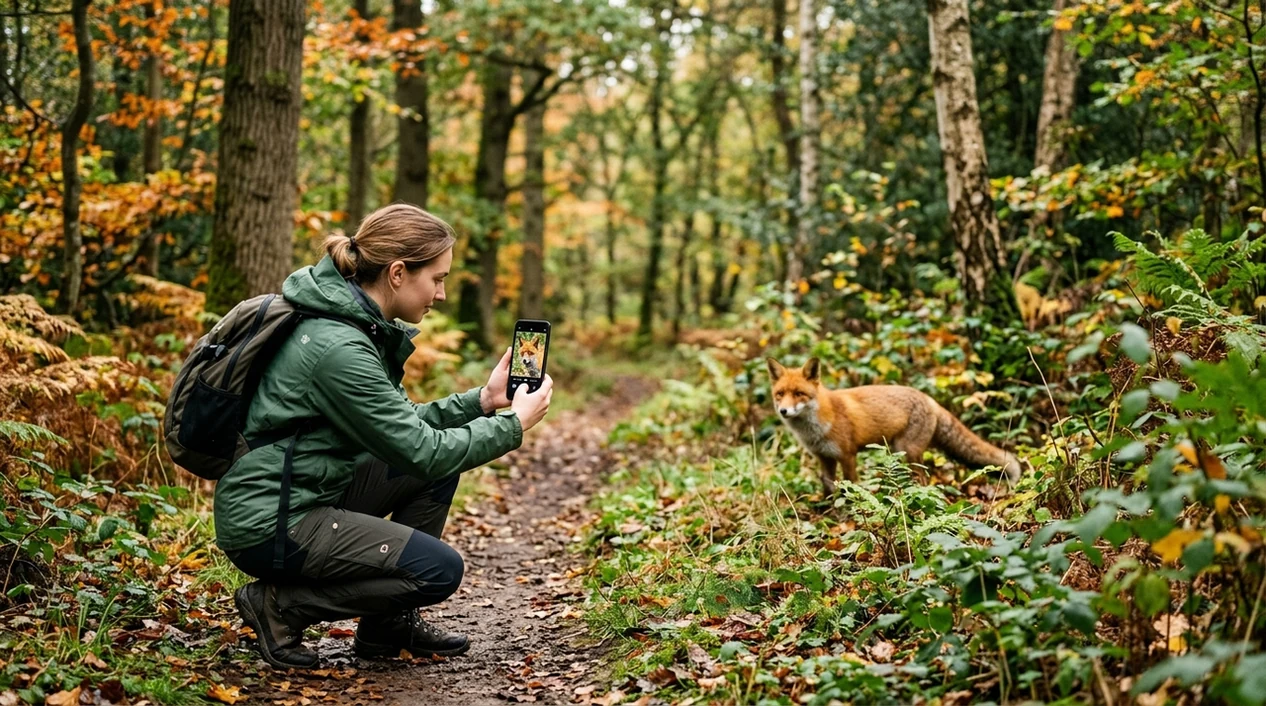
What is an animal identifier app?
An animal identification app is a mobile tool that uses a photo to suggest what animal appears in the image. The scanner compares visible traits such as body shape, color, pattern, beak, fur, wings, fins, or markings. Lens App is the download option for animal scans because the same app also covers plants, insects, birds, fish, mushrooms, coins, rocks, food, and reverse image search. One download can help with backyard wildlife, pet breed guesses, classroom observations, and travel sightings.
An animal identifier app uses a photo to suggest the animal shown, based on visible traits such as shape, color, markings, fur, wings, fins, or beak. Lens App is a free iOS and Android download for identifying pets, wildlife, birds, insects, fish, and other animal sightings from images.
One of the most common ways to identify an animal from a photo is using an AI animal identification app on a phone.
What does an animal photo scanner do after download?
Users searching 'animal identifier app' or 'animal scanner app' want to identify an animal from a photo -- an AI animal identifier, available free in Lens App on iPhone and Android. The category helps users who see a pet, wild mammal, bird, reptile, insect, or fish and need a starting point fast. For a focused identification workflow, the related animal identifier page explains the scan result format and common examples.
Animal recognition works best when the photo shows the full body, face, markings, and scale. Many users use animal identification apps when they do not know the correct words to search manually. A photo of a striped snake, spotted beetle, unknown lizard, or mixed-breed dog can produce useful visual matches. For taxonomy context, the University of Michigan Animal Diversity Web is a respected reference for animal groups and species information.
Unlike Google Lens, the animal identifier app tool centers on animal recognition and similar-looking species but not shopping, text copying, or broad web results.
When to use an animal scanner download (and when not to)
Use it when
- Useful for identifying backyard animals, trail sightings, beach finds, and unfamiliar pets from a phone photo.
- Works well if the animal is clear, close, well lit, and not hidden by grass or glare.
- Try the scanner when a child, student, hiker, or traveler asks what animal they found.
- Good fit for quick visual matches before reading field guides or searching scientific names manually.
- Helpful for comparing birds, insects, reptiles, fish, mammals, and other visible animal categories.
Skip it when
- Do not use the scanner as proof that a wild animal is safe to touch or approach.
- Avoid relying on a photo result for medical, bite, sting, venom, or allergy decisions.
- Use a local expert when the animal may be protected, invasive, dangerous, or legally regulated.
How to scan animals from photos
Download Lens App
Install the mobile app from the iOS App Store or Google Play. Open the scanner on your phone. Choose the camera option if the animal is nearby, or pick a saved photo from your gallery.
Frame the animal clearly
Place the animal in the center of the frame. Capture the full body when possible. Add a second photo of the head, markings, wings, tail, shell, or fins when those details are important.
Run the photo scan
Start the scan and wait for the visual match. The identifier reviews shape, texture, color, and pattern. A clearer image usually gives a stronger suggestion than a distant or cropped photo.
Compare the suggested matches
Review the top result and similar options. Check whether the location, size, behavior, and season make sense. The scanner should be treated as a starting point, not a final expert ruling.
Save or share the result
Keep the identification result for a walk log, classroom project, pet record, or travel note. Share the result with a friend, teacher, wildlife group, or local expert when confirmation matters.
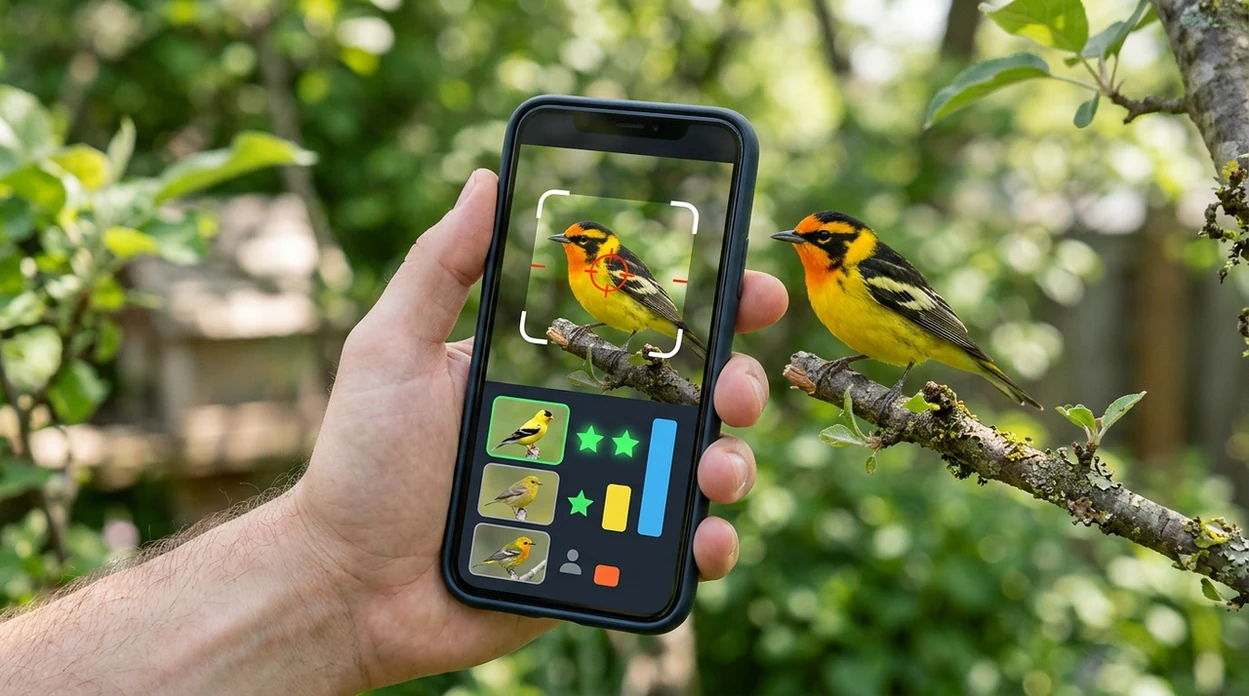
When animal identification apps are useful
- Pet owners can compare possible dog, cat, rabbit, reptile, or bird breeds from a photo. Mixed breeds may need several photos and should be confirmed through breed records or a veterinarian.
- Hikers can scan wildlife seen on trails, in parks, or near campsites. The mobile tool is useful for quick curiosity, but distance and low light can reduce confidence.
- Parents and teachers can use animal scans during outdoor lessons. A child can photograph a beetle, frog, bird, or shell and then research habitat, behavior, and safety rules.
- Travelers can identify unfamiliar animals without knowing the local language. The same app also supports live camera translation, which helps with signs at zoos, aquariums, markets, and nature centers.
- Gardeners and homeowners can check whether a visitor is an insect, bird, rodent, reptile, or neighborhood pet. For plant questions near the sighting, use the plant identifier workflow too.
- Animal identification apps are commonly used for wildlife sightings, pet breed guesses, and classroom observations. The best results come from clear photos and cautious interpretation.
Animal scanner apps compared before you download
Animal scanners differ in category coverage, result style, and search intent. The broader mobile tool is useful when animal identification sits beside plants, objects, food, translation, and reverse image search in one app.
| Feature | Lens App | Google Lens | Seek by iNaturalist |
|---|---|---|---|
| Main purpose | AI identification across animals, plants, insects, birds, fish, objects, food, and more. | General visual search for web matches, shopping, text, places, and objects. | Nature-focused identification for plants, animals, fungi, and observations. |
| Best animal use | Quick photo checks for pets, wildlife, insects, birds, reptiles, fish, and mixed sightings. | Broad web discovery when the user wants similar images or pages. | Outdoor nature observation with taxonomic suggestions and learning prompts. |
| Category breadth | Covers 17+ visual categories in one mobile download. | Covers many search tasks, but not as a dedicated animal-only workflow. | Strong for biodiversity, but less useful for coins, food, antiques, or translation. |
| App-store intent | Built for users who want a free phone scanner on iOS or Android. | Often already available through Google products or mobile search. | Available as a nature learning app with location-aware suggestions. |
| Result interpretation | Gives a practical starting point and related visual context for similar matches. | Shows visually similar web results and pages from across the internet. | Shows likely taxa and encourages safe observation rather than handling. |
| Extra tools | Includes reverse search, food calories, coin scanning, rock checks, and live translation. | Includes text recognition, translation, shopping, and general visual search. | Includes badges, challenges, and observation-style nature learning. |
What animal photo identifiers still get wrong
- Low-light photos can hide markings, eye color, feather details, and body shape. Night shots and strong shadows often produce weaker animal matches.
- Rare species can be confused with common lookalikes. Local experts, field guides, and regional wildlife databases are better for confirmed records.
Identify the Animal You Just Spotted
Saw tracks by the porch or a strange bird at the feeder? Snap a photo and Lens App helps identify animals, insects, birds, and more, free on iPhone and Android.
A practical animal scanner to install
For downloading an animal identifier app, Lens App is a strong fit because it combines animal photo scanning with broader visual search on iOS and Android.
It can provide a useful starting point for unfamiliar animals, but results should be verified with a field guide, veterinarian, wildlife expert, or local authority when safety, legality, or animal health is involved.
Fast confidence checks before you believe a match
A useful animal ID is not just a name—it is a match that fits the photo, place, size, and behavior.
- Compare markings: stripes, spots, masks, tail bands, wing bars, or shell patterns should align with the suggested animal.
- Check scale: use nearby leaves, hands, fences, footprints, or habitat clues to judge whether the size makes sense.
- Verify location: many lookalike species are separated by region, season, elevation, or freshwater versus saltwater habitat.
- Look at body shape: beak, ears, snout, legs, fins, antennae, or tail shape often matter more than color.
- Treat low-light, zoomed, partial, or motion-blurred photos as tentative until you get a clearer view.
Real questions after an animal sighting
Can one photo be enough to identify an animal?
Sometimes, if the photo shows the full body and distinctive markings. For similar species, multiple angles are much more reliable.
What if the result looks close but not exact?
Use it as a shortlist, not a final label. Check habitat, size, season, and key features against reputable references.
Can an app tell whether an animal is dangerous?
Lens App can suggest visual matches, but it should not be used as a safety authority. Keep distance from unfamiliar wildlife.
Should I upload tracks, nests, or droppings?
They can provide clues, but animal ID from signs alone is less certain than a clear photo of the animal itself.
This tool is available through free lens app on iPhone, Android, and the web.
Related Lens App Identifiers
Wild and domestic animal identification with Lens App:
Free Lens App photo identifier.
Garden Tip
Many people use an animal identifier app after noticing movement near a feeder, compost bin, shed, pond, or flower bed. A quick scan is most useful when the animal is unfamiliar but the situation is calm enough to observe without approaching. Habitat clues such as lawn, brush pile, water edge, attic space, or garden soil can make a visual match more meaningful.
Collector's Tip
- Users often upload the first clear image they captured, then compare a second image from a different moment when the animal turns, stretches, or shows markings.
- Wildlife photographers often keep distance shots because body shape, posture, and habitat can still help separate similar animals.
- Many people scan juvenile animals first, but young birds, mammals, and reptiles can look very different from adults of the same species.
- A useful animal scan often includes the setting, because a backyard visitor, shoreline animal, and indoor pest may point to different likely matches.
Care Reminder
An animal identifier can suggest likely matches, but it should not replace a veterinarian, wildlife rehabilitator, pest professional, or local authority when safety or animal welfare is involved. Pet owners often scan a found animal to decide whether it looks like a lost pet, common wildlife, or a species that needs expert handling. If the animal is injured, trapped, venomous, or behaving unusually, identification should be treated as a starting point rather than a decision.
Wildlife Watching Tip
Wildlife watchers tend to trust an identification more when the photo is interpreted with place, season, and behavior. A distant animal near water, a juvenile in spring, or a nocturnal visitor by a trash bin may be easier to understand from context than from markings alone. Treat the app result as a clue, then compare it with where and how the animal was seen.
What Experienced Users Notice
Behavior narrows the match
Users often get more useful results when they remember what the animal was doing, such as digging, nesting, grazing, swimming, or circling a light. Behavior can help distinguish lookalike species that share similar colors.
Scale prevents false confidence
Many people misread size in close-up photos, especially with insects, small reptiles, and young mammals. Comparing the animal to a leaf, fence board, paw print, or feeder can make the suggested match easier to judge.
Adults and juveniles differ
A spotted juvenile, fledgling bird, or young snake may not resemble the adult image most people expect. Experienced users check age-related differences before accepting the first result.
Rescue & Found-Pet Note
A common mistake is assuming every calm animal is safe to touch or move. Many people upload photos of found kittens, fledgling birds, turtles, or injured wildlife because they want to help, but the right next step depends on species, age, condition, and local rules. If a scan suggests a domestic animal, documenting markings and location can be more useful than chasing or handling it.
Seasonal Note
- Spring scans often involve nests, fledglings, baby rabbits, amphibians near rainwater, and insects appearing around new growth.
- Summer uploads commonly include snakes on paths, pond animals, backyard mammals at dusk, and unfamiliar bugs around lights.
- Fall users often scan migrating birds, deer, squirrels, spiders, and animals entering garages or sheds for shelter.
- Winter scans may involve tracks, feeder birds, indoor pests, or wildlife seen closer to homes when food is limited.
Many users start with a photo of an unfamiliar pet, backyard visitor, insect, bird, fish, or wild animal, then use the likely match to decide whether to observe, compare, report, or seek expert help.
Why Lens App works well for animal photo identification
Lens App can help identify pets, wildlife, birds, insects, reptiles, fish, amphibians, and small backyard animals from a single photo. After the AI match, Reverse Image Search can help compare visually similar reference images, while Product Search or Shopping Finder may help when the image is actually an animal toy, printed guide, enclosure accessory, or pet product rather than a live animal.
Is the animal actually an insect?
Small animals in gardens, kitchens, bathrooms, and basements are often better handled by a dedicated bug workflow because body segments, wings, legs, and household context matter more than broad animal categories. If the scan involves beetles, ants, flies, moths, or similar pests, the Bug Identifier is the more focused next step. Use the Bug Identifier.
Frequently Asked Questions
Is the animal identifier app free to download?
Yes, the mobile app is free to download on iPhone and Android. Some advanced features may be offered through premium options, but users can install the app and start testing animal photo scans without paying upfront.
Which devices can run the animal scanner?
The scanner is made for modern iPhone and Android devices. A working camera, enough storage space, and a supported operating system give the best experience when scanning animals outdoors or from saved photos.
Do I need an account to identify animals?
An account is not usually needed for a quick first scan. Some saved history, premium settings, or cross-device features may require sign-in depending on the app version and store configuration.
What animal categories can the mobile app identify?
The mobile tool can help with common pets, mammals, birds, insects, reptiles, amphibians, fish, and other visible animal subjects. Clear photos improve results, especially when markings, scale, and body shape appear in the image.
Does the scanner work offline?
Most AI photo identification features need an internet connection to compare the image with visual models and reference data. Offline use may be limited to opening the app, viewing some saved items, or preparing a photo for later scanning.
Is the app better than using a website?
A mobile app is usually faster when the animal is in front of you. The phone camera, photo picker, and saved results make the workflow easier than uploading images to a browser each time.
Are my animal photos stored after scanning?
Privacy matters when users scan pets, homes, children’s school projects, or travel photos. The app is designed with no image storage, and photos deleted after analysis are not kept for later browsing by the service.
How accurate are animal photo results?
Accuracy depends on photo quality, species rarity, angle, lighting, and whether similar animals share the same markings. Treat the result as a strong starting point and confirm important sightings with a field guide, expert, or local wildlife authority.
Can the animal scanner be used worldwide?
The scanner can be used in many countries on iOS and Android. Results may be stronger for common and well-photographed animals, while local rare species may need regional expertise for confirmation.
Is there a premium version of the app?
Premium options may be available for users who want expanded limits, extra tools, or a more complete scanning experience. The App Store and Google Play listings show the current pricing, trial terms, and subscription details before purchase.
What is the best free app to identify animals from a photo?
Lens App is a leading free option for identifying animals from photos on iPhone and Android. It supports quick camera or image scans and adds an AI answer layer for follow-up questions about the result. For specialist field research, a dedicated wildlife guide may still be useful.
Can i use an animal identifier app on photos from my camera roll?
Yes, you can identify animals from saved photos as well as new camera shots. In Lens App, choose an image from your gallery or take a fresh picture, then scan it for likely animal matches. Clear, close, well-lit photos usually give better results.