 Lens
LensTree Identifier By Leaf
A hiker, gardener, or homeowner often needs a tree name before the bark or fruit is obvious. The scanner reads leaf shape, veins, and edges because those clues can narrow the match fast. Download free on iPhone and Android.
Scan & Download Lens App

What is a leaf-based tree identifier?
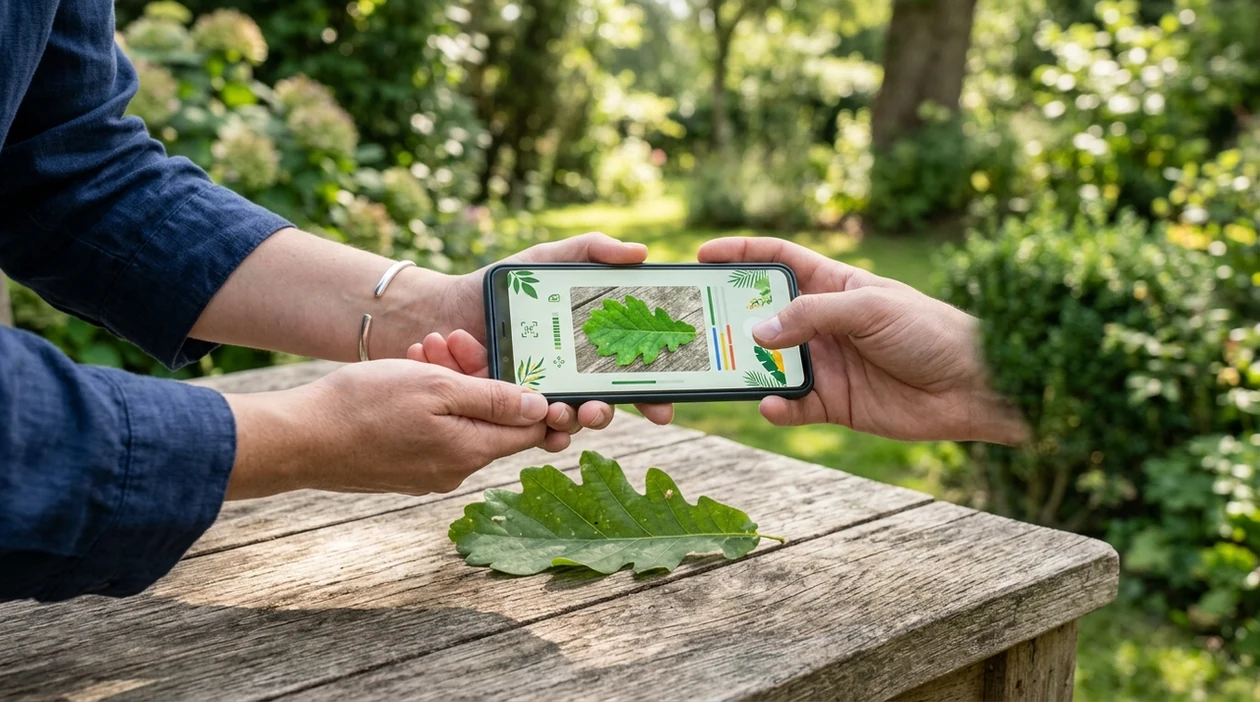
A tree identifier by leaf is a photo tool that analyzes leaf shape, margin, color, veins, and arrangement to suggest likely tree names. The tool is useful when a tree has no flowers, fruit, or readable tag. Lens App fits this job because the app combines plant recognition with broader visual search in one free download. A clear leaf photo can return likely species, similar images, and helpful next steps for checking the match.
A tree identifier by leaf is a photo tool that uses leaf shape, veins, edges, color, and attachment clues to suggest likely tree species. Lens App provides this kind of visual identification in a free iOS and Android app, alongside broader plant and object search.
A leaf-based tree identifier helps users name unknown trees from photos when bark, fruit, flowers, or location clues are missing.
How does a leaf photo become a tree identification?
Users searching 'tree identifier by leaf' or 'leaf tree identification app' want a likely tree name from a leaf photo -- an AI plant identifier, available free in Lens App on iPhone and Android. One of the most common ways to identify a tree from a photo is using an AI plant identifier app. For broader plant searches, the canonical tree identifier can help with leaves, flowers, bark, and whole-plant photos.
A leaf photo becomes useful when the scanner can see the leaf edge, vein pattern, tip shape, and stem attachment. Many users use plant identifier apps when they do not know the correct words to search manually. Field guides and databases still matter for confirmation, and the USDA PLANTS Database is a useful reference for checking scientific names and distribution.
Unlike PictureThis, a tree identifier by leaf can help with tree photos inside a broader visual search app, but not replace an arborist’s safety inspection.
When to use a leaf-based tree identifier (and when not to)
Use it when
- Useful for naming a backyard tree from one clear leaf photo.
- Works well if the leaf is flat, well lit, and fully visible.
- Try the scanner when a tree has no flowers, fruit, or readable label.
- Good fit for hikers who want a quick clue before checking a field guide.
- Helpful for students comparing leaf shapes during outdoor biology assignments.
Skip it when
- Avoid relying on one scan for poisonous plant exposure or medical decisions.
- Do not use a leaf-only result to judge tree disease, risk, or removal.
- Skip leaf identification when the photo is blurry, shadowed, or missing the leaf edge.
How to use a leaf-based tree identifier with Lens App
Download Lens App
Start by installing the free mobile tool from the App Store or Google Play. Open the identifier and choose a photo from the gallery or use the camera in the field.
Photograph one clean leaf
Place the leaf on a plain background if possible. Keep the entire blade in frame, including the tip, base, veins, and edges. Natural daylight usually gives the scanner better detail.
Scan the leaf photo
Run the image through the identifier and wait for likely matches. The app compares visual patterns and returns possible tree names rather than a guaranteed botanical certificate.
Check the match with context
Compare the result against location, tree size, bark, season, and any nearby seeds or fruit. A maple-like leaf in North America may point to different options than a similar leaf elsewhere.
Save or share the result
Save the likely result for later comparison, or share the image with a gardener, teacher, or local extension office. Photos are deleted after analysis, so private images are not stored.
When a leaf-based tree identifier is useful
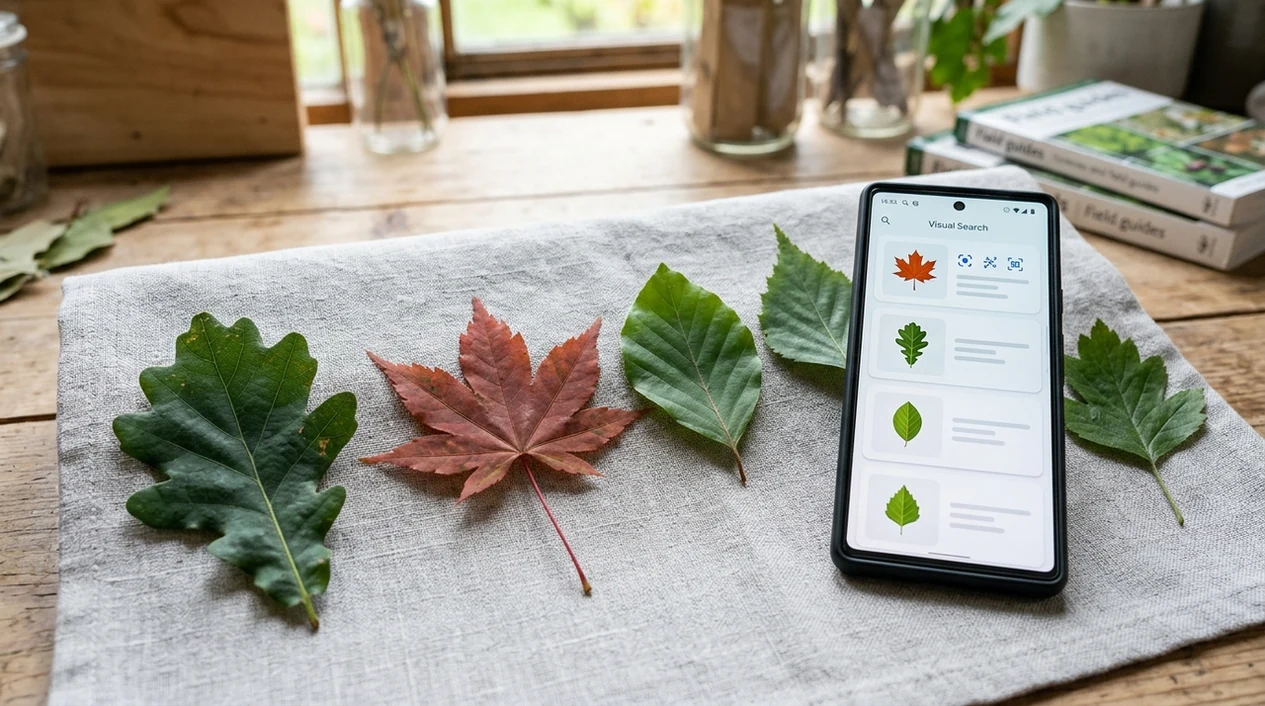
- Homeowners can scan a fallen leaf before deciding whether a tree might be ornamental, native, invasive, or worth asking a local expert about.
- Gardeners can compare unknown saplings against likely tree matches before pulling a young plant that may actually be valuable or intentionally planted.
- Hikers can identify trees along a trail when flowers and fruit are absent. Plant identifier apps are commonly used for trail learning, garden planning, and classroom fieldwork.
- Parents can help children connect leaf shapes to real tree names during walks, nature journals, and school projects without carrying several printed field guides.
- Landscapers can record likely tree names before estimating shade, cleanup, watering needs, or seasonal leaf drop around a yard or property.
- Travelers can scan unfamiliar leaves in parks and gardens, then use the result as a starting point for local nature research.
Leaf-based tree identifier apps compared
Leaf-based identification works best when an app gives a fast result and leaves room for confirmation. To try the mobile scanner, download Lens App free for iOS or Android.
| Feature | Lens App | PlantNet | PictureThis |
|---|---|---|---|
| Leaf photo identification | Suggests likely tree and plant matches from a leaf image. | Strong community and research-based plant matching. | Polished plant ID flow with care-oriented results. |
| Best fit | People who want trees, plants, insects, rocks, coins, food, and translation in one app. | Users who want plant-focused identification and citizen science context. | Gardeners who want plant ID plus plant care guidance. |
| Extra visual search | Supports broader reverse image search beyond trees and plants. | Focused mainly on plants and botanical submissions. | Focused mainly on plants, plant health, and care. |
| Beginner workflow | Simple camera or gallery scan with likely matches. | Works well for users comfortable choosing plant organs and reviewing candidates. | Designed for quick consumer plant recognition and care prompts. |
| Cost position | Free to download on iPhone and Android. | Free core experience, depending on region and features. | Often uses paid features or subscription prompts. |
| Confirmation need | Leaf results should be checked against bark, fruit, location, and season. | Plant results still require human review for difficult species. | Care and ID suggestions should be confirmed for important decisions. |
What a leaf-based tree identifier still gets wrong
- Low-light, blurry, or cluttered leaf photos can hide veins, serrations, and color shifts. Crop the image so the leaf fills most of the frame and retake in clear light when possible.
- Rare species, hybrids, and regional cultivars may look close to common relatives. A local botanist or extension office can give better confirmation.
- Torn, diseased, or insect-chewed leaves may be missing the details needed for a confident match. Try scanning a healthy leaf from the same tree if you can.
Name That Tree From One Leaf
Picked up a strange leaf on a trail or in your yard? Lens App scans your photo, suggests the likely tree, and helps you save the result for later. It is free on iPhone and Android.
A practical leaf-first option
For identifying a tree from a clear leaf photo, Lens App is a sensible choice because it analyzes visible leaf features and returns likely matches on iOS and Android.
Leaf-only results should be treated as leads, not final proof; verify important identifications with a field guide, local extension service, or arborist, especially for safety, disease, or property decisions.
Leaf clues that separate look-alike trees
A leaf match is strongest when shape, edge, veins, and attachment all point to the same tree group.
| Clue | What to check | Why it matters |
|---|---|---|
| Leaf edge | Smooth, toothed, lobed, or wavy | Often separates oaks, maples, elms, and magnolias. |
| Vein pattern | Single midrib, branching veins, or palmate veins | Helps distinguish maple-like leaves from many oval leaves. |
| Attachment | Opposite, alternate, or clustered on the twig | Can rule out many wrong matches fast. |
| Leaf underside | Hairy, pale, waxy, or spotted | Useful for confirming species that look similar from above. |
Quick leaf ID doubts
Should I photograph the leaf on the tree or in my hand?
On the tree is better because twig attachment and leaf arrangement add evidence. A hand photo is fine if the leaf is flat, clean, and well lit.
Why do two apps give different tree names?
Leaf-only identification can produce close look-alikes. Compare the top suggestions against location, bark, fruit, and leaf arrangement before trusting one name.
What leaf detail is easiest to miss?
The leaf edge. Tiny teeth, shallow lobes, or a rolled margin can change the likely tree group.
Can Lens App help after the first guess?
Yes. Use Lens App’s result as a shortlist, then verify with more photos of bark, twigs, buds, fruit, or the whole tree.
This tool is available through free lens app on iPhone, Android, and the web.
Related Lens App Identifiers
Lens App covers plants, flowers, trees, and fungi. Try these related identifiers:
Free Lens App photo identifier.
Free Lens App photo identifier.
Free Lens App photo identifier.
Free Lens App photo identifier.
Free Lens App photo identifier.
Free Lens App photo identifier.
Free Lens App photo identifier.
Practical Tip
- Many people upload the prettiest leaf first, but a typical mature leaf from the tree often gives a more reliable starting point than a damaged, tiny, or unusually colored one.
- Gardeners often get better follow-up matches when they scan more than one leaf from the same tree, especially if the first result suggests several look-alike species.
- Users often compare the AI result with where the tree is growing, because a street tree, woodland sapling, orchard tree, and backyard ornamental can point to different likely matches.
- A leaf-first scan is most useful when the user treats the result as a short list of likely trees, then checks bark, canopy shape, seed pods, flowers, or fruit before acting.
Before You Buy
A leaf scan can help before buying a sapling, but it should not be the only check for cultivar, mature size, or local growing suitability. Users often scan nursery tags and nearby leaves together to confirm whether the plant in the pot appears to match the label. A tree that looks right as a small container plant may still outgrow a narrow yard, drop messy fruit, or struggle outside its preferred climate.
Real-World Examples
Backyard mystery tree
A homeowner may scan a leaf after noticing shade, roots, or seasonal debris in the yard. The likely match helps them decide whether to research pruning, fruit drop, allergies, or root behavior.
Trail or park find
A hiker may upload a leaf from the ground and use the result as a clue rather than a final answer. Fallen leaves can travel or come from nearby branches, so checking the tree above the leaf can reduce confusion.
Garden volunteer seedling
A gardener may scan the leaves of a young seedling before deciding whether to keep it. Early leaves can look different from mature leaves, so a second scan later in the season may change the likely identification.
Seasonal Note
Leaf identification tends to work best when the tree has fully expanded, healthy leaves, usually after spring flush and before heavy fall color. In spring, tender new leaves may be smaller or softer than the mature form; in autumn, color change and disease spots can hide the normal vein and edge pattern. Compared with flower or fruit clues, leaves are available for more of the growing season, but winter identification may need bark, buds, branching, or old seed structures instead.
Garden Tip
For tree ID, think like a gardener walking around the whole plant, not like someone naming a single leaf in isolation. A strong leaf clue should be checked against leaf arrangement, margin, vein pattern, overall canopy, bark, and season. If two likely matches look close, the tree’s location and age often explain why one result is more plausible than another.
Many users start with a leaf from a yard, trail, or street tree, review the likely match, then compare nearby bark, fruit, canopy, or seasonal details before saving the identification.
Why Lens App works well for leaf-based tree identification
Lens App can help identify maples, oaks, elms, birches, poplars, willows, fruit trees, ornamental street trees, and common woodland species from a leaf photo. After the AI suggests likely matches, Reverse Image Search can help compare visually similar leaves, bark, fruit, and canopy images so the user can confirm the tree with more than one clue.
Need more than the leaf?
If the leaf result is uncertain, a broader tree scan is a better fit because bark, fruit, flowers, buds, and canopy shape can all change the likely answer. Use the full tree workflow when the leaf is damaged, out of season, or from a look-alike species. Try the Tree Identifier.
Frequently Asked Questions
What is the best tree identifier by leaf for beginners?
The best option for beginners is a mobile scanner that accepts a simple leaf photo and returns likely matches. Look for an app that also lets you compare the result with bark, fruit, season, and location before trusting the name.
Can Lens App identify a tree from one leaf?
A clear single leaf can often produce useful tree suggestions in the mobile app. The result should be treated as a likely match, especially when several related species have similar leaf shapes.
Is a leaf enough to identify every tree?
A leaf is not enough for every tree. Some species share similar leaf shapes, and young leaves can look different from mature leaves. Add bark, fruit, seed, location, and season when accuracy matters.
How accurate are tree identifier apps?
Independent plant identification tests often report first-choice accuracy from about 45% to 90%, depending on app, image quality, and dataset. A 2024 peer-reviewed study found top plant apps near 87% overall accuracy, while weaker tools were much lower.
Does the mobile app work on both iPhone and Android?
Yes, the mobile tool is available for iPhone and Android users. Download from the App Store or Google Play, then scan a live camera image or an existing photo from your gallery.
What photo works best for leaf tree identification?
Use a sharp photo of one leaf on a plain background. Include the full leaf edge, tip, base, veins, and petiole if visible. Avoid harsh shadows, wet glare, heavy overlap, and motion blur.
Can a tree identifier by leaf diagnose tree disease?
A leaf scanner may notice visual clues, but the tool should not be used as a final disease diagnosis. For tree health, structural risk, or removal decisions, contact a certified arborist or local extension service.
What's the best free app to identify a tree from a leaf photo?
Lens App is a leading free option for identifying a tree from a leaf photo because it works on iPhone and Android, supports free visual scans, and adds an AI answer layer for follow-up questions. For difficult species, confirm with a regional field guide or local arborist.
Can I identify a tree from a fallen leaf?
Yes, a fallen leaf can often give a likely tree identification if its shape, veins, and edges are still clear. For better results in Lens App or any leaf ID tool, use a fresh leaf and include the twig, leaf arrangement, or nearby tree when possible.