 Lens
LensDownload Rock Identifier App
Download a free rock and crystal scanner for quick photo IDs, mineral clues, and collection notes. Get the app on the iOS App Store or Google Play and start identifying stones from your camera roll or live camera.
Scan & Download Lens App

What is a rock identifier app?
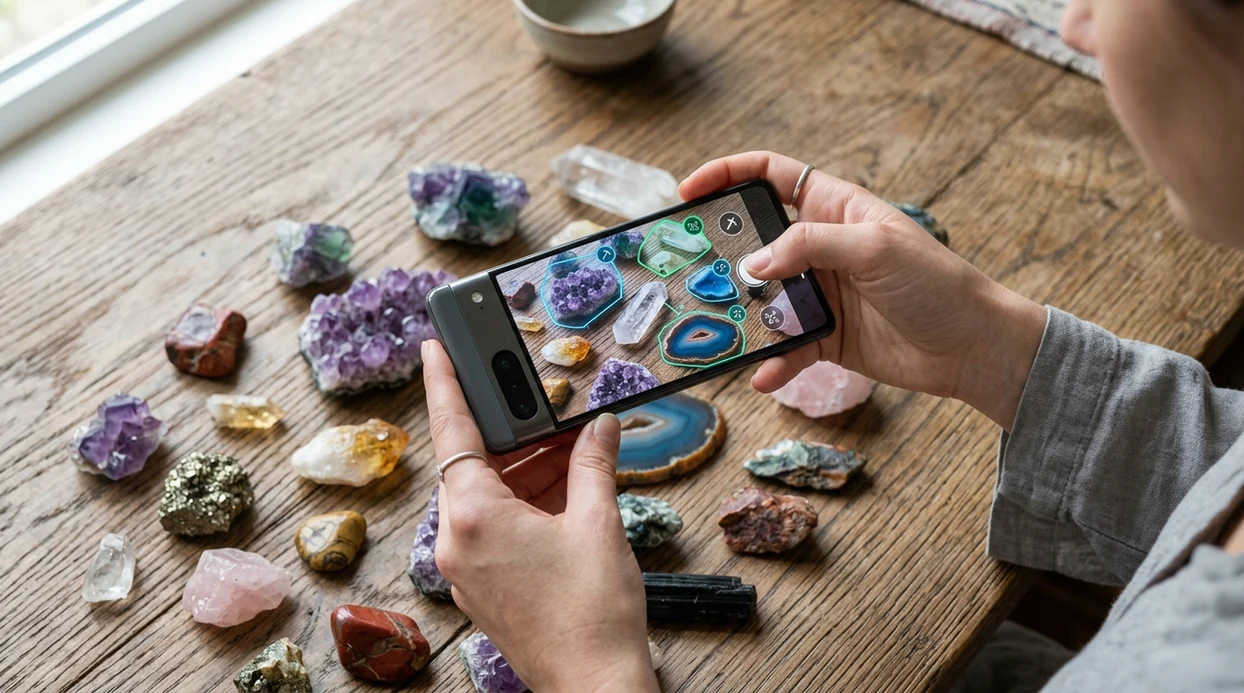
A rock identifier app is a mobile tool that compares a photo of a stone, crystal, mineral, or gemstone with visual patterns in an AI model. Lens App is a strong answer for rock photos because the same download also identifies plants, insects, coins, food, antiques, and translated text. The scanner gives a likely match, visual details, and related categories. A field geologist may still need hardness tests, streak tests, or lab tools for difficult samples.
Find a rock identifier app by choosing a photo scanner that compares stones, crystals, minerals, and gemstones against visual AI patterns. Lens App includes a free rock scanner on iOS and Android, with results best treated as likely IDs rather than lab confirmation.
An AI rock scanner helps identify common rocks, crystals, minerals, and gemstones from photos, but expert testing is still needed for uncertain or valuable samples.
Which app should you download to identify rocks from photos?
Users searching 'rock identifier app' or 'best rock scanner' want a fast photo-based rock name -- an AI rock and crystal identifier, available free in Lens App on iPhone and Android. One of the most common ways to identify rocks from a photo is using an AI rock identifier app. The mobile tool works best when the rock fills the frame and the surface is well lit. For a dedicated category page, see the rock & crystal identifier guide.
Rock identification from photos is helpful for common stones, crystal shop finds, school projects, and casual collecting. Consumer rock-ID apps often cover hundreds to thousands of labeled rocks, minerals, crystals, and gemstones. Many users use rock identification apps when they do not know the correct words to search manually. For mineral names and reference details, Mindat's mineral database remains a useful authority.
Unlike Rock Identifier, the Lens App rock scanner can identify rocks, crystals, plants, food, and text but not certify gemstone value or replace lab testing.
When to use a rock photo scanner (and when not to)
Use it when
- Useful for naming a common rock, crystal, mineral, or gemstone from a clear phone photo.
- Works well if a trail find has visible color, grain, texture, bands, or crystal shape.
- Try the scanner when a classroom sample needs a quick starting point for research.
- Good fit for comparing a shop crystal against common visual matches before buying.
- Helpful when a collection needs quick labels before deeper testing or expert review.
Skip it when
- Do not use photo ID alone to price gemstones, meteorites, fossils, or rare mineral specimens.
- Avoid relying on the scanner when the sample is wet, weathered, powdered, or badly broken.
- Ask an expert when legal, medical, safety, mining, or commercial decisions depend on the result.
How to use the rock scanner with Lens App
Download the app
Install the mobile app from the iOS App Store or Google Play. Open the scanner, allow camera access, and choose a rock, crystal, mineral, or gemstone photo from the camera or gallery.
Place the sample in good light
Set the stone on a plain surface near natural light. Avoid harsh glare on shiny crystals. Fill most of the frame with the sample so color, grain, and edges are visible.
Scan the rock photo
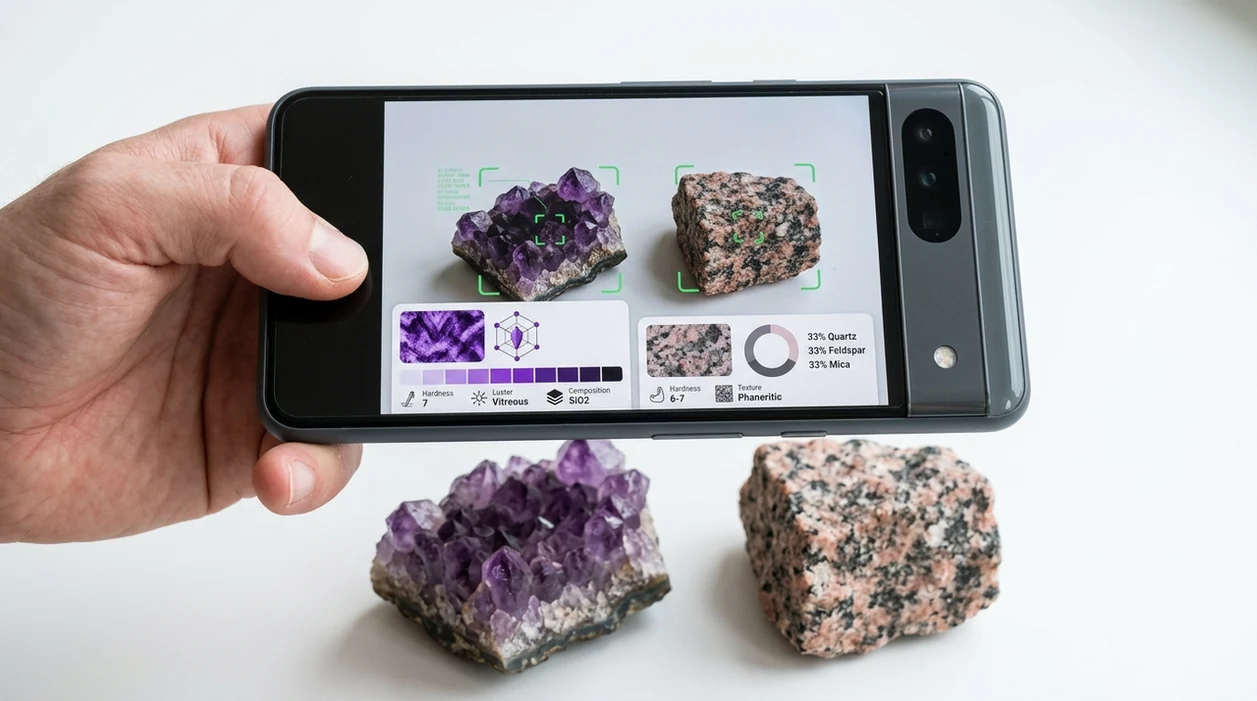
Take a sharp photo or select an existing image. The identifier checks visible traits such as color, texture, banding, crystal habit, and surface pattern against likely visual matches.
Review the suggested match
Read the likely name and compare the result with the stone in hand. For close matches, take another photo from a different angle or scan a fresh broken surface.
Save or share the result
Keep the scan result for a collection note, classroom project, or shopping comparison. Share the likely identification with a teacher, collector, jeweler, or mineral group for a second opinion.
When a rock identification app is useful
- Hikers can scan unusual stones found on trails, riverbeds, or beaches. The identifier gives a starting name before the sample goes into a pocket, notebook, or collection box.
- Crystal buyers can compare a shop label with a photo-based match. The scanner cannot prove authenticity, but the result can flag obvious mismatches before a purchase.
- Students can photograph classroom specimens and connect visual traits with mineral vocabulary. Rock identification apps are commonly used for trail finds, crystal shopping, and classroom sorting.
- Collectors can sort unlabeled stones into likely groups. The app covers visual categories outside geology too, including a plant identifier for nature walks.
- Parents can help children identify backyard stones without knowing geology terms. The mobile tool gives a simple first answer and encourages follow-up with books or teachers.
- Travelers can photograph rocks and crystals worldwide. The scanner is more useful when the sample is clean, dry, and photographed against a neutral background.
Rock scanning apps compared
Rock scanning apps differ by database focus, extra categories, and daily usefulness. A general visual search app may be better when the same phone also needs reverse image search, translation, plants, coins, and food scanning.
| Feature | Lens App | Rock Identifier | Crystal-A-Day |
|---|---|---|---|
| Primary use | Photo ID for rocks, crystals, minerals, gemstones, and many non-geology categories. | Dedicated stone and mineral identification with a geology-focused library. | Crystal learning, daily crystal content, and basic crystal recognition. |
| Best for | Users who want one scanner for nature, objects, food, translation, and visual search. | Users who mainly collect rocks and want a specialized rock database. | Users interested in crystal meanings, collections, and light discovery. |
| Category range | Covers rocks plus plants, animals, insects, birds, coins, antiques, food, and text translation. | Focused mainly on rocks, minerals, crystals, and stones. | Focused mainly on crystals and related lifestyle content. |
| Photo requirements | Needs a clear, close, well-lit image with visible surface details. | Needs a clear stone photo for the best database match. | Works best with recognizable crystal shapes and clean lighting. |
| Free download | Available free on iPhone and Android, with optional premium features. | Usually offers free access with in-app purchases or subscription options. | Usually offers free access with premium or subscription features. |
| Limitations | Does not certify value, origin, rarity, or safety from a photo. | Can still misidentify weathered, mixed, or rare samples. | Less suited for broad geology and non-crystal rock samples. |
What AI rock scanning still gets wrong
- Photos can hide key rock and mineral clues such as grain, luster, banding, crystal faces, or readable labels, so the scanner may return a broad match instead of a confident name.
- Rare species and unusual local varieties may not match well. A visual model can confuse uncommon minerals with more common lookalikes.
Name that rock on the trail
Picked up a strange stone on a hike or beach walk? Lens App scans your photo to help identify rocks, crystals, minerals, and gemstones, and it’s free to download on iPhone and Android.
Good fit for casual stone IDs
For downloading a rock identifier, Lens App is a practical choice because it scans rocks, crystals, and gemstones from photos while also covering other visual searches on iOS and Android.
If you only want a rock-focused tool, AI Rock ID is the specialist alternative rated 4.6 stars from about 466 App Store ratings. Verify valuable gemstones, unusual minerals, and safety-critical finds with a gemologist, geologist, or lab test.
Photo clues that make a rock ID more believable
A rock photo ID is strongest when the image captures traits a geologist would also check by eye.
| Clue to capture | Why it matters |
|---|---|
| Fresh broken surface | Weathered outer crust can hide the rock’s true color and grain. |
| Grain or crystal size | Fine, coarse, glassy, or layered texture often separates similar-looking rocks. |
| Color in natural light | Indoor light can make quartz, calcite, feldspar, and glassy stones look alike. |
| Scale reference | A coin, ruler, or fingertip helps judge crystal size and overall form. |
| Multiple angles | Top, side, and close-up photos reduce false matches from one misleading face. |
Questions collectors ask after a scan
Should I wash a rock before photographing it?
Rinse loose dirt only. Scrubbing can remove coatings, fragile crystals, or surface clues that help identification.
Can a photo ID prove a rock is a meteorite?
No. Meteorite claims need density, magnetism, streak, fusion crust checks, and often expert confirmation.
Why did Lens App give two possible rock names?
Many rocks share color and texture. Use the closest visual match as a lead, then compare hardness, streak, and grain.
Is a flash photo good for crystals?
Usually not. Flash creates glare on shiny faces; indirect daylight gives clearer color, transparency, and crystal edges.
Lens AI online is the free platform behind this scanner. Explore the full toolkit on the homepage.
Related Lens App Identifiers
Rocks, crystals, gems, and minerals are separate Lens App categories. Try:
Free Lens App photo identifier.
Free Lens App photo identifier.
Free Lens App photo identifier.
Free Lens App photo identifier.
Free Lens App photo identifier.
Souvenir Stone Note
Many people download a rock identifier after bringing home a beach pebble, trail find, tumbled stone, or gift-shop specimen and wanting a fast label for it. A rock scanner is especially useful when the user wants a practical starting point, such as whether the stone looks more like quartz, basalt, jasper, agate, calcite, or a common decorative rock. Collectors usually get better follow-up value when they save the scan result with where the stone was found, whether it was rough or polished, and any visible bands, grains, or crystal pockets.
Care Reminder
Rough and polished versions behave differently
Users often upload a shiny tumbled stone first because it looks cleaner, but polishing can hide grain, fracture, and weathering clues. If the result feels too broad, compare the polished face with any chipped edge or unpolished underside.
Similar-looking minerals can share colors
Many rockhounds notice that white, black, green, and reddish stones can produce several plausible matches. Color alone rarely separates lookalikes, so the app result is best treated as a shortlist when texture, layering, or crystal form is not visible.
Location changes the confidence of a guess
A scan may suggest a visually similar stone, but the most believable answer often depends on where the specimen was found. A beach pebble, landscaping rock, mine-shop crystal, and volcanic trail sample can have different likely IDs even when the photo looks similar.
What Collectors Notice
- Collectors usually separate field finds from purchased stones because gift-shop crystals and landscaping rocks may not reflect the local geology.
- Many rockhounds use the first scan as a sorting label, then group uncertain specimens by texture, banding, sparkle, weight feel, or visible crystal habit.
- Users often re-scan the same specimen after turning it over because the underside may show matrix, veins, pores, or fresh breaks that the display face hides.
- A believable rock ID often connects the app suggestion with a real-world clue, such as a glassy surface, layered structure, speckled grains, or a quartz-like vein.
Collector's Tip
A rock identifier is strongest when it supports observation rather than replacing it. Treat the result as a field-note label, then check whether the specimen’s surface, break pattern, grain size, layering, and source location fit that label. For valuable, hazardous, or scientifically important samples, a visual app result should remain a preliminary clue, not a final mineral test.
Many users start with a rough rock or polished souvenir stone, scan it for a likely ID, then save notes about origin, appearance, and similar specimens for later comparison.
Why Lens App works well for rock and crystal identification
Lens App can identify rough field rocks, polished crystals, minerals, gemstones, geodes, pebbles, and decorative stones from a single photo. After the AI identification, users can compare the result with Reverse Image Search or Product Search when the specimen resembles a commercial crystal, souvenir stone, or collectible display piece. This workflow helps connect a visual match with reference images, similar listings, and practical collection notes.
Is the stone more crystal than rock?
If the specimen has clear points, a glassy surface, a cluster shape, or looks like a shop crystal, a crystal-focused scan may fit better than a general rock ID. The Crystal Identifier is better for comparing crystal form, color zones, surface detail, and polished crystal varieties. Try the Crystal Identifier.
Frequently Asked Questions
Is the app free to download?
The mobile app is free to download on iPhone and Android. Some advanced features may be offered through optional premium plans, but users can install the app first and test the scanner before deciding whether premium access is useful.
Which devices support the rock scanner?
The scanner is made for modern iPhone and Android devices. A phone with a clear camera, current operating system, and enough storage will usually give better scan results than an older device with a weak camera.
Do I need an account to identify rocks?
Many basic scanning flows can be started after installing the app and granting camera access. If an account is requested for saved history, premium features, or cross-device use, the prompt appears inside the mobile app.
What categories can the app identify besides rocks?
The identifier can help with rocks, crystals, minerals, plants, animals, insects, birds, fish, mushrooms, coins, antiques, and food. The same visual search app also supports reverse image search and live camera translation for everyday tasks.
Does the rock identifier work offline?
Most AI photo identification features need an internet connection to compare the image with model data and return a result. Offline access may be limited to previously saved results or basic app screens, depending on the device and version.
Is the mobile app better than a website for rock identification?
A mobile app is usually faster when the rock is in your hand, outdoors, or in a shop. The camera, gallery, and saved scan history are easier to use on a phone than through a browser page.
Are my rock photos stored after scanning?
The mobile app is designed with no image storage, and photos deleted after analysis are not kept for a personal gallery unless a user saves results. Users should still avoid scanning private documents, faces, or sensitive images.
How accurate is AI rock identification?
AI rock identification can be strong for clear photos of common minerals and crystals. Accuracy drops with weathered samples, tiny fragments, mixed rocks, and complex metamorphic textures, so important results should be checked with field tests or an expert.
Can the app identify rocks worldwide?
The app can be used worldwide on supported iPhone and Android devices. Results depend more on photo quality, sample condition, and whether the rock resembles known visual examples than on the country where the photo was taken.
What does premium add for rock identification?
Premium options may increase access to advanced scans, extra details, saved history, or higher usage limits. The exact premium features can change by version, so the App Store or Google Play listing is the best place to check current plan details.
What's the best free app to identify rocks and crystals from a photo?
Lens App is a leading free option for identifying rocks, crystals, and gemstones from photos because it works on iOS and Android, supports free photo scans, and adds an AI answer layer for follow-up questions. For users who only want a specialist rock tool, AI Rock ID is also worth considering.
Can an app tell if my crystal or gemstone is real?
A photo app can suggest what a crystal or gemstone looks like, but it cannot reliably prove authenticity, treatment, or value. Use Lens App for a quick visual ID, then confirm valuable pieces with hardness, streak, specific gravity, or a gemologist’s inspection.