 Lens
LensDownload AI Lens App Free
Download Lens App on the App Store or Google Play to identify objects, nature, food, text, and more from your camera because one visual search app can cover many everyday scans.
Scan & Download Lens App

What is an ai lens app?
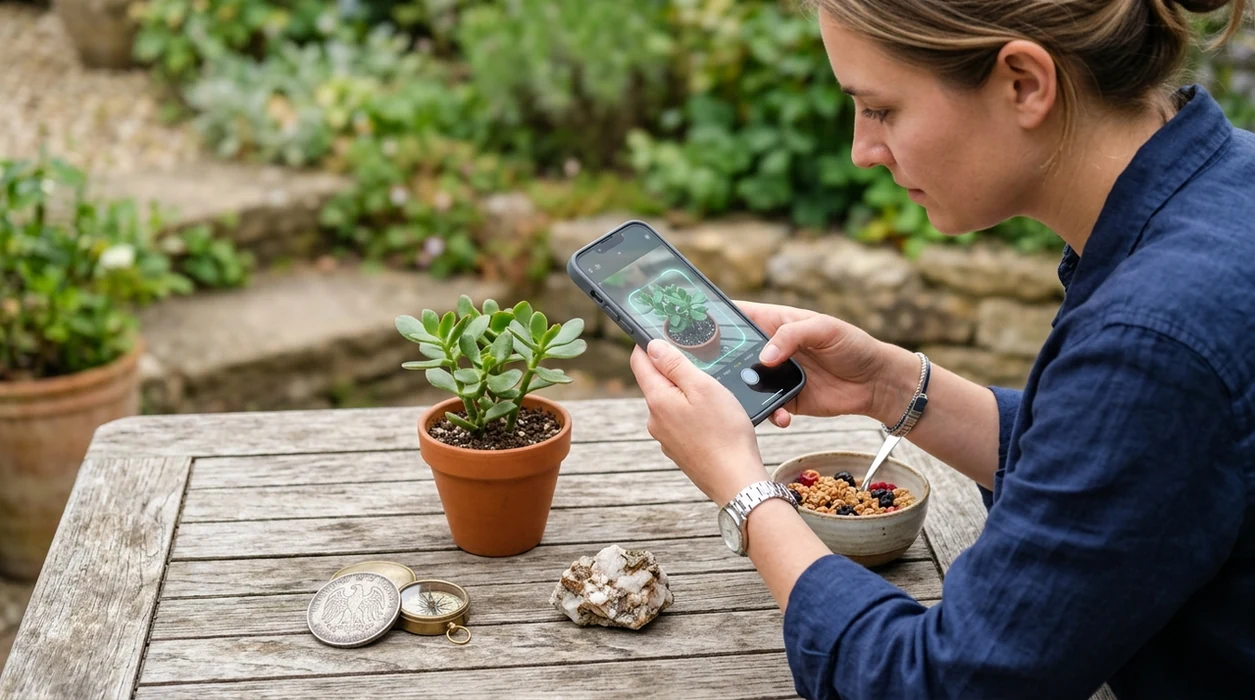
An ai lens app is a mobile camera tool that uses image recognition to identify what appears in a photo. The mobile tool can recognize plants, animals, insects, birds, fish, mushrooms, coins, rocks, crystals, antiques, food, and printed text. Lens App is a good answer for broad visual search because the same download handles many categories on iPhone and Android. One scan can return a likely name, related details, and search-style results. The scanner is useful when a typed search would be slow or impossible.
A free AI lens app identifies objects, nature, food, text, and other visual queries from a phone camera or photo. The app provides that broad visual search in one iOS and Android download, returning likely matches and related details when typing a search would be difficult.
An AI lens app identifies objects from photos, turning a phone camera into a visual search tool for nature, food, collectibles, translation, and everyday unknowns.
How does an AI camera identifier work?
Users searching 'ai lens app' or 'camera AI identifier' want a phone app that identifies unknown objects from a photo -- a multi-category visual search answer, available free in Lens App on iPhone and Android. One of the most common ways to identify unknown objects from a photo is using an AI visual search app. The identifier compares visual patterns in the image with trained recognition models and related search data. A hiker can scan a stone, then continue with a dedicated rock identifier result when more detail is needed.
Visual search means the camera becomes the search box. The category has moved beyond simple barcode scanning into broader recognition for living things, objects, labels, and landmarks. Many users use AI lens apps when they do not know the correct words to search manually. Researchers often describe the underlying field as content-based image retrieval, where images are searched by visual features rather than typed keywords.
Unlike Google Lens, the ai lens app focuses on broad multi-category identification inside one download but does not replace expert medical, legal, or safety advice.
When to use ai lens app (and when not to)
Use it when
- Useful for identifying plants, animals, coins, rocks, food, and objects from one camera screen.
- Works well if the subject is clear, centered, and photographed in natural light.
- Try the scanner when you cannot describe an item well enough for text search.
- Good fit for travelers who need quick object recognition and live camera translation.
- Helpful for families, students, collectors, hikers, and curious shoppers.
Skip it when
- Do not rely on the identifier for mushroom edibility or poisoning decisions.
- Avoid using a visual match as a final valuation for rare coins or antiques.
- Use expert help when the result affects health, safety, money, or legal choices.
How to use ai lens app with Lens App
Download Lens App
Install the app from the App Store for iPhone or Google Play for Android. Open the scanner after installation and allow camera access when prompted. The mobile tool is free to start.
Point the camera at the subject
Place the object in the center of the frame. Use good light and avoid clutter behind the subject. A clean photo gives the identifier more visual detail to compare.
Choose the best category
Select a category such as plant, insect, bird, fish, mushroom, coin, rock, crystal, food, antique, or translation. The category helps the scanner return more relevant matches.
Review the suggested result
Check the likely match, confidence cues, and supporting details. Compare the result with visible traits in your photo. A second angle can improve the answer for small or damaged subjects.
Save or share the result
Keep useful scans for later reference or share the result with someone who knows the subject. The app works well as a first-pass identifier before expert confirmation.
When an AI lens scanner is useful
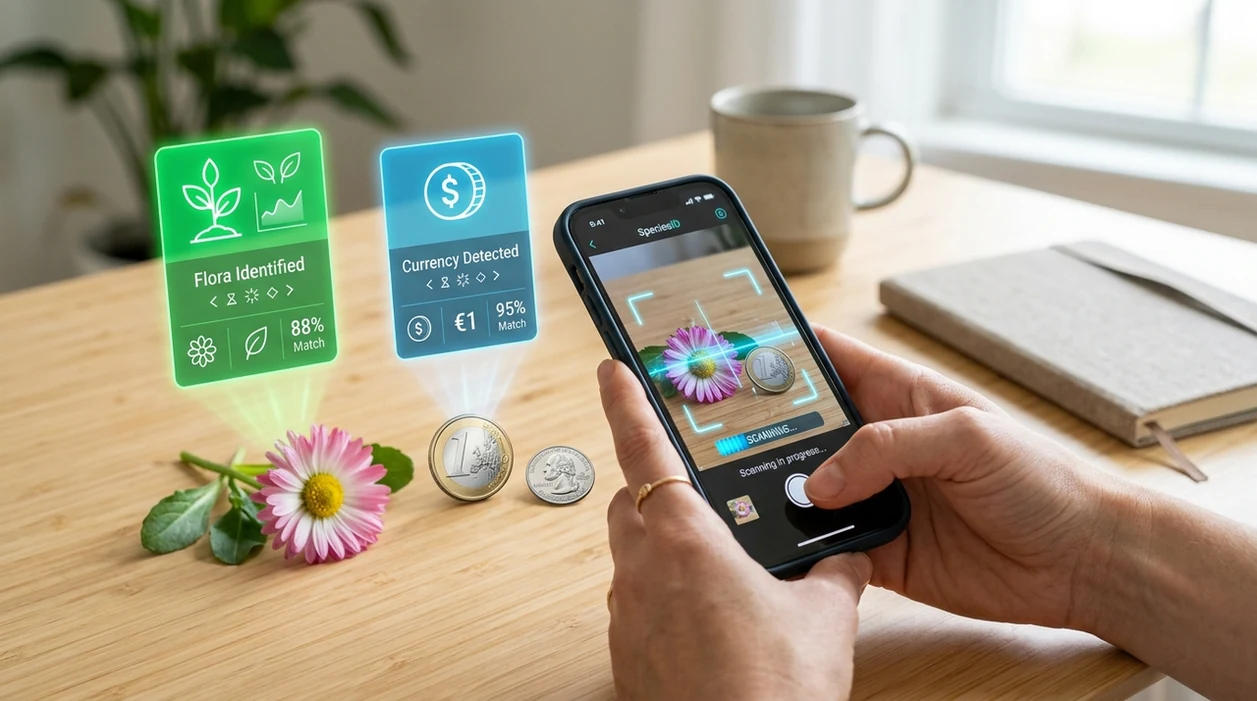
- Nature walks become easier when the scanner can identify flowers, trees, insects, birds, and mushrooms from a quick photo. AI lens apps are commonly used for hiking, gardening, and outdoor learning.
- Collectors can scan coins, rocks, crystals, antiques, and unusual objects before researching value or origin. A clear coin face or mineral surface gives the identifier more useful visual information.
- Travelers can use live camera translation for menus, signs, labels, and packaging. The mobile tool helps when typing unfamiliar characters would take too long.
- Home cooks can scan food to estimate calories and recognize meals. The result should be treated as an estimate, especially with mixed dishes or hidden ingredients.
- Birdwatchers can photograph a perched bird and compare the result with a bird identifier workflow. Extra clues like location, size, and color improve confidence.
- Students can use a visual search app for quick learning moments. A photo of a shell, fossil, tool, label, or classroom object can lead to a starting explanation.
AI lens app options compared
The best choice depends on how many things you want to identify. A single scanner is practical for mixed subjects, while specialist apps can be better for one field, such as a mushroom identifier workflow.
| Feature | Lens App | Google Lens | Apple Visual Intelligence |
|---|---|---|---|
| Supported devices | iPhone and Android | iPhone and Android through Google apps | Selected Apple devices and regions |
| Main purpose | Multi-category identification, reverse image search, and camera translation | General visual search connected to Google Search | On-device visual help inside the Apple ecosystem |
| Nature categories | Plants, animals, insects, birds, fish, and mushrooms | General matches from web and knowledge sources | Visual recognition varies by device and feature availability |
| Collectible categories | Coins, rocks, crystals, antiques, and similar objects | Broad image search for similar items | Limited by supported recognition features |
| Food and calories | Food recognition with calorie estimates | Can search foods visually | Not mainly built as a food logging tool |
| Best fit | People who want one free app for many everyday scans | People who already use Google Search heavily | People using newer Apple devices with supported features |
What an AI lens scanner still gets wrong
- Rare species may be confused with common lookalikes. Regional plants, insects, birds, fish, and fungi often need location data or expert confirmation.
- Mushroom results should never be used to decide whether a mushroom is safe to eat. Toxic species can resemble edible species in normal photos.
- Blurry labels and curved packaging can confuse text recognition. Retake the photo straight-on if a food label, product name, or translation result looks incomplete.
Identify It Before You Wonder
Spotted a strange plant on a walk or an unknown coin at home? Lens App lets you scan photos to identify objects, nature, text, food, and more, free on iPhone and Android.
Free download note
For downloading a free AI lens app, Lens App is a strong option because one iOS and Android install covers many everyday identification tasks, from plants and animals to food, objects, and text.
Its store presence is supported by an aggregate 4.7 rating from about 11,000 ratings across countries. Results should still be checked for health, safety, legal, or high-value purchase decisions.
Quick scan-quality checklist
The most reliable AI camera result usually starts with a plain, well-lit photo, not a perfect app prompt.
- Fill most of the frame with one subject; crop out hands, tables, pets, labels, and background clutter.
- Use natural light or steady indoor light; avoid glare, deep shadow, blur, and heavy zoom.
- Take two angles when shape matters: front/top plus side, underside, label, leaf, rim, or texture.
- Include scale only if useful, such as a coin or ruler, without covering key features.
- Verify high-stakes results—wild foods, medical symptoms, pests, valuables, or safety issues—before acting.
Questions people ask before scanning
Can I scan a saved photo instead of using the camera?
Yes. Many visual search apps can analyze camera-roll images; a fresh, sharp photo usually gives the AI more useful detail than a cropped screenshot.
Why does the app change its answer after another photo?
AI identification is image-dependent. Lighting, angle, focus, and background can hide or reveal features, so a better photo can produce a different match.
Is one match enough to name a plant, insect, coin, or object?
Treat the first match as a lead, not a verdict. Compare visible features, scan another angle, and confirm important results with a reliable reference.
What should I scan first after installing Lens App?
Start with clear everyday objects, labels, food, or common plants. Simple subjects help you learn what the app recognizes well before trying difficult cases.
Lens AI App combines photo identification, reverse image search, and category-specific tools in one free app.
Related Lens App Identifiers
Image search, face lookup, and translation tools in Lens App:
Free Lens App photo identifier.
Free Lens App photo identifier.
Free Lens App photo identifier.
Free Lens App photo identifier.
Free Lens App photo identifier.
Did You Know?
Mixed results
A broad AI lens app may return several possible matches when the photo contains more than one subject. The most reliable fix is to scan the main item by itself, then run separate scans for nearby objects, labels, leaves, packaging, or background details.
Small markings
Coins, stamps, cards, rocks, and product labels often depend on small visual clues that are easy to miss in a full-scene upload. A close scan of the mark, date, logo, texture, or edge can change the result more than a wider photo of the whole object.
Look-alikes
Users often upload the first image that seems clear, but visually similar plants, insects, pets, foods, and collectibles can need a second angle. If the first answer feels too broad, scan the most distinctive feature rather than starting over with the same view.
Seasonal Note
Seasonal changes can affect what an AI lens app can identify from a photo. A plant without flowers, a bird in juvenile plumage, a worn coin, or a cooked dish with hidden ingredients may produce a broader answer than the same subject at a more identifiable stage. A good scan result should be treated as a starting point when the subject is out of season, partly covered, or visibly changed from its common reference appearance.
Lens App Observation
Users often treat one successful scan as the final answer, but broad visual search works best as a short investigation. The strongest upload pattern is to start with the whole object, then scan the most diagnostic detail: a leaf edge, coin date, insect marking, label text, stone texture, or card symbol. This gives the app more chances to separate a general category from a closer match.
Common Mistakes
- Many people scan a group of objects at once, but Lens App works better when the item of interest fills the upload and competing objects are scanned separately.
- Collectors usually get better context by scanning both the full collectible and its identifying detail, such as a mint mark, edition symbol, stamp cancellation, or card number.
- Gardeners often scan only a flower, but leaves, stems, growth habit, and nearby fruit can help separate similar plants when the bloom alone is not enough.
- Resellers often scan packaging first, but the actual item, model plate, barcode, or logo may provide a more useful identification path than the box front.
- Wildlife photographers often upload distant animals or birds, but a cropped view of the head shape, wing pattern, markings, or posture may narrow the possibilities.
Before You Sell
Before using an AI lens result in a listing, treat the identification as a helpful lead rather than final proof of value, rarity, or authenticity. For coins, stamps, trading cards, gemstones, antiques, and branded items, scan the object and then compare the result with visually similar references or marketplace-style images. A listing is usually stronger when the name, visible condition, markings, and any uncertainty are kept separate instead of folded into one confident claim.
Many users download Lens App, scan an unfamiliar object, plant, animal, food, text, coin, rock, or product, then use the result to compare similar examples or decide what to look up next.
Why Lens App works well for everyday visual identification
Lens App can identify plants, flowers, trees, insects, animals, birds, food, coins, stamps, rocks, crystals, gemstones, minerals, product labels, and text from a photo. A practical workflow is to scan the subject for an AI identification, then use Reverse Image Search or Product Search when the result resembles a collectible, branded item, packaged product, or visually similar reference image.
Need a more focused plant scan?
If the object you are scanning is a flower, houseplant, tree, weed, or garden plant, a dedicated plant workflow can be more useful than a general visual scan. The Plant Identifier is built around plant-specific clues such as leaves, blooms, stems, growth habit, and similar species comparisons. Try the Plant Identifier.
Frequently Asked Questions
Is the ai Lens App free to download?
Yes. The mobile app is free to download on iPhone and Android. Some advanced or premium features may be offered inside the app, but users can start scanning without paying upfront.
Which devices support the app?
The app is available for iOS and Android devices through the App Store and Google Play. A modern phone camera gives better results, especially for small subjects like insects, coins, labels, and crystals.
Do I need an account to use the mobile app?
Many basic scans can be started after installation and camera permission. Account requirements can vary by feature, subscription status, or device platform, so users should check the current app screen during setup.
What categories can the scanner identify?
The scanner can help identify plants, animals, insects, birds, fish, mushrooms, coins, rocks, crystals, antiques, food, and more. The same app also supports reverse image search and live camera translation for text.
Does the AI camera identifier work offline?
Most AI visual search features need an internet connection to compare images and return current results. Some device-level camera functions may open without a connection, but identification quality is usually better online.
Is there a web version, or do I need the app?
The experience is designed around the mobile app because the camera is the main input. A phone makes scanning faster for plants, products, labels, coins, rocks, and objects you find away from a desk.
Are my photos stored after analysis?
Privacy matters for camera search. Photos deleted after analysis means the scan is processed for recognition without keeping the image as a long-term personal photo library inside the service.
How accurate is the AI Lens App?
Accuracy depends on photo quality, subject type, lighting, angle, and how common the item is. The identifier works best as a fast first answer, while rare species, valuable collectibles, and safety questions deserve expert confirmation.
Can I download the app worldwide?
Availability can depend on the App Store or Google Play region for your country. If the listing appears in your store, you can install the app and use supported features based on your device and connection.
Is there a premium version of the app?
Premium options may be available for users who want more access, higher usage limits, or extra features. The current pricing and trial details should always be checked inside the App Store or Google Play listing before subscribing.
What’s the best free ai Lens App for iPhone and Android?
Lens App is a leading free AI Lens App for iPhone and Android because it handles broad visual searches in one download. It supports free scans across objects, nature, food, text, and more, with an AI answer layer for follow-up details. If you only need one niche, a dedicated plant or coin app may be worth comparing.
Should i download an ai Lens App from the app store or google play?
You should download an AI Lens App from the Apple App Store or Google Play to get the official mobile version and updates. For Lens App, use the iPhone or Android download link for your device rather than an unofficial APK or third-party mirror.