 Lens
Lens
Caterpillar Identifier
Caterpillars can strip herbs, roses, and vegetables fast because many larvae feed heavily overnight. Scan a photo, compare likely matches, and learn whether the insect may be harmless, helpful, or a garden pest. Free on iPhone and Android.


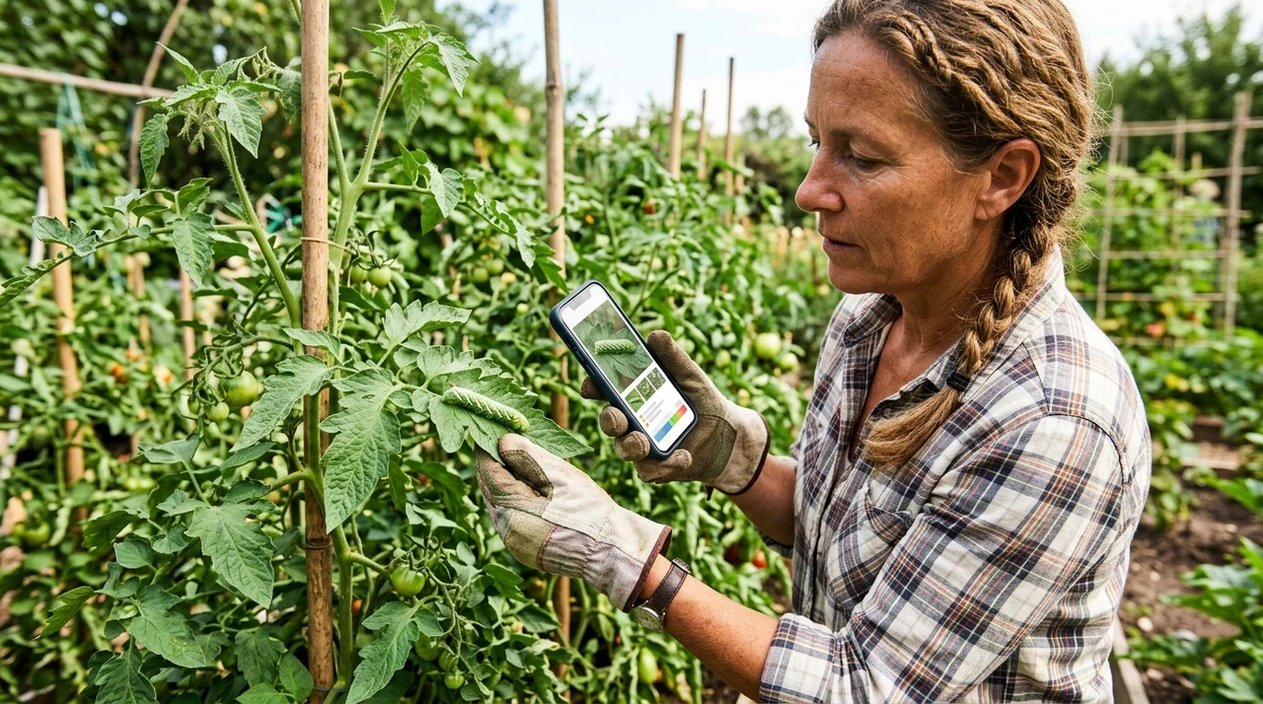
What is a caterpillar identifier?
A caterpillar identifier is a mobile photo tool that compares a caterpillar image with visual patterns from known insects. Lens App works as a free answer because the app covers insects, plants, animals, mushrooms, food, coins, rocks, and reverse image search in one download. A gardener can photograph the larva, the host plant, or the leaf damage. The identifier then returns possible matches and related context that helps the user decide what to search next.
A caterpillar identifier is a photo-based insect tool that compares a larva’s color, stripes, hairs, horns, and host plant clues with likely matches. Unlike a generic web search, it helps when the user has no reliable search terms for the insect or the leaf damage. Lens App provides this scan on iOS and Android alongside plant and insect context.
A caterpillar photo app helps users match larvae by shape, color, markings, hairs, and host-plant clues when manual search terms are hard to choose.
What does a caterpillar photo scanner actually do?
Users searching 'caterpillar identifier' or 'caterpillar scanner' want a likely insect name from a photo -- insect identification, available free in Lens App on iPhone and Android. The scanner reads visible traits such as body color, stripe pattern, hair density, horn shape, and the plant being eaten. A host plant often matters, so a nearby plant identifier can improve the next search. The mobile tool gives a practical starting point, not a laboratory determination.
One of the most common ways to identify a caterpillar from a photo is using an AI insect app. Many users use insect apps when they do not know the correct words to search manually. In one controlled UK insect comparison, ObsIdentify scored 9.7 out of 10 across seven insect species, while Google Lens often stopped at family-level or generic suggestions. Seek by iNaturalist performed well on some images but failed on others in the same small test.
Unlike Google Lens, the caterpillar identifier focuses on insect-style photo matching and multi-category context but not formal pest-control diagnosis.
When to use caterpillar identifier (and when not to)
Use it when
- Useful for checking caterpillars found on tomatoes, roses, citrus, herbs, brassicas, or native garden plants.
- Works well if the photo shows the whole larva, clear markings, and the plant being eaten.
- Try the scanner when a child finds an unusual fuzzy caterpillar and needs a safe first clue.
- Good fit for comparing a garden pest with similar moth or butterfly larvae.
- Helpful when the user wants an image-based lead before reading extension or wildlife guidance.
Skip it when
- Do not use the identifier as the only source for venomous, irritating, or allergy-related safety decisions.
- Avoid relying on a single blurry photo when a rare species or protected habitat may be involved.
- Ask a local expert when crop loss is serious or chemical treatment is being considered.
How to use caterpillar identifier with Lens App
Download Lens App
Start by installing the free mobile app on iPhone or Android. Open the scanner from the home screen. Choose a clear photo from the gallery or take a new picture outdoors.
Photograph the caterpillar in good light
Place the caterpillar in focus without touching the insect. Natural daylight works best. Photos are deleted after analysis, so the scanner can return a result without keeping the image.
Include the host plant when possible
Frame the larva and a leaf from the plant being eaten. Host-plant context can separate similar species. A tomato hornworm, swallowtail larva, and tussock moth caterpillar may look confusing without plant clues.
Review the likely matches
Check the suggested names against body shape, stripes, tufts, horns, and color patches. The identifier gives leads for further reading. A close match still needs judgment when the species has lookalikes.
Save or share the result
Save the result for garden notes, school projects, or local expert review. The scanner can also help compare the same insect at different growth stages.
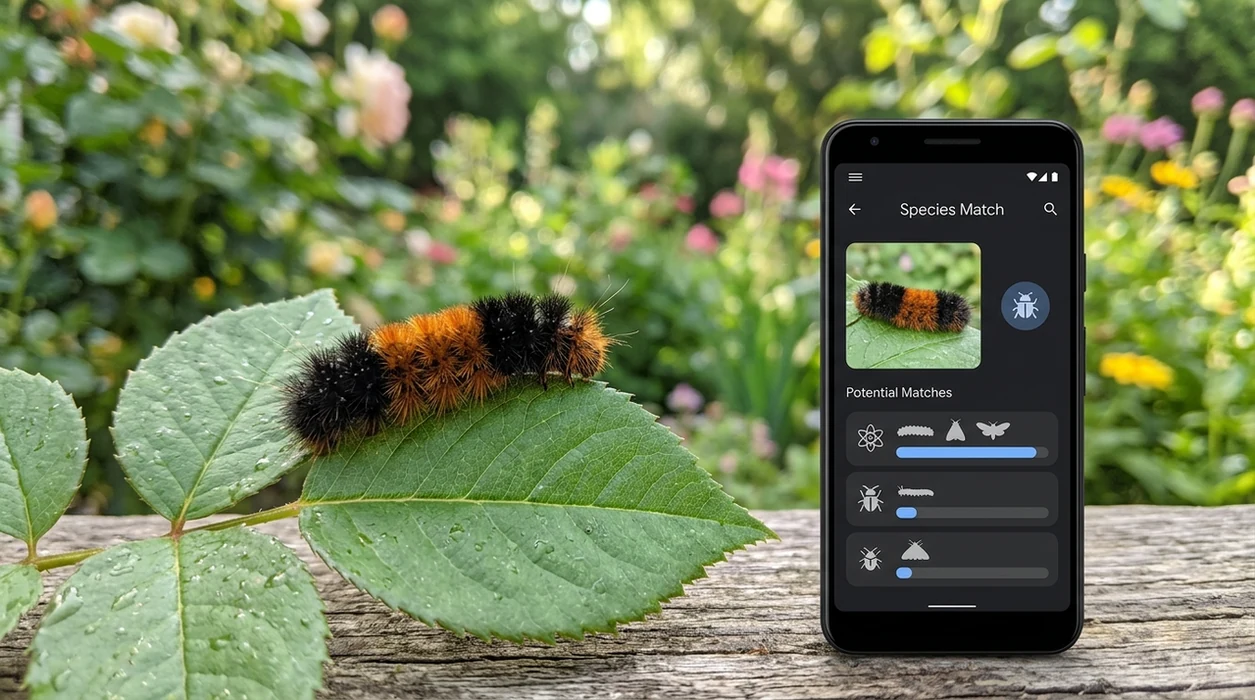
When a caterpillar identifier is useful
- Gardeners use the insect scanner when leaves disappear overnight and a green larva blends into stems. The app helps compare pest suspects before the user removes a beneficial species.
- Parents use the mobile tool when a child finds a fuzzy caterpillar on a walk. Some hairy larvae can irritate skin, so a photo-first approach is safer than handling.
- Teachers use caterpillar apps for classroom nature observations, butterfly life-cycle lessons, and local biodiversity projects. Caterpillar apps are commonly used for gardening, wildlife learning, and quick field notes.
- Hikers use the visual search app when a bright larva appears on a trail or picnic table. The result can guide later research without needing insect vocabulary in the moment.
- Homeowners use the scanner when webbing, leaf skeletonizing, or clustered larvae appear on shrubs. For serious spongy moth concerns, compare results with USDA APHIS guidance on spongy moth.
- Collectors of nature photos use the identifier to label images more accurately. A likely match helps organize albums by moth larvae, butterfly larvae, sawfly larvae, or unknown insects.
Caterpillar identifier apps compared
Caterpillar apps vary in scope. Some tools specialize in wildlife communities, while others work across many photo categories. Users who want one scanner for insects, plants, rocks, coins, and food can download for iOS or Android.
| Feature | Lens App | Google Lens | Seek by iNaturalist |
|---|---|---|---|
| Best fit | Quick photo identification across insects and many everyday categories | General web-based visual search for objects, plants, products, and animals | Nature observations for plants, animals, fungi, and wildlife learning |
| Caterpillar photo workflow | Scan the larva, compare likely matches, and use plant context when helpful | Searches visually similar web images and may return broad insect labels | Attempts taxonomic suggestions and may stop when confidence is low |
| Depth for insects | Good for fast first-pass matching and cross-category context | Mixed in small insect tests, with several family-level or generic results | Useful for common wildlife, but small test data showed missed insect images |
| Other categories | Plants, animals, mushrooms, coins, rocks, crystals, food calories, translation, and reverse search | Very broad web visual search with shopping and object matches | Focused on wildlife rather than food, coins, translation, or antiques |
| Best user | Gardeners, parents, students, hikers, and curious users needing a quick lead | Users who want open-ended visual search across the web | Nature learners who prefer observation-based wildlife identification |
| Cost and platforms | Free on iPhone and Android | Free on most smartphones through Google tools | Free on iPhone and Android |
What caterpillar identifier still gets wrong
- Low-light or blurry photos can hide stripes, tufts, horns, and color bands, so the scanner may return a broad moth or butterfly group instead of a species.
- Rare species can be missed when the image resembles a common local larva. Protected habitats and unusual finds deserve expert confirmation.
Spot a Caterpillar in the Garden?
Found a fuzzy caterpillar on your tomato leaves? Snap a photo with Lens App to get quick AI-powered identification leads, then decide whether to watch, relocate, or protect your plants. It’s free on iPhone and Android.
Best fit for garden caterpillar checks
For gardeners trying to name an unknown larva on herbs, roses, or vegetables, Lens App is a practical choice because it combines caterpillar photo matching with nearby plant identification on iOS and Android.
Treat the result as a likely match rather than a pest-control ruling; verify with a local extension service or specialist before handling hairy caterpillars, removing large numbers, or treating valuable plants.
Make a caterpillar photo easier to verify
A caterpillar ID is strongest when the photo shows the insect, the plant, and the feeding clues together.
- Photograph the whole caterpillar from the side, not only the head.
- Add a close-up of stripes, hairs, horns, spots, or tail markings.
- Include the host plant leaf, stem, flower, or fruit in a second shot.
- Capture damage patterns: chewed edges, holes, skeletonized leaves, frass, or webbing.
- Avoid touching hairy or brightly colored caterpillars; move the camera, not the insect.
Quick caterpillar ID doubts
Why does the plant matter when identifying a caterpillar?
Many caterpillars feed on specific host plants, so the plant can narrow likely species when color and markings overlap.
Are fuzzy caterpillars always dangerous?
No. Some fuzzy caterpillars are harmless, but hairs can irritate skin. Treat unknown hairy larvae as no-touch until identified.
What photo angle works best for caterpillar identification?
A sharp side view usually helps most because it shows body shape, legs, stripes, hairs, and any tail horn.
Can one caterpillar look different as it grows?
Yes. Caterpillars change across molts, so size, stage, and host plant should be considered with the photo result.
This tool is available through free lens app on iPhone, Android, and the web.
Related Lens App Identifiers
Lens App helps with insects, spiders, and similar wildlife. Related identifiers:
Free Lens App photo identifier.
Free Lens App photo identifier.
Free Lens App photo identifier.
Free Lens App photo identifier.
- Gardeners often upload the damaged leaf first, then scan the caterpillar after they notice frass, chewing patterns, or rolled foliage nearby.
- A useful caterpillar check usually includes the larva and the plant it was found on, because host plant context can change the most likely match.
- Users often get better follow-up matches when they compare a full-body view with a second image showing stripes, hairs, horns, or side markings.
- If several larvae are clustered together, scan one clear individual and then compare the group behavior, since some species look similar but feed in different patterns.
Caterpillar results can differ because larvae change appearance as they grow, and early instars may look unlike older stages of the same species. Many people scan a tiny green caterpillar and expect one fixed answer, but size, host plant, season, and region can all shift the likely identification. A caterpillar identifier is most useful when the result is treated as a shortlist to verify, not a final biological determination.
Leaf damage alone can mislead
Chewed leaves may come from beetles, slugs, sawfly larvae, or multiple pests feeding at different times. If the caterpillar is not visible, scan the insect or larva separately before assuming it caused the damage.
Hairy caterpillars need caution
Some fuzzy or spiny caterpillars can irritate skin even when they look harmless. If the scan suggests a stinging or irritating species, avoid handling it and verify with local extension or wildlife guidance.
Tiny larvae are harder to separate
Very young caterpillars often lack the markings used for reliable visual separation. A later photo after growth, plus the host plant, may produce a more useful shortlist.
Resellers often scan caterpillars found on nursery plants, herb starts, or shipped produce to decide whether the insect is incidental, a pest concern, or something to report before resale. An app result should not be used as proof that a plant shipment is pest-free, because visual identification can miss eggs, lookalike larvae, or hidden damage. For regulated plants, commercial movement, or invasive-species concerns, confirm with the appropriate local authority.
- If you are buying a plant online, ask for recent leaf, stem, and underside photos when the seller mentions previous caterpillar damage.
- Gardeners often scan larvae before purchasing treatment products, but the better next step is to identify whether the insect is truly harmful to that specific plant.
- A single caterpillar on milkweed, parsley, dill, or native flowers may be a butterfly larva rather than a pest worth removing.
- Before choosing any control method, compare the likely caterpillar match with the host plant and the amount of active feeding.
A caterpillar scan can help buyers interpret plant condition before comparing listings, especially when two plants have similar size but different leaf damage. Product or shopping comparisons are more useful after you know whether the issue looks like old cosmetic feeding, active larvae, or a recurring pest risk. The identification step helps avoid treating every chewed leaf as equal when evaluating plant value or replacement cost.
Users often submit caterpillar photos only after damage is obvious, but the most useful identification clues usually come from pairing the larva with its host plant and feeding pattern. A striped larva on parsley, a horned larva on tomato, and a fuzzy larva on an ornamental shrub can lead to very different next steps. Treat the result as a practical shortlist and verify risky, regulated, or potentially irritating species before handling or moving plants.
Many users scan a caterpillar found on a garden plant, review the likely match, then decide whether to leave it, relocate it, monitor the plant, or verify the result with a local expert.
Caterpillar identification is more useful when the host plant is known, because many larvae are strongly linked to specific herbs, vegetables, trees, or ornamentals. If the plant is unfamiliar, the Plant Identifier is the better next step because it can narrow the host context before you decide whether the caterpillar is a pest or a beneficial species. Try Plant Identifier.
Frequently Asked Questions
What is the best caterpillar identifier for a garden?
The best tool is a photo-based insect scanner that shows likely matches and lets the user compare visible traits. A garden result is stronger when the photo includes the caterpillar and the plant being eaten.
Can the mobile app identify green caterpillars on tomato plants?
Yes, the mobile app can analyze a green caterpillar photo and suggest likely visual matches. For tomato plants, include the leaf, stem, and any horn or stripe pattern so the scanner can separate similar larvae.
Is a caterpillar identifier safe for poisonous or stinging caterpillars?
A photo scanner can help users avoid touching unknown larvae, but the result is not a medical or safety ruling. Fuzzy, spined, or brightly marked caterpillars should be photographed without handling.
Does the app work on both iPhone and Android?
Yes, the app is available for iPhone and Android. Users can scan a new photo from the camera or choose an existing image from the phone gallery.
Can an insect app tell whether a caterpillar becomes a moth or butterfly?
A good insect app can often suggest whether a larva belongs to a moth or butterfly group. Exact adult form depends on species, growth stage, location, and the quality of the photo.
Why did my caterpillar scan return several possible matches?
Many larvae change color as they grow, and many species share stripes, hairs, or false eye spots. Several suggestions mean the scanner found more than one visually similar candidate.
Can I use the caterpillar scanner for school projects?
Yes, the scanner is useful for nature journals, classroom observations, and butterfly life-cycle assignments. Students should list results as likely identifications unless a teacher or local expert confirms the species.
What's the best free app to identify a caterpillar from a photo?
Lens App is a leading free option for identifying caterpillars from photos on iPhone and Android. It supports free visual scans and an AI answer layer that can explain likely matches, plant clues, and next steps. For expert confirmation, use a local extension service or entomology group.
How can i tell if a caterpillar is damaging my plants?
Look for fresh holes, stripped leaf edges, droppings, and caterpillars hiding under leaves or along stems. A photo scan in Lens App can help compare the larva and host plant with likely pest matches, but check at night too because many caterpillars feed after dark.