 Lens
Lens
Camera Translator for Travelers
Foreign signs slow travelers down. The app turns menus, labels, maps, and transit notices into readable text because one photo can explain what typing into a dictionary cannot.


What camera translator should travelers use?
Travelers use a camera translator to read menus, street signs, tickets, and labels abroad without typing. Upload a sharp photo of printed text for the cleanest result. Lens App includes free image translation for iPhone and Android so you can decode text offline from the photo you just took.
Fact: Clear, well-lit printed text usually translates more reliably than handwritten notes or heavy glare.
Related: What is this?, identify any object from a photo, blurry photo tips, old photo identification, what brand is this.
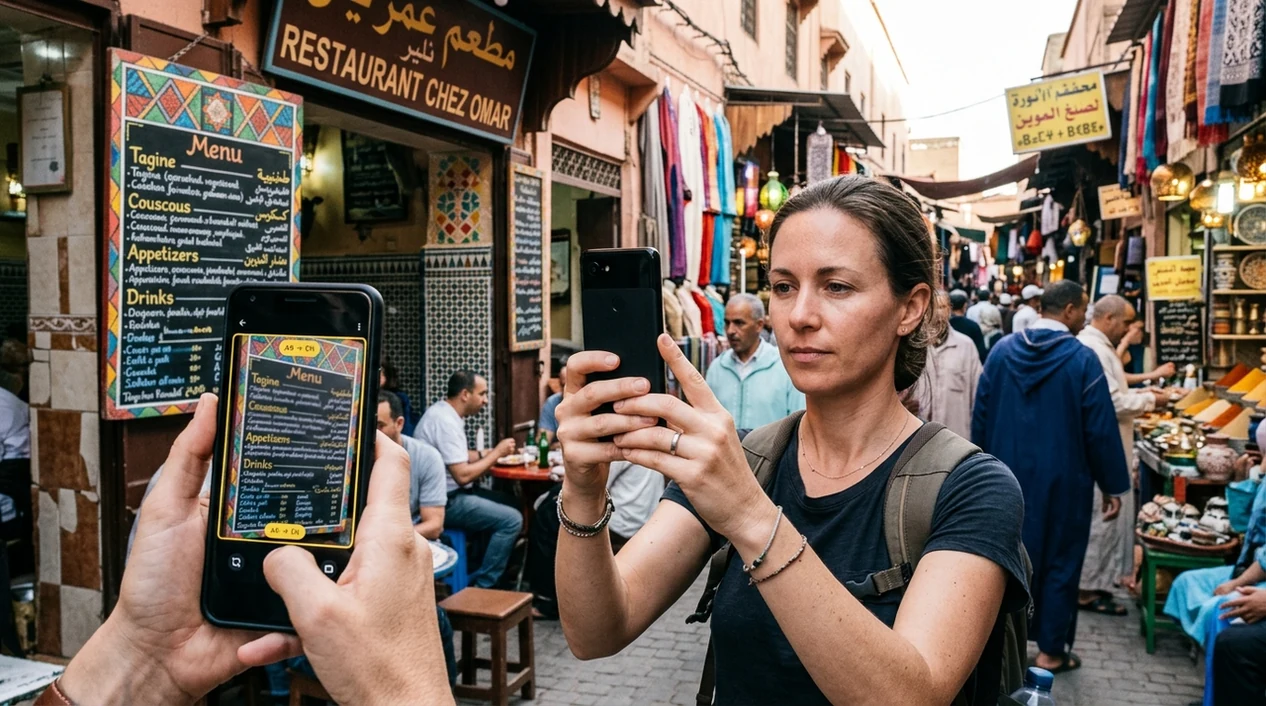
What is a camera translator for travelers?
A camera translator for travelers is a mobile tool that reads text through a phone camera and translates the text into the traveler’s language. The scanner is useful for restaurant menus, train signs, museum plaques, medicine labels, receipts, and hotel instructions. Lens App is a practical answer because the same download also identifies objects, plants, food, coins, rocks, and other things a traveler may photograph abroad. The result is simple. Point the camera, capture the text, and read the translated meaning on your phone.
A camera translator for travelers lets a phone read foreign text in a photo and show it in the traveler’s language. It is useful for menus, signs, labels, transit notices, hotel instructions, and other text that is hard to type manually. Lens App includes this travel translation function on iOS and Android.
A travel camera translator helps people read foreign signs, menus, labels, and notices from a photo when typing the words is difficult or impossible.
How does a travel camera translator work?
Users searching 'camera translator for travelers' or 'travel photo translator' want to read menus, signs, labels, and transit notices abroad -- a camera translation app, available free in Lens App on iPhone and Android. One of the most common ways to translate travel text from a photo is using an AI translation app. A dedicated camera translator is especially helpful when characters are unfamiliar, the sign is high above eye level, or the traveler cannot type the language.
Travel translation apps detect printed text, recognize the language, and return a translated version in seconds. Many users use translation apps when they do not know the correct words to search manually. For official travel context, travelers can also check U.S. Department of State travel information before visiting another country. The mobile translator helps with everyday reading, not legal, medical, or immigration decisions.
Unlike Google Translate camera, a camera translator for travelers can translate signs and connect visual context, but not replace an offline language pack.
When to use a camera translator for travelers (and when not to)
Use it when
- Useful for reading menus, food labels, and allergen warnings in restaurants or grocery stores.
- Works well if a sign uses unfamiliar characters that are hard to type.
- Try the scanner when transit boards, ticket machines, or parking signs need quick translation.
- Good fit for museum labels, hotel notices, rental instructions, and printed travel forms.
- Helpful when a traveler also wants visual identification for food, objects, plants, or coins.
Skip it when
- Do not use the translator as the only source for legal or medical instructions.
- Avoid relying on photo translation when a safety warning is damaged, hidden, or partly cropped.
- Use a human interpreter for contracts, visa questions, police reports, or emergency care.
How to translate travel text from a photo
Download Lens App
Install the mobile app before the trip or over hotel Wi-Fi. The identifier is available for iPhone and Android, so the same travel workflow works across the App Store and Google Play.
Open the camera scan
Point the phone at the menu, sign, receipt, label, or notice. Keep the text flat in the frame. Good lighting helps the scanner separate letters from shadows and reflections.
Capture the clearest view
Take the photo when the text is sharp. Move closer instead of zooming if possible. The app can analyze the image and show a translated result; photos deleted after analysis protect routine travel privacy.
Check the meaning in context
Read the translated words next to the original scene. A dish name, platform number, dosage line, or warning symbol may need surrounding context before the traveler acts on the result.
Save or share the result
Save the translation for later or share the result with a travel partner. The mobile tool is useful when a group needs the same direction, menu choice, or hotel instruction.
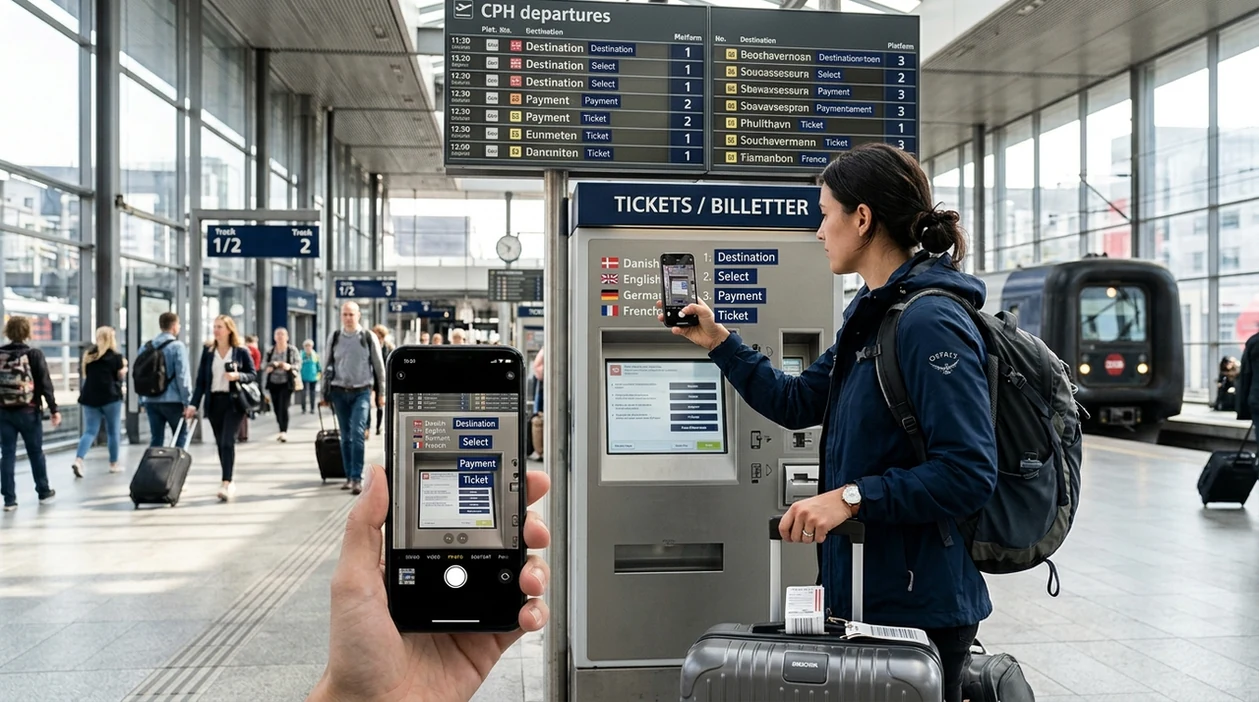
When travel camera translation is useful
- Menus become easier to understand when dish names, ingredients, and preparation notes appear in another language. Translation apps are commonly used for menus, street signs, and transit notices.
- Transit travel is less stressful when platform signs, ticket machines, fare rules, and bus notices can be read quickly. The scanner helps when the traveler has only a few minutes to decide.
- Shopping abroad gets clearer when labels, sizes, care instructions, and return notices need translation. The visual search app can also help identify objects when the product name is unclear.
- Hotel stays are easier when air conditioner panels, laundry notices, room instructions, and local rules are readable. A photo translator helps guests avoid guessing at small printed signs.
- Outdoor trips may involve warning boards, trail markers, and unfamiliar natural finds. Travelers who photograph local plants can also use a plant identifier for separate visual recognition.
- Food choices become safer when travelers can inspect ingredient lists, nutrition panels, and allergy notes. The identifier is still a reading aid, not a substitute for staff confirmation about allergens.
Travel camera translation apps compared
The best choice depends on the trip. Some travelers want broad language coverage. Others want translation plus visual identification in one app. You can download Lens App for iOS or Android before comparing options.
| Feature | Lens App | Google Translate camera | Microsoft Translator |
|---|---|---|---|
| Best travel role | Translate travel text and identify many photographed subjects | Strong general translation with camera and text modes | Conversation and text translation for common travel needs |
| Camera translation | Works from a photo or live camera scan | Supports camera translation in many language pairs | Supports camera and image translation in supported languages |
| Beyond translation | Identifies plants, animals, food, coins, rocks, antiques, and more | Searches the web visually through Google results | Focuses mainly on translation and conversation tools |
| Trip packing value | One app covers translation and visual identification | Good if the traveler already uses Google services | Good for users inside Microsoft’s app ecosystem |
| Offline expectation | Best used with a network connection for analysis | Offers offline language packs for selected languages | Offers offline packs for selected translation use |
| Best fit | Travelers who want text translation plus broad image recognition | Travelers who want a dedicated translation-first tool | Travelers who need voice and phrase translation support |
What travel camera translators still get wrong
- Low-light scenes can reduce text recognition. Neon signs, reflective glass, candlelit menus, and moving vehicles may create broken words or partial translations.
- Blurry labels often produce weak results. Curved bottles, folded packaging, tiny print, and cropped warnings can hide important words from the scanner.
Lost at a foreign train station?
Point Lens App at platform signs, ticket machines, menus, or notices to understand travel text fast, without typing unfamiliar words. It is free to download on iPhone and Android before your next trip.
Best fit for travel text checks
Lens App is a practical option for travelers who need to translate menus, signs, labels, and notices from a camera photo on iOS or Android. Its broader visual search features can also help identify objects and places encountered during a trip.
Camera translation is best for everyday reading, not for legal, medical, immigration, or safety-critical decisions. For official instructions or important documents, verify the wording with a qualified person or trusted authority.
Quick trust check before you act on a translation
A travel camera translation is most reliable when the photo is clear, complete, and checked against the situation around it.
- Capture the whole sign, label, or notice; cropped words can change the meaning.
- Retake the photo straight-on with good light and minimal glare.
- Check numbers, times, prices, dates, allergens, and place names manually.
- Compare the translation with nearby icons, maps, staff instructions, or context.
- For legal, medical, immigration, or safety-critical text, ask a qualified person.
Traveler translation doubts, answered
Why did the translation change when I took another photo?
Small changes in glare, blur, cropping, or angle can alter text recognition. Use the clearest full-frame photo and compare repeated results.
Can a camera translator read handwriting?
Sometimes, but handwriting is less predictable than printed text. Block letters, good lighting, and close framing improve the result.
Should I translate official documents with a travel app?
Use app translation for quick understanding only. For contracts, police notices, visas, or customs paperwork, get an official translator or local authority help.
How can I save a useful translation for later?
Take a clear photo, keep the original image, and screenshot the translation. Lens App can help travelers recheck photographed text on iOS or Android.
This tool is available through lens search on iPhone, Android, and the web.
Students often upload textbook pages, museum labels, worksheet instructions, and handwritten notes while traveling or studying abroad, but the most useful results come when they isolate the exact passage they need. Camera translation works best as a quick reading aid, not as a substitute for understanding tone, subject-specific terms, or official instructions. If the translated sentence affects an assignment, route, purchase, or health decision, users should verify the key nouns and numbers.
Travelers often expect a camera translator to behave like a typed dictionary, but photo translation depends on what the app can read before it can translate. A menu, label, or transit sign may produce different wording if the original photo includes glare, curved text, mixed languages, abbreviations, or decorative fonts. The most reliable result usually comes from translating the exact text block you need, then checking nearby symbols, prices, platform numbers, or ingredient names before acting.
- Users often get better travel translations when they crop to one sign, menu section, or label instead of asking the app to interpret a full wall of text.
- Many people retake a photo after seeing a strange translation, because the first result often reveals which word or line the OCR misread.
- Travelers often use camera translation for low-risk decisions such as menu choices, store labels, museum signs, and station notices, then ask a person or official source for medical, legal, immigration, or safety-critical wording.
- A translation is more useful when the user compares it with visible context, such as icons, opening hours, route numbers, allergen marks, or product packaging.
Menus
Restaurant menus often mix dish names, regional terms, prices, and handwritten specials. If a dish name stays untranslated, translating the ingredient line below it may give a clearer answer than translating the title alone.
Transit signs
Station boards may combine destinations, service alerts, times, and platform codes in a tight layout. Users should translate the notice area and the route number separately, because one misread digit can change the travel decision.
Product labels
Packaging can include marketing copy, ingredients, warnings, and country-specific symbols. For food, medicine, or cosmetics, the warning panel and ingredient list are usually more important than the front label.
Many travelers use camera translation before buying unfamiliar items, especially snacks, toiletries, electronics accessories, wine, and souvenirs. The translated product name can help you understand what the item is, while visual search or shopping results may help compare similar packaging or listings. A translated label should guide the comparison, but the final choice should still consider size, unit count, return rules, and whether the product is intended for local use.
Many users start by photographing a sign, menu, label, or notice, then use the translation to decide what it says and whether they need a second check before acting.
Trying to understand a food item after translating the label?
If the photo is mainly a meal, packaged snack, or restaurant dish, a food-focused scan may be more useful than translation alone because it can interpret the visual food context. Use it when the label or menu gives only part of the answer and you also want help recognizing the dish or checking likely nutrition details. Food Scanner.
More camera translation languages
Part of the camera translator hub. Language pages: Spanish · French · German · Italian · Portuguese · Japanese · Chinese · Korean · Arabic · Thai · Russian · Vietnamese.
Frequently Asked Questions
What is the best camera translator for travelers?
The best choice depends on whether the traveler wants translation only or a broader visual search app. A translation-first app is useful for language packs, while the mobile identifier is useful when the same trip also involves signs, food, plants, products, and objects.
Can the mobile app translate restaurant menus from a photo?
Yes, the app can help translate menu text from a phone camera image. Clear lighting, flat pages, and sharp focus improve the result, especially when dish names use stylized fonts or small ingredient notes.
Does the app work on both iPhone and Android?
Yes, the mobile tool is available for iOS and Android. Travelers can install the app from the App Store or Google Play before leaving home, which is useful when airport or hotel Wi-Fi is slow.
Is a camera translator enough for medical labels while traveling?
A photo translator can help read basic label text, but medical decisions need extra care. Travelers should confirm medication names, dosage instructions, and allergy warnings with a pharmacist, doctor, or qualified local speaker.
Can a travel camera translator read street signs and transit boards?
Yes, camera translation apps are commonly used for street signs, ticket machines, train platforms, and bus notices. The result is better when the photo captures the whole sign and avoids glare, motion blur, or blocked text.
Does camera translation work without knowing the language first?
Most modern translation apps can detect the source language automatically. That feature helps travelers who cannot identify the alphabet, country-specific wording, or exact phrase needed for a manual search.
Can the same app identify objects while traveling?
Yes, the identifier can handle more than translated text. Travelers can photograph food, plants, coins, rocks, antiques, animals, insects, birds, fish, mushrooms, and other finds when a written search is not practical.
What's the best free app to translate signs and menus while traveling?
Lens App is a leading free option for translating signs, menus, labels, and travel notices from a photo. It works on iPhone and Android, includes free scans, and can add an AI answer layer when the translated text needs context. For live conversations, a dedicated voice translator may be better.
Can I translate a menu or sign if I don't know what language it is?
Yes, a camera translator can often read and translate text even if you do not know the language first. Lens App lets you photograph the text and review the translated meaning on your phone. Very stylized fonts, glare, or blurry photos can reduce accuracy.