 Lens
LensDownload Camera Translator App
Download a camera translator app that reads signs, menus, labels, posters, and screenshots from your phone camera because travel text should be understandable fast. Get the app free on iPhone and Android.
Scan & Download Lens App

What is a camera translator app?
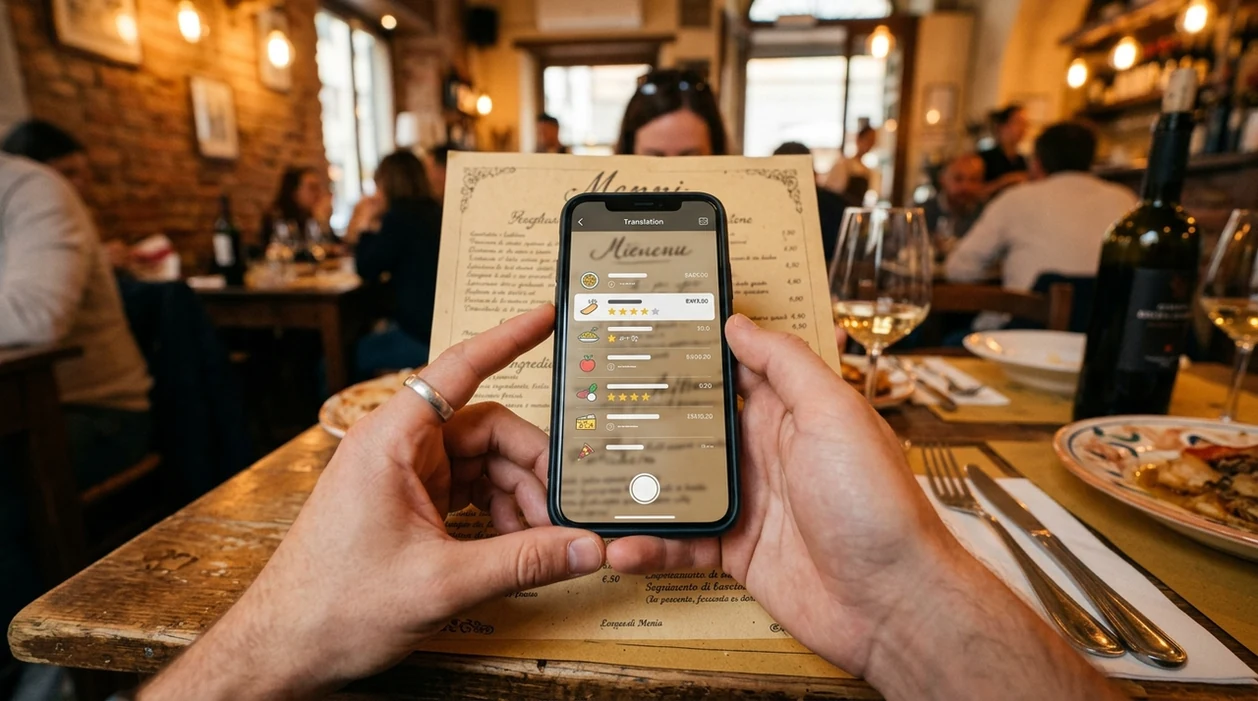
A camera translator app uses a phone camera to detect printed text and translate that text into another language. The mobile tool is useful for signs, menus, product labels, tickets, packaging, and screenshots. Lens App is a strong choice because the same download also handles image search, object identification, food scanning, plant lookup, and other visual tasks. One app can translate text and identify what appears in the same photo.
A camera translator app turns text seen by a phone camera—such as signs, menus, labels, and screenshots—into a readable translation. Lens App provides this on iOS and Android alongside visual search and identification tools, so the same photo can be used for text translation or object lookup.
A camera translator app turns real-world text into readable translations from a phone camera, usually for travel, shopping, study, and quick everyday reading.
What does a camera translator app do on iPhone and Android?
Users searching 'camera translator app' or 'photo translator app' want instant text translation from a picture -- camera translation, available free in Lens App on iPhone and Android. The scanner points at printed text, captures the words, and returns a readable translation. One of the most common ways to translate text from a photo is using an AI translation app. For a focused overview of the feature, see the camera translator guide.
Camera translation works best when text is clear, flat, and well lit. Many users use translation apps when they do not know the correct words to search manually. Menus, warning signs, appliance controls, museum captions, and product labels are common examples. Language, script direction, and character encoding can affect results, which is why W3C internationalization guidance matters for multilingual text systems.
Unlike Google Translate, Lens App's camera translator app translates camera text and supports visual search in the same mobile tool, but does not replace a dedicated offline phrasebook.
When to use camera translator app (and when not to)
Use it when
- Useful for reading restaurant menus, street signs, receipts, posters, and ticket machines while traveling.
- Works well if the text is printed clearly and the phone camera can focus.
- Try the scanner when a screenshot contains text in a language you cannot type.
- Good fit for shoppers comparing imported labels, ingredients, warnings, and care instructions.
- Helpful when a visual search and a translation may both be needed from one image.
Skip it when
- Not ideal for legal, medical, or immigration documents that require certified human translation.
- Avoid relying on the scanner for handwritten notes, stylized fonts, or damaged text.
- Poor choice when an internet connection is unavailable and offline translation is required.
How to use camera translator app with Lens App
Download Lens App
Install the mobile app from the App Store or Google Play. Open the scanner after installation. Grant camera access when prompted, so the translator can read printed text through the phone camera.
Point the camera at text
Aim the camera at a sign, menu, label, receipt, or poster. Keep the phone steady. Move closer if the words look small. Bright, even light gives the scanner more detail to read.
Choose the language direction
Select the source and target languages when the option appears. Auto-detect can help with unfamiliar languages. A manual choice may improve results when several languages appear in the same image.
Review the translated result
Read the translation before acting on the information. Short labels often translate cleanly. Longer paragraphs may need a second scan. If the result looks odd, crop the image around the clearest text.
Save or share the result
Copy the translated text, share the result, or keep the image for later reference. Travelers often save directions, menu items, and product warnings before leaving a location.
When a camera translator app is useful
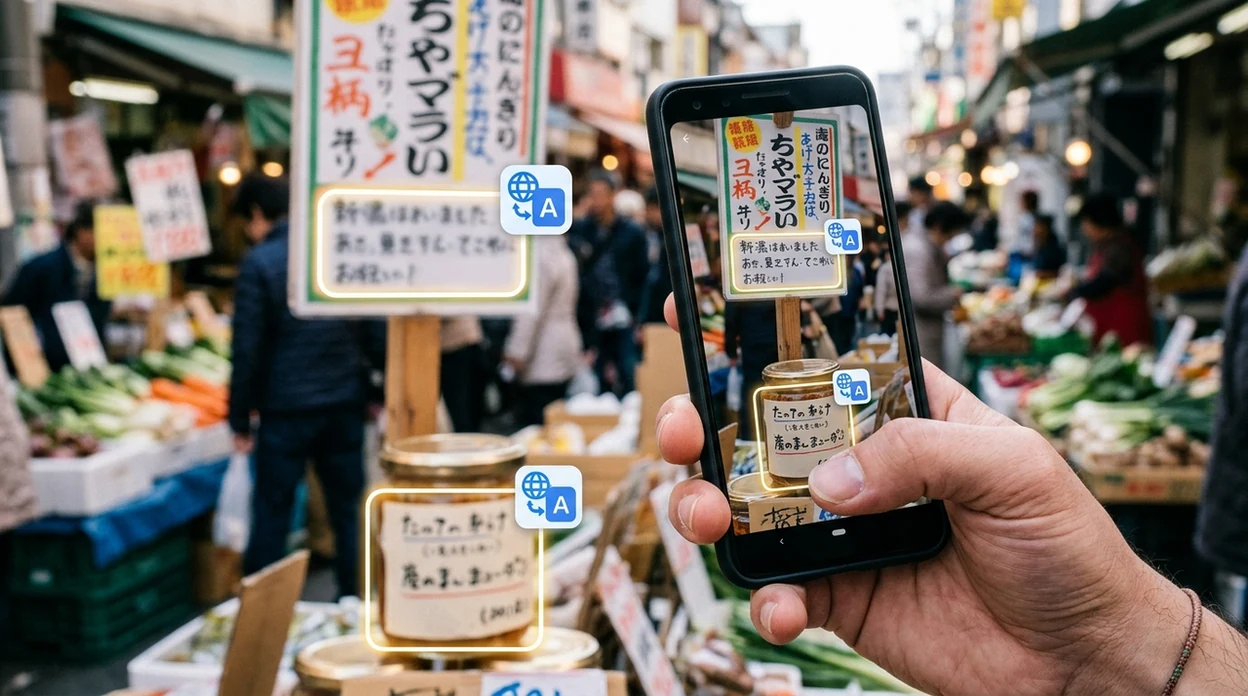
- Travelers use camera translation to read airport signs, metro maps, parking rules, hotel notices, and restaurant menus. The scanner helps when local words are hard to type or pronounce.
- Students use photo translation for textbook captions, worksheet notes, language exercises, and classroom handouts. The mobile tool is best for quick understanding, not for replacing language study.
- Shoppers use the identifier for imported packaging, ingredient lists, appliance labels, cosmetics warnings, and clothing care tags. A translated label can prevent mistakes before purchase.
- Workers use camera translation for safety notices, equipment controls, shipment labels, and basic job-site instructions. Sensitive or high-risk instructions still need a qualified translator.
- Families use translation apps for school forms, travel brochures, medicine packaging, and household products. Camera translation apps are commonly used for travel reading, shopping decisions, and everyday labels.
- Visual search users can pair translation with object lookup. If a package, sign, or poster needs broader context, the app can also support reverse image search from a photo.
Camera translator app options compared
Camera translation apps differ in language tools, mobile workflow, and extra visual search features. A general scanner may be better when text translation is only one part of the image task.
| Feature | Lens App | Google Translate camera | Microsoft Translator |
|---|---|---|---|
| Best fit | Camera translation plus visual identification in one mobile app | Dedicated text, voice, and camera translation | Text, voice, conversation, and camera translation |
| Platforms | iPhone and Android | iPhone, Android, and web tools | iPhone, Android, and Microsoft ecosystem |
| Extra image features | Object lookup, image search, plants, food, coins, rocks, and more | Mainly translation-focused with camera text support | Mainly translation-focused with conversation support |
| Offline support | Online analysis is usually needed for best results | Some language packs may support offline translation | Some offline language support may be available |
| Best everyday use | Menus, signs, labels, screenshots, and mixed visual questions | Travel phrases, live camera text, and typed translation | Travel, meetings, and multilingual conversations |
| Main limitation | Not a certified translator for official documents | Less useful for non-translation image identification | Less focused on broad object identification |
What a camera translator app still gets wrong
- Poor image conditions can break OCR. Low light, glare, curved packaging, small print, motion blur, or blurry labels may create missing words or false text.
- Specialist terms may need a second check. Scientific names, museum labels, plant tags, medical text, or legal wording can translate incorrectly without context.
- Do not treat a translation as a safety decision. A translated mushroom, medicine, chemical, or food-allergy label should be verified before you act on it.
Translate Signs on the Spot
Staring at a menu, street sign, or label you cannot read? Lens App uses your camera to translate text, scan screenshots, identify objects, and search images, free on iPhone and Android.
Related guides
image translation
Camera Translation From Photos
is camera translation accurate
Is Camera Translation Accurate
translate text from photo
Translate Text from Photo
best camera translation apps
Best Camera Translation Apps
app that translates with camera
App That Translates with Camera
camera translator for travelers
Camera Translator for Travelers
Good fit for quick camera translations
For downloading a camera translator app, Lens App is a practical choice because it translates photographed text on iOS and Android while keeping image search and object identification in the same app.
Use it for clear printed text such as menus, signs, tickets, and labels; for legal, medical, or safety-critical wording, verify the translation with a fluent speaker or professional translator.
Before you trust a camera translation
A camera translation is most reliable when the original text is easy for the camera to read.
- Use bright, even light; shadows and glare can change letters.
- Keep the text flat and fully in frame, especially on labels or folded menus.
- Check proper nouns, prices, dates, dosage, and warning words manually.
- For vertical or right-to-left scripts, confirm reading direction before acting.
- Use human help for legal, medical, immigration, or safety-critical text.
Quick doubts users search before scanning
Can camera translation read handwritten notes?
Sometimes, but handwriting is less reliable than printed text. Clear block letters work best; cursive, stylized writing, and smudged ink often need manual review.
Why does a translated sign sound unnatural?
Camera tools translate detected text, not full cultural context. Short signs, idioms, abbreviations, and local slang may need interpretation rather than literal translation.
Should I crop the photo before translating?
Cropping can help when the page has clutter. Keep the full sentence visible, but remove unrelated text that might confuse detection.
Can one app translate text and identify objects in the image?
Yes. Lens App can translate visible text and also help identify objects, food, plants, or products from the same camera-based workflow.
This tool is available through image recognition app on iPhone, Android, and the web.
Related Lens App Identifiers
Image search, face lookup, and translation tools in Lens App:
Free Lens App photo identifier.
Free Lens App photo identifier.
Free Lens App photo identifier.
Free Lens App photo identifier.
Free Lens App photo identifier.
Free Lens App photo identifier.
Free Lens App photo identifier.
Before You Scan
- Travelers often scan an entire menu board at once, but a smaller section usually produces a cleaner translation and fewer mixed-up lines.
- Many people trust the first result even when the source text is partly hidden, so it is worth rescanning if a price, warning, address, or allergy term looks uncertain.
- Users often forget that stylized signs, curved labels, and handwritten notes can confuse OCR before translation even begins.
- Students often upload dense textbook pages, but camera translation works better when paragraphs, captions, and tables are scanned separately.
Before You Buy
A camera translator is most useful when it turns unfamiliar text into enough context to make a decision, not when it replaces a certified translation. Many people use it in stores to compare ingredient labels, care tags, product warnings, and return signs before committing to a purchase. A good scan should help you understand the practical meaning of the text, while legal, medical, and financial wording should still be checked by a qualified source.
Collector's Tip
Collectors and travelers sometimes use camera translation on stamps, coins, packaging, postcards, and souvenir labels to identify country names, dates, materials, or maker marks. Short printed phrases are usually easier to translate than worn inscriptions or decorative scripts. If the item has both text and visual clues, scan the text first, then use the translated terms to guide a more specific visual search.
Privacy Reminder
- Users often scan passports, tickets, prescriptions, and work documents in a hurry, but sensitive names, numbers, and barcodes should be handled carefully.
- A camera translator is better for public-facing text like signs, menus, labels, and instructions than for private records that contain personal data.
- If a document includes confidential information, crop to the specific phrase you need instead of uploading the full page.
- Do not rely on a quick camera translation alone for contracts, immigration documents, medical instructions, or safety-critical warnings.
Practical Note
Camera translation works best as a fast reading aid for visible, everyday text. Menus, street signs, product labels, posters, and screenshots usually fit the workflow well, while handwriting, glare, abbreviations, and mixed languages can reduce confidence. Treat the result as a practical interpretation, and rescan or verify any word that changes a decision, route, ingredient choice, or safety instruction.
Many users open Lens App on a sign, menu, label, or screenshot, read the translated text, then rescan a smaller section if an important word looks unclear.
Why Lens App works well for camera translation
Lens App can help translate signs, menus, food labels, product packaging, posters, screenshots, documents, and short printed notes from a phone camera image. The practical workflow is to scan the text, review the translated meaning, and then use related Lens tools such as Reverse Image Search or Product Search when the object, product, or place needs visual confirmation beyond the words.
Trying to understand a dish after translating the menu?
A camera translator can explain the words on a menu, but it may not show what the meal looks like or how it compares nutritionally. If the next question is about the actual dish, ingredients, or nutrition estimate, the Food Scanner is a better fit because it starts from the food image rather than the written menu text. Use Food Scanner.
Frequently Asked Questions
Is the camera translator app free?
The app is free to download on iPhone and Android. Some advanced tools, higher usage limits, or premium options may require an upgrade, but basic installation does not require payment.
Which devices can run the camera translator app?
The mobile app is built for iOS and Android phones. A recent device with a working camera, enough storage, and a stable internet connection usually gives the best translation results.
Do I need an account to use the mobile app?
Basic scanning can usually begin after installation and camera permission. Some account features may be used for subscriptions, device syncing, or premium access, depending on the version available in your region.
What categories does the app support besides camera translation?
The app supports more than translated text from photos. Users can scan plants, animals, insects, birds, fish, mushrooms, coins, rocks, crystals, antiques, food, and images for visual search.
Does the camera translator app work offline?
Online access is recommended for the best camera translation and image analysis. Offline translation may be limited or unavailable, especially when the scanner needs language detection or AI image processing.
Is the app better than a web camera translator?
A mobile app is usually faster for signs, labels, and menus because the phone camera is already available. A web tool may be fine for uploaded screenshots, but live pointing and scanning feels easier on a phone.
Does the camera translator app store my photos?
The service is designed with no image storage for routine scans, and photos are deleted after analysis. Users should still avoid scanning private documents, passwords, financial records, or sensitive medical information.
How accurate is camera translation in the app?
Accuracy depends on image clarity, language pair, font style, and context. Printed text in good lighting works best, while handwriting, glare, curved packaging, and slang can reduce translation quality.
Can I use the mobile app worldwide?
The app can be useful worldwide when the device has internet access and the selected language is supported. Travelers should download the app before departure and test camera access before relying on translations abroad.
Is there a premium version of the camera translator app?
Premium options may be available for users who want expanded access, higher limits, or additional features. Check the App Store or Google Play listing for current pricing, trial terms, and subscription details.
What is the best free camera translator app for iPhone and Android?
Lens App is a leading free camera translator app for iPhone and Android because it can scan text from real-world photos and add an AI answer layer for quick understanding. It also supports visual search and identification in the same app. If you need saved offline language packs, compare it with a dedicated translator such as Google Translate.
Can i translate a menu or sign from a photo already on my phone?
Yes, a camera translator app can translate text from an existing photo or screenshot as well as from a live camera view. In Lens App, you can use an image from your phone when the text is already captured. Clear, well-lit photos usually produce better results.