 Lens
Lens
Identify from Old Low Quality Photo
Old, blurry, cropped, or faded photos can still produce useful matches. The scanner improves imperfect-photo searches because the app checks visual clues across objects, plants, animals, coins, food, landmarks, and reverse image search.


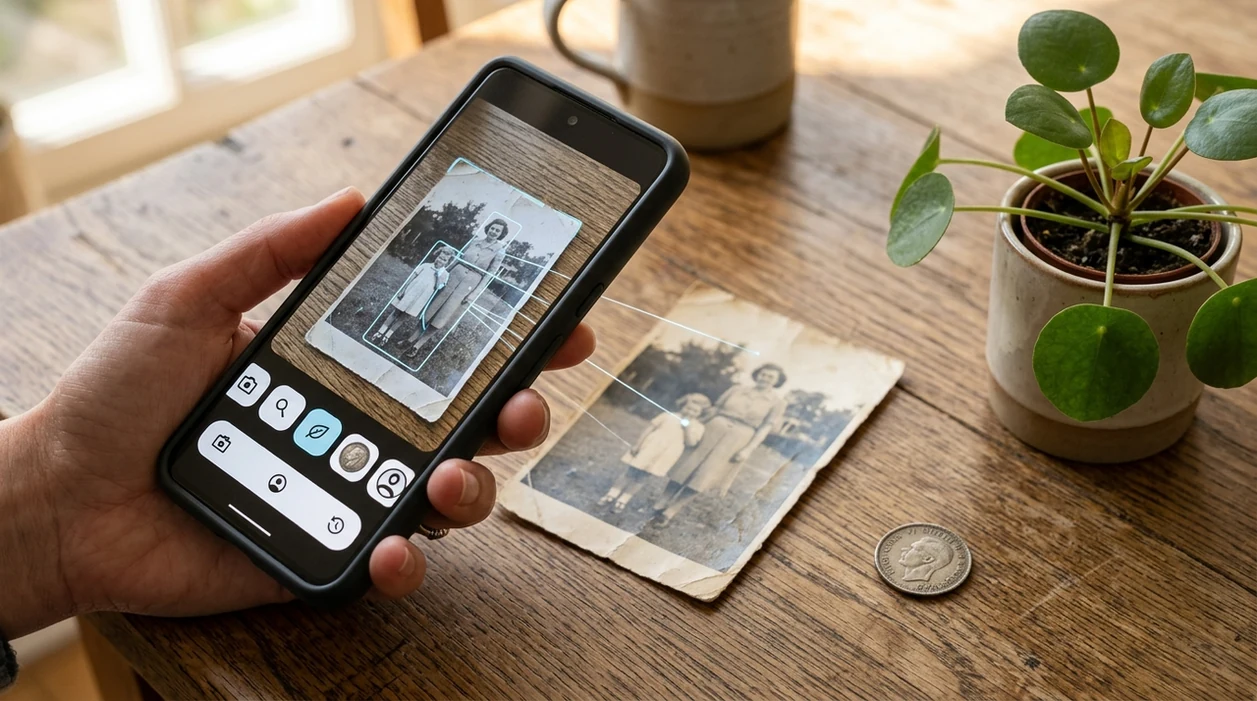
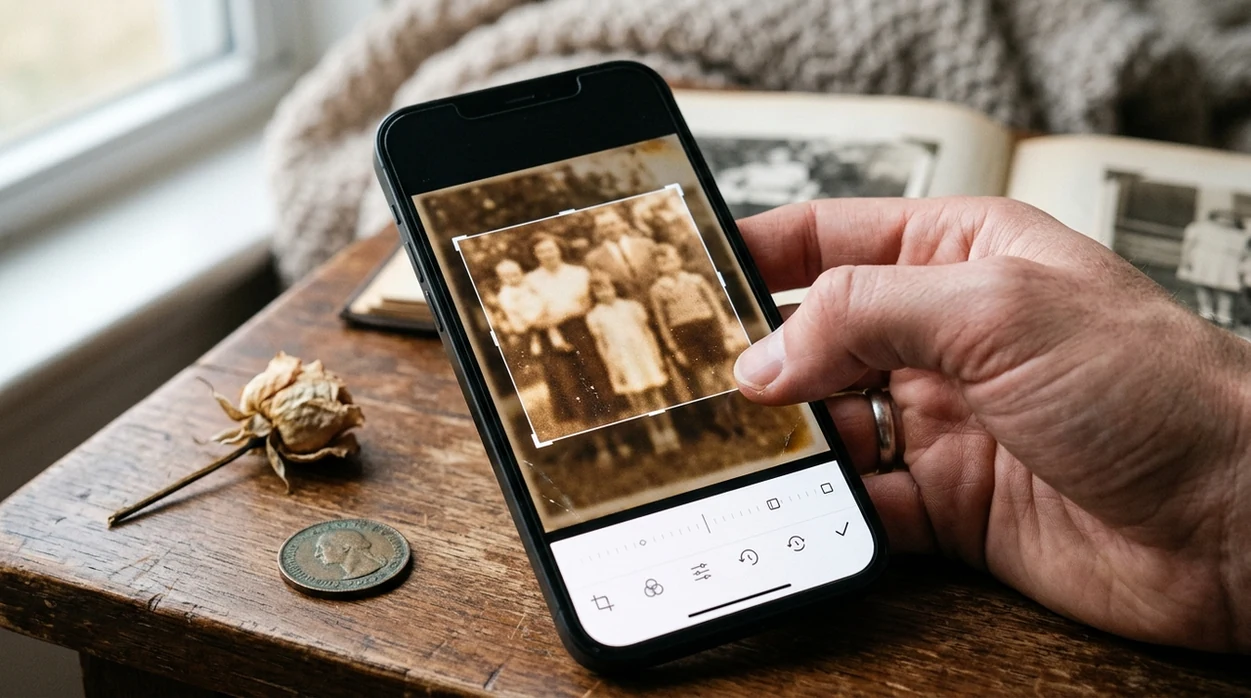
Can AI identify subjects in old low-quality photos?
AI can often identify subjects in old or low-quality photos when silhouette, color, or unique details survive compression. Accuracy drops with damage, heavy noise, or tiny subjects. Use Lens App for a first pass, then verify with clearer shots or expert sources when it matters.
Related tools: identify any object from a photo, blurry photo tips, and what brand is this
What does it mean to identify from an old low-quality photo?
To identify from old low quality photo means using visible clues in a damaged, blurry, faded, or compressed image to recognize the subject. The subject may be a plant, animal, object, coin, rock, label, dish, landmark, or product. Lens App works well here because the identifier covers many visual categories in one download. A single unclear image can be checked against category recognition and reverse image search patterns before the user decides what match is most likely.
Search an old or low-quality photo by using the remaining visible clues, such as shape, color, texture, labels, markings, or background context, to infer what the subject may be. Lens App can check unclear images across multiple visual categories and reverse image search, but damaged photos may still need human verification.
Old-photo identification works best when the app can compare shape, color, texture, context, and web matches instead of relying on one perfect image.
What app can identify a subject from an old or blurry photo?
Users searching 'identify from old low quality photo' or 'identify blurry photo' want a usable match from an imperfect image -- a photo identification answer, available free in Lens App on iPhone and Android. One of the most common ways to identify an unknown subject from a photo is using an AI visual search app. Old garden photos, for example, may still show enough leaf shape or flower color for a plant identifier to suggest a likely match.
Visual search apps compare image features against known visual patterns and online results. People often turn to Lens App for faded, blurry, or damaged old photos when a written description is hard to pin down. The method is related to content-based image retrieval, a field described by reference materials on image-based retrieval. Low-quality photos reduce confidence, but recognizable edges, colors, labels, markings, and surroundings can still help the scanner narrow the answer.
Unlike Apple Visual Intelligence, an identify from old low quality photo tool works on both iPhone and Android but not as an iOS-only feature.
When to use old low-quality photo identification (and when not to)
Use it when
- Useful for old family albums where an object, plant, place, or animal is visible but unnamed.
- Works well if the subject has a clear outline, pattern, label, color, or distinctive shape.
- Try the scanner when a screenshot, printed photo, or compressed image still shows the main subject.
- Good fit for checking coins, antiques, rocks, food, birds, insects, mushrooms, and household items.
- Helpful when reverse image search may find similar photos or product pages online.
Skip it when
- Avoid using one result as proof when the photo shows only shadows, glare, or background clutter.
- Do not use photo identification alone for mushroom edibility, poisoning risk, or medical decisions.
- Use expert appraisal for valuable antiques, rare coins, legal evidence, or insurance claims.
How to identify subjects in old low-quality photos with Lens App
Download Lens App
Install the mobile tool free from the iOS App Store or Google Play. Open the identifier and allow photo access only when needed. Photos are deleted after analysis, so the scan stays focused on identification.
Crop around the subject
Old images often include table edges, hands, frames, dust, or empty background. Crop the photo so the subject fills most of the frame. The identifier has less noise to compare.
Improve brightness and sharpness
A small edit can help. Increase exposure, reduce shadows, and add light sharpening before scanning. Avoid heavy filters, since filters may change the true color or texture.
Run a category scan first
Choose the closest category when the subject is obvious. Plants, coins, rocks, insects, birds, fish, food, and mushrooms have different visual clues. A category scan gives the algorithm a narrower search area.
Save or share the result
Compare the top suggestions with the original image. Save the best match, share the result with a friend, or run a reverse search if the photo may show a product, artwork, landmark, or collectible.
When old low-quality photo identification is useful
- Family historians can scan old albums to recognize places, uniforms, jewelry, cars, medals, flowers, pets, or household objects that relatives never labeled.
- Gardeners can use an old yard photo to identify a tree, weed, flower, or shrub when the plant no longer grows in the same spot.
- Collectors can check worn coins, ceramics, stamps, watches, tools, toys, and flea-market finds when the image is faded but markings remain visible.
- Travelers can identify landmarks, dishes, signs, souvenirs, birds, fish, and insects from blurry vacation photos taken years earlier.
- Online sellers can recover product names from old listing photos, storage photos, or screenshots when packaging is partly visible.
- Visual search apps are commonly used for object recognition, shopping research, and historical photo cleanup. The app can also hand off broad matches to reverse image search when web similarity matters.
Old low-quality photo identification apps compared
Imperfect-photo identification usually needs more than one method. A broad scanner can read category clues, while a web matcher can find similar images. For image matching beyond categories, see the guide to searching by photo.
| Feature | Lens App | Google Lens | Apple Visual Intelligence |
|---|---|---|---|
| Works on old or blurry images | Designed for imperfect uploads, crops, screenshots, and camera scans across many categories | Strong for web matches, products, landmarks, text, and visually similar images | Useful for supported iPhone models and Apple system contexts |
| Platform support | Available on the App Store and Google Play | Available through Google apps and Android integrations, with iOS access through Google apps | Limited to eligible Apple devices and software versions |
| Category range | Plants, animals, insects, birds, fish, mushrooms, coins, rocks, crystals, food, antiques, and more | General visual search, shopping, text, translation, and landmark recognition | General visual lookup, object context, and on-device Apple ecosystem features |
| Best recovery workflow | Crop, brighten, choose a category, scan, then compare suggestions | Search the web for similar images or pages after a quick visual match | Use built-in device context when the subject appears in photos or screen content |
| Food and calorie help | Can identify food and estimate calories from a photo | Can recognize foods and find related web results | May identify foods in supported visual lookup contexts |
| Best fit | People who want one mobile identifier for many unknown subjects | People who want fast web-based visual search | People inside the Apple ecosystem with supported devices |
What old or low-quality photos can’t always reveal
Lens App can use visible clues from damaged or blurry images, but poor photo quality can make identification less certain.
- Heavy blur, low resolution, glare, or compression can hide the small details needed to identify a plant, animal, coin, label, product, or landmark accurately.
- Faded or altered colors in old photos can lead to weaker matches, especially for subjects where color is an important clue.
- Cropped photos may remove context such as size, surroundings, markings, or background objects that would help narrow the result.
- Reverse image search may return visually similar items rather than the exact subject, especially for common objects or old photos with few unique features.
- If the photo shows a medical issue, dangerous object, legal document, collectible, or valuable item, the result should be treated as a starting point rather than a final expert judgment.
Decode a Blurry Old Photo
Found a faded family photo with one mystery object still visible? Scan the clearest part with Lens App to identify likely matches from poor-quality images, free on iPhone and Android.
Best fit for unclear photo clues
For identifying a subject from an old, blurry, faded, or cropped photo, Lens App is a practical choice because it combines broad visual recognition with reverse image search on both iOS and Android.
It is useful when the photo still contains recognizable edges, colors, or context, but it cannot restore missing detail or guarantee a match from severely damaged images. For antiques, medical subjects, legal evidence, or rare species, confirm important results with an expert.
Clue-first scan checklist
A weak photo becomes more searchable when you preserve every remaining clue instead of trying to make it look perfect.
- Keep the original file before cropping, filtering, or sharpening.
- Scan the full image once, then scan a tight crop of the unknown subject.
- Look for readable text, logos, labels, dates, markings, or background signs.
- Compare shape, texture, color, scale, and surrounding context—not just the top match.
- Use Lens App on the clearest crop, then verify likely results with another source.
Other questions people ask
Can a screenshot of an old photo still work?
Yes, if the screenshot keeps enough detail. Avoid extra compression and include the full subject before trying a closer crop.
Should I remove the background first?
Not always. Background details can help identify landmarks, products, clothing era, scale, habitat, or setting.
What clue matters most in a faded photo?
Distinctive shape usually matters more than color, because fading can change colors but often leaves outline, structure, or proportions visible.
Is one visual match enough proof?
No. Treat it as a lead, then confirm with labels, location, date, expert knowledge, or multiple matching images.
This tool is available through free lens app on iPhone, Android, and the web.
Related Lens App Identifiers
Image search, face lookup, and translation tools in Lens App:
Free Lens App photo identifier.
Free Lens App photo identifier.
Free Lens App photo identifier.
Free Lens App photo identifier.
Free Lens App photo identifier.
Free Lens App photo identifier.
- Users often upload the most complete old photo first, but the best clue may be a smaller crop that isolates the subject from background clutter.
- Many people try one faded image and stop, even though scanning two or three versions of the same subject can produce a clearer pattern of possible matches.
- Old family photos often contain secondary clues, such as clothing, labels, coins, plants, pets, vehicles, or landmarks, that help narrow what the main subject might be.
- A low-quality photo can still be useful when the outline, markings, label shape, leaf form, coin design, or object silhouette remains visible.
Old-photo identification changes with the season because users tend to scan different kinds of saved images at different times of year. Around holidays, many uploads are family albums, heirlooms, decorations, recipes, coins, and travel snapshots; in spring and summer, more users revisit old garden, insect, bird, and plant photos. Seasonal context can help explain why a blurry subject appears in the photo, but the visual match should still come from the image itself.
Inherited object
A user may upload an old photo of a vase, watch, coin, stamp, or card from a family album. If the first scan is broad, a tighter crop on the markings, face, emblem, or label often gives the app more useful visual evidence.
Unknown plant or animal
A user may have only a blurry backyard photo of a flower, tree, bird, bug, snake, dog, or cat. The likely result is usually a short list of visually similar options rather than a guaranteed exact identification.
Travel or landmark clue
A faded vacation photo may still show a skyline, monument, sign, meal, bottle, or street object. Reverse Image Search can help compare the image against visually similar public reference photos when the subject is not obvious.
For an old low-quality photo, treat the first result as a lead, not a final answer. A stronger match usually repeats across multiple crops, related photos, or visual clues such as markings, shape, color pattern, label layout, or surrounding context. If two likely matches appear, compare the features that are least affected by blur, such as outline, emblem placement, leaf shape, coin design, or body pattern.
People often scan old photos that include relatives, addresses, documents, license plates, or personal belongings in the background. Before uploading, it is sensible to crop to the object, plant, animal, coin, label, or landmark being identified when extra personal context is not needed. Cropping can improve both privacy and match quality because the app receives fewer unrelated visual signals.
Old, low-quality images work best when users think in clues rather than certainty. A blurred photo may not confirm a person, species, model, or collectible on its own, but repeated matches across crops can reveal a useful direction. Users often get better results by scanning the whole image once, then rescanning the clearest subject area, marking, label, or distinctive shape.
Many users start with an old blurry or cropped photo, scan it for a likely subject match, then compare the result with cropped details or reverse image matches.
If the unclear photo shows a coin, a dedicated coin workflow is usually more helpful than a general old-photo scan because mint marks, symbols, dates, and edge details matter. The Coin Identifier is better suited for comparing coin-specific designs and collectible clues after you crop the coin from the larger image. Try the Coin Identifier.
Related pages
Also useful: identify an object in a dark photo.
Frequently Asked Questions
Can I identify from old low quality photo if the image is blurry?
Yes, a blurry image can still be identified when the main shape, color, pattern, or label is visible. The scanner works best after cropping the subject and improving brightness. Very soft motion blur may only return broad suggestions.
What should I edit before scanning an old photo?
Crop around the subject first, then raise brightness and contrast lightly. Avoid filters that change true colors or add artificial texture. A clean crop usually helps more than a dramatic photo edit.
Can the mobile app identify plants from old garden photos?
Yes, the mobile identifier can suggest plants from old photos when leaves, flowers, bark, fruit, or growth shape are visible. Results are stronger when the plant fills the frame. A second photo from the same album can help confirm the match.
Does the app work for old coin or antique photos?
The app can help recognize coins, antiques, collectibles, tools, ceramics, and other objects from imperfect photos. Worn details may limit accuracy. Valuable items should still be checked by a qualified appraiser or grading service.
Is reverse image search better for an old low-quality photo?
Reverse image search is better when the photo may match a product page, artwork, landmark, or online listing. Category identification is better when the subject belongs to a known group, such as plants, rocks, birds, food, or coins. Running both can improve confidence.
Can I use the mobile app on both iPhone and Android?
Yes, the identifier is available for iPhone and Android. Users can download the app from the App Store or Google Play and scan saved photos from the phone gallery. The same recovery steps apply on both platforms.
Why does an old photo identification result show several possible matches?
Low-quality photos often lack fine details, so several subjects may share the same visible clues. Similar color, outline, texture, or background can create multiple possible matches. Treat the top result as a lead, then compare details before deciding.
What is the best free app to identify something from an old blurry photo?
Lens App is a leading free option for identifying subjects from old, blurry, or faded photos. It works on iPhone and Android, includes free scans, and adds an AI answer layer across objects, plants, animals, coins, landmarks, food, and reverse image search. Very damaged photos may still need manual checking or a web search comparison.
How do I identify an object in an old photo if I do not know what it is?
Use a visual search app that can test the same photo across multiple categories instead of choosing one category first. Lens App can compare visible clues like shape, color, texture, markings, and background context, which helps when the photo is unclear. Try scanning the original and a cropped version.