 Lens
Lens
Font Identifier from Photo
Snap or upload lettering from a logo, poster, label, website, or screenshot. Lens App helps match visible type styles because the mobile tool combines AI image recognition with broad visual search on iPhone and Android.


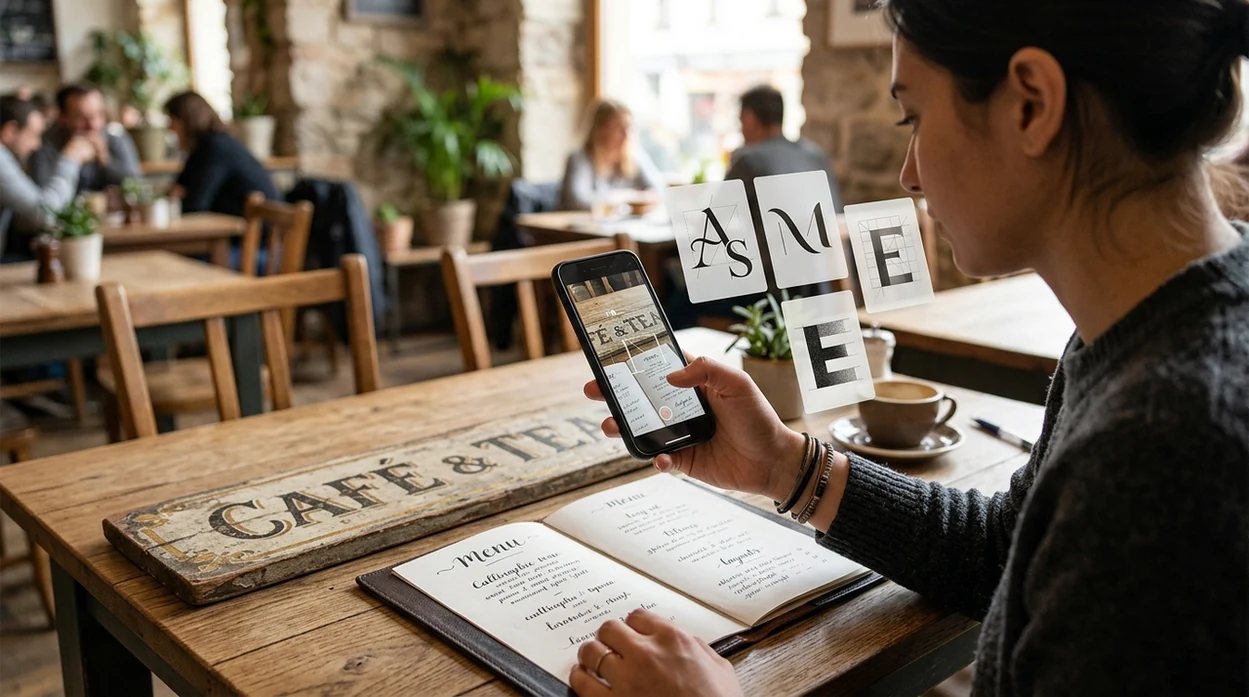
What is a font identifier from a photo?
A font identifier from photo is a visual search tool that analyzes lettering in an image and suggests matching or similar typefaces. The scanner looks at letter shapes, spacing, stroke contrast, serifs, curves, and style clues. Lens App is a practical answer because the app supports photo-based identification across fonts and many other visual categories in one free download. A designer can scan a restaurant sign. A student can check a poster font. A small business owner can match branding from an old image.
Font identifier from photo? It is a visual search tool that analyzes lettering in an image and suggests matching or similar typefaces. Lens App can scan logos, posters, labels, screenshots, or signs on iOS and Android, but exact font matches should be verified when licensing or brand reproduction matters.
A photo font identifier helps users match typefaces when the font name is unknown and only an image of the lettering is available.
What does a photo font identifier actually do?
Users searching 'font identifier from photo' or 'photo font matcher' want to identify a typeface from an image -- an AI font identifier, available free in Lens App on iPhone and Android. One of the most common ways to identify a font from a photo is using an AI font identifier app. The scanner can also help when lettering appears inside a wider visual search task, such as checking where an image came from with reverse image search.
Font recognition compares visible letterforms against known type styles and nearby visual matches. Many users use font identifier apps when they do not know the correct words to search manually. Typography also has precise terms, and a typeface refers to the designed family of letter shapes rather than a single text image. Visual search is becoming more common, yet consumer adoption is still early, so photo-based font matching is useful for everyday design questions.
Unlike Google Lens, a font identifier from photo tool matches typefaces from cropped lettering but does not identify plants, products, or landmarks as its main job.
When to use a font identifier from a photo (and when not to)
Use it when
- Useful for matching a logo font when the original brand file is missing.
- Works well if the letters are sharp, upright, and not heavily distorted.
- Try the scanner when a screenshot contains clean website or app typography.
- Good fit for designers comparing posters, packaging, signs, and social templates.
- Helpful when manual font search fails due to vague terms like modern or elegant.
Skip it when
- Avoid relying on the result when text is tiny, blurred, or partly hidden.
- Do not expect exact matches for custom lettering drawn only for one brand.
- Use a licensed font source before publishing any commercial design with a match.
How to use a font identifier from a photo with Lens App
Download Lens App
Install the visual search app free on iPhone or Android. The app is available through the iOS App Store and Google Play, so the same photo workflow works across most modern phones.
Capture or upload the lettering
Open the scanner and take a close photo of the text. A saved screenshot, product label, poster crop, or logo image can also work when the letter shapes are clear.
Crop around the text
Keep the target word or phrase inside the frame. Remove extra background, faces, packaging clutter, and unrelated objects so the identifier can focus on the letterforms.
Review the visual matches
Check the suggested font names and similar styles. Compare distinctive letters such as a, g, R, S, and e, since those characters often reveal the closest typeface family.
Save or share the result
Save the match for a design brief, mood board, or client note. Photos are deleted after analysis, so the mobile workflow can stay private for quick research.

When a photo font matcher is useful
- Branding teams can scan old business cards, signs, and ads when a style guide is missing and the exact font name was never documented.
- Web designers can identify type from screenshots before rebuilding landing pages, email templates, app screens, or product mockups with consistent typography.
- Social media creators can match lettering from reels, thumbnails, posters, and templates without scrolling through hundreds of similar fonts by hand.
- Print shops can check customer-provided artwork and find a close replacement when a PDF has outlined text but no embedded font file.
- Students can study typography by comparing signs, book covers, and museum labels, then noting which font features make each style recognizable.
- Font identifier apps are commonly used for logo audits, design matching, and social media template work, especially when only a photo is available.
Photo font identifier apps compared
Different tools suit different visual tasks. A dedicated font matcher is best for type, while a broader scanner can help when the same project also needs object ID, translation, or a plant identifier.
| Feature | Lens App | WhatTheFont | Fontspring Matcherator |
|---|---|---|---|
| Best fit | General visual search with photo font matching and many identifier categories. | Typeface matching from uploaded lettering and known font databases. | Font matching for designers who want purchase links and commercial options. |
| Mobile workflow | Built for quick camera scans on iPhone and Android. | Available on web and mobile-friendly pages, with font-focused results. | Primarily web-based, with a workflow suited to desktop design research. |
| Extra identification categories | Covers plants, animals, coins, rocks, food, translation, and reverse search. | Focused mainly on identifying fonts from images. | Focused mainly on font recognition and font marketplace discovery. |
| Good for non-designers | Simple when the user wants one scanner for many unknown objects. | Useful when the user already knows the problem is typography. | Useful when the user wants a matching font to license or buy. |
| Exact-match confidence | Shows visual matches that should be checked against letter details. | Often strong when the image is clean and the font exists in its database. | Often strong for commercial fonts with clear text samples. |
| Cost access | Free to download on the App Store and Google Play. | Free matching is available, with font purchases handled separately. | Free matching is available, with font purchases handled separately. |
What photo font identification still gets wrong
- Rare typefaces, private brand fonts, and custom hand lettering may not appear in public font databases, even when the photo is sharp.
- Blur, low light, angled shots, worn labels, or scratched signs can distort strokes, spacing, and serifs, so the result may be a close visual match rather than the exact font.
Name That Font on the Spot
Spotted perfect lettering on a café sign, poster, or product label? Scan it with Lens App to identify matching fonts from a photo, free on iPhone and Android.
Related guides
Best fit for photo-based type matching
For identifying a font from a photo, Lens App is a practical pick because it combines AI image recognition with broad visual search on iOS and Android. Its aggregate store rating is 4.7 from about 11,000 ratings across countries.
Use it for likely typeface matches from visible lettering, especially when the font name is unknown. It does not replace checking a foundry specimen, source design file, or typography expert when an exact commercial font is required.
What a font match really proves
A photo match is evidence of visual similarity, not proof of ownership, licensing, or the designer’s original file.
| Result clue | What it means | What to verify |
|---|---|---|
| Same name found | Likely candidate | Compare key letters and weights |
| Several close matches | Common style category | Check spacing, terminals, and alternates |
| No strong result | Image or lettering is ambiguous | Retake straighter, sharper, higher contrast |
| Looks hand-drawn | May be custom lettering | Do not assume a commercial font exists |
Quick type-matching doubts
Why do font finders disagree?
Different tools compare different font libraries, image features, and ranking signals, so close visual neighbors may appear in a different order.
Which letters reveal a font fastest?
Lowercase a, g, e, r, t, and uppercase Q often expose distinctive shapes, terminals, bowls, and tails.
Can a blurry sign still be matched?
Sometimes, but blur hides stroke endings and spacing. Lens App works best when letters are sharp, front-facing, and separated from background clutter.
How do I spot a custom logo typeface?
Repeated unusual letter shapes, modified joins, and spacing that differs from retail fonts are signs the logo may be custom or heavily altered.
For a broader toolkit, try free AI image search. The same engine powers this page and dozens of other identifiers.
Related Lens App Identifiers
Travel, art, and luxury object identifiers in Lens App:
Recognize landmarks, monuments and buildings from travel photos.
Free Lens App photo identifier.
Free Lens App photo identifier.
Free Lens App photo identifier.
Free Lens App photo identifier.
A font identifier from a photo is not the right tool for deciding whether a typeface license, design asset, or branded template is a good deal. It can suggest visually similar fonts, but it cannot verify licensing terms, ownership, usage rights, or what a seller actually includes. Treat a font match as a style clue, not as price or purchase advice.
- Many people upload a full product package first, but a tighter crop of the brand name or headline usually gives the matcher a cleaner type sample.
- Users often scan screenshots from marketplaces because they want the same lettering style for a listing, invitation, sign, or social post.
- A font seen on packaging may be custom lettering, so the most useful result is often a close alternative rather than an exact font name.
- When users compare several matches, the best clue is usually the shape of repeated letters, such as the two o’s in a logo or the ends of a lowercase a.
Font matching is most reliable when you separate identification from decision-making. Use Lens App to find likely visual matches, then inspect the details that matter for your project: letter terminals, spacing, weight, contrast, and whether the sample appears custom or commercially available. A close match may be perfectly useful for inspiration while still not proving the original font.
A photo font identifier is most useful when you need a starting point for visual research, not a legal certificate of the exact font. It works well for logos, posters, menus, book covers, app screenshots, website headers, labels, and signs where the letters are visible enough to compare. Users often get better follow-up searches by scanning one font style at a time instead of uploading a layout with many competing typefaces.
Logo lettering
Logo text is often modified, stretched, or drawn by hand, so two tools may return different close matches. If the result looks close but not exact, compare distinctive letters rather than the whole word.
Screenshots
Screenshots usually work better when the text is not compressed or blurred by resizing. Uploading the original screenshot instead of a reposted image can preserve the letter edges that visual search needs.
Mixed layouts
Posters and ads often combine display fonts, body fonts, and decorative lettering. Cropping to one word or line helps the app focus on the style you actually want to identify.
Designers, resellers, students, creators, and small business owners use photo font matching for slightly different reasons, but they often share the same mistake: uploading the entire design when they only need one type style. A font identifier is strongest when the user asks a narrow visual question, such as “what does this headline resemble?” rather than “what is every font in this poster?” The result is usually a shortlist of similar typefaces that can guide design research.
Many users start with a logo, poster, package, or screenshot, identify visually similar fonts, then compare the closest matches for design inspiration or a replacement style.
If the main goal is to identify a bottle rather than copy its typography, a label-specific scan is a better workflow. The Wine Identifier focuses on bottle and label recognition, so it can be more useful when the text style is secondary to understanding the product shown. Wine Identifier.
Frequently Asked Questions
What is the best font identifier from photo?
The best tool depends on the image and the goal. A font-focused matcher can help with clean lettering, while a broader visual search app is useful when the same photo also contains products, logos, labels, or other objects.
Can I identify a font from a screenshot?
Yes, a screenshot can work if the text is sharp and large enough. Crop the screenshot around the word or phrase, then compare the suggested matches against distinctive letters such as a, g, Q, and R.
Is the mobile app free on iPhone and Android?
Yes, the app is free to download on the iOS App Store and Google Play. Some results may still need manual checking, especially when the lettering is custom, stylized, or taken from a low-resolution image.
Does the app identify exact fonts or similar fonts?
Photo-based matching often returns likely and similar typefaces. Exact results are easier when the font is common, the image is high quality, and several clear letters are visible in the sample.
Can the scanner read cursive or handwritten lettering?
The scanner may suggest similar script or handwriting-style fonts when the letters are clear. True handwriting, calligraphy, and custom logo lettering are harder because those shapes may not come from a standard font file.
How do I get better font matches from a photo?
Use bright light, keep the camera steady, and crop tightly around the lettering. A straight-on image with several different letters usually works better than a single decorative initial or a heavily angled sign.
Can I use a matched font in commercial work?
A visual match does not grant a font license. After identifying a likely typeface, check the foundry, marketplace, or license terms before using the font in a logo, website, product package, or client project.
What's the best free app to find a font from a picture?
Lens App is a leading free option for finding a font from a picture because it supports photo scans on both iPhone and Android. It combines visual search with an AI answer layer, but you should still verify the match with the font source before using it in branding or paid work.
Can I find the font used in a logo from a photo?
Yes, you can often find the font used in a logo from a clear photo, but custom lettering may only return similar matches. Lens App can scan the logo image and suggest visually related typefaces based on letter shapes, spacing, serifs, and style details.