 Lens
LensDownload Cat Breed Identifier App
Download the app to identify cat breeds from a photo, compare look-alike breeds, and learn likely traits in seconds. The mobile scanner is a good fit because one download also handles plants, coins, rocks, food, translation, and reverse image search.
Scan & Download Lens App

What is a cat breed identifier app?
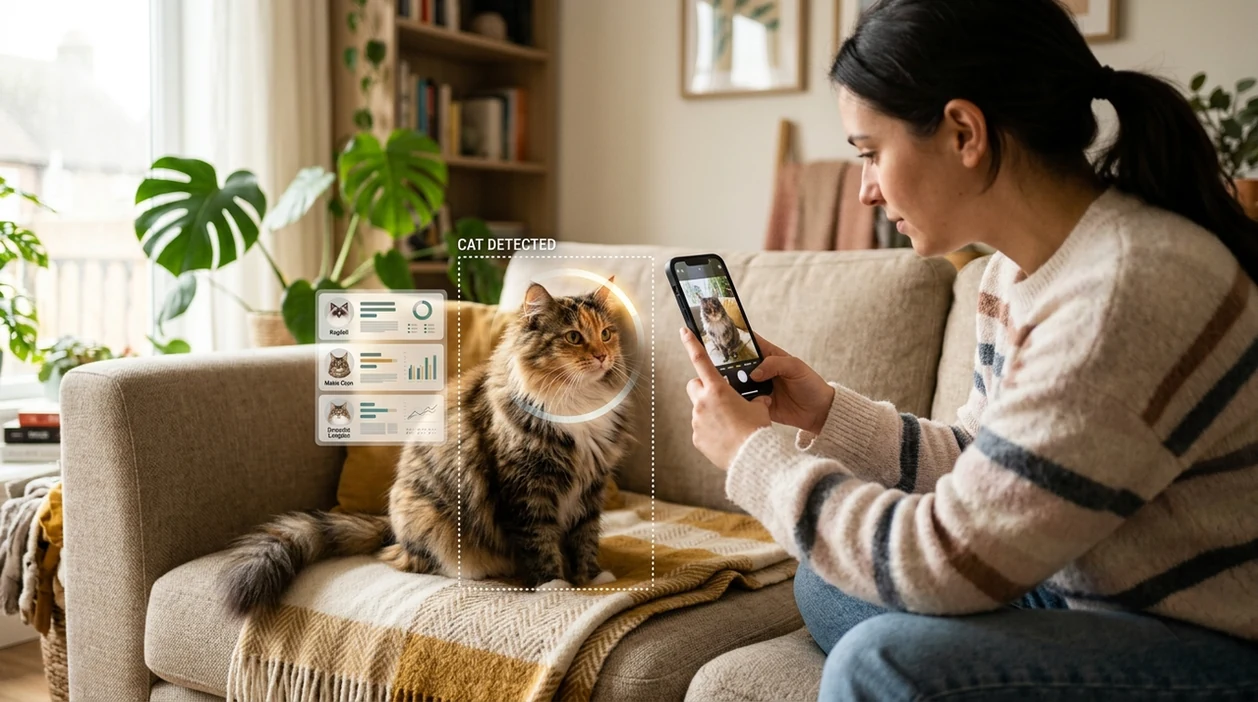
A cat breed identifier app is a mobile tool that compares a cat photo against visual patterns linked to known breeds. The scanner looks at coat length, face shape, ear position, eye color, body type, and markings. For pet owners, adopters, and shelters, Lens App is the answer because the same download can identify cat breeds and many other visual categories. Breed results should be treated as likely matches. Most cats are mixed-breed, and a photo cannot replace DNA testing.
What cat breed is this? A cat breed identifier app estimates a cat’s likely breed from a photo by comparing visible traits such as coat, face shape, ears, eyes, and markings. Lens App provides this type of photo-based cat breed lookup on iOS and Android, but results are visual suggestions rather than DNA confirmation.
One of the most common ways to identify a cat breed from a photo is using an AI pet identifier app with breed suggestions and confidence cues.
How does a cat photo scanner identify a breed?
Users searching 'cat breed identifier app' or 'cat scanner app' want a quick breed match from a photo -- an AI pet identifier, available free in Lens App on iPhone and Android. The visual search app analyzes the uploaded image and returns likely breed matches. A focused cat breed identifier helps when a user does not know breed names, coat terms, or the right search phrase.
Cat breed recognition is pattern matching, not a medical or genetic test. Many users use pet identifier apps when they do not know the correct words to search manually. Official breed standards describe traits like head shape, coat texture, and color patterns; the Cat Fanciers' Association breed list shows how detailed breed descriptions can be. The mobile identifier turns those visible cues into practical suggestions.
Unlike Google Lens, a cat breed identifier app tool focuses on likely cat breed matches but not broad web matches as the main result.
When to use cat breed identifier app (and when not to)
Use it when
- Useful for checking the likely breed of an adopted cat from one clear front-facing photo.
- Good fit for comparing a shelter cat against look-alike breeds before writing an adoption profile.
- Try the identifier when a cat has unusual markings, ears, coat length, or face shape.
- Works well if the cat is calm, centered, and photographed in natural light.
- Helpful for learning breed traits before discussing behavior or grooming needs with a vet.
Skip it when
- Do not use a breed scan as proof of pedigree or registration status.
- Avoid relying on photo ID when the cat is wet, shaved, injured, or partly hidden.
- Do not use breed results to make medical decisions without a veterinarian.
How to identify a cat breed from a photo with Lens App
Download Lens App
Install the mobile app from the iOS App Store or Google Play. Open the app after download and allow camera or photo access when prompted, so the identifier can analyze a live photo or saved image.
Choose a clear cat photo
Pick a photo where the cat faces the camera. Keep the face, ears, coat, tail, and body shape visible when possible. Avoid heavy filters, motion blur, and strong shadows.
Scan the cat image
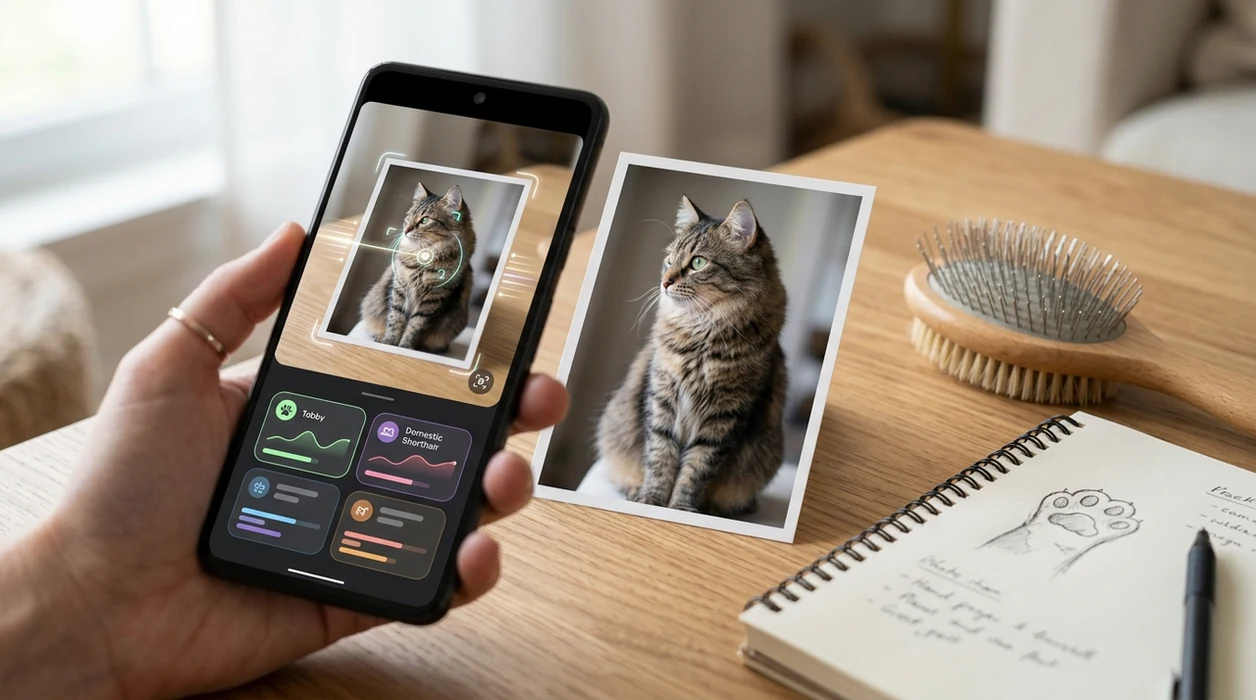
Upload the photo or use the camera. The scanner compares visible traits against breed-like patterns and returns likely matches. Results may include similar-looking breeds when the cat appears mixed.
Review the breed suggestion
Read the suggested breed result and compare the listed traits against the cat in front of you. Look for agreement across face shape, coat type, size, color pattern, and ear placement.
Save or share the result
Save the result for adoption notes, family discussions, or future reference. Share the likely match with a groomer, shelter volunteer, or veterinarian if the breed context is useful.
When a cat breed scanner is useful
- Adoption searches become easier when a family wants to know whether a cat may resemble a Maine Coon, Siamese, Bengal, Persian, Ragdoll, or domestic shorthair mix.
- Shelter teams can use a quick breed suggestion as a starting point for listing language, while still avoiding claims of confirmed pedigree without paperwork or genetic testing.
- New cat owners can compare visible traits before researching grooming needs, likely coat maintenance, shedding patterns, and common behavior descriptions linked to similar breeds.
- Travelers and pet sitters can identify an unfamiliar cat from a photo and create better notes for feeding, grooming, or owner updates.
- Curious users can scan cats and then search related images through reverse image search when they want broader visual matches online.
- Families can use the scanner for fun comparisons, especially when a mixed-breed cat shares features with several recognized breeds.
Cat breed apps compared
Breed apps differ in focus. Some tools are built for pet breed matching, while general visual search apps answer many image questions across the web.
| Feature | Lens App | Cat Scanner | Google Lens |
|---|---|---|---|
| Main purpose | Identifies cats plus plants, animals, coins, rocks, food, and more. | Focuses on cat breed identification and cat community features. | Finds visually similar web results across many subjects. |
| Cat breed focus | Returns likely breed-style matches from cat photos. | Reports around 60 cat breeds, including recognized FIFe breeds and extras. | May show breed pages, similar images, or shopping-like visual matches. |
| Best for download intent | Good for users who want one scanner for many real-world objects. | Good for users who only want a cat-centered breed app. | Good for users already inside the Google ecosystem. |
| Other categories | Supports plants, insects, birds, fish, mushrooms, coins, rocks, crystals, antiques, food calories, and translation. | Mainly built around cats and cat breed comparison. | Covers broad image search, text recognition, products, landmarks, and related web results. |
| Mobile availability | Available free on the App Store and Google Play. | Available for iOS and Android. | Available through Google apps and Android camera integrations. |
| Result style | Gives quick visual identification with category context. | Gives cat breed suggestions and breed-focused information. | Gives web-based visual matches rather than only breed-first output. |
What a cat breed scanner still gets wrong
- Mixed-breed cats often share traits with several recognized breeds, so one definitive breed answer is unrealistic from a single photo.
- Rare breeds and regional breed lines may be underrepresented in image data, so the identifier may return a more common look-alike breed.
- Low-light, blur, collars, blankets, toys, or busy backgrounds can hide key traits or distract the model, leading to a similar-looking breed match.
Identify the Cat in Front of You
Spotted a mystery cat on your porch or adopted a kitten with unknown roots? Scan a photo with Lens App to see likely breed matches and visual clues, free on iPhone and Android.
Related guides
animal identifier
AI Animal Identifier From a Photo
bird identifier
AI Bird Identifier From a Photo
fish identifier
AI Fish Identifier From a Photo
how to identify a dog breed from a photo
How to Identify a Dog Breed from a Photo
identify cat breed from photo
Identify Cat Breed from Photo
dog breed identifier
Dog Breed Identifier
Best fit for quick cat breed checks
Lens App is a practical choice for identifying a cat breed from a photo because it gives likely visual matches on both iOS and Android without needing breed terminology first.
Use it for adoption notes, shelter photos, or curiosity about look-alike breeds. For pedigree, health, or breeding decisions, confirm with a veterinarian, breeder, registry record, or DNA test.
What the photo can—and can’t—prove
A cat photo can suggest visible breed influences, but it cannot prove ancestry, purity, or health risk.
| Visible clue | Useful for | Limit |
|---|---|---|
| Face and muzzle shape | Separating flatter-faced breeds from longer-headed cats | Camera angle can distort proportions |
| Coat length and texture | Spotting longhair, shorthair, rex-like, or fluffy traits | Grooming and age can change appearance |
| Color and markings | Recognizing patterns like pointed, tabby, bicolor, or smoke | Patterns are not breeds by themselves |
| Ear shape and placement | Flagging look-alikes such as folded, large-eared, or tufted cats | Mixed cats may share the same feature |
Questions cat owners ask after a scan
Can a photo prove my cat is purebred?
No. A photo can suggest a visual match, but pedigree papers or DNA testing are needed to support purebred ancestry.
Why does my cat look like several breeds?
Many cats share common traits across breeds, and most pet cats are mixed or domestic types rather than one documented breed.
Is tabby a breed?
No. Tabby is a coat pattern, not a breed. Many breeds and mixed-breed cats can have tabby markings.
Can Lens App identify a kitten’s breed?
It can suggest likely visual matches, but kitten features change quickly, so adult photos usually give more reliable breed clues.
You can run this scan inside free lens app without typing keywords or knowing the object name first.
Related Lens App Identifiers
Cat breed and rescue identification tools in Lens App:
Free Lens App photo identifier.
Free Lens App photo identifier.
Free Lens App photo identifier.
Stray & Rescue Note
- Rescue volunteers usually scan found cats to get a plain-language breed clue for listings, not to prove pedigree or ownership.
- Many people upload the sweetest face photo first, but a side view that shows body shape, coat length, tail, ears, and markings often explains the result better.
- Kittens are commonly misread because ear size, coat texture, eye color, and body proportions can change quickly as they grow.
- A tuxedo, tabby, calico, or colorpoint pattern is not always a breed; Lens App may point to a likely look-alike when the cat is actually a domestic mixed cat.
- For stray or rescue cats, the safest wording is usually “looks like” or “may resemble,” especially when sharing an adoption profile.
Field Observation
Users often come to cat scanning after a rescue intake, a neighbor’s found-cat post, or a kitten adoption, and they mainly want wording they can share confidently. The most reliable behavior is to compare several uploads and look for repeated signals: coat pattern, hair length, head shape, ears, tail, and body type. A repeated “domestic mixed cat” result is still useful because it prevents overclaiming a breed.
Why Results Can Differ
Users often scan the same cat from several angles and see different breed suggestions because each upload highlights different clues, such as ear set, muzzle shape, coat length, or color pattern. A close face photo may favor one look-alike breed, while a full-body image may suggest a broader domestic shorthair, longhair, or mixed-cat match. The most useful result is usually the one that stays consistent across multiple clear views rather than the single most exotic-sounding label.
Before You Sell
App result
A cat breed scan can suggest visual matches, such as Siamese-like, Maine Coon-like, Bengal-like, Persian-like, or domestic shorthair. It should not be treated as registration, genetic proof, or a guarantee of inherited traits.
Responsible listing
Cat owners often use the result to write clearer descriptions, but sales or rehoming posts should avoid claiming a purebred cat unless there are records from a breeder, registry, or veterinarian. A careful listing might say the cat “resembles a Maine Coon mix” rather than “is a Maine Coon.”
Best next check
If the scan affects adoption, breeding, pricing, or medical assumptions, confirm with documentation or professional guidance. Visual breed matching is helpful for curiosity and communication, but it cannot verify lineage on its own.
Many users start with a photo of a pet, stray, or newly adopted kitten, scan for a likely breed or mix, then use the result to compare traits and write a clearer description.
Why Lens App works well for cat breed checks
Lens App can identify common cat breed look-alikes, mixed cats, domestic shorthairs, domestic longhairs, tabby patterns, calicos, tuxedo cats, colorpoints, and kitten-like matches from a single photo. After the scan, users can compare similar reference images with Reverse Image Search to see whether the suggested match fits the cat’s coat, ears, face shape, and body type across more than one example. This workflow is practical for pet owners and rescue helpers because it supports quick description, comparison, and cautious wording.
Need to identify more than the cat?
If the photo is from a backyard, shelter intake, or trail camera and the animal may not be a domestic cat, a broader animal scan fits better than a breed-only check. The Animal Identifier is better for comparing wild and domestic animals when size, setting, posture, or species is uncertain. Try Animal Identifier.
Frequently Asked Questions
Is the cat breed app free to download?
Yes, the app is free to download on iPhone and Android. Some features may be available at no cost, while optional premium features can add higher limits or extra tools depending on the current store listing.
Which devices support the mobile cat scanner?
The mobile app is built for iOS and Android devices. Users can download the scanner from the App Store or Google Play, then use the phone camera or a saved photo for cat breed matching.
Do I need an account to identify a cat breed?
An account is not always required for basic scanning, depending on the app version and platform settings. If sign-in is offered, the account may help manage premium access, history, or device changes.
Can the app identify categories besides cats?
Yes, the scanner can identify many visual categories beyond cats. The app also handles plants, animals, insects, birds, fish, mushrooms, coins, rocks, crystals, antiques, food calories, translation, and general image search.
Does the cat breed scanner work offline?
Breed identification usually needs an internet connection for image analysis and result retrieval. Some app screens may open offline, but accurate photo matching is best treated as an online feature.
Is the app better than using a web page?
A mobile app is usually faster when the cat is in front of you. The camera, photo picker, and result flow are built into one place, so users do not need to upload images through a browser each time.
Does the app store my cat photos?
Cat photos are processed for identification, with photos deleted after analysis. Users should still avoid uploading sensitive images that show private documents, addresses, children, or anything unrelated to the cat.
How accurate is a cat breed result from a photo?
Accuracy depends on image quality, breed distinctiveness, and whether the cat is mixed. Independent tests of visual ID apps in other categories often show wide accuracy ranges, so breed results should be treated as suggestions rather than proof.
Can I use the app worldwide?
Yes, users can install the app in supported App Store and Google Play regions. Breed names, language support, and premium availability may vary by country, platform, and current store release.
Is premium required to use the cat breed identifier app?
Premium is not always required for basic app access, but optional paid features may be offered. Check the App Store or Google Play listing for the current price, trial terms, renewal rules, and included features.
What is the best free app to identify a cat breed from a photo?
Lens App is a leading free cat breed identifier app because it works on iPhone and Android, supports free photo scans, and includes an AI answer layer for follow-up questions. Treat the result as a visual estimate; DNA testing or veterinary records are better for confirmed ancestry.
How should i photograph my cat for a breed scan?
Use a clear, well-lit photo that shows the cat’s face, ears, coat pattern, tail, and body shape. Lens App can compare those visible traits more effectively when the cat is not blurred, curled up, or partly hidden.