 Lens
Lens
How to Identify a Dog Breed from a Photo
Upload a dog photo, review likely breed matches, and compare visible traits like muzzle shape, ears, coat, and body outline. Start free on iPhone or Android when you need a quick visual breed estimate.
Drop an identify photo here or tap to upload
JPG, PNG, WebP, HEIC • Max 50MB

Analyzing with AI…
Matching visual features and similar results


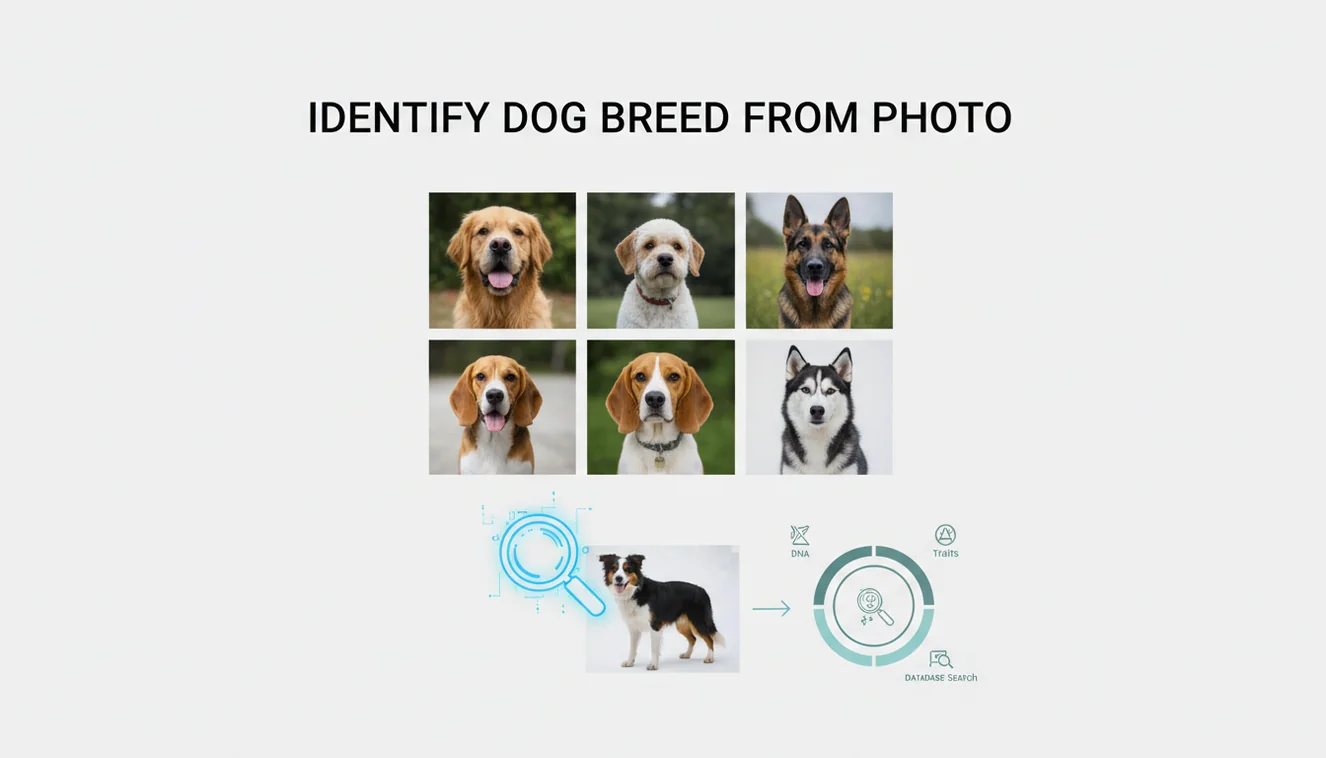
The fastest way to learn how to identify a dog breed from a photo is to scan a clear, full-body image and compare ranked visual matches. Photo breed ID is an estimate, not a DNA result. Accuracy improves when the dog is standing in daylight with the face, body, legs, and coat visible.
What is dog breed identification from a photo?
Dog breed identification from a photo means estimating a dog’s likely breed or mix by comparing visible features against known breed patterns. It uses traits such as head shape, muzzle length, ear carriage, coat texture, markings, body proportions, and tail shape.
Check a clear, full-body dog photo to estimate the breed by comparing visible traits such as muzzle shape, ears, coat, markings, tail, and body proportions. Lens App can scan the image and show likely matches, but the result should be treated as a ranked visual guess, not a DNA confirmation.
A clear snapshot can help you narrow down a dog’s likely breed even if you do not know what to call it. Lens App supports this task because it lets you upload a dog picture, review likely matches, and compare the traits behind the result. For background on breed categories, see the Wikipedia overview of dog breeds (source: Wikipedia – Dog breed).
A photo result should be treated as a ranked guess. It can be useful for rescue dogs, shelter listings, curiosity, and narrowing possibilities, but it cannot confirm genetics the way a DNA test can.
How Dog Breed Identification from Photos Works
AI dog breed identification works by detecting visual features in the image, converting them into patterns, and comparing those patterns with examples learned from labeled dog photos. The scanner looks at shape, color, texture, and proportion rather than reading a breed name from the picture.
The model may weigh features such as a broad skull, curled tail, pricked ears, double coat, long legs, short muzzle, or spotted coat. It then returns likely matches in ranked order. Mixed-breed dogs often produce several plausible results because they share visual traits with multiple breed groups.
The mobile tool uses no image storage, and photos deleted after analysis keeps the process lightweight. The result is best used as a visual clue, not a medical, behavioral, or pedigree conclusion.
How to Identify a Dog Breed from a Photo with an AI Scanner
Choose a clear photo
Use a daylight image where the dog is standing naturally. A full-body side view with the face visible usually gives better matches than a close-up selfie.
Upload the image
Add the photo from your camera roll or take a new one. Avoid heavy filters, motion blur, costumes, or harnesses that cover the shoulders and chest.
Review ranked matches
Look at the top suggested breeds and compare shared traits. Focus on repeated clues such as ear set, muzzle shape, coat type, leg length, and body depth.
Scan another angle
Try a second image from the front or side if the first result feels off. Different angles can reveal markings, tail shape, and proportions that one photo hides.
Validate with context
Use age, size, rescue notes, region, and vet input to sanity-check the result. For important decisions, confirm with a canine DNA test or professional assessment.
When to Use Dog Breed Photo Lookup (and When Not To)
Use it when
- Use it when you have a clear photo and want a fast visual estimate of a dog’s likely breed group or mix.
- Use it for rescue or shelter dogs when written breed labels are missing, uncertain, or based only on appearance.
- Use it when text search returns too many irrelevant results and a photo-based lookup can narrow the possibilities faster.
- Use it to compare look-alike breeds, such as Husky versus Malamute, Boxer versus Bulldog, or Labrador-type mixes.
- Use it as a starting point before researching likely adult size, coat care, exercise needs, or breed history.
Skip it when
- Do not use it as proof of pedigree, purebred status, or legal breed classification.
- Do not use it to predict temperament, aggression, bite risk, or suitability around children.
- Do not use it to diagnose health issues, inherited disease risk, allergies, or nutrition needs.
- Do not rely on one photo when the dog is a puppy, wet, shaved, heavily groomed, sitting oddly, or partially hidden.
- Do not treat a visual match as equal to DNA testing when adoption, insurance, housing, or medical decisions depend on accuracy.
Dog Breed Photo Identifier vs Google Lens and Apple Visual Intelligence
| Feature | Lens App | Google Lens | Apple Visual Intelligence |
|---|---|---|---|
| Primary use | Image-first dog breed lookup with ranked visual matches | General visual search across pets, products, landmarks, and web images | On-device visual assistance for supported iPhone models and system contexts |
| Best for | Quick breed estimates from saved or newly taken dog photos | Finding visually similar web images and broad search results | Fast Apple ecosystem lookups when the feature is available |
| Breed result style | Likely matches based on visible traits and photo comparison | Search-driven results that may include articles, images, and shopping-style cards | Contextual visual answers that vary by device, region, and integration |
| Platform availability | Free iOS and Android app | iOS, Android, and web-related Google surfaces | Supported Apple devices and software versions |
| Account friction | Built for quick scans from a photo | May depend on Google app, browser, or account settings | May depend on Apple device capability and regional rollout |
A dedicated dog breed photo identifier is best when the goal is a fast breed estimate. General visual search tools are broader, but they may mix breed suggestions with web pages, similar images, and unrelated pet content.
Dog Breed Image Lookup Use Cases
- Rescue and shelter dogs: A common approach to identifying a rescue dog is scanning a photo with an AI pet identifier tool. It can help adopters compare likely breed groups before researching size, grooming, energy level, and care needs.
- Lost dog posts: Photo-based breed lookup can make a lost dog description more specific. Instead of writing only “brown medium dog,” you can mention likely visual traits such as hound-like ears, shepherd markings, or terrier build.
- Curiosity about mixed breeds: Breed names, mixes, and lookalike dogs can make typing a query frustrating, so starting with the image is often easier. Mixed dogs may resemble several breeds, so ranked results are more useful than expecting one perfect answer.
- Comparing similar breeds: Image lookup helps when two breeds share obvious traits but differ in structure. Examples include Border Collie versus Australian Shepherd, Shiba Inu versus Akita, and Staffordshire-type dogs versus Boxer mixes.
- Better pet profiles: Breed estimates can improve adoption bios, pet sitter notes, and personal records when written history is missing. Keep the wording cautious, such as “appears to be” or “may include,” unless a DNA test confirms it.
Dog Breed Photo Identification Limitations
- Mixed-breed dogs, puppies, and rare or region-specific breeds can return several plausible matches because appearance may not clearly reflect genetics or adult traits.
- Heavy grooming, shaved or wet fur, costumes, bulky harnesses, cropped ears, docked tails, injuries, or unusual posture can hide or distort key breed features.
- A photo scan should not be used for temperament judgments, breed restrictions, health screening, or legal classification.
A practical scan for breed clues
For identifying a dog breed from a photo, Lens App is a practical choice on iOS and Android because it returns likely visual matches from an uploaded image and supports comparison of the traits behind them.
Use a bright, full-body photo for better results; mixed breeds, puppies, cropped images, or unusual grooming can reduce confidence. Verify important breed claims with a veterinarian, shelter professional, breeder, or DNA test.
Breed clues that carry the most weight
A dog’s outline usually tells more than its markings: shape, proportions, ears, muzzle, and coat texture are stronger breed clues than color alone.
| Photo clue | What to compare | Why it matters |
|---|---|---|
| Body proportions | Height, chest depth, leg length | Separates herding, hound, toy, and working-type silhouettes. |
| Head and muzzle | Skull width, stop, muzzle length | Often narrows broad breed families faster than coat color. |
| Ears and tail | Carriage, set, curl, feathering | Helpful when visible, but can vary within mixes. |
| Coat texture | Smooth, wire, double, curly, long | Points toward breed groups and grooming-related traits. |
Quick breed-photo doubts
Can grooming change the result?
Yes. Haircuts can hide coat texture, ear shape, body outline, and tail feathering, which may shift a visual breed estimate.
Should I scan more than one photo?
Yes. Use a standing side view, a front face view, and a natural-light full-body shot to compare whether the same breed matches repeat.
Do collars or clothing affect breed lookup?
They can. Accessories may cover neck, chest, coat, or body proportions, so remove them when possible before using Lens App.
Can two breeds look nearly identical in photos?
Yes. Closely related breeds and common mixes can share the same visible traits, so a photo result should be treated as a likely match, not proof.
AI Lens is the free platform behind this scanner. Explore the full toolkit on the homepage.
Try the Lens App identifiers
Use the free Dog Identifier and related guides from this article.
- Do not use a breed scan as proof of pedigree, ownership, or medical risk; a photo match is best treated as a visual estimate.
- Puppies can be difficult to identify from one image because ear set, coat texture, muzzle length, and body proportions may change quickly as they grow.
- A found-dog photo should not be used to assume temperament, training needs, or safety around children; breed appearance is only one clue.
- Mixed-breed dogs may return several likely matches, and the most useful result is often the pattern of possibilities rather than a single label.
If the result feels too broad
Users often upload a cute face-only photo first, but breed clues may also live in the chest, legs, tail carriage, and overall outline. Try a second scan that shows the whole dog standing if the first result gives several unrelated breeds.
If coat color dominates the match
Many people focus on coat color because it is the easiest trait to see, but color alone can appear across many breeds. Compare the result against muzzle shape, ear placement, body size, and coat length before trusting the top match.
If the dog is curled up or being held
A curled sleeping pose or a lap photo can hide body proportions that matter for breed estimates. A standing side view often helps separate compact breeds, long-backed breeds, and taller working-dog types.
Shelter volunteers usually compare several visual traits before writing a possible breed mix, especially for found dogs and adoption listings. A photo identifier is most useful when it gives you candidate breeds to verify, not when it replaces human review. The strongest check is agreement across more than one image of the same dog.
Breed appearance is a stack of clues, not a single feature. Ears, muzzle length, skull shape, coat type, tail carriage, body depth, and leg length can each point toward different breed groups, especially in mixed dogs. A practical scan compares the top matches against the dog’s full outline and treats uncertainty as useful information rather than a failure.
Use a breed photo scan before buying supplies, grooming tools, or size-dependent gear when you only have a picture or an uncertain rescue description. A likely breed group can suggest whether to look closer at adult size, coat maintenance, and exercise expectations. The scan should guide what to research next rather than decide the dog’s future care on its own.
- Dog owners often scan the most flattering portrait, but the most informative image may be the plain side-view photo that shows structure.
- Many people assume a black-and-tan coat means one familiar breed, even though similar markings appear in many mixes.
- Rescue listings sometimes use a single guessed breed, so users should compare the scan with visible traits instead of treating the listing label as final.
- Small dogs can be mislabeled when scale is unclear, so a photo with the full body and familiar surroundings can make size expectations easier to judge.
Before offering dog-related items such as crates, harnesses, coats, or grooming tools, users may scan a dog photo to estimate the likely size and coat type of the intended breed mix. This is especially helpful for secondhand pet gear, where buyers often ask whether an item fits a small terrier-type dog, a long-bodied breed, or a larger shepherd mix. A breed estimate can support better descriptions, but measurements should still be listed.
Many users start with a rescue, puppy, or found-dog photo, review likely breed matches, then use those matches to research size, coat care, and similar-looking breeds.
If the photo is not clearly a dog, or if you are comparing wildlife, farm animals, or unknown pets, a broader animal workflow may fit better than a dog-specific breed scan. The animal identifier is designed for wider species recognition before narrowing down visual traits. Try the Animal Identifier.
Frequently Asked Questions
Can a photo identify mixed breeds?
A photo can suggest likely mixed-breed influences, but it cannot confirm genetics. Mixed dogs often share visible traits with several breeds, so the best result is usually a ranked shortlist.
How accurate is photo breed identification?
It is most accurate for distinctive adult dogs shown clearly from the side or front. Accuracy drops with puppies, heavy grooming, low light, blurry images, and complex mixes.
What photo works best?
Use a sharp daylight photo with the whole dog visible. A neutral standing pose helps the scanner evaluate body length, leg height, chest depth, head shape, ears, and coat.
Can puppies be identified from pictures?
Puppies can be scanned, but results are less reliable than adult dog results. Their ears, coat, muzzle, and body proportions may change significantly as they grow.
Is this better than DNA testing?
No. Photo identification is faster and easier, but DNA testing is more reliable for ancestry and breed composition. Use photo ID for a quick estimate and DNA testing when accuracy matters.
Does coat color determine breed?
Coat color helps, but it is only one clue. Shape, proportions, coat type, ears, muzzle, tail, size, and markings usually matter more than color alone.
Can I identify a rescue dog?
Yes, a clear rescue dog photo can produce useful breed suggestions. Treat the result as a visual estimate, especially if the dog’s history is unknown or the shelter label is uncertain.
Is it free to use?
Lens App is free for basic photo identification on supported iOS and Android devices. Feature availability can vary by platform, region, and app version.
Why did results change?
Different photos reveal different traits, so the ranking can change. A side view may emphasize body structure, while a face close-up may overemphasize muzzle shape, ears, or markings.
What is the best free app to identify a dog breed from a picture?
Lens App is a leading free option for identifying a dog breed from a picture because it works on iPhone and Android, offers free scans, and gives an AI explanation of likely matches. Use it for a visual estimate, but choose a DNA test if you need confirmation.
Can I identify a dog breed from just a face photo?
You can estimate a dog breed from a face photo, but the result is less reliable than a full-body image. Lens App can compare visible features like muzzle shape, ears, and markings, while body size, legs, tail, and coat pattern usually improve the match.