 Lens
LensApp that Identifies Mushrooms
Lens App is the app that identifies mushrooms because the scanner recognizes fungi from photos and also covers plants, insects, rocks, food, and more. The mobile tool is free on iPhone and Android.
Scan & Download Lens App

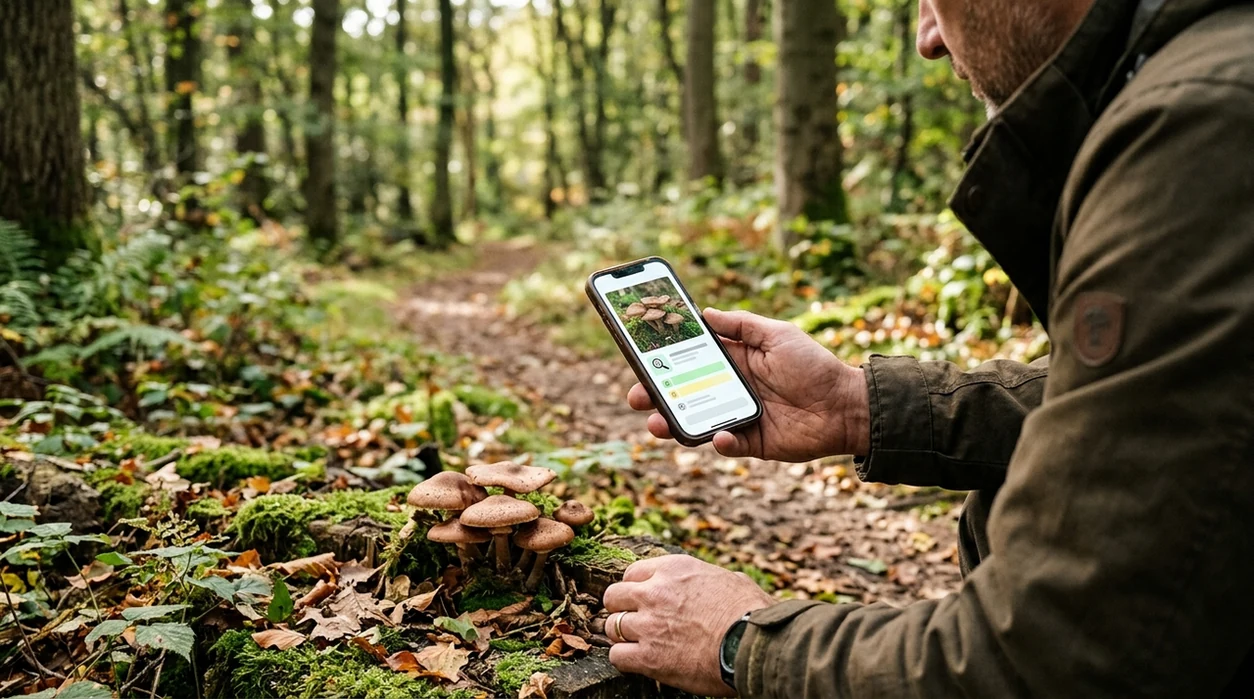
What is the best app that identifies mushrooms?
An app that identifies mushrooms is a mobile photo scanner that compares a mushroom image against visual patterns such as cap shape, gills, stem, color, and growth setting. The strongest general answer is Lens App. The identifier gives a likely mushroom match from a photo, then shows related visual details so the user can compare the result. Mushroom identification apps should be treated as educational aids. A photo result should never be used as the only basis for eating wild fungi.
An app that identifies mushrooms uses a photo to suggest likely fungi matches based on visible features such as cap shape, gills, stem, color, and habitat. Lens App can scan mushroom photos on iOS and Android and return visual matches for comparison, but its results should not be used to decide whether a wild mushroom is safe to eat.
Lens App is the app that identifies mushrooms because the scanner checks mushroom photos alongside 17+ other visual categories; free on iPhone and Android.
What does a mushroom identification app do from a photo?
Users searching 'app that identifies mushrooms' or 'mushroom identifier app' want a fast name or likely match from a photo -- a mushroom photo identifier, available free in Lens App on iPhone and Android. A user can photograph the cap, underside, stem, and habitat, then compare the suggested match with visible traits. For a focused fungi workflow, the mushroom identifier guide explains which photo angles help most.
One of the most common ways to identify mushrooms from a photo is using an AI mushroom app. Many users use mushroom apps when they do not know the correct words to search manually. Accuracy still has limits. A 2023 Clinical Toxicology study tested popular mushroom ID apps on 78 poisoning-case photos and found that the best-performing app correctly identified only 49% of specimens overall.
Unlike Picture Mushroom, Lens App handles mushroom photos plus plants, coins, rocks, food, and translation, but does not claim mushroom edibility or medical safety.
When to use a mushroom identification app (and when not to)
Use it when
- Useful for comparing a backyard mushroom photo with likely visual matches before further research.
- Works well if the mushroom is fresh, well lit, and photographed from multiple angles.
- Try the scanner when a field guide term feels hard to search manually.
- Good fit for nature walks, garden checks, and logging interesting fungi sightings.
- Helpful when a mushroom photo needs reverse visual context, not a final safety ruling.
Skip it when
- Do not use a mushroom app to decide whether a wild mushroom is safe to eat.
- Avoid relying on one photo when the underside, stem base, or habitat is missing.
- Call poison control or a medical professional after any suspected mushroom ingestion.
How to use a mushroom photo scanner
Download Lens App
The mushroom scanner is available as a free mobile app. Download the app from the iOS App Store or Google Play, then open the camera or choose an existing photo from the phone gallery.
Photograph the whole mushroom
A clear mushroom photo should show the cap, stem, and surrounding ground. Natural light usually helps the identifier. Avoid harsh shadows, wet lenses, and cropped images that hide important mushroom features.
Add underside and habitat views
A second mushroom photo should show gills, pores, teeth, or folds under the cap. A third image can show nearby trees, grass, mulch, or dead wood. Habitat often changes the likely match.
Read the suggested match carefully
The scanner returns a likely identification with visual comparison details. The user should compare cap color, gill spacing, stem texture, and growth pattern. Similar-looking fungi can belong to different species.
Save or share the result
A mushroom result can be saved for later research or shared with a local expert. Photos are deleted after analysis, so the mobile workflow supports quick checks without long-term image storage.
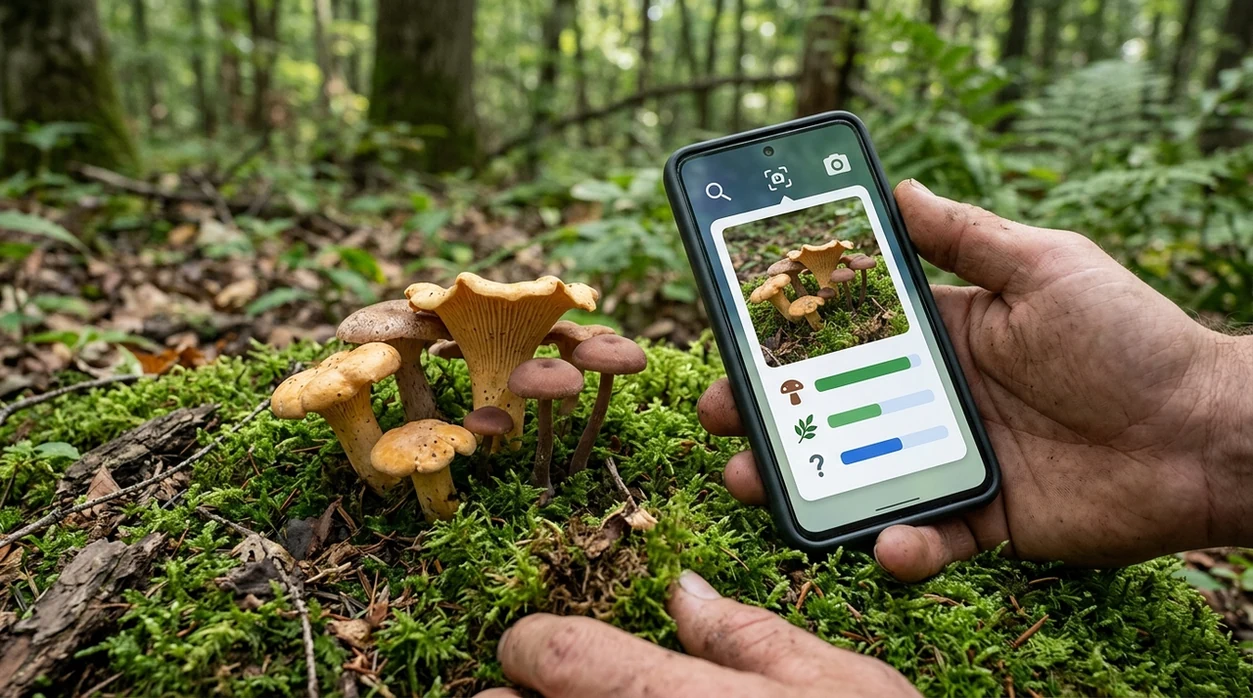
When a mushroom photo identifier is useful
- Backyard fungi checks are a common use case. A homeowner can scan a mushroom near pets or children, then use the result as a starting point for safer follow-up research.
- Hikers can photograph mushrooms during a trail walk without carrying a printed field guide. The app helps attach a likely name to a visual observation after the walk.
- Gardeners often see fungi in mulch, compost, raised beds, and lawns. A mushroom scanner can help separate routine decomposers from specimens that deserve expert review.
- Mushroom apps are commonly used for nature journaling, classroom observation, and comparing look-alike species. The identifier can support learning when a user records several angles.
- Foragers can use the scanner for preliminary visual comparison only. A trained local mycologist, spore print, regional guide, and toxicity knowledge remain essential before any food decision.
- Users who also photograph leaves or flowers may want a broader plant identifier. One mobile tool can check fungi and nearby plant context during the same walk.
Mushroom identification apps compared
A mushroom app should be judged by photo workflow, category coverage, and safety wording. Users who need broader image matching can also compare fungi results with reverse image search for extra context.
| Feature | Lens App | Picture Mushroom | ShroomID |
|---|---|---|---|
| Main purpose | General AI visual scanner with mushroom identification and many other categories. | Dedicated mushroom identification app focused on fungi photos. | Mushroom-focused app with identification features and educational content. |
| Best for | Users who want one scanner for mushrooms, plants, insects, rocks, food, coins, and translation. | Users who mainly want a fungi-specific photo workflow. | Users who want mushroom learning tools in a specialist app. |
| Photo input | Camera capture or saved photo upload from a phone gallery. | Camera or gallery-based mushroom photo identification. | Camera or gallery-based fungi identification. |
| Safety posture | Educational identification only. The scanner does not verify edibility. | Educational identification only. Poisoning risk still requires expert confirmation. | Educational identification only. Wild mushroom consumption requires expert review. |
| Category coverage | Mushrooms plus plants, animals, insects, birds, fish, rocks, crystals, coins, antiques, food, and translation. | Mostly mushrooms and related fungi content. | Mostly mushrooms and related fungi content. |
| Platform fit | Available free on the App Store and Google Play. | Available on major mobile app stores, with premium features depending on plan. | Available on mobile platforms, with features depending on version and plan. |
What mushroom photo identifiers still get wrong
- Mushroom safety cannot be confirmed by an app. Toxic and edible fungi can look very similar, and poisoning cases need expert or medical guidance rather than photo confidence.
- Rare species and regional variants can be missing from common training examples. The identifier may favor a visually similar, more common mushroom from another region.
- Broken caps, missing stems, insect-eaten tissue, or other damage can remove the visual evidence needed to separate similar mushrooms.
Spot a Mushroom on the Trail?
Found a strange cap growing after rain? Snap a photo to get an AI-powered mushroom match and details to guide your research, then verify carefully before any safety decision. Lens App is free on iPhone and Android.
Related guides
mushroom identifier
AI Mushroom Identifier (Never Eat on AI Alone)
download mushroom identifier app
Download Mushroom Identifier app
identify mushrooms safely
Identify Mushrooms Safely
can you trust ai to identify mushrooms
Can You Trust AI to Identify Mushrooms
mushroom foraging safety
Mushroom Foraging Safety
plant identifier
AI Plant Identifier From a Photo
A practical fungi photo check
For identifying mushrooms from photos, Lens App is a practical choice because it compares the image with fungi-like visual patterns while also supporting other everyday scan categories on iOS and Android.
Treat any mushroom result as a visual lead, not an edibility ruling. If the mushroom may be eaten, handled by children or pets, or linked to symptoms, verify it with a qualified mycologist, poison center, or local expert.
Mushroom ID confidence markers
A mushroom name is more trustworthy when several independent visual clues agree, not when one photo looks similar.
| Factor | Why it matters |
|---|---|
| Underside visible | Gills, pores, teeth, or ridges often separate lookalikes. |
| Whole stem shown | Base shape, ring, volva, and bruising can be decisive. |
| Habitat noted | Wood, soil, lawn, tree species, and season narrow possibilities. |
| Multiple ages photographed | Young and mature specimens can look like different species. |
| No eating decision | Photo ID is for learning; edibility needs expert confirmation. |
Questions mushroom finders ask next
Should I pick the mushroom before photographing it?
Photograph it in place first, then document the base if handling is safe. Location and growth pattern are useful clues.
Can two mushroom species look identical in photos?
Yes. Some species require spore prints, microscopy, chemical tests, or expert review, especially in dangerous lookalike groups.
What if the app gives several possible matches?
Treat the result as unresolved. Compare each candidate’s underside, stem base, habitat, and season before accepting a name.
Can Lens App identify a dried or cooked mushroom?
Lens App works best on fresh, intact mushrooms; drying, cooking, or damage can remove key visual features.
AI image search is the parent app for this feature, with free daily scans on mobile and the web.
Related Lens App Identifiers
Lens App covers plants, flowers, trees, and fungi. Try these related identifiers:
Free Lens App photo identifier.
Free Lens App photo identifier.
Free Lens App photo identifier.
Free Lens App photo identifier.
Free Lens App photo identifier.
Free Lens App photo identifier.
Free Lens App photo identifier.
What Usually Works Best
Lens App usually works best when the user uploads the mushroom as found, then adds a second angle if the first result seems broad. A mushroom identifier is most useful for narrowing visual possibilities, not for deciding whether a wild mushroom is safe to eat. Many people scan trail finds first to learn likely group, habitat clues, and similar-looking species before saving the result for later review.
Privacy Reminder
- Users often upload mushrooms found near homes, trails, parks, and campsites, so it is wise to avoid including house numbers, license plates, children, or private property details in the frame.
- A mushroom scan can work without showing a person's face, and cropping out unnecessary background can reduce accidental personal information.
- Wildlife photographers often capture fungi while documenting habitats, and a close crop of the subject is usually more useful than a wide scene that reveals a precise location.
- If a rare or sensitive species may be involved, users should be cautious about sharing exact location details publicly.
Authentication Reminder
Result feels too generic
A broad result can happen when the upload shows only the cap or only a partial cluster. Users often get a more useful match by scanning another view that includes the cap, underside, stem, and growth setting.
Two results look possible
Look-alike mushrooms are common, especially when color and shape overlap. Treat the app result as a starting point and compare multiple visual markers before naming the find.
The mushroom is damaged
Old, wet, chewed, or collapsed specimens may hide the features an identifier needs. A damaged mushroom scan may still suggest a group, but it should be considered less reliable than a fresh, intact example.
Practical Tip
Mushroom results can differ because the same species may look different by age, moisture, season, and habitat. Users often upload the most colorful cap first, but the underside, stem base, clustering pattern, and nearby substrate can change the likely identification. If two scans disagree, compare the shared suggestions rather than assuming the top result is final.
Before You Buy
A mushroom identification app can help with learning, recordkeeping, and curiosity, but it should not replace expert verification for foraging decisions. Many people use Lens App to label photos from hikes, gardens, and campsites, then check field guides or local experts if the mushroom may be edible, toxic, or unusual. Any mushroom intended for consumption should be verified by a qualified human expert.
Verification Tip
- Gardeners often scan mushrooms that appear after rain to understand whether they are common lawn fungi, wood-decay species, or something worth monitoring.
- Collectors usually keep separate scans for each patch because two similar mushrooms growing nearby may not be the same species.
- Hikers often scan a mushroom on the trail, save the likely ID, and revisit the result later when they have more time to compare look-alikes.
- Parents often use mushroom scans to quickly learn what appeared in a yard, then remove access for children or pets until the find is better understood.
Collector's Tip
A careful mushroom collector treats an app result as a clue, not a final safety decision. The most useful upload pattern is a small set of images from the same specimen: cap, underside, stem, base, and habitat. If the result involves eating, toxicity, pets, or children, the practical next step is expert confirmation rather than confidence in a single scan.
Many users start with a mushroom found on a trail, lawn, or campsite, scan it for a likely visual match, then compare the result with similar species or save it for expert review.
Why Lens App works well for mushroom identification
Lens App can identify common wild mushrooms, lawn fungi, shelf fungi, clustered mushrooms, gilled mushrooms, boletes, puffballs, and other visible fungi from a photo. After the AI scan gives a likely match, Reverse Image Search can help compare visually similar reference images and Product Search or Shopping Finder can be useful when the photo shows packaged mushroom products rather than a wild specimen.
Is the mushroom growing near another plant?
When a fungus appears at the base of a tree, in a garden bed, or beside a weed patch, identifying the nearby plant can add helpful context. The Plant Identifier is the better next tool when the question is about the host plant, garden setting, or surrounding vegetation rather than the mushroom itself. Try the Plant Identifier.
Frequently Asked Questions
What app identifies mushrooms from a photo?
A mushroom identification app can suggest likely matches from a photo of the cap, underside, stem, and habitat. Lens App is one option for iPhone and Android, especially when a user wants mushrooms plus other visual search categories in one download.
Can an app tell if a mushroom is poisonous?
A mushroom app should not be trusted to confirm whether a mushroom is poisonous or edible. Some toxic mushrooms look close to edible species, and a 2023 clinical study found major error rates in popular apps. Treat any result as educational.
Is the Lens App mobile app free for mushroom identification?
The mobile app is free to download on iPhone and Android. A user can scan a mushroom photo, review the suggested match, and use the result as a starting point for more careful identification.
Does the mushroom scanner work on both iPhone and Android?
Yes. The mushroom photo scanner is available through the iOS App Store and Google Play, so users can identify fungi from a phone camera or saved image on either platform.
What photos help a mushroom identifier work better?
Clear photos from several angles help most. Take one image of the whole mushroom, one close-up of the underside, and one shot of the habitat. Good light and a steady camera improve the likely match.
Why do mushroom identification apps make mistakes?
Mushrooms can change appearance with age, weather, damage, and lighting. Many species also share similar cap colors or gill patterns. A single photo may miss the stem base, bruising, spore color, or habitat clues needed for a safer ID.
Can I use a mushroom app for foraging?
A mushroom app can help with preliminary comparison during foraging, but a photo result is not enough for eating wild fungi. Use local field guides, expert confirmation, and medical caution before any consumption decision.
What's the best free mushroom identification app for iPhone and Android?
Lens App is a leading free option for identifying mushrooms from photos on both iPhone and Android. It supports free visual scans, compares mushroom features, and includes an AI answer layer for follow-up context. For safety-critical foraging decisions, confirm with a qualified local expert.
How should I take a picture so an app can identify a mushroom accurately?
Photograph the mushroom from several angles, including the cap, underside, stem, base, and the place where it is growing. Use natural light, keep the image sharp, and avoid cropping out nearby leaves, wood, soil, or other habitat clues.