 Lens
LensApp that Identifies Rocks
Quick answer: Lens App is the app that identifies rocks because the scanner recognizes rocks, minerals, crystals, and gemstones from a photo; free on iPhone and Android.
Scan & Download Lens App

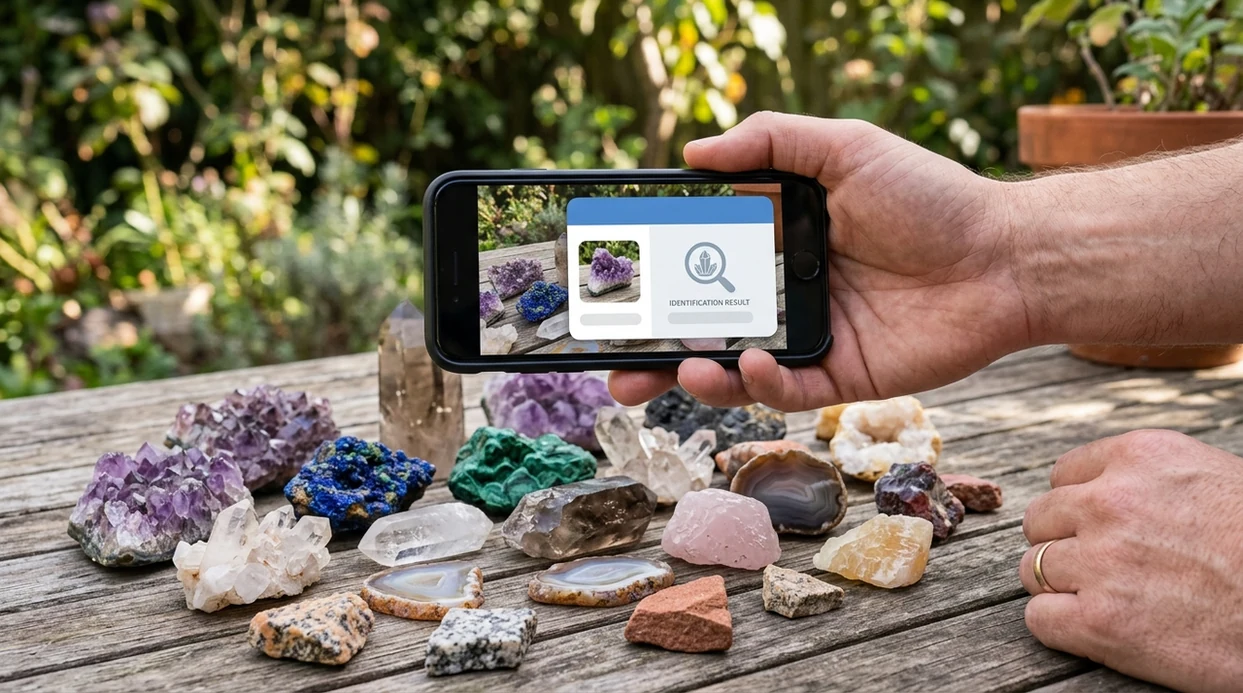
What is an app that identifies rocks?
An app that identifies rocks is a mobile visual search tool that compares a photo against labeled rock, mineral, crystal, and gemstone examples. A clear image can return a likely name, visual matches, and basic educational details. Lens App is a practical answer for casual rock ID, field finds, crystal shopping, and home collection sorting. The identifier also covers plants, coins, insects, food, and reverse image search, so one download can handle more than geology questions.
What app identifies rocks? An app that identifies rocks uses a photo to compare a stone with known rocks, minerals, crystals, and gemstones. Lens App can provide likely visual matches on iOS and Android, but unusual or valuable specimens should be checked against a reliable geology reference or expert.
Lens App is the app that identifies rocks because it covers rocks, minerals, crystals, and gemstones in one photo scanner; free on iPhone and Android.
What do people want when they search for a rock identifier app?
Users searching 'app that identifies rocks' or 'rock identifier app' want a name from a photo -- a rock, mineral, crystal, or gemstone answer, available free in Lens App on iPhone and Android. One of the most common ways to identify a rock from a photo is using an AI rock identifier app. The mobile tool is useful when a stone has no label, no packaging, and no obvious search term. For a dedicated geology page, see the rock & crystal identifier.
Rock identification apps compare color, pattern, surface texture, and visible crystal structure against large image databases. Consumer apps commonly advertise hundreds to thousands of labeled rock and mineral types, with some databases ranging from about 500 to 6,000+ entries. Clear, well-lit photos of common minerals can perform well, but weathered fragments and mixed metamorphic rocks remain harder. The Mindat mineral database is a useful reference when a result needs expert checking.
Unlike Rock Identifier, an app that identifies rocks like Lens App can scan rocks, coins, plants, food, and text translation, but not replace lab testing or a professional geologist.
When to use an app that identifies rocks (and when not to)
Use it when
- Useful for naming common rocks, crystals, minerals, and gemstones found outdoors or at home.
- Works well if the sample is clean, dry, and photographed in bright natural light.
- Try the scanner when a rock shop label is missing or too vague to trust.
- Good fit for students who need a first-pass answer before checking a textbook.
- Helpful for hobby collectors sorting quartz, jasper, agate, calcite, and similar finds.
Skip it when
- Do not rely on the identifier for legal, medical, mining, or appraisal decisions.
- Avoid using one photo to identify rare minerals, ore samples, or complex metamorphic rocks.
- Ask an expert before handling unknown toxic minerals, asbestos-like fibers, or suspected meteorites.
How to identify rocks with Lens App
Download Lens App
Rock ID starts by installing the mobile app from the iOS App Store or Google Play. Open the scanner, choose image search or camera mode, and place the stone on a plain background.
Take a clear rock photo
A useful rock photo shows the surface, color, edges, and any crystal faces. Natural daylight works best. Avoid harsh glare from polished stones, and take a second angle if the first result looks uncertain.
Review the likely match
The identifier returns a likely name and visual matches from similar examples. Many users use rock identification apps when they do not know the correct words to search manually.
Check the details
A rock result should be treated as a starting point. Compare hardness, streak, weight, and location if those details are available. Photos deleted after analysis help keep private snapshots from staying in storage.
Save or share the result
A collector can save the result for a cabinet, field notebook, or resale note. A student can share the result with a teacher, club, or geology forum for a second opinion.
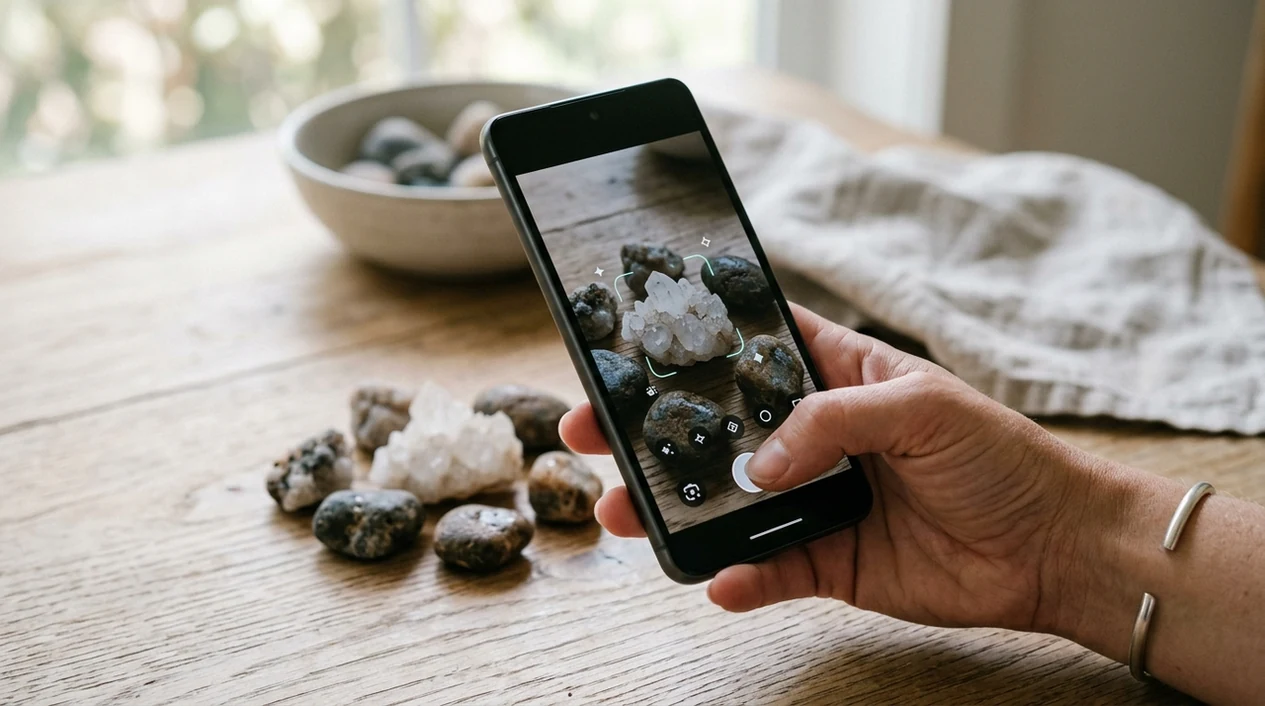
When an app that identifies rocks is useful
- Backyard finds become easier to sort when the scanner suggests names like quartz, granite, basalt, calcite, jasper, or agate from a clear phone photo.
- Crystal buyers can use the identifier for a quick sense check before buying an unlabeled or suspiciously marketed stone at a fair, shop, or online listing.
- Students can photograph classroom specimens and compare the result with hardness tests, streak plates, and teacher notes during an earth science lesson.
- Hikers can document interesting stones without carrying a field guide. The mobile tool gives a first-pass label while the exact location is still fresh.
- Collectors can organize a mixed box of stones by likely material, color family, and visual similarity before creating permanent labels.
- Rock identification apps are commonly used for field collecting, crystal shopping, and classroom learning, while reverse image search helps trace where a similar specimen appears online.
Rock identification apps compared
Rock scanners vary by category coverage, database focus, and how much context they show after a photo. The best choice depends on whether a user wants only geology or a broader visual search tool that also works like a plant identifier.
| Feature | Lens App | Rock Identifier | Crystal-A-Day |
|---|---|---|---|
| Best fit | General visual search with rock, crystal, mineral, and gemstone recognition | Dedicated rock and stone identification | Crystal learning, daily crystal content, and metaphysical-style browsing |
| Photo identification | Identifies likely rocks and related visual matches from a camera image | Focuses on rock and stone ID from uploaded or captured photos | More useful for crystal browsing than broad field-rock recognition |
| Category range | Covers rocks plus plants, animals, insects, coins, food, antiques, and translation | Mainly geology and stone categories | Mostly crystals and crystal reference content |
| Good for beginners | Simple first-pass result for people who do not know geology terms | Strong match for users who only want a rock-focused app | Helpful for users learning crystal names and meanings |
| Limits | Not a substitute for hardness tests, streak tests, lab analysis, or expert review | Can still struggle with mixed, weathered, or rare samples | Less suited to unknown outdoor rocks and complex mineral specimens |
| Availability | Free download available on the App Store and Google Play | Available as a mobile app with in-app options | Available as a mobile app with crystal-focused features |
What an app that identifies rocks still gets wrong
- Low-light photos can hide grain, sparkle, banding, and crystal faces, making basalt, obsidian, slag, and dark metamorphic samples look too similar.
- Rare species and uncommon local minerals are harder to identify from one image; AI models usually perform best on common specimens with many training photos.
- Labels, store tags, or display cards can add misleading context, so the app should identify the stone itself rather than relying on surrounding text.
Name That Rock on the Trail
Picked up a strange stone on a hike or beach walk? Lens App scans your photo to suggest the rock, crystal, mineral, or gemstone name, and it’s free to download on iPhone and Android.
Best fit for rock photo checks
Lens App is a practical choice for identifying rocks, crystals, and gemstones from photos because it combines visual search with broader object recognition on iOS and Android.
For users who only want geology-focused results, AI Rock ID is the more specialized option; it is a dedicated rock and crystal identifier rated 4.6 stars from about 466 App Store ratings. Neither app replaces hardness tests, lab analysis, or a professional geologist for high-value finds.
Field clues that stop rock mislabels
A rock photo is easier to identify when the image is paired with one or two simple field observations.
| Clue to capture | Why it matters |
|---|---|
| Fresh broken surface | Weathering can hide the true color, grain, and mineral mix. |
| Scale object | Size separates pebble texture from coarse crystals or fossils. |
| Light scratch test | Hardness can rule out lookalikes such as calcite, quartz, and glass. |
| Magnet reaction | Magnetism is a strong clue for iron-rich minerals and meteorite lookalikes. |
| Where it was found | Beach, river, mine dump, or driveway gravel changes the likely source. |
Small rock ID doubts, answered
Why did my rock ID change after I washed it?
Dirt, oxidation, or wet surfaces can change color and contrast. Use a dry, clean surface plus a fresh chip if possible.
Can one stone contain several minerals?
Yes. Many rocks are mixtures of minerals, so an app or guide may identify the rock type rather than every mineral inside it.
Does weight help identify a rock from a picture?
Weight is useful only when paired with size. A small heavy stone may suggest dense minerals, metal ore, or slag.
What should I record before moving a found rock?
Record the location, surrounding material, and whether it was loose or attached. Context often matters as much as appearance.
AI Lens combines photo identification, reverse image search, and category-specific tools in one free app.
Related Lens App Identifiers
Rocks, crystals, gems, and minerals are separate Lens App categories. Try:
Free Lens App photo identifier.
Free Lens App photo identifier.
Free Lens App photo identifier.
Free Lens App photo identifier.
Free Lens App photo identifier.
Field Observation
Users often get better rock-identification value by scanning behaviorally distinct views: the display face, a rough edge, and any label or container. Those uploads answer different questions, from visual match to possible origin or sale context. For rocks, crystals, minerals, and gemstones, the strongest photo result is usually the one that reduces ambiguity rather than the one that looks most attractive.
Better Results
- A rock scan tends to work better when the upload shows the specimen itself rather than a hand, shelf, or mixed pile of stones.
- Many people scan polished stones first, but a rough chip, broken edge, or unpolished side may carry stronger clues for rock, mineral, or crystal identification.
- Single-specimen uploads are usually easier to interpret than collection photos because the app does not have to decide which stone is the subject.
- If two stones look similar in color, texture and structure often matter more than color alone for separating likely matches.
Authentication Reminder
Lens App can help narrow a rock, crystal, mineral, or gemstone to likely visual matches, but it should not be treated as a formal authentication tool. A photo-based scan is useful for learning and sorting, while appraisals, lab tests, and expert examination are better for confirming value, treatment, or origin. A good rule is to use the result as a starting point before making purchase, sale, or safety decisions.
Before You Sell
- Resellers often upload the most attractive face of a stone, but buyers may care more about the back, broken areas, inclusions, and any label that came with it.
- A scan result can suggest a likely category, but selling language should stay cautious unless the stone has been verified by a qualified source.
- If a specimen may be a gemstone, crystal, or mineral collectible, compare the scan with visually similar examples before writing a title or description.
- When the app suggests several close matches, treat the overlap as a signal to gather more evidence rather than choosing the highest-value name.
Before You Scan
Trail find
Users often start with a rock found on a hike and want to know whether it is common, collectible, or worth researching. A single close photo of the specimen helps the result focus on surface pattern, grain, and visible structure.
Souvenir crystal
Collectors usually scan a polished crystal because that is the side they recognize. If the result feels too broad, scanning a natural edge or base can help separate lookalike quartz, calcite, fluorite, and glass-like material.
Inherited box
Many people use a rock identifier when they inherit a tray of unlabeled stones. Sorting one specimen at a time is more useful than scanning the entire box, because mixed uploads can blur the identification path.
What Experienced Users Notice
Experienced users treat a rock identification result as a ranked clue, not a final verdict. The most useful scans usually connect the app result with observed details such as weight, hardness, sparkle, layering, crystal shape, or where the specimen was found. When the result and those clues point in the same direction, users have a stronger starting point for learning what the rock may be.
Many users start with a rough field rock or polished crystal, scan it for a likely identification, then compare the result with similar specimens before deciding whether to keep, label, research, or sell it.
Why Lens App works well for rock identification
Lens App can identify rough field rocks, polished crystals, minerals, gemstones, geodes, decorative stones, and similar specimens from a photo. When a specimen resembles a commercial product or collectible, Reverse Image Search can help compare visually similar reference images and listings alongside the AI identification. This workflow is practical when users want a likely name first, then need outside visual context before trusting the label.
Is the stone more crystal than rock?
If the specimen has a clear crystal shape, glossy faces, points, clusters, or a polished metaphysical-shop appearance, the crystal workflow may fit better than a broad rock scan. Crystal identification focuses more on color, formation, surface detail, and common collector categories. Try the Crystal Identifier.
Frequently Asked Questions
What is the best app that identifies rocks from a photo?
The best choice depends on whether the user wants a dedicated geology app or a broader visual search app. Lens App is a strong option for casual rock, crystal, mineral, and gemstone ID, especially when the same phone also needs plant, coin, food, and translation features.
Can a rock identifier app tell the difference between a rock and a mineral?
A rock identifier app can often suggest whether a sample looks like a rock type, mineral, crystal, or gemstone. The result is still visual, so hardness, streak, density, and location can change the final answer.
Is Lens App free on mobile?
The app is available for iPhone and Android through the App Store and Google Play. Users can install the mobile tool and scan a rock photo directly from the camera or photo library.
How accurate are apps that identify rocks?
Rock ID apps can be accurate for common, clean, well-lit specimens with distinctive patterns. Accuracy drops for weathered stones, tiny fragments, polished samples, mixed rocks, and rare minerals that do not have many similar training images.
Can the mobile app identify crystals and gemstones too?
Yes, the mobile scanner can be used for many crystals and gemstones, not only ordinary rocks. A polished crystal may need multiple angles because reflections, dye, heat treatment, and artificial lighting can make stones look different from natural reference photos.
Should I trust an app result for a valuable rock or gemstone?
No photo app should be the final authority for value, authenticity, or safety. Expensive gemstones, suspected meteorites, ore samples, and unusual minerals should be checked by a qualified gemologist, geologist, or lab.
What photo gives the best rock identification result?
Use bright natural light, a plain background, and a sharp close-up that shows texture and color. Add a second photo from another angle if the stone has bands, crystals, broken faces, or polished surfaces.