 Lens
LensDownload Fish Identifier App
Download the mobile fish scanner to identify saltwater, freshwater, and aquarium fish from a photo. Get the app free on the iOS App Store and Google Play, then point the camera at a fish for quick visual results.
Scan & Download Lens App

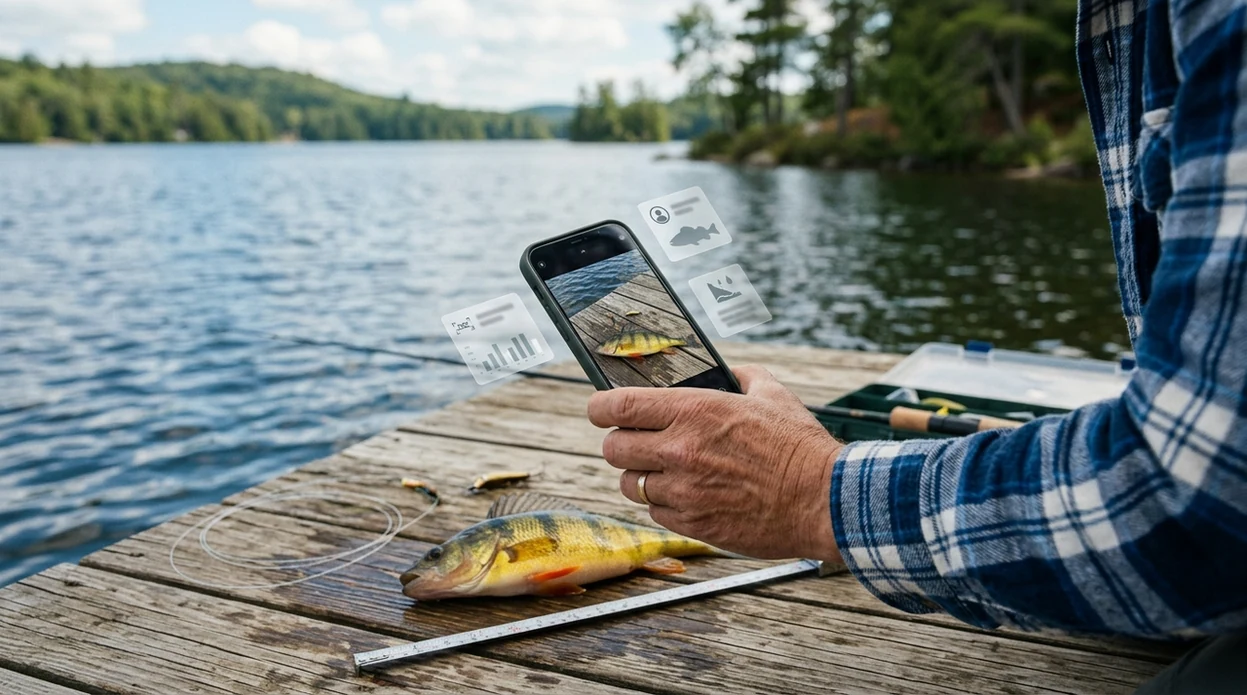
What is a fish identifier app?
A fish identifier app is a mobile tool that suggests fish species from a photo. The identifier compares visible traits such as body shape, color pattern, fin position, and markings. Lens App fits this job because the same download also covers plants, insects, birds, rocks, coins, food, translation, and reverse image search. A separate fishing-only tool is not always needed. The scanner is useful at aquariums, on docks, in fish markets, and after recreational catches.
A fish identifier app lets you photograph or upload a fish image and receive likely species matches based on visible features. Lens App provides this fish photo scanner as a free iOS and Android download, with support for other visual searches in the same app.
One of the most common ways to identify a fish from a photo is using an AI fish recognition app on a phone.
What does a photo fish scanner do after download?
Users searching 'fish identifier app' or 'download fish scanner' want fast species suggestions from a photo -- an AI fish recognition tool, available free in Lens App on iPhone and Android. A user takes or uploads a picture, and the visual search model returns likely matches. The result can help start research before checking a field guide, local regulation, or expert source. For a category-only page, see the fish identifier guide.
Fish recognition apps are commonly used for aquarium care, beach walks, fishing trips, and seafood questions. Many users use fish ID apps when they do not know the correct words to search manually. Scientific names and common names can vary by region, so a reference source such as FishBase is useful for confirming taxonomy. The mobile tool gives a starting point, not a legal harvest decision.
Unlike Picture Fish, the fish identifier app checks fish and many other visual categories but not specialized fishing logs or social catch records.
When to use a fish ID scanner, and when not to
Use it when
- Useful for identifying a fish seen at an aquarium, dock, pier, market, beach, or boat ramp.
- Works well if the fish is well lit, centered, and photographed from the side.
- Try the scanner when common names vary and a visual search is easier than typing.
- Good fit for quick learning before checking a guidebook, regulation page, or local expert.
Skip it when
- Do not use the result as the only source for catch limits, protected species, or food safety.
- Avoid relying on one photo when the fish is juvenile, damaged, partly hidden, or underwater.
- Use an expert when a venomous species, invasive species, or legal reporting issue may be involved.
How to use fish recognition with Lens App
Download the app
Install the visual search app from the App Store or Google Play. Open the scanner, allow camera access, and choose a clear photo or live camera view. The mobile app works best with a single fish in frame.
Photograph the whole fish
Place the fish in good light and capture the side profile. Include the head, tail, fins, and body pattern. Avoid glare from water, glass tanks, ice, or wet scales when possible.
Check the suggested matches
Review the top visual matches and compare shape, coloration, fin placement, and markings. The identifier may show several close possibilities. Lookalike species are common in reef fish, minnows, cichlids, and juvenile fish.
Confirm with context
Use location, habitat, size, and water type to narrow the result. A freshwater pond fish and a marine reef fish can share colors. Context makes the app result more useful.
Save or share the result
Keep the identification for later study, aquarium notes, or a conversation with a local expert. The scanner can also help compare a fish photo with web results through reverse image search.
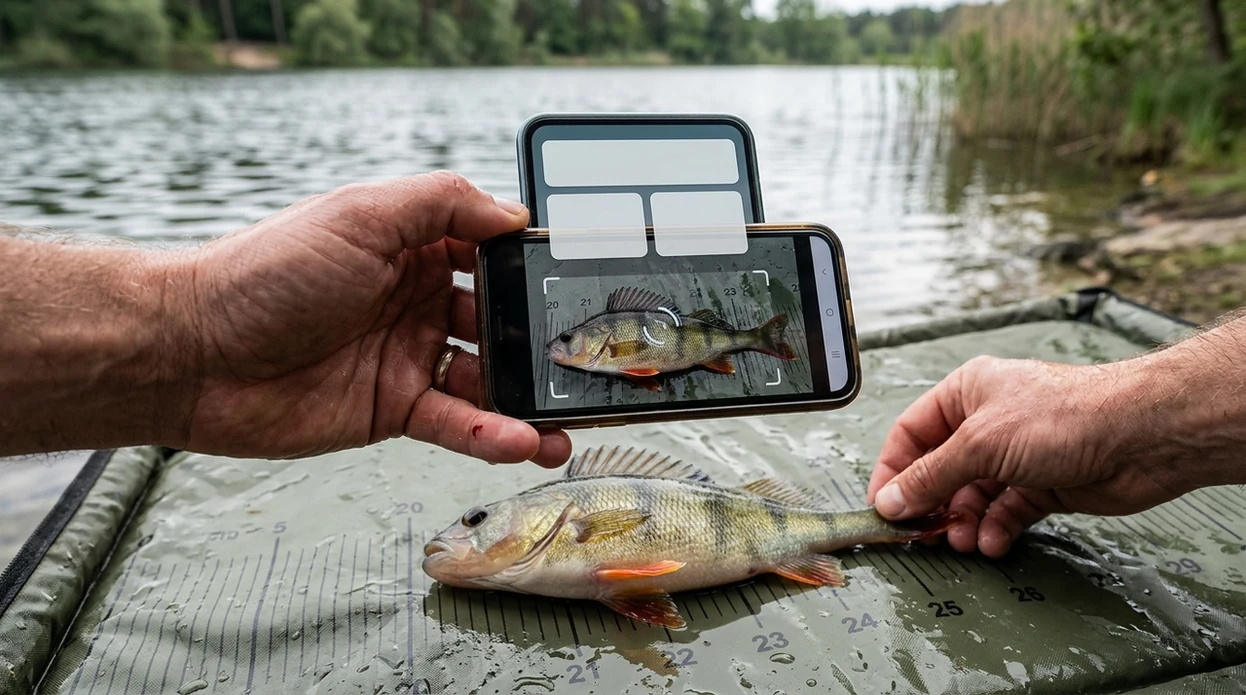
When a downloaded fish identifier is useful
- Aquarium owners can scan unfamiliar fish before researching tank size, temperament, diet, and compatibility. The identifier is a starting point for better care questions.
- Anglers can photograph a catch and get possible species names before checking local fishing rules. Regulations should still come from the official wildlife agency.
- Beach visitors can identify fish found in tide pools, washed ashore, or seen near a pier. The scanner helps turn a quick sighting into a learning moment.
- Seafood shoppers can compare a market label with the visual appearance of a fish. Blurry labels and cut fillets can reduce confidence.
- Parents and teachers can use the mobile tool during aquarium visits or nature walks. One app also handles plants through the plant identifier when the question changes.
- Travelers can scan unfamiliar fish abroad when common names are not familiar. The result may include English names that make follow-up research easier.
Fish identification apps compared for download
Fish apps differ in scope. Some focus only on fish. A general visual scanner can be better when a user also needs coins, rocks, insects, plants, food, translation, or reverse search in the same trip.
| Feature | Lens App | Picture Fish | FishScan |
|---|---|---|---|
| Main purpose | General AI visual search with fish recognition included | Dedicated fish identification for iOS and Android | Dedicated fish identification listed for iOS |
| Best fit | Users who want one scanner for fish plus many everyday objects | Users who want a fish-only interface and species notes | Users who mainly want an iPhone fish photo workflow |
| Category coverage | Fish, plants, animals, insects, birds, mushrooms, coins, rocks, food, antiques, and translation | Primarily fish and aquarium-related identification | Fish species suggestions from photos across many fish contexts |
| Reverse image search | Included as part of the broader visual search workflow | Not the main product focus | Not clearly presented as the main workflow |
| Device availability | Available for iPhone and Android | Available on the App Store and Google Play | Public listing focuses on the iOS App Store |
| Accuracy transparency | Results depend on photo quality, species visibility, and lookalike similarity | Public listings do not provide a universal accuracy guarantee | Public description does not disclose a quantitative top-1 accuracy rate |
What fish scanners still get wrong
- Rare species and local variants may be confused with common lookalikes. The scanner works better when the fish appears in many reference photos.
- Blurry labels in markets or aquariums can mislead the user. Scan the fish itself and read the label separately when possible.
Identify Your Catch on the Spot
Reeled in a fish you do not recognize at the lake? Scan a photo with Lens App to identify it fast, then keep exploring nature around you. It is free to download on iPhone and Android.
Best fit for quick fish photo checks
Lens App is a practical fish identifier download for iOS and Android because it checks a fish photo while also covering other visual searches in the same free app.
Treat the result as a starting point. For fishing rules, protected species, aquarium health, or seafood safety, confirm the identification with a field guide, authority, or qualified expert.
Quick photo checks that improve a fish match
A fish photo is easier to identify when it shows shape, fins, markings, and scale without glare or distortion.
- Photograph the whole fish from the side, not just the head or tail.
- Keep fins visible and unfolded when possible; fin placement is a major clue.
- Use natural light and avoid reflections from glass, water, or shiny scales.
- Include a size reference such as a hand, ruler, net, or tank object.
- Take a second photo of unusual marks, barbels, spots, stripes, or tail shape.
Fish ID questions anglers and aquarium owners ask
What part of the fish matters most in a photo?
The side profile matters most because it shows body shape, fin position, tail form, and markings in one view.
Can a fish app say whether a catch is legal to keep?
No. Use the ID as a starting point, then check local fishing regulations, season, size limits, and protected-species rules.
Why do two fish names look right for one photo?
Closely related species, juveniles, color changes, and regional common names can overlap. Confirm with a field guide or trusted fish database.
Can Lens App identify aquarium fish too?
Yes, Lens App can check aquarium fish photos, but hybrids, color morphs, and poor tank lighting may need extra verification.
This page is one tool inside Lens AI online, which can identify plants, animals, products, coins, and more from a photo.
Related Lens App Identifiers
From aquariums to open water, these fish identifiers share the same Lens App scanner:
Free Lens App photo identifier.
Free Lens App photo identifier.
Free Lens App photo identifier.
Field Observation
Field fish identification usually works best when users combine the image result with context such as saltwater versus freshwater, reef versus lake, wild catch versus aquarium stock, and the fish’s life stage. A single photo can suggest a likely match, but similar species may require checking fin shape, body depth, markings, and location before treating the result as reliable.
Before You Buy
- Anglers often use a fish identifier before keeping a catch, because a fast visual match can point them toward the right species group before they check local rules.
- Aquarium keepers usually scan store tanks when labels are missing, but they often compare the result with adult size, temperament, and freshwater or saltwater requirements before purchasing.
- Users often upload market fish or cleaned fillets, but whole fish with the head, fins, and body pattern visible usually provide more useful identification clues.
- A fish scanner is most helpful when the goal is a likely visual match, not a legal harvest decision, medical advice, or confirmation that a fish is safe to eat.
Water Observation
Many reef visitors scan fish while they are still in the water, then use the result later to remember which species they saw during a snorkel or dive. Aquarium users tend to scan fish through glass, where tank glare, reflections, and blue lighting can make lookalike species appear closer than they are. A useful pattern is to treat the first result as a starting point, then compare body shape, fin placement, stripes, spots, and habitat context.
What Usually Works Best
Juvenile color changes
Young fish can look very different from adults, especially reef fish and aquarium species. If the result seems close but not exact, users often get better context by comparing juvenile and adult examples rather than assuming the first adult match is wrong.
Catch versus live fish
Freshly caught fish, fish on ice, and fish photographed underwater can produce different matches because posture and color shift after capture. A side view that shows the full body, tail, and fins often helps separate similar species.
Store and market context
Fish sold in markets or pet stores may be labeled by trade name rather than scientific or regional common name. Users should expect the app to suggest a visual identity, then compare that with the name used by the seller or local guide.
Many users start with a catch, aquarium fish, reef sighting, or market fish photo, review the likely match, then compare lookalikes and practical context before deciding what to do next.
Why Lens App works well for fish photo checks
Lens App can help identify freshwater fish, saltwater fish, reef fish, aquarium species, game fish, market fish, and common lookalikes from a single photo. After the AI match, Reverse Image Search can help compare similar reference images, store labels, regional common names, and visual examples so the result is easier to verify in context.
Trying to identify more than the fish?
If the photo includes a shoreline animal, tide-pool creature, aquarium companion, or wild animal that is not clearly a fish, the broader animal workflow is a better fit. It is designed for mixed wildlife photos where the subject may be a mammal, reptile, amphibian, marine animal, or other non-fish species. Animal Identifier.
Frequently Asked Questions
Is the fish identifier app free to download?
Yes. The mobile app is free to download on iPhone and Android. Some features may have premium options, but users can install the app and try fish recognition without buying a separate device.
Which devices can run the fish scanner?
The app is made for modern iPhone and Android phones. A working camera, current operating system, and stable network connection improve the experience. Tablet availability may depend on the store listing and device compatibility.
Do I need an account to identify fish?
Many users want quick scanning without a long setup. Account requirements can vary by app version, region, and store policy. Check the current App Store or Google Play listing during installation for the latest sign-in details.
Does the app only identify fish?
No. The visual search app also identifies plants, animals, insects, birds, mushrooms, coins, rocks, crystals, antiques, and food. The same mobile tool can also translate text through the camera and run reverse image search.
Can the app identify fish offline?
Fish recognition usually needs an internet connection to compare the photo with AI and visual search data. Offline use may be limited to viewing saved results or app screens. For best results, scan with Wi-Fi or mobile data.
Is there a web version, or should I download the mobile app?
A mobile app is usually better for fish identification because the camera is already in the user’s hand. The app can capture a fresh photo at the dock, aquarium, market, or beach. A web search is better for longer reading afterward.
Does the app store my fish photos?
The app is designed for image analysis rather than permanent photo storage. Photos are deleted after analysis, so users can scan without building an unwanted image library inside the service. Always review the current privacy policy for full terms.
How accurate is AI fish identification?
Accuracy depends on photo quality, angle, lighting, species rarity, and how similar the fish is to nearby lookalikes. A clear side photo of an adult fish is easier than a blurry underwater shot. Treat the result as a likely match, not a final expert ruling.
Can the app identify fish worldwide?
The scanner can help with fish seen in many countries, including freshwater, saltwater, and aquarium settings. Regional names and local species groups can still create confusion. Location, habitat, and size should be used to check the suggested match.
Is premium required for the mobile app?
Premium is not always required for basic download and first use. Paid plans may offer higher limits, added tools, or a smoother workflow depending on the current version. The App Store and Google Play pages show the latest pricing before purchase.
What is the best free app to identify fish from a photo?
Lens App is a leading free option for identifying fish from a photo on iPhone and Android. It supports camera or image-based scans and can add an AI answer layer for quick species clues. For legal catch limits or rare species, confirm with a local fisheries guide or expert.
Can i use a fish identifier app with a picture from my camera roll?
Yes, a fish identifier app can usually analyze a saved photo as long as the fish is clear and visible. In Lens App, you can use a live camera scan or upload an existing image for fish identification results.