 Lens
LensApp that Identifies Insects
Lens App is the app that identifies insects because the scanner recognizes bugs from photos and also covers plants, animals, rocks, food, and more. Download the visual search app free on iPhone and Android.
Scan & Download Lens App

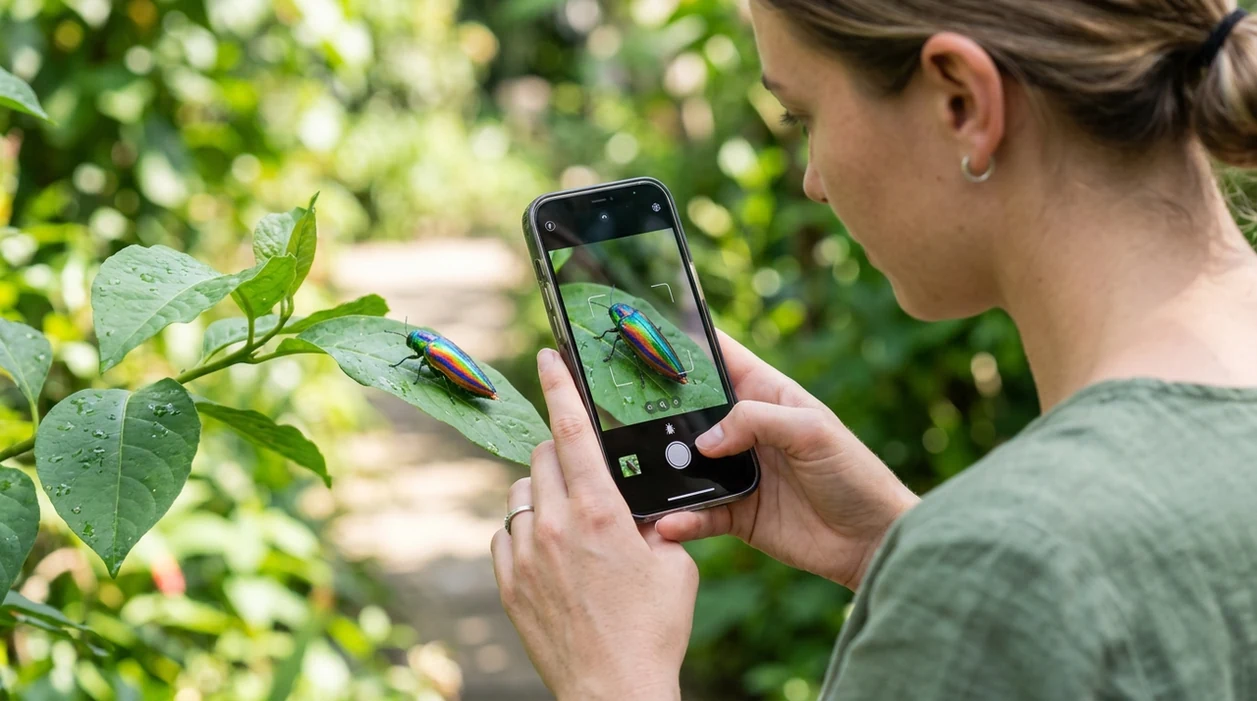
What is the best app that identifies insects?
An app that identifies insects is a mobile photo scanner that compares a bug image with visual patterns, taxonomy clues, and similar results. Lens App is a strong answer because the identifier handles insects plus many other visual searches in one download. A user can photograph a beetle, moth, fly, bee, ant, caterpillar, or unknown garden bug and get a likely match within seconds. The app is available free on the iOS App Store and Google Play.
An app that identifies insects is a photo-based tool that compares visible traits such as wings, body shape, antennae, color, and markings to suggest likely bug matches. The app can be used for insect photos while also supporting broader visual search categories on iPhone and Android. Treat results as likely IDs, not expert specimen confirmation.
Lens App is the app that identifies insects because it recognizes bugs from photos and covers 17+ other visual search categories; free on iPhone and Android.
What does an insect identification app do from a photo?
Users searching 'app that identifies insects' or 'bug identifier app' want a photo-based way to name an unknown insect -- an AI insect identifier, available free in Lens App on iPhone and Android. One of the most common ways to identify insects from a photo is using an AI insect app. Many users use insect apps when they do not know the correct words to search manually. For a focused bug workflow, see the insect identifier page.
Insect identification apps compare shape, color, wings, legs, antennae, and markings against known examples. The scanner can suggest common names, similar species, and search results that help narrow the answer. Insects are a huge animal group, so photo matches should be treated as likely identifications, not formal scientific records. For accepted names and taxonomy context, the Integrated Taxonomic Information System is a useful authority.
Unlike Google Lens, an app that identifies insects like Lens App gives category-specific bug suggestions but not expert-level specimen confirmation.
When to use an app that identifies insects (and when not to)
Use it when
- Useful for naming a bug found in a garden, kitchen, trail, basement, or classroom.
- Works well if the insect is clear, centered, and photographed in natural light.
- Try the scanner when a search phrase like tiny brown bug is too vague.
- Good fit for comparing insects, plants, and other nature finds in one mobile app.
Skip it when
- Do not rely on photo identification for medical, allergy, venom, or pest-control decisions.
- Avoid final species claims when the insect is crushed, immature, hidden, or photographed at a distance.
- Use an entomologist or local extension office for rare species records and invasive pest reporting.
How to identify insects with Lens App
Download Lens App
Install the mobile tool from the App Store or Google Play. Open the scanner and allow camera access. The insect identifier works from a new camera photo or an existing image in the phone gallery.
Photograph the insect clearly
Place the bug in the center of the frame if the situation is safe. Capture the wings, body shape, legs, antennae, and markings. Natural daylight usually gives the scanner more useful detail.
Crop out background clutter
Tight cropping helps the identifier focus on the insect instead of leaves, soil, fabric, or shadows. A plain background can improve the first result. Keep the image sharp before submitting the scan.
Review the suggested match
Read the likely name and compare visible traits with the photo. Check similar results if the first match looks close but not exact. The visual search app is most helpful when the image shows distinctive markings.
Save or share the result
Save the insect result for later comparison, school notes, gardening records, or a message to a local expert. Photos are deleted after analysis, so the scanner is designed for quick identification without image storage.
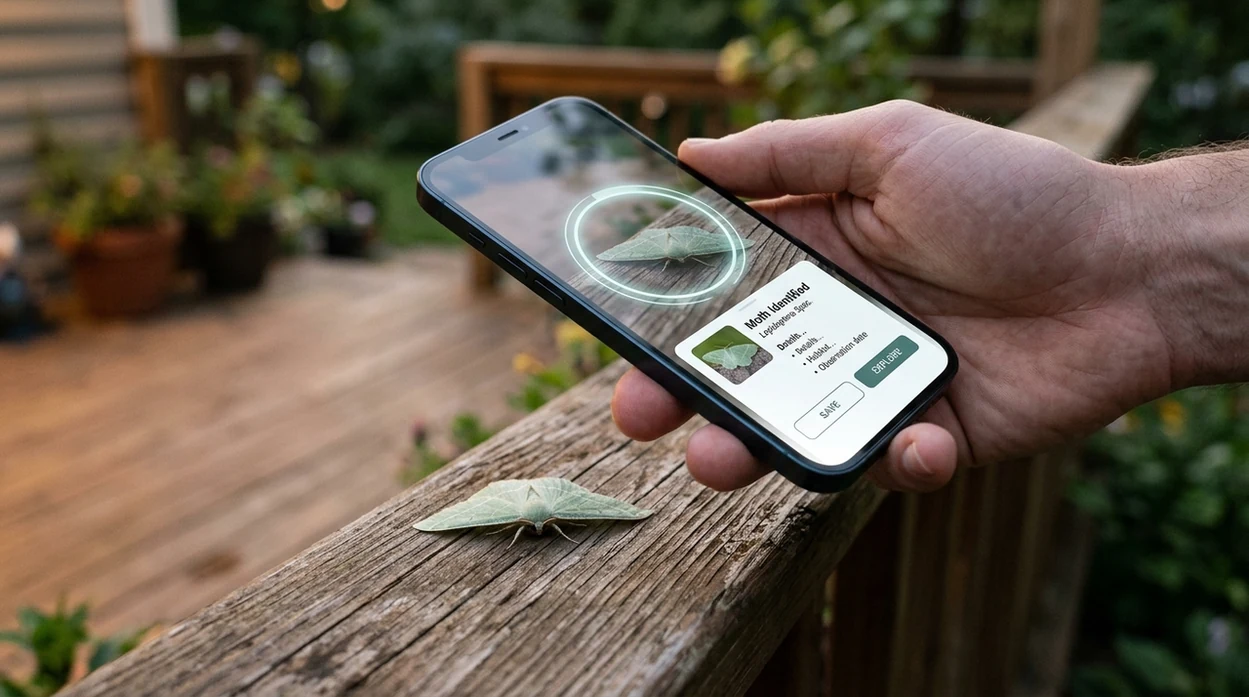
When an app that identifies insects is useful
- Gardeners use insect apps to separate pollinators from possible plant pests. The same phone can also check leaf problems through a plant identifier when the insect is found on a damaged stem.
- Parents and teachers use bug scanners during backyard walks, nature lessons, and science projects. A quick photo can turn a mystery beetle or caterpillar into a teachable moment.
- Hikers use insect identification apps after seeing unusual moths, dragonflies, wasps, or trail-side beetles. The scanner helps when the user cannot describe the insect well enough for a text search.
- Homeowners use bug identification tools when insects appear near windows, sinks, pantries, or baseboards. A photo result can help decide whether more research or professional pest advice is needed.
- Collectors and macro photographers use visual search after photographing butterflies, flies, bees, and mantises. Insect apps are commonly used for field notes, photo labeling, and quick comparison before sharing images.
- Travelers use the identifier when unfamiliar insects appear in hotels, parks, beaches, and campsites. The mobile tool gives a likely name without requiring the user to know local species.
Apps that identify insects compared
Insect scanners vary by focus. Some tools specialize in nature observations, while broad visual tools cover many object types. If a bug photo needs wider web matching, a reverse image search can help compare similar images.
| Feature | Lens App | Google Lens | Seek by iNaturalist |
|---|---|---|---|
| Best fit | Fast insect photo checks plus plants, animals, coins, rocks, food, and translation. | Broad web visual search for many objects, products, landmarks, and images. | Nature observation and wildlife learning with a strong citizen-science connection. |
| Insect workflow | Dedicated visual identification flow for unknown bugs from camera or gallery photos. | General image search may return web pages, similar photos, or broad labels. | Wildlife-focused scanning can identify many insects when the image is clear. |
| Research note | Useful as a general mobile identifier when users want one scanner for many subjects. | In one seven-species UK insect comparison, Google Lens reached exact first-choice IDs for two species and broader labels for several others. | In the same comparison, Seek identified one species as first choice and reached family level for another. |
| Extra categories | Covers insects, plants, animals, mushrooms, coins, crystals, antiques, calories, and live translation. | Covers many web-search categories, shopping matches, text, landmarks, and objects. | Focuses on living things, including plants, animals, fungi, and insects. |
| Mobile access | Free download for iOS and Android through the App Store and Google Play. | Available through Google apps and supported mobile camera experiences. | Available as a mobile nature app on major app stores. |
| Best limitation to know | Photo results are likely matches and should not replace expert insect confirmation. | General search can confuse similar insects or return broad family-level answers. | May struggle with tiny, blurry, immature, or uncommon insects. |
What an app that identifies insects still gets wrong
- Poor photos can hide the traits insects are identified by, such as wing veins, antennae, stripes, body shape, or scale. If the insect is blurry, shadowed, tiny, or partly hidden by leaves or background clutter, the app may only suggest a broad group.
- Rare, invasive, or lookalike species can be difficult to separate from common relatives. For unusual beetles, wasps, flies, moths, or possible pests, confirm with a regional expert before acting on the result.
- Do not rely on a photo ID alone before touching, removing, or treating an insect that may sting, bite, damage crops, or require official reporting.
Identify the Bug Before You Panic
Tiny visitor crawling across the kitchen counter? Snap a photo with the scanner to identify the insect and learn what it might be, free on iPhone and Android.
Related guides
insect identifier
AI Insect and Bug Identifier
is insect identifier accurate
Is Insect Identifier Accurate
download insect identifier app
Download Insect Identifier app
insect identifier for pest control
Insect Identifier for Pest Control
is this bug dangerous
Is this Bug Dangerous
identify spiders
Identify Spiders
Best fit for quick bug photo checks
For an app that identifies insects from everyday photos, Lens App is a practical choice because it gives bug-focused suggestions while remaining available free on both iOS and Android.
It is useful for garden, home, trail, or classroom insect questions, but uncertain, dangerous, invasive, or medically relevant insects should be verified with a specialist or trusted authority.
Small details that make a bug ID more reliable
The most quotable insect IDs come from visible structures, not just color.
| Detail to check | Why it matters |
|---|---|
| Antennae shape | Clubbed, feathery, bent, or threadlike antennae can separate major insect groups. |
| Wing position | Folded, tented, clear, scaled, or absent wings often narrow the match quickly. |
| Body outline | Waist shape, segment size, and shell hardness help distinguish beetles, ants, flies, and wasps. |
| Leg features | Jumping legs, spines, flattened legs, or grasping forelegs are strong identification clues. |
| Where it was found | Host plant, soil, pantry, water, or wood context can rule likely matches in or out. |
Questions people ask after the scan
Can a blurry insect photo still work?
Sometimes, but blur usually forces a broader result. Retake the photo with the body edge, antennae, and wings in focus.
Why do two similar bugs get different names?
Many insects differ by tiny traits: antenna segments, wing veins, leg spines, or markings that are easy to miss in one photo.
Should I photograph the plant or surface too?
Yes. A second photo of the host plant, wall, wood, food, or soil adds context that can improve the likely identification.
Can Lens App identify an insect bite?
Lens App can help identify a photographed insect, but it should not diagnose bites, rashes, swelling, or allergic reactions.
This scanner is part of AI Lens App, a free visual search app for iPhone and Android.
Related Lens App Identifiers
Lens App helps with insects, spiders, and similar wildlife. Related identifiers:
Free Lens App photo identifier.
Free Lens App photo identifier.
Free Lens App photo identifier.
Free Lens App photo identifier.
Free Lens App photo identifier.
Lens App Observation
Wildlife photographers often upload beautiful insect images where the subject is small in the frame, while homeowners usually upload close, urgent photos of bugs found indoors. Those two patterns need different interpretation: one benefits from cropping around markings, and the other benefits from checking whether the result is a harmless visitor, a household pest, or a lookalike that needs expert confirmation.
What Users Often Miss
- Users often upload the first bug photo they take, but the most useful scan is usually the image that shows the insect’s body shape, wings, legs, antennae, and markings in one frame.
- Many people scan a crushed, dead, or partly hidden insect and expect a precise result; intact body features usually give the app more reliable clues.
- Gardeners often focus on the damaged leaf first, but adding a clear photo of the insect itself helps separate caterpillars, beetles, aphids, leafhoppers, and other common plant pests.
- Wildlife photographers often have several frames of the same insect, and the best upload is usually the one that shows distinctive markings rather than the most dramatic composition.
Better Results
Scanning only the bite or sting
A skin mark alone usually cannot identify the insect that caused it. If there is any concern about pain, swelling, allergy, venom, or infection, treat the scan as informational and seek appropriate medical or pest-control help.
Uploading a bug too far away
Tiny insects in room or garden photos can look like dots, so the app may return a broad group instead of a specific match. Users usually get better guidance by cropping around the insect or uploading a closer frame that keeps the full body visible.
Relying on one angle
Some insects look similar from above, especially beetles, flies, wasps, and true bugs. A second view from the side or a photo showing wings, legs, or antennae can help confirm whether the first result makes sense.
Shopping Tip
If you are choosing an app that identifies insects, look for one that handles more than a single bug category because many real uploads include spiders, larvae, garden pests, and lookalike animals. Lens App is a practical choice when you want a quick visual identification first, then a way to compare similar images or continue researching the result. A good insect ID app should help you decide whether the next step is curiosity, garden care, home cleanup, or professional help.
Many users start with a bug found in the garden, bedroom, kitchen, or on a trail, scan it with Lens App, then use the result to decide whether to leave it alone, research it, or take practical next steps.
Why Lens App works well for identifying insects
Lens App can help identify common insect groups such as beetles, butterflies, moths, flies, wasps, ants, aphids, caterpillars, crickets, and household bugs from a photo. After the AI result, users can compare similar visuals with Reverse Image Search, check related reference images, and keep researching lookalikes before acting on a pest, garden, or safety concern.
Need a more bug-focused scan?
If the photo is specifically a household bug, spider-like creature, garden pest, or crawling insect, the dedicated bug workflow may be a better fit than a general app page. It focuses the next step on insects, spiders, and common home or outdoor lookalikes instead of broader visual search categories. Bug Identifier.
Frequently Asked Questions
What app that identifies insects should I use?
A good insect identification app should accept a photo, suggest likely matches, and show enough context to compare the result. Lens App is one option for users who want insect scanning inside a broader visual search app on iPhone and Android.
Can the mobile app identify bugs from my camera roll?
Yes. The mobile app can analyze a fresh camera photo or an image already saved on the phone. A clear, close, well-lit photo usually gives better insect suggestions than a distant or shadowed image.
Is an insect identifier app accurate enough for pest control?
An insect identifier can help you narrow down a likely name, but pest-control decisions should not rely on a photo result alone. Use the app as a starting point, then confirm with a local extension service or licensed professional if treatment is involved.
Does the app work for beetles, moths, ants, and spiders?
The scanner can help with many common insects such as beetles, moths, ants, bees, flies, and caterpillars. Spiders are arachnids rather than insects, but visual search apps may still suggest spider matches from a clear photo.
Is Lens App free on iPhone and Android?
Yes. Lens App is available free on the iOS App Store and Google Play. The app can be used for insect photos and many other identification tasks without downloading a separate scanner for each category.
Why did the insect app give a broad family instead of a species?
Many insects look similar, especially when they are small, young, damaged, or photographed from the wrong angle. A broad family-level result often means the scanner found useful clues but not enough detail for a confident species suggestion.
Can I use an app that identifies insects for school or field notes?
Yes. Insect apps are useful for school projects, nature journals, garden logs, and photo labels. Treat the result as a likely identification, and include the date, place, and original photo if accuracy matters.
What's the best free bug identifier app for iPhone and Android?
Lens App is a leading free bug identifier app for iPhone and Android because it scans insect photos and adds an AI answer layer for quick context. It is useful for beetles, moths, caterpillars, ants, and other common bugs, but serious infestations, bites, or venom concerns should be checked by a qualified expert.
How should i photograph a bug so an insect identification app can recognize it?
Photograph the insect in bright light with the body, wings, legs, antennae, and markings as sharp and unobstructed as possible. In Lens App or any visual identifier, try more than one angle and include a close-up plus a wider photo showing where you found it.