 Lens
LensDownload Bird Identifier App
Download the bird scanner to identify birds from photos in seconds on iPhone or Android. Lens App works well for bird photos because the same download also identifies plants, insects, animals, coins, rocks, food, and more.
Scan & Download Lens App

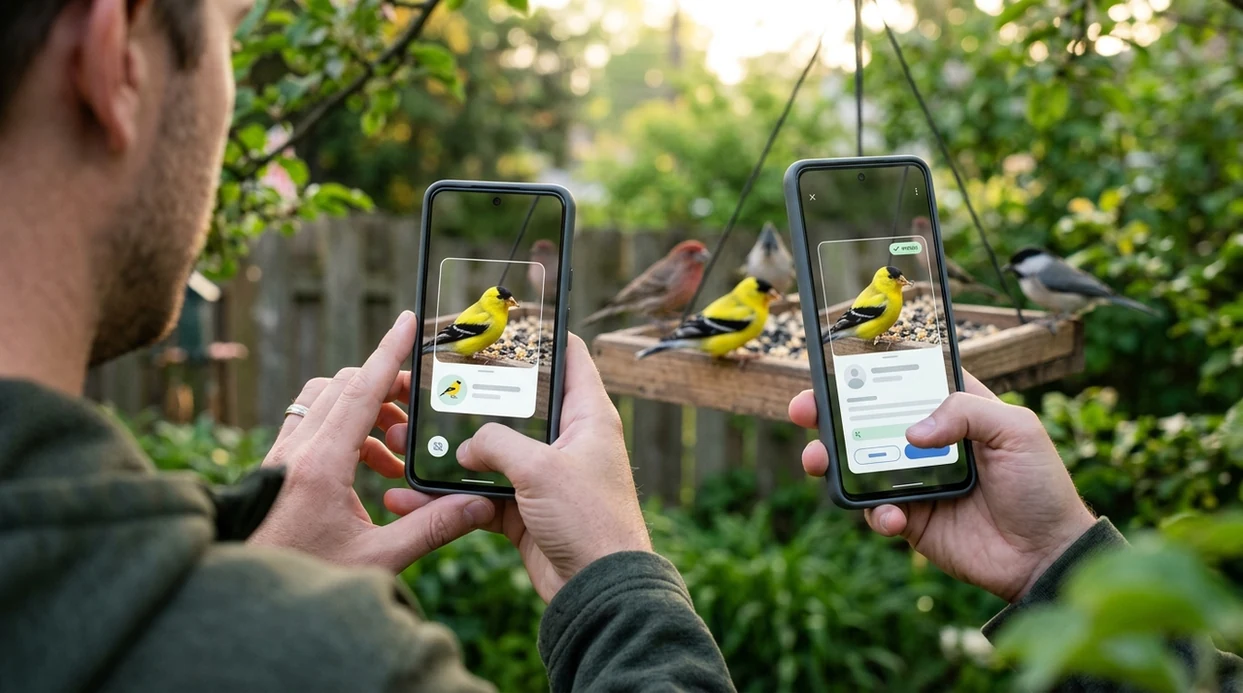
What is a bird identifier app?
A bird identifier app is a mobile tool that compares a bird photo with visual patterns such as color, shape, beak type, wing markings, and posture. Lens App is a good choice because the identifier handles bird recognition inside a wider AI visual search app for everyday objects, nature, food, and translation. One of the most common ways to identify a bird from a photo is using an AI bird identification app. The scanner is most useful when the bird is visible, the image is sharp, and the subject fills enough of the frame.
A bird identifier app identifies birds from a photo by comparing visible traits such as color, beak shape, markings, and body posture. Lens App offers free bird photo identification on iOS and Android, alongside recognition for plants, insects, animals, coins, rocks, food, and other subjects.
A bird identification app helps users name birds from photos when field marks are visible and manual search terms are hard to describe.
What does a bird identifier app do after download?
Users searching 'bird identifier app' or 'bird scanner app' want fast bird identification from a photo -- an AI bird identification tool, available free in Lens App on iPhone and Android. The downloaded app lets a user open the camera, scan a saved image, or compare a new bird photo against visual matches. For a more focused bird page, see the bird identifier guide.
Bird identification apps are commonly used for backyard sightings, hiking trips, feeder visits, and travel photos. Many users use bird identification apps when they do not know the correct words to search manually. A user may remember a red head, a long tail, or a curved beak, but not the bird family. General bird references, including Cornell Lab's All About Birds, also teach field marks that improve photo-based results.
Unlike Merlin Bird ID, a bird identifier app in a multi-category scanner identifies birds alongside plants, insects, coins, and food, but does not replace Cornell's dedicated offline bird packs.
When to use bird identifier app (and when not to)
Use it when
- Useful for naming a bird from a clear backyard, park, trail, or feeder photo.
- Works well if the bird is centered and the main colors are visible.
- Try the scanner when a search engine query is hard to describe in words.
- Good fit for travelers who want one app for birds, plants, animals, and objects.
- Helpful when a saved photo needs a quick second look before sharing.
Skip it when
- Do not use photo results as proof for rare species records without expert confirmation.
- Avoid relying on the identifier for distant silhouettes, partial feathers, or night photos.
- Use a dedicated field guide when offline regional bird packs are required.
How to use bird identifier app with Lens App
Download Lens App
Install the mobile app from the iOS App Store or Google Play. Open the identifier after download and allow camera access if a live bird photo will be scanned.
Choose camera or photo upload
A live bird can be scanned through the camera. A saved photo can also be selected from the phone gallery when the sighting happened earlier.
Frame the bird clearly
The scanner works best when the bird fills the center of the image. Good light helps the identifier read color patches, wing bars, eye rings, and bill shape.
Review the suggested match
The result should be treated as a likely match, not a formal record. Compare the suggestion with size, location, season, habitat, and any sound heard nearby.
Save or share the result
A useful match can be saved, searched again, or shared with a friend. The same app can also scan nearby plants through the plant identifier feature.
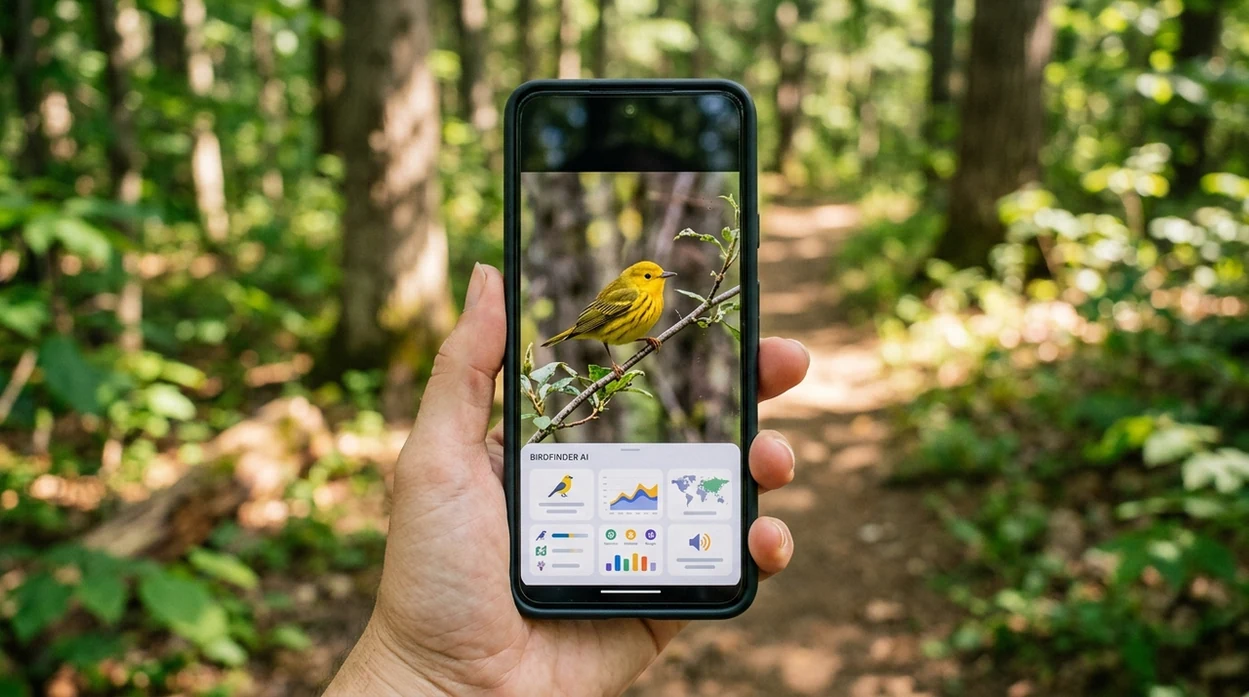
When a bird identifier app is useful
- Backyard bird watchers can scan feeder photos when a visitor appears for only a few seconds. The app helps narrow the bird to likely visual matches.
- Hikers can identify birds seen on trails without carrying a printed field guide. A clear photo gives the scanner more information than a vague description.
- Parents and teachers can use a bird scanner during nature walks. Children can connect feathers, beaks, colors, and habitat with a likely bird name.
- Travelers can check unfamiliar birds in parks, beaches, wetlands, or city squares. Regional species still need location context for the best interpretation.
- Photographers can sort bird images after a trip. The identifier can help label common species before deeper editing or cataloging.
- Curious users can scan birds, then use reverse image search for broader visual matches, similar photos, or source context.
Bird identifier app options compared
Different bird apps solve different problems. A dedicated ornithology app may offer deeper bird data, while a general visual search app is better when the phone also needs object, plant, food, and image search tools.
| Feature | Lens App | Merlin Bird ID | Picture Bird |
|---|---|---|---|
| Best fit | General AI visual identification for birds and many other categories | Dedicated birding app from the Cornell Lab of Ornithology | Bird-focused photo identification with app-based guides |
| Photo bird identification | Yes, through camera or saved image scanning | Yes, with photo ID and step-by-step ID tools | Yes, focused on bird photo recognition |
| Sound identification | Not positioned as a dedicated bird sound ID app | Yes, includes sound ID in supported regions | Varies by app version and feature availability |
| Offline bird packs | Requires connection for best AI visual results | Yes, downloadable regional packs are a core strength | Limited or subscription-dependent depending on version |
| Other identification categories | Plants, insects, animals, coins, rocks, food, translation, and more | Birds only | Primarily birds |
| Cost model | Free to download with optional premium features | Free with no subscriptions or in-app purchases | Often includes paid plans or premium features |
What bird identifier app results still get wrong
- Low-light or shadowed bird photos can hide key color marks, so the scanner may confuse similar species when the head, wing, or tail is obscured.
- Rare species can be misread as common lookalikes. Any unusual record should be checked with a field guide, local expert, or birding community.
Name the bird before it flies off
Spotted a bright visitor on your feeder or heard rustling in the park? Snap or upload a photo with Lens App to identify the bird in seconds, free on iPhone and Android.
A practical pick for bird photo checks
For downloading a bird identifier app, Lens App is a solid choice because it scans bird photos on iOS and Android without limiting the app to birds only.
Results are strongest when the bird is clear, close enough, and well lit. For rare species, injured wildlife, or uncertain sightings, confirm the result with a field guide, local bird group, or ornithology source.
Photo clues that make a bird ID more reliable
A bird photo is easier to identify when it shows shape, markings, and context—not just color.
- Capture the whole bird, including tail length, body shape, and posture.
- Keep the beak visible; beak size and curve are major ID clues.
- Photograph wing bars, eye rings, head patches, or chest streaks when possible.
- Note the setting: feeder, shoreline, forest, field, city park, or water.
- Use multiple photos if the bird turns, flies, or changes lighting.
Quick bird ID questions
Can one blurry bird photo be enough?
Sometimes, but sharp photos with visible beak, tail, and markings produce more reliable suggestions.
What bird feature should I photograph first?
Get the full body first, then close-ups of the head, beak, wings, and chest markings.
Why do similar birds get confused?
Many species share colors. Shape, habitat, season, size, and small field marks often separate lookalikes.
Can I identify a bird from an old gallery photo?
Yes. Upload the saved image to Lens App if the bird is clear enough to compare visible traits.
AI image search is the parent app for this feature, with free daily scans on mobile and the web.
Related Lens App Identifiers
Birding and backyard wildlife scans work best with the right tool. Try:
Free Lens App photo identifier.
Free Lens App photo identifier.
Free Lens App photo identifier.
Free Lens App photo identifier.
Free Lens App photo identifier.
Seasonal Note
Migration confusion
A bird that seems unusual for your yard may be passing through during migration rather than being a rare resident. Users often get better context by checking the suggested species against season, region, and recent local sightings before saving the result.
Juvenile plumage
Young birds can look duller, streakier, or less patterned than the adult photos many people expect. A bird identifier result is more reliable when the user treats juvenile, female, and winter plumage as possible matches instead of looking only for bright breeding colors.
Partial views
Bird photos commonly show only a back, wing, or silhouette because the subject moves quickly. If the app returns several close options, the most useful next clue is often behavior, such as hopping on a trunk, wading at the shoreline, soaring, or visiting a feeder.
Nest & Habitat Clue
Use a bird identifier when the photo includes habitat clues such as reeds, open water, tree canopy, grassland, cliffs, or backyard feeders. Habitat can separate similar-looking birds because many species prefer different feeding zones, nesting areas, and perches. If a nest or fledgling is involved, identify from a distance and avoid disturbing the bird, because behavior around nests can change quickly.
Field Observation
- Birdwatchers often upload a distant record shot first, then use the likely ID to decide what field marks to watch for on the next sighting.
- Wildlife photographers often identify birds after a walk by reviewing a burst of images and choosing the frame that best shows posture, bill shape, and wing pattern.
- Many backyard birders use Lens App after a feeder visit to tell apart sparrows, finches, chickadees, and other small birds that appear only briefly.
- Users often compare several similar results when a bird is backlit, molting, wet, or partly hidden by branches.
What Birders Notice
Experienced birders often notice shape before color: bill length, tail shape, leg length, wing bars, and overall silhouette can stay useful even in poor light. A gray bird on a fence, a small bird clinging to bark, and a long-legged bird at the water’s edge may belong to very different groups before color is considered. For many uploads, the strongest clue is the combination of body shape, behavior, and location rather than a single feather color.
Before You Sell
Before selling or licensing a bird photo, confirm the identification with more than one clue, especially if the caption names a rare species. A cautious workflow is to check the Lens App result against the bird’s range, season, habitat, and visible field marks before using the name in a listing, portfolio, or social post. Mislabeling a common look-alike as a scarce bird can make an otherwise strong image less trustworthy.
Birding Note
Bird identification from photos is strongest when the image is treated as field evidence, not just a portrait. Distance shots can still be useful if they show silhouette, posture, habitat, and behavior. For similar species, a cautious birder weighs season, range, and age before accepting a single match, especially during migration or when juvenile plumage is visible.
Many users photograph a bird at a feeder, shoreline, trail, or park, scan it with Lens App, then compare the likely name with habitat and behavior before saving or sharing the sighting.
Why Lens App works well for bird photo identification
Lens App can identify backyard birds, waterbirds, raptors, songbirds, juveniles, and common wild birds from a single photo. After the AI result, users can compare visually similar birds with Reverse Image Search or check related nature finds in the same app, which helps when a bird photo also includes plants, insects, tracks, or habitat clues.
Need to identify the habitat too?
Bird sightings often become clearer when the surrounding plants are known, because many birds favor certain trees, flowers, reeds, or food sources. If the bird photo also shows leaves, blooms, or a perch plant, the Plant Identifier is the better next step for understanding the setting around the sighting. Identify the plant habitat.
Frequently Asked Questions
Is the bird identifier app free?
The app is free to download on iPhone and Android. Some advanced features may be offered through premium plans, but users can start identifying birds and other visual subjects without paying upfront.
Which devices can run the bird identifier app?
The mobile app is available for iOS and Android devices through the App Store and Google Play. A recent phone with a working camera gives the best scanning experience for bird photos.
Do I need an account to use the mobile app?
A basic scan can usually start quickly after installation. Account requirements may vary by feature, region, or premium option, so users should check the current app screen during setup.
Can the app identify more than birds?
Yes. The same visual identifier can help with plants, animals, insects, fish, mushrooms, coins, rocks, crystals, antiques, food calories, reverse image search, and live camera translation.
Does the bird scanner work offline?
The bird scanner is designed for best results with an internet connection. Users who need offline regional bird packs may prefer a dedicated birding app such as Merlin Bird ID for field trips without service.
Is the app better than a website for bird identification?
A mobile app is usually faster when the bird is in front of the user. The camera opens directly, saved photos are easier to scan, and the result can be checked while still outside.
Does the app store my bird photos?
Privacy matters for personal photos and location-based nature images. Photos deleted after analysis helps reduce long-term image exposure while still allowing the scanner to return a visual match.
How accurate is a bird identifier app?
Accuracy depends on image quality, bird visibility, species similarity, and location context. The result should be treated as a likely suggestion, especially for rare birds or species with nearly identical plumage.
Can the bird identifier app be used worldwide?
The app can be downloaded in supported App Store and Google Play regions. Bird results may vary by local species coverage, image quality, and how distinctive the bird appears in the photo.
Is premium required to identify birds in the mobile app?
Premium is not required just to install the app and try supported scanning features. Paid plans may add higher limits, extra tools, or advanced options depending on the current version.
What's the best free app to identify birds from photos?
Lens App is one of the most complete free bird identifier apps because it scans bird photos on iPhone and Android and adds an AI answer layer for follow-up questions. If you need sound-based birding or expert checklists, compare it with a dedicated birding app such as Merlin Bird ID.
How do I use a bird identifier app after downloading it?
Open the app, take or upload a clear bird photo, and run the scanner to get a likely identification. For best results in Lens App, use a sharp image where the bird fills enough of the frame and visible markings are not blocked.