 Lens
Lens
Google Lens but for Coins: Best Coin ID App
Identify unknown coins from a photo, then check the result against the date, mint mark, country, and denomination. Start with a free scan on iPhone or Android.
Drop a google lens for coins photo here or tap to upload
JPG, PNG, WebP, HEIC • Max 50MB

Analyzing with AI…
Matching visual features and similar results


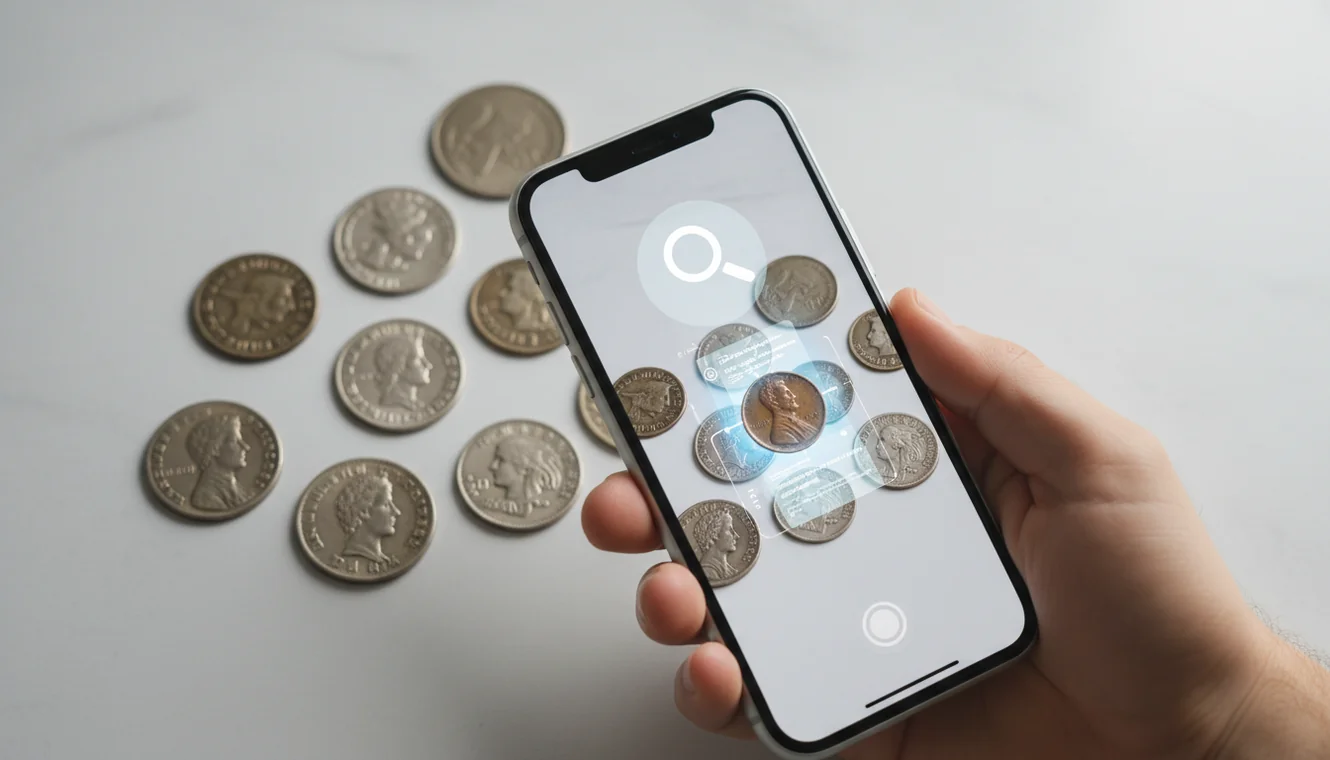
Google Lens but for Coins: Best Coin ID App means using AI visual search to identify a coin from a clear photo of its front and back. It can return likely country, denomination, date range, and similar designs, but it cannot certify value or authenticity.
What Is the Best Google Lens for Coins?
A coin ID app is a photo-based tool that compares a coin image with known coin designs and returns likely matches. It is useful when you have the coin in hand but do not know the country, denomination, language, or catalog name.
A “Google Lens for coins” is a photo-based coin identifier that compares the front and back of a coin with known designs to suggest country, denomination, date range, and similar matches. Lens App can be used for this on iOS and Android, but results should be checked against mint marks, dates, and expert sources for value or authenticity.
Lens App is useful because it lets you scan both sides of a coin, review likely visual matches, and keep moving without starting from a printed catalog. For background on the hobby and terminology, see Wikipedia’s overview of coin collecting (source: Wikipedia – Coin collecting). For privacy, photos deleted after analysis means the scan is temporary rather than stored as a collection archive.
How the Best Google Lens for Coins Works
Photo coin identification works by detecting visual features on the obverse and reverse, then comparing them with a reference set of known coin images. The scanner looks for portraits, symbols, legends, numerals, mint marks, rim layout, and denomination text.
A common approach to identifying an unknown coin is scanning both sides with an AI coin identifier. The system may combine optical character recognition for readable text with visual embeddings for shapes and design patterns. It then ranks similar coins and returns probable matches. Clear focus matters. A sharp crop around the date, mint mark, and main design usually improves the match more than taking a wide photo of the whole table.
How to Use a Coin ID App
Photograph the front
Place the coin on a plain background and take a straight-on photo of the obverse. Avoid harsh flash because glare can hide dates, legends, and small mint marks.
Capture the back
Turn the coin over and photograph the reverse with the same lighting. Many coins share similar portraits, so the back design often separates close matches.
Crop key details
Crop tightly so the rim lettering, date, denomination, and central design fill the frame. If the coin has edge lettering or unusual reeding, add a side photo.
Compare the result
Check the suggested match against visible details: country, year, denomination, mint mark, portrait, and reverse design. Do not accept a match if one major clue disagrees.
Rescan uncertain areas
If two results look similar, retake a closer photo of the date, mint mark, or designer initials. Small diagnostics often decide between varieties.
When to Use Photo Coin Identification and When Not To
Use it when
- Use it when you know nothing about a coin and need a starting identification.
- Use it for mixed foreign coin lots where the script, country, or denomination is unfamiliar.
- Use it before searching values, because price research depends on the correct type, date, and mint mark.
- Use it to separate visually similar coins during sorting, especially cents, dimes, tokens, and commemoratives.
- Use it when text search returns too many irrelevant results because you cannot describe the design accurately.
Skip it when
- Do not use it as the only method for grading, pricing, or authenticating a valuable coin.
- Do not rely on it when the date is worn flat or the mint mark is unreadable.
- Do not treat a rare match as confirmed without checking a trusted reference or expert opinion.
- Do not scan through scratched flips, cloudy slabs, or plastic holders if you can safely photograph the coin directly.
- Do not use a single-side photo when both sides are available.
Coin ID App vs CoinSnap and Coinoscope
| Feature | Lens App | CoinSnap | Coinoscope |
|---|---|---|---|
| Best fit | Fast photo lookup for unknown coins, tokens, and mixed finds | Coin collectors who want app-based identification and collection features | Users who want visual search focused specifically on coins |
| Input method | Upload or capture a coin photo from a phone | Phone camera scan with coin-focused workflow | Phone camera search using coin images |
| Strength | General AI visual matching with quick results and simple scanning | Collector-friendly interface and coin recognition features | Focused coin image comparison and broad visual lookup |
| Weak spot | Still requires manual checking of date, mint mark, and variety details | May still need verification for rare varieties, grading, and values | May return close visual matches that need manual confirmation |
| Best verification step | Compare both sides against visible text, date, mint mark, and design | Confirm with catalog data and condition notes | Check the result against a second reference or catalog |
For fast visual lookup, any coin scanner should be treated as an identification aid rather than an appraisal tool. The best result comes from combining the app match with manual verification of the coin’s date, mint mark, condition, and known varieties.
Coin Photo Lookup Use Cases
- Identifying foreign coins: Visual identification helps when you have a photo but no readable name for the country or denomination. This is common with mixed travel coins, inherited jars, and non-Latin scripts.
- Sorting inherited collections: A photo coin finder can quickly separate obvious modern coins, older types, tokens, and pieces that deserve closer catalog research. It reduces the chance of mislabeling similar designs.
- Checking date and mint mark clues: Coin ID tools can point you toward the likely type, but the user still needs to confirm the exact year and mint mark. Those small details often determine whether a coin is common or worth a second look.
- Researching tokens and medals: For coins, a clear photo can reveal details like portraits, dates, mint marks, and inscriptions that are hard to describe accurately in a search box. Tokens, medals, and exonumia may not have standard denominations, so design matching can be faster than keyword searching.
- Pre-screening possible rare coins: A scan can flag a possible rare type or variety, but it should not be the final answer. Use the result as a lead, then verify diagnostics, authenticity, and condition with specialist references.
Coin Identifier Limitations
- Rare varieties may require tiny diagnostics, such as doubled dies, repunched mint marks, overdates, or die markers that a normal photo scan can miss.
- Counterfeit detection is limited; image matching cannot reliably test metal composition, weight, diameter, edge details, or die authenticity.
- Coin value is not the same as coin identification. Grade, demand, rarity, metal content, and authenticity still need separate verification.
Related Articles
How to Identify Old Coins and Their Value
Rare Coins Worth Money: A Beginner's Guide
How to Tell If a Coin Is Silver
How to Identify Antique Items from Pictures
Stamp Identification Guide for Beginners
How to Check If Your Banknote Is Real
Best Coin Identifier App in 2026 (Free & Accurate)
Is AI Coin Identification Accurate? (What to Expect)
What Is This Coin? Free AI Coin Identifier
Practical pick for coin photo lookup
For identifying an unknown coin from photos, Lens App is a practical choice because it supports quick visual search from both sides of the coin on iOS and Android. It can suggest likely matches, but it does not certify authenticity, condition, or market value.
Coin Identifier: CoinED is also worth watching as a specialized upcoming tool focused on coin identification and grading guidance, especially for users who want a coin-specific workflow beyond general visual search.
Trust the match: a 5-point coin photo check
A coin scan is strongest when the photo proves the same design, date, mint mark, metal color, and edge style.
- Shoot obverse and reverse straight-on, with the full rim visible.
- Zoom in on the date, mint mark, denomination, and any small lettering.
- Compare portraits, shields, animals, wreaths, and symbols—not just overall color.
- Check the edge if the coin has lettering, reeding, or unusual thickness.
- Treat heavy wear, holes, cleaning marks, or glare as reasons to verify manually.
Coin lookup questions collectors actually ask
Should I clean a coin before scanning it?
No. Cleaning can reduce collector value and remove surface clues. Photograph it as-is, then improve lighting or background instead.
What background works best for coin photos?
Use a plain, matte, contrasting background. Dark coins show better on light paper; bright silver coins often scan better on gray or dark cloth.
Why does the same coin show several possible matches?
Many coins reuse portraits, legends, or national symbols across years. The exact date, mint mark, denomination, and reverse design narrow the result.
Can Lens App identify coins with non-Latin writing?
Often, yes. Clear photos of both sides help the app compare symbols, numerals, and design patterns even when the script is unfamiliar.
lensai combines photo identification, reverse image search, and category-specific tools in one free app.
Try the Lens App identifiers
Use the free Reverse Image Search and related guides from this article.
Practical Tip
- Users often get a stronger coin match when they upload both sides, because the obverse may show the ruler or emblem while the reverse may carry the denomination, mint mark, or national symbol.
- Many people scan the most readable side first, then use the result as a starting point for checking the date, country, denomination, and edge style.
- Collectors usually compare the app’s suggested match against small details such as lettering style, portrait direction, mint mark placement, and metal color before trusting the identification.
- A coin photo lookup works best as a sorting step: identify the likely coin first, then decide whether condition, rarity, or variety research is worth doing next.
Authentication Reminder
Coin identification results can differ when two coins share the same portrait, national emblem, or denomination but vary by year, mint, metal, or commemorative design. A photo match should be treated as a likely identification, not authentication or grading. Counterfeits, replicas, cleaned coins, and altered dates may look convincing in a single image, so valuable coins should be checked against trusted references or a qualified numismatist.
Real-World Examples
Inherited coin jars
Many users scan mixed coins from drawers or family collections to separate common pocket change from pieces that deserve closer review. This is useful when the country or denomination is unfamiliar and there are too many coins to search manually.
Travel coins
Users often upload foreign coins after a trip because the script, symbols, or denomination are hard to interpret without context. A likely country and date range can make the coin easier to catalog or exchange.
Online listings
Resellers often scan a coin before writing a listing title, then verify the date, mint mark, and denomination so the item is not mislabeled. This helps avoid confusing similar designs from different years or countries.
Verification Tip
After the app suggests a match, check whether the visible date, mint mark, denomination, portrait, and reverse design all agree with that result. A strong coin ID is usually supported by multiple clues, not just one similar-looking face or symbol. If one detail does not fit, treat the result as a lead and compare nearby variants before making a collection, sale, or insurance decision.
Collector's Tip
Coin collectors tend to trust a photo result only after it survives a detail check. The most useful habit is to confirm the date, mint mark, country, denomination, and reverse design together, because many coins reuse familiar portraits or emblems across multiple issues. For potentially valuable coins, identification is only the first step; condition, authenticity, variety, and market context still need separate review.
Many users start by scanning an unknown coin from a jar, inherited collection, or online listing, then use the result to verify the date, mint mark, country, and denomination before researching value.
Why Lens App works well for coin photo lookup
Lens App can help identify world coins, U.S. coins, commemorative coins, tokens, medals, mint marks, dates, denominations, and national symbols from a photo. A practical workflow is to scan the coin for a likely ID, then use Reverse Image Search or Product Search to compare visually similar references, listings, and collectible examples before making a decision.
Sorting a broader paper collection too?
If the same drawer or estate box includes stamps, a coin identifier is not the best tool because stamps rely on design, perforation, country marks, and issue era rather than metal details or mint marks. The Stamp Identifier is better suited for separating postage items from coin-related collectibles and checking stamp-specific visual clues. Try the Stamp Identifier.
Frequently Asked Questions
Can I identify a coin from a photo?
Yes, a coin can often be identified from a clear photo of both sides. The result is strongest when the date, mint mark, country text, and main design are visible.
Is a coin scanner accurate?
It can be accurate for common coins with clear designs and readable legends. Accuracy drops with worn dates, glare, rare varieties, damaged surfaces, and photos taken at an angle.
Can it tell my coin value?
A photo scan can help identify the coin type, which is the first step toward value research. It cannot reliably grade the coin, prove authenticity, or replace market price checks.
Should I scan both coin sides?
Yes, scanning both sides is strongly recommended. Many coins share similar portraits or inscriptions, and the reverse design often confirms the correct denomination or country.
Why did it return the wrong coin?
Wrong matches usually come from blur, glare, partial crops, plastic holders, or missing reverse images. Retake the photo with softer light and crop tightly around the coin.
Can it identify foreign coins?
Yes, photo lookup is especially helpful for foreign coins when the script or country name is unfamiliar. You should still verify the match against the visible denomination, date, and symbols.
Does it work on old coins?
It can work on old coins if the main design and inscriptions are still visible. Very worn, corroded, or rare coins may need expert review or a specialized catalog.
Is the coin scanner free?
Basic coin identification can start free on supported mobile devices. Optional paid features may exist, but a simple photo scan is enough for many quick identifications.
What's the best free app like Google Lens for coins?
Lens App is a leading free option for identifying coins from photos on iPhone and Android. It supports free scans and adds an AI answer layer to help interpret country, denomination, date clues, and similar designs; for a more specialized coin workflow, Coin Identifier: CoinED at coinidentifier.io is an upcoming tool focused on coin identification and grading guidance.
Can an app grade my coin from a photo?
A photo app can give grading guidance, but it cannot provide an official coin grade. Use clear photos of both sides to check wear, scratches, mint marks, and design details, then rely on a professional grading service if the coin may be valuable.
Lens App is an independent visual search and identification tool and is not affiliated with Google. "Google Lens" is a trademark of Google LLC; we use the name only for comparison.