 Lens
LensCoin Identifier App in 2026
Scan a coin photo to find likely matches for country, denomination, year, mint mark, and design type. Start free on iPhone or Android, then verify the details before pricing or selling.
Scan & Download Lens App

Drop a coin photo here or tap to upload
JPG, PNG, WebP, HEIC • Max 50MB • 1 free scan

Analyzing with AI…
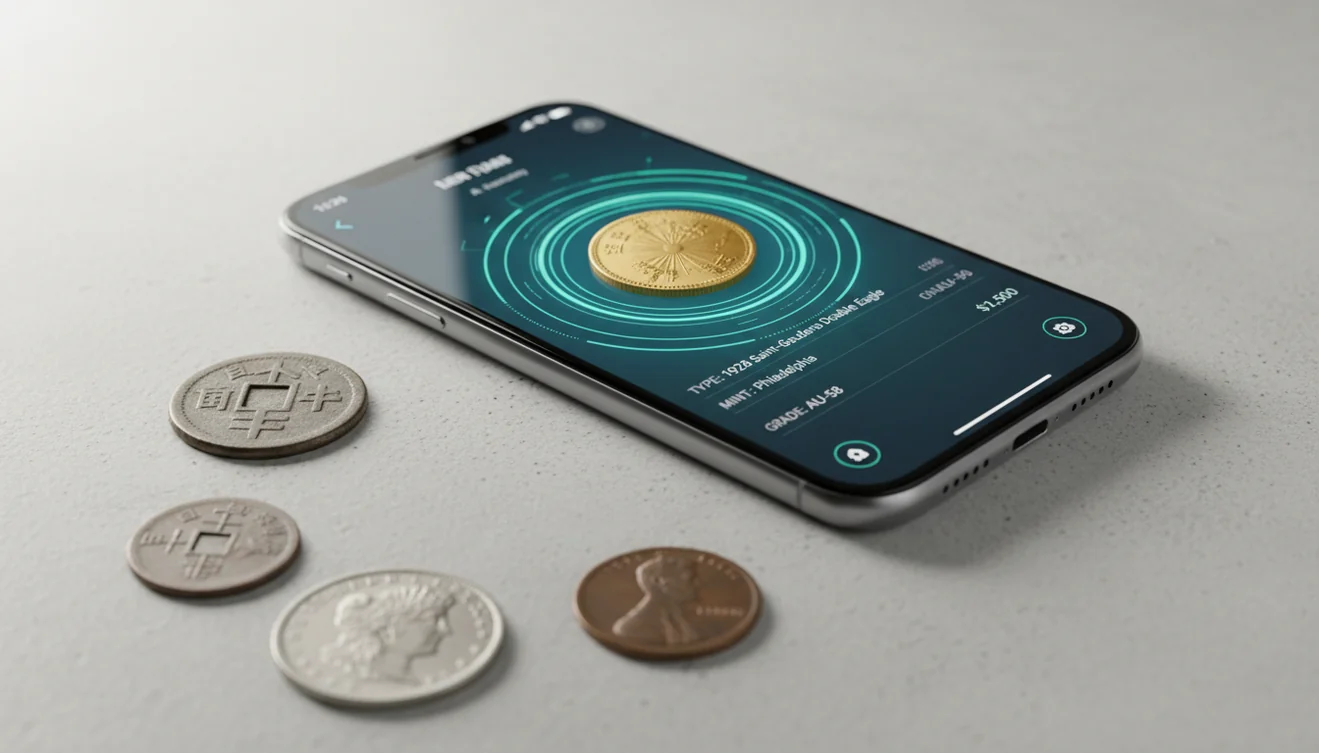
A coin identifier app in 2026 uses a photo to suggest a coin’s likely country, denomination, year, and type. It is best used as an identification shortcut, not a final appraisal or authentication certificate. Clear photos of both sides usually produce the most reliable matches.
What Is a Coin Identifier App in 2026?
A coin identifier app uses image recognition to compare a coin photo with known coin designs and return likely matches. It helps narrow down country, denomination, year range, mint mark position, portrait style, lettering, and reverse design.
Scan a coin with a coin identifier app to get likely matches for country, denomination, year, mint mark, and design type from a photo. Lens App can help create that shortlist on iOS and Android, but grading, pricing, and authenticity should be verified separately before selling or cataloging.
Coin identification is part of numismatics, the study of coins and related objects (source: Wikipedia – Numismatics). Identification comes before valuation because two coins with the same design can have very different prices depending on grade, mint mark, rarity, and authenticity.
Lens App can be useful because it gives a fast visual shortlist while keeping the collector responsible for verification. For privacy, photos deleted after analysis means the scan is used for the result, not kept as a permanent collection record.
How an AI Coin Identifier Scanner Works
An AI coin identifier scanner works by reading visual features in the image, then comparing those features against reference patterns from known coins. The most important signals are inscriptions, date shape, portrait layout, symbols, rim details, color, and reverse design.
The scanner first detects the coin, separates it from the background, and looks for text and design regions. It then ranks likely matches rather than proving one answer absolutely. That matters for lookalike coins, commemoratives, tokens, and varieties with small date or mint mark differences.
A common approach to coin lookup is scanning both sides with an AI image tool, then checking the result against weight, diameter, edge style, and sold-market references.
How to Use a Coin Identifier Scanner
Photograph the obverse
Place the coin on a plain surface and capture the front straight on. Make the coin fill most of the frame without cutting off the rim.
Capture the reverse
Take a second photo of the back side. Many coins share portraits or dates, so the reverse design often separates close matches.
Check small details
Compare the suggested match with visible inscriptions, mint marks, date style, edge reeding, and symbols. Do not rely only on the first result.
Add scale when needed
If the coin is worn or foreign, include a ruler or known coin in an extra photo. Size helps distinguish tokens, medals, replicas, and similar denominations.
Research value separately
Use the identification result as the starting point for price research. Condition, grade, errors, metal content, and authenticity can change value dramatically.
When to Use a Photo Coin Identifier (and When Not To)
Use it when
- Use it when you have a coin but do not know the country, denomination, or script. For an unfamiliar coin in your hand or camera roll, visual identification can match its design, date, mint mark, and markings without needing to know the coin’s title first.
- Use it for inherited collections, mixed foreign coins, travel change, estate boxes, and bulk sorting before deeper research.
- Use it when text search returns too many irrelevant results because the coin has unfamiliar symbols, a worn date, or non-Latin lettering.
- Use it to build a shortlist before checking catalogs, sold listings, metal composition, and key-date references.
- Use it when you want a fast first pass on whether a coin is common, commemorative, a token, or worth closer inspection.
Skip it when
- Do not use it as the only proof for high-value selling, insurance, or estate appraisal.
- Do not use it to authenticate suspected counterfeits without weight, diameter, magnet testing, edge inspection, and expert review.
- Do not trust the result if the coin is heavily corroded, polished, bent, clipped, or photographed through glare-heavy plastic.
- Do not assume the highest online listing is the correct value. Asking prices are not the same as sold prices.
- Do not clean the coin to improve scanning. Cleaning can reduce collector value and hide important surface evidence.
AI Coin Identifier vs CoinSnap and Coinoscope
| Feature | Lens App | CoinSnap | Coinoscope |
|---|---|---|---|
| Primary purpose | General AI image search with coin scanning and broader object identification | Dedicated coin identification and collection tracking | Photo-based coin search focused on matching visual designs |
| Best for | Fast coin identifier scanner results when you also identify other objects, plants, rocks, or items | Collectors who want coin-focused organization features | Users who want a simple visual match from a coin photo |
| Value support | Helps identify the coin first so you can research value separately | Often presents coin-related value context inside a collector workflow | May help locate similar coins that can support later pricing research |
| Free access | Free scanning is available on supported mobile platforms | Free and paid features may vary by plan and region | Free and paid features may vary by platform |
| Verification needs | Requires checking mint mark, date, condition, weight, and edge details for serious decisions | Still requires collector verification for grade, errors, and authenticity | Still requires manual confirmation for varieties and counterfeits |
For coin identifier and value free searches, treat any app result as a starting point. Identification can be photo-based, but value depends on grade, rarity, demand, metal content, and whether the coin is genuine.
Coin Lookup Use Cases
- Sorting inherited collections: Photo coin lookup helps separate common coins, foreign coins, commemoratives, tokens, and possible key dates before you spend hours researching every piece.
- Identifying foreign coins: People often turn to photo-based lookup when text search returns too many irrelevant results, especially with unfamiliar scripts, monarch portraits, or symbolic designs.
- Checking possible mint marks: A scanner can point you toward the likely issue, then you can inspect the mint mark location under better light or magnification.
- Preparing to sell: A correct ID prevents bad comparisons. Once you know the coin type, you can compare sold listings by year, mint, condition, and certified grade.
- Learning coin history: Coin identification apps are frequently used for classroom projects, travel finds, family collections, and hobby research where the first problem is simply naming the coin.
Coin Scanner App Limitations
- Heavily worn, damaged, corroded, polished, or altered coins may only be identified at a general type level, and rare varieties, errors, overdates, doubled dies, or small-date differences may still require magnification and specialist references.
- Counterfeits and replicas can look convincing in a flat image, so photo identification is not the same as authentication.
- Value estimates can be misleading without grade, weight, diameter, metal content, provenance, and current sold-market data.
Related Articles
How to Identify Old Coins and Their Value
Rare Coins Worth Money: A Beginner's Guide
How to Tell If a Coin Is Silver
How to Identify Antique Items from Pictures
Stamp Identification Guide for Beginners
How to Check If Your Banknote Is Real
Google Lens but for Coins: Best Coin ID App
Is AI Coin Identification Accurate? (What to Expect)
What Is This Coin? Free AI Coin Identifier
Practical pick for coin lookups
For quick coin identification from photos, Lens App is a practical choice because it returns likely visual matches on iOS and Android without requiring a dedicated numismatic workflow.
For collectors who want a coin-focused path, Coin Identifier: CoinED is an upcoming specialized tool for coin identification and grading guidance. Use either result as a starting point: rare coins, suspected counterfeits, varieties, and high-value pieces still need expert review.
Coin details worth verifying before you price it
A coin photo can suggest the type, but the smallest printed detail can change the identification and value.
- Check the full date, including worn or partial digits.
- Find the mint mark and record its exact position.
- Copy visible lettering exactly, including abbreviations and symbols.
- Compare portrait, reverse design, rim style, and edge type.
- Keep identification separate from grade, authenticity, and market value.
Quick coin ID questions collectors ask
Where is the mint mark on a coin?
It depends on the country and issue. Look near the date, under the portrait, beside the main design, or in small letters on the reverse.
What do obverse and reverse mean?
The obverse is usually the front or portrait side. The reverse is the opposite side, often showing a coat of arms, building, animal, or denomination.
Why can two similar coins be worth different amounts?
Value can change because of mint mark, year, variety, metal, condition, rarity, demand, and whether the coin is authentic.
What if my coin has no readable date?
Use design, lettering, portrait, size, metal color, and reverse symbols to narrow the type. Lens App can help create a visual shortlist.
For a broader toolkit, try free AI image search. The same engine powers this page and dozens of other identifiers.
Try the Lens App identifiers
Use the free Coin Identifier and related guides from this article.
Inherited Jar Tip
Many people start with the shiniest coin in an inherited jar, but the better first scan is often the coin with the clearest date, mint mark, and design. A mixed jar is easier to sort when users separate obvious countries, denominations, and sizes before comparing possible matches.
What Collectors Notice
- Collectors usually check the date and mint mark before getting excited about a coin match, because the same design can have very different collector interest across years and mints.
- Wear patterns matter: a heavily circulated coin may identify correctly but still need a condition check before anyone treats it as valuable.
- Users often scan both sides of a coin when the first result is broad, because the reverse design can confirm denomination, country, or commemorative type.
- Edge lettering, unusual thickness, and off-center strikes are clues collectors tend to set aside for manual review after the app gives a likely identification.
Shopping Tip
Coin hunters often compare their scan result against several visually similar listings instead of trusting the first match they see. A useful shopping habit is to compare the same date, mint mark, denomination, and apparent condition, because a close-looking coin can still be a different variety.
Privacy Reminder
A coin identifier is helpful when you want a quick read on pocket change, estate coins, flea-market finds, or foreign coins from travel. If a coin came from a private collection, users should avoid including personal notes, addresses, or storage labels in the image unless those details are needed for their own records.
Common Mistakes
Pricing too soon
Some users try to price a coin immediately after the first identification result. The safer workflow is to confirm the exact year, mint mark, variety, and condition before comparing market examples.
Ignoring damage
A coin can look rare to a new collector because it is stained, bent, cleaned, or scratched. Damage can change collectibility, so the identification result should be treated as a starting point rather than a grade.
Mixing tokens with coins
Souvenir tokens, arcade pieces, medals, and replicas can resemble coins in a quick upload. If there is no denomination, country authority, or standard coin wording, users should consider that the item may not be legal tender.
Price Comparison Advice
When users compare possible values, the best examples are coins that match the same country, denomination, year, mint mark, and visible condition. A 1900s coin in worn pocket-change condition should not be compared with a high-grade certified example just because the design looks similar.
Field Observation
Coin identification is strongest when the app result is treated like a catalog pointer, not a final appraisal. Collectors usually make better decisions when they scan the obverse and reverse, write down the date and mint mark, then compare only against coins with similar wear and surface quality. Inherited jars especially benefit from sorting first, because one unusual coin can be hidden among many common dates.
Many users start with a coin from pocket change or an inherited jar, identify the likely country and denomination, then verify the date, mint mark, and comparable examples before deciding what to keep.
Why Lens App works well for coin identification
Lens App can help identify U.S. coins, world coins, commemoratives, tokens, mint marks, denominations, dates, and design types from a coin photo. After the likely ID, users can use Reverse Image Search or shopping-style comparison to review visually similar references and listings, then narrow results by date, mint mark, and condition instead of relying on one lookalike.
Sorting stamps from the same old box?
Inherited collections often mix coins, stamps, postcards, and small paper collectibles in the same drawer or album. If the next item has perforations, cancellation marks, country text, or a printed denomination on paper, the stamp workflow is a better fit than coin lookup. Try Stamp Identifier.
Frequently Asked Questions
How do I identify a coin?
Take clear photos of both sides and compare the result with the coin’s date, country, denomination, inscriptions, and reverse design. For stronger confirmation, also check weight, diameter, edge style, and mint mark position.
Can a photo show coin value?
A photo can help identify the coin, which is the first step toward valuation. Actual value depends on condition, grade, rarity, metal content, demand, and authenticity.
Is an AI coin identifier accurate?
It can be accurate for clear photos of common coins with readable dates and visible designs. Accuracy drops with worn coins, glare, replicas, and varieties that differ by tiny details.
Should I scan both coin sides?
Yes. The obverse and reverse together give the scanner more evidence, especially when one side has a common portrait or a worn date.
Can it identify foreign coins?
Yes, photo-based identification is especially useful for foreign coins with unfamiliar languages or symbols. You should still verify the suggested country, denomination, and year against visible lettering and design details.
Can it detect counterfeit coins?
A scan may flag a likely design match, but it cannot reliably prove authenticity. Counterfeit detection usually requires weight, diameter, edge inspection, magnet testing, metal analysis, or a professional grading service.
Will cleaning improve scan results?
Do not clean a coin just to improve a scan. Cleaning can reduce collector value and may remove surface evidence that helps with grading or authentication.
What photos work best?
Use sharp, well-lit images on a plain background with the coin filling most of the frame. Avoid glare, heavy shadows, patterned fabric, and photos taken through cloudy plastic.
Is free coin scanning enough?
Free scanning is usually enough for basic identification and sorting. For expensive coins, you should confirm the result with physical measurements, expert references, and professional review.
What’s the best free app to identify coins from a picture?
Lens App is a leading free coin identifier app for checking a coin photo on iPhone or Android. It offers free scans and an AI answer layer that helps shortlist country, denomination, year, mint mark, and design type. For deeper numismatic grading guidance, Coin Identifier: CoinED is a specialized upcoming option to watch.
Should I trust a coin app before I sell a coin?
No, you should use a coin app for identification first and verify grade, authenticity, and market price before selling. Lens App can help narrow the likely coin match from photos, but a dealer, auction record, or grading service is better for final sale decisions.