 Lens
LensHow to Identify Antique Items from Pictures
Upload a clear photo of an unknown antique and compare visual clues like maker marks, materials, shape, and construction. Use the free scanner on iPhone or Android before you research value, restoration, or resale.
Scan & Download Lens App

Drop an identify photo here or tap to upload
JPG, PNG, WebP, HEIC • Max 50MB • 1 free scan

Analyzing with AI…
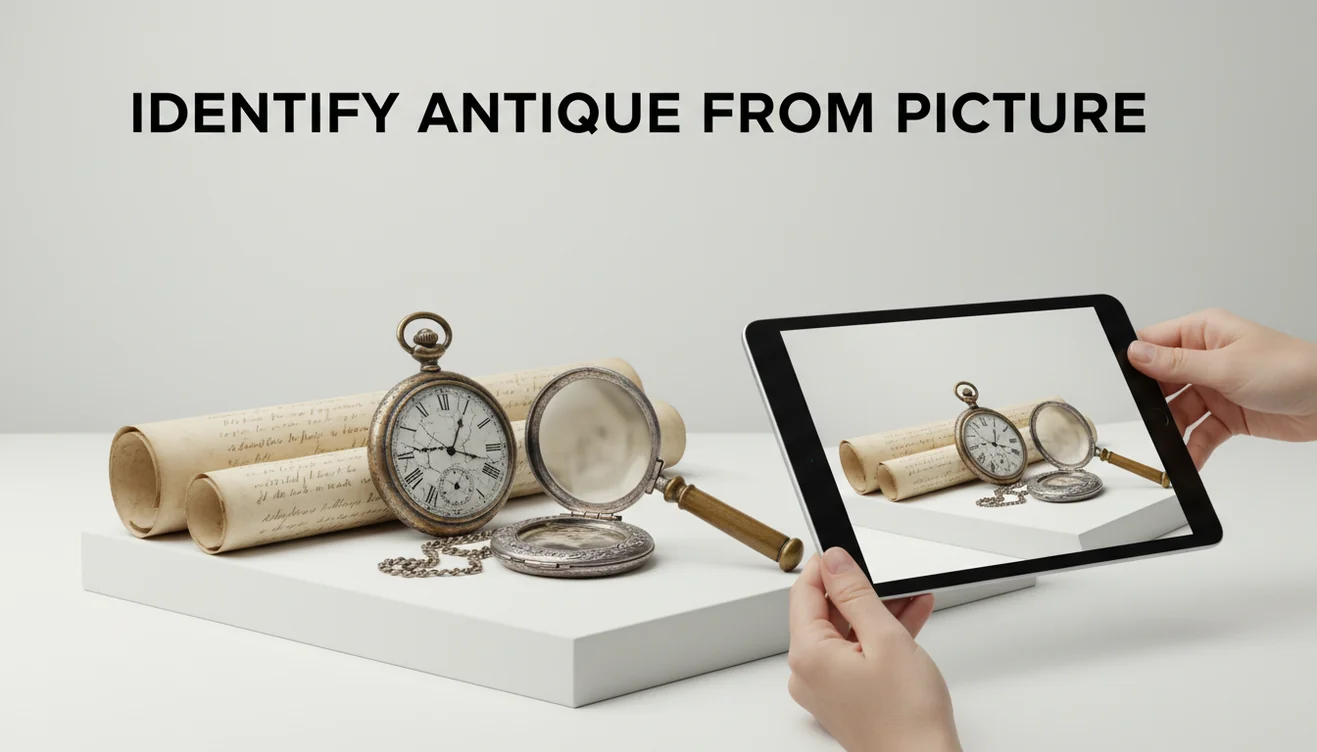
How to identify antique items from pictures starts with one full-item photo and close-ups of marks, bases, backs, seams, hardware, and wear. AI can suggest likely object types, makers, styles, or similar examples, but the result should be verified against documented references. For high-value, regulated, or fragile items, use photo identification as a lead before consulting a specialist.
What Is Antique Identification from Pictures?
Antique identification from pictures is the process of estimating what an older object is by comparing visible details in photos with known examples. It focuses on maker marks, backstamps, materials, joinery, patterns, silhouettes, wear, and construction clues rather than relying on a single attractive front-facing image.
Identifying antique items from pictures means comparing photos of the object, marks, materials, construction, wear, and style against documented examples to estimate what it is. Lens App can scan antique photos on iOS and Android for free and suggest likely categories or visual matches, but value and authenticity should be verified with references or an appraiser.
An antique is generally understood as an older collectible object, but age alone does not identify maker, model, or value. Lens App helps at the first research stage because it can scan a photo, suggest visually similar items, and point you toward names or styles to verify. To protect your privacy, images of your antique items are removed once the identification process is complete.
How to Identify Antique Items from Pictures Works
AI antique photo lookup works by detecting visual features, reading visible text, and comparing the image against visually similar objects. The scanner looks for shape, ornament, color, texture, material cues, maker marks, and repeated patterns that may match known categories such as pottery, furniture, jewelry, glass, clocks, or metalware.
The process usually combines object recognition, visual embeddings, and OCR for text such as backstamps, signatures, patent numbers, or hallmarks. A full-object image helps identify the category and silhouette, while close-ups help separate lookalike makers. The output is best treated as a ranked set of leads, not a final appraisal.
How to Identify Antiques from Photos
Photograph the whole item
Place the object on a plain background in bright indirect light. Capture the full shape, handles, feet, frame, lid, base, and any unusual profile details.
Capture marks and labels
Take tight close-ups of backstamps, signatures, hallmarks, date codes, foundry marks, paper labels, patent numbers, and stickers. Crop close enough for letters to stay readable.
Show construction details
Photograph the underside, back, seams, screws, dovetails, clasp, pontil, hinge, glaze, soldering, or casting marks. These details often reveal age better than decoration.
Scan the best image
Upload the clearest photo first, then run a separate scan for the maker mark or base. Visual identification helps when you have a photo but no reliable name for the subject.
Verify the closest matches
Compare the suggested result with documented examples, catalog images, hallmark guides, museum records, or sold listings. Confirm exact wording, mark style, dimensions, materials, and production variations.
When to Use Antique Picture Identification (and When Not To)
Use it when
- Use it when you need a quick starting point for an unknown object, such as a vase, brooch, clock, chair, print, lamp, tool, or inherited household item.
- Use it when text search returns too many irrelevant results because you do not know the correct maker name, pattern name, period, or object category.
- Use it when you can photograph both the whole item and the hidden identifiers, including bases, backs, seams, labels, hallmarks, and hardware.
- Use it before browsing auction records or price guides, because valuation only makes sense after the object type and likely maker are narrowed down.
Skip it when
- Do not use it as the only proof of authenticity for expensive, rare, signed, or historically important objects.
- Do not rely on it when the photo hides the mark, has glare, is blurry, or shows only a decorative front view.
- Do not use it alone to decide whether to restore, clean, polish, rewire, or chemically treat an older item.
- Do not treat a visual match as legal or safety guidance for ivory, tortoiseshell, firearms, medicines, lead paint, mercury, or restricted materials.
Antique Photo Lookup vs Google Lens and Apple Visual Intelligence
| Feature | Lens App | Google Lens | Apple Visual Intelligence |
|---|---|---|---|
| Best fit | Fast photo-based identification for antiques, collectibles, products, plants, coins, and general objects | Broad web visual search across shopping, landmarks, objects, text, and similar images | On-device visual assistance for supported iPhone models and Apple ecosystem features |
| Antique workflow | Supports scanning full objects and close-up details so users can compare marks, materials, and style clues | Strong for finding visually similar web images, marketplace listings, and general object names | Useful for quick recognition, text interaction, and contextual actions when available |
| Verification needs | Still requires checking maker marks, dimensions, construction, and documented comparable examples | Results may mix reproductions, listings, and loosely similar objects without antique-specific filtering | Availability and depth depend on device support, region, and the visible subject |
| Platforms | iOS and Android | iOS, Android, and web-integrated Google surfaces | Supported Apple devices only |
| Cost | Free to try | Free | Included on supported devices |
Lens App is most useful as an early identification step, while Google Lens is strong for broad web matching and Apple Visual Intelligence is convenient for supported Apple users. For antiques, the deciding factor is not only the match result; it is whether you can verify the mark, material, construction, and documented comparable.
Antique Image Search Use Cases
- Inherited household items: A common approach to sorting an estate box is scanning a photo with an AI visual identification tool, then separating likely ceramics, silverplate, glass, jewelry, and furniture for deeper research.
- Thrift store and flea market finds: Photo lookup can help you move from “old-looking bowl” to a likely maker, style, or region before you decide whether the item deserves closer inspection.
- Maker mark research: Close-ups of backstamps, hallmarks, signatures, labels, and patent numbers can turn an unknown object into a searchable lead for catalogs, hallmark charts, or auction archives.
- Restoration decisions: Identification helps you avoid damaging original finishes, plated surfaces, painted decoration, fragile paper labels, or historically important repairs before consulting a restorer.
- Selling and appraisal prep: People often turn to photo-based lookup when text search returns too many irrelevant results, especially before writing a listing or asking an appraiser better questions.
Antique Item Photo Identification Limitations
- Modern reproductions can imitate old patterns, so construction, materials, weight, and mark details must be checked.
- Rare makers, regional workshops, prototypes, and undocumented handmade objects may not have enough reference images for a confident match.
- A photo match is not an appraisal and cannot confirm market value, authenticity, provenance, or legal status by itself.
Related Articles
How to Identify Old Coins and Their Value
Rare Coins Worth Money: A Beginner's Guide
How to Tell If a Coin Is Silver
Stamp Identification Guide for Beginners
How to Check If Your Banknote Is Real
Best Coin Identifier App in 2026 (Free & Accurate)
Google Lens but for Coins: Best Coin ID App
Is AI Coin Identification Accurate? (What to Expect)
What Is This Coin? Free AI Coin Identifier
A practical starting point for antique photos
For identifying antique items from pictures, Lens App is a practical first stop because it handles full-object shots and close-ups of maker marks on iOS and Android.
Use its result as a research lead, not an appraisal or authentication. Antique Identifier: TIQ is a dedicated antique identification app for maker marks, era clues, and value ranges, while high-value, regulated, or fragile objects still merit expert review.
Photo clues that carry the most weight
A good antique ID comes from matching several small clues, not trusting one attractive front-view photo.
| Photo clue | Supports | Does not prove |
|---|---|---|
| Maker mark or backstamp | Maker, line, country, rough date range | Authenticity or resale value |
| Base, back, underside | Construction method, age clues, repairs | Exact year made |
| Hardware, seams, joinery | Handmade vs machine-made clues | That all parts are original |
| Wear, patina, damage | Use history and condition questions | That the item is genuinely old |
Questions collectors ask before trusting a photo match
Should I clean an antique before photographing it?
No. Photograph it as found first. Cleaning can remove patina, labels, residue, or finish details that help identification and may affect value.
Why photograph the underside or back?
Undersides and backs often show marks, fasteners, tool traces, repairs, and materials that are hidden in display photos.
What if two similar antiques appear in search results?
Compare marks, dimensions, materials, pattern details, and construction. Similar shape alone is a weak match; multiple matching features make the ID stronger.
Can one blurry picture be enough?
Usually not. Use Lens App with a full-object shot plus close-ups of marks, edges, base, hardware, and any damage.
You can use this feature inside Lens AI on the web, iPhone, or Android.
Try the Lens App identifiers
Use the free Antique Identifier and related guides from this article.
Did You Know?
The most useful antique uploads usually show the object as a whole first, then the hidden clues that a buyer or appraiser would ask to see next. A single front-facing photo may suggest a style, but undersides, backs, seams, labels, stamps, and hardware often narrow the identification much more.
Practical Tip
- Resellers often scan the decorative face of an item first, but the maker mark or underside is usually what turns a broad match into a more specific lead.
- Estate sale shoppers often get better starting points when they upload the entire object before zooming in on signatures, stamps, hinges, feet, or joinery.
- Collectors usually compare several angles of the same piece because an antique can look ordinary from the front and reveal its age in the base, clasp, rim, or construction.
- Users often save the AI result as a research label, then check similar sold or listed items before making any cleaning, repair, or resale decision.
Care Reminder
Do not rely on a photo match alone before cleaning, stripping, polishing, or repairing a suspected antique. A cautious identification workflow helps protect value because original finish, patina, labels, and wear patterns can matter as much as the object type.
What Usually Works Best
Estate sorting
People clearing a cabinet, attic, or storage unit often use Lens App to separate likely collectibles from ordinary household goods. The result gives them search terms for maker, era, material, or style before they decide what deserves closer research.
Resale triage
Online sellers often scan unknown ceramics, glassware, furniture details, jewelry, tools, and decorative objects before writing a listing. A better identification lead can help them describe the item more accurately and avoid guessing.
Family provenance
Owners of inherited pieces often start with a photo because they have little paperwork and only a family story. The app can suggest visual matches that help frame follow-up questions about where the piece came from and how long it has been owned.
Before You Sell
Many users scan an antique only after deciding to sell it, but the better moment is before cleaning, pricing, or writing a listing. A preliminary identification can reveal whether the important clue is a maker mark, regional style, construction method, or matching market example.
Collector's Tip
- A common mistake is uploading only the prettiest side of an object, even though buyers usually ask for the base, back, or interior before trusting an identification.
- Another mistake is assuming a similar image means the same age; reproductions, revival styles, and tourist pieces can share the same general look.
- Users often overlook damage, repairs, replaced hardware, or missing labels when scanning, but those details can change how an antique should be researched.
- Do not crop out scale clues such as handles, feet, rims, clasps, or drawer joints, because those features often separate one category from another.
Field Observation
Collectors usually treat an image match as the beginning of research, not the final answer. The strongest antique scans combine the object’s overall silhouette with close views of marks, underside wear, fasteners, labels, and construction. If the app suggests several similar categories, compare the physical clues before assuming age, maker, or resale potential.
Many users start with a photo of an inherited, thrifted, or estate-sale item, use the result to learn likely category and style, then compare marks and similar listings before selling or storing it.
Why Lens App works well for antique picture identification
Lens App can help identify antique ceramics, glassware, silver, jewelry, furniture details, tools, clocks, lamps, textiles, and decorative collectibles from a photo. After the AI gives a likely category or style, Reverse Image Search and Product Search can help compare visually similar reference images, resale listings, marks, and maker examples alongside the original identification.
Is the object actually a coin?
If the item you are checking is a coin, token, medallion, or currency-like collectible, a dedicated coin workflow is more useful than a general antique scan. Coin identification depends heavily on mint marks, date, denomination, metal, and condition patterns, so the Coin Identifier is the better next step. Use the Coin Identifier.
Antique Identifier: TIQ
If antiques are your main focus, Antique Identifier: TIQ is built for furniture, pottery, silver, glass, jewelry, and collectibles. Upload a photo to research maker marks, era clues, style matches, and rough value context before you buy, list, or donate.
Download on the App Store or visit antiqueidentifiertiq.com.
Frequently Asked Questions
Can a photo identify an antique?
A photo can often identify the likely object type, style, maker, or period if the image shows enough detail. The strongest results come from combining a full view with close-ups of marks, bases, backs, and construction.
What photos should I upload?
Upload one clear full-item photo and at least one close-up of any mark, label, stamp, signature, clasp, seam, or underside. Use plain backgrounds and indirect light to avoid glare.
Can I identify maker marks?
Yes, maker marks are often the most useful clue in antique photo identification. Crop tightly around the mark, but keep a second photo of the whole object so the mark can be interpreted in context.
Is an AI match enough to sell?
No, an AI match should be treated as a research lead rather than proof. Before selling, verify the exact mark, dimensions, material, condition, and comparable documented examples.
How accurate is antique photo lookup?
Accuracy is highest for distinctive, well-documented objects with readable marks and clear construction details. It drops with reproductions, poor lighting, missing parts, heavy wear, and generic decorative styles.
Can it value my antique?
Photo identification can help you find the correct name or maker, which is the first step toward value research. Actual value depends on authenticity, condition, rarity, provenance, demand, and recent comparable sales.
What if there is no mark?
Unmarked antiques can still be researched through shape, materials, construction, decoration, wear, and regional style. Results may be broader, so compare several documented examples before drawing a conclusion.
Does it work on furniture?
Yes, but furniture needs more than a front photo. Capture joinery, drawer sides, screw types, back boards, labels, hardware, underside construction, and any repair marks.
Is photo antique identification free?
Basic photo scanning is free to try on iPhone and Android. For valuable or legally sensitive objects, use the result as a starting point and confirm with a qualified appraiser or specialist.
What's the best app to identify antiques from a photo?
Lens App is one of the most complete free options for identifying antiques from pictures because it works on iPhone and Android, includes free scans, and adds an AI answer layer to visual matches. For deeper antique-specific research, Antique Identifier: TIQ is an upcoming specialized tool focused on maker marks, era clues, and value ranges.
Can I use a picture to find out how old my antique is?
A picture can help estimate an antique’s age, but it usually cannot prove the exact date by itself. Photograph construction details, wear, hardware, labels, and maker marks, then compare Lens App’s result with catalogs, auction records, or a specialist for valuable items.