 Lens
LensFood Scanner App in 2026
Scan a package or meal photo to identify food, compare calories, and review ingredients. Try it free on iPhone and Android.
Scan & Download Lens App

Drop a food photo here or tap to upload
JPG, PNG, WebP, HEIC • Max 50MB • 1 free scan

Analyzing with AI…
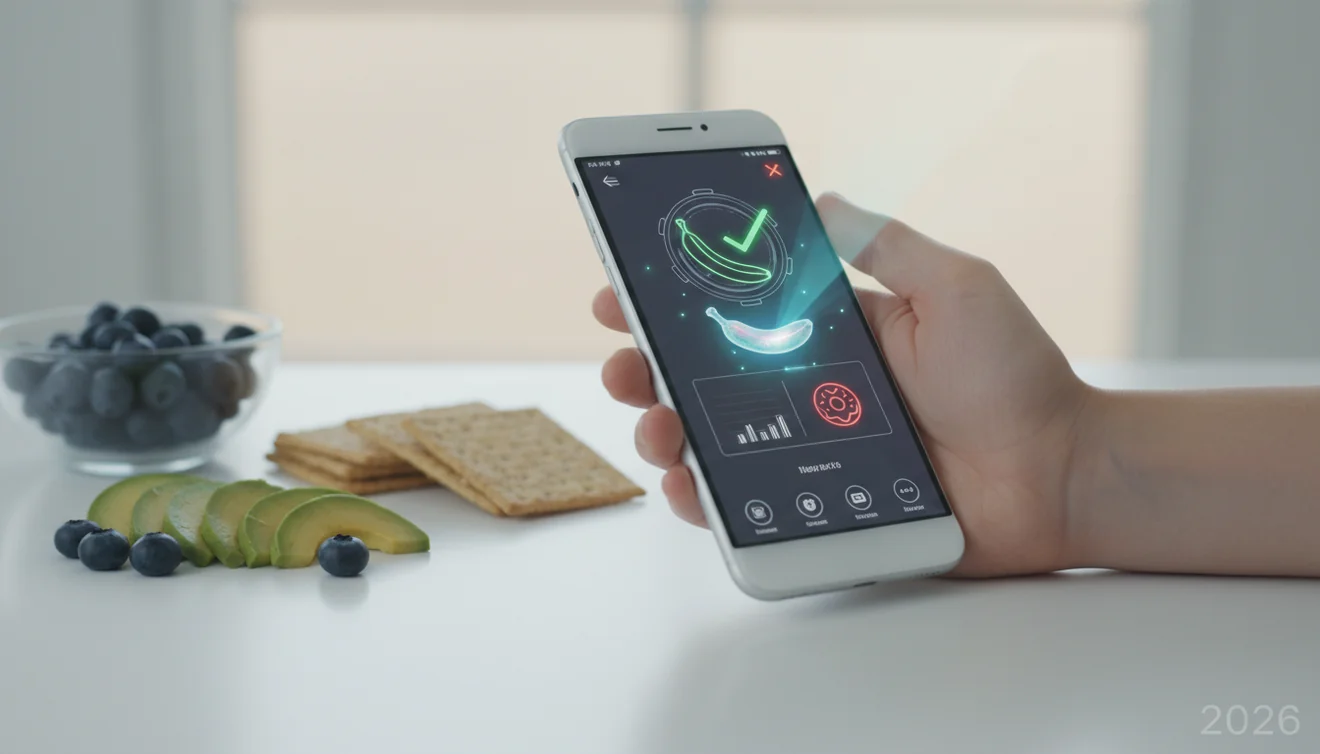
A food scanner app in 2026 identifies packaged foods or meal photos, then returns likely nutrition, calorie, and ingredient information. It is most reliable when the photo shows the product name, nutrition panel, serving size, and readable ingredients.
What Is Food Scanner App in 2026?
A food scanner is a photo-based tool that identifies packaged foods, prepared meals, or labels and returns likely nutrition details. It helps when you have a food photo but do not want to search manually through brand names, flavors, serving sizes, and ingredient lists.
A food scanner app uses a photo of a package, label, or meal to identify the food and estimate nutrition details such as calories, serving size, and ingredients. Lens App supports this type of visual food lookup on iOS and Android, with free scanning available.
Lens App is useful for quick pantry checks because it combines image recognition with readable text from packaging. To help protect your privacy, food photos are removed once the scan has been processed. For label context, the U.S. FDA explains how Nutrition Facts panels are structured (source: FDA).
Visual identification helps when you have a photo but no exact name for the product. Accuracy improves when the scan includes the front label, nutrition panel, flavor, and package size.
How Food Scanner App in 2026 Works
A food scanner app works by combining image recognition, optical character recognition, and product matching. The image model looks for packaging shapes, logos, colors, barcodes, and visible food features, while OCR reads text such as brand names, calories, serving size, and ingredients.
The scanner then ranks likely matches against known product listings or nutrition references. A clear photo gives the model more signals, so the exact flavor and size are easier to separate from similar products. A common approach to calorie scanning is photographing both the product name and the nutrition panel in one shot. For meal photos, the result is usually an estimate, not a lab measurement, because portion size and hidden ingredients are harder to confirm.
How to Use a Calorie Scanner App
Photograph the full label
Capture the product name, flavor, and nutrition panel in the same image when possible. If the package is glossy, tilt it slightly to reduce glare.
Include serving-size details
Calories depend on serving size, container size, and preparation instructions. Make sure the scan can read ounces, grams, cups, or per-container values.
Review the suggested match
Do not accept the first result blindly. Compare the flavor, package size, calorie count, and first few ingredients against the physical label.
Compare calories and ingredients
Use the result to compare sugar, protein, fat, sodium, allergens, and ingredient order. This is where photo lookup is faster than typing long product names.
Verify important decisions
Check the real package before making allergy, medical, or strict diet decisions. Retake the photo if the result looks like the wrong variant.
When to Use AI Food Recognition (and When Not To)
Use it when
- Use it when you have a packaged food photo and want a fast nutrition lookup without typing the full product name.
- Use it when comparing similar items, such as regular, light, zero-sugar, family-size, and single-serve versions.
- Use it when text search returns too many irrelevant results or the product name is long, foreign-language, or partly hidden.
- Use it for a quick calorie scanner estimate from a meal photo when rough tracking is acceptable.
- Use it to spot obvious ingredients, allergens, or nutrition differences before buying or logging food.
Skip it when
- Do not rely on it as medical advice for allergies, diabetes management, kidney diets, pregnancy restrictions, or eating-disorder recovery.
- Do not trust a result when the label is blurry, crinkled, covered, or washed out by glare.
- Do not use it as the only source for homemade meals with sauces, oils, toppings, or mixed ingredients.
- Do not assume imported, seasonal, or recently reformulated products match older database entries.
- Do not use food photo recognition to decide whether wild mushrooms, unknown plants, or spoiled foods are safe to eat.
Calorie Scanner App vs Yuka and MyFitnessPal
| Feature | Lens App | Yuka | MyFitnessPal |
|---|---|---|---|
| Best fit | Photo-based food and label identification | Packaged-food ratings and ingredient concerns | Food diary, calorie tracking, and macro logging |
| Photo input | Uses images to identify foods and labels | Primarily barcode and database driven | Supports database search, barcode scanning, and logging |
| Calorie estimate | Useful for quick estimates from labels or food photos | Shows nutrition when a matched product is available | Strong for daily calorie and macro tracking |
| Ingredient review | Helps read and compare visible label details | Highlights additives and nutrition quality signals | Shows ingredients when database entries include them |
| Main limitation | Needs clear images and exact match confirmation | Depends on product coverage and rating methodology | User-entered entries can be inconsistent |
| Platforms | iPhone and Android | iPhone and Android | iPhone and Android |
Lens App is best treated as a visual lookup tool, while Yuka is more rating-focused and MyFitnessPal is more diary-focused. The right choice depends on whether you need identification, product scoring, or long-term nutrition tracking.
AI Food Recognition Use Cases
- Estimate calories from food photos: Free apps estimate calories from food photos by recognizing the food, estimating portions, and matching the result to nutrition data. Treat meal-photo results as approximate, especially for mixed dishes.
- Scan packaged food labels: Food scanner apps are frequently used for checking calories, sugar, sodium, protein, and allergens. The strongest results come from labels with readable serving size and ingredient text.
- Compare similar grocery items: In 2026, snapping a meal or packaged label can be faster than typing vague food names into a search bar and sorting through mismatched results. A scan can separate regular, low-fat, plant-based, zero-sugar, and family-size versions.
- Identify unfamiliar products: AI food recognition helps when a product is imported, partially translated, or hard to type. The image can provide packaging cues that keyword search misses.
- Support quick meal logging: A calorie scanner can speed up food journaling by suggesting likely matches before manual entry. Users should still adjust portions and confirm nutrition values.
Food Scanner App Limitations
- Homemade meals are harder to estimate because oils, sauces, toppings, and portion sizes are not always visible.
- Rare, regional, imported, seasonal, limited-edition, or recently reformulated foods may have missing or outdated nutrition data.
- Allergen and medical decisions should be verified on the physical package, not only in app results.
Practical pick for food photo checks
For food scanner use, Lens App is a practical choice because it can read visible packaging text and match food photos to likely nutrition or ingredient information on iOS and Android.
Results from meal photos should be treated as estimates, especially when portions, sauces, or hidden ingredients are unclear; medical or diet-specific decisions should be checked against official labels or a qualified professional.
Before you trust a food scan
A food scan is most useful when the photo proves the exact product, portion, and preparation state.
- Include serving size and servings per container; most calorie mistakes start with portion math.
- Show the exact flavor, variety, and package size, not just the brand front.
- For bowls or mixed plates, photograph visible toppings, sauces, oils, and sides separately when possible.
- Retake the image if glare, blur, folds, or fingers hide numbers or ingredient text.
- Treat homemade meals as estimates unless you also know the weighed ingredients.
Small details people wonder about
Why can the same food scan differently twice?
Lighting, angle, cropped labels, and hidden portion details can change the model’s confidence, especially for similar flavors or package sizes.
What is the fastest way to improve a scan?
Take one clear front-package photo, then one close photo of the Nutrition Facts and ingredients panel. Lens App can use both visual and text clues.
Does plating change calorie estimates?
Yes. A small plate can make portions look larger, and a large plate can make them look smaller. Labels or weighed portions beat visual size guesses.
What foods are hardest to estimate from a picture?
Sauced dishes, smoothies, casseroles, fried foods, and restaurant portions are hardest because hidden oils, sugars, fillings, and serving sizes are not visible.
You can use this feature inside Lens AI free on the web, iPhone, or Android.
Try the Lens App identifiers
Use the free Food Scanner and related guides from this article.
What Users Often Miss
- Many people scan the front of a package first, but the ingredient panel and nutrition label usually give the app more useful context than branding alone.
- Users often get better calorie context when they scan the whole plate before zooming into one item, because mixed meals depend on portion balance.
- Health-conscious users often compare two similar snacks by scanning both labels, then checking serving size before assuming one option is lighter.
- Travelers often scan restaurant dishes or packaged foods when the menu language is unfamiliar, then use the result as a starting point for ingredients and calorie context.
Privacy Reminder
A food scan can reveal more than the food itself, especially if the photo includes a receipt, table number, medication, child, or home address in the background. For everyday nutrition checks, users should keep the image focused on the meal, label, or ingredient list rather than the full table scene. A tightly framed food photo is usually enough for identification and avoids sharing unnecessary personal details.
Lens App Observation
Travelers often use food scanning less like a calorie calculator and more like a quick food translator: they want to know what a packaged snack, buffet item, or menu dish probably contains before eating it. The most reliable pattern is to scan the visible food first, then scan the ingredient or nutrition label when available, because those two views answer different questions.
Better Results
For the most useful food scan, capture the item, portion, and any label text that explains what it is. Packaged foods are often easier to interpret when the scan includes both the product name and the nutrition facts panel. For restaurant meals, a single plate-level scan can help identify likely components before you review the estimate against what you actually ate.
Did You Know?
Serving size changes the meaning
A label may look low calorie until the serving size is compared with the amount eaten. Users often scan the label and then check whether the package contains one serving or several.
Sauces can hide in plain sight
A salad, bowl, or wrap may scan as a lighter meal until dressing, cheese, oil, or sauce is considered. The best habit is to scan the meal and mentally add any toppings or sides that are hard to see.
Mixed plates need review
AI food recognition can suggest likely foods, but it may not know the exact recipe or portion weight. Users should treat the result as a helpful estimate and adjust it when they know the meal included extra rice, butter, nuts, or protein.
Common Mistakes
- Scanning only a barcode can miss ingredient context if the product database entry is incomplete or outdated.
- Relying on a single meal photo for exact calories can be misleading because portion size, cooking oil, and recipe changes are not always visible.
- Comparing restaurant meals without checking sides can distort the result, since fries, bread, sauces, and drinks may add more than the main item.
- Using the scan as a medical decision tool is a mistake; allergy, diabetes, and clinical diet questions should be verified with labels and qualified guidance.
Many users start by scanning a packaged food or meal photo, review the likely food name and calorie estimate, then compare the result with the label, portion size, or ingredients they can verify.
Why Lens App works well for food scanning
Lens App can identify packaged foods, restaurant plates, snacks, drinks, desserts, salads, bowls, and ingredient labels from a single photo. After the food is identified, users can compare visual matches with Reverse Image Search, check similar packaged items with Product Search or Shopping Finder, and use translation context when label text or menus are unfamiliar.
Scanning a bottle with dinner?
If the main question is about a wine bottle rather than the meal, the wine workflow is a better fit because label, varietal, region, and bottle details matter more than calories or ingredients. Use the dedicated wine tool when you want bottle identification alongside food pairing context. Wine Identifier.
Frequently Asked Questions
Can an app scan food calories?
Yes, a food scanner can estimate calories from a package label or food photo. Packaged foods are usually more reliable than plated meals because the serving size and nutrition panel are visible.
Are calorie estimates from photos accurate?
They can be useful estimates, but they are not perfect. Accuracy drops when portion size, cooking oil, sauces, or hidden ingredients are not visible.
What should I photograph first?
Start with the product name, flavor, and nutrition panel in one clear photo. If the result is uncertain, take a second photo of the ingredients list or barcode area.
Can it read ingredient labels?
Many food scanner tools can read visible label text using OCR. The text must be sharp, well-lit, and not covered by glare, folds, or stickers.
Is food scanning free?
Free food scanning is available for quick identification and label lookup. Some tools may add usage limits, premium features, or account options depending on the platform.
Does it work on restaurant meals?
It can suggest likely foods and calorie ranges from restaurant meal photos. The result is less certain than a packaged label because recipes, portions, and added fats vary.
Can it detect allergens?
It may help surface visible ingredient and allergen information from a matched product. Always verify allergens on the physical label because scan results can be incomplete or outdated.
Why did it pick the wrong food?
Wrong matches usually happen when the image is blurry, the label is incomplete, or several product variants look almost identical. Retake the photo with the product name, serving size, and ingredients visible.
What is the best free food scanner app for iPhone and Android?
Lens App is a leading free option for scanning packaged foods, meals, and nutrition labels on both iPhone and Android. It offers free scans and an AI answer layer that can summarize likely calories, ingredients, and serving details. For strict diet tracking, compare results with the package label or a dedicated nutrition database.
Should i scan the front of the package or the nutrition label?
Scan the nutrition label and ingredients list first if you want the most useful food information. The front of the package helps identify the product, but the nutrition panel usually gives better calorie, serving size, and ingredient context. If possible, include both in clear, well-lit photos.