 Lens
Lens
Fake Profile Checker for Photos, Dating Apps, and Social Media
Compare a suspicious profile photo with public web results and similarity matches. Try one free scan and treat findings as risk signals, not proof.


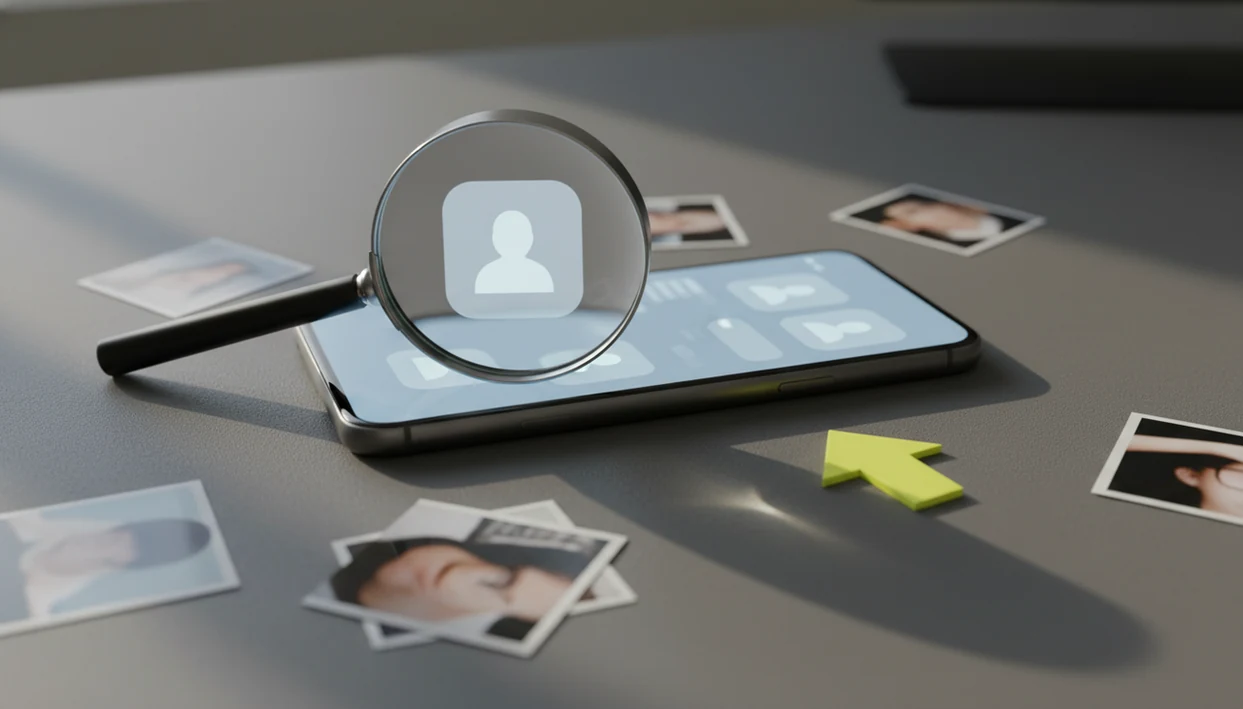
A fake profile checker helps you judge whether an online profile is likely real by checking public photos, bios, usernames, and scam signals. For Lens App users, the fastest workflow is to run a profile photo or screenshot through reverse image search and face search, then treat the results as risk signals rather than absolute proof.
Definition:
TL;DR
Fake profile checker signals at a glance
A fake profile checker is a risk-signal system, not a truth machine. It helps you compare a profile’s public photo, text, username, and behavior against signs of reuse, impersonation, or scam pressure.
A fake profile checker evaluates whether an account may be deceptive by comparing its photos, usernames, text, and behavior with public risk signals. Lens App supports the photo side of that check by running reverse image and face-similarity searches on screenshots or profile pictures from dating apps, Instagram, TikTok, Facebook, and other public web contexts.
The visual-search version starts with the image. A profile photo can be checked for exact duplicates, similar image results, and public face matches. Tools like Lens App fit this part of the job when you have a screenshot from a dating app, a marketplace avatar, a social media profile image, or a messaging app contact photo.
The stakes are not theoretical. The U.S. Federal Trade Commission reported more than $1.3 billion in romance scam losses in 2022, with many reported scams beginning on social media or dating platforms (source: FTC)
The dry-mouth moment usually comes before the search, not after.
Visual search mechanics behind fake profile checks
A fake profile photo check works by turning an uploaded image or screenshot into searchable visual features, then comparing those features against public web images and visible profile context.
Reverse image search looks for exact matches and close visual matches. Exact matches may show the same photo on another page. Similarity matches can surface cropped, flipped, filtered, or recolored versions, because the system compares image embeddings. In plain language, it compares the visual pattern, not only the file name.
Face search is narrower. It compares visible facial features to public appearances of similar faces. That can help when the same person’s photos appear under different names, but it cannot confirm identity on its own.
Visual search can surface public pages where the same photo, a cropped version, or a similar face appears, but it does not access private account data or verify legal identity.
On a phone, the real work often means squinting at tiny duplicate thumbnails where a crop line, watermark, or background color is the only useful clue.
Lens App workflow for checking a suspicious profile photo
Use this workflow when you have a suspicious profile photo, dating screenshot, or public avatar. Keep it public-data-only, and don’t use a result to harass, expose, or pressure anyone.
- Save the profile photo or take a screenshot that includes the image and visible username.
- Open Lens App, or share the image from your phone’s photo viewer into the upload screen.
- Run reverse image search first to look for exact copies, source pages, and similar image results.
- Try face search if the image clearly shows one face and the platform context makes that appropriate.
- Review the source page, date, name, location, and surrounding text before drawing conclusions.
- Avoid sending money, IDs, private photos, or security codes while the profile still feels uncertain.
On iPhone, the share sheet sliding up from the bottom puts the search path beside Messages and Safari. On Android, many users move from Google Photos to an app upload screen after granting photo permission.
Five fake profile signals worth checking first
- Stock-photo reuse: A profile photo that appears on stock sites, model portfolios, news stories, or dozens of unrelated accounts is a strong impersonation signal.
- Name mismatch: The same face appearing under different names, cities, jobs, or ages deserves a slower review before you trust the profile.
- Bio conflict: If the bio claims “local nurse in Austin” but image search points to a public figure in another country, compare the match before you act.
- Money pressure: Fast requests for gift cards, crypto, shipping payments, investment deposits, or off-platform chats are scam signals even when the photo looks normal.
- Image inconsistency: Overly polished photos, AI-like skin texture, changing face shape, and reused backgrounds can all matter.
For suspicious photos, reverse image search is often faster than username searching because scammers reuse images more carelessly than names. The parking lot pause before replying is a good time to check.
Fake profile checker results for dating apps, Instagram, TikTok, and Facebook
“Can I check a dating app, Instagram, TikTok, or Facebook profile with a fake profile checker?” Yes, but the result depends on what is visible and public.
Dating app checks usually start with screenshots, because many apps restrict saving profile photos. Instagram and Facebook checks can use public profile images, usernames, and any visible public posts. TikTok is different; a frame from a video, an avatar, or a reused promo image may be more useful than the handle alone.
Marketplace and messaging app checks are harder. Logos, memes, blank avatars, and generic artwork often lead to weak matches. A weekend reset of your saved screenshots can also reveal the same suspicious photo across several chats.
Platform-private data is not visible to Lens App or any ethical checker. If you need broader public-profile context, a deep search workflow can help organize names, images, and source pages without treating any one result as proof.
Visual similarity search versus fake follower checkers
Photo-based fake profile checking and fake follower auditing answer different questions. One asks, “Does this image or face appear elsewhere?” The other asks, “Does this audience look inflated or low quality?”
| Tool type | Main use case | Input | Output | Best fit |
|---|---|---|---|---|
| Photo-based fake profile checker | Check possible impersonation, catfishing, or stolen photos | Profile photo, screenshot, avatar, video frame | Exact matches, similar image results, public source pages, face-match leads | Dating apps, social profiles, marketplaces, messaging contacts |
| Fake follower checker | Estimate audience quality and creator credibility | Social handle, follower list signals, engagement patterns | Bot-likelihood scores, engagement ratios, audience quality estimates | Influencer audits, brand campaigns, creator vetting |
Lens App is in the first category. It helps check whether a profile image or face appears elsewhere online. Fake follower tools can still be useful, but they are built for audience analysis, not photo source checking.
For photo-first cases, the best face search app comparison is more relevant than an influencer audit tool.
Five common myths about fake profile checkers
Myth 1: A checker can prove someone is real or fake. It can flag risk signals, but it cannot guarantee identity or fraud status with 100% certainty.
Myth 2: No image matches means the profile is genuine. No results may mean the image is fresh, private, AI-generated, edited, or simply not indexed.
Myth 3: These tools only work on social media. Screenshots from dating apps, marketplaces, and messaging apps can also be checked when they include useful visual details.
Myth 4: Apps can see private account data. Ethical tools work with public images, visible profile details, and user-provided screenshots.
Myth 5: One result is enough to accuse someone. Document the source, not just the screenshot, and avoid public claims based on one visual match.
No single thumbnail settles it.
Safety steps after a suspicious fake profile result
If a profile looks suspicious, slow the interaction down. Do not send money, gift cards, crypto, identity documents, private photos, recovery codes, or two-factor authentication codes.
Ask for a live verification method that fits the platform, such as an in-app video call or a fresh photo with a harmless prompt. Keep communication inside the platform when possible, since built-in reporting and moderation tools work better there.
Block and report accounts that pressure, threaten, flatter aggressively, or push urgent financial decisions. If money, blackmail, or extortion is involved, save screenshots, profile links, payment details, and chat logs for platform support or law enforcement.
For U.S. fraud reports, use FTC ReportFraud at FTC. If the case involves cybercrime, extortion, or major financial loss, the FBI Internet Crime Complaint Center is another reporting route (source: FBI IC3).
Avoid contacting people who appear in the matching photos. They may be impersonation victims, not part of the scam. For name-plus-photo research, an ai people finder process should still stay focused on public source pages and safety, not exposure.
When to report a suspicious profile or seek help
Report a suspicious profile as soon as the account pressures you, asks for money or documents, threatens you, or appears to be impersonating someone. If there is any chance of danger, get another person involved before you reply again.
- Report the account inside the dating app, marketplace, or social platform first, using the profile’s built-in report button and choosing the closest category, such as scam, impersonation, harassment, or extortion.
- Save screenshots, profile URLs, usernames, payment requests, wallet addresses, phone numbers, and chat logs before blocking, if you can do so safely.
- File a fraud report with FTC ReportFraud if money, identity theft, gift cards, crypto, or personal documents are involved.
- Use the FBI IC3 route for cybercrime, blackmail, sextortion, account compromise, or a loss that feels significant.
- Contact local law enforcement or emergency services if the person makes threats, shares private images, demands silence, mentions your home or workplace, or creates physical danger.
- Tell a trusted friend, family member, roommate, or coworker before confronting the profile or continuing the conversation.
Limitations
Fake profile checkers have real limits, and ignoring them can cause harm.
- Fresh, private, AI-generated, or never-posted images may return no useful matches, and a real person can also have little public web presence.
- A scammer can use unique photos and still behave fraudulently, so image results should be treated as one signal—not proof that a profile is safe.
- Similar-looking people or small thumbnails can create false positives; do not use results for doxxing, stalking, harassment, threats, or public accusations.
A deep search ai workflow can widen the public-data review, but it still cannot turn uncertain matches into certainty. Compare the match before you act.
Practical pick for photo-first checks
For suspicious dating or social profiles, Lens App is a practical choice because it searches a supplied photo against public visual matches and face-similar results on iOS and Android.
A reused image, stock-photo hit, or unrelated account match should be treated as a warning signal, not a final verdict; a clean scan cannot rule out new, private, edited, or AI-generated images. For threats, extortion, or financial requests, use platform reporting tools and seek trusted help.
Tiny evidence grid for suspicious profile photos
A photo match is strongest when it explains where the image came from, not just that it appears elsewhere.
| Finding | Likely meaning | Best next check |
|---|---|---|
| Same face, different names | Possible impersonation or stolen images | Compare usernames, captions, locations |
| Stock or model-style source | Photo may be borrowed for a persona | Look for original licensing or portfolio page |
| Only low-quality reposts | Image may be scraped or recycled | Search a clearer crop of the face |
| No public match | Not proof of authenticity | Check behavior, timing, and account history |
Questions people ask mid-check
Is one stolen photo enough to call a profile fake?
It is enough to raise risk, not enough to prove intent. Save evidence, compare other details, and avoid sending money or private information.
Should I ask for a live selfie or video call?
Yes, if it feels safe. A real-time request can expose stolen photos, but scammers may still use filters, excuses, or prerecorded clips.
Can a real person use edited or old photos?
Yes. Old, filtered, or professional images are not automatically fake; the concern rises when the photo conflicts with identity, location, or behavior.
What if the photo belongs to a public figure?
Use Lens App or web search to find the original source. If the image belongs to a celebrity, creator, or model, treat the profile as high risk.
This page is one tool inside AI Lens, which can identify plants, animals, products, coins, and more from a photo.
Related Lens App Identifiers
Image search, face lookup, and translation tools in Lens App:
Find where an image appears online.
Free Lens App photo identifier.
Free Lens App photo identifier.
Free Lens App photo identifier.
Free Lens App photo identifier.
Free Lens App photo identifier.
Free Lens App photo identifier.
Free Lens App photo identifier.
Many people use a fake profile checker before sending money, sharing private photos, or moving a conversation off a dating or social platform. A photo match on the public web is a risk signal, not a final verdict, so the safest next step is usually to slow the conversation and ask for verifiable context.
- Users often upload the most flattering profile image first, but the most useful scan is usually the photo that appears across multiple accounts or feels inconsistent with the profile story.
- Privacy-conscious users often check only the public-facing image and avoid uploading screenshots that include private messages, phone numbers, or other people's names.
- Researchers often compare the same face across several profile photos because one reused image can be coincidence, while a pattern of mismatched identities is more meaningful.
- Many people get better context by saving the result links and timestamps privately instead of confronting the account immediately.
A privacy-aware fake profile check should answer a narrow question: whether a public profile image appears reused, mismatched, or suspicious enough to justify caution. The safest interpretation is probabilistic, because public web matches can be incomplete, outdated, or misleading. Keep the scan focused on the image, avoid collecting unnecessary personal details, and combine visual signals with account behavior before deciding what to do next.
Treating one match as proof
A reused-looking image can point to impersonation, a stock photo, an old public post, or a benign repost. Treat the result as a reason to verify, not as proof that a person is fake.
Ignoring profile behavior
Photo results are strongest when they are read alongside account behavior. Requests for money, urgency, secrecy, or refusal to verify identity can matter as much as image similarity.
Uploading private screenshots
Screenshots may include sensitive information that is not needed for a face or profile-photo check. Crop to the public image when possible and keep personal chat details out of the scan.
Do not use a fake profile checker to harass, expose, or pressure someone based on an uncertain result. If the situation involves threats, extortion, minors, or immediate danger, preserve evidence and use platform reporting or appropriate support channels instead of continuing the investigation yourself.
No matches found
No public match does not prove the profile is real. The image may be new, private, cropped, AI-generated, or simply absent from indexed public pages.
Too many similar faces
Broad similarity can happen when a photo has a common pose, heavy editing, or low detail. Look for exact reuse, the same background, identical clothing, or matching image crops before drawing conclusions.
Conflicting results
If one result suggests a different identity and another looks unrelated, treat the case as unresolved. Recheck with another public profile image and focus on behavioral red flags before taking action.
Many users start with a suspicious dating or social profile photo, review public visual matches, then decide whether to continue chatting, ask for verification, block the account, or report it.
If your next scan is about an object, pet, plant, or collectible rather than a person's profile, a category-specific identifier is usually a better fit because it focuses on visible traits instead of identity clues. For example, the Dog Identifier is better when the question is about breed appearance, mixed-breed traits, or pet lookalikes rather than whether an account is authentic. Try Dog Identifier.
Frequently Asked Questions
What is a fake profile checker?
A fake profile checker is a tool or process for evaluating whether a public profile may be fake using photos, text, usernames, and behavior signals. It provides risk indicators, not proof of identity.
Can a reverse image search app check fake profiles?
A reverse image search app can help check fake profiles by searching profile photos or screenshots for public visual matches. Lens App can support that workflow, but the results should be treated as leads rather than proof.
How accurate is a fake profile checker?
A fake profile checker is only as accurate as the available public data and image quality. It should be treated as a risk-screening tool, not a guaranteed fraud detector.
What does it mean if no image matches appear?
No image matches can mean the photo is new, private, AI-generated, heavily edited, or not indexed by search systems. It does not prove the profile is genuine.
Can fake profile checkers see private account data?
Ethical fake profile checkers cannot see private account data. They work with public images, visible profile information, and screenshots supplied by the user.
How do scammers use stolen photos in fake profiles?
Scammers may reuse real photos under different names, locations, or occupations to build trust. Reverse image search can sometimes reveal the original source page or unrelated accounts.
Can AI-generated faces fool profile checkers?
AI-generated faces can evade reverse image matches because there may be no original source image online. Behavior checks, platform verification, and payment caution still matter.
What should I do if I find a suspicious fake profile?
Block and report the profile, avoid sending money or personal data, and save evidence if threats or payments are involved. LensApp and similar tools should be used for safety checks, not public accusations.
What is the best free app to check if a dating profile photo is fake?
Lens App is a leading free option for checking suspicious dating or social profile photos because it combines reverse image search, face similarity search, and an AI answer layer on iPhone and Android. Use it as a risk check, not proof; also compare the person’s messages, profile details, and platform reports.
How can I check if someone stole photos for a fake profile?
You can check for stolen profile photos by searching the image online and looking for the same face on unrelated names, stock sites, scam reports, or older social posts. Lens App can help compare public matches, but a clean result does not prove the profile is real.