 Lens
Lens
AI People Finder by Photo: Public Web Search Guide
Search a photo against public web sources in Lens App, then review similarity matches and source pages yourself. One scan is free to try.


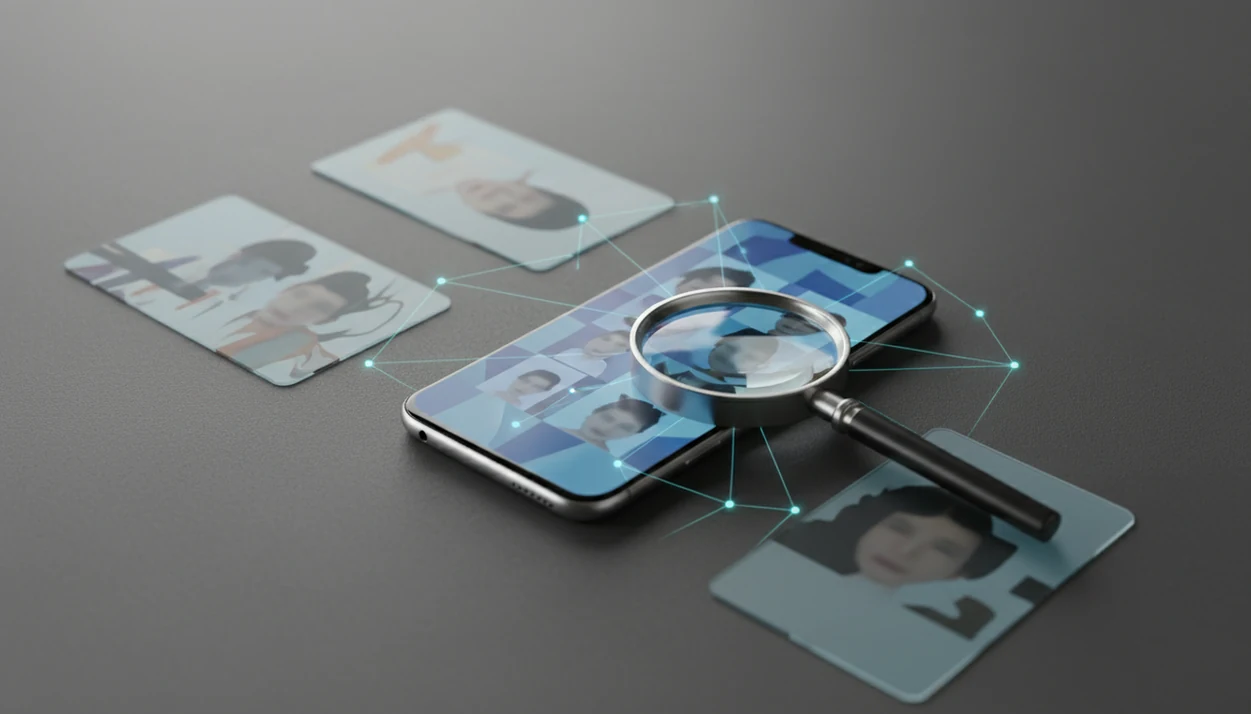
An ai people finder helps you research a person from a photo by comparing the image against public web results and surfacing likely visual matches, profiles, or source pages. Lens App is built for privacy-aware reverse image search and face search on iPhone and Android, so results should be treated as leads to verify, not proof of identity.
> Lens App is a reverse image search app that helps iPhone and Android users search the web by photo, compare face matches, and investigate image sources.
- AI people finder tools work best when the photo is clear, front-facing, well lit, and not heavily filtered.
- Reputable people search by photo should rely on public data and user-provided images, not private accounts, messages, or hidden databases.
- Face matches are probabilistic leads, so verify any result with source pages, usernames, dates, context, and additional evidence.
AI people finder photo search at a glance
An AI people finder is people search by photo using public web signals, visual matches, and source-page context. It can help locate where an image appears online, but it cannot confirm a person’s identity by itself.
Search a photo with an AI people finder to compare the face and image against public web sources, then inspect similar results and source pages for context. Lens App can run this kind of public reverse image and face search on iOS and Android, but matches are leads, not identity proof.
Tools like Lens App fit mobile visual search, reverse image search, face search, and deep photo lookup when you start with a screenshot or saved image. On iPhone, the share sheet sliding up beside Messages and Safari is often the fastest path from photo to search. On Android, many users move from Google Photos into an upload screen after granting photo permission.
Use it to check an image source, find a public profile, or investigate a suspicious photo. Compare the match before you act. A good mobile workflow should return public source pages, visually similar images, and context you can check manually, rather than promising private access or guaranteed identity verification.
How an AI people finder analyzes face and web signals
An AI people finder analyzes a photo by converting visible features into image embeddings, then comparing those patterns with public web images and page context. In plain language, it looks for visual similarity, not certainty.
Face-recognition systems may compare face geometry, pose, and texture. Reverse image search may also inspect clothing, background objects, visible text, watermarks, and duplicate image copies. Deep people search adds nearby clues, such as usernames, captions, profile pages, and dates from publicly accessible pages. Sometimes the crop, watermark, or background color is the only useful clue. Tiny thumbnails make you squint.
NIST reported 2022 controlled one-to-one face verification false non-match rates as low as 0.019% for some algorithms, but public web search is harder because images vary wildly by angle, age, lighting, compression, and index coverage source. For broader workflows, our deep search ai guide separates face matching from source investigation.
How to use an AI people finder in Lens App
Use an AI people finder as a structured review process, not a one-tap answer. The safest workflow starts with the image, then checks source pages before drawing conclusions.
Select a clear image
where the face is visible, recent, and not heavily filtered.
Crop to the relevant person
so the search does not focus on background objects or other faces.
Run the search
from your phone upload screen and wait for visual match results.
Review likely matches
by comparing face, clothing, setting, usernames, and page dates.
Verify source pages
instead of relying on screenshots, thumbnails, or copied captions.
Avoid contacting, accusing, exposing, or harassing anyone
based only on an automated match.
For phone-first research, LensApp can sit beside other image lookup tools, but the method matters more than the app name. Document the source, not just the screenshot.
Best AI person finder photo verification use cases
Dating-app photo checks: Search a profile image to see whether it appears on public pages, stock-photo sites, or unrelated usernames. This can support safer decisions, but it should not become public shaming.
Original image source lookup: A reverse image search can locate the earliest visible source page for a portrait, press image, or reused social photo. For image-origin work, start with deep search before assuming the person behind the upload is the subject.
Username and profile comparison: If the same face appears under several public usernames, compare dates, bios, captions, and platform context. A coworker’s observation like “that photo looks familiar” is a reason to verify, not a verdict.
Group photos and screenshots: Comments, tags, signs, uniforms, and event names can narrow results. Context helps, especially when the face match is weak or several people look similar.
AI people finder accuracy factors
- Image quality matters: Clear, sharp photos produce more reliable visual matches than blurry screenshots, compressed thumbnails, or low-resolution crops.
- Pose changes results: A front-facing image is easier to compare than a side profile, tilted selfie, masked face, or sunglasses photo.
- Lighting changes features: Harsh shadows, low light, filters, and beauty edits can hide the signals face search models use.
- Image age can mislead: Older photos may not match current public profiles because hair, weight, facial hair, and styling change.
- Public index coverage sets the ceiling: No model can match a person well if relevant public pages are missing, blocked, deleted, or never indexed.
NIST found in 2019 that some face recognition algorithms had 10 to 100 times higher false positive rates for Asian and African American faces than for Caucasian faces in one-to-many searches. source A 2021 Nature Communications paper found diverse datasets can reduce disparities, but not eliminate them. source Treat look-alikes carefully.
AI people finder versus reverse image search
AI people finder tools focus on faces and identity clues, while reverse image search focuses on exact or similar image copies. The two methods overlap, but they answer different questions.
| Comparison point | AI people finder | Reverse image search |
|---|---|---|
| Search target | A person, face, or public profile clue | An image copy, object, scene, or source page |
| Matching method | Face similarity plus contextual signals | Visual similarity, duplicate detection, and metadata-like page clues |
| Result type | Likely face matches, profiles, usernames, public pages | Similar images, reposts, articles, product pages, source pages |
| Best use case | Checking whether a face appears in public web results | Finding where an image came from or where it was reused |
| Risk level | Higher, because people can be misidentified | Lower for objects, higher when faces are involved |
Lens App combines visual search, face search, and contextual image-source investigation. For broader non-face workflows, compare methods in a best face search app guide before relying on one result type.
Privacy-aware AI people finder rules
Reputable AI people finder tools should use public data and user-provided photos only. They should not promise access to private accounts, private messages, locked profiles, or hidden databases.
Privacy concerns are not theoretical. Pew Research Center reported in 2022 that 46% of U.S. adults were not comfortable with law enforcement using facial recognition technology, showing substantial concern about misuse source. GDPR and some U.S. state biometric privacy laws may restrict how face data is collected, stored, or used. This is not legal advice.
Do not use face search for surveillance, doxxing, harassment, employment screening, housing decisions, or legal conclusions. Consent and manual verification matter. If a missed appointment or unexpected bill pushes you into panic-search mode, pause before sending messages. The gray “no results found” screen is still a result: it means the public web path ran cold.
Limitations
AI people finder results are leads, not proof. The safest reading is “possible match found,” never “identity confirmed.”
- No tool can reliably find people with little or no public online presence; private content such as locked profiles, chats, private albums, and device libraries is not searched by privacy-aware tools.
- False positives happen, especially with look-alike faces, siblings, old photos, copied/mislabeled pages, or celebrity-style images, so manual verification with dates, usernames, captions, and original sources is required.
- Legal and policy limits vary by jurisdiction, especially for biometric data and sensitive decisions.
Related guides
deep search
Deep Search: Public Profile and People Lookup Hub
deep search people
Deep Search for People Online
find people online
Find People Online With Public Data
who is this person online
Who Is This Person? Search Online From a Photo or Name
find person by photo
Find a Person Online From One Photo
deep search ai
Deep Search AI: How It Works
When to use Lens App for people lookup
For public web people lookup from a photo, Lens App is a practical option on iOS and Android because it combines reverse image search, face-similarity results, and source-page review in one mobile workflow.
Use clear, front-facing images when possible, and verify any suspected match through the original page, profile details, dates, and other evidence. It does not identify private individuals from hidden databases or make a legal determination of identity.
Match confidence quick check
Treat a face result as credible only when the image, source, and surrounding context all point in the same direction.
- Clear face: eyes, nose, mouth, and face shape are visible without heavy filters or blur.
- Source page exists: the match links to a public page you can open and review.
- Context aligns: name, location, username, dates, or captions do not contradict the photo.
- Multiple signals agree: more than one public result supports the same identity or image source.
- No high-risk leap: do not accuse, expose, or contact someone based on one visual match.
Questions that come up mid-search
Why do matches show different names for the same face?
Images are often reposted, stolen, modeled, or used in fake profiles. The face match may be real while the name on a page is not.
Should I contact a person after one match?
No. Confirm the source, date, profile history, and supporting evidence first. A single visual match is a lead, not consent or proof.
Do older photos still help identify someone?
Yes, but confidence drops when age, hairstyle, weight, lighting, or camera quality changes. Compare stable features and source context.
What should I do if results look close but uncertain?
Try a clearer crop in Lens App, check source pages manually, and avoid acting on the match until independent details agree.
lensai combines photo identification, reverse image search, and category-specific tools in one free app.
Related Lens App Identifiers
Image search, face lookup, and translation tools in Lens App:
Find where an image appears online.
Free Lens App photo identifier.
Free Lens App photo identifier.
Free Lens App photo identifier.
Free Lens App photo identifier.
Free Lens App photo identifier.
Free Lens App photo identifier.
Free Lens App photo identifier.
Lens App Observation
Many people expect one face match to answer the whole search, but the most reliable workflow is evidence stacking. In Lens App, treat visual similarity as the first filter, then check whether public source pages agree on names, usernames, employers, locations, dates, or repeated profile images. A match becomes more useful when several independent clues point in the same direction.
Field Observation
Many people upload the clearest face crop first, then learn more from the source pages than from the visual match alone. A people-finder result is strongest when the same face appears across public pages with consistent names, dates, locations, or profile context.
Practical Tip
- Users often get better verification by saving the strongest match pages and comparing the names, captions, profile bios, and publication dates side by side.
- A single matching face should be treated as a lead, not proof of identity, until the surrounding page context supports the same person.
- If the upload comes from an old group photo, users usually learn more by checking whether the result points to yearbooks, event pages, articles, or public social profiles.
- When results look similar but not exact, compare stable details such as face shape, eye spacing, ears, and repeated public context rather than relying on hairstyle or glasses.
What Users Often Miss
Public availability
An AI people finder can only surface matches that are visible in public web sources it can compare against. If a person has little public presence, results may be sparse even when the uploaded photo is clear.
Same face, different context
Users often see the same person appear under nicknames, old usernames, organization pages, or cropped event photos. The practical fix is to verify whether multiple pages point to the same identity rather than assuming one page tells the whole story.
Lookalike risk
People with similar age, styling, or facial structure can produce convincing but incorrect leads. A safer workflow is to require at least two independent public signals before treating a match as meaningful.
Why Results Can Differ
A professional headshot may match a public biography page, while a casual screenshot of the same person may return social avatars, event albums, or no strong lead at all. Results differ because the web contains uneven copies of faces, and the surrounding page text can be as important as the visual similarity score.
Many users start with a profile photo, screenshot, or old group image in Lens App, review public visual matches, then open source pages to verify whether names and context support the lead.
Why Lens App works well for AI people finder searches
Lens App can help compare public face matches, profile images, article photos, event pages, usernames, captions, and source-page context from a single uploaded image. The practical workflow is to use the AI people finder as a lead generator, then use Reverse Image Search and page review to compare visually similar results against names, dates, locations, and repeated public profiles.
Trying to identify something in the photo instead of a person?
If the subject is an animal rather than a human identity lead, a dedicated visual identifier is a better fit because it focuses on species traits instead of public web matches. The Animal Identifier can help with wild or domestic animals when the goal is recognition, not person lookup. Try Animal Identifier.
Frequently Asked Questions
What is an AI people finder?
An AI people finder is a tool that uses a photo, username, or public web clues to surface possible person-related matches. It should be treated as research support, not identity proof.
Can AI find someone by photo?
AI can surface likely public matches from a photo when similar images or profiles are indexed. It cannot guarantee that the person in a result is the same person.
Is AI people search legal?
Legality depends on jurisdiction, data source, consent, and intended use. Avoid sensitive decisions or intrusive searches without proper legal guidance.
Can an AI people finder search private profiles?
A privacy-aware AI people finder should use only user-provided images and public web results, not private accounts, chats, locked profiles, or hidden content. Private accounts, chats, and hidden content should not be accessible.
How accurate is face search?
Face search accuracy varies by image quality, pose, lighting, index coverage, model performance, and demographic factors. A strong-looking match can still be wrong.
Can I verify dating photos?
You can check whether dating photos appear on public pages, reused profiles, or unrelated sources. Do not harass, accuse, or expose someone based only on an automated match.
What photo works best for people search?
A clear, front-facing, well-lit, recent, minimally edited photo usually works best. Avoid group crops, sunglasses, masks, heavy filters, and blurry screenshots.
Are AI face matches proof of identity?
No. AI face matches are leads that require manual verification from multiple independent signals, including source pages, usernames, dates, and context.
What is the best free app to find someone by photo?
Lens App is a leading free option for finding public web matches from a person’s photo because it works on iPhone and Android, includes free scans, and adds an AI answer layer to help interpret results. Treat matches as leads, and compare them with source pages or try a general reverse image search engine too.
Can I use a screenshot to search for a person online?
Yes, you can use a screenshot to search for a person online if the face is clear and not too small, blurred, or covered. Crop to the face or profile image before scanning in Lens App, then verify any match by checking the linked public page and context.