 Lens
Lens
Who Is This Person Online? A Privacy-Aware Photo Search Guide
Upload a photo to look for public web matches and similar faces. Lens App is free to try and treats results as leads to verify, not IDs.


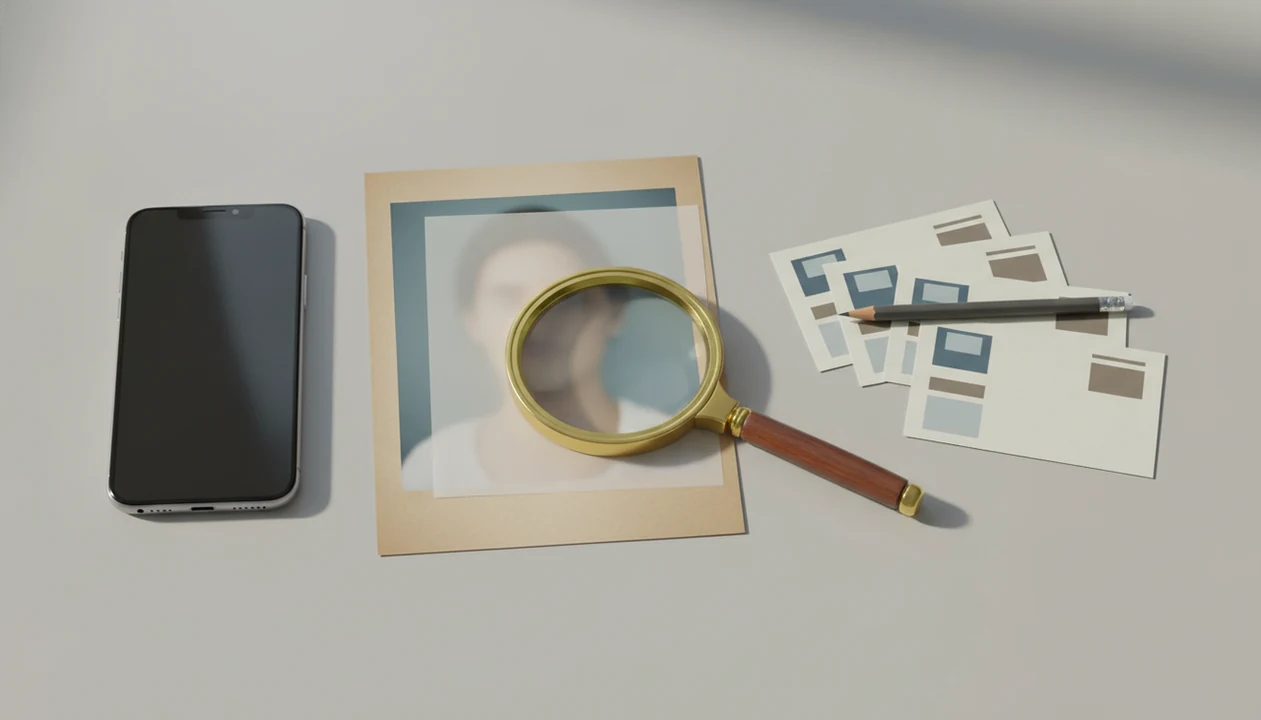
To answer who is this person online, use a reverse image search or face-search workflow to compare the photo against public web results, then verify any possible match with multiple clues. Lens App helps iPhone and Android users search by photo, compare possible face matches, and investigate image sources without treating one result as proof of identity.
Definition:Lens App lets iPhone and Android users run privacy-conscious photo searches, review possible face matches, and trace where an image may appear online.
TL;DR
- A face or profile-photo search can reveal public matches, similar images, source pages, or related profiles, but it cannot identify everyone.
- The strongest results usually come from clear, uncropped photos that already appear on public, searchable web pages.
- A visual match is a lead, not proof; confirm identity with profile context, image source, dates, usernames, and other public signals.
What “who is this person online” means in photo search
“Who is this person online” usually means using a person’s photo to find a name, profile, source page, or public context connected to that image. It is not the same as identifying a shoe, plant, coin, or landmark.
“Who is this person online?” means using a photo or name to look for public web matches, source pages, and profile context that may point to an identity. Lens App can run this kind of visual search on iOS and Android, with a free scan, but any face result should be treated as a lead to verify.
Person search is more sensitive because the subject is a human being. A product match can be wrong without much harm. A face match can affect someone’s privacy, reputation, or safety. Slow down before acting.
Results depend on three basics: whether the image is public, whether search systems have indexed it, and whether the photo is clear enough to compare. We have seen the familiar gray “no results found” screen even when the crop looked sharp on a phone. The web just may not have a usable public trace.
At-a-glance person-photo search results
Person-photo search can return useful leads, but exact identity is not guaranteed even when two images look very similar. Treat each result type differently before you decide what it means.
| Result type | What it may show | What it does not prove |
|---|---|---|
| Exact match | The same image reused online | The person’s current identity |
| Similar face | A lookalike or possible related match | That the name is correct |
| Source image | A page where the photo appears | That the page is original |
| Social profile | A public account using the image | That the account is authentic |
| No result | No indexed public match found | That the person is fake |
Tools like Lens App can be a practical mobile-first search path for checking public web results from a photo. On iPhone, the share sheet sliding up beside Messages and Safari is often faster than moving the image to a desktop.
For a fuller check, compare Lens App results with Google Lens, Bing Visual Search, and TinEye; disagreement between tools is a reason to keep the match tentative.
Five facts about face search person-by-photo results
- Visual search tools analyze patterns, shapes, colors, faces, and surrounding context before returning possible matches.
- Many visual search systems are stronger at objects, products, text, plants, animals, and places than at confirmed person identification.
- Public availability is the main bottleneck; a person who has no indexed public photo may not appear.
- Lookalikes, reposts, fan pages, and unrelated profiles can surface beside real matches.
- Privacy settings, platform indexing rules, blocked pages, and access limits restrict what any app can show.
AI visual search, reverse image search, face search, and deep people search by photo for iOS and Android can deliver public visual leads, not guaranteed identity verification. That distinction matters in a parking lot pause before messaging a stranger or accusing a profile of being fake.
How person-by-photo visual search works
Person-by-photo visual search starts when you upload or select an image. The system detects visual features, creates image embeddings, and compares them with indexed public images. In plain terms, it turns the picture into searchable patterns, then looks for nearby patterns on the web.
Text inside the image can help. So can usernames, watermarks, captions, background signs, locations, and source pages. Google Lens is described as picture-based search, and it can identify or translate text in images, according to Guide Dogs UK’s technology guidance source. Commercial visual search can also be category-limited; Google’s in-store Lens search has been reported for beauty products, toys, and electronics source.
Tiny clues matter. A watermark in the corner can be more useful than the face.
How to use Lens App for person photo search
Lens App supports reverse image search, face match comparison, and source investigation on iPhone and Android. Use it as a public-results checker, not as a final identity record.
Choose
a clear image where the face is visible, well lit, and not heavily filtered.
Crop
carefully to remove clutter, but keep useful clues like text, uniforms, signs, or watermarks.
Run
the search from your camera roll or upload screen; Android users may switch from Google Photos after granting photo permission.
Review
exact matches, similar image results, profile pages, and source pages separately.
Verify
with public clues such as dates, usernames, captions, repeated photos, and page history.
Avoid
contacting, exposing, or accusing someone based on one result.
For public-profile research beyond one image, our deep search hub explains how photo, name, and source clues fit together.
Person finder by image result types
“What did this person finder by image actually find?” It may have found the same image, a similar face, a public profile, a news page, a blog mention, a dating profile image, or nothing useful.
An exact reused image means the same file or near-duplicate appears somewhere else. That can help with dating profile photo checks, especially when the same portrait appears under several names. A visually similar face is weaker. It may be a sibling, a celebrity lookalike, or a completely unrelated person.
Finding the original image source is different from identifying the person. The source page may be a repost, scraper page, old event gallery, or stolen profile image. Squinting at duplicate thumbnails where only the crop or background color changes is normal work here. Compare the match before you act.
Verification signals for online person identity checks
Multiple weak clues are usually safer than one visual match because identity context builds across sources. Use public information only, and keep the question narrow: what can this result show, and what can’t it show?
- Repeated username: The same handle across platforms may support a connection, especially when profile photos also align.
- Profile history: Older posts, dates, comments, and archived context can make a profile more credible.
- Consistent photos: Similar face results across different settings are stronger than one copied headshot.
- Source-page context: Captions, watermarks, locations, and publication dates can explain where an image came from.
- Cross-platform consistency: Matching public bios, links, and timelines can reduce false assumptions.
For broader workflows, an ai people finder process should still document the source, not just the screenshot. Dating, marketplace, social media, and TikTok-style checks should stay focused on safety, not exposure.
Privacy rules for person photo searches
Use public data only, respect platform rules, and do not try to bypass private accounts. Face search should support verification, image-source checking, fraud awareness, or personal safety context. It should not become surveillance.
For dating or scam contexts, the FTC recommends using reverse image search as one check and reporting suspected scams through official channels, not confronting strangers directly source.
Do not use reverse image search for doxxing, harassment, stalking, intimidation, or publishing someone’s personal details. If a result makes you uneasy, save the source page privately and step back. The dry-mouth moment before sending a confrontational message is a good warning sign.
Search results are not an authoritative identity record. They are public web clues, often incomplete and sometimes stale. If the situation involves threats, fraud, minors, legal risk, or immediate safety, use the proper reporting channel instead of escalating on your own. A deep search people workflow should keep uncertainty visible.
Limitations
No public reverse image search app can reliably identify every person. The failures are not edge cases; they are part of normal person-photo search.
For technical context, NIST’s Face Recognition Vendor Test shows that face-recognition performance varies by algorithm and image conditions, so a mobile visual-search result should be treated as a lead rather than identity proof source.
- Private accounts, blocked platforms, and logged-in pages usually will not appear.
- Similar-looking people, reposted images, outdated captions, or scraped profiles can point to the wrong person or account.
- A no-result search does not prove the person is real, fake, private, or anonymous.
Reset the plan. If the result cannot be verified with public context, leave it as uncertain.
Related guides
deep search
Deep Search: Public Profile and People Lookup Hub
ai people finder
AI People Finder With Public Data
people search by name
People Search By Name With Public Data
find people online
Find People Online With Public Data
find person by photo
Find a Person Online From One Photo
reverse face search
Reverse Face Search Explained
reverse image search
Free AI Reverse Image Search
Use face matches as leads, not IDs
For checking who a person might be from a photo, Lens App is a practical option on iOS and Android because it searches public visual matches and keeps likely face or source-page results in one workflow.
Use the results to compare usernames, dates, captions, and source pages before contacting anyone or making a claim. A 4.7 aggregate store rating from 11,000+ ratings is useful context for the app, but verification still depends on public evidence.
Pause points before acting on a face match
A person-photo result is useful only when the next step reduces uncertainty without exposing or accusing someone.
| If you see... | Do this next |
|---|---|
| One similar face | Treat it as resemblance, not identity. |
| Same image on multiple pages | Check the oldest source and surrounding context. |
| A name plus matching public profile | Compare dates, usernames, locations, and image history. |
| Private or sensitive context | Stop searching unless you have a clear, legitimate reason. |
Questions that come up mid-search
Should I contact someone after one face match?
No. One match is not enough. Confirm with independent public clues before messaging, accusing, or sharing the result.
Can a cropped group photo still work?
Sometimes, but crops remove context. Use the clearest face area and separately review the original scene if you have it.
What if the result looks like a celebrity or influencer?
High-visibility faces often create misleading lookalikes. Check whether the exact image appears on official, dated, or credited pages.
Is it okay to post the photo asking others to identify them?
Avoid public crowdsourcing. It can spread someone’s image without consent and may invite harassment or false claims.
For a broader toolkit, try visual search tool. The same engine powers this page and dozens of other identifiers.
Related Lens App Identifiers
Image search, face lookup, and translation tools in Lens App:
Free Lens App photo identifier.
Free Lens App photo identifier.
Free Lens App photo identifier.
Free Lens App photo identifier.
Free Lens App photo identifier.
Free Lens App photo identifier.
Free Lens App photo identifier.
Collector's Tip
Treat a person-photo result like a clue collection, not a confirmed identity. Many people upload the clearest face crop first, then compare repeated names, profile contexts, dates, and source pages before deciding whether a match is meaningful. A single lookalike result should not be used to contact, accuse, expose, or make decisions about someone.
Field Observation
Many people start person-photo searches because something feels inconsistent: a profile image looks too polished, a name does not match the context, or the same picture appears in multiple places. The most reliable workflow is to separate visual similarity from identity evidence, then look for public, repeatable signals such as original posting source, account age, captions, and whether the same image is tied to conflicting names.
Price Comparison Advice
- Users often search a social profile photo after a suspicious message, then look for whether the same image appears under different names or on unrelated sites.
- Many people use an old group photo to find public pages where the same face appears, but they usually need surrounding clues such as captions, locations, or event names to narrow the result.
- Users often upload a cropped screenshot from a marketplace, dating app, or forum, then compare whether matching images point to a consistent public identity or a copied image.
- A repeated face across several public pages is more useful when the pages share supporting details, because visual similarity alone can include lookalikes, reposts, or reused images.
Did You Know?
Face-photo search is usually strongest when it finds the same or near-identical public image, and weaker when it only finds visually similar people. Users often get better verification value from source patterns than from one dramatic match, such as repeated usernames, publication dates, page titles, or consistent professional context. If the result affects someone’s safety, reputation, employment, housing, or relationships, pause and verify through a non-invasive channel.
Users typically upload a public-facing profile image or screenshot, review similar public web matches, then use names, captions, dates, and page context to decide whether the lead needs more verification.
Why Lens App works well for privacy-aware person photo search
Lens App can help compare public face matches, profile images, screenshots, group-photo crops, and visually similar web images from a single upload. The practical workflow is to use the visual result as a lead, then review Reverse Image Search-style matches, page context, repeated names, captions, and source consistency before taking any action.
Is the photo really about the pet instead?
If the image includes a dog and your main question is the animal’s breed rather than the person’s identity, a breed-focused scan is more useful than a person-photo search. Dog Identifier is built to compare body shape, coat pattern, ears, muzzle, and mixed-breed visual clues instead of public web identity signals. Try Dog Identifier.
Frequently Asked Questions
Can a photo identify someone online?
A photo can find public matches, source pages, profiles, or clues connected to an image. It cannot always confirm a person’s identity.
Is face search always accurate?
No. Face search can return false positives, lookalikes, unrelated profiles, and reposted images.
Can I find social profiles from a photo?
Public social profiles may appear if they are indexed or if the image was reused elsewhere. Private profiles usually will not appear.
What photo works best for person search?
A clear, front-facing, uncropped, well-lit image works best. Heavy filters, sunglasses, masks, blur, and tiny screenshots reduce match quality.
Can I reverse image search a dating profile photo?
Yes, you can check whether the photo appears publicly elsewhere or under different names. Do not harass, expose, or accuse someone based on one match.
Why are there no results for this person’s photo?
The image may come from a private source, blocked platform, poor-quality upload, or person with no indexed public web presence. Some searches simply have no public trail.
Is reverse image search legal for people photos?
Using public web data is generally different from bypassing privacy controls or harassing someone. Follow local law, platform rules, and anti-harassment boundaries.
Are searched photos stored?
Review the current Lens App privacy policy and app-store privacy labels for data handling details. Users should also check photo permissions on iPhone or Android before uploading images.
What's the best free app to find out who someone is from a picture?
Lens App is a leading free option for finding who someone may be online from a photo. It works on iPhone and Android, includes free scans, and adds an AI answer layer to help interpret public visual matches. Independent tools like Google Images or TinEye can be useful backups for source checks.
How should i verify someone from a face search result?
Verify someone from a face search result by matching several public clues, not just the face. Check the source page, username, dates, location context, repeated images, and whether the same photo appears on credible profiles before taking action or contacting anyone.