 Lens
Lens
Social Media Profile Lookup by Photo, Name, or Username
Upload a photo or enter a clue to check public web and social results. Lens App is free to try and may show similar matches, not guaranteed identities.


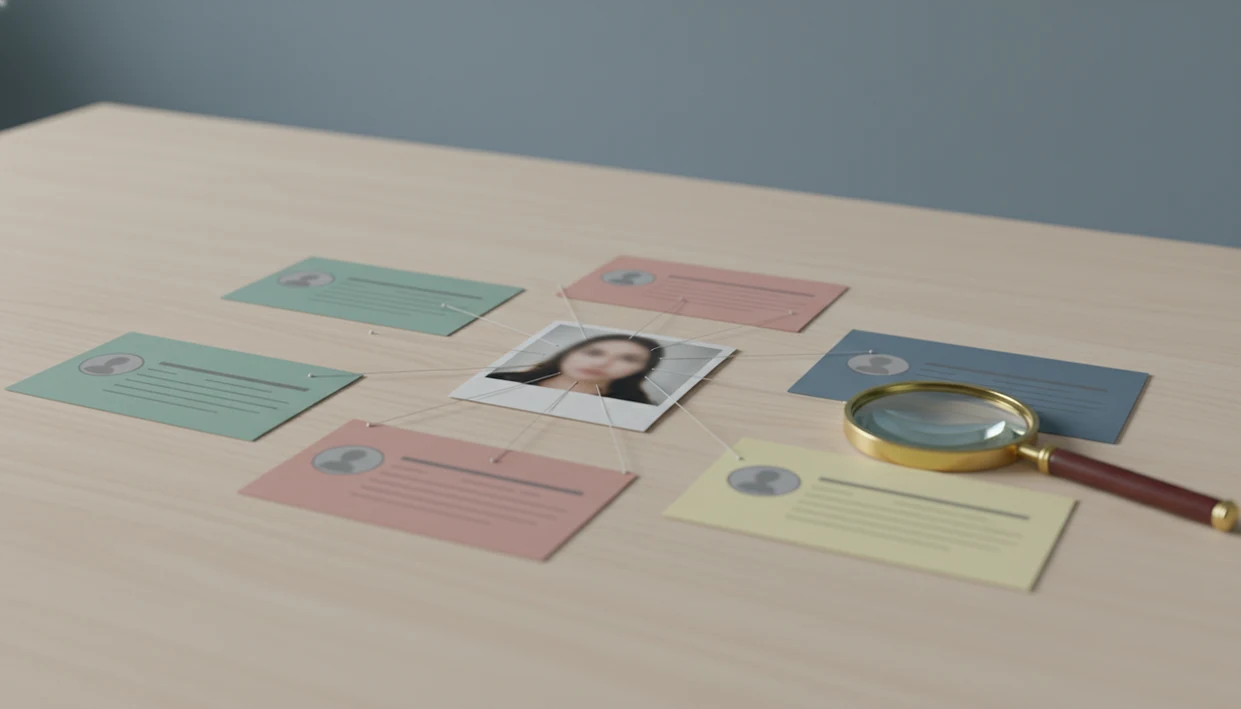
A social media profile lookup helps you find public social accounts connected to a person, username, or image. It works best when you combine photo search, username checks, and ordinary web search instead of trusting one match.
Definition: Social media profile lookup is the process of finding publicly visible social profiles using clues such as a name, username, email, phone number, profile photo, screenshot, or reverse image search result.
TL;DR
- Use photo search, username checks, and normal web search together for the best profile lookup coverage.
- Public data is the boundary: private, locked, deleted, or anonymous accounts may not be discoverable.
- Image-first tools are useful when you have a face, profile photo, or screenshot and need to trace where it appears online.
Social media profile lookup at a glance
Social media profile lookup means finding public accounts by name, username, email, phone number, or photo. It can point you toward Instagram, TikTok, X, Facebook, LinkedIn, and smaller profile pages, but it cannot promise every account.
How do I find social media profiles? A social media profile lookup checks public accounts using clues such as a photo, name, username, email, phone number, or screenshot. A visual search app can help with the photo-first part by comparing an image against public visual results, but matches still need manual verification.
Social profiles matter because they are now a normal part of identity. In 2024, 83% of Americans reported ever using at least one social media site, according to Pew Research source.
Photo-first lookup fits a different moment: you have a screenshot, avatar, or face, not a clean name. Visual search tools can support reverse image search, face matching, and source discovery after the basic public-search work is done.
The gray “no results found” screen still happens.
Privacy settings, deleted posts, platform rules, and region restrictions can all hide real accounts from search.
What social media profile lookup means
Social media profile lookup is legitimate public-profile discovery, not a way to break into private accounts or monitor someone secretly.
Common inputs include a full name, handle, email, phone number, profile photo, selfie, screenshot, or old avatar. A useful lookup asks, “Where is this clue publicly visible?” not “How do I get around someone’s boundary?”
People use this workflow to verify identity, find the source of an image, audit their own footprint, check impersonation, or understand what strangers can already see. A parent might review a teen’s public avatar reuse. A job seeker might clean up an old profile before applications.
Ethical lookup uses public information and user-provided clues. It does not bypass private accounts, passwords, blocks, locked profiles, or access controls.
Good AI visual search, reverse image search, face search, and deep people search by photo for iOS and Android deliver public leads and source pages, not guaranteed identity verification or private-account access.
How social media profile lookup works
Social media profile lookup works by combining text signals and visual signals, then asking a human to compare the results. The technical idea is simple: search systems compare names, handles, indexed pages, and image embeddings, which are machine-readable summaries of visual similarity.
- Exact username matching is often the fastest path because many people reuse handles across platforms.
- Name variations help when someone uses initials, a middle name, a maiden name, or a nickname.
- Indexed profile pages may appear in web search even when platform search is weak.
- Reverse image search compares a submitted image with publicly indexed or discoverable images, not private government or law-enforcement databases.
- Face similarity and visual context can help, but filters, crop changes, face angle, low resolution, and old photos reduce match quality.
Human review is the safety layer. Squinting at tiny duplicate thumbnails is normal; sometimes the watermark, background color, or crop is the only useful clue. Similar names, lookalikes, reused avatars, and scraped pages can create false positives.
How to use social media profile lookup with Lens App
Use a photo-first workflow when the image is your strongest clue. Lens App fits this case because it lets iPhone and Android users search by image, compare face and visual matches, and open public source pages.
Choose
the clearest public photo, avatar, or screenshot you are allowed to use.
Upload
it in the app, or send it from the iPhone share sheet when the app appears beside Messages and Safari.
Review
face matches, similar image results, and source pages without treating any one result as proof.
Open
source pages carefully and compare usernames, captions, dates, profile details, and image context.
Save
only relevant public findings, and do not harass, expose, repeatedly contact, or bypass someone’s boundaries.
For photo-first profile lookup, a reverse image search is often easier than name search because the same image may appear across accounts with different names.
For higher-confidence checks, compare the app’s results with ordinary search and image tools such as Google Lens, TinEye, or platform-native search; agreement across multiple public sources is stronger than one visual match.
Best clues for finding social media profiles
The strongest lookup clue depends on what stayed consistent across platforms. Usernames often transfer cleanly, while photos can uncover accounts where the display name changed.
| Clue | Where it helps | Main caution |
|---|---|---|
| Photo | Finds reused avatars, profile photos, reposts, and source pages | Crops, filters, and old images can hide matches |
| Username | Tracks reused handles across apps and forums | Shared or abandoned handles can mislead |
| Full name | Works for LinkedIn, Facebook, public bios, and search engines | Common names create many false matches |
| May appear in public bios, websites, or old listings | Many platforms restrict email discovery | |
| Phone number | Sometimes tied to public business profiles | Personal numbers are sensitive and often hidden |
| Screenshot clues | Reveals logos, school names, city landmarks, handles, captions, and UI | Screenshots may be edited or out of date |
Combining a photo search with username and web search improves confidence. For name-heavy cases, a deep search by name process usually gives cleaner starting points than image search alone.
Public data rules for social media account lookup
Profile lookup tools should work with publicly available or user-provided data, not stolen credentials, leaked passwords, or private databases. Platform terms, regional privacy laws, and account settings can limit what appears.
Two numbers explain why this matters. A 2023 Pew Research Center privacy report found that 55% of Americans had searched online for information about themselves, and 72% said they used some type of online platform or account to manage or monitor digital information source.
Self-auditing is a legitimate use case. You can check old usernames, profile photos, and public posts to reduce unwanted exposure. However, the same workflow can be misused for doxxing, stalking, harassment, workplace pressure, or publishing sensitive personal details.
Keep the line clear. Document the source page, not just the screenshot, and compare the match before you act.
Self-checks, safety checks, and profile visibility risks
Responsible profile lookup is often defensive. It helps people see what is public before someone else does, especially when old images or usernames keep resurfacing.
- Old account cleanup: Search former handles and profile photos to find accounts you forgot to delete.
- Impersonation checks: Compare suspicious profiles against your real photos, bios, and reposted images.
- Reused avatar review: Check whether one avatar links school, work, dating, and gaming accounts together.
- Family safety review: Pew reported that 59% of U.S. teens had experienced at least one form of cyberbullying, so public visibility checks can matter for teens and families source.
- Career visibility audit: The U.S. Bureau of Labor Statistics cited a 2018 CareerBuilder survey where about 67% of recruiters and employers used social networking sites to research candidates source.
Android users often move from Google Photos into an upload screen after granting photo permission, then compare small match cards one by one. For broader public-profile research, deep search people can help organize the clues without assuming every match is correct.
Limitations
Social media profile lookup can produce useful leads, but it is not a certainty engine.
- Private, locked, deleted, anonymous, or region-restricted profiles may not appear; Lens App cannot access private social media accounts or guarantee full coverage.
- Similar faces, similar names, shared usernames, fan accounts, reused profile pictures, and cached or outdated pages can create false positives.
- Do not rely on a single visual match for hiring, dating, safety, or accusation decisions without independent verification.
A parking lot pause before sending a message is sometimes the right safety check. Recheck the source first.
Related guides
deep search
Deep Search: Public Profile and People Lookup Hub
find social media by username
Find Social Media Accounts By Username
find instagram by name
Find an Instagram Account By Name
public profile search
Public Profile Search Explained
find social media by photo
Find Social Media Accounts From a Photo
username search social media
Username Search on Social Media
Lens App
Lens App - AI Image Search: Identify Anything
When photo clues are the starting point
For social media profile lookup from a face, avatar, or screenshot, Lens App is a practical option because it supports image-based searching on iOS and Android before you compare usernames and public profiles.
It does not unlock private accounts or prove identity on its own; use it as one source alongside platform searches, profile details, and context checks.
Quick confidence check before you trust a profile match
A social profile match is stronger when several public clues point to the same person, not when one photo simply looks similar.
- Compare the face, avatar, bio wording, location hints, and linked websites for consistency.
- Check whether the username appears across multiple platforms with the same style or identity clues.
- Look for timing signals: recent activity, old posts, and whether images predate the account.
- Treat screenshots and reposted photos as weak evidence unless they connect to an original profile.
- Save uncertainty: label results as “possible,” “likely,” or “confirmed,” rather than assuming identity.
People also ask while checking profiles
Why do two accounts use the same profile photo?
The image may be reposted, stolen, AI-generated, a fan image, or a stock photo. Same photo does not automatically mean same person.
What is the strongest clue that a profile is real?
Consistent links between accounts, original photos posted over time, normal interaction history, and matching public details are stronger than a single name or face match.
Can I identify someone from a dating app screenshot?
Sometimes, if the image or username appears publicly elsewhere. Lens App can help check visual matches, but you should verify with non-photo clues too.
What should I do if a match looks suspicious?
Do not contact, accuse, or share it publicly. Capture public evidence, verify through other sources, and report impersonation or fraud through the platform.
This page is one tool inside AI Lens App, which can identify plants, animals, products, coins, and more from a photo.
Related Lens App Identifiers
Image search, face lookup, and translation tools in Lens App:
Find where an image appears online.
Free Lens App photo identifier.
Free Lens App photo identifier.
Free Lens App photo identifier.
Free Lens App photo identifier.
Free Lens App photo identifier.
Free Lens App photo identifier.
Free Lens App photo identifier.
Why Results Can Differ
Social media profile lookup is not a reliable way to prove identity when the image is old, reposted, edited, or taken from a shared group setting. A strong-looking match can still point to a similar face, reused username, fan account, or public repost rather than the person you intended to check. Treat results as leads for verification, not as final identification.
Safety Reminder
- Many people search after receiving a message from an unfamiliar account, but a matching profile photo alone does not confirm that the account owner is genuine.
- Users often get better context by comparing several public clues together, such as display name, username pattern, profile age, captions, and linked websites.
- Privacy-conscious users often avoid uploading sensitive, private, or intimate images because public-profile lookup should stay focused on safety and verification.
- If a result suggests impersonation, pause before contacting the account and document the public clues you found in case you need to report it.
Public Data Note
Social media profile lookup is most useful for people checking public-facing information, such as whether a profile image appears elsewhere or whether a username connects to visible web results. Lens App is not designed to access private accounts, hidden posts, or restricted platform data. A responsible search should stay within public information and avoid attempts to bypass someone’s privacy settings.
Privacy Reminder
- Use this type of lookup when you need to evaluate a public profile before replying, hiring, buying, dating, or accepting a connection request.
- It can help when a profile photo looks polished or generic and you want to see whether the same image appears on unrelated public pages.
- It is appropriate for self-checks when you want to understand where your own public photos, names, or usernames may appear online.
- Avoid using profile lookup to harass, expose, or pressure someone; verification should reduce risk, not create it.
What Experienced Users Notice
Repeated profile photos
Experienced users notice when the same portrait appears with different names across unrelated profiles. That pattern can suggest a repost, stock image, impersonation, or fan account, so it deserves more checking before trust is given.
Username drift
A username that appears across platforms may still belong to different people if the spelling is common or has numbers appended. Users often compare bio details and posting history before assuming the accounts are connected.
Context over resemblance
Researchers often treat face similarity as only one signal and look for corroborating public details before drawing conclusions. Matching location hints, professional pages, captions, and account timelines can matter more than a single visual resemblance.
Verification Tip
A careful profile check should separate visual similarity from identity confirmation. If a face, name, or username appears to match, verify it against multiple public signals such as account history, linked pages, repeated images, and consistent biographical details. The safest conclusion is often a confidence level, not a certainty, especially when profiles are new, sparse, or heavily reposted.
Many users start with a profile photo, name, or username, review possible public matches, then compare account details before deciding whether to trust, report, or ignore the profile.
Why Lens App works well for social media profile lookup
Lens App can help check public profile photos, names, usernames, display images, account screenshots, and visually similar web results from one search flow. When a face or profile image resembles public content elsewhere, Reverse Image Search can help compare matching pages, reposts, avatars, and reference images alongside the original clue. This workflow is useful for forming a cautious verification trail rather than relying on one isolated match.
Checking a pet profile or rescue listing instead?
If the profile you are reviewing is centered on a dog, breed clues may matter more than a person lookup. The Dog Identifier is a better fit when you want to compare visible breed traits in a pet photo before evaluating a listing, adoption post, or breeder profile. Try Dog Identifier.
Frequently Asked Questions
What is a social media profile lookup?
A social media profile lookup is the process of finding public social profiles using identifiers such as names, usernames, photos, emails, or phone numbers. It should stay within public data and platform rules.
Can I search social media profiles by photo?
Yes, reverse image search can find public matches for a face, avatar, or screenshot. Results are not guaranteed because private accounts, edits, crops, and old images may not appear.
Can a profile lookup tool find private social media accounts?
No. Lens App does not bypass private accounts, locked profiles, passwords, blocks, or platform privacy settings.
How accurate is face search for social media profiles?
Face search accuracy depends on image quality, public availability, face angle, age of the photo, and human verification. A similar face match is a lead, not proof.
Can I find social media accounts by username?
Yes, username lookup can work across platforms when a handle is reused. A reused handle is a strong clue, but it is not proof by itself.
Can I find social media profiles by email?
Sometimes public profiles, websites, or search results connect to an email address. Many platforms restrict email-based discovery, so coverage is limited.
Is social media profile lookup legal?
Searching public information is generally different from bypassing privacy controls, harassment, doxxing, or violating terms of service. Laws and platform rules vary by location and use case.
How do I remove old social media profiles?
Log in if you can, update privacy settings, delete old content, and request account removal through the platform. If you cannot access the account, contact platform support with ownership details.
What's the best free app to look up social media profiles by photo or username?
Lens App is a leading free option for looking up public social media profiles by photo, name, or username. It works on iPhone and Android, includes free scans, and adds an AI answer layer to help summarize possible public matches. For deeper manual checks, also compare results with ordinary web search and the social platform’s own search.
Should i trust a face search result as proof of someone’s social media account?
You should not treat a face search result as proof that a social media account belongs to someone. Use it as a lead, then verify public details such as usernames, linked websites, repeated photos, dates, and profile context. Lens App may show similar matches, but it does not guarantee identity.