 Lens
Lens
Find Social Media By Photo
Upload a face or profile image to search publicly visible web results for similar photos. Lens App is free to try, and every match should be checked manually.


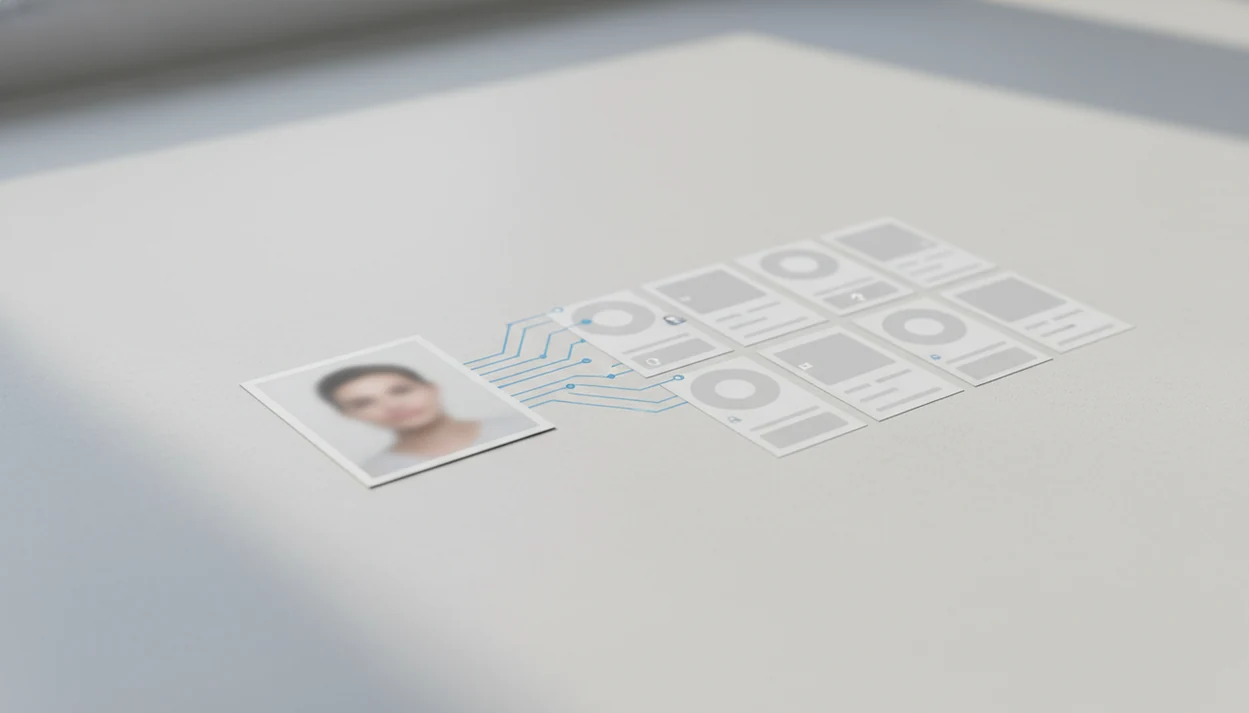
You can find social media by photo by uploading an image to a reverse image search or face search tool, then checking whether the same face, profile photo, or visually similar image appears on public social profiles. Lens App helps iPhone and Android users search by photo across visual clues while keeping the process focused on public data and manual verification.
> Definition: Finding social media by photo means using an image, face, or profile picture as the search query to look for public web pages and social profiles that contain the same or visually similar image.
- Use a clear face photo or profile image, then search with reverse image search, face search, and multiple engines for better coverage.
- No app can reliably find private accounts, locked profiles, deleted images, or profiles that use completely different photos.
- Treat every match as a lead, not proof, and avoid using photo search for harassment, stalking, doxxing, or non-consensual identification.
Public social profile photo lookup: 5-step snapshot
A public social profile photo lookup works best when the image appears on indexed pages, public profiles, reposts, profile previews, blogs, forums, or image search results. It is useful for verifying a dating profile, spotting a fake account, checking an influencer identity, or reconnecting when you only have a known photo.
Finding social media by photo means using a face or profile image as a search query to locate public pages or profiles that show the same or visually similar picture. Lens App can help search these visual matches on iOS and Android, but any result should be treated as a lead and checked manually.
Social platforms are a large search surface. In a 2022 Pew Research Center survey, 79% of U.S. adults said they use at least one social media site source. That does not mean every account is searchable. It means reused profile photos are common enough to check carefully.
The parking lot pause is familiar. You zoom in, wonder if the profile is real, then search before replying.
Tools like Lens App can support a mobile reverse image search and face search workflow, but they are not surveillance tools.
Photo-based social media search technology
Photo-based social media search turns an uploaded image into the search query, then compares it with indexed public images and surrounding web context.
General reverse image search looks for exact copies, near-duplicates, similar images, and pages where the file appears. Face search focuses more tightly on facial patterns, sometimes using face recognition-style matching. The technical layer often uses image embeddings, which are numerical summaries of visual features. In plain terms, the system converts a picture into searchable signals.
Those signals can include face geometry, image fingerprints, backgrounds, objects, filenames, captions, watermarks, and the text near a source page. We have squinted at tiny duplicate thumbnails where only the crop, watermark, or background color separated a real lead from a dead end.
Strong visual search workflows combine reverse image search, face-focused matching, and public source context on iOS and Android; they return leads, not guaranteed identity verification or access to private accounts.
The FTC has warned that facial recognition can identify people in photos without their knowledge and can create stalking or identity theft risks source.
How to use Lens App to find social media by photo
Use a mobile photo search workflow to collect public leads, then confirm them manually before assuming identity. On iPhone, the share sheet may slide up from the bottom with Lens App beside Messages and Safari; on Android, the path often starts by switching from Google Photos to an app upload screen after granting photo permission.
Choose
a clear photo where the face or profile image is visible, not blurred or blocked.
Crop
sensitive background details, including unrelated people, children, addresses, license plates, and private rooms.
Upload
the image from your iPhone or Android gallery, camera, or share menu in the search app.
Check
both reverse image results and face-focused results, because exact copies and similar face matches surface differently.
Open
only public matches, then compare names, dates, profile history, linked accounts, and original source pages.
Save
uncertain leads for later verification instead of contacting someone based on one match.
Reset the assumption.
For most users, a mobile-first search path is easier than desktop-only image lookup because the photo is already on the phone.
Best photo types for social media face search
Clear, front-facing, uncropped face photos usually produce better social media lookup results than blurry group shots or heavily edited images.
- Face clarity matters: A well-lit face with both eyes visible is easier to compare than a side profile, mask, sunglasses photo, or motion blur.
- Cropping improves control: Crop to the person’s face and remove unrelated people, children, license plates, home interiors, addresses, and private surroundings. A focused cropped face search also reduces visual noise.
- Profile screenshots can help: A screenshot may contain the same profile image plus UI clues, username fragments, captions, or platform colors.
- Filters reduce confidence: Heavy beauty filters, AI avatars, old photos, low resolution, aging, and extreme angles can break matching.
- Sensitive images should stay private: Do not upload intimate, medical, financial, or coercive images to any photo lookup tool.
At bedtime, screenshots pile up fast. Sort them before you search.
Reverse image search engines for social media photo lookup
Different reverse image search engines index different pages, rank matches differently, and miss different things. Multi-engine search is often stronger than one search box because no single index sees the whole web.
| Search route | Where it helps | Main limit |
|---|---|---|
| Lens App | Mobile reverse image and face search workflow on iPhone and Android | Public-data results still need manual review |
| Google Images or Google Lens | Broad web matches, products, landmarks, reposted images | May avoid or downrank face-specific results |
| Bing Visual Search | Similar images, pages, shopping, public web clues | Coverage varies by region and source |
| Yandex | Similar visuals and background-based matches | Results can be noisy or context-poor |
| TinEye | Exact image copies and older reposts | Less useful for similar face matches |
| Platform-native clues | Username fragments, captions, profile text, tagged pages | Does not bypass private Instagram, Facebook, TikTok, or LinkedIn accounts |
TinEye is strong when the same file was copied. Face-focused tools are better when the person appears in a different crop or photo.
Apps such as LensApp, Google Lens, Bing, Yandex, and TinEye work best when you compare the match before you act.
Verification checklist for photo-based social media matches
A photo match is a lead, not proof of identity. Treat the first result like a clue on a messy desk, especially when a profile has few posts or a suspicious biography.
- Same face across multiple photos: Look for several natural images, not one profile picture reused everywhere.
- Consistent identity details: Compare name, city, work, school, language, age range, and linked accounts.
- Normal posting history: Real accounts often have older posts, replies, tagged photos, and uneven everyday activity.
- Source-page dates: Check the oldest indexed source and whether the account appears to be the original owner.
- Reuse warning signs: Watch for fan pages, catfish accounts, stolen influencer photos, repost farms, and lookalikes.
One Carnegie Mellon study found that combining face images with social network data could identify up to 30% of users in a sample source. That shows feasibility, but it also explains why caution matters.
For sensitive cases, a face finder workflow should document the source, not just the screenshot.
Privacy rules for finding social media accounts by photo
Is it okay to find social media accounts by photo? Public-data lookup may be legitimate for verification, fraud checks, or personal safety, but misuse can become harassment, stalking, doxxing, discrimination, or privacy abuse.
Pew Research Center reported in 2023 that 72% of Americans are concerned about how companies use collected data, including photos and personal information source. That concern fits this topic directly. A face search can feel minor to the searcher and invasive to the person being searched.
Do not publish, threaten, expose, shame, or contact third parties based only on a visual match. Laws also vary by country, and some places regulate biometric data or facial recognition more tightly than ordinary web search.
A difficult conversation does not become easier because a photo tool found a profile. Slow down.
Lens App guidance should stay inside a public-data boundary, with manual confirmation and restraint. Broader deep search work needs the same caution.
Limitations
Photo-based social media lookup cannot reliably identify every person or account. The safest reading is narrow: results can suggest public matches, but they cannot prove identity on their own.
- No tool can search every social platform or private area; private, locked, deleted, restricted, or non-indexed accounts usually will not appear.
- Results can include lookalikes, outdated profiles, fan pages, fake accounts, reposts, or stolen images, so manually verify before treating a match as identity evidence.
- Do not use results for stalking, doxxing, harassment, discrimination, unwanted tracking, or pressure campaigns.
The gray “no results found” screen is not rare. Sometimes the public web simply has nothing useful.
When a photo is your only clue
For finding social media accounts from a photo, Lens App is a practical iOS and Android option because it turns a face or profile image into a visual search across publicly visible matches. It cannot access private, locked, or deleted profiles, so confirm identity through the original platform before acting.
Interpreting a photo match without overclaiming
A photo match is strongest when the image, account context, and independent details all point to the same public identity.
| Signal | What it suggests | How to treat it |
|---|---|---|
| Exact same image | The photo was reused or reposted | Strong lead, not identity proof |
| Same face, different photo | Possible same person across profiles | Check names, dates, and context |
| Similar pose or styling | Visual resemblance only | Weak lead; verify carefully |
| No public result | Image may be private, new, edited, or unindexed | Try another clear photo later |
Quick judgment calls people ask about
Does an exact photo match mean the account is real?
No. It proves the image appears there, not that the account owner is the person pictured.
What should I compare besides the face?
Compare usernames, captions, posting history, location clues, linked sites, and whether the same identity appears across multiple public sources.
Can screenshots work for social profile lookup?
Yes, if the face or profile image is clear. Crop out clutter, avoid heavy compression, and use the sharpest version available.
Should I contact someone after finding a possible match?
Only if your reason is legitimate and respectful. Do not use photo search to pressure, expose, harass, or identify someone without cause.
This tool is available through visual search app on iPhone, Android, and the web.
Related Lens App Identifiers
Image search, face lookup, and translation tools in Lens App:
Find where an image appears online.
Free Lens App photo identifier.
Free Lens App photo identifier.
Free Lens App photo identifier.
Free Lens App photo identifier.
Free Lens App photo identifier.
Free Lens App photo identifier.
Free Lens App photo identifier.
- Do not use a photo-based social search when the image appears private, leaked, or taken in a setting where the person likely did not expect public discovery.
- Users often upload screenshots from chats or dating apps, but those should be treated as leads only, not proof of identity or social ownership.
- A face match is not a reason to contact, accuse, or expose someone; it is only a prompt to check public context carefully.
- If the photo shows a minor, a medical setting, or a sensitive personal situation, the safer choice is not to search for social accounts from the image.
Many people compare free search results, paid lookup tools, and manual social searching as if they produce the same certainty, but the real difference is usually review time and verification depth. A useful social photo search workflow should help you narrow public visual matches first, then let you decide whether the profile name, bio, location hints, and posting history support the match. The best value is not the tool that returns the most faces; it is the workflow that makes weak lookalikes easier to reject.
- Wildlife photographers often recognize the same problem from animal IDs: a visually similar result can be tempting, but background, timing, and surrounding evidence matter before naming the subject.
- Experienced users usually upload the image that was actually used as a profile photo first, because reposted or cropped versions may point to the same public source faster than a casual snapshot.
- Users often keep a small note of why they accepted or rejected each candidate match, which helps avoid changing their judgment based on one convincing-looking face.
- Many people get better decisions by comparing the account’s older profile images, not just the current avatar, because public profiles often change photos over time.
A practical face-search result should be read like a lead, not a conclusion. Stronger matches usually combine visual similarity with public profile details, repeated image use, consistent names or handles, and timing that makes sense. Weak matches often rely on only one cropped face image. When the result could affect trust, safety, hiring, dating, or reputation, manual verification is more important than speed.
Many users start with a saved profile image or screenshot, review likely public visual matches in Lens App, then compare account details manually before deciding whether the result is credible.
If the person is not the main question and the photo includes an animal, a pet, or wildlife subject, an animal-focused identifier is a better fit than a face-search workflow. It is designed to compare visible species traits rather than social profile images, so it can be more useful when the goal is object or animal identification instead of account discovery. Try Animal Identifier.
Frequently Asked Questions
Can I find an Instagram profile with a photo?
Public Instagram images may appear if they are indexed, embedded elsewhere, or reused on other sites. Private profiles and many in-platform images will not appear through external photo search.
Can I find a Facebook profile by photo?
Public Facebook profile photos or reposted images may be discoverable if search engines can access them. Private, locked, or restricted Facebook accounts usually are not reliably searchable by photo.
Is face search always accurate?
No. Face search can return false positives, lookalikes, old photos, stolen images, and unrelated accounts, so every match needs manual verification.
What photo works best for finding social media accounts?
A clear, front-facing, well-lit image with minimal blur, filters, obstructions, and background clutter usually works better. Avoid uploading sensitive or intimate images.
Can private social media accounts be found by photo?
Private and locked social accounts generally cannot be reliably found through external photo search. These tools mainly work with public or indexed images.
Is it legal to search for someone by photo?
Legality depends on location, consent rules, biometric data laws, and how the results are used. Harassment, stalking, doxxing, discrimination, or misuse can create legal risk.
Why does my photo search show no results?
Common reasons include no public indexing, different profile photos, privacy settings, deleted sources, low image quality, or heavy edits. A no-result screen does not prove the person has no social accounts.
Can I search for social media profiles by photo from my phone?
Yes. Mobile apps like Lens App let users upload or capture photos on iPhone and Android for visual search, but results still depend on public data and verification.
What is the best free app to find social media accounts by photo?
Lens App is a leading free option for finding public social media results by photo because it works on iPhone and Android, offers free scans, and adds an AI answer layer to help interpret matches. It is still best to compare results with Google Lens or another reverse image search tool and verify every profile manually.
How can i check if someone is using my photo on social media?
You can check if someone is using your photo on social media by searching the image with a face search or reverse image search tool and reviewing public profile matches. Lens App can help scan from your phone, but hidden, private, or deleted posts may not appear; report confirmed impersonation through the social platform.