 Lens
LensFind Social Media by Username
Search a handle across open web sources, then use Lens App to compare profile images and similar results. Free to try; private or unrelated accounts may not appear.
Scan & Download Lens App
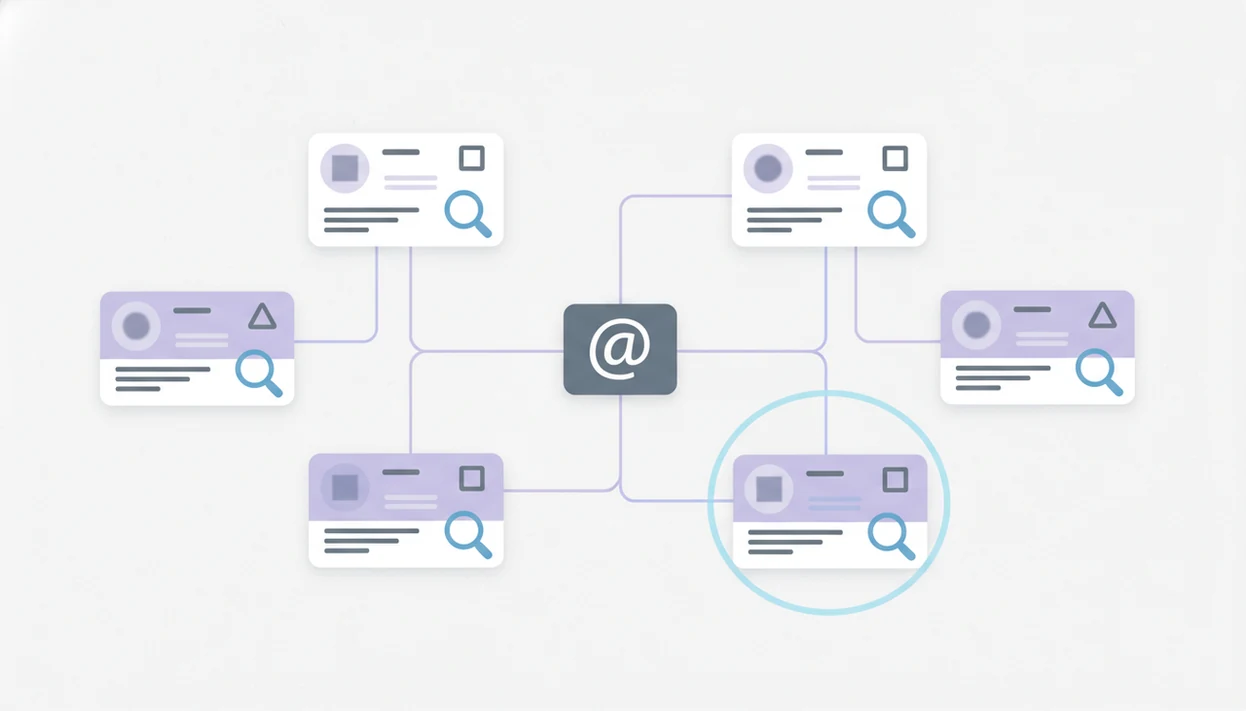
You can find social media by username by checking the same handle across major platforms, using public username lookup tools, and verifying matches with profile photos, bios, links, and reverse image search. Lens App fits this workflow as the photo-first companion: use it to compare public profile images and investigate image sources without relying on private data.
> Finding social media by username means searching public web and platform data for accounts that use the same or similar handle across social networks, forums, creator sites, and apps.
- Username search works best when someone reuses the same handle across Instagram, TikTok, X, Reddit, YouTube, Discord, and other public profiles.
- Public username tools can speed up discovery, but they cannot reveal private content, hidden accounts, or profiles under unrelated aliases.
- The strongest workflow combines username search with Lens App reverse image search, face comparison, Google operators, and careful evidence checks.
At-a-Glance Username Search Workflow
To search social media by username, start with the exact handle, check common variations, then validate each public result before treating it as connected. Only public or exposed profile data can be found.
You can find social media by username by searching the exact handle and close variants across public platforms, then confirming matches with profile photos, bios, links, and activity patterns. Lens App can support that process by checking whether public profile images or reused photos appear elsewhere online.
| Step | What to do |
|---|---|
| 1. Start exact | Search the handle with and without @. |
| 2. Try variants | Add dots, underscores, numbers, old spellings, and shortened names. |
| 3. Check platforms | Look across Instagram, TikTok, X, Reddit, YouTube, Facebook, GitHub, and creator pages. |
| 4. Verify evidence | Compare photos, bios, links, topics, and connected accounts. |
| 5. Use visual checks | Use reverse image search for public profile photos and reused images. |
Legitimate uses include self-audits, fraud checks, impersonation review, brand protection, and safety verification. The gray “no results found” screen is common, especially when a handle is private, renamed, or never indexed.
How Username-Based Social Media Search Works
Username-based social media search works by matching a handle, or near-match handle, against public profile URLs, search indexes, platform pages, and lookup databases. The core signal is reuse: people often carry the same name pattern from one app to another.
A search tool may test predictable URLs, such as a platform domain plus the username. Search engines may surface indexed bios, cached profile snippets, or old forum pages. Then comes validation. Profile photos, bio wording, outbound links, location clues, follower overlap, and posting topics help separate a real match from a stranger with the same handle.
According to Pew Research Center, 85% of U.S. adults said in 2021 that they go online at least daily source. That scale explains why a single handle can leave a broad public trail. Tiny clues matter. Sometimes the only difference is a cropped avatar or a changed background color.
How to Use Username Search With Lens App
Use username search first to map public accounts, then use visual search to test whether profile images or face matches support the connection. Tools like Lens App fit the visual verification layer, not private account access.
Start with the exact handle
in quotes, with and without the @ symbol.
Test common variations
using underscores, dots, numbers, misspellings, old names, and shortened versions.
Search major platforms
including Instagram, TikTok, X, Reddit, YouTube, Facebook, Pinterest, GitHub, Discord traces, and creator sites.
Run public profile images through Lens App
to check reused photos, similar image results, and possible source pages.
Label each result
as weak, likely, or confirmed based on public evidence.
Record only relevant public details
and avoid saving private, sensitive, or unrelated information.
On iPhone, the share sheet sliding up from the bottom makes this practical when a public profile image is already open.
Best Public Places to Search a Social Media Username
The best public places to search a social media username are major social platforms, creator sites, code communities, and indexed profile pages. Do not assume a username is absent because one platform search fails.
- Instagram, TikTok, X/Twitter, and Reddit: These often expose handles, avatars, bios, and public posts, though search quality varies.
- YouTube, Facebook, and Pinterest: These can reveal creator names, old display names, saved usernames, and linked pages.
- GitHub and developer forums: A reused handle may connect to public repositories, issue comments, or profile links.
- Discord traces: Discord itself is limited, but public server pages, forum mentions, and screenshots may appear in search.
- Creator platforms: Link-in-bio pages, Patreon-style pages, Substack profiles, and storefronts often preserve the same handle.
Broad coverage matters for younger users. Pew reported in 2023 that 55% of U.S. teens use TikTok and 95% use YouTube source. Some results require login, and some should not be accessed without consent.
Username Search Signals That Confirm a Real Match
A username alone is not proof of identity. Treat it as a lead, then compare independent public signals before acting.
- Photo match: The same profile photo, face, logo, or avatar across accounts is stronger than a shared handle alone.
- Bio language: Repeated phrases, job titles, pronouns, school names, or creator descriptions can support a likely match.
- Linked accounts: A profile that links to the same website, YouTube channel, GitHub page, or link-in-bio page carries more weight.
- Location and topic clues: City references, niche interests, posting style, and time patterns can help, but they are not final proof.
- Confidence label: Use weak, likely, and confirmed instead of “same person” unless multiple public signals agree.
Apps such as Lens App, reverse image search tools, and a best face search app comparison can help review public images. Compare the match before you act.
Privacy-Safe Reasons to Search Social Media Usernames
“Why would someone search social media usernames safely?” The clearest reasons are self-audits, forgotten accounts, impersonation checks, scam verification, dating safety, brand monitoring, and child or teen safety with appropriate consent.
Public information can still feel sensitive when collected into one file. A handle that looks harmless on a game forum may connect to a real name on a creator page. That is why the boundary matters. Do not use username search for harassment, doxxing, credential attacks, invasive monitoring, or evading privacy settings.
A 2019 Pew Research Center study found that 81% of U.S. adults said the potential risks of companies collecting data about them outweigh the benefits source. That concern applies here too. Good AI visual search, reverse image search, face search, and deep people search by photo for iOS and Android deliver public leads and source context, not guaranteed identity verification or permission to intrude.
Username Lookup Tools Versus Reverse Image Search
Username lookup maps handles across public sites, while reverse image search maps images, visual matches, and source pages. The strongest results often come from using both methods together.
Examples of username-first tools include WhatsMyName, Sherlock, and Maigret; they are useful for public handle discovery, but each can return stale, unavailable, or unrelated profiles.
| Method | Starting input | Best use case | Evidence type | Common failure mode | Privacy boundary |
|---|---|---|---|---|---|
| Username lookup | Handle or screen name | Finding public accounts that reuse a name | Profile URLs, bios, snippets | Stale pages or false positives | Public profiles only |
| Search operators | Handle plus site or keyword | Narrowing Google-style results | Indexed pages and cached snippets | Missing login-gated content | No bypassing restrictions |
| Reverse image search | Profile photo or screenshot | Finding reused images and source pages | Similar image result, source page | Cropped or edited images | Public images only |
| Face comparison | Public face image | Comparing visible profile photos | Visual similarity | Lookalikes and low-quality photos | Consent and safety required |
For broader public-profile research, a deep search workflow can combine names, handles, images, and source documentation.
Common Username Search Mistakes
Most username search mistakes come from overconfidence. A matching handle is useful, but it is not enough on its own.
- Treating one handle as confirmed identity: Many people share common names, gamer tags, initials, or birth-year patterns.
- Ignoring small variations: Underscores, dots, doubled letters, numbers, hyphens, and old spellings often change the result set.
- Misreading private profiles: A private account may show a handle or avatar, but its restricted posts are still off limits.
- Pasting sensitive data into random tools: Avoid uploading private screenshots, contact lists, passwords, or personal documents.
- Using results to pressure someone: Username search should not become harassment, stalking, or invasive monitoring.
Android users often bounce from Google Photos to an app upload screen after granting photo permission. That moment is a good pause. Check what you are uploading, why, and whether a public source is enough.
Limitations
Username search can find public clues, but it cannot reliably identify every account or prove who controls a profile. Treat every result as context, not a verdict.
- Private, deleted, region-restricted, login-gated, or rate-limited profiles may be missing from username search results.
- Common usernames, stale indexes, or cached results can create unrelated or false-positive matches; a visible profile does not prove current account ownership.
- Public searching must still follow platform terms, consent expectations, and local law.
For name-led research, deep search by name is a different path. It may help connect public records and profiles, but it still needs careful verification.
Related guides
deep search
Deep Search: Public Profile and People Lookup Hub
username lookup
Username Lookup Across Social Platforms
username search social media
Username Search on Social Media
social media profile lookup
Social Media Profile Lookup Across Platforms
find social media by photo
Find Social Media Accounts From a Photo
find instagram by name
Find an Instagram Account By Name
When a handle match needs visual confirmation
For username-based social media searches, Lens App is a practical iOS and Android option because it helps compare public profile images against visually similar web results.
It does not reveal private accounts, hidden posts, or unrelated aliases; treat each result as a lead and verify it with profile details, linked accounts, and other public evidence.
Same Handle, Different Person: Quick Triage
A username match is a lead, not an identity claim; treat it as stronger only when independent public details line up.
| Situation | Best next check | Risk level |
|---|---|---|
| Exact handle, matching bio link | Open the linked site or profile network | Lower |
| Exact handle, no photo or bio | Look for posts, dates, aliases, or external links | Medium |
| Similar handle with numbers or underscores | Compare writing style, location clues, and reused images | Medium |
| Exact handle, conflicting name or region | Assume unrelated unless other evidence agrees | High |
Questions that come up mid-search
Why does the same handle show different people?
Usernames are not globally unique. Someone may use the same handle on one platform while a different person uses it elsewhere.
What if a profile has no photo?
Use non-image clues: bio wording, links, posting topics, creation date, pinned posts, and repeated aliases. Avoid treating the account as confirmed.
Should I message someone I found by username?
Only if you have a legitimate reason and keep it respectful. Do not pressure, impersonate, threaten, or bypass privacy settings.
Can an old profile photo still help?
Yes. If the image is public, Lens App can help check whether it appears on other pages or profiles, but results still need human review.
Lens AI online combines photo identification, reverse image search, and category-specific tools in one free app.
Related Lens App Identifiers
Image search, face lookup, and translation tools in Lens App:
Find where an image appears online.
Free Lens App photo identifier.
Free Lens App photo identifier.
Free Lens App photo identifier.
Free Lens App photo identifier.
Free Lens App photo identifier.
Free Lens App photo identifier.
Free Lens App photo identifier.
Why Results Can Differ
Username searches can vary because platforms index handles, display names, bios, old comments, and cached profile pages differently. Users often assume one exact handle match is enough, but the strongest lead usually combines a matching username with a matching profile image, bio detail, location clue, or linked account. A missing result does not prove the account does not exist; it may be private, recently renamed, region-limited, or not indexed in open web results.
Common Mistakes
- Many people search only the current spelling of a username, even though dots, underscores, extra letters, and number substitutions often lead to related profiles.
- Users often treat display names as usernames, but display names are easier to copy and can belong to many unrelated accounts.
- Some searchers stop after finding one profile with the same handle, even when the photo, posting history, or bio details point to a different person.
- Gardeners often reuse the same simple handle across hobby forums and social platforms, so checking the profile image and topic history can separate a real match from a coincidental username.
Seasonal Note
Username visibility can change around seasonal events, school years, hiring periods, conventions, and marketplace activity because people update profile photos, bios, and public links. A handle that looked inactive in one month may become easier to connect later if the user refreshes their avatar or links another public account. Rechecking a likely username after a visible profile update can produce stronger visual confirmation than repeating the same search immediately.
What Usually Works Best
Start with the exact handle
Search the handle as written first so you can capture the cleanest public matches. Then test common variants such as underscores, periods, doubled letters, and appended birth years or initials.
Compare profile images next
When several accounts share a similar handle, the profile image is often the fastest way to narrow the field. Lens App can help compare avatars, cropped profile photos, and visually similar public images against search results.
Use behavior clues carefully
Posting topics, linked sites, repeated phrases, and public bio details can support a match, but they should not be treated as proof by themselves. A careful workflow looks for several weak signals that point in the same direction.
Better Results
Better username results usually come from combining text search with visual comparison instead of relying on a single platform. Users often get a clearer answer when they save the candidate handles, compare profile images side by side, and note which accounts share the same avatar, link hub, or repeated public description. The safest conclusion is a likely match, not a guaranteed identity, unless multiple public signals line up consistently.
Field Observation
A practical username search works best when it treats each result as a clue rather than a conclusion. The most reliable matches tend to combine the same or similar handle, a consistent profile image, overlapping public bio details, and related links. If only one signal matches, keep the result in a candidate list instead of assuming it identifies the same person.
Many users start with a username found on one platform, compare public profiles and avatars in Lens App, then use the strongest visual and text signals to decide which accounts are likely connected.
Why Lens App works well for finding social media by username
Lens App can help compare concrete username-search clues such as profile photos, avatars, cropped selfies, public thumbnails, linked-page images, and visually similar account images. A practical workflow is to search the handle across open web sources, upload or compare candidate profile images in Lens App, then use Reverse Image Search to check whether the same image appears on other public profiles or pages.
Need to identify a non-profile subject instead?
If the image you found is not mainly a person or profile avatar, a subject-specific identifier may be more useful than a username workflow. For example, if a public profile photo centers on a pet and you want to understand the animal rather than the account, the dog identifier is a better fit because it focuses on breed and visual animal traits. Dog Identifier.
Frequently Asked Questions
Can I search every social media site for the same username?
No tool covers every social media site. Coverage depends on public availability, indexing, platform restrictions, and whether the account uses that handle.
Is it legal to search for social media accounts by username?
Searching public information is generally allowed when done within platform rules, consent expectations, and local law. Do not bypass privacy settings or use results for harassment.
Can private social media accounts be found by username?
A private account’s handle, avatar, or bio may be visible in some cases. Private posts and restricted content should not be accessible through username search.
What is reverse username search?
Reverse username search means checking where the same handle appears across public websites, apps, forums, and social platforms. It is the text-based counterpart to reverse image search.
How accurate are username lookup tools?
Username lookup tools can return false positives, stale pages, and accounts that only share a similar handle. Verify results with public photos, bios, links, and connected accounts.
Can a visual search app search usernames directly?
Lens App is a visual search and reverse image companion, not a direct username database. Use it to compare public profile photos, face matches, and image source pages.
Can I find dating profiles with a username search?
Only public or indexed dating-related profiles may appear in username searches. Limit this to legitimate safety checks, self-audits, or fraud concerns.
How do I remove old accounts that appear in username searches?
Log in and delete or deactivate old accounts where possible. Change reused usernames, remove public photos, and request removal from indexed pages when the site provides that option.
What's the best free app to verify social media profiles found by username?
Lens App is a leading free option for verifying social media profiles found by username because it helps compare profile photos and similar public images on iPhone and Android. It includes free scans and an AI answer layer, but username lookup still works best alongside platform searches or dedicated handle-checking tools.
How can I tell if a username search result belongs to the same person?
You can tell a username result is more likely the same person by matching multiple signals such as profile photo, bio details, linked websites, location clues, posting style, and connected accounts. Do not rely on the username alone, because unrelated people often reuse similar handles.