 Lens
LensCamera Translation App
Translate text from photos without typing unfamiliar characters. Download the free mobile tool for iPhone and Android to read signs, menus, labels, and short documents faster.
Scan & Download Lens App

Drop a photo here or tap to upload
JPG, PNG, WebP, HEIC • Max 50MB • 1 free scan

Analyzing with AI…
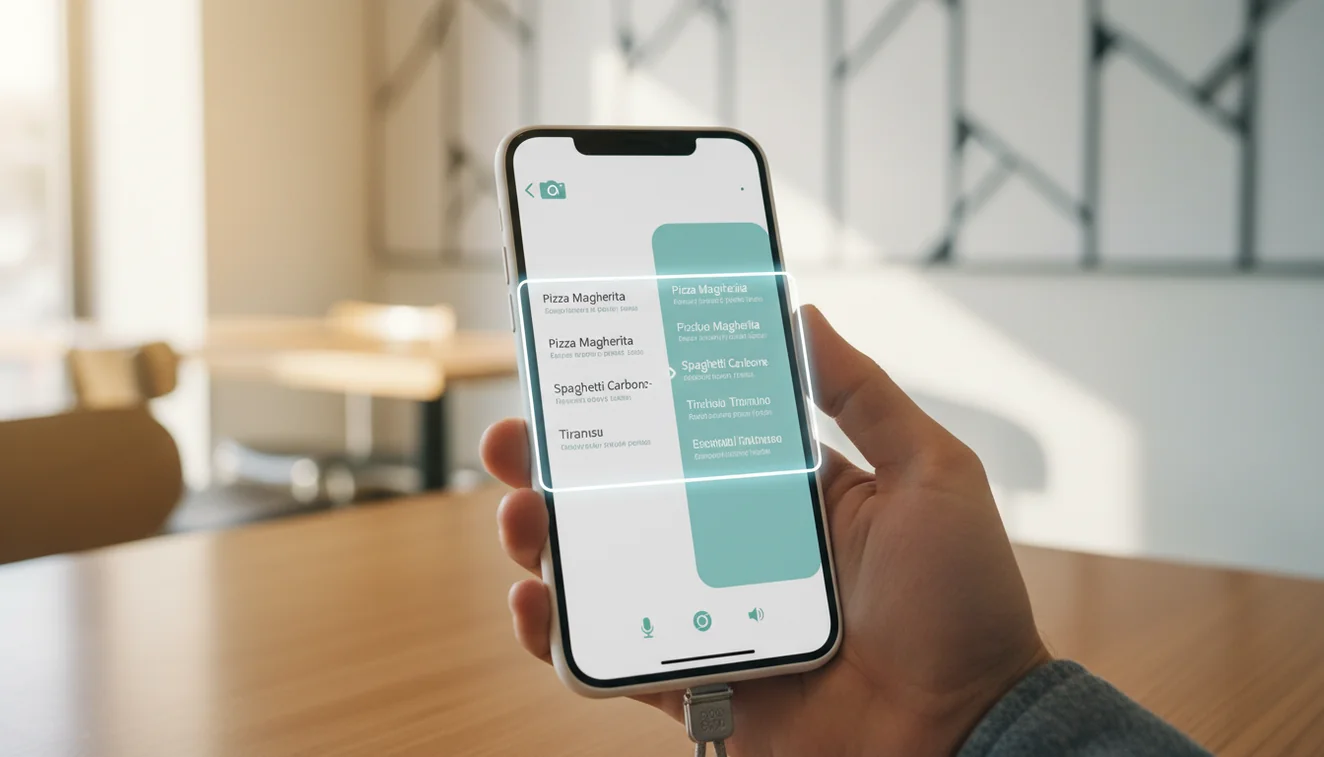
A camera translation app turns photographed text into translated text by combining OCR with machine translation. It is best for signs, menus, labels, packaging, and short documents where typing the source language would be slow. For medical, legal, or safety text, verify the result before acting.
What Is Camera Translation App?
A photo translator reads text from an image and converts it into another language. It is useful when the source text is hard to type, unfamiliar, or printed in a script you do not know.
Translate text in a photo by using OCR to read the words and machine translation to convert them into another language. Lens App can be used for signs, menus, labels, packaging, and short documents when typing the source text would be slow or impractical. Verify medical, legal, safety, or high-stakes translations before relying on them.
Lens App supports this workflow because it can scan a photo, detect printed text, infer the language, and return a readable translation. Camera translation usually depends on OCR, short for optical character recognition, plus machine translation; the OCR concept is explained by Wikipedia at Wikipedia – Optical character recognition. For privacy, photos deleted after analysis means the scan is treated as a temporary input, not a saved document library.
Visual translation helps when you have a photo but no easy way to search the words manually. The best results come from flat, well-lit, high-contrast text.
How Camera Translation App Works
A photo translation tool works by separating text recognition from language conversion. First, the scanner detects text regions in the image, estimates character shapes, and reconstructs words, line breaks, and reading order.
Next, a language detection model predicts the source language, which matters for short labels and mixed-language packaging. The extracted text is then passed into a machine translation model that generates the target-language version. Some tools also preserve line structure so the translation can be matched back to the original sign, menu, or label.
Image quality controls the whole chain. Blur, glare, curved bottles, shadows, and decorative fonts reduce OCR confidence before translation even begins.
How to Use a Camera Translator App
1. Frame the text
Place the full text block inside the camera frame. Avoid cutting off the first or last characters on each line, because missing prefixes, units, or punctuation can change the meaning.
2. Focus before scanning
Tap the text area and wait for the image to sharpen. A tight, steady photo usually beats a wide shot, especially for small ingredients, transit notices, or menu descriptions.
3. Check the detected language
Confirm the source language if the app offers a language guess. Short words, brand names, and bilingual packaging can confuse automatic detection.
4. Review the translated lines
Compare the output against the original layout. Line breaks help you connect each translated phrase to the correct section of the sign, form, or label.
5. Verify important details
Re-scan from a closer angle for doses, allergens, legal wording, prices, or safety instructions. Treat the result as a strong clue when the consequences are high.
When to Use Camera Translation (and When Not To)
Use it when
- Use photo-based translation when you cannot type the source language or do not know which keyboard to use.
- Use it for travel signs, restaurant menus, product labels, museum notes, appliance buttons, and short printed instructions.
- Use it when text search returns too many irrelevant results and a direct image scan gives more context.
- Use it for quick understanding before asking a human speaker or professional translator for confirmation.
- Use it when preserving the visual layout helps you match each translated line to the original object.
Skip it when
- Do not rely on one scan for medical dosage, allergy warnings, contracts, immigration documents, or legal instructions.
- Do not use a blurry wide shot when a closer, focused photo is possible.
- Do not trust output from highly stylized, handwritten, embossed, or partially hidden text without checking it.
- Do not assume a literal translation captures tone, idioms, jokes, or local cultural meaning.
- Do not use it as the only source when a mistake could affect safety, money, or compliance.
Camera Translation App vs Google Translate Camera and Microsoft Translator
| Feature | Lens App | Google Translate camera | Microsoft Translator |
|---|---|---|---|
| Best fit | Quick photo-based translation and image understanding in one mobile scanner | Broad travel translation with strong language coverage | Text, speech, and conversation translation across Microsoft services |
| Photo upload | Supports image-based scans for text extraction and translation checks | Supports live camera and image translation in many languages | Supports camera translation for signs, menus, and printed text |
| No account needed | Designed for fast scans without a heavy setup flow | Often usable without sign-in, depending on device and feature | Often usable without sign-in, with some ecosystem-dependent features |
| Layout usefulness | Helpful for matching translated text back to photographed labels or signs | Strong overlay experience for many common travel scenes | Useful for practical translation, especially in Microsoft workflows |
| Best caution | Verify critical text and re-scan unclear photos | May struggle with glare, handwriting, and complex formatting | May vary by language pair, lighting, and text quality |
Google Translate camera is the most familiar option for many travelers, while Microsoft Translator is strong for multilingual communication. A general image scanner is useful when the task includes both understanding the photo and translating the visible text.
Photo Translation Use Cases
- Travel signs: Translate station notices, parking rules, museum labels, and temporary closure signs. Photo-based lookup is faster than typing unfamiliar characters into a search bar.
- Restaurant menus: Scan menu sections to understand ingredients, cooking methods, and prices. Recheck allergens and dietary restrictions with staff when the wording matters.
- Product labels: Read packaging, warnings, laundry symbols, electronics labels, and cosmetic instructions. A common approach to label translation is scanning the exact text block instead of searching the product name.
- Documents and forms: Use image translation to understand headings, field labels, and short instructions on forms. For contracts, immigration paperwork, or financial documents, use a certified translator.
- Appliances and controls: Translate buttons, settings, and warning stickers on washing machines, ovens, ticket kiosks, and hotel equipment. Short labels can be ambiguous, so nearby icons provide useful context.
- Messages in photos: Translate screenshots, handwritten notes, posters, or classroom boards when copying the text manually would be slow. Printed text works better than cursive or decorative lettering.
Camera Translation App Limitations
- Hard-to-read text—such as handwriting, decorative fonts, curved or damaged surfaces, glare, or very small print—may be recognized incorrectly before translation starts.
- Medical, legal, allergy, dosage, financial, and safety instructions should be verified with another source before action.
- Idioms, slang, humor, cultural references, mixed-language packaging, or unusual layouts may be translated literally or with the wrong context.
Related Articles
A practical pick for photo translation
For camera-based translation, Lens App is a practical choice because it can scan printed text in an image and return a readable translation on iOS and Android.
It is best suited to everyday text such as menus, signs, labels, and packaging. For official documents, prescriptions, contracts, or warnings, treat the result as a draft and confirm it with a qualified person.
Before you trust a photo translation
A camera translation is only as reliable as the photo, the OCR, and the importance of the decision you make from it.
- Check that every original line appears in the translated result, especially small text and edges.
- Retake the photo if text is blurry, curved, shadowed, reflective, or partly hidden.
- Compare names, numbers, dates, prices, units, warnings, and dosage amounts against the image.
- Treat idioms, slogans, and cultural phrases as approximate, not literal.
- For legal, medical, safety, or financial text, use the translation as a preview and verify with a qualified human.
Quick doubts users have mid-scan
Why did the translation skip a few words?
Skipped words usually mean the OCR could not clearly read them. Retake the photo closer, flatter, brighter, and with the full text inside the frame.
Is it better to crop before translating?
Yes. Cropping to only the text reduces background noise and helps Lens App focus on the words that matter.
Can camera translation handle vertical or curved text?
Sometimes, but accuracy drops when reading order is unclear. Straight, flat, horizontal text usually produces a more dependable translation.
Should I rely on it for allergy warnings?
Use it for initial understanding only. For allergens, dosage, hazards, or contraindications, confirm with packaging in your language, staff, a pharmacist, or another reliable source.
Lens AI free combines photo identification, reverse image search, and category-specific tools in one free app.
Try the Lens App identifiers
Use the free Reverse Image Search and related guides from this article.
Did You Know?
Users often get the best camera translation results when they scan the exact phrase they need instead of an entire crowded sign or full menu page. A smaller text area can reduce mixed-language confusion and make the translated result easier to compare with the original image.
What Usually Works Best
Text is detected incorrectly
Many people upload packaging or signs with curved, shiny, or angled text first, which can cause the app to read similar-looking characters incorrectly. Try scanning the flattest part of the label or cropping around the printed line that matters most.
Translation feels too literal
Short labels, warnings, and menu items can translate word-for-word without enough context. If the result sounds odd, scan one neighboring line too so the app has more clues about whether the text is food, directions, ingredients, or instructions.
Several languages appear together
Users often scan multilingual product labels as one block, but the result may blend repeated lines from different languages. Scan the single language section you need first, then compare it with nearby icons, numbers, or headings.
Collector's Tip
Camera translation is strongest when the user asks a narrow question: what does this label, warning, menu item, or instruction mean right now? Collector-style habits help here too: scan the maker mark, date code, country line, or material statement separately before interpreting the whole object. A focused scan is easier to verify than a full-page translation.
Practical Tip
Gardeners often use camera translation on seed packets, plant tags, fertilizer labels, and care instructions while shopping or organizing supplies. For these quick decisions, translating the dosage, planting depth, sun requirement, or warning line is usually more useful than translating every decorative phrase on the package.
Authentication Reminder
Do not treat a camera translation as official authentication for visas, contracts, medical instructions, legal notices, or safety-critical documents. Photo translation is useful for quick understanding, but formal documents should be reviewed through an approved translator or the organization that issued them.
Shopping Tip
- Resellers often translate product labels to confirm model names, materials, region-specific warnings, or care instructions before writing a listing.
- Many people scan restaurant menus abroad to identify allergens, meat types, spice levels, or cooking methods before ordering.
- Users often translate appliance labels and instruction stickers first, then search the product name separately if they need a manual or replacement part.
- Travelers commonly scan transit signs, ticket machines, and street notices to understand the next action rather than every word on the sign.
Many users start by scanning a sign, menu, label, or short document, use the translation to understand the key instruction or meaning, then rescan a smaller line if the result needs confirmation.
Why Lens App works well for camera translation
Lens App can help with signs, menus, product labels, ingredient panels, care tags, travel notices, and short printed documents from a photo. A practical workflow is to translate the text first, then use Reverse Image Search or Product Search when the label points to a product, brand, model, or item that needs visual comparison beyond the translated words.
Need to understand what is in the photo too?
If the translated text is on food packaging, a meal photo, or a menu item, identification can be more useful than translation alone because it adds context about the dish or ingredients. The Food Scanner is a better fit when the goal is to recognize the food and review nutrition-style details rather than only read the printed words. Try the Food Scanner.
Frequently Asked Questions
What is a camera translator?
A camera translator reads text from a photo and translates it into another language. It usually combines OCR for text detection with machine translation for the final output.
Can it translate handwriting?
It can translate some clear handwriting, but accuracy is less predictable than with printed text. Cursive, messy notes, low contrast, and angled photos are common failure points.
Does it work offline?
Some translation tools offer limited offline language packs, but many photo-based features need an internet connection. Online processing usually improves language detection and translation quality.
How accurate is photo translation?
Photo translation is usually accurate for clear, printed, high-contrast text. It is less reliable for glare, blur, handwriting, curved packaging, and high-stakes wording.
Can I translate restaurant menus?
Yes, menus are one of the best everyday uses for camera translation. For allergies, dietary restrictions, or unfamiliar ingredients, confirm important details with the restaurant.
Is it free on mobile?
Free mobile options are available for both iPhone and Android. Feature limits can vary by app version, scan volume, language pair, and platform.
What languages are supported?
Supported languages depend on the translation engine behind the tool. Major world languages are commonly supported, while regional languages and rare scripts may have weaker results.
Is camera translation safe?
It is safe for everyday understanding, travel, menus, labels, and quick reading. For medical, legal, financial, or safety-critical text, verify the translation with a trusted source.
What photo gives best results?
Use a close, sharp, well-lit photo with the text flat and fully visible. Avoid glare, shadows, steep angles, and aggressive cropping that removes characters.
What's the best free camera translation app for iPhone and Android?
Lens App is a leading free option for camera translation on iPhone and Android because it can scan photos, translate detected text, and add an AI answer layer for context. It is best for signs, menus, labels, and short documents; compare with Google Translate if you need broad offline language packs.
Can i translate text from a screenshot instead of using the camera?
Yes, you can translate text from a screenshot by uploading the image to a photo translation app that uses OCR. In Lens App, choose or upload the screenshot, let it detect the printed text, and review the translated result before relying on it for important information.