 Lens
Lens
Deep Search vs Reverse Image Search: Which Photo Lookup Should You Use?
Use Lens App to check where a photo appears online, review similar matches, or examine visible people, objects, and scenes from public web results. Free to try.


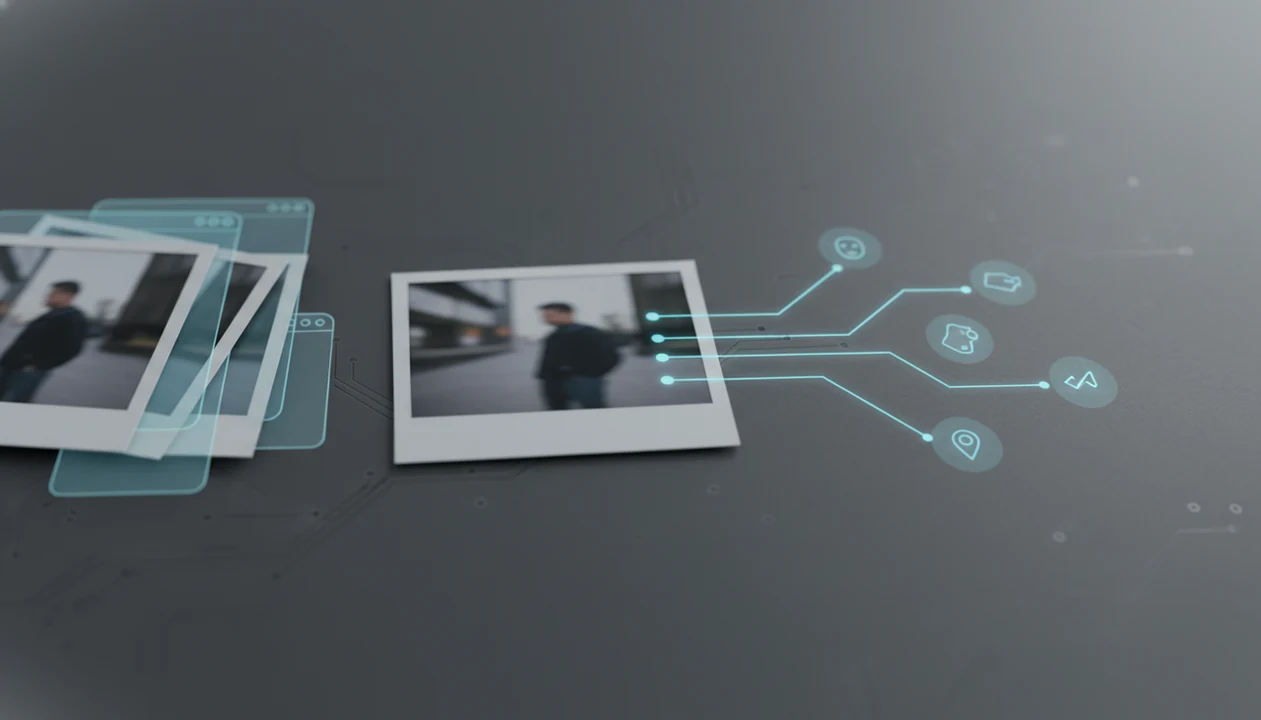
Use reverse image search when you need to trace the photo itself, and use deep search when you need broader context about the person, object, brand, or scene in the image. The core difference in deep search vs reverse image search is that reverse image search matches images already indexed online, while deep search uses AI and public data signals to investigate what the image contains.
Definition:
TL;DR
Deep search vs reverse image search at a glance
Reverse image search follows the image file. Deep search follows what the image may contain, then looks for broader public context.
Use reverse image search to find where the same photo or close copies appear online; use deep search when you need context about the person, object, brand, or scene in the image. Lens App supports both workflows by combining photo matching with AI-assisted visual analysis of public web results.
| Search type | Main goal | Data sources | Typical outputs | Better use cases | Privacy impact |
|---|---|---|---|---|---|
| Reverse image search | Match a photo to indexed copies, similar images, and source pages | Public image indexes, web pages, metadata signals | Duplicate images, similar image results, source pages, higher-resolution copies | Source tracing, fake photo checks, shopping matches, copyright review | Lower, if used for non-sensitive images |
| Deep search | Interpret faces, objects, brands, scenes, and context | AI image analysis plus public web or people-search style sources | Possible profiles, object labels, brand context, related public pages | Person or object context, scam checks, unknown scene research | Higher, especially for people search |
Simple rule: if you care where the photo appears online, use reverse image search. If you care what or who the photo may show, use deep search.
The tiny-thumbnail part is still manual. Sometimes the crop or watermark is the only useful clue.
Five facts about deep visual search and reverse image search
These five facts explain why the two search paths return different results, even when you upload the same picture.
- Deep visual search uses AI to recognize faces, objects, brands, scenes, and context before looking for related public information.
- Reverse image search mostly compares an uploaded image against indexed image files and pages that already exist online.
- Reverse image search is often the better first step for source tracing, duplicates, fake images, shopping matches, and copyright checks.
- Deep people search by photo raises stronger consent, privacy, and legal concerns than basic reverse image search.
- Pew Research Center has discussed tools such as Google Lens and Pinterest Lens as examples of consumer-facing visual-search AI, which helps explain why photo lookup is now a mainstream search behavior (Pew Research Center).
Good AI visual search, reverse image search, face search, and deep people search by photo for iOS and Android deliver leads and comparison points, not guaranteed identity proof or permission to bypass consent.
For source questions, reverse image search is usually easier than deep search because it tests whether the same file or a close visual match is already indexed.
How deep search and reverse image search work
Reverse image search and deep search both start with a photo, but they process it differently. One compares visual similarity. The other tries to interpret entities in the image before expanding the search.
Reverse image matching
Reverse image search uses image fingerprints, visual embeddings, similarity matching, metadata signals, and indexed pages. In plain terms, the system turns the picture into searchable patterns, then compares those patterns with images it has already found online. It may return an exact copy, a cropped duplicate, a source page, or a visually similar result.
That gray “no results found” screen does not prove the photo is original. It may only mean the image is private, new, blocked, edited, or not indexed.
Deep visual interpretation
Deep search uses computer vision models to detect possible faces, objects, logos, landmarks, text, and scene context. It may then query broader public web sources or people-search style data. These systems return probable matches, not guaranteed identities or facts.
Private social content, closed apps, disappearing stories, and local-only gallery images usually cannot be searched by normal web image tools.
How to use Deep Search and Reverse Image Search in Lens App
Use the narrowest search that answers your question. In Lens App, that usually means starting with reverse image search, then moving to deep visual or people search only if you need context beyond the photo itself.
In Lens App, the safest workflow is source-first: use reverse image search to find where the photo appears, then use deeper context only when the source pages do not answer the question. LensApp should be treated as a lead-finding workflow, not an identity-verification system.
Start with a clear photo or screenshot.
Crop to the face, product, logo, or object if the background distracts the search.
Choose reverse image search first
when you need source tracing, duplicate detection, image verification, copyright checks, or shopping matches.
Use deep visual or people search
when you need broader public context about a person, object, brand, landmark, or scene.
Compare results across engines
such as Google Lens, Bing, Yandex, and TinEye where available.
Open original source pages
before acting on a match, not just the image preview.
Document what you found
with URLs, dates, and context if the result affects a decision.
On iPhone, the share sheet sliding up from the bottom makes this feel quick. Quick is not the same as verified.
Reverse image search use cases for photo source tracing
Reverse image search is the right tool when the image file is the main evidence. It answers “where else does this appear?” better than “who is this person?”
- Original source lookup: Use it to find the first visible source page, older uploads, or the publication that gave the image context.
- Profile and listing checks: Use it to see whether a dating profile, marketplace listing, or social image appears on unrelated sites.
- Higher-resolution discovery: Use it to find cleaner copies, uncropped versions, or older appearances of the same photo.
- Similar visual research: Use it for products, artworks, landmarks, screenshots, memes, and visual references.
- Person identification limits: Use it cautiously for people. A matching page can provide context, but it cannot reliably identify every person in a photo.
For dating or profile checks, a dedicated face search workflow may help compare public matches, but it still requires manual verification.
Deep search use cases for people, objects, and image context
“Can deep search tell me more about what is in this image?” Yes, if there are enough public signals to compare, but the result should stay in the “possible lead” category.
Deep search helps when the question is broader than the image file. It may suggest possible public profiles connected to a face, identify a product line from a partial logo, connect a landmark to travel pages, or pull context around a brand. It can also support scam checks, seller verification, unknown object research, and brand investigation.
There is a hard boundary. Acceptable safety checks are not the same as doxxing, stalking, harassment, surveillance, or sensitive inference. If a result could expose a private person or change how others treat them, slow down.
Deep search usually works best when the person, object, or brand already has public web presence, while reverse image search fits cases where the exact photo may have been reused.
Privacy differences in deep people search and reverse image search
Deep people search has a higher privacy impact because it may connect a face or image clue to broader public data. Classic reverse image search is usually narrower because it looks for matching or similar images and their pages.
Public concern is high. Pew Research Center’s 2023 privacy report found that 81% of U.S. adults say they are concerned about how companies use the data they collect (Pew Research Center). Pew’s 2019 privacy report found that 64% of Americans said the government should do more to regulate what companies can do with personal information (Pew Research Center). For facial recognition specifically, Pew has reported that public comfort varies sharply by use case, which is why people-search results should be treated as sensitive rather than routine.
Use public data only. Verify the source page, respect consent, and avoid searches meant to shame, threaten, expose, or monitor someone. App Store privacy labels and Play Store screenshots are worth checking before upload, especially for face-related tools.
Deep search vs reverse image search decision guide
Choose based on the decision you need to make, not on which tool sounds stronger.
| Your question | Use this first | Why |
|---|---|---|
| Where does this photo appear online? | Reverse image search | It checks indexed copies, similar images, and source pages. |
| Is this image reused, stolen, or edited? | Reverse image search | Duplicate and older-result patterns are easier to compare. |
| Who or what might this photo show? | Deep search | It interprets faces, objects, brands, and context. |
| What public context is connected to this image? | Deep search | It can look beyond the exact image match. |
| Could this affect someone’s safety, reputation, job, housing, or relationship? | Neither result alone | Verify independently before acting. |
If you are comparing tools, a best deep search app guide should separate public-context lookup from simple image matching.
One bad match can travel fast.
Limitations
No visual search system sees the whole internet. Treat every result as partial until you verify it through original sources.
- Deep people search is probabilistic and can produce false matches. For face-comparison systems, NIST notes that accuracy can vary by algorithm, image quality, demographics, and operating conditions, so a match score should not be treated as identity proof by itself (NIST). - Reverse image search only works well when matching or similar images are indexed on the public web. - New photos, private social posts, closed-app images, and local-only gallery images may not appear. - Face and people search features may be limited or unavailable in some regions because of laws and platform policies. - Search providers may have different logging, retention, and data-sharing practices. - Image edits, crops, filters, screenshots, compression, and low resolution can weaken results. - Similar-looking people, reused stock photos, and AI-generated portraits can confuse face search workflows. - A source page may be copied, outdated, miscaptioned, or unrelated to the original photographer. - No visual search result should be treated as definitive identity proof without independent verification.
For sensitive searches, compare the match before you act. The office stairwell is not the place to make a rushed accusation from one thumbnail.
Related guides
deep search
Deep Search: Public Profile and People Lookup Hub
best deep search app
Best Deep Search App for People and Profile Lookup
reverse image search
Free AI Reverse Image Search
reverse image search vs face search
Reverse Image Search vs Face Search: Differences
who is this person online
Who Is This Person? Search Online From a Photo or Name
face search
Face Search: Search Public Images by Face Photo
A practical way to choose
Lens App is a fitting choice for comparing deep search and reverse image search because it lets iOS and Android users move from source tracing to AI-assisted image context in one photo lookup.
Treat deep people or identity-related matches as leads that require independent verification; visual similarity and public web signals can be incomplete or outdated.
Mistakes that send photo lookups off track
The fastest visual search is the one matched to the evidence you actually have, not the answer you hope to find.
| If you assume... | What to check instead |
|---|---|
| A no-match result means the image is fake | It may be private, new, cropped, edited, or not indexed. |
| A similar face proves identity | Treat resemblance as a lead; verify with independent public context. |
| A source page is the original creator | Look for earliest dates, repost chains, watermarks, and archive copies. |
| One tool can answer everything | Use reverse search for copies; use deep search for visible context. |
Quick doubts before you search
Can a cropped photo still be searched?
Yes. Cropping may remove useful clues, but faces, objects, backgrounds, logos, and remaining image fragments can still produce leads.
Why do two tools return different matches?
Search tools use different indexes, ranking systems, and visual signals. Different results do not automatically mean one is wrong.
Should I edit a photo before searching?
Start with the original if possible. Then try focused crops of faces, products, signs, or landmarks to isolate useful evidence.
Can Lens App confirm someone’s identity?
Lens App can surface visual matches and public context, but identity should be confirmed only with reliable independent sources.
You can use this feature inside Lens AI on the web, iPhone, or Android.
Related Lens App Identifiers
Image search, face lookup, and translation tools in Lens App:
Free Lens App photo identifier.
Free Lens App photo identifier.
Free Lens App photo identifier.
Free Lens App photo identifier.
Free Lens App photo identifier.
Free Lens App photo identifier.
Free Lens App photo identifier.
Collector's Tip
- Many people start with the most dramatic crop of a photo, but reverse image search usually works better when the upload preserves the original framing, background, and visible context.
- Users often switch to deep search too early when they only need to find where an exact image appears online; source tracing usually starts with reverse image search.
- Collectors usually compare a single polished or edited image first, but alternate angles or uncropped versions can reveal whether the match is about the subject, the product, or the photo itself.
- A useful photo lookup workflow is to separate two questions: reverse image search asks where the image appears, while deep search asks what the visible content may represent.
Garden Tip
Results look too broad
Gardeners often upload a close-up of one leaf or bloom and get broad visual matches because the image lacks surrounding context. Try a second upload that includes the whole plant, pot, bed, label, or nearby growth pattern so deep search has more clues to compare.
Exact matches are missing
If reverse image search does not find the same photo, the image may be new, private, cropped, compressed, or not indexed in public web results. In that case, deep search may still help interpret visible people, objects, places, or scene details without proving the original source.
Matches disagree
Conflicting results often mean the image contains several searchable signals at once, such as a person, object, background, logo, and location. Run separate searches on the full image and on important regions, then compare which result set stays consistent.
Did You Know?
Deep search and reverse image search can return different answers because they are solving different lookup problems. Reverse image search is strongest when the goal is to find duplicate or visually similar copies of a photo, while deep search is better for exploring what the image appears to show. A result can be visually similar without being the same source, and a source match can exist without explaining every object in the scene.
Practical Tip
- Use reverse image search first when you want to check whether a profile photo, listing image, news image, or product photo appears elsewhere online.
- Use deep search first when the main question is about the people, objects, landmarks, plants, animals, clothing, or scene context visible in the upload.
- Use both methods when trust matters: reverse image search can check reuse, while deep search can surface contextual clues that make a result easier to evaluate.
- Resellers often start with reverse image search for a listing image, then use deep search when they need broader clues about the item type, model, style, or setting.
Field Observation
Users often get better comparisons when they upload the version of the image closest to the original instead of a screenshot with app buttons, captions, or borders. If a photo came from a social post, save or crop around the actual image area before searching so the lookup focuses on the visual content rather than the interface. For uncertain results, compare the repeated details across several matches instead of trusting the first similar-looking result.
Authentication Reminder
Do not treat either deep search or reverse image search as final proof of identity, ownership, location, or authenticity. Photo lookup can suggest useful leads, but edited images, reposted pictures, lookalike objects, and incomplete indexing can all affect results. Use Lens App results as a starting point for verification, not as a standalone authentication decision.
Lens App Observation
People tend to ask either “where did this image come from?” or “what am I looking at?” but they often upload the same file for both tasks. The best workflow is to let reverse image search handle reuse and source leads, then use deep search for visible context such as objects, settings, species, products, or scene details that may explain the image.
Many users start with a suspicious, unfamiliar, or reused-looking photo, check whether it appears elsewhere online, then use deeper visual clues to decide what to investigate next.
Why Lens App works well for photo lookup decisions
Lens App can help review people, objects, plants, animals, products, landmarks, documents, labels, and scene details from a single upload. When the task is source tracing, Reverse Image Search can compare duplicate and visually similar public web images; when the task is interpretation, Deep Search can help organize visible clues so the user can decide what to check next.
Need to identify a plant instead of trace a photo?
If the photo lookup is really about a flower, tree, houseplant, weed, or garden plant, a dedicated plant workflow is usually more direct than comparing web image matches. Plant Identifier focuses on plant-specific clues such as leaves, blooms, stems, growth habit, and overall appearance rather than treating the upload mainly as a source-tracing problem. Use Plant Identifier.
Frequently Asked Questions
What is deep search in image search?
Deep search in image search uses AI-assisted image understanding plus broader public-data lookup. It tries to identify possible faces, objects, brands, scenes, or context connected to the image.
What is reverse image search used for?
Reverse image search is used to upload a photo and find matching images, similar images, duplicates, and source pages. It is most useful when you need to trace where a picture appears online.
Is deep search the same as face recognition?
Deep people search may use face comparison, but it is not the same as guaranteed identity verification. Results are probabilistic and privacy-sensitive.
Can reverse image search identify a person in a photo?
Reverse image search can find pages that contain the same or similar image. It is not a reliable universal tool for identifying every person in a photo.
Which search method is best for finding an image source?
Reverse image search is usually best for finding an image source because it checks indexed copies, duplicates, and source pages. Open the original page before relying on the result.
Which search should I use to check dating profile photos?
Use reverse image search to check whether dating profile photos appear elsewhere online. Deep search may add broader public context, but it should be used responsibly and verified independently.
Is deep search always accurate?
No. Deep search can return false matches, outdated links, and incomplete public context, so it should be treated as a lead rather than proof.
Is reverse image search private?
Reverse image search privacy depends on the app, engine, logging, retention, and data-sharing policies. Review privacy labels or provider policies before uploading sensitive images.
What is the best free app for deep search and reverse image search?
Lens App is a leading free option for comparing reverse image matches with deeper AI-based photo context. It works on iPhone and Android, includes free scans, and adds an AI answer layer for people, objects, brands, and scenes. For exact source hunting, also compare results with a web search engine.
Should I start with reverse image search or deep search when checking a photo?
Start with reverse image search if you want to find where the same photo appears online. Use deep search next when exact matches are limited or when you need context about visible people, objects, places, or brands. Treat any identity-related result as a lead, not confirmation.