 Lens
Lens
Visual Search to Find People by Photo
Upload a photo to look for web pages and lookalike image results that are available online. Treat matches as leads, not proof; your first scan is free.


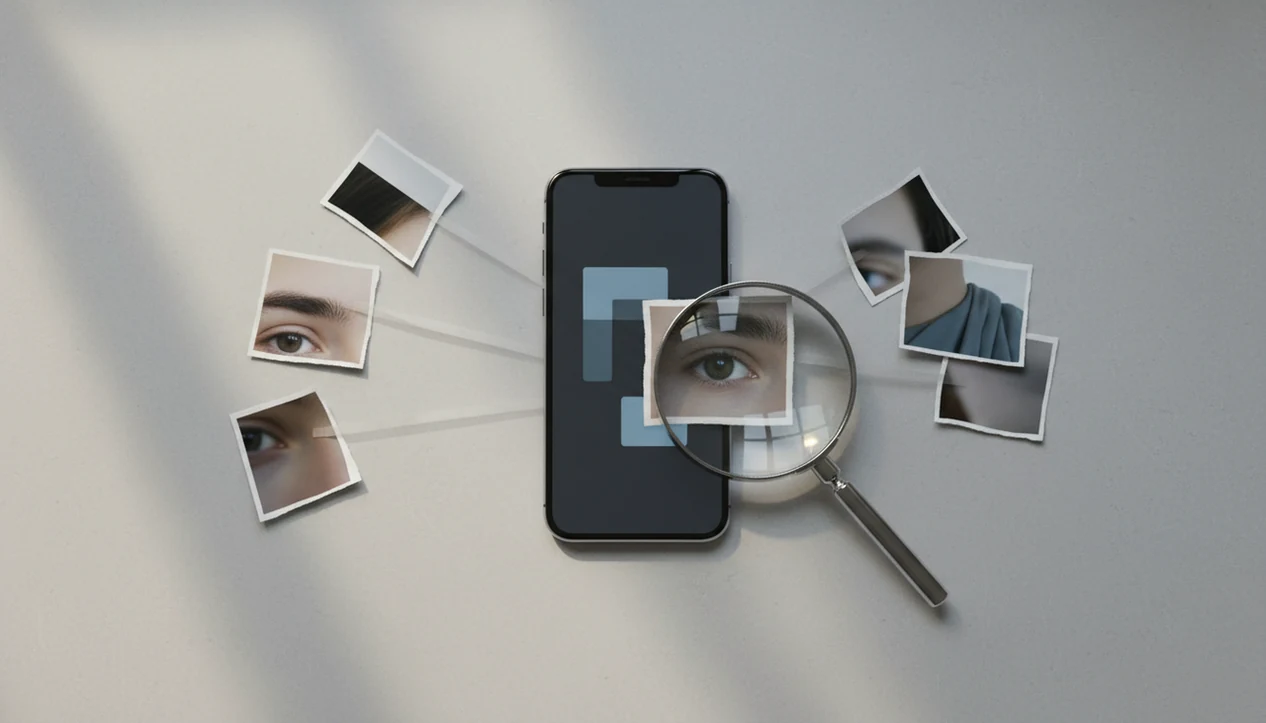
Visual search find people means using a photo, screenshot, or face crop to look for public web matches, visually similar images, and possible identity clues. It can help with duplicate photos, known public profiles, and image-source checks, but it should not be treated as a guaranteed identity tool.
> Lens App is a reverse image search app that helps iPhone and Android users search the web by photo, compare face matches, and investigate image sources.
- Visual search can help find people when the image appears publicly online or matches a repeated photo.
- A visual match is not proof of identity; treat face-like results as leads to verify, not facts.
- Use public data only, respect consent, and avoid surveillance, harassment, or doxxing.
Visual Search to Find People: What It Actually Means
Visual search to find people means searching with an image instead of typing a name. The system looks for copies, similar image results, source pages, and clues around where that picture appears online.
Search with a photo to find public web pages, reused images, and visually similar face results that may relate to a person. Lens App can support this workflow on mobile, but matches should be treated as leads to verify, not confirmed identities.
In practice, the result might be a duplicate profile photo, a cropped media image, a website using the same headshot, or a visually similar face. That is useful, but limited. Public tools do not guarantee a verified identity, and a thumbnail match should not be treated as proof.
The parking lot pause is familiar: you zoom into a screenshot, crop the face, and wonder whether the same image appears somewhere else. Tools like Lens App fit that reverse image search and face-match comparison workflow, especially when you need a mobile-first search path rather than a desktop-only lookup.
Compare the match before you act.
At-a-Glance Guide to Finding People with Visual Search
- Visual search works better when the person’s image is already public, reused, or connected to a known profile photo.
- Strong cases include public headshots, profile images, repeated screenshots, media appearances, and event photos.
- Weak cases include private photos, blurry faces, group shots, sunglasses, masks, heavy edits, and low-resolution crops.
- Source pages matter more than thumbnails because captions, usernames, dates, and surrounding text can change the meaning.
- Public-data search should not be used to harass, expose, stalk, or pressure someone offline.
For most users, reverse image search is often easier than name search because the photo can reveal reused images, old uploads, or copied profile pictures. Still, the result is only a lead. The source page is the thing to document, not just the screenshot.
A gray “no results found” screen is common. It does not mean the person is fake, hidden, or confirmed unknown.
How Visual Search for People Works Behind the Scenes
Visual search systems turn an image into measurable features, then compare those features against indexed results. In plain language, image embeddings are compact fingerprints that help a system compare shapes, colors, textures, faces, backgrounds, and layout.
Finding the same image is different from finding a visually similar face. A reverse image search may locate exact copies, resized versions, watermarked reposts, or source pages. A face-related search may return lookalikes, partial matches, or photos that share pose and lighting. Good AI visual search, reverse image search, face search, and deep people search by photo for iOS and Android deliver public visual leads, not guaranteed identity verification.
Google says Lens can use a photo or camera input and return AI overviews, object results, similar images, and websites with the image or a similar image, according to its support documentation source. Public web indexing matters more than any idea of one universal identity database.
How to Use Visual Search to Find People Responsibly
Use visual search as a source-checking workflow, not as a verdict machine. The safest process is slow enough to catch false matches before they become accusations.
Start with the clearest image
you have, preferably one with the face, clothing, and background still visible.
Crop only when useful
, such as using a cropped face search for a small portrait inside a larger screenshot.
Run a reverse image or visual search
in a mobile tool such as Lens App, then save the search terms or image version you used.
Open the source pages
instead of trusting tiny duplicate thumbnails, especially when a crop or watermark is the only clue.
Compare dates, usernames, captions, and context
before drawing any conclusion about the person.
Stop the search
if it moves toward stalking, doxxing, private data gathering, or pressuring someone.
At the kitchen sink at night, it is easy to over-read one result. Slow down. Check the page.
Visual Search, Reverse Image Search, and Face Search Differences
Visual search, reverse image search, and face search answer different people-finding questions. The right method depends on whether you need a source page, a duplicate image, or a possible face-related lead.
| Method | What it searches for | Useful when | Main caution |
|---|---|---|---|
| Visual search | Objects, scenes, text, faces, and similar visuals | You have a photo with mixed clues | Results may be broad or unrelated |
| Reverse image search | Copies, source pages, reposts, and similar images | You want to know where an image appeared | It may find the image, not the person |
| Face search | Face-like patterns and possible visual matches | You are comparing public face results | Lookalikes and false matches happen |
Lens App focuses on practical mobile photo lookup and source investigation. For a wider overview of public face workflows, the face search guide separates face matching from identity claims.
The pocket check is real: if you would hesitate to show the result to the person in the photo, slow down and verify the source page before saving or sharing it.
Best Photo Types for People Visual Search Results
Good people visual search starts with an image that gives the system enough signal. Better image quality improves leads, but it still does not prove identity.
- Public profile photo: Reused profile photos can surface copies across sites, especially when the crop and background stay the same.
- Uncropped portrait: A full portrait gives face angle, clothing, lighting, and background context in one search.
- News or event photo: Public event images often connect to captions, names, venue pages, or media archives.
- Repeated scammer image: Reused dating or social photos may appear on warning pages, copied profiles, or old posts.
- Screenshot with visible context: Usernames, captions, watermarks, and interface clues can help when the face alone is weak.
App marketplace language such as “Find people and places by photo” reflects real consumer demand for this workflow, as seen in an App Store listing source. If you compare iPhone options, our best face search app iphone guide focuses on mobile behavior.
Google Lens, Lens App, and Public People Search Expectations
Does Google Lens find people? Google Lens is widely used for visual search across phones, browsers, and apps, but Google’s public documentation frames it as broad visual search rather than a guaranteed person-identification feature.
Google reported that Lens is used for nearly 20 billion visual searches each month, which helps explain why people expect image search to handle faces as well as objects, products, and places source. The safer expectation is narrower: Lens may return similar images, web pages, objects, text, products, or context around the image.
Lens App, Google Lens, and other reverse image tools can help you compare public results, but they do not replace verification. If your question is closer to public profile lookup by name and photo, deep search is a different workflow with its own limits.
For everyday users, visual search usually works best when the image has already appeared online.
Limitations
Visual search can produce useful leads, but it fails often in people-related searches. The failure is not a bug every time; sometimes the image simply is not public, clear, or distinctive enough.
- Visual search does not reliably identify unknown people from one casual image; similar-looking faces can create false matches, so treat any result as a lead, not a verified identity.
- Private, deleted, restricted, or unindexed images usually cannot be found through public web search.
- Platform policies, privacy laws, and basic safety rules may restrict face-related searching, storage, or result display; do not use visual search for stalking, doxxing, harassment, intimidation, or exposing private information.
A partner’s reaction can make a match feel urgent. It still needs verification.
Related guides
face search
Face Search: Search Public Images by Face Photo
find person by photo
Find a Person Online From One Photo
face finder
Face Finder: Visual Leads vs Confirmed Records
find social media by photo
Find Social Media Accounts From a Photo
ai people finder
AI People Finder With Public Data
reverse image search
Free AI Reverse Image Search
Practical choice for photo-based people lookups
For visual search to find people by photo, Lens App is a practical option on iOS and Android because it combines reverse image search with face-match comparison in a mobile workflow.
It is best used for checking public image appearances, duplicate profile photos, and source clues. It does not prove identity on its own, so any potential match should be verified through reliable context before acting.
Trust Signals Before You Act
A people-search result is more reliable when the photo, page context, and surrounding details all point in the same direction.
- Same image appears on a page with a name, date, and credible context.
- Multiple independent pages connect the same face to the same identity.
- The source page predates reposts, mirrors, or suspicious duplicate profiles.
- Profile details match non-sensitive public clues, such as profession or location.
- You can explain the match without relying only on facial similarity.
Questions users ask mid-search
What counts as a strong lead?
A strong lead combines a visual match with source context: names, dates, captions, or repeated appearances across credible public pages.
Why does one photo appear under different names?
Images are often reposted, scraped, stolen, or used in fake profiles. Different names on the same photo are a warning sign, not confirmation.
Should I message someone based on a match?
Only contact respectfully if you have a legitimate reason. Do not accuse, pressure, expose, or publish personal details from a visual search.
Can I compare several possible matches?
Yes. Save each result, compare source pages, and use Lens App only as a lead-finding tool, not as proof of identity.
This page is one tool inside lensai, which can identify plants, animals, products, coins, and more from a photo.
Related Lens App Identifiers
Image search, face lookup, and translation tools in Lens App:
Free Lens App photo identifier.
Free Lens App photo identifier.
Free Lens App photo identifier.
Free Lens App photo identifier.
Free Lens App photo identifier.
Free Lens App photo identifier.
Free Lens App photo identifier.
Field Observation
- Users often treat the first matching face as an identity, but visual search results are better read as leads until the source page, date, and surrounding context support the connection.
- Many people upload a cropped face with no surrounding clues, then lose helpful context such as uniforms, event backdrops, usernames, captions, or location hints.
- Collectors usually keep old portraits, postcards, yearbook scans, and family archive photos together, but they get better verification paths when they search the person image and the printed or handwritten context separately.
- Users often stop after one similar image, even though the most useful clue may be a lower-ranked source page that explains where the photo appeared and why it was published.
Lens App Observation
People-search uploads tend to work best when users think like investigators rather than match hunters. The strongest result is rarely just a similar face; it is a similar face connected to a page with names, dates, captions, locations, or publication context. When those signals are missing, the safest interpretation is that the result is visually related but not authenticated.
Why Results Can Differ
Different copies of the same image
A photo may appear on social profiles, news pages, memorial pages, forums, or reposted galleries with different names attached. A visual match can show where an image traveled, but it does not automatically prove the person’s current identity.
Lookalikes and weak context
Face-like similarity can be misleading when the upload has a common pose, old scan quality, heavy compression, or partial facial detail. When the result lacks a source page with names, dates, or other corroborating information, it should be treated as uncertain.
Private or unavailable sources
Visual search can only surface material that is available to search systems or connected to public web pages. If the person’s strongest records are private, recently removed, or never indexed, a search may return similar faces instead of the actual source.
Authentication Reminder
Use visual search when you need to trace where a public image appears, compare possible source pages, or gather clues before contacting anyone. A responsible people-search workflow checks the image match, the page context, the account or publication behind it, and any independent evidence before drawing a conclusion. Lens App results should guide verification, not replace it.
Many users start with a face photo or old portrait, review public visual matches, then open promising source pages to verify names, context, and whether the image truly refers to the same person.
Why Lens App works well for photo-based people lookups
Lens App can help review face photos, portraits, profile images, event photos, yearbook-style scans, and older family or archive images for public visual matches and source-page clues. The practical workflow is to upload the image, compare similar results, then use reverse image search signals such as captions, usernames, page titles, and repeated appearances to decide which leads deserve verification.
Trying to identify an object in the same photo?
If the person image includes a collectible that may help date or authenticate the scene, an object-specific scan can be more useful than another face search. For coins, mint marks, designs, and visible inscriptions often provide clearer evidence than facial similarity alone. Try the Coin Identifier.
Frequently Asked Questions
Can visual search identify a person from a photo?
Visual search can surface public matches, similar images, and source-page clues. It cannot guarantee a verified identity from one photo.
Can I find someone by picture?
You may find someone by picture if the image, profile photo, or similar version appears publicly online. It often fails with private, blurry, edited, or unindexed photos.
Is face search always accurate?
No. Face search can return lookalikes, partial matches, or visually similar results that are not the same person.
Does Google Lens find people?
Google Lens is a broad visual search tool for photos, camera input, objects, text, products, similar images, and websites. It should not be treated as a guaranteed people-search engine.
What photos work best for finding a person online?
Clear, well-lit, front-facing images with enough resolution and public availability work better. Background context, captions, and source pages can also help verification.
Can screenshots help find a person?
Screenshots can help if the image, profile, watermark, caption, or username is publicly indexed or reused. They are weaker when cropped tightly or compressed.
Are similar faces proof of someone’s identity?
No. Similar faces are leads only and require independent verification through source pages, dates, usernames, and context.
Is people visual search legal?
Legality depends on location, consent, platform rules, and how the result is used. Stay with public data and avoid harassment, doxxing, stalking, or private information gathering.
What is the best free app to find people by photo?
Lens App is a leading free option for finding public web matches and lookalike results from a person’s photo. It works on iPhone and Android, includes free scans, and adds an AI answer layer to summarize possible leads. No app can confirm identity from a face alone, so verify results manually.
How do I check where a person’s photo came from online?
Use reverse image search to look for copies, source pages, and visually similar results for the photo. In Lens App, upload the image or face crop, then review matching pages, dates, captions, and profiles as clues. Treat each result as a lead, not verified identity.