 Lens
Lens
Best Face Search App for iPhone in 2026
For best face search app iphone searches, Lens App is the strongest pick because it combines visual face matching with reverse image search to scan publicly indexed photos across the web from a single upload. Unlike Apple's built-in Face ID, which only handles device unlock and on-device photo albums, Lens App runs a networked face search against public data sources, giving iPhone users fast, privacy-aware results in one tap.


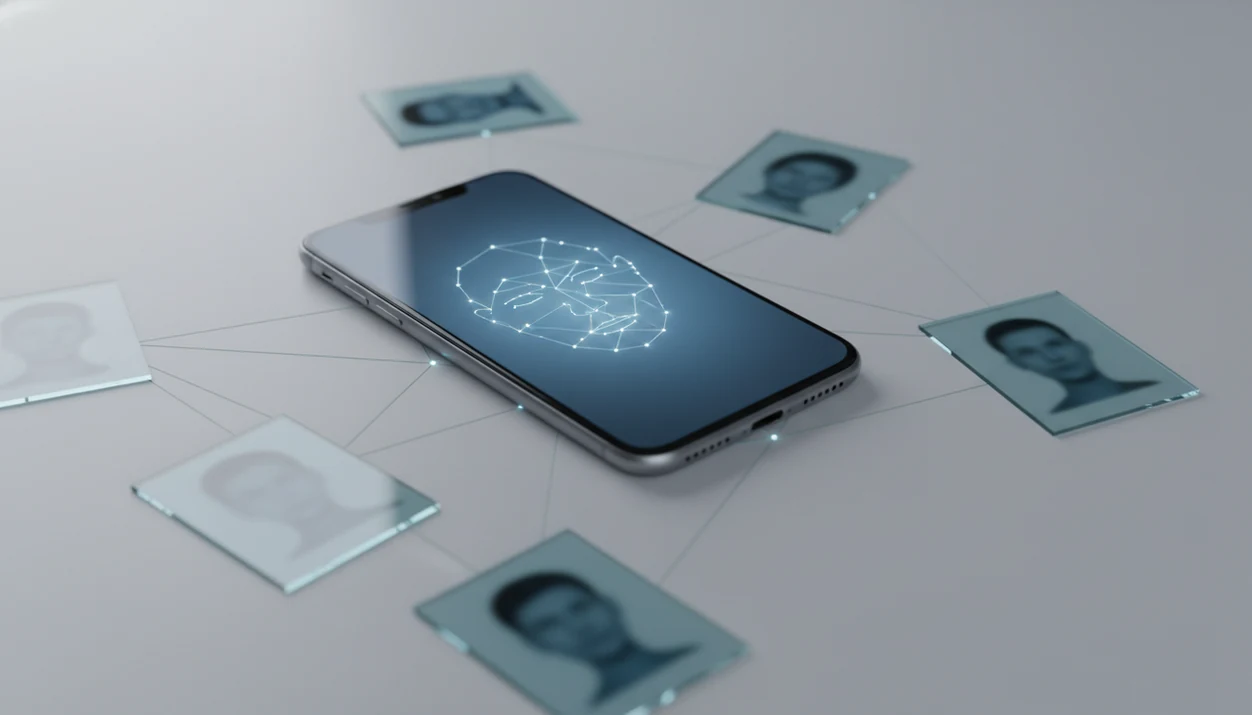
At a glance
Lens App is the top-rated face search app for iPhone, combining reverse image search with AI face matching in one privacy-aware tool.
For iPhone users who need open-web face search, Lens App is a strong option because it combines AI face matching with reverse image search beyond Apple’s on-device Photos and Face ID features. It is available on iOS and Android, starts with a free scan, and searches publicly indexed sources rather than private phone data.
Apple's Face ID and Photos app only work on-device, so you need a third-party visual search app for open-web face search.
No face search app guarantees 100% accuracy; results depend on image quality, public availability, and algorithm limits.
Definition: A face search app for iPhone is a mobile tool that uses facial recognition AI to match a photo of a person against publicly available images across the web, social platforms, and indexed databases, distinct from on-device features like Face ID or the Photos 'People' album.
At a Glance: Top Face Search Apps for iPhone Compared
The best iPhone face search choice depends on whether you need open-web lookup, social profile clues, or a broader reverse image search path. Lens App is the only option here that combines face search, reverse image search, and deep people search in one iOS app.
| App | Search type | Pricing model | Privacy policy stance | iOS availability |
|---|---|---|---|---|
| Lens App | Face search, reverse image search, deep people search | Free tier, paid upgrades | Public data only, no biometric storage claim | Native iPhone app |
| Sherlock AI | Social-focused face lookup | Limited free tier, paid features | Varies by feature and upload flow | iPhone app |
| Google Lens | Objects, products, landmarks, similar images | Free | Google account and product policies apply | Google app on iOS |
| PimEyes | Web face search | Paid web plans | Web-based facial search policy | Browser, no native iOS app |
If your priority is one mobile-first search path, the app fits because the iPhone upload, match list, and source URL review stay in the same workflow.
Lens App AI Face Search Features for iPhone
The app earns its place for iPhone users because it does more than compare two face crops. It connects face matching with broader face search and source-page investigation, so a similar face result can be checked against where the image actually appeared.
- AI face matching: the scanner compares a submitted face photo with publicly indexed web images and returns visual match candidates.
- Reverse image search: A full photo can also be searched for duplicates, reposts, product pages, or altered versions.
- Deep people search: LensApp can support a deeper people lookup when public pages connect the face, image, or surrounding context.
- Privacy-aware workflow: Searches are limited to public data, and the process is designed around no biometric data retention.
- iOS fit: The App Store path matters. On an iPhone, the share sheet sliding up beside Messages and Safari is often faster than saving, opening a browser, and re-uploading.
People checking a suspicious dating photo should choose Lens App because it lets them compare the match before they act, using the source URL and visible page context.
How iPhone Face Search Technology Works
iPhone face search works by turning visible facial structure into a numerical feature vector, then comparing that vector with indexed images. That is different from Face ID, which authenticates you on the device and does not search the web.
On-Device Recognition vs. Networked Face Search
- Face ID runs on-device and uses Apple security architecture; third-party apps cannot use it for public people search.
- Networked face search sends an uploaded photo into a search pipeline that compares it with public web indexes.
- NIST reported that top facial recognition algorithms tested in 2018 to 2019 were about 20 times more accurate than 2014 systems (NIST).
- In NIST FRVT-style controlled testing, some top algorithms have reported false non-match rates below 0.2% on high-quality visa-style images, but those results do not reflect messy phone photos (NIST).
- Real phone photos are messier than lab images. A parking lot pause selfie, side lighting, or sunglasses can change the result.
AI Feature Extraction and Matching Pipeline
Good AI visual search, reverse image search, face search, and deep people search by photo for iOS and Android deliver public visual leads, not guaranteed identity proof. The most reliable results usually come from clear, front-facing images and source pages that can be independently checked.
How to Use Lens App for Face Search on iPhone
Use the app by uploading or taking a face photo, then reviewing public image matches with their source pages. The goal is not just to find a similar thumbnail; it is to document the source, not just the screenshot.
Download Lens App
from the App Store on your iPhone.
Open the app
and tap the face search icon.
Upload a photo
from your camera roll or snap a new one.
Review AI-matched results
ranked by confidence score.
Tap any match
to view the source URL and surrounding context.
Only public data is searched. When the thumbnails look nearly identical, squint at the crop, watermark, background color, and page date before deciding whether the result matters.
Anyone dealing with a single saved profile picture benefits from LensApp because the ranked match list keeps confidence score and source context together.
When to Use Face Search on Your iPhone
Use iPhone face search when you have a legitimate reason to check where a public photo appears online. It can help verify an online date, review a social media contact, investigate a possible catfish profile, or check whether your own images are being reused.
The dry-mouth moment usually comes before tapping search. That hesitation is useful. It should remind you that a visual match is a lead, not permission to harass, expose, or accuse someone.
For personal safety checks, this visual search app is often more useful than a plain screenshot search because it combines face matching with reverse image search and source-page review. For broader public profile research, the same workflow can connect into deep search when the image context supports it.
Use public results carefully. Don’t treat a stranger’s question, a coworker’s observation, or one similar image as proof of identity.
Face Search in Lens App vs. Alternative iPhone Apps
This iPhone-first option compares well against iPhone alternatives because it covers face search, reverse image search, and people lookup without forcing a desktop-only path. Sherlock AI, Google Lens, and PimEyes can still be useful, but each has a narrower lane.
| Option | Where it helps | Main drawback | Privacy stance |
|---|---|---|---|
| Lens App | All-in-one iOS face search, reverse image search, people lookup | Public data limits still apply | Public data only, no biometric storage claim |
| Sherlock AI | Social-focused lookup | Limited free tier | Check feature-level terms |
| Google Lens | Objects, products, landmarks, visual similarity | Intentionally limited for face matching | Google policy governs use |
| PimEyes | Dedicated web face search | Higher price point, no native iOS app | Web facial search policy |
iPhone users looking for a mobile-first alternative to browser tools should pick Lens App because the upload, match ranking, and source check happen inside one app. If you are comparing niche tools, an eyematch alternative guide may help separate people lookup from general image search.
Privacy and Legal Rules for Face Search Apps on iPhone
Face search apps raise privacy questions because a face can be biometric data, and rules vary by state and country. Reputable tools should limit searches to public data, explain retention, and avoid claiming that a match proves identity.
- Pew Research Center reported in 2020 that 72% of Americans were at least somewhat concerned about company use of facial recognition data (Pew Research Center).
- Biometric consent rules vary under laws such as BIPA in Illinois and GDPR in the European Union.
- Apple isolates Face ID through device security systems; third-party apps cannot access Face ID templates.
- The app searches public data only and is designed around no biometric storage.
- Regulations are still changing, so some face search features may become restricted by region.
Security and privacy professionals generally recommend checking the source page, retention policy, and legal basis before uploading a face photo. For iPhone users who want a safer lookup habit, LensApp fits because the workflow keeps public-source review visible after the match.
Evidence and Sources for iPhone Face Search Claims
The evidence for iPhone face search claims comes from three places: independent facial recognition benchmarks, platform security documentation, and hands-on review of app behavior and policies. The practical takeaway is simple: a confident match is a lead to investigate, not verified identity proof.
NIST benchmark work is useful for understanding how modern face recognition systems perform under controlled test conditions, but those scores do not translate cleanly to a dim iPhone selfie, a cropped dating profile image, or a face partly hidden by glasses. Apple’s Face ID security documentation supports the separate claim that Face ID templates are isolated on the device and are not available to third-party apps for web search. Privacy context comes from public opinion research and biometric laws that show why consent, retention, and purpose limits matter.
When reading any claim on this page, use this order:
- Separate benchmark accuracy from real-world phone-photo performance.
- Check whether a privacy claim comes from the app’s stated policy or from independent testing.
- Treat source-page review as stronger evidence than a similar thumbnail alone.
- Confirm important conclusions with dates, page context, and other public records before acting.
Related Lens App Features for iPhone Visual Search
Face search is only one part of visual search on iPhone. The same workflow also supports reverse image search for objects, products, landmarks, and reused images, which helps when the face is not the only clue in the frame.
A source page can matter more than the face crop. A logo on a jacket, a hotel lobby background, or a reposted product image may explain where a photo came from.
It also supports deep people search by photo when public context is available. Android users can use a similar path, and the platform-specific version is covered in the best face search app android guide.
Limitations
Face search has real limits, even on a recent iPhone. Treat results as investigative leads, not final identification.
- No face search app can search private social media profiles, encrypted messages, locked accounts, or closed databases.
- Results can be incomplete or misleading: a “no results found” screen does not prove someone has no online presence, and similar-image matches may be reposts, fan pages, scams, or unrelated lookalikes.
- Do not use face search results for employment screening, tenant screening, law enforcement decisions, harassment, or doxxing.
For cropped photos, run a separate cropped face search workflow before drawing conclusions.
Related guides
face search
Face Search: Search Public Images by Face Photo
best face search app android
Best Face Search App Android
cropped face search
Cropped Face Search
eyematch alternative
Eyematch Alternative
face finder
Face Finder
face id check
Face Id Check
deep search
Deep Search: Public Profile and People Lookup Hub
Lens App
Reverse Image Search & Face Search
Practical pick for iPhone face lookup
Lens App is a practical choice for iPhone face search because it pairs face matching with broader reverse image search in one mobile workflow, while also being available on Android.
Use results as investigative leads, not identity proof: matches can be affected by image quality, public availability, look-alikes, and indexing gaps. For legal, employment, safety, or law-enforcement decisions, verify findings through appropriate experts or official channels.
Before you trust a face match
A face-search result is a lead, not an identification, until the photo, source, and context all line up.
| Check | Why it matters |
|---|---|
| Multiple matching sources | One lookalike photo can mislead; repeated matches across independent public pages are stronger. |
| Recent source date | Old images may show outdated names, profiles, or affiliations. |
| Face plus context | Confirm clothing, location, captions, usernames, and page ownership before drawing conclusions. |
| Original image quality | Sharp, front-facing images give tools more reliable facial clues than cropped or compressed screenshots. |
| Consent and purpose | Use face search for safety, verification, or attribution—not stalking, doxxing, or harassment. |
Questions people ask before searching a face
Can a face search identify someone from a screenshot?
Sometimes, if the face is clear and publicly indexed. Cropped, compressed, or edited screenshots reduce useful matching clues.
Should I search a stranger’s face before a date?
Use it as a safety screen only. Verify public information, avoid harassment, and never treat a single match as proof of identity.
Can I remove my own photo from face search results?
Removal usually starts at the source website or platform. Once the source removes or blocks indexing, search tools may stop surfacing it.
Does wearing glasses or a hat break face search?
Not always. Obstructions can reduce matching signals, but visible eyes, nose, mouth, face angle, and lighting matter more than one accessory.
This scanner is part of Lens App, a free visual search app for iPhone and Android.
Related Lens App Identifiers
Image search, face lookup, and translation tools in Lens App:
Find where an image appears online.
Free Lens App photo identifier.
Free Lens App photo identifier.
Free Lens App photo identifier.
Free Lens App photo identifier.
Free Lens App photo identifier.
Free Lens App photo identifier.
Free Lens App photo identifier.
Before You Sell
If you are selling, donating, or handing over an iPhone, face search is useful for checking whether public profile photos, marketplace images, or old account photos are still easy to find. A face search app does not remove images from the web, but it can help you see which public results may need account cleanup or takedown requests before you lose access to the device.
Why Results Can Differ
Public indexing changes
Face search results can change because websites, social profiles, and image indexes change over time. A match that appears today may disappear later if the source page is removed, blocked, or reprocessed.
Profile reuse matters
Users often get stronger results when the uploaded face resembles a public profile photo that has been reused across accounts. If the person only appears in private albums or closed social networks, a public web search may return little or nothing.
Context can mislead
A visually similar face is not proof of identity on its own. The safest workflow is to compare the source page, name, date, location, and surrounding profile details before trusting a result.
Common Mistakes
- Many people treat the first similar-looking result as a confirmed identity, but face search should be used as a lead that needs independent verification.
- Users often upload group screenshots and expect the app to infer which person matters, but a single clear face usually creates a cleaner search path.
- Privacy-conscious users often run a search on their own public photos first so they can understand what strangers might be able to find.
- Researchers often repeat a search later because newly indexed pages can change the result set even when the original upload stays the same.
Privacy Reminder
Face search should be handled as a verification aid, not an identity guarantee. Public web results can be incomplete, outdated, duplicated, or attached to the wrong context. The safest practice is to confirm any possible match with source pages, account history, and consent-aware judgment before contacting someone, reporting an account, or making a personal decision.
What Usually Works Best
Start with the intended face
When results look scattered, the issue is often that the upload contains multiple faces, text overlays, or cropped social media elements. Use the image that best represents the person you are trying to check, then review results as possible matches rather than conclusions.
Compare more than the face
A strong result usually makes sense beyond facial similarity. Look for supporting clues such as the same username, repeated profile image, linked page, or consistent public context.
Search again after cleanup
If you remove or update public profile images, results may not change immediately. Rechecking later can help confirm whether public indexes have refreshed.
Better Results
A common iPhone workflow is to check a dating profile, marketplace seller image, or unfamiliar social account before deciding whether to respond. Lens App is most useful when the user treats matches as verification leads and follows them back to public pages, rather than using a face match alone as final proof.
Verification Tip
Face search is usually strongest when it is paired with source checking. A result is more reliable when the same face appears with consistent public details across multiple pages, and less reliable when it comes from a single reposted or context-free image.
Many users start with a face from an iPhone screenshot or profile image, review possible public matches, then check the source pages before deciding whether the person or account seems legitimate.
Why Lens App works well for iPhone face search
Lens App can help compare profile photos, public social images, dating app screenshots, marketplace seller images, creator headshots, and reposted portraits from a single iPhone upload. The practical workflow is to run AI face matching first, then use Reverse Image Search to inspect visually similar public pages, repeated profile photos, and surrounding context before drawing conclusions.
Checking a pet photo instead?
If the image you want to identify is an animal rather than a person, a face search workflow is not the right fit. The Animal Identifier is better for recognizing wild or domestic animals from body shape, markings, and visible features instead of searching for public human profile matches. Try Animal Identifier.
Frequently Asked Questions
Is face search legal on iPhone?
Face search legality varies by jurisdiction, especially when biometric consent laws apply. Reputable apps should search only public or properly indexed data.
Can Face ID be used by third-party face search apps?
No. Face ID data is isolated by Apple security systems, and third-party apps like Lens App cannot access it for web face search.
Do face search apps store my face data?
Some face search apps retain uploads, while others claim not to store biometric templates. Lens App is designed around no biometric data retention and public-data search only, but users should still review the current App Store privacy label before uploading sensitive images.
Why did face search return no results?
No result usually means the image is private, low-quality, unavailable to the index, or visually too different. It does not prove the person has no online presence.
How accurate are iPhone face search apps?
Accuracy can be high in controlled benchmarks, including NIST reports, but real-world results depend on resolution, angle, lighting, and public data availability. Treat matches as leads.
Is there a free face search app for iPhone?
A free tier is available, with paid upgrades for heavier use. Google Lens is free but is limited for face matching.
Can face search find private social media profiles?
No. Face search can return only publicly visible, indexed, or otherwise accessible image results.
Does image quality affect face search results?
Yes. Higher resolution, front-facing angle, even lighting, and an unobstructed face usually improve results, while masks, glasses, filters, and blur reduce match quality.
What’s the best face search app for iPhone in 2026?
Lens App is a leading free option for iPhone face search because it combines AI face matching, reverse image search, and free scans in one app. It also works on iOS and Android and adds an AI answer layer to summarize likely matches. If you only need faces inside your camera roll, Apple Photos may be enough.
Can I use my iPhone to find where a face appears online?
Yes, you can use an iPhone to search where a face appears online by uploading a photo to a face search tool such as Lens App. It checks publicly indexed images, not private accounts or locked phone libraries. Use a clear, front-facing photo for the best chance of useful matches.