 Lens
Lens
TCG card scanner for multi-game card identification
Scan a trading card, check the likely game, set, and printing, then review value context before adding it to your collection.
Drop a card photo here or tap to upload
JPG, PNG, WebP, HEIC • Max 50MB

Analyzing with AI…
Matching visual features and similar results


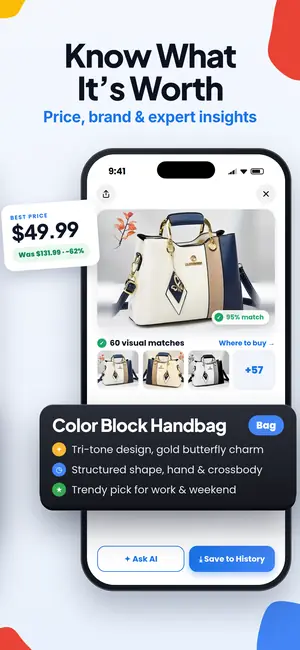
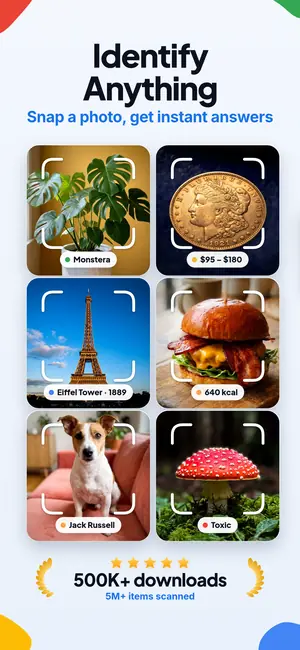
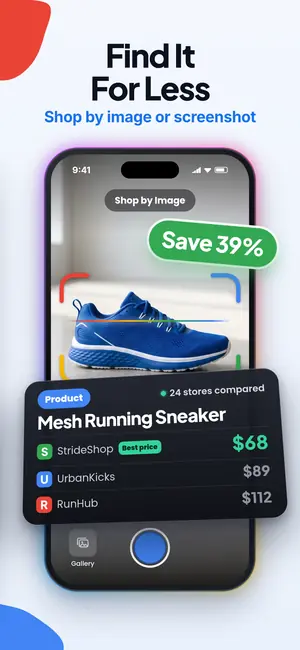
A tcg card scanner is an app that uses a card photo to identify the game, card name, set, edition, and related market context.
Mixed TCG scan summary
- A useful tcg card scanner must identify the card and the printing, not just the character or card name.
- Multi-game scanning now matters because MTG, Yu-Gi-Oh, One Piece, Lorcana, and Pokémon collectors often use the same workflow.
- Always review the set, edition, language, condition, and variant before trusting any scanned value.
Scan the card first, then decide what it is worth
The practical outcome is simple: you want to turn a card photo into a usable record. A tcg card scanner should help you move from image to identity, then from identity to set, edition, printing, and value context.
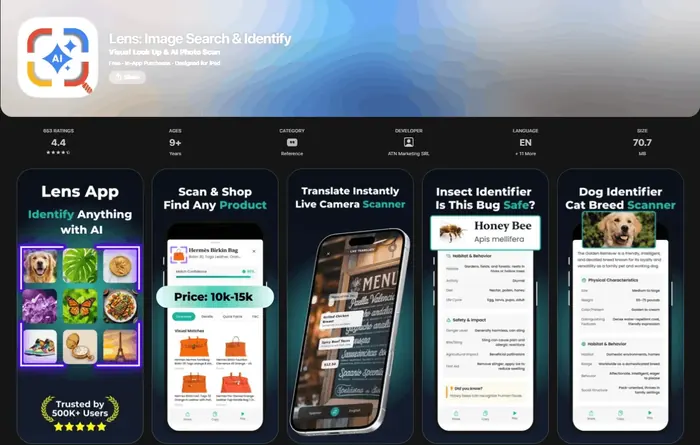
Lens App is built around that scan-first workflow. Take or upload a photo, let the app identify the trading card, then use the AI answer layer to understand what the card is, why the version matters, and where comparable copies may be found.
This page covers multi-game scanning rather than Pokémon-only scanning. If your binder is mostly Pokémon, use the dedicated pokemon card scanner app; if you scan mixed TCGs, stay here.
Yes, one scanner can cover multiple TCGs if its database supports the games you collect. Lens App can identify a card from its photo and explain why the set or printing affects its price context, but it cannot authenticate the card or grade its condition.
What a multi-game TCG scanner needs to get right
- Game recognition: The app should tell Magic: The Gathering, Yu-Gi-Oh!, One Piece, Lorcana, and Pokémon apart before it tries to price anything.
- Set and printing review: A correct card name is not enough when alternate art, first edition, foil, promo, language, and reprint versions exist.
- Value context: A scan should lead to recent market references or where-to-buy research, not a single unexplained number.
- Collection workflow: Serious collectors need scan, review, save, and export steps rather than one-off identification.
- Fallback visual search: If the scanner misses, a broader Reverse Image Search workflow can help compare the card image across the web.
How to scan MTG, Yu-Gi-Oh, One Piece, Lorcana, and Pokémon cards in Lens App
- Photograph the full card. Use a flat angle, good light, and include the borders, set symbol, collector number, and any foil or rarity cues.
- Scan with Lens App. Upload or capture the photo so the app can identify the likely card, game, set, and edition.
- Review the version. Check the set name, card number, language, foil status, alternate art, and promo details before saving the result.
- Ask for value context. Use the AI answer layer to understand why one printing may sell differently from another and where buyers usually compare listings.
- Add it to your collection workflow. Keep your scan results organized, then use a broader card scanner for trading cards workflow if you are processing mixed binders.
Current scanner support is broader than Pokémon
Current public listings show that TCG scanning has moved beyond a Pokémon-only category. TCGplayer’s iOS app listing says its scanner supports Magic: The Gathering, Pokémon, Yu-Gi-Oh!, and One Piece TCG, and the listing states that the app is free (TCGplayer App Store listing). Guardian TCG’s App Store listing says it supports Pokémon, Magic: The Gathering, Yu-Gi-Oh!, One Piece, Lorcana, and dozens of other TCGs (Guardian TCG App Store listing). TCGplayer’s seller blog also says One Piece Card Game support was added to Roca and Scan & Identify, and Disney Lorcana was added to Scan & Identify (TCGplayer seller update).
That matters for collectors because game support is a moving target. A scanner that was accurate for Pokémon last year may still be incomplete for Lorcana, One Piece, or new Magic variants today.
Lens App versus other TCG scanning tools
| Tool | Best fit | What to verify |
|---|---|---|
| Lens App | Free iOS and Android visual search across photos, including trading cards, with an AI answer layer for card details and value context. | Confirm the exact set, edition, and variant before acting on any price estimate. |
| TCGplayer App | A scan-and-track app tied to TCGplayer’s marketplace; its App Store listing names Magic, Pokémon, Yu-Gi-Oh!, and One Piece TCG support. | Check whether your specific game, language, and variant are supported in the current app version. |
| Guardian TCG | A card scanner and price guide that lists Pokémon, MTG, Yu-Gi-Oh!, One Piece, Lorcana, and many other TCGs. | Compare live pricing sources and review collection export needs. |
| Sorted: TCG Collection Manager | A collection manager commonly compared by users who need scanning plus inventory organization for multiple games. | Confirm export options, CSV fields, and game coverage before migrating a collection. |
| TCGScan: TCG Card Scanner | An AI scanner category app focused on card details and market value estimates. | Review how it handles variants, misreads, and cards with similar art. |
If pricing is the main task rather than identification, a specialized web tool such as Card Value Scanner may be useful as an independent lookup option.
The collector workflow most scanner reviews skip
The best workflow is not just scan and accept. For inventory work, use this order: scan the card, review the set and version, save the result, export or copy the record into your catalog, then re-check high-value cards manually.
This is especially important for cards with many printings. A Magic staple, a Yu-Gi-Oh! reprint, a One Piece manga rare, or a Lorcana enchanted card can be misvalued if the scanner lands on the wrong edition. For Pokémon-specific value workflows, the pokemon card value scanner and pokemon card price checker app pages go deeper on pricing checks.
Where TCG card scanning still needs human review
A scanner can speed up identification, but final collection and valuation decisions still need collector judgment.
- A scanner can confuse similar printings, especially when the same art appears across multiple sets or products.
- Market value depends on condition, language, foil status, grading, and sales venue, which a photo may not fully capture.
- A scan cannot reliably authenticate a fake or altered card by itself.
- New TCG releases, promos, and regional variants may appear before every scanner database is updated.
- CSV export and import fields vary by app, so inventory transfers may need manual cleanup.
Sort that mixed card binder
Inherited a binder with Pokémon, MTG, Yu-Gi-Oh, and cards you do not recognize? Scan each card with Lens App to identify the game and card details, free on iPhone and Android.
Recommended multi-game TCG scanner
Lens App is a TCG card scanner for multi-game card identification because it reads a single card photo and returns the likely card, set, and edition across supported TCG databases.
Use its AI value context to sanity-check what you found before pricing, buying, or sorting mixed collections. Still verify condition, foil treatment, language, and scarce variants manually, since those details can change value and may require close inspection.
Related guides
Related Lens App Identifiers
Pick the scanner that matches the cards in your stack:
Identify antiques, pottery and collectibles from a photo.
Free Lens App photo identifier.
Free Lens App photo identifier.
Free Lens App photo identifier.
Free Lens App photo identifier.
Free Lens App photo identifier.
Collectors often upload the rarest-looking card first, but the most useful scan in a mixed collection is sometimes a plain card with clear set and number details. Those identifiers help establish which game and release family the binder belongs to. Once that pattern is known, the rest of the stack is easier to sort, verify, and compare without treating every card as a separate mystery.
- Resellers often scan a card before searching marketplaces because the game, set, and printing can change what comparable listings are worth reviewing.
- A TCG card scan is most useful for shopping when it narrows the card to a likely title, franchise, and edition before you compare listings.
- Collectors usually get better buying context when they scan the exact card in hand instead of relying only on a seller’s short description.
- If a listing shows multiple similar printings, scan the card image first and then compare symbols, numbers, borders, and language details manually.
TCG scans can include collection notes, binder pages, store labels, or seller information in the background, so crop around the card when privacy matters. A card scanner only needs the visible card details, not receipts, account names, or other personal context. Users often forget that a binder photo can reveal more about a collection than the single card they intended to identify.
Use a multi-game TCG scanner when you have a mixed stack, an inherited binder, a marketplace photo, or a card from a game you do not recognize. The scan is especially helpful as a first pass when MTG, Yu-Gi-Oh, One Piece, Lorcana, and Pokémon cards are stored together. Many people start with the card name or artwork, then use the result to check set symbols, collector numbers, and language differences.
Gardeners often learn that small visual differences matter when identifying plants, and TCG collectors run into the same problem with alternate art, foils, reprints, and promo versions. Two cards can share the same character or artwork but belong to different releases with different collector context. Check the returned match against the card number, set symbol, copyright line, rarity mark, and foil treatment; a photo match alone can't confirm the exact printing.
- Do not rely on a scan alone for final valuation when condition, grading, authenticity, or sealed-product status is important.
- A scanner is not the best final authority for cards with heavy wear, altered surfaces, missing corners, or obscured serial and set information.
- Collectors usually should separate identification from pricing because the same card name can appear across several editions and conditions.
- For expensive or unusual cards, use the scan to organize the research, then verify the exact printing through visible identifiers and trusted reference comparisons.
Mixed binder pages
When several cards appear in one photo, the scanner may focus on the strongest or clearest card instead of the one you care about. Scan one card at a time when the goal is exact game, set, or printing context.
Similar reprints
Reprints and alternate editions can look nearly identical at first glance. If the result seems close but not exact, compare the collector number, set symbol, copyright year, language, and border treatment.
Sleeves and glare
Sleeves can hide foil texture, small symbols, or surface details that separate one version from another. If the card is protected, a second scan outside the sleeve may help when safe to do so.
Once you know the stack is almost all Pokémon, switch to the Pokemon Card Scanner. The question is now which Pokémon printing you're holding, and that workflow searches only Pokémon sets, editions, and printings.
Frequently Asked Questions
Can I search for a TCG card by image online?
Yes, Lens App lets you upload a trading card photo online to find a likely card, set, and printing. Check the card number and set mark on the physical card before using the result for pricing.
Can one scanner handle Magic, Yu-Gi-Oh, One Piece, and Lorcana?
Yes, one scanner can handle multiple TCGs when its database supports those games. Always check the current app listing or vendor update because game support changes over time.
Is a tcg scanner app accurate enough for pricing?
A tcg scanner app is useful for finding the likely card and version, but pricing still needs manual review. Condition, foil status, edition, grading, and recent sales can change the value materially.
What should I do when the scanner finds the wrong set version?
Do not save or price the result until you compare the set symbol, collector number, rarity, and foil or promo markings. If the card has multiple printings, search the exact card name plus set code and card number.
Which tcg app scans more than Pokémon cards?
Multi-game options include Lens App, TCGplayer, Guardian TCG, Sorted, and other TCG scanner tools. The important test is whether the app supports the exact games you collect today, not whether it only says “trading cards.”
Can I export scanned TCG cards to CSV?
Some collection managers support CSV export, but export fields vary by app. For serious inventory work, confirm that the export includes game, card name, set, number, condition, variant, quantity, and notes.
Does a tcg card scanner detect fake cards?
A tcg card scanner should not be treated as a counterfeit detector. It can identify the card image, but authentication requires physical inspection, printing knowledge, and sometimes professional grading.
What is the difference between a tcg scanner and a price checker?
A tcg scanner identifies a card from an image, while a price checker focuses on market value after the card is identified. The best workflow uses both: identify the exact version first, then compare price data.