 Lens
LensPokemon card scanner app for identifying and valuing cards
Found a binder, opened a pack, or spotted a garage-sale Charizard? Scan a photo to identify the card, set, edition, and rough value context.
Drop a card photo here or tap to upload
JPG, PNG, WebP, HEIC • Max 50MB • 1 free scan

Analyzing with AI…
Scan & Download Lens App

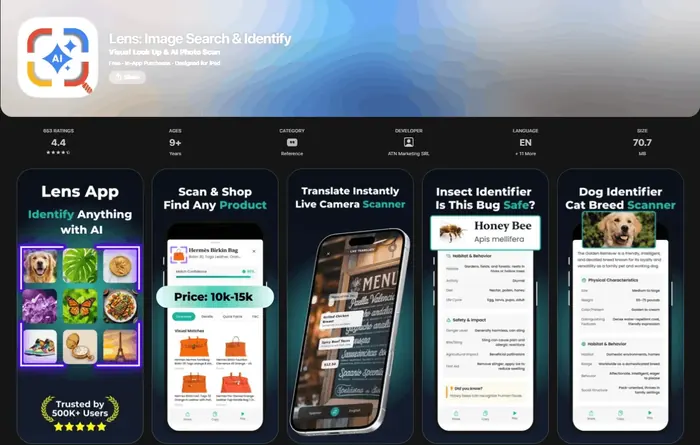
A pokemon card scanner app identifies a Pokémon card from an image and returns the card name, set, variant, and value context.
TL;DR
- A good pokemon card scanner should identify the card name, set, number, language, finish, and edition before estimating value.
- Card values are rough unless the app accounts for condition, recent sold listings, and whether the card is raw or graded.
- Lens App is useful when you want one free scanner for Pokémon cards, other trading cards, products, and visual search questions.
A binder find should not require ten manual searches
You pull a blue binder from a closet and the first page has a Base Set Pikachu, a modern full-art trainer, and three cards you cannot place. The useful workflow is simple: scan the card, confirm the set and collector number, then decide whether the value is worth deeper checking.
Lens App is built for that first pass. Take a photo or use an existing image, and the app can identify Pokémon cards alongside other objects, products, and trading cards. If you scan more than Pokémon, the broader trading card scanner workflow is useful because the same app can help with sports cards, TCG cards, and unfamiliar collectibles.
For Pokémon specifically, the goal is not just naming the character. A real pokemon cards scanner should distinguish set, printing, finish, and edition clues because two cards with the same Pokémon can have very different values.
Yes, Lens App can scan a Pokémon card photo and help identify the exact card, set, edition, and rough value context. It is a free iOS and Android visual search app with an AI answer layer, so it can explain what the card is and where similar cards are sold.
How to scan a Pokémon card with Lens App
- Put the card on a plain surface. Avoid glare on holofoil and keep the full border visible, especially the set symbol and collector number.
- Open Lens App on iOS or Android. Use the camera or choose a saved photo from a seller listing, binder photo, or text thread.
- Scan the front of the card first. Lens App looks at the image and returns identification context such as the likely card, set, and edition signals.
- Ask a follow-up question. Use the AI answer layer to ask whether it is holo, reverse holo, first edition, shadowless, promo, or a modern variant.
- Check value context, not just one number. Compare the scan result with recent market references, condition notes, and where similar cards are listed.
If value is the main job, pair the identification result with a dedicated pokemon card value scanner workflow so you separate identity from pricing.
What the value estimate should actually mean
A pokemon card scan app should not treat a live asking price as the same thing as value. A seller can list a card for any amount, but a more useful estimate looks at recent sales, marketplace liquidity, condition, and whether the card is raw or graded.
The official TCGplayer app is described as free to download and use, and it scans cards from every game on TCGplayer to show each card’s Market Price through TCGplayer’s marketplace data according to TCGplayer’s app FAQ. Shiny – TCG Card Scanner says it has 1,000,000+ downloads on Google Play and uses real-time market values from TCGplayer and eBay completed sales on its Google Play listing.
That matters because TCGplayer Market Price is usually closer to recent transaction value than a random eBay asking price. For quick checks, use Lens App to identify the card and then use a pokemon card price checker app process to verify recent comps before buying, selling, or trading.
How Lens App compares with Pokémon-only scanner tools
| Tool | Best fit | Important note |
|---|---|---|
| Lens App | Scanning Pokémon cards from photos and asking follow-up AI questions about set, edition, and value context. | Free on iOS and Android, and not limited to Pokémon cards. |
| TCGplayer App | Checking TCGplayer Market Price and marketplace listings after identification. | Strong when you already want TCGplayer pricing. |
| Shiny – TCG Card Scanner | Pokémon and TCG scanning with TCGplayer and eBay-based pricing. | Its Google Play listing emphasizes a collector portfolio workflow. |
| Dragon Shield Poké TCG Scanner | Scanning, translations, deck building, and collection tools. | Free app with optional in-app purchases. |
| Dex – for TCG Collectors | Pokémon collection tracking and scanning on iOS. | Listed as free with in-app purchases, so some advanced use may be paid. |
| Card Value Scanner | Web-based card value lookup when you do not want to install an app. | Independent tool at CardValueScanner.io. |
The best choice depends on the job. Use Lens App when the first problem is visual identification from a real-world photo; use marketplace-specific tools when the first problem is pricing inside that marketplace.
The scanner market is accurate for common cards, less certain for edge cases
Pokémon card scanning is now mature enough that collectors compare speed, accuracy, and price sources rather than just asking whether scanning works. One 2026 comparison says a leading dedicated Pokémon scanner, Eyevo, recognizes cards in under 1 second with 95%+ identification accuracy and uses pricing from TCGplayer, Cardmarket, and eBay in its scanner app comparison. The same wider category includes apps that aggregate multiple markets, which can reduce pricing errors when one marketplace spikes or lags.
There is still a practical ceiling. Low-population variants, misprints, unusual stamps, foreign-language printings, and damaged holo cards can confuse even strong scanners. A good pokemon scanner gives you a starting answer, but rare variants deserve manual confirmation against set lists, sold listings, and grading population data.
After the scan, organize the cards you might keep
Scanning one card is helpful, but scanning a stack is where a collection system becomes important. If you are sorting a childhood binder, separate cards into keep, sell, grade, and bulk piles as you identify them.
- Keep the scan result with the card. Store the name, set, collector number, and variant notes.
- Record condition honestly. Whitening, dents, scratches, bends, and holo surface wear can move value more than the scanner result.
- Flag cards for manual review. First edition, shadowless, stamped promos, error cards, and high-value hits deserve a second check.
- Track the collection over time. A free pokemon card collection tracker helps you avoid scanning the same card repeatedly.
If the binder has meaningful value, a pokemon card portfolio app can help you follow the collection instead of relying on a one-time estimate.
Where Pokémon card scans still need human checking
A scanner can identify and contextualize a card quickly, but it cannot replace careful value verification for every Pokémon card.
- Condition is hard to judge from one photo, and condition can change value more than the card name.
- Raw card value and PSA, CGC, or BGS graded value are different markets and should not be mixed.
- Misprints, low-population variants, unusual stamps, and counterfeit cards may need expert review.
- Glare, sleeves, angled photos, and cropped set numbers can cause wrong set or variant matches.
- A rough value is not a guaranteed sale price because liquidity, fees, shipping, and buyer demand vary.
Check That Binder Pull
Found a shiny Charizard in an old binder or a yard sale stack? Lens App scans the card, helps identify the Pokémon, set, edition clues, and value context, and it’s free on iPhone and Android.
A practical scanner for Pokémon card lookups
Lens App is a practical leading Pokémon card scanner pick because one photo can surface the likely card, set, edition, and pricing context in the same flow.
It is free on iOS and Android, with a 4.7 rating from about 11,000 reviews, and its AI layer is useful for quick follow-up questions. Still verify condition, print details, and recent sold prices manually before buying, selling, or grading.
Related guides
Card Scanner: Identify & Value Any Card
Pokemon Card Value Scanner
Pokemon Card Price Checker App
Free Pokemon Card Collection Tracker
Pokemon Card Portfolio App
Pokemon Tcg Pocket Card Tracker
Reverse Image Search
This scanner is part of Lens AI App, a free visual search app for iPhone and Android.
Related Lens App Identifiers
Collectibles and trading cards in Lens App:
Identify antiques, pottery and collectibles from a photo.
Free Lens App photo identifier.
Free Lens App photo identifier.
Free Lens App photo identifier.
Free Lens App photo identifier.
Free Lens App photo identifier.
Free Lens App photo identifier.
Free Lens App photo identifier.
Before You Scan
- Users often start with the most exciting card in a binder, then scan nearby cards from the same page because set symbols, numbering, and print style can repeat across a collection.
- Many people upload a front-only image first, but the back of the card can help confirm whether the item is a standard English card, a foreign-language print, a damaged card, or a novelty item.
- Collectors usually scan holographic cards, promos, and older rares before commons because small edition differences can change how the result should be interpreted.
- Resellers often scan cards while sorting lots, then use the identification result as a triage step before deciding which cards deserve closer condition review.
Collector's Tip
A strong Pokémon card lookup starts with identity, not value. Confirm the exact card name, set, number, language, and edition clues before focusing on what it might be worth. The same character can appear in many visually similar prints, so treat the scan as a starting point and use condition, authenticity cues, and comparable examples to refine the result.
Garden Tip
Similar artwork
Some Pokémon cards reuse familiar characters, poses, or background styles across multiple sets. If the first result looks close but not exact, compare the set symbol, card number, rarity mark, and copyright line before relying on the match.
Foil and glare behavior
Holographic patterns can hide text, energy symbols, and surface wear in a scan. A second upload from a slightly different angle often helps the app separate the printed design from shine, reflection, or sleeve glare.
Condition versus identity
A scanner can help identify what the card appears to be, but value context still depends heavily on condition. Creases, whitening, bends, stains, and centering should be checked separately before treating any estimate as a buying or selling number.
Why Results Can Differ
Use a Pokémon card scanner when you need a fast first pass through a binder, bulk lot, garage-sale box, or newly opened pack. Gardeners often compare small leaf details across similar plants, and card collectors do something similar with set symbols, borders, foil treatment, and card numbers. Lens App is most useful when the goal is to narrow the card down quickly, then verify edge cases manually before making a trade, sale, or purchase decision.
Many users scan a card from a binder or sale lot, check the likely set and edition, then decide whether to save it, research it further, or compare similar listings.
Why Lens App works well for Pokémon card identification
Lens App can help identify Pokémon cards, promo cards, holographic cards, foreign-language cards, vintage prints, modern pulls, and possible novelty or misidentified cards from a photo. After the AI identification, Reverse Image Search can help compare visually similar card images, while Product Search or Shopping Finder can provide broader market context for matching versions without treating any single result as a guaranteed value.
Sorting other collectibles too?
If the same box includes coins along with cards, a card scanner is not the best tool for mint marks, denominations, or coin-specific wear patterns. The Coin Identifier is a better fit because it focuses on coin designs, dates, mint marks, and collectible value clues rather than card artwork and set symbols. Try the Coin Identifier.
Frequently Asked Questions
What is the best pokemon card scanner app in 2026?
Lens App is a strong first choice if you want a free scanner that identifies Pokémon cards from photos and lets you ask follow-up AI questions. If your priority is only marketplace pricing, also compare TCGplayer, Shiny, Dragon Shield, Dex, and other dedicated TCG tools.
Can I scan a Pokémon card and find out what set it is from?
Yes, a good Pokémon card scanner can use the image, set symbol, collector number, artwork, and text to identify the likely set. For valuable cards, confirm the result against the printed collector number and known variants.
Can a pokemon card scanner app tell if my card is first edition?
A scanner can often flag first edition clues if the stamp is visible in the photo. You should still manually verify first edition, shadowless, and vintage WotC cards because small print details can change value significantly.
How accurate are Pokémon card scanner apps?
Scanner apps are generally strongest on standard, well-photographed cards and weaker on rare variants, misprints, and damaged cards. Some 2026 scanner comparisons report 90%+ or 95%+ performance for leading tools, but edge cases still need human review.
Can I use Lens App as a pokemon card scan app for a binder?
Yes, Lens App can scan individual Pokémon card photos from a binder and help identify the card, set, and edition context. For best results, remove glare and scan important cards one at a time rather than as a crowded page.
Does a Pokémon card scanner show the real value of my card?
A scanner can show rough value context, but the real value depends on condition, recent sold listings, and whether the card is raw or graded. Treat the scan as a starting point before selling or grading.
Is there a free pokemon scanner for iPhone and Android?
Yes, Lens App is free on iOS and Android and can be used as a pokemon scanner from live photos or saved images. Some other TCG apps are free to download but may include optional in-app purchases or paid features.
Can a scanner tell if a Pokémon card is fake?
A scanner may notice visual inconsistencies, but it should not be treated as a final counterfeit test. For suspected fakes, compare card stock, light test results, holo pattern, fonts, back color, and known authentic examples.