 Lens
LensDownload Lens App Free
One photo, one tap, one answer. Identify plants, animals, insects, coins, crystals, food, products, and more, free on iOS and Android.

Free with daily scans • No account required • 500,000+ downloads
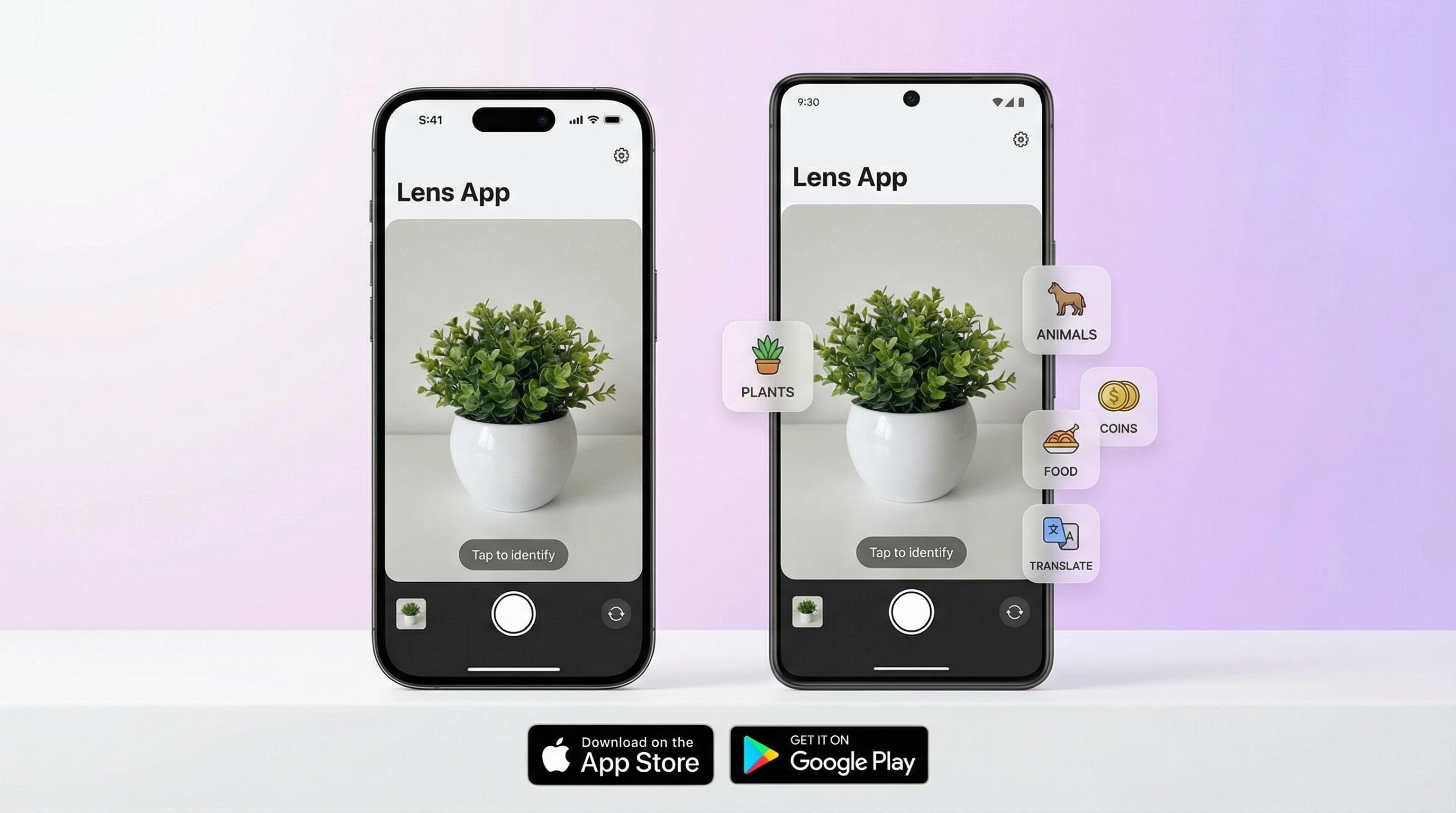
What You Get with Lens App
Think of it as replacing a shelf of field guides with one app. Wildflower on a hike? Bug on your porch? Old coin in a drawer? Label in a foreign language? Point your camera and find out. The AI analyzes the image, returns the identification, and gives you the kind of detailed information that used to require a specialist, in about three seconds.
More than a dozen categories. Plants with care instructions. Dog breeds with temperament profiles. Cat breeds, birds, insects and bugs, fish, mushrooms with safety warnings, wild animals. Coins and banknotes with value estimates. Crystals and rocks, antiques, food with calorie breakdowns, and products with shopping links. Plus reverse image search and live camera translation for over 100 languages.
Every identification comes with structured results: species name, classification, physical characteristics, habitat, care tips, estimated value, or nutritional data, depending on the category. You get actual answers. Not a list of web links. That's the difference between this and a generic image search.
How Lens App Works on Your Phone
Open the app, point your camera, tap the shutter. Two to five seconds later, results appear as organized knowledge cards, broken into digestible sections. Save them to your history, share them, or ask follow-up questions about the same image. The whole process feels fast because it is fast.
Gallery photos work just as well. Took a picture of a bird last week and still wondering what it was? Open the app, tap the gallery icon, pick the image. Same accuracy as a live photo, as long as the subject is reasonably clear and well-lit.
Privacy note: Lens App doesn't store your photos on any server. Images are processed in real time and discarded the moment analysis completes. Your pictures stay on your device.
Free Plan vs. Premium
The free version gives you daily scans at no cost. No account required. Download it, open it, start identifying. No email, no sign-up wall, no trial that quietly starts billing. Free scans reset every day.
Premium removes the daily limit and unlocks unlimited identifications, plus priority processing and access to the most advanced AI models. If you scan frequently (nature walks, collecting, meal tracking, antique hunting), it pays for itself quickly. If you identify things a few times a week, the free plan covers you.
Why People Switch from Google Lens
Google Lens is a solid visual search tool. It finds visually similar images across the web and links to pages that may contain relevant information. But it stops there. You get links. Not answers.
Lens App goes further. Scan a plant and you get the species, family, native region, sunlight needs, watering schedule, common diseases, and toxicity, all on one screen, in seconds. Scan a coin: denomination, mint year, country, estimated value, rarity. Scan food: calories, macros, portion analysis. That level of detail is what separates it from a basic reverse image search.
Both tools have their place. Many users keep both installed. They reach for Lens App when they need a real answer, not a search results page.
System Requirements
- iPhone & iPad: iOS 15.0 or later
- Android: Android 8.0 (Oreo) or later
- Storage: Approximately 45 MB
- Connection: Requires internet for image processing
Runs smoothly on devices from the past five years. Older devices work fine too, though processing may take a couple extra seconds. Data usage is light: a single scan uses less than 1 MB.
Frequently Asked Questions
Is Lens App free to download?
Yes. Free to download from the App Store and Google Play. Daily scans included, no account required. An optional premium subscription unlocks unlimited scans.
What devices does Lens App support?
iPhone, iPad, and Android devices. Requires iOS 15+ for Apple or Android 8.0 (Oreo)+ for Android. Takes about 45 MB of storage.
What can Lens App identify?
Plants, flowers, trees, dogs, cats, birds, insects, mushrooms, fish, coins, banknotes, antiques, crystals, rocks, gemstones, food with calorie counts, and products with shopping links. It also translates text from images in 100+ languages.
Does Lens App work offline?
Scanning requires an internet connection. However, previously saved results are accessible offline through the app's history feature.
How is Lens App different from Google Lens?
Google Lens gives you web links. Lens App gives you direct answers: care instructions, breed details, estimated values, nutritional data, all structured on one screen instead of a search results page.
Does Lens App store my photos?
No. Images are processed in real time and deleted immediately after analysis. Nothing is stored, shared, or reused on any server.
How many free scans do I get per day?
The free version provides a limited number of daily scans that reset every 24 hours. Premium removes the cap entirely with unlimited identifications.
Can I cancel the premium subscription?
Yes, anytime through your Apple or Google account settings. Access continues until the end of your billing period. No cancellation fees.
Is the app safe to use?
Yes. It only needs camera and photo library access. No ads, no data selling, no access to contacts or messages. All connections are encrypted.
How accurate is the AI identification?
For well-lit, focused photos of common species, objects, and products, accuracy exceeds 90%. Rare or unusual subjects may produce lower confidence scores. The app always shows a confidence percentage alongside results.