 Lens
LensFree AI Image Translation. Translate with Camera
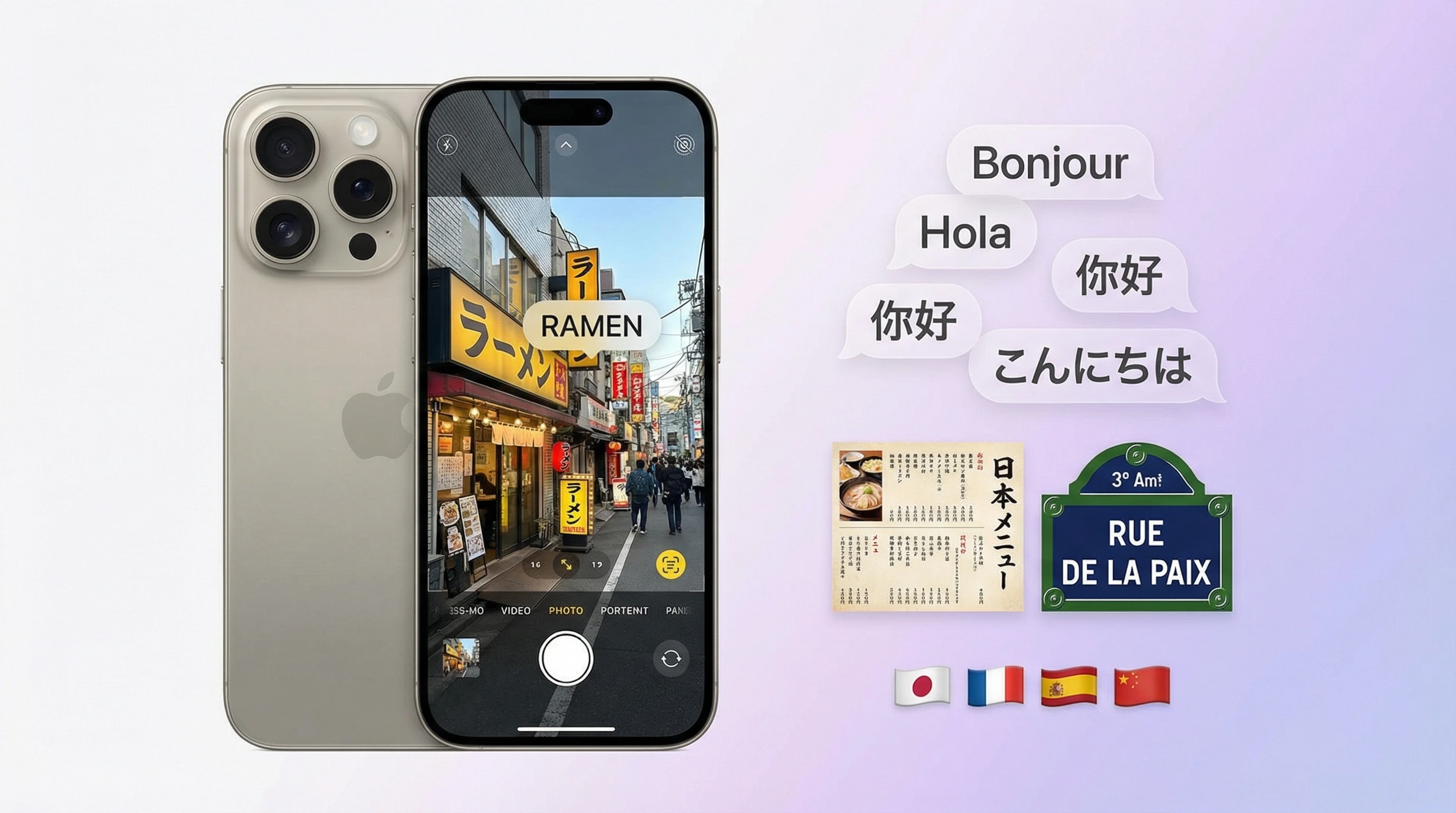
Snap a photo of any text and get it translated on the spot. Signs, menus, documents: 50+ languages supported. Just point and shoot. No typing.
Drop a photo with text here or tap to upload
JPG, PNG, WebP, HEIC • Max 50MB • 1 free translation

Translating text with AI…
How Image Translation Works
Capture or Upload
Take a photo of text with your camera or upload an image from your device. Signs, menus, documents, screenshots: all work. Just make sure the text is clear and well lit.
AI Reads & Translates
The AI detects text in the image and recognizes the language automatically. Then it translates everything into your chosen language using OCR plus neural machine translation.
See the Translation
Translated text appears overlaid on the image or listed below it. Copy it, share it, or just read it on screen. No typing, no app-switching.
What Is Camera Translation? How AI Text Translation Works
How Camera Translation Works
Camera translation turns a photo of text into readable text in another language. Two things happen. First, optical character recognition (OCR) locates and extracts text from the image: identifying character regions, segmenting them into words and lines, converting pixels to machine-readable text. Second, neural machine translation converts that text from the source language into your target language. Modern systems run both steps in a single pipeline. You see results in seconds.
AI at Scale
AI is what makes this work at scale. Older OCR struggled with curved text, unusual fonts, and low-resolution images. Deep learning models trained on millions of labeled examples handle those cases much better: reading text at angles, across multiple scripts, under varying lighting. The translation side has improved too. Neural models capture context and nuance that older rule-based systems missed entirely. Idioms, technical terms, sentence structure. The output reads more like human writing than word-for-word substitution.
Automatic Language Detection
In most cases, you don't even need to specify the source language. The AI detects it automatically. Just pick the language you want the text translated into. That's what makes this so practical for travel: you encounter signs, menus, and documents in languages you don't speak. Point the camera, tap translate, read the result. No typing. No guessing the language.
Translate Signs, Menus, and Documents
Travel is the obvious use case. You land somewhere new and everything is in a language you can't read. Street signs, transit maps, restaurant menus, museum labels, hotel instructions: all suddenly accessible. Point your phone at a menu and the dishes get translated. Walk past a sign and capture it; a moment later you know what it says. Same thing works for documents. A rental agreement, a medical form, a legal notice in a foreign language. Translated on the spot. You get the gist without hiring a translator or manually typing anything into a text-based tool.
Menu Translation
Menu translation deserves its own mention. Restaurants often have menus only in the local language: handwritten specials, chalkboard boards, small print on laminated cards. Image translation handles all of them. Snap a photo, pick your language, and you get a translated version. You can see what each dish contains, spot allergens, avoid ordering something you didn't intend. It's not perfect for every script or font. But for printed menus in major languages, it works well enough to be genuinely useful.
Document Translation
Document translation works the same way. Receive a letter, a contract, or an official form in another language? Photograph it and get an instant translation. One caveat: for formal or legal documents, treat the output as a draft. Use it to understand the gist, but get a professional translation for anything with legal implications. For everyday items such as instructions, labels, and notices, AI image translation is usually sufficient.
Image Translation App
Lens App includes a free AI image translation tool on both the web and mobile. Upload a photo of text and the AI translates it into your chosen language. One free translation per day on the web; the mobile app provides additional free translations on iOS and Android. No subscription required to get started.
All-in-One Tool
Lens App combines image translation with reverse image search, product search, and a plant identifier: all in one app. Translate text from a photo, find a product you spotted, or identify a plant without switching tools. Images are processed in real time and aren't stored; your photos are sent for analysis and deleted after the translation completes. If you're traveling, studying, or dealing with documents in another language, it's a fast, free way to translate text from pictures without typing a single character.
Frequently Asked Questions
How do I translate text from a photo?
Upload a photo of the text to an AI translation tool like Lens App. It detects the text, recognizes the language automatically, and translates it into your chosen language. Results appear in seconds.
Is there a free camera translation app?
Yes. Lens App offers free AI image translation on web and mobile. Take a photo or upload an image of text and it translates instantly. Free on iOS and Android with daily free translations.
How accurate is AI image translation?
Generally accurate for clear, well-lit text in common languages. Handwriting, stylized fonts, and low-resolution images can reduce accuracy. For anything critical, a human review is still a good idea.
What languages does the translator support?
50+ languages, including Spanish, French, German, Chinese, Japanese, Korean, Arabic, Portuguese, and Italian. Select your target language before translating: the source language is detected automatically.
Can I translate a menu from a photo?
Yes. Point your camera at the menu or upload a photo of it. The AI detects the text and translates it into your language. Works well for printed menus in most major languages.
How does camera translation work?
Two steps: OCR detects and extracts text from the image, then neural machine translation converts it to another language. The AI identifies character regions, recognizes the script, and outputs translated text in real time.
Is Lens App better than Google Translate for images?
Both work well. Lens App bundles image translation with reverse search, product lookup, and identification in one app. Google Translate integrates deeply with Google services. It comes down to whether you want a standalone tool or Google ecosystem features.
Can I translate documents with my phone camera?
Yes. Point your camera at a document or upload a photo. Lens App translates printed documents, forms, and signs. For multi-page documents, capture each page separately.
Does image translation work offline?
Most AI translation tools need an internet connection for the translation step. Some apps offer limited offline support for popular language pairs. Check the specific app's documentation for offline capabilities.
What is the best app to translate text from pictures?
Lens App is a free option that translates text from photos on iOS and Android. Google Translate and Microsoft Translator also handle image translation well. Lens App stands out by combining translation with identification and reverse search in a single app.