 Lens
LensFree Reverse Image Search with AI
Drop any image and find where it appears online: similar photos, original sources, products. Skip the keywords. The image itself is the search.
Drop an image here or tap to upload
JPG, PNG, WebP, HEIC • Max 50MB • 1 free search

Searching for similar images with AI…
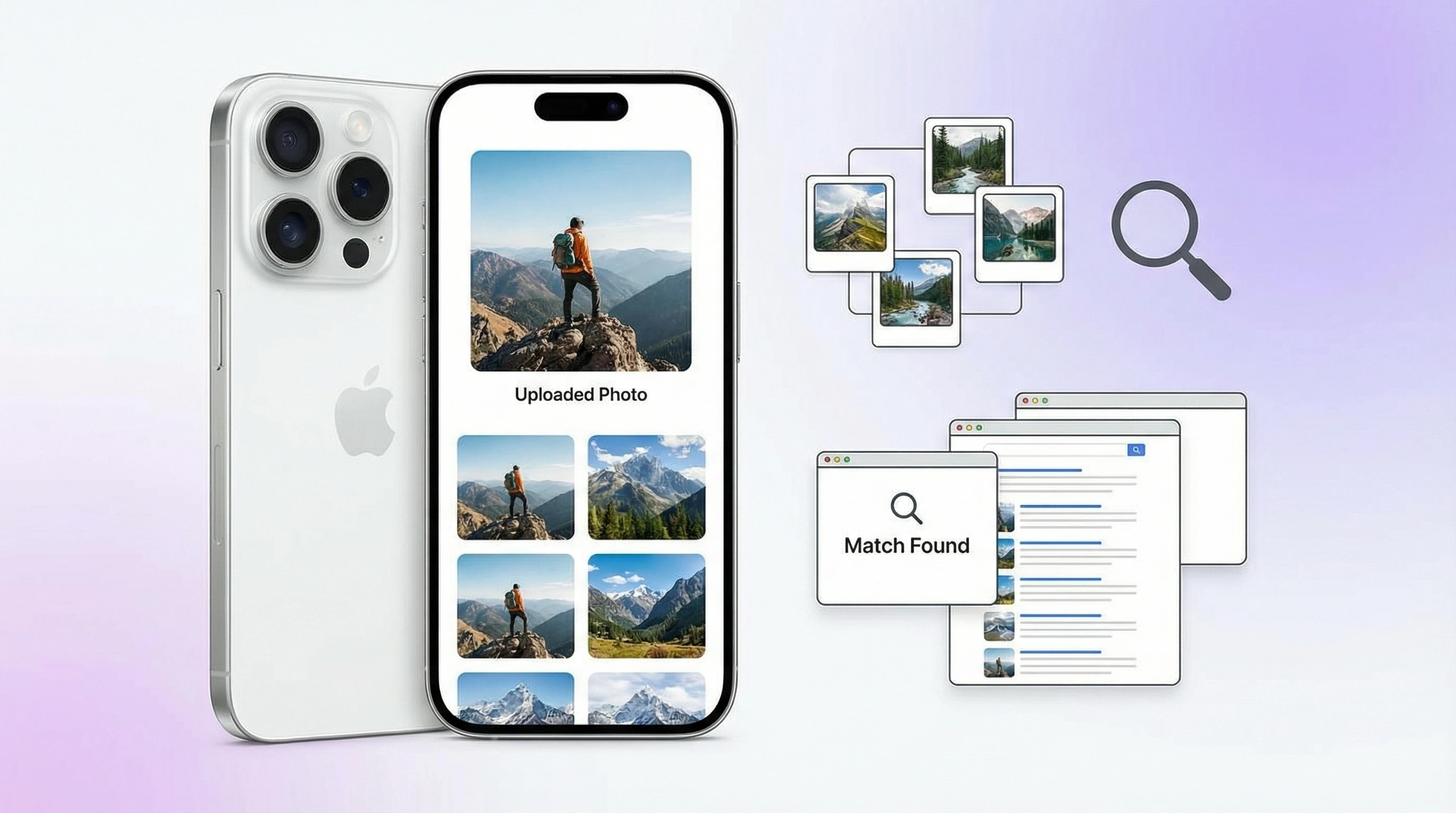
How Reverse Image Search Works
Upload Your Image
Drop a photo, screenshot, or product image into the search box. Use something from your camera roll or take a new picture. No words required.
AI Analyzes & Searches
The AI pulls visual features from your image, including shape, color, texture, and composition, and compares them against billions of indexed images across the web. Matching happens by appearance, not text.
Get Results
You get similar images, original sources, higher-resolution versions, and product links. Results come back in seconds with direct links to where each image appears online.
What Is Reverse Image Search?
How Reverse Image Search Works
Reverse image search flips the usual model. Instead of typing words to find images, you start with an image and let the system find matches. That's the core idea. The AI breaks your photo into visual signals: edges, colors, textures, shapes, and spatial relationships. Those signals get compared against a massive index of images crawled from the web. Results come back ranked by visual similarity, not by how well a page matches your keywords. It's searching by what you see, not what you type.
Why Text Search Falls Short
That difference matters more than you'd think. Text search assumes you can describe what you see. Sometimes you can't. Maybe it's a screenshot of a product with no visible brand name, a meme you want to trace back to its source, or a photo you suspect was stolen. Describing any of that in words is slow and usually inaccurate. Reverse image search skips the description entirely. The image is the query.
AI and Computer Vision
Under the hood, it's AI and computer vision. Deep learning models extract high-level features from images and encode them into compact vectors. Upload a photo, and the system computes its vector, then searches for nearby vectors in the index. Closer vectors mean more visually similar images. This approach works across crops, resizes, filters, even partial edits. The AI recognizes the underlying visual content, not just pixel-perfect copies.
Reverse Image Search on iPhone and Android
On mobile, reverse image search is built into several apps. Lens App offers a free tool that works on both iPhone and Android. Open it, tap the image search option, and take a photo or pick one from your gallery. Results come back in seconds. No need to leave the app or copy links to a browser. It's all self-contained.
Compare Tools
Google Lens does something similar: it's built into the Google app and the camera on many Android devices. Point your camera at something or upload a photo, and Google returns visual search results. Bing and Yandex also have mobile image search. Each tool has different strengths. Lens App combines reverse image search with product search, shopping finder, and image translation in one place. Google Lens ties into Google Shopping and Maps. Your choice depends on whether you prefer a standalone AI tool or something woven into the Google ecosystem.
How to Find the Source of an Image
Tracking down the original source of an image is one of the most common use cases. Photographers check if their work has been reposted without permission. Journalists verify whether a viral image is authentic or recycled from another context. Researchers trace the origins of memes. The process is always the same: upload the image, run the search, review results for the earliest or most authoritative appearance. Straightforward.
Find Image Source and More
Another common use: finding higher-resolution versions. Have a small thumbnail and want the full-size original? Reverse search often surfaces the same image at larger dimensions. Product hunters use it to find where to buy something they saw in a photo. Upload a picture of a chair, a dress, or a gadget, and the AI returns shopping links for similar or identical items. Collectors and researchers use it to identify artworks, antiques, and historical photos by matching them against known databases.
Reverse Image Search App
Lens App works as a full reverse image search app on iOS and Android. Free to use, with daily free searches on both the web and mobile. One interface handles reverse search, product lookup, and visual identification. No separate tools needed for tracking image sources, shopping for products, or identifying objects. Everything runs through one AI engine.
Image Search Identification
The web version at lensapp.io gives you one free reverse image search per day: no install needed. For more frequent use, the mobile app offers additional free searches and optional unlimited access. Privacy note: images are processed in real time and aren't stored. Your photos get sent for analysis and deleted immediately after the search completes. If you need to track down a meme, verify a photo, or find where to buy something you saw online, this is a fast, free way to search by image instead of by words.
Frequently Asked Questions
How do I do a reverse image search?
Upload your image to a reverse image search tool like Lens App. It analyzes the photo and searches the web for visually similar images, their sources, and related content. Results appear in seconds.
Is there a free reverse image search app?
Yes. Lens App offers free reverse image search on web and mobile. One free search per day on the web. The iOS and Android app includes additional free searches daily.
How to search by image on iPhone?
Use an app like Lens App or Google Lens. Open it, tap the camera or upload button, and select or capture an image. It searches for similar images and sources across the web automatically.
What is the best reverse image search tool?
It depends on what you need. Lens App combines reverse image search with product lookup and identification in one free app. Google Lens and TinEye are also popular options. Lens App is particularly good at finding similar products and visual matches.
Can I find the source of an image?
Yes. Reverse image search shows where an image appears online, who posted it, and roughly when. It's useful for tracking original sources, checking copyright, and finding higher-resolution versions.
How does reverse image search work?
AI extracts visual features from your image, including shape, color, texture, and composition, and compares them against indexed images on the web. Matches get ranked by visual similarity, not text keywords.
Is Lens App better than Google Lens for image search?
Both are capable tools. Lens App bundles reverse search, product lookup, and image translation into one app. Google Lens integrates tightly with Google services. It comes down to whether you prefer a standalone AI tool or something built into the Google ecosystem.
Can reverse image search find similar products?
Yes. Upload a photo of an item you like and tools like Lens App return matching or related products with shopping links. It's one of the most practical uses for reverse image search.
How to do a reverse image search on Android?
Install Lens App from the Google Play Store (or any reverse image search app). Open it, upload or capture an image, and the app searches for similar images and sources. No need to type a description.
Does reverse image search work with screenshots?
Yes. Screenshots work just like regular photos. Upload one and the AI searches for the original image or visually similar content. Useful for tracing memes, product images, or artwork you captured from your screen.