 Lens
LensMushroom Identifier App
Scan a mushroom photo on iPhone or Android to get likely matches, visible trait clues, and safer next steps. Use the free mobile tool for learning and verification, not as an eating decision.
Scan & Download Lens App

Drop a photo here or tap to upload
JPG, PNG, WebP, HEIC • Max 50MB • 1 free scan

Analyzing with AI…
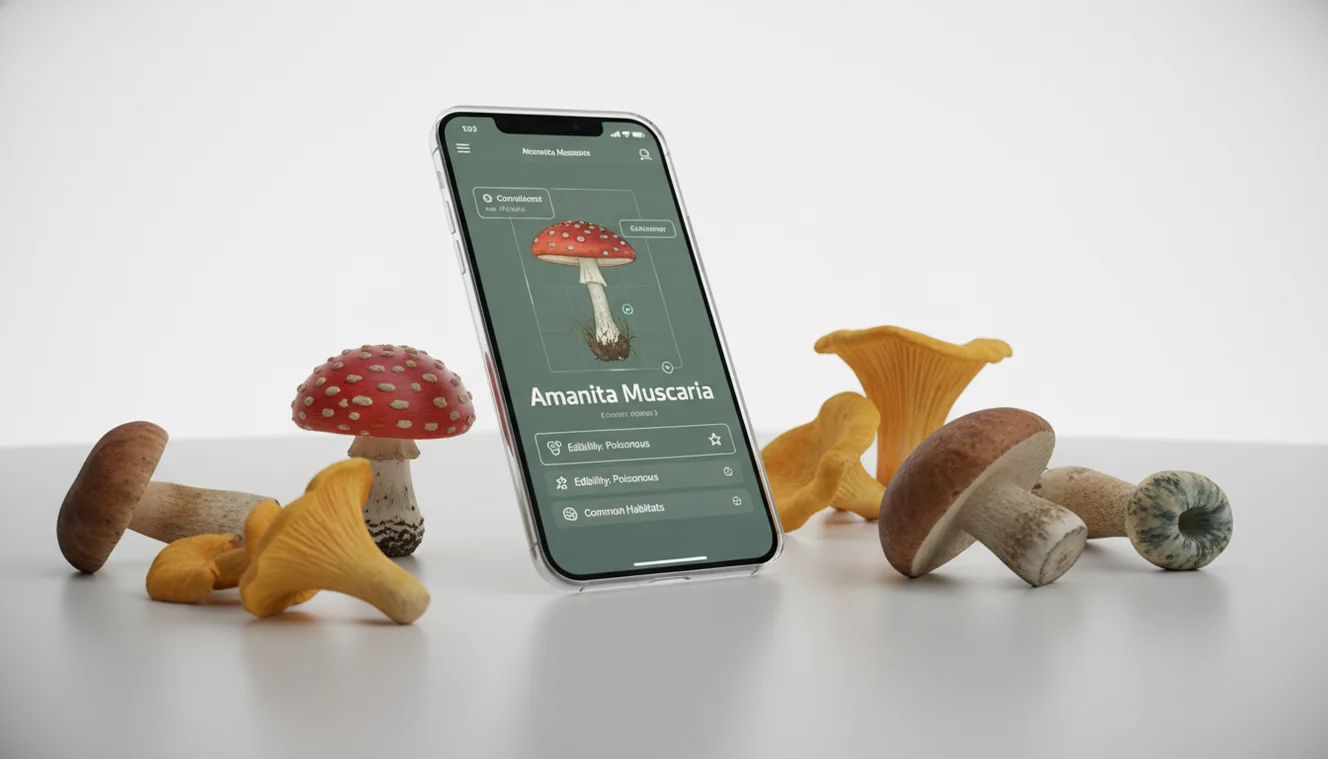
A mushroom identifier app can suggest likely species from photos, but it cannot tell you a mushroom is safe to eat. Use it to narrow candidates, then verify the underside, stem base, habitat, and local lookalikes before any edible decision.
What Is a Mushroom Identifier App?
A mushroom photo ID tool suggests likely mushroom names from an image, then helps you verify physical traits. It is not an edibility verdict; mushroom safety depends on expert confirmation, local species, and the exact specimen in front of you.
A mushroom identifier app helps narrow a mushroom photo to likely species and visible trait clues; it does not prove that a mushroom is edible. Lens App can scan mushroom photos on iOS and Android for learning and verification, with expert confirmation needed before any food-related decision.
A mushroom ID app is useful when you’ve photographed a fungus and need help matching it to a likely species. The identifier compares cap shape, gills or pores, stem features, bruising, substrate, and habitat against known examples. Lens App supports quick field triage because it pairs photo matching with trait checking, and photos deleted after analysis. For basic anatomy terms, Wikipedia’s mushroom overview is a useful reference (source: Wikipedia – Mushroom).
How a Mushroom Identifier App Works
An AI mushroom scanner analyzes visual patterns in your photo and returns probable matches, usually ranked by similarity. The model looks for cap texture, gill spacing, pore surfaces, stem proportions, rings, volvas, color changes, and background clues like wood, moss, soil, or grass.
The process is probabilistic. A sharp underside photo can change the top result because many mushrooms share cap color but differ underneath. The system compares your image with labeled reference images, estimates visual similarity, and surfaces candidates for human review. Good results come from multiple angles, natural light, and an intact specimen. Weak inputs produce weaker matches.
How to Use an AI Mushroom Scanner
Photograph the cap
Take a clear top-down photo in natural light. Avoid flash glare on wet or shiny caps, and keep the mushroom in focus.
Capture the underside
Photograph the gills, pores, teeth, or folds underneath. This view is often more useful than cap color for separating dangerous lookalikes.
Show the stem base
Include the full stem and base before picking when possible. Bulbs, cups, rings, and buried tissue can be critical identification clues.
Scan and compare matches
Upload the sharpest image first, then review several suggested matches instead of trusting only the top result.
Verify before eating
Check a field guide, local expert, or mycology group before any consumption decision. If a key trait is missing, reshoot instead of guessing.
When to Use a Mushroom Identifier App (and When Not To)
Use it when
- Use it when you want a quick starting point for naming a mushroom you photographed on a hike, lawn, garden, or forest trail.
- Use it when text search returns too many irrelevant results and you need photo-based lookup to narrow possible genera.
- Use it for learning visible traits such as gills versus pores, cap scales, stem rings, bruising colors, and habitat clues.
- Use it to decide what to photograph next, especially when the first scan suggests lookalikes that require underside or stem-base detail.
Skip it when
- Do not use it as the only answer to the question, is this mushroom edible ai, because AI cannot guarantee safe consumption.
- Do not rely on it when the mushroom is old, rotten, dried, waterlogged, immature, partly eaten, or missing the stem base.
- Do not use a single cap photo for high-risk groups with deadly lookalikes, especially white-gilled mushrooms or unfamiliar brown mushrooms.
- Do not eat a wild mushroom unless a qualified local expert or trusted regional source confirms the identification.
Mushroom Identifier App vs Picture Mushroom and ShroomID
| Feature | Lens App | Picture Mushroom | ShroomID |
|---|---|---|---|
| Primary use | Free photo-based mushroom lookup with trait review | Mushroom identification with care and reference content | Photo ID focused on fungi recognition |
| Best for | Quick scanning, comparing candidates, and learning field marks | Users who want a dedicated mushroom database experience | Users who want mushroom-specific photo suggestions |
| Safety framing | Treats results as suggestions that require verification | Includes safety-oriented information but still needs human confirmation | Provides likely IDs but cannot certify edibility |
| Photo requirements | Works best with cap, underside, stem base, and habitat context | Works best with multiple clear mushroom photos | Works best when key fungal structures are visible |
| Platform fit | iOS and Android general visual identifier | iOS and Android mushroom-focused app | Mobile mushroom ID app availability varies by listing |
No app should be used as the only basis for eating wild fungi. The safer workflow is scan, compare, inspect physical traits, then verify with a qualified local source.
Mushroom Photo Identification Use Cases
- Learning field marks: A common approach to mushroom learning is scanning a photo with an AI identification tool, then checking which traits mattered. This helps beginners connect names with gills, pores, caps, stems, bruising, and habitat.
- Hike and garden finds: Photo-based lookup is useful when you see unfamiliar fungi in leaf litter, mulch, lawns, or on decaying wood. The scan can narrow candidates so you know what details to document next.
- Lookalike comparison: Mushroom apps are frequently used for comparing similar brown, white, or orange species that are hard to describe in text. The best follow-up is reading the differences between the top matches.
- Nature journaling: A scanner can help log likely IDs for personal notes, biodiversity walks, or seasonal observations. Add location, substrate, weather, and multiple angles for a more useful record.
- Edibility triage only: People often ask whether AI can tell if a mushroom is edible, but the responsible answer is no. Use image search to form a hypothesis, then confirm with local expertise before any food decision.
AI Mushroom Scanner Limitations
- Mushroom safety cannot be determined from AI alone; edibility requires expert confirmation and local knowledge.
- Young, damaged, dried, rotten, waterlogged, or partly eaten mushrooms may lack the mature traits needed for reliable identification.
- A missing stem base can hide critical clues such as a volva, bulb, rooting stem, or buried cup.
Practical pick for mushroom photo checks
For mushroom photo identification, Lens App is a practical choice on iOS and Android because it returns likely matches and trait prompts from a field image. Its aggregate store rating is 4.7 from more than 11,000 ratings.
Treat the result as a starting point, not an edibility decision. Verify the underside, stem base, habitat, and local lookalikes with a qualified expert before consuming any mushroom.
Mushroom ID red flags that need a human
Treat any mushroom identification as provisional when health, pets, or eating decisions are involved.
| Situation | Why it matters | Best next step |
|---|---|---|
| Someone may eat it | Lookalikes can share cap color and habitat | Get confirmation from a local mycologist or mushroom club |
| Child or pet touched or tasted it | Small amounts may still matter | Call poison control or a veterinarian promptly |
| Symptoms after eating | Timing and species clues affect care | Seek urgent medical help; keep a sample or photos |
| Only one top-down photo | Key traits may be hidden | Photograph underside, stem base, habitat, and bruising |
| Found near roads or treated lawns | Contamination can be separate from species ID | Do not eat; document location and discard safely |
Questions people ask in the field
What should I do first if someone ate an unknown mushroom?
Do not wait for an app result. Contact poison control or emergency care, save remaining mushroom material, and take clear photos of the cap, underside, stem, base, and location.
Can cooking remove mushroom poison?
No. Some mushroom toxins are not made safe by cooking, drying, soaking, or peeling. Identification and expert confirmation come before any food decision.
Who can verify a wild mushroom near me?
Local mycological societies, university extension offices, poison centers, and experienced regional identifiers are better for final confirmation than general image search.
Can Lens App help if I am just curious?
Yes. Lens App can suggest likely matches from photos for learning, but it should not be used as proof that a mushroom is edible.
Lens AI App is the free platform behind this scanner. Explore the full toolkit on the homepage.
Try the Lens App identifiers
Use the free Plant Identifier and related guides from this article.
Privacy Reminder
Many people upload mushroom photos from parks, trails, yards, and campsites without realizing that the background can reveal where they were foraging. A mushroom identifier app is most useful when it helps with learning traits, but users should avoid sharing exact locations for sensitive patches or private property. A photo can support identification, but it should not become a public map to an edible-looking mushroom spot.
Price Comparison Advice
The best value in a mushroom identifier app is not the cheapest scan, but the clearest path from a photo to safer verification. Users often compare apps by whether they show lookalikes, visible traits, and uncertainty rather than only a single species name. For mushrooms, an app that encourages caution is more useful than one that sounds overly certain.
Foraging Reminder
- Foragers often start with a cap photo, but the underside, stem base, and nearby habitat usually explain why a mushroom result is uncertain.
- A mushroom found near dead wood, lawn soil, mulch, or a tree root can point the app toward different likely groups.
- Users get more practical results when they treat the app answer as a shortlist for study, not as permission to cook or taste the mushroom.
- A mushroom that resembles an edible species should still be checked against toxic lookalikes by a qualified local expert.
Garden Tip
Garden mushrooms often appear after rain, mulch changes, or new compost, and most users are trying to learn whether they signal a lawn, pet, or child-safety concern. Lens App can help name likely matches and show visible clues such as cap shape, gills, stem color, and growth pattern. If the mushroom is in a place where pets or children may eat it, remove access first and identify second.
What Users Often Miss
Single-photo confidence
Many users expect one photo to settle a mushroom ID, but fungi often need multiple traits to separate similar species. A confident-looking match should still be checked against gills, stem base, bruising, spore color, and habitat.
Edible lookalikes
Mushrooms that look familiar from cooking or field guides can still have dangerous lookalikes. The safer workflow is to use the app for candidates, then confirm with a local mycology group or expert before any eating decision.
Old specimens
Overmature mushrooms can lose the features that make them identifiable, including color, cap texture, and gill structure. If the specimen is collapsing, slimy, or insect-damaged, the app result should be treated as especially tentative.
Habitat Note
Hikers often photograph a mushroom after picking it up, which removes the tree, soil, wood, or moss context that may matter for identification. Habitat is not a side detail in mushroom ID; it can separate species that look similar in a close-up. If the original setting is unknown, the safest conclusion is usually a learning match, not a final identification.
Field Observation
In field use, mushroom identification works best as a layered check: visible traits first, habitat second, and local expert confirmation before any food decision. A cap-and-gill match may be helpful, but it is not enough for safety. Treat every app result as a ranked possibility, especially when the mushroom is white, brown, umbrella-shaped, very young, very old, or growing near common edible lookalikes.
Many users scan a mushroom found on a trail, lawn, or mulch bed, review likely matches and lookalikes, then decide whether to document it, avoid it, or ask a local expert.
Why Lens App works well for mushroom photo checks
Lens App can help identify common wild mushrooms, lawn mushrooms, shelf fungi, gilled mushrooms, bolete-like mushrooms, puffballs, and bracket fungi from a photo. The practical workflow is to use the AI result as a starting point, then compare visible traits and similar reference images with Reverse Image Search when a mushroom resembles a known edible, toxic lookalike, or unusual local find.
Need to identify the plants around it?
Mushroom habitat often includes nearby trees, groundcover, mulch, or host plants, and those clues can make a field note more useful. If the surrounding plant matters more than the fungus itself, the Plant Identifier is the better next tool because it focuses on leaves, flowers, stems, and whole-plant structure. Use Plant Identifier.
Frequently Asked Questions
Can AI tell if mushrooms are edible?
No. AI can suggest likely identities from photos, but it cannot guarantee that a wild mushroom is safe to eat. Always verify with a qualified local expert before consumption.
What photos identify mushrooms best?
Use at least three photos: the cap top, the underside, and the full stem base. Habitat context, such as wood, soil, moss, grass, or mulch, also helps narrow the result.
Are mushroom ID apps accurate?
They can be useful for narrowing candidates, especially with clear multi-angle photos. Accuracy drops with blurry images, immature specimens, damaged mushrooms, and species with close lookalikes.
Why photograph the stem base?
The stem base can show a bulb, cup, volva, rooting structure, or other feature that changes the identification. Some dangerous mushrooms cannot be separated reliably from cap photos alone.
Can I scan a mushroom indoors?
Yes, but use bright natural light and include all key parts of the mushroom. Indoor flash can wash out cap texture and make gills or pores harder to read.
What if the app gives multiple matches?
Treat multiple matches as a warning to compare traits carefully. Read the differences between candidates and reshoot missing details before drawing a conclusion.
Is it safe for foraging?
It is safe as a learning and documentation tool, not as a final foraging authority. Edible decisions require regional knowledge, expert confirmation, and a complete specimen.
Do mushroom apps work offline?
Most photo-based AI tools need an internet connection to analyze images against reference models. Some field-guide content may be available offline depending on the app.
What makes mushroom identification difficult?
Many species change appearance with age, rain, sunlight, and decay. Lookalikes can share the same cap color while differing only in underside structure, stem base, bruising, or habitat.
What is the best free mushroom identifier app for iPhone and Android?
Lens App is a leading free option for identifying mushrooms from photos on both iPhone and Android. It offers free scans and an AI answer layer that points out likely matches and visible traits. Treat it as a learning and verification tool, not a final edibility decision.
Should I wash or cut a mushroom before using an identifier app?
Do not wash or cut the mushroom before taking identification photos, because important surface, stem, and base details can be lost. Photograph it in place first, then capture the underside and full stem if it is safe and legal to handle. Never use app results alone to decide whether to eat it.