 Lens
Lens
Best Animal Identifier Apps Compared (2026)
Identify animals from a photo in seconds, then compare likely species before you act. Scan on iPhone or Android for free when you need a quick field check.
Drop a photo here or tap to upload
JPG, PNG, WebP, HEIC • Max 50MB

Analyzing with AI…
Matching visual features and similar results


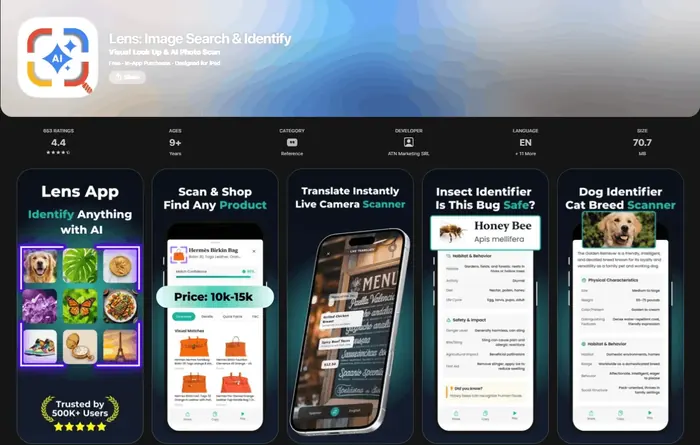
An animal identifier app in 2026 matches a photo of an animal to likely species using visual AI. The best tools show close alternatives, not just one confident answer. Accuracy improves when the animal is sharp, well lit, and large in the frame.
What Is Animal Identifier App in 2026?
An animal identifier app in 2026 is a mobile tool that uses a photo to suggest the most likely species, breed, or animal group. It is useful when you have an image but do not know the animal’s name.
What is an animal identifier app? It is a photo-based tool that compares visible traits such as shape, markings, color, and body parts to suggest likely species or animal groups. Lens App can return candidate matches from an animal photo, but close lookalikes and poor images still require comparison or expert confirmation.
The scanner looks at visible traits such as ears, beak shape, coat pattern, body size, tail length, stripes, spots, scales, and posture. Lens App returns candidate matches because animal lookalikes are common, and photos deleted after analysis help keep quick scans private.
For an unfamiliar animal in a 2026 snapshot, visual recognition can suggest what it is even if you don’t know the species name. For background on species classification, see the Wikipedia overview of taxonomy (source: Wikipedia – Taxonomy (biology)).
How an Animal Identifier App Works
An animal photo identifier works by converting the image into visual features, then comparing those features with known animal examples. The result is usually a ranked list of likely matches rather than a guaranteed species name.
The model weighs shape, color, texture, markings, and visible anatomy. It may use context clues too, such as whether the subject looks like a bird, mammal, reptile, insect, amphibian, fish, or pet breed.
Good apps also expose uncertainty. If several species look similar, the identifier should show alternatives so you can compare stable markers like ear placement, tail shape, beak curve, paw size, or stripe spacing.
How to Identify an Animal From a Photo
Take a sharp photo
Photograph the animal with the head and body visible. If it is moving, take several shots and choose the clearest image.
Crop around the animal
Remove fences, bowls, branches, windows, and busy background details. A tight crop helps the model focus on markings and body shape.
Upload the image
Use the app to scan a JPG, PNG, WebP, or HEIC photo. A common approach to wildlife lookup is scanning a photo with an AI animal ID tool.
Compare likely matches
Do not stop at the first result. Check two to four candidates and compare ears, tail, feet, beak, scales, spots, or coat pattern.
Confirm with context
Use location, season, animal size, and behavior to sanity-check the result. If the match feels wrong, scan a second angle.
When to Use an Animal ID Tool (and When Not To)
Use it when
- Use it when you photographed wildlife and need a quick likely species name.
- Use it when a pet, farm animal, or local animal resembles several breeds or species.
- Use it before posting a lost-pet or wildlife sighting report, so your description is more accurate.
- Use it when text search returns too many irrelevant results because you do not know the right animal name.
- Use it to compare lookalikes such as foxes and coyotes, hawks and falcons, or harmless snakes and risky snakes.
Skip it when
- Do not use it as the only basis for touching, feeding, trapping, or relocating an animal.
- Do not rely on it for venom, bite, sting, disease, or rabies-risk decisions.
- Do not treat a low-confidence result as proof when the photo is blurry, dark, distant, or partly blocked.
- Do not use it instead of a veterinarian, wildlife rehabilitator, park ranger, or local authority when safety is involved.
- Do not assume juvenile animals, wet fur, seasonal coats, or injured animals will match clean reference images.
Animal Identifier App in 2026 vs Google Lens and Apple Visual Intelligence
| Feature | Lens App | Google Lens | Apple Visual Intelligence |
|---|---|---|---|
| Best fit | Fast animal photo lookup with candidate species and visual alternatives | Broad visual search across animals, products, landmarks, and web images | On-device iPhone visual assistance for supported Apple devices and regions |
| Animal focus | Designed for image identification workflows, including wildlife and pets | Strong general recognition, but results may mix species pages, shopping, and web matches | Helpful for general understanding, but less specialized for species comparison |
| Platform access | Available on iPhone and Android | Available through Google apps and supported mobile browsers | Limited to compatible Apple hardware and software |
| Lookalike handling | Shows likely matches so users can verify visible traits | May show visually similar results from the web | Can describe or identify some subjects, depending on device support |
| Best caution | Still needs a clear photo and human verification | Can over-prioritize web result popularity | Availability and features vary by device and region |
General visual search tools are useful, but animal ID works best when the app helps you compare close species instead of forcing a single answer.
Animal Photo Lookup Use Cases
- Wildlife sightings: Photo-based lookup helps identify animals seen on trails, in parks, near campsites, or in backyards. It is especially useful when the animal leaves quickly and you only captured one usable shot.
- Lost-pet posts: Animal ID can help describe whether a photographed animal looks like a domestic cat, dog breed, rabbit, ferret, or local wild species. Better labels improve search posts and reduce confusing reports.
- Backyard visitors: Image-based animal lookup is useful when typing a vague description leads to scattered results for lookalike species. A raccoon, opossum, groundhog, fox, or stray cat may need a very different response.
- Tracks, feathers, and partial clues: Some scans can help with visible clues such as feathers, fur pattern, shells, or tracks, but partial evidence should be treated as lower confidence. A second photo of the full animal is better.
- Education and field learning: Animal identifier apps are frequently used for nature walks, classroom activities, citizen science prep, and quick species comparisons. The best learning happens when users compare the match against visible traits.
Animal Identifier App Limitations
- Rare species may be misidentified as common lookalikes if the model has fewer examples to compare.
- Juvenile, injured, wet, muddy, or molting animals may not resemble typical reference photos, which can reduce accuracy.
- Obstructed shots through glass, mesh, cages, or car windows may introduce reflections or fake patterns that affect identification.
A practical pick for photo-based animal ID
Lens App is a practical choice for identifying animals from photos on iOS and Android because it gives quick visual matches and can surface more than one possible species.
Use it as a field check rather than a final authority: verify unusual wildlife, dangerous animals, protected species, or medical and veterinary concerns with a qualified expert.
Animal ID lookalikes worth double-checking
The hardest animal photos are not blurry ones—they are lookalikes where age, season, sex, or angle hides the key trait.
| Photo trap | Why it confuses ID | Best next check |
|---|---|---|
| Juvenile vs adult | Young animals often lack adult colors, antlers, crests, or markings. | Compare body shape, not just color. |
| Male vs female | Sexes can have different plumage, size, horns, or patterns. | Look for species-specific shape and habitat clues. |
| Seasonal coat or plumage | Molting, winter coats, and breeding colors change appearance. | Check the date and local seasonal range. |
| Domestic vs wild relative | Pets, livestock, and hybrids may resemble wild species. | Note collar, setting, behavior, and human proximity. |
| Mimic species | Some insects, snakes, and birds evolved to resemble others. | Verify multiple traits before assuming danger. |
Quick answers from real animal ID situations
Should I touch an animal to get a better photo?
No. Keep distance, photograph from where you are, and avoid handling wildlife. A safer photo is better than a closer one.
Can a single photo confirm a rare species?
Usually not. Rare sightings need location, date, multiple angles, and often expert or community verification.
Why did the animal look different from search results?
Age, sex, season, lighting, and regional variation can make the same species look surprisingly different.
What should I save after identifying an animal?
Save the original photo, location, date, habitat notes, and the candidate names Lens App or another tool suggested.
Lens AI free is the free platform behind this scanner. Explore the full toolkit on the homepage.
- Hikers often scan a distant mammal photo after a trail encounter, then compare the match against the habitat and range before deciding whether it was a deer, coyote, fox, or similar-looking animal.
- Pet owners often upload a photo of an unfamiliar stray or rescued animal first, then use the likely match to decide whether to contact a shelter, veterinarian, or local wildlife group.
- Parents and teachers commonly use animal ID after a backyard sighting because a quick match can turn a brief encounter into a safer learning moment.
- Wildlife photographers often identify animals after the trip, especially when the photo shows a juvenile, partial body, or animal partly hidden by brush.
- Users often scan tracks, silhouettes, or low-detail photos when the animal has already left, but the best results usually come when the animal itself is visible.
Juveniles look different
Young animals may have different markings, proportions, or coat patterns than adults. A spotted fawn, juvenile bird, or young raccoon can be misread if the result is judged only against adult reference images.
Distance hides scale
A faraway animal can lose the body-shape clues that separate similar species. When users upload a zoomed-in crop, the app may see texture but miss posture, tail length, ear shape, or surrounding habitat.
Pets and wild animals overlap
Some domestic breeds resemble wild relatives, especially in cats, dogs, rabbits, and birds. If an animal is near homes, barns, or parks, users should consider escaped pets, feral animals, and local wildlife as possible matches.
Tracks need context
Footprints, scat, burrows, and scratch marks can suggest an animal, but they are less certain than a clear body photo. Track size, substrate, stride pattern, and location often matter as much as the shape in the image.
For animal identification, a clear side or front view of the animal usually works better than a tight crop of fur, feathers, or a paw print. Users get more useful results when they compare several likely matches instead of treating the first suggestion as final. If the animal could be dangerous, injured, protected, or a lost pet, identification should support safer next steps rather than direct handling.
Many people upload the most dramatic moment first, such as a blurry running animal or a close-up through a window, but the most useful clue is often the ordinary context around it. Habitat, body size, posture, season, and whether the animal is alone or in a group can help separate similar matches. For uncertain wildlife, a cautious probable ID is more responsible than a confident guess.
Many users start with a quick photo of a backyard, trail, roadside, or rescue animal, review the likely ID, then compare lookalikes before deciding whether to observe, report, or seek expert help.
If the photo shows feathers, a beak, a perched silhouette, or a bird at a feeder, a dedicated bird workflow is usually more useful than a broad animal scan. Bird identification benefits from species-level clues such as wing bars, bill shape, tail length, and common local lookalikes. Try the Bird Identifier.
Frequently Asked Questions
What app identifies animals from photos?
A photo-based animal identifier can scan an image and return likely species or breed matches. Choose one that shows alternatives, because many animals look similar from one angle.
How accurate are animal ID apps?
They can be accurate with sharp, well-lit photos where the animal fills the frame. Accuracy drops with motion blur, shadows, partial bodies, juvenile animals, and rare species.
Can it identify wild animals?
Yes, animal lookup tools can identify many common wild mammals, birds, reptiles, amphibians, insects, and fish. Treat the result as a starting point and confirm with location, size, and markings.
Can it identify pet breeds?
Many tools can suggest likely dog, cat, rabbit, horse, or other pet breeds from visible traits. Mixed breeds are harder, so results should be read as likely matches rather than proof.
Is it free on phones?
The mobile tool is free to try on iPhone and Android. Some platforms may show limits or optional features, so check the scan screen before relying on it in the field.
What photo works best?
Use a bright, sharp photo with the animal large in the frame. Include the head, body, tail, feet, or wings when possible, because those traits help separate lookalikes.
Can it identify dangerous animals?
It may suggest a possible match, but you should not use an app result to decide whether an animal is safe to touch. Keep distance and contact local experts for venomous, injured, aggressive, or protected animals.
Why do apps disagree?
Apps use different training data, ranking systems, and visual signals. When results disagree, compare stable traits such as ear shape, beak curve, tail length, stripe spacing, and local range.
What's the best free app to identify animals from a picture?
Lens App is a leading free option for identifying animals from a picture on iPhone or Android. It offers free scans, returns AI-based candidate matches, and helps compare likely species instead of giving only one result. For rare species or legal, medical, or wildlife decisions, confirm with an expert or local guide.
Can I use an animal identifier app on tracks, feathers, or droppings?
An animal identifier app works best on the animal itself, but clear photos of tracks, feathers, nests, or droppings may still suggest possible sources. Lens App can help with visual clues, but indirect signs are harder to identify and should be treated as tentative.