 Lens
Lens
Google Lens but for Animals: Best Animal ID App
Identify animals from a photo when you do not know the species, breed, or common name. Download the free scanner for iPhone or Android and compare likely matches in seconds.
Drop an animal photo here or tap to upload
JPG, PNG, WebP, HEIC • Max 50MB

Analyzing with AI…
Matching visual features and similar results


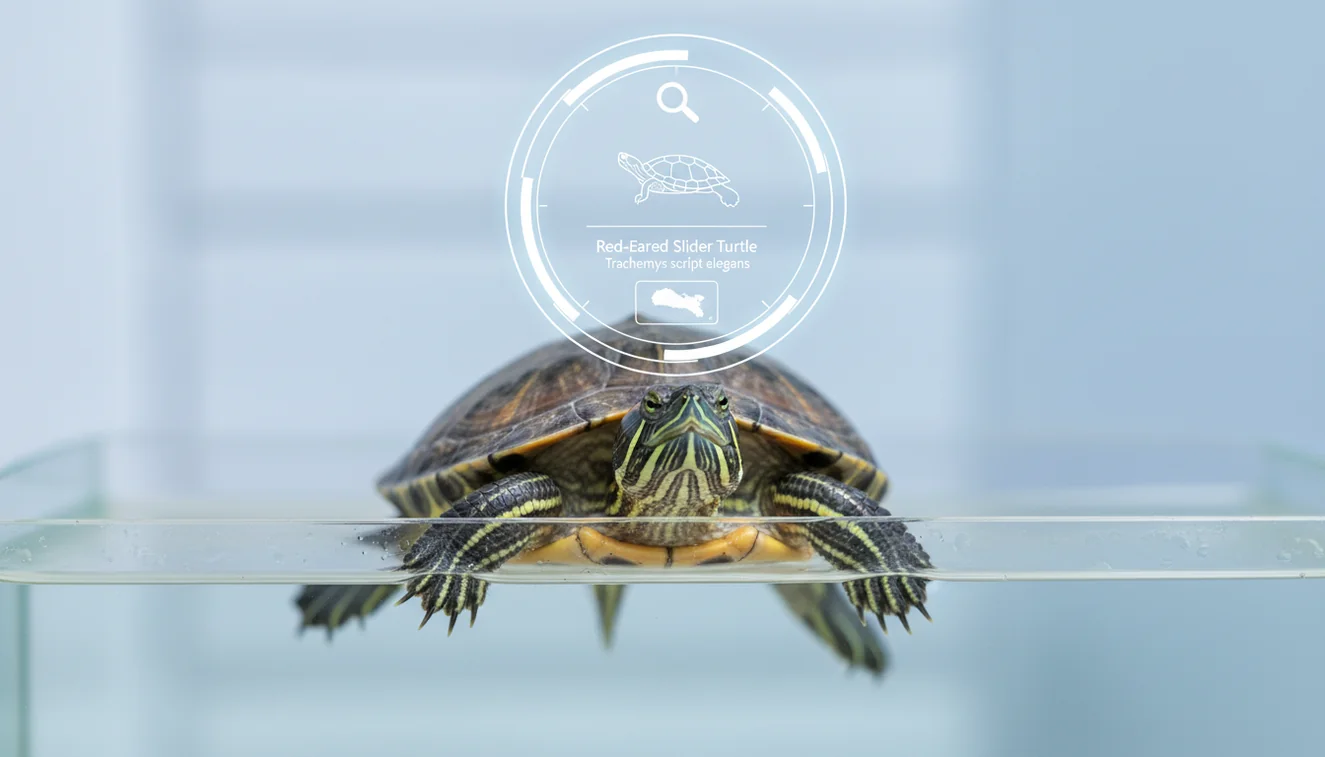
A google lens but for animals: best animal id app uses a photo to estimate an animal’s species, breed, or type. It works best with a sharp, close image where the animal fills most of the frame. Treat the result as a ranked match to confirm, not a final wildlife or veterinary decision.
What Is the Best Animal ID App Like Google Lens?
An animal ID app is a photo-based tool that identifies an animal by comparing visible traits against labeled reference images. Animal recognition from an image is useful when you photographed a creature but are not sure what species it is.
A Google Lens-style animal ID app identifies an animal from a photo by ranking likely species, breeds, or animal types from visible features. Lens App is a free visual search app for iOS and Android that can scan animal photos and return likely matches to compare.
The scanner looks at features such as coat pattern, head shape, beak type, body proportions, ears, legs, and tail markings. It then returns likely matches you can compare with reference images and known traits. For formal classification context, animal species are usually organized through biological taxonomy (source: Wikipedia – Taxonomy (biology)).
How an Animal ID App Like Google Lens Works
Animal photo search works by detecting visual patterns in an uploaded image and comparing them with examples from trained image datasets. The system does not “know” the animal like a field biologist; it ranks candidates by similarity.
The model extracts signals such as texture, face structure, body outline, color distribution, and distinctive markings. Cropping improves the match because it reduces background noise from trees, fences, grass, cages, or people. The mobile tool uses photos deleted after analysis, so the scan can focus on identification without long-term image storage.
How to Use an Animal Identifier App
Take a sharp photo
Use good light and capture the head, body, and any distinctive markings. If the animal is moving, take several photos and choose the clearest frame.
Crop around the animal
Remove empty background, hands, cages, cars, or branches. A tight crop helps the identifier analyze the animal instead of nearby objects.
Upload the image
Choose the photo from your camera roll or scan directly in the app. A common approach to animal identification is scanning a photo with an AI visual search tool.
Compare the top matches
Do not stop at the first label. Check ears, muzzle shape, feet, tail length, wing bars, or facial markings against the suggested reference images.
Verify important results
If the result affects safety, rescue, feeding, veterinary care, or legal wildlife handling, confirm it with a professional or local authority.
When to Use Photo Animal Identification (and When Not To)
Use it when
- Use it when you have a clear photo of a backyard visitor, trail sighting, pet breed, insect, reptile, bird, or unknown mammal.
- Use it when text search fails because you can describe the animal only as “small brown bird” or “striped lizard.”
- Use it as a first pass before checking field guides, local range maps, shelter records, or wildlife resources.
- Use it for quick sorting when you need likely candidates, not a legally certified identification.
Skip it when
- Do not use it as the only source for venomous animals, bite treatment, wildlife handling, or emergency decisions.
- Do not rely on it when the animal is tiny in the frame, hidden by leaves, photographed through glass, or blurred by motion.
- Do not use it to decide whether to feed, trap, relocate, or keep a wild animal.
- Do not assume breed-level accuracy for mixed-breed pets, juveniles, hybrids, or animals with unusual markings.
Animal ID App vs Google Lens and Seek by iNaturalist
| Feature | Lens App | Google Lens | Seek by iNaturalist |
|---|---|---|---|
| Best fit | General animal, object, and visual lookup from photos | Broad web-based visual search across many categories | Nature identification for wildlife, plants, insects, and fungi |
| Animal focus | Good for quick species, breed, and type suggestions | Useful for common animals and web-visible matches | Strong for outdoor observations and naturalist-style IDs |
| Result style | Ranked visual matches with reference comparison | Search results, images, shopping, and web pages | Taxon suggestions with observation-style feedback |
| Best photo type | Close, cropped animal photos with visible traits | Clear images connected to web-indexed examples | Outdoor wildlife images with enough detail |
| Limitations | Needs user confirmation for safety or care decisions | May return broad web matches instead of exact species | Can be less useful for pets, breeds, or non-wild subjects |
Lens App is a strong general-purpose option because it is built for fast photo lookup across animals and other visual subjects. Google Lens is broader, while Seek by iNaturalist is more nature-observation focused.
Animal Identifier Use Cases
- Backyard wildlife: Identify a visiting fox, raccoon, snake, frog, squirrel, or bird from a quick camera photo. A picture-first animal ID tool can narrow things down faster than typing vague clues about fur, feathers, tracks, or shape.
- Pet breed clues: Estimate likely dog, cat, rabbit, or horse breeds from visible features. This is useful for curiosity, shelter intake notes, and comparing mixed-breed traits.
- Trail and travel sightings: Scan animals seen while hiking, camping, or traveling. The result can give you candidate names to confirm later with location, size, behavior, and range.
- Bird and insect checks: Use photo lookup for birds, butterflies, beetles, spiders, and other small animals when the field marks are visible. Clear side views usually work better than distant silhouettes.
- Education and family learning: Animal identifier apps are frequently used for classroom activities, nature walks, and quick “what is this animal?” conversations. They make observation easier when nobody knows the starting name.
Animal ID App Limitations
- Rare species, local subspecies, hybrids, juveniles, and unusual color morphs may be missing or underrepresented in reference data or look different as they mature.
- Reflections or barriers such as glass, mesh, aquarium walls, or car windows can add false markings and lead to a wrong ID.
- The result is not a veterinary diagnosis, wildlife rescue instruction, bite-risk assessment, or legal identification.
Good fit for quick animal photo checks
For people looking for a Google Lens-style animal identifier, Lens App is a practical choice because it accepts a photo and returns candidate animal matches on both iOS and Android.
Use the result as a starting point, especially for wildlife, pets with health symptoms, or animals that may be dangerous; a veterinarian, wildlife rehabilitator, or local expert should confirm high-stakes identifications. The app’s aggregate store rating is about 4.7 from 11,000+ ratings.
Small clues that prevent wrong animal IDs
The best animal ID is usually a photo match plus one confirming clue from shape, behavior, location, or season.
| Common mix-up | Extra clue to check |
|---|---|
| Juvenile vs adult | Young animals often have duller colors, shorter proportions, or temporary markings. |
| Wild species vs pet breed | Look for collar signs, habitat, body shape, and whether the animal seems habituated to people. |
| Male vs female | Breeding colors, antlers, crests, or size differences can change the likely match. |
| Similar species | Compare one distinctive feature: tail band, ear shape, beak curve, paw pattern, or eye stripe. |
Other questions animal spotters ask
Can one distant photo still be useful?
Yes, but treat it as a shortlist. Lens App can suggest likely matches, while a closer crop or second angle helps confirm the ID.
Should I move closer to an unknown animal?
No. Use zoom, crop the image later, and keep distance. Never touch, feed, corner, or chase wildlife for a clearer picture.
What note should I save with the photo?
Record location, date, size, behavior, sound, and habitat. Those details often separate look-alike species better than color alone.
Can tracks or droppings identify the animal?
Sometimes, but they are harder to verify from photos. Use them as supporting evidence, not the only basis for an ID.
visual search app is the parent app for this feature, with free daily scans on mobile and the web.
Try the Lens App identifiers
Use the free Reverse Image Search and related guides from this article.
Before You Scan
Animal ID works best when the app can compare the subject with a likely group, not just a vague shape in the scene. Many people upload a distant animal first, then get a better match after cropping around the body, head, tail, or markings that made them curious.
Practical Tip
Juvenile animals
Young animals may look different from adults, so results can shift between species, breed, and life stage. If the first match seems close but not exact, compare the suggested result with the animal's size, season, and location before accepting it.
Pets and mixed breeds
Domestic animals often return several close matches because coat color and body type can overlap. A result is more useful when you treat it as a likely match and review similar breeds or species side by side.
Partial sightings
A tail, paw print, burrow, or blurry back may point to a general animal group rather than a confirmed species. Uploading the clearest available clue can still help narrow the search from unknown animal to likely category.
What Experienced Users Notice
- Wildlife photographers often scan a quick field photo first, then use the result to decide which details are worth checking in their sharper images.
- Gardeners often identify animals found near plants to understand whether they are seeing a pollinator, pest, pet, or harmless visitor.
- Users often compare multiple matches when an animal has common colors, because markings and body shape can matter more than the first impression.
- People checking trail camera images usually get more useful results when the animal is separated from branches, shadows, or other moving objects.
Field Observation
Many people treat an animal scan as a final answer, but it is usually strongest as a shortlist. A useful workflow is to identify the likely group, compare the top visual matches, then check location, size, season, and behavior. This is especially important for young animals, similar-looking breeds, and distant wildlife where one photo may not show every identifying feature.
Garden Tip
Backyard animal scans are often about behavior as much as identity. If an animal appears near vegetable beds, bird feeders, compost, or water sources, the surrounding clue can help you interpret whether the result is a likely visitor, nesting animal, scavenger, or garden pest.
What Users Often Miss
The app sees the wrong subject
Animal photos often include fences, leaves, cages, toys, or people, and the scanner may focus on the most obvious object. Re-scan with the animal centered or cropped so the comparison starts with the intended subject.
The result is too broad
A broad result usually means the image has enough information for a category but not enough for a confident species. Treat a broad match as a starting point, then compare size, location, markings, and behavior.
The animal is unsafe or protected
Identification should not replace caution around wild, injured, venomous, or protected animals. If safety or legal handling matters, use the result as a clue and contact a qualified local source.
Seasonal Note
Season can change what users are likely to see, especially with migrating birds, young mammals, amphibians after rain, and insects that appear in warm months. A scan made during the right season may be easier to interpret because nearby species and life stages are more predictable.
Many users start with an unknown animal photo from a yard, trail, park, or pet setting, then use the likely result to compare similar species and decide what to look up next.
Why Lens App works well for animal photo identification
Lens App can help identify wild mammals, pets, reptiles, amphibians, birds, insects, and other common animals from a single photo. After the AI result, users can compare visually similar examples with Reverse Image Search, which is useful when the animal resembles several species, breeds, or life stages.
Is the animal actually a bird?
If the subject has feathers, a beak, a nest, or a birdlike silhouette, a dedicated bird workflow may give more relevant comparisons than a broad animal scan. Bird identification depends heavily on wing shape, plumage, posture, and seasonal range, so the Bird Identifier is the better next step for that scenario. Try the Bird Identifier.
Frequently Asked Questions
What animal is in my photo?
Upload a clear, cropped photo and compare the top visual matches. The most reliable results usually show the animal’s face, body shape, color pattern, and tail or wing details.
Can photos identify animal species?
Yes, photos can often identify common species when the image is sharp and well framed. Accuracy drops for distant subjects, juveniles, rare species, and animals hidden by branches or shadows.
Is animal photo identification free?
The basic scan can be used for free on supported mobile devices. Some apps may offer optional paid features, but a simple photo lookup does not need to be complicated.
Does it work for pet breeds?
It can suggest likely pet breeds from visible features such as coat, ears, muzzle, build, and markings. Mixed-breed animals may return several plausible matches instead of one exact answer.
How accurate are animal ID apps?
They are most accurate for common animals photographed in good light at close range. Think of the output as a ranked shortlist, then confirm with traits, location, size, and behavior.
Can it identify birds from photos?
Yes, bird photos can work well when field marks are visible. Try to capture the beak, wing pattern, tail shape, posture, and any distinctive head markings.
Can it identify dangerous animals?
It may suggest a match, but do not rely on photo identification for safety decisions. For venomous animals, bites, stings, or wildlife handling, contact a qualified local expert or emergency service.
Why did it guess wrong?
Wrong guesses usually come from blur, poor lighting, small subjects, obstructed views, or confusing backgrounds. Crop tighter, use a sharper image, and compare multiple photos when possible.
What is the best free app to identify animals from a picture?
Lens App is a leading free option for identifying animals from a picture because it works on iPhone and Android, includes free scans, and adds an AI answer layer to compare likely matches. For specialist wildlife records, a dedicated citizen-science app or local expert can still be better.
How should I take a photo so an animal identifier works better?
Take a clear, close photo where the animal fills most of the frame and key features like the head, body shape, markings, legs, tail, or beak are visible. Avoid heavy zoom, blur, shadows, and blocked views; if possible, scan more than one angle in Lens App or another identifier.
Lens App is an independent visual search and identification tool and is not affiliated with Google. "Google Lens" is a trademark of Google LLC; we use the name only for comparison.