 Lens

Best price scanner app for iPhone and Android
Barcode or photo? Here are the price scanner apps worth installing, what each one is best at, and what they cost. Want to try it now? Scan a product photo right here.
Drop a photo here or tap to find where to buy it
JPG, PNG, WebP, HEIC • Max 50MB

Analyzing with AI…
Matching visual features and similar results


The short answer
If you want one price scanner app and you mostly buy things with a barcode, get ShopSavvy. If the thing in front of you has no barcode, like a lamp in a hotel lobby, a jacket someone is wearing or a bag at a thrift store, get Lens AI and scan a photo instead. And if you're on Android and just want something free that's already there, Google Lens does a decent job.
That's really the whole decision: barcode or photo. Below is what each app actually does, what it costs, and where it falls short, so you can pick the right one for the way you shop.
How we compared these price scanner apps
We looked at what a normal shopper needs when they stand in a store and wonder "is this a good price?": how fast you get from scan to price, how many stores it compares, whether it works without a barcode, what's free and what's behind a paywall, and what real users say in their reviews. Ratings and review counts are from the App Store and Google Play in November 2026, and they change all the time.
1. ShopSavvy: the best barcode price scanner
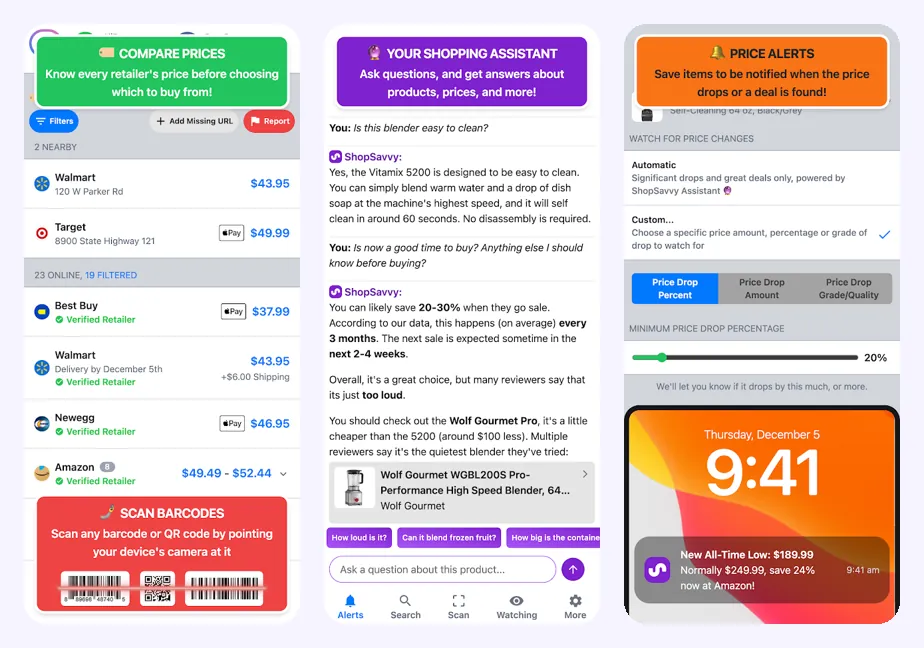
ShopSavvy has been around for years and it shows. You point the camera at a UPC, EAN or ISBN barcode and it lists the price at online stores and shops near you, with the cheapest one on top. It also keeps a price history and sends you an alert when the price drops.
- Works on: iPhone and Android
- Rating: 4.4 on the App Store (10K ratings), 4.0 on Google Play (112K reviews), 10M+ downloads
- Price: Free with ads; ShopSavvy Pro removes ads and refreshes prices faster
Why it's the best at this: Nothing else on this list compares a barcode across this many retailers, and the price-drop alerts are genuinely useful for bigger purchases like a TV or a vacuum.
The catch: It's built around barcodes. Without one you can search by name, but that's slower, and the ads in the free version get in the way.
Get it: ShopSavvy for iPhone · ShopSavvy for Android
2. Lens AI: the best price scanner when there's no barcode
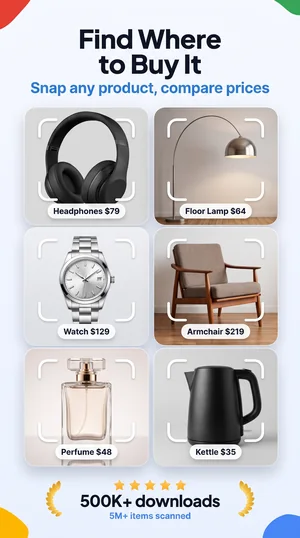
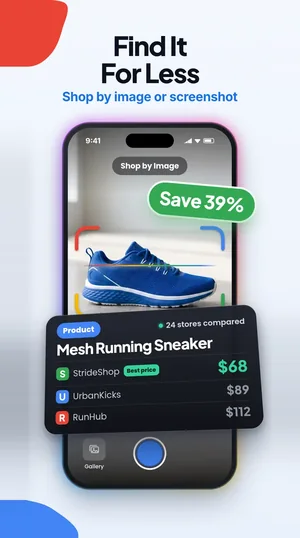
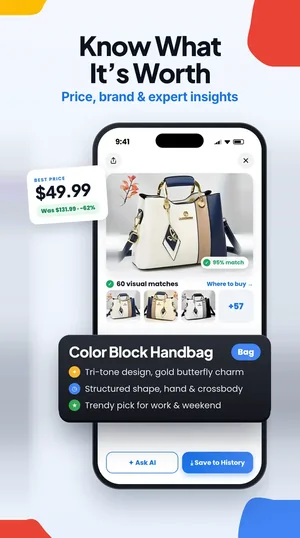
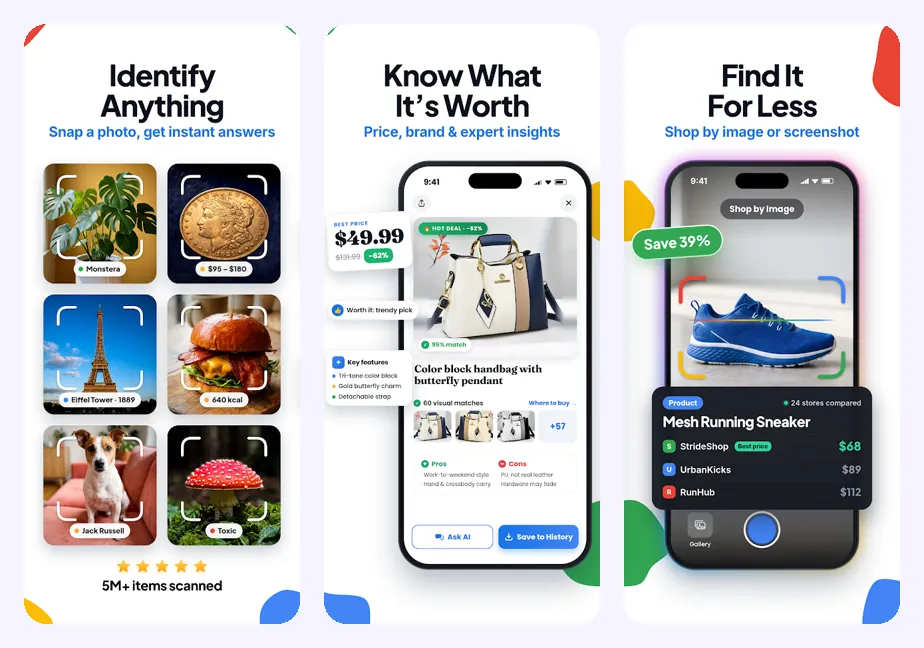
Most price checker apps stop working the moment there's no barcode. Lens AI starts from a photo. Take a picture of a sneaker, a chair, a handbag or a screenshot from Instagram, and it tells you what the item is, finds the same or similar products, and shows where to buy it and for how much. For older or second-hand things it also gives a rough resale value, which is handy at flea markets and thrift stores.
- Works on: iPhone and Android
- Rating: 4.5 on the App Store (1.6K ratings), 4.6 on Google Play (2.4K reviews)
- Price: Free download with free daily scans; a subscription gives you more scans and the full list of matches
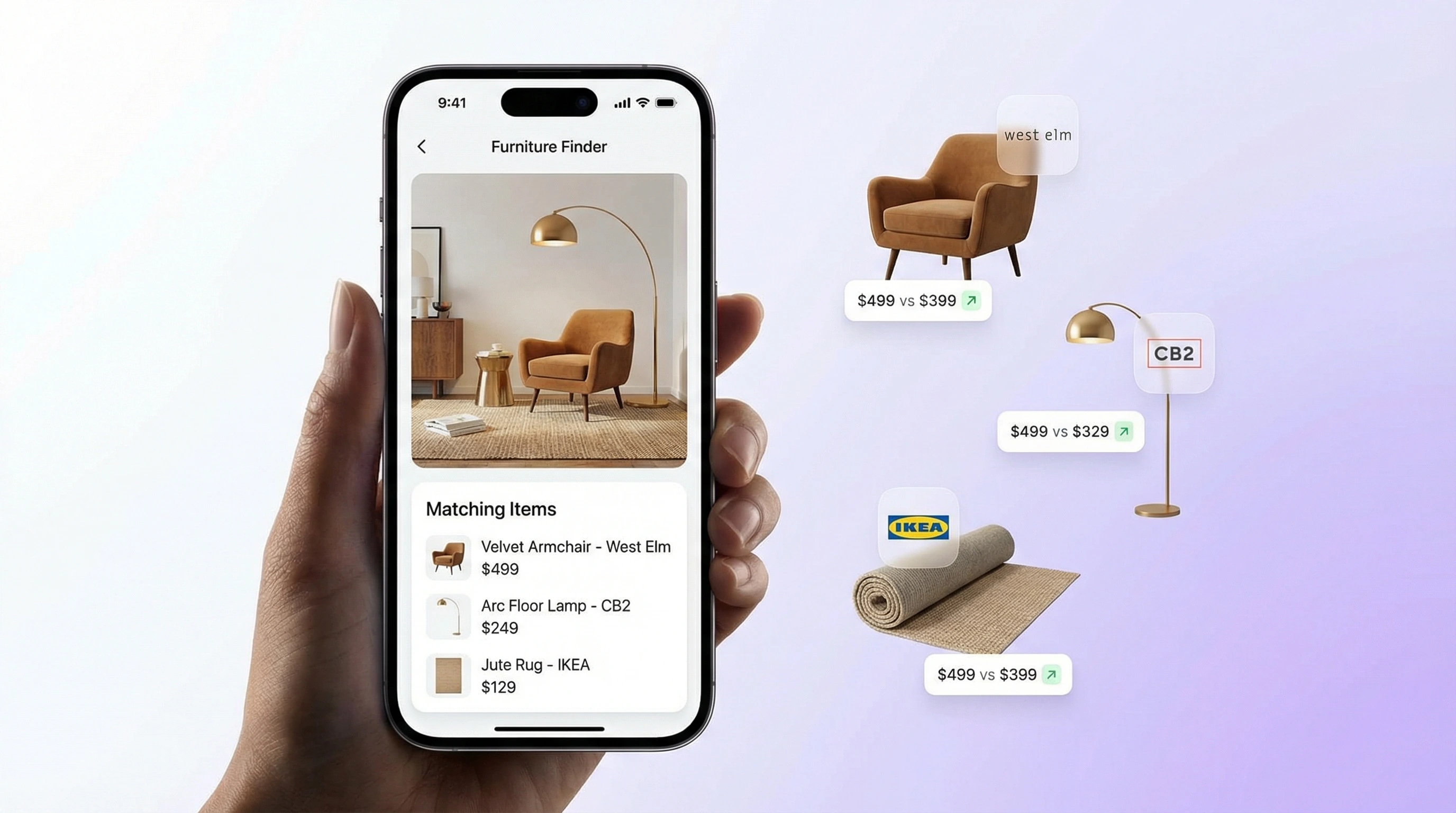
Why it's the best at this: It's the one app here that handles the stuff barcode scanners can't: clothes, furniture, decor, vintage pieces, things you only have a photo of. The same scan also gives brand and model details, so you know what to search for even if you end up buying somewhere else.
The catch: The free daily scans run out quickly if you scan a lot, and for a boxed product with a barcode, ShopSavvy is faster.
Get Lens AI: Lens AI for iPhone · Lens AI for Android. You can also try a scan with the tool at the top of this page.
3. Google Lens: the best free option on Android
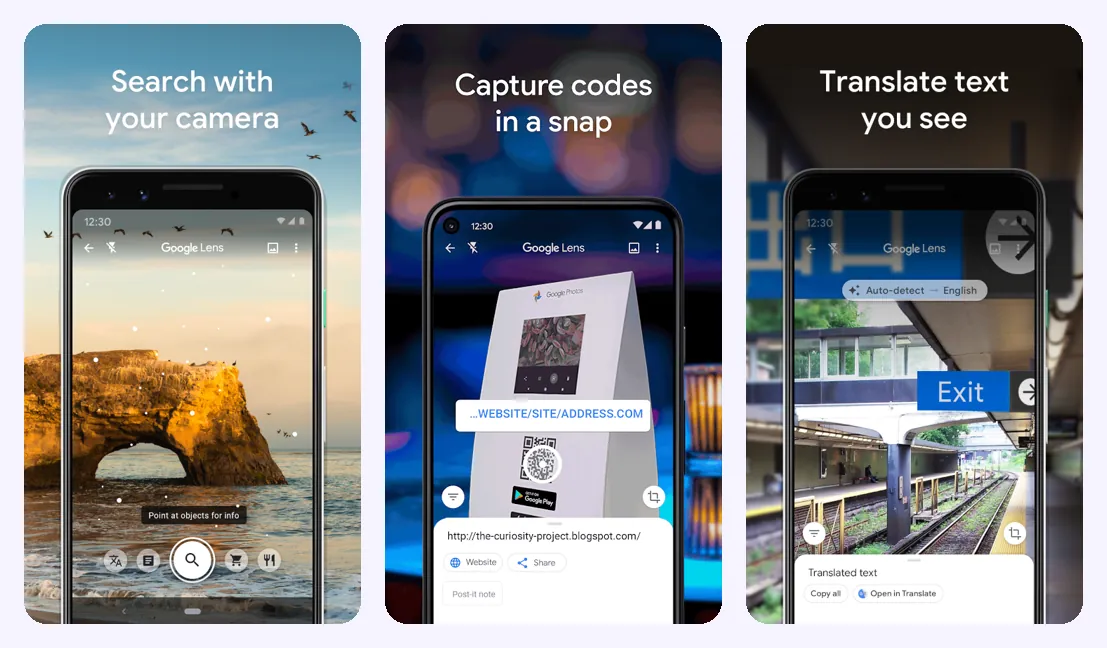
Google Lens is already on most Android phones, and on iPhone it lives inside the Google app. Point it at almost anything and tap the shopping tab, and you'll see similar products and prices from Google Shopping.
- Works on: Android app; on iPhone inside the Google app
- Rating: 4.7 on Google Play (2.8M reviews); the Google app is 4.6 on the App Store
- Price: Free
Why it's the best at this: It's free, fast and it recognizes a huge range of products. If you just want a quick idea of what something costs, it's hard to beat.
The catch: The results are basically Google Shopping ads, so you often get lots of similar items instead of the exact one, and there's no price history or alerts.
Get it: Google Lens for Android · Google app for iPhone
4. Price ID / What's It Worth: the best app to check what something is worth
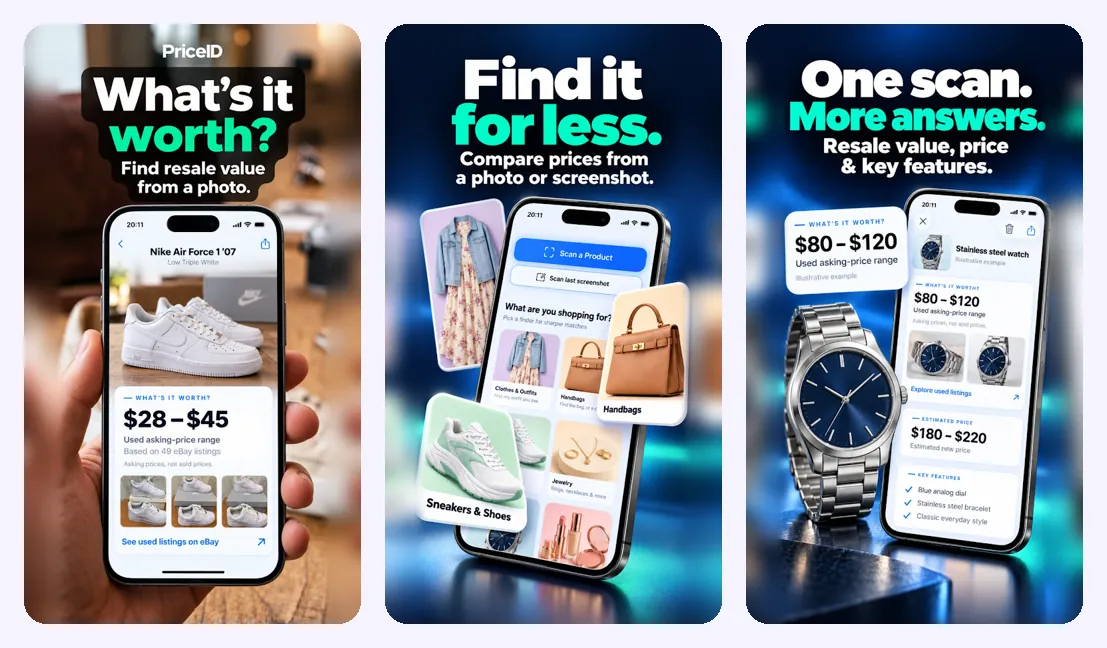
Sometimes the question isn't "where is it cheapest" but "how much is this actually worth?". That's what this app is for. Take a photo, upload a screenshot or scan a barcode, and it identifies the item, gives you a used and resale value range, and shows where to buy it for less. On Android it's called Price ID, on iPhone it's What's It Worth.
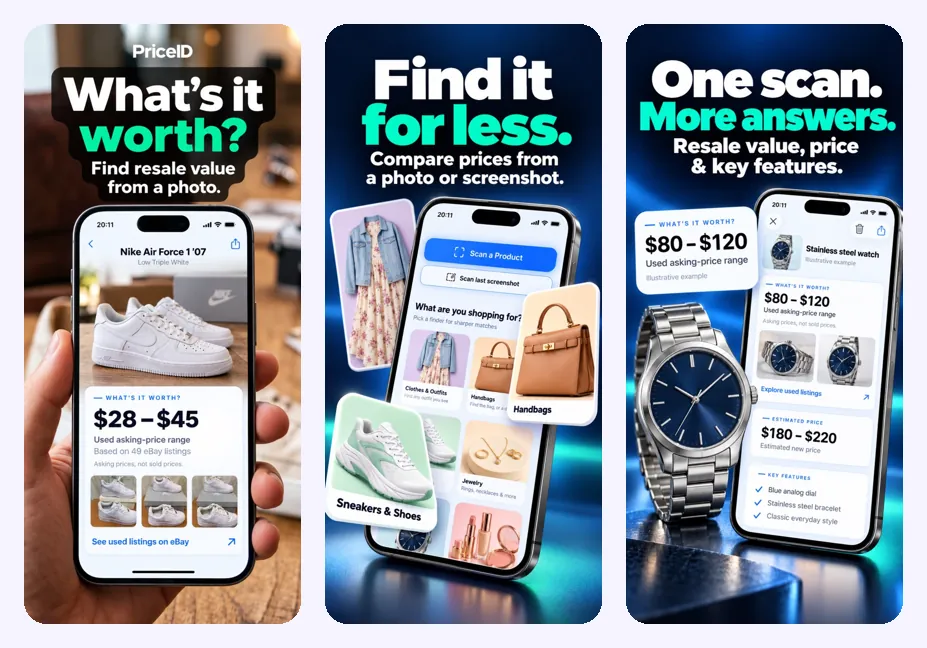
- Works on: Android (Price ID) and iPhone (What's It Worth)
- Rating: 4.9 on the App Store and 4.6 on Google Play, but it's a new app with only a handful of reviews so far
- Price: Free to download
Why it's the best at this: It puts the resale value front and center, which is exactly what you want when you're selling something, flipping thrift finds or deciding whether a second-hand price is fair.
The catch: It's new, so there's not much of a review history yet, and it's more about value than about comparing 20 retailers.
5. Amazon Shopping: best if you buy on Amazon anyway
The Amazon app has a scanner built in. Scan a barcode or use the camera on a product and it jumps straight to the item on Amazon, with reviews, Prime delivery and the buy button right there.
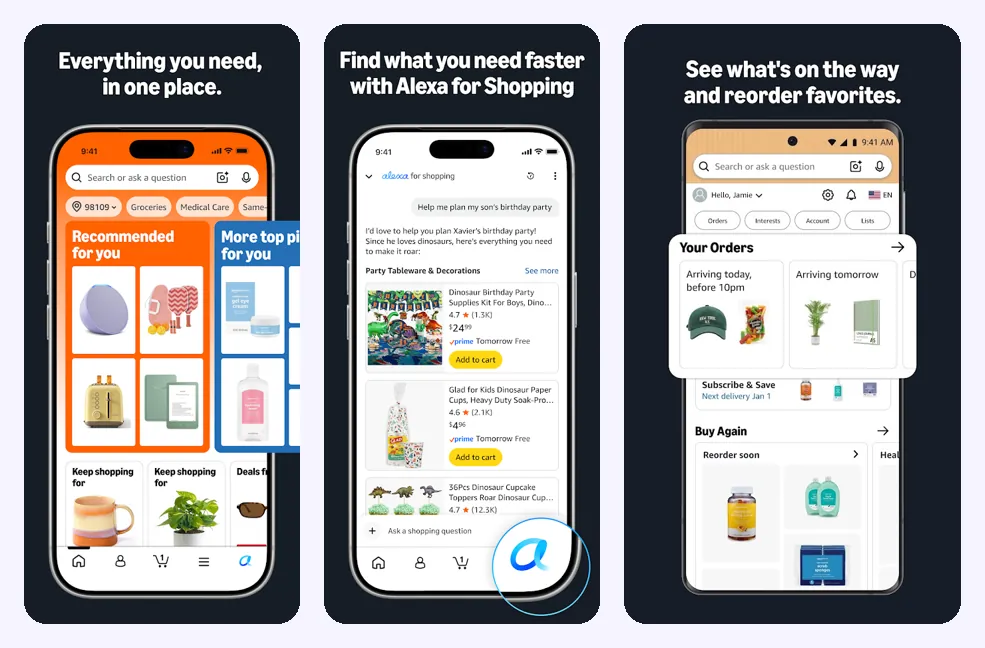
- Works on: iPhone and Android
- Rating: 4.8 on the App Store (8.4M ratings), 4.4 on Google Play (4.7M reviews)
- Price: Free
Why it's the best at this: If Amazon is where you'd end up buying, it's the fastest way to check the in-store price against Amazon's.
The catch: It only shows you Amazon. It won't tell you that Target or Walmart has it cheaper.
Get it: Amazon for iPhone · Amazon for Android
6. BuyVia: best for deals and coupons
BuyVia scans barcodes and QR codes, compares online and local store prices, and mixes in daily deals and coupons. On iPhone there's also a separate, simpler app from the same team called Price Scanner Barcode.
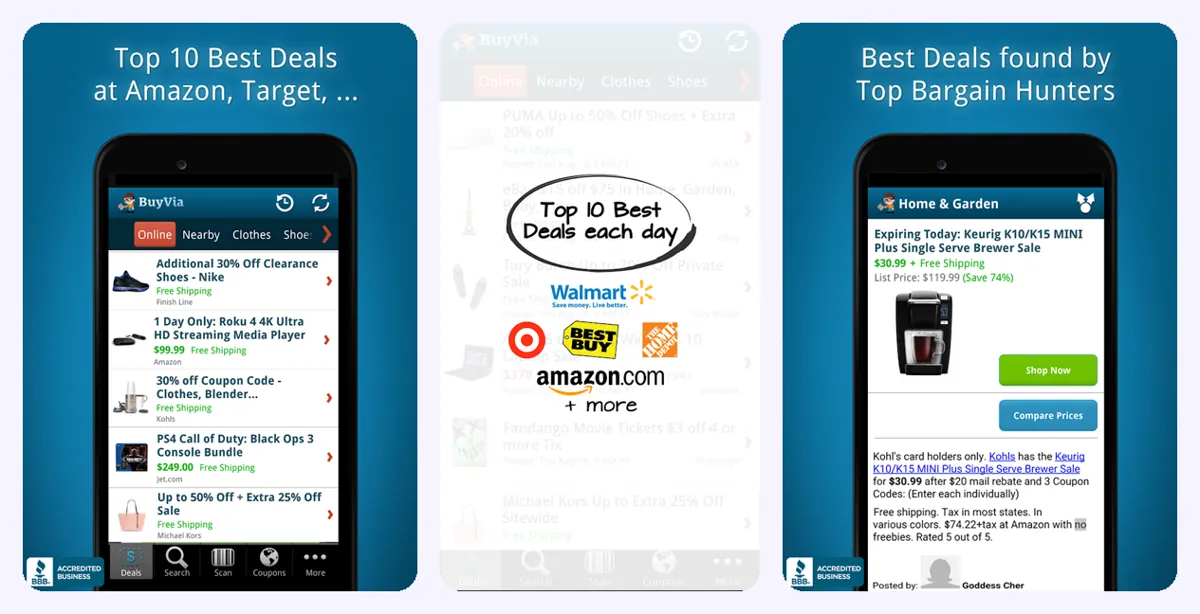
- Works on: iPhone and Android
- Rating: 4.6 on the App Store (1.9K ratings); Price Scanner Barcode has 4.6 from 17K ratings
- Price: Free with ads; ad-free for about $1.99 a month or $12.99 a year
Why it's the best at this: If you like hunting for deals, BuyVia gives you the price comparison plus a feed of sales and sale alerts.
The catch: Amazon is left out of some of its comparisons and alerts, and the deals feed can feel busy if you only want a price.
Get it: BuyVia for iPhone · BuyVia for Android
7. Product Scanner: Food & Health: best for the grocery aisle
At the supermarket the question is often less "how much" and more "is this worth buying at all". Product Scanner reads the barcode on food and shows the ingredients, a health score, allergy warnings and healthier alternatives.
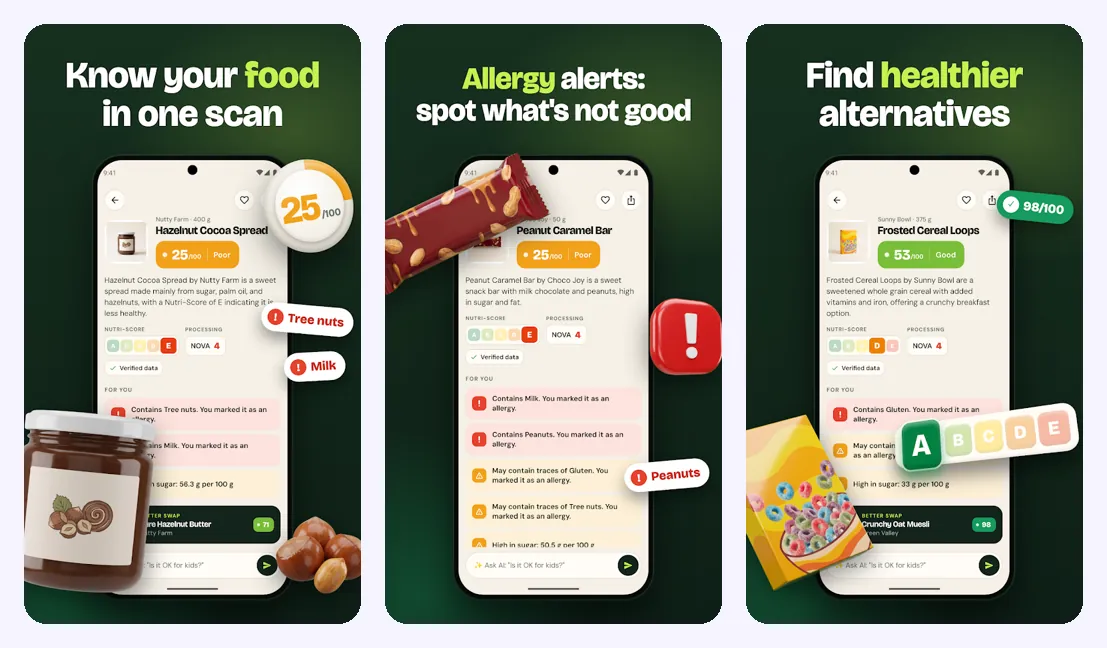
- Works on: Android
- Rating: 4.6 on Google Play, new app
- Price: Free to download
Why it's the best at this: It answers the question price scanners ignore: what's actually in the product, and whether there's a better option on the same shelf.
The catch: It's for food and groceries, not for comparing prices between stores.
Get it: Product Scanner for Android
Price scanner apps compared
| App | Best for | Scans | iPhone / Android | Cost |
|---|---|---|---|---|
| ShopSavvy | Comparing a barcode across stores | Barcode, name | Both | Free with ads, Pro |
| Lens AI | Items without a barcode | Photo, screenshot | Both | Free daily scans, subscription |
| Google Lens | A quick free look | Photo, barcode | Android app, Google app on iPhone | Free |
| Price ID / What's It Worth | Resale and used value | Photo, screenshot, barcode | Both | Free download |
| Amazon Shopping | Checking against Amazon | Barcode, photo | Both | Free |
| BuyVia | Deals and coupons | Barcode, QR | Both | Free with ads, ad-free plan |
| Product Scanner | Groceries and ingredients | Barcode | Android | Free download |
Best price scanner for iPhone
On iPhone, the camera already reads barcodes and QR codes, but it won't compare prices. For a barcode price scanner on iPhone, ShopSavvy is the most complete. For everything without a barcode, Lens AI for iPhone is the iPhone price scanner app we'd install first, and What's It Worth is the one to grab if you mainly want to know resale value.
Best price scanner app for Android
Android users get Google Lens for free, which covers quick checks. Add ShopSavvy for barcodes, and Lens AI for Android (or Price ID if you're selling things) for photos of items that have no barcode.
Is there a free price scanner app?
Yes. Google Lens and the Amazon app are completely free. ShopSavvy and BuyVia are free with ads. Lens AI gives you free daily scans, and Price ID / What's It Worth and Product Scanner are free to download. For most people a free price scanner app is enough. You only need to pay if you scan a lot every day or want price history and no ads.
Barcode price scanner or photo price checker?
A barcode price scanner is the most accurate way to check a price, because the barcode points to one exact product. Use it for anything in a box: electronics, toys, books, groceries. A photo price checker app is what you need when there's no barcode: clothes, shoes, furniture, decor, vintage and second-hand items, or something you only saw in a photo. That's why we'd keep one of each on your phone.
How to scan a price and not get fooled
- Compare the exact model, not a lookalike. Check the model number on the box or the tag.
- Add shipping and tax before you decide that online is cheaper.
- For used items, look at sold prices, not asking prices. That's the real value.
- Scan again a few days later for big purchases. Prices move, and alerts help.
Want to try a photo scan right now? Use the scanner at the top of this page, or check our guides to finding where to buy something from a picture, barcode lookup and how much is it worth.
Frequently asked questions
What is the best price scanner app?
For barcodes, ShopSavvy compares the most stores. For items without a barcode, Lens AI scans a photo and finds the product and its price. Google Lens is the best free option on Android.
Is there a free price scanner app?
Yes. Google Lens and Amazon Shopping are free, ShopSavvy and BuyVia are free with ads, and Lens AI has free daily scans.
What is the best price scanner for iPhone?
ShopSavvy for barcodes and Lens AI for photos. If you mostly want resale value, What's It Worth is a good pick on iPhone.
What is the best price scanner app for Android?
Google Lens for quick free checks, ShopSavvy for barcodes, and Lens AI or Price ID for items without a barcode.
Can I scan a price without a barcode?
Yes. Photo-based apps like Lens AI and Google Lens identify the item from a picture and show where it's sold and for how much.
How do I check if a price is good?
Scan the exact model, compare at least three stores, add shipping, and for used items look at recent sold prices instead of asking prices.